-
-
--
Inspiration
Braille is one of the most important reading systems for visually impaired people, but understanding physical Braille is difficult for many caregivers, teachers, volunteers, family members, and accessibility workers who cannot read it by touch. Most simple Braille tools only translate Unicode Braille symbols, but real-world Braille exists on paper as raised or printed dots, often captured under imperfect lighting, blur, tilt, and camera noise.
BrailleLens AI was built to solve that real-world problem: turning an ordinary camera into a practical Braille reading assistant that can detect physical Braille dots, reconstruct Braille cells, convert them into readable text, translate the output, and speak it aloud.
What it does
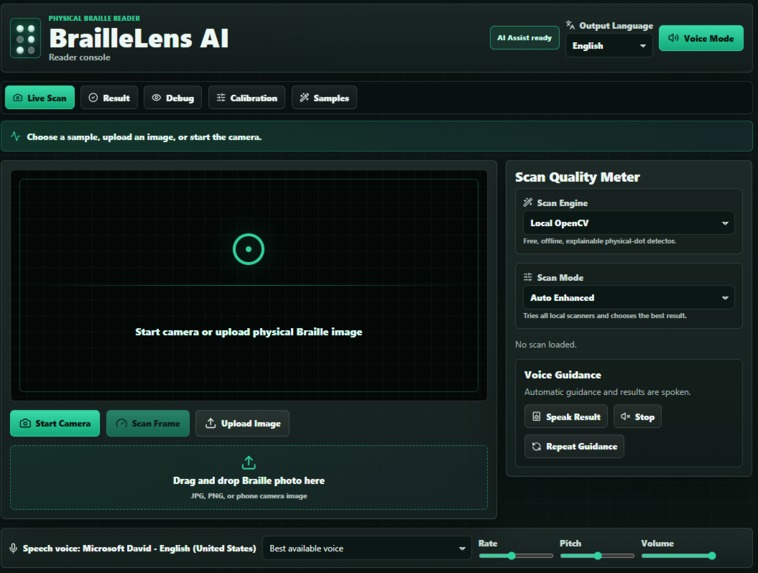
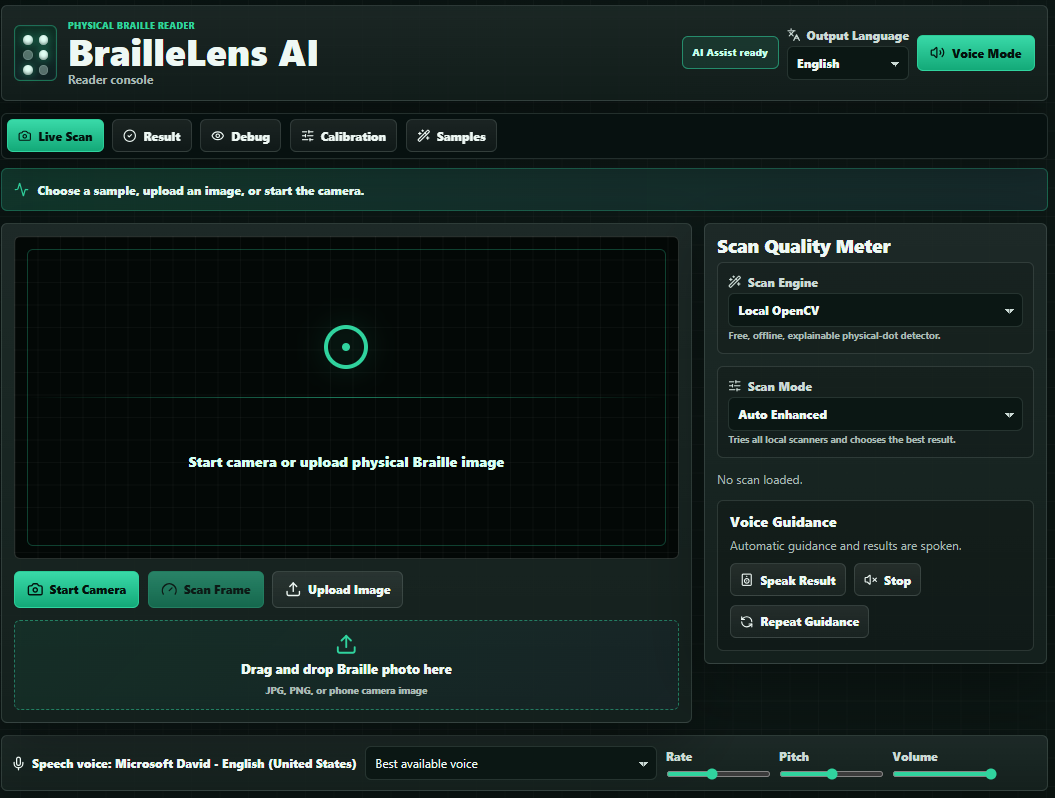
BrailleLens AI is a camera-based physical Braille reader with multilingual voice guidance. It is not just a digital Braille translator. It processes real photos or camera frames of physical Braille, detects the dot structure, groups dots into standard 2-column by 3-row Braille cells, translates Grade 1 English Braille into text, and presents the result in a clean, accessible interface.
The app supports image upload, drag-and-drop scanning, camera-based scanning, sample demo scans, multilingual output, and browser-based speech. Users can choose an output language such as English, Hindi, Spanish, or French, and the app can speak the recognized result using the browser’s built-in text-to-speech engine.
BrailleLens AI also includes a guided scan experience. It checks image quality before and during scanning, including focus, brightness, contrast, alignment, and dot-grid confidence. Instead of failing silently, it gives helpful guidance such as “Too blurry,” “Lighting is low,” “Braille detected,” “Hold steady,” and “Ready to scan.”
A major feature is the Debug View, designed especially for explainability. It shows the original image, enhanced dot response, threshold image, detected dot centers, inferred rows and columns, Braille cell boxes, recognized characters, and confidence labels. This makes it clear that the system is detecting real physical dots rather than reading pre-written Braille text.
The app also includes Calibration Mode, where a user can scan a known Braille sample so the system can estimate dot size, dot spacing, row height, and camera distance. This helps improve detection when different paper types, lighting conditions, or camera distances are used.
For real-world usability, BrailleLens AI includes Manual Correction Mode. Each recognized Braille cell is shown as a six-dot grid, and users can toggle dots manually if needed. The translated text updates instantly, making the system more practical when camera quality is imperfect.
How we built it
BrailleLens AI uses a React + Vite frontend with Tailwind CSS for a fast, modern, mobile-first interface. The backend is built with Python, FastAPI, OpenCV, and NumPy.
The computer vision pipeline begins by normalizing the image, converting it to grayscale, enhancing contrast with CLAHE, denoising it, and applying adaptive thresholding and morphological operations. It then uses hybrid dot detection methods, including contour detection, blob-style filtering, and enhanced embossed-dot response processing.
After detecting dot centroids, the backend estimates alignment, clusters dots into rows and columns, groups them into Braille cells, calculates dot patterns, maps those patterns to Grade 1 English Braille, and returns the recognized text with confidence scores, warnings, metrics, and debug images.
The frontend displays scan metrics such as processing time, dots detected, cells detected, confidence, scan mode, and engine used. It also provides Voice Mode, Speak Result, Stop Speaking, Repeat Guidance, language selection, calibration tools, and a polished debug overlay for judges and users.
We also added an optional Gemini Assist mode as an experimental fallback, while keeping the core project local and free through OpenCV-based recognition.
Challenges we ran into
The hardest challenge was making the system work on real physical Braille photos instead of clean synthetic images. Actual Braille images can have shadows, low contrast, blur, perspective distortion, uneven paper texture, and extra noise. Embossed Braille is especially difficult because the dots are not dark marks; they are raised surfaces visible mostly through highlights and shadows.
Another challenge was grouping dots correctly into Braille cells. Detecting dots alone is not enough. The system also needs to understand rows, columns, spacing, reading order, cell boundaries, and confidence. Small errors in spacing can cause letters to be misread, so we built calibration, scan quality checks, confidence scoring, and manual correction to make the prototype more reliable and explainable.
Creating a professional assistive interface was also important. We focused on high contrast, large controls, voice guidance, clear status messages, keyboard-accessible interactions, and a judge-friendly debug view that explains exactly how the recognition works.
Accomplishments that we're proud of
We are proud that BrailleLens AI feels like a real assistive technology prototype rather than a basic hackathon demo. It combines computer vision, accessibility design, multilingual output, voice guidance, calibration, manual correction, and explainable debugging into one complete product experience.
The app can scan physical Braille images, detect real dot structures, reconstruct Braille cells, translate them into text, and speak the result aloud. It also provides scan quality feedback so users understand how to improve recognition.
The Debug View is one of the strongest parts of the project because it proves the system is not simply translating Unicode Braille. It visually demonstrates the full pipeline: image enhancement, dot detection, cell segmentation, confidence scoring, and final translation.
What we learned
We learned that assistive technology is not only about accuracy. It is also about trust, feedback, accessibility, and recovery when conditions are not perfect. A real user needs to know whether the image is blurry, whether lighting is poor, whether dots were detected, and what to do next.
We also learned that physical Braille recognition is a challenging computer vision problem because raised dots depend heavily on lighting, shadows, camera distance, and paper texture. Building a useful prototype required combining image processing, geometry, quality scoring, interface design, and accessibility features.
What's next for BrailleLens AI
Next, we want to improve recognition on more real-world Braille samples, add stronger perspective correction, support more Braille layouts, improve mobile camera alignment feedback, and expand translation support with fully offline open-source models.
Future versions could support contracted Grade 2 Braille, multi-page scanning, better automatic cropping, saved calibration profiles, real-time camera streaming, and deployment as a mobile app for Android and iOS.
Our long-term goal is for BrailleLens AI to become a practical, free, camera-based assistant that helps people read physical Braille anywhere using only a phone or webcam.


Log in or sign up for Devpost to join the conversation.