Inspiration
We started with a simple question: how does someone who can't see or hear take part in a conversation with a stranger, or pick up a random book at the library and read it?
Our first idea was a sign-language translator for deaf travelers. As we dug in, we realized there's a group that most communication tools leave out entirely: DeafBlind people. Captions need sight, and speech output needs hearing. Touch is what's left, which is why braille matters so much. So we asked: what if the words around you, spoken by the person in front of you or printed on a page, could turn into braille you feel under your fingertips, in real time?
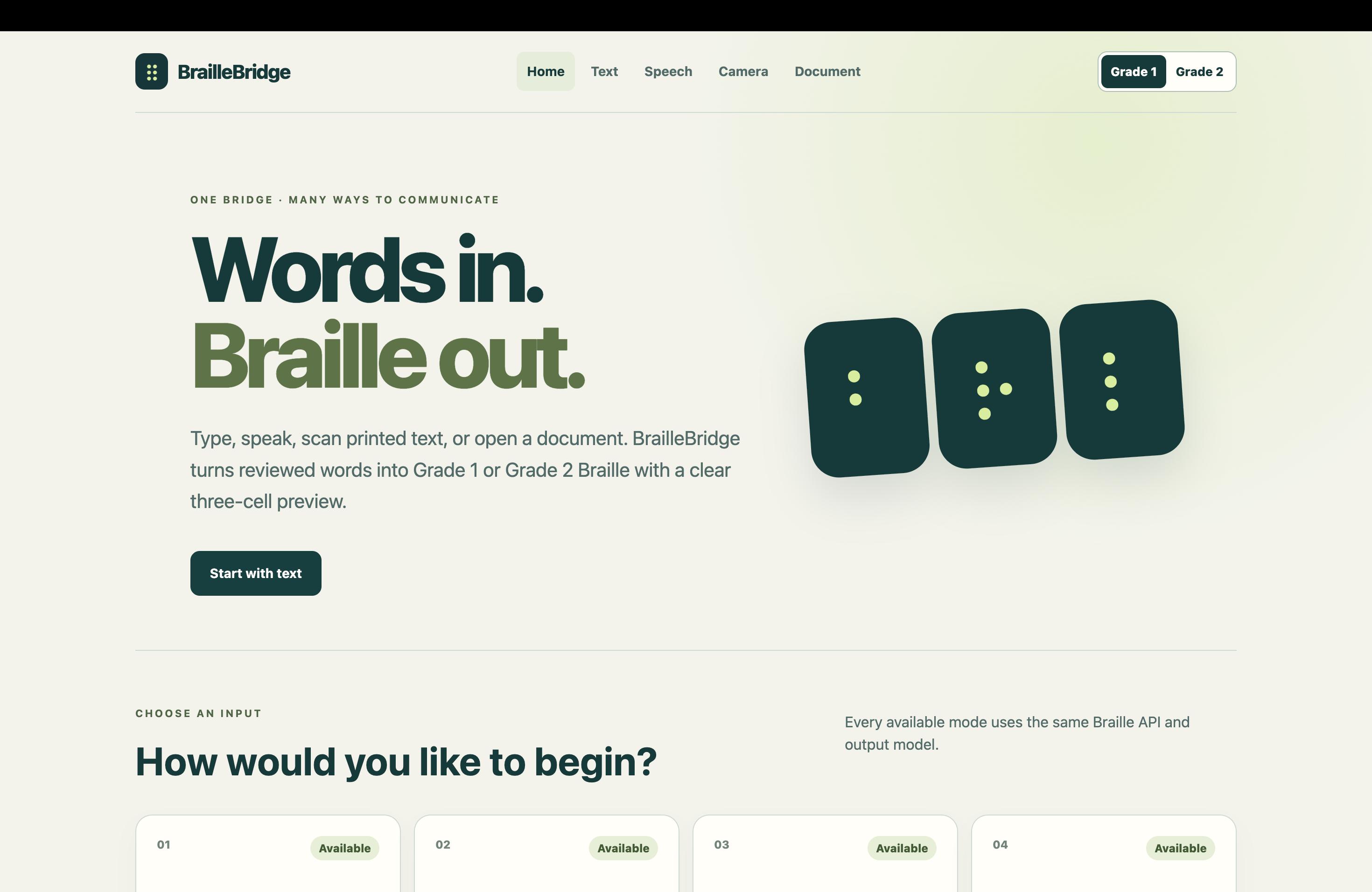
That became BrailleBridge: a bridge from speech, print, and other languages to touch, built from hobby parts, with all the AI running on the device itself.
What it does
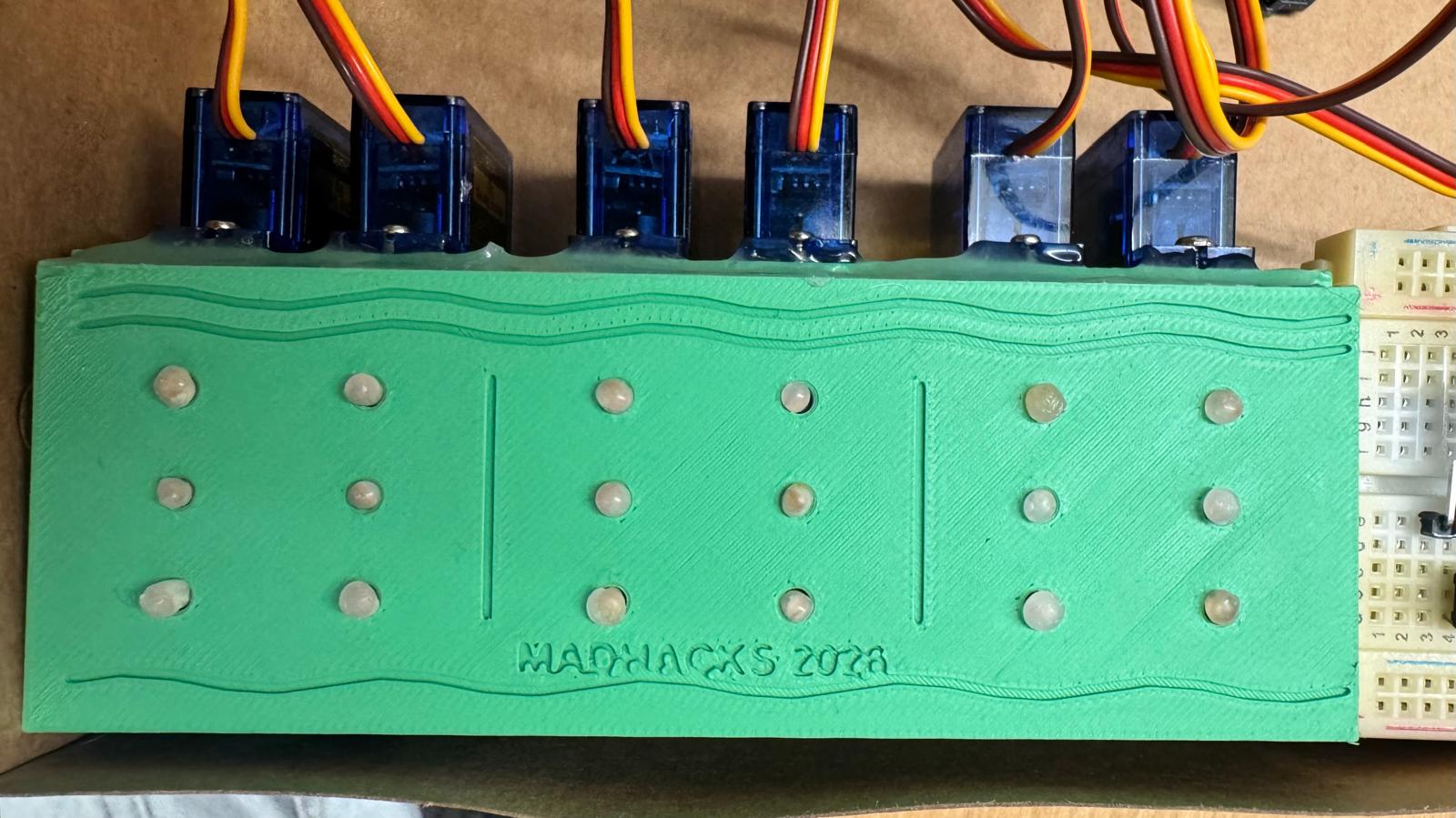
BrailleBridge is a three-cell refreshable braille display controlled by an on-device AI system:
- Speech → braille: speech is transcribed locally and shown in braille.
- Camera → braille: a photo of printed text is read with local OCR and shown in braille.
- Translation: text can be translated locally between languages before it's shown in braille.
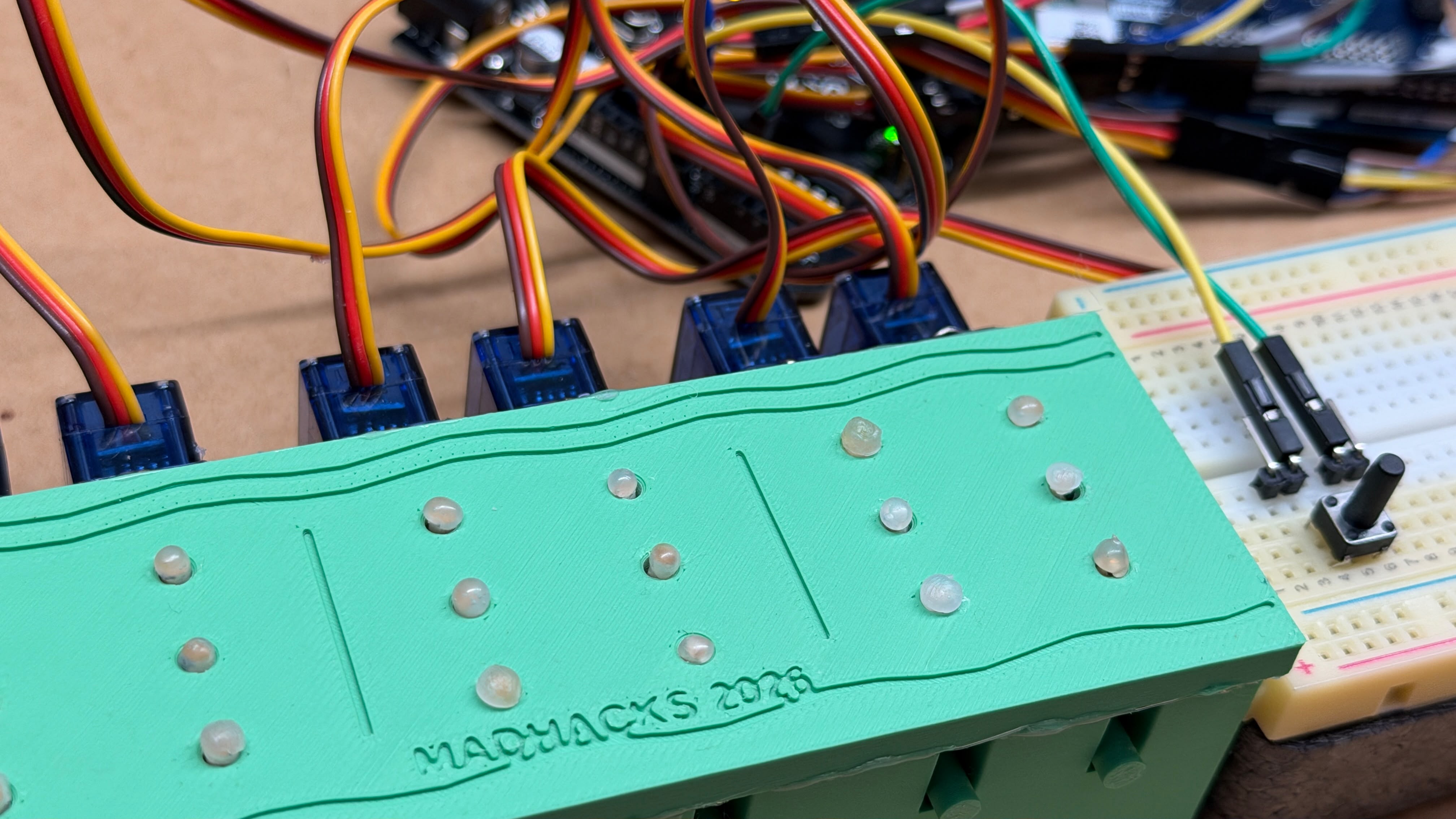
The display shows three braille characters at a time. Pressing the physical NEXT button beside the cells advances to the next three characters, and the web app shows a live preview of the current page.
This is a hackathon prototype, not a certified assistive device.
How we built it
Architecture
React web app + local AI services
              |
     Python FastAPI backend
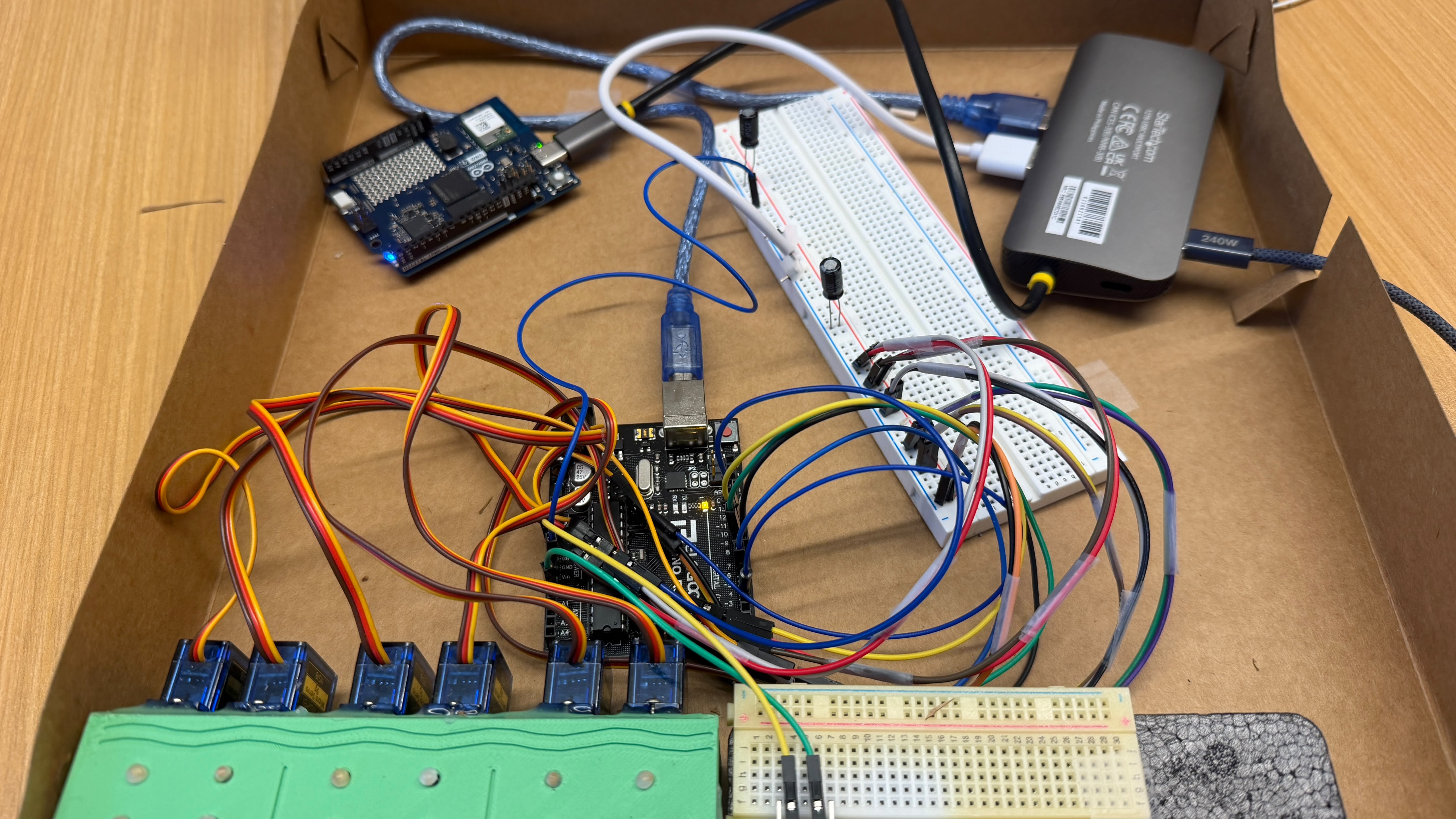
      Arduino UNO Q (Linux)
              |
     USB serial, 115200 baud
              |
        Arduino UNO R3
              |
 Six servos -> six 3-dot cam drums
              |
   Three physical braille cells
The cam-drum display. A braille cell has two columns of three dots. Instead of one motor per dot (18 motors for 3 cells), each column sits on a 3D-printed cam drum with three rings of bumps. A three-dot column has only
$$2^3 = 8$$
possible patterns, so each drum has 8 stops across the servo's range:
$$\theta_i = \theta_0 + i \cdot \frac{160^\circ}{7}, \quad i = 0, \dots, 7$$
Rotating a drum to stop i lifts the pins for that pattern. That gives all 64 patterns per cell with 2 servos per cell, 6 in total. We designed the drums, frame, and reading plate parametrically in OpenSCAD and printed them in one run.
Firmware (Arduino UNO R3). The firmware drives six servos and reads the NEXT button over a line-based serial protocol: P,<m1>,<m2>,<m3> shows three cells, Z clears the display, and EV,NEXT reports a button press. Because the drums hold their position mechanically, each servo is powered only while moving, and the servos move one at a time to limit current draw. A per-drum calibration table (offset, direction, flip) corrects mechanical misalignment in software.
Braille encoding. Each character is a six-bit mask, with bit k set when dot k+1 is raised:
$$m = \sum_{k=1}^{6} b_k \, 2^{k-1}$$
For example, A = 1, B = 3, C = 9. The app keeps standard masks for its UI and paging. A single transform module on the UNO Q maps them to the drums' physical order and orientation.
Backend and on-device AI (Arduino UNO Q). A FastAPI backend owns the serial port through a single serial manager and command queue, runs the page controller, and includes a motor safety guard. Local services handle the AI:
- Cactus Whistle for speech recognition
- IndraOCR for OCR
- SMaLL-100 for translation
The React + Vite frontend is served from the UNO Q and viewed from a laptop over Wi-Fi.
What we verified on the real hardware
- The UNO Q detects the UNO R3 over USB serial.
- Sending standard masks
[1, 3, 9]displays A B C with correct dot orientation. - Loading ABCDEF as two pages, then pressing the physical NEXT button, advances to page 2 and moves the servos to D E F.
- Sending
[0, 0, 0]resets the display to blank.
Challenges we ran into
- One shot at the 3D print. The makerspace closed at 4 PM, so everything had to print in a single run. The first print failed, and the rerun in the fastest mode knocked over the printed pins and left sagging overhangs inside the drums, which we cleaned up by hand.
- The pins. This was the hardest part. Pins jammed in their holes and lifted the whole plate, flew out when struck by a bump, or rose inconsistently because the drums wobbled slightly. We went through printed pins, taped toothpicks, skewers, and hot-glue heads, and learned that tiny sideways forces decide whether a pin rises or jams.
- Power. Six servos browned out a USB-powered Arduino. We gave the servos their own 5V supply with a shared ground and capacitors, and made the firmware move one servo at a time.
- Two boards, one USB-C port. The UNO Q has a single USB-C port, so we used a powered USB-C hub for the UNO R3 and controlled the UNO Q over Wi-Fi.
- Mirrored braille. Our first output came out flipped top-to-bottom and in reverse column order. We fixed it with one tested software transform instead of rewiring.
Accomplishments that we're proud of
- A working mechanical braille display built from hobby servos, 3D-printed cams, and cardboard in one weekend
- The cam-drum design: 6 servos instead of 18 for three cells
- Speech recognition, OCR, and translation all running locally on the UNO Q
- Real pagination: press the physical NEXT button, and the display moves to the next three characters
What we learned
Mechanical design is unforgiving: a millimeter of misalignment decides whether a dot rises or a pin jams. We learned to design for failure with spare parts, test strips, forgiving tolerances, and software calibration, to share grounds between power supplies, and to keep one module responsible for mapping software to hardware so fixes happen in exactly one place.
What's next for BrailleBridge
- More reliable pins and taller cams for a stronger, more consistent dot lift
- Shrinking to true braille size (about 2.5 mm dot spacing)
- Using the braille chord keys, already supported in the firmware, so users can type replies that are spoken aloud
- Testing with blind and DeafBlind users, and letting their feedback shape the design
- Deployment scripts so anyone can reproduce the full UNO Q setup


