Inspiration
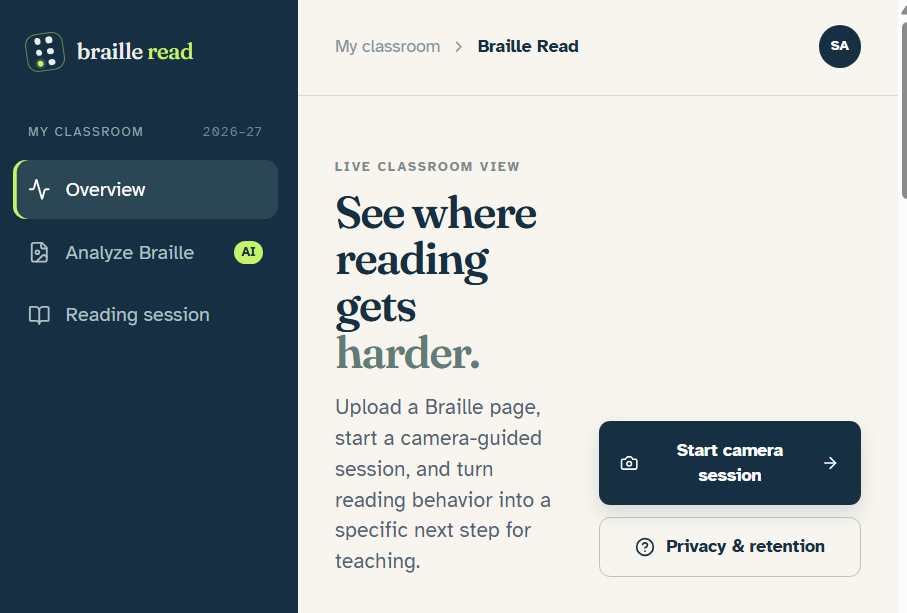
We kept coming back to a problem that is easy to miss: when a student reads Braille, a teacher usually sees the final result, but not the process that produced it. If the student pauses, loses their place, rereads a section, or skips ahead, that information is difficult to capture during a normal classroom activity. That led us to Braille Read. We wanted to use technology that teachers and students already have—a phone camera—to make those reading patterns easier to see. The goal is not to judge a student by one number. It is to give teachers better evidence about where a student may need support and what to look at next.
What it does
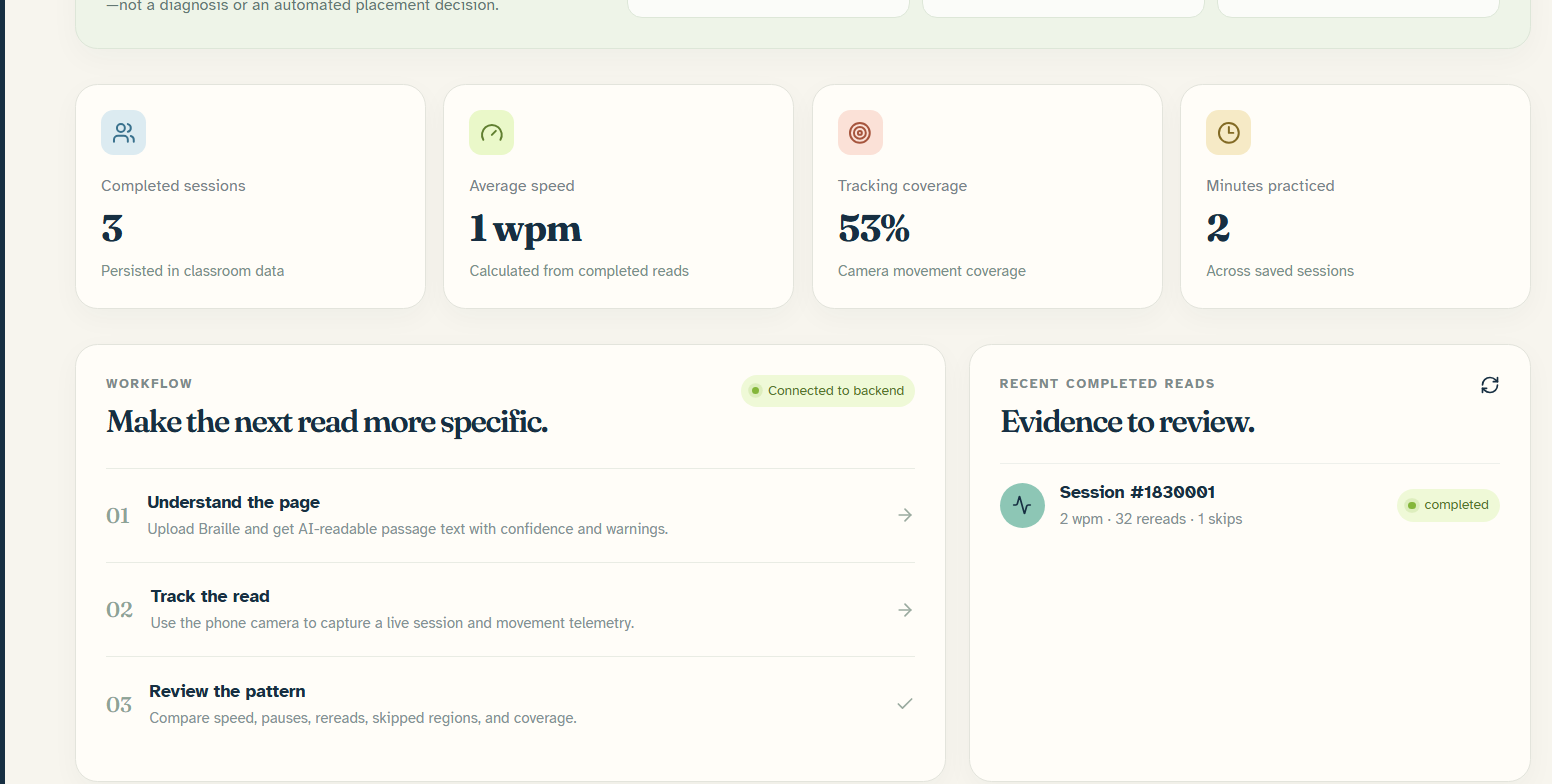
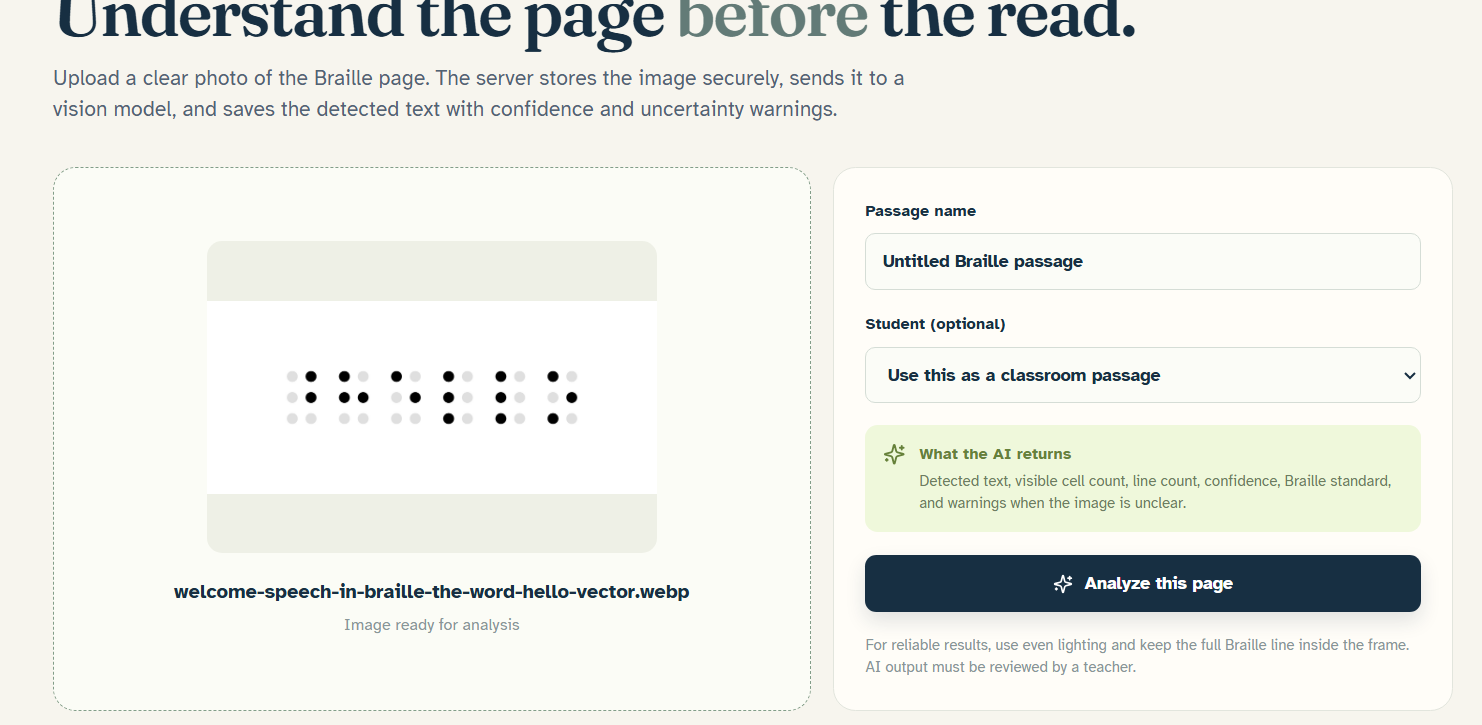
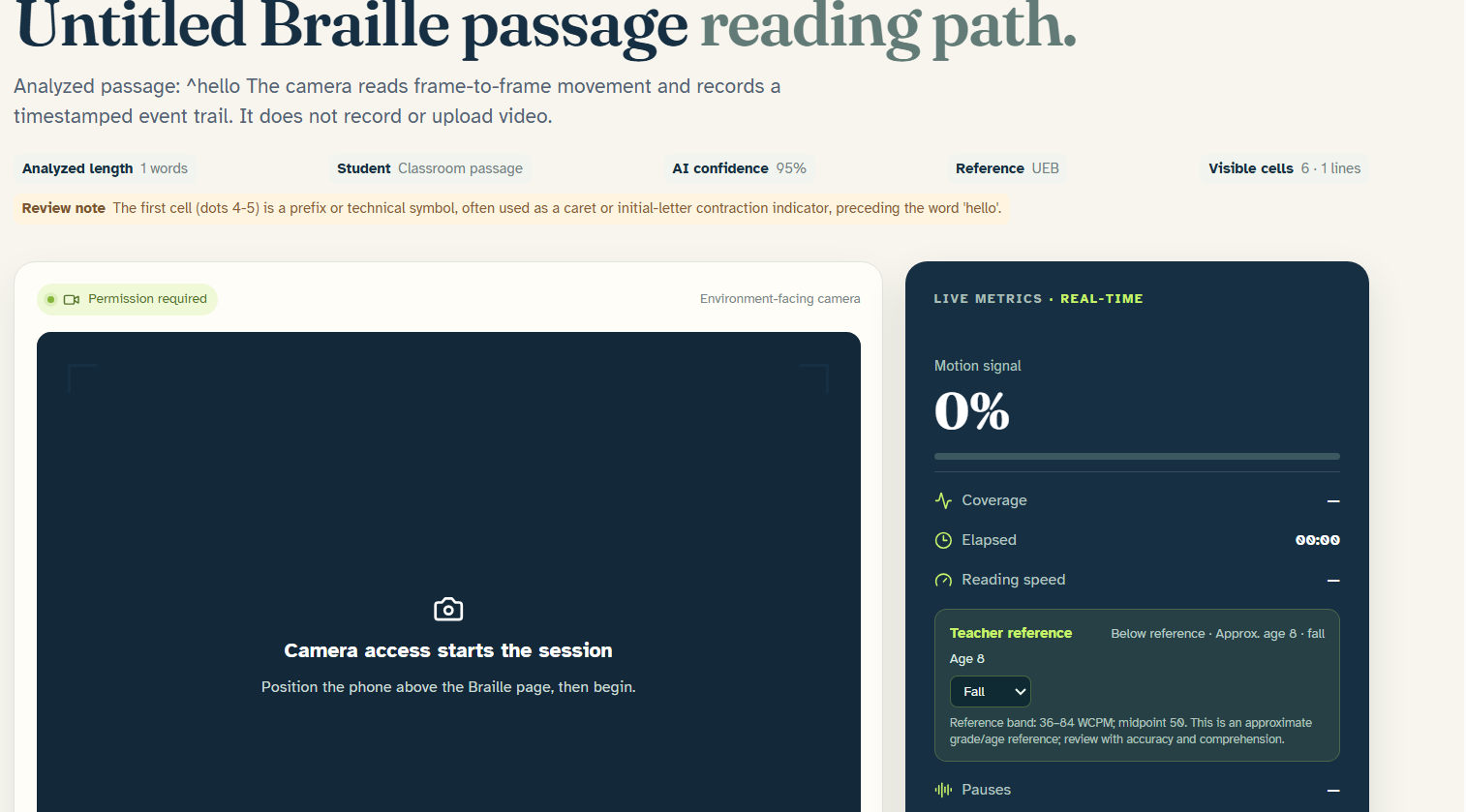
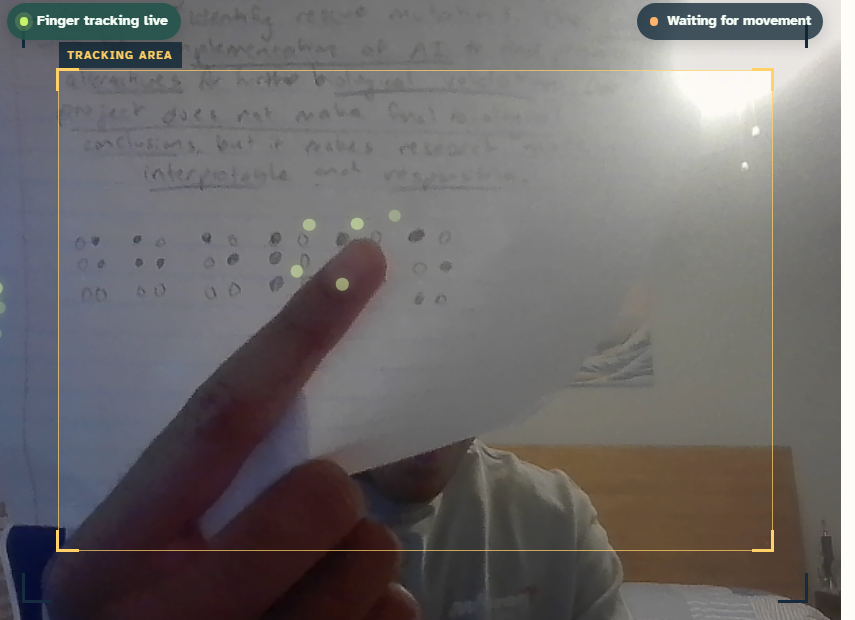
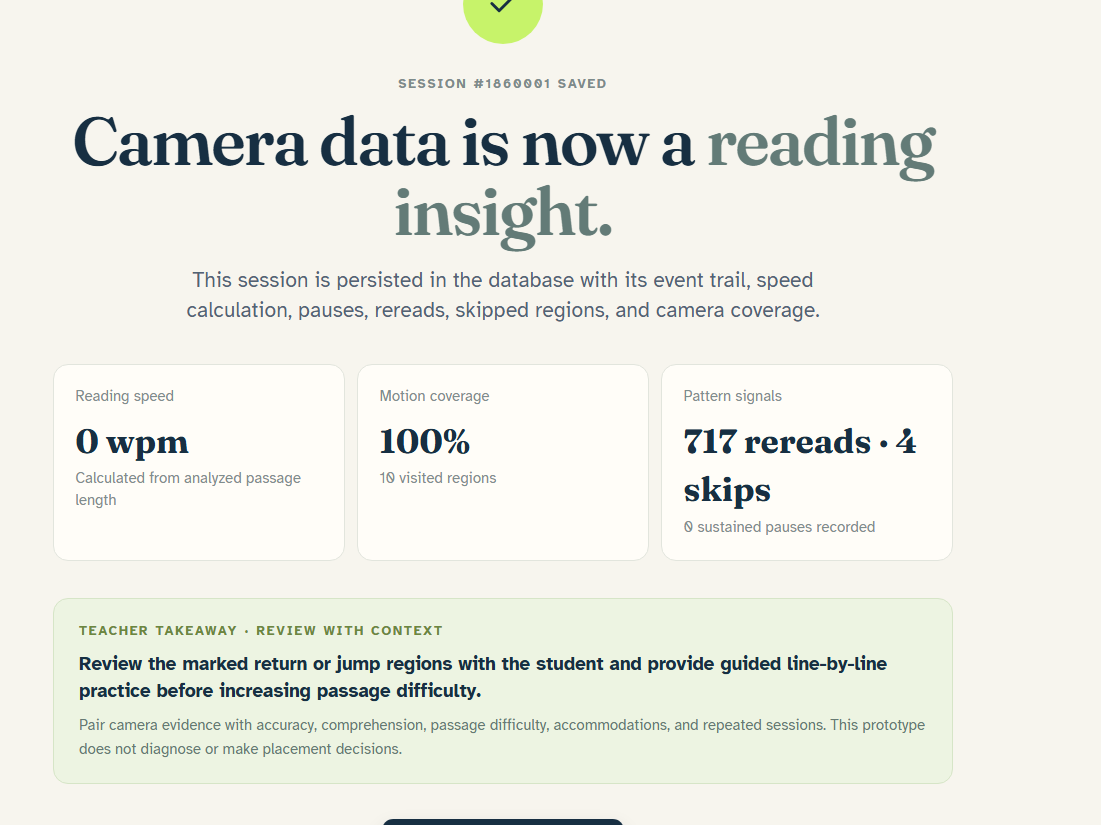
Braille Read starts by letting a teacher upload a photo of a Braille page. An AI vision pipeline analyzes the image and creates a passage reference, along with details such as confidence, visible cell count, line count, Braille standard, and warnings when the image is unclear. Once the passage is ready, the student can begin a guided reading session. The app asks for camera consent, supports optional audio consent, walks through a three-step calibration process, and gives an audible signal to begin. During the session, the camera view stays visible. A green tracking target and movement trail show the detected reading path in real time. The session records evidence such as elapsed time, coverage, pauses, rereads, skipped regions, movement confidence, and estimated reading speed. Afterward, Braille Read gives the teacher a short, non-diagnostic takeaway about what may be worth reviewing. It also makes clear that speed should be considered alongside accuracy, comprehension, passage difficulty, accommodations, and repeated observations.
How we built it
Braille Read is a full-stack TypeScript application built with React, Tailwind CSS, Express, tRPC, Drizzle, and a MySQL/TiDB-compatible database layer. The backend stores students, passages, Braille analyses, reading sessions, movement events, and optional oral-reading comparisons. For the AI portion, we use vision analysis to turn an uploaded Braille image into structured passage data. Because model responses are not always perfect, we added a parser that handles common problems such as fenced JSON, explanatory text, truncated responses, and missing fields. When the result is uncertain, the app surfaces that uncertainty instead of silently presenting it as fact. The camera workflow uses browser-based visual path tracking, calibration, temporal smoothing, jump rejection, missed-frame tolerance, and object-fit coordinate correction. We originally explored a hand-landmark approach, but browser WASM initialization was unreliable on some devices. Rather than let the entire demo depend on a model that could fail to start, we built a more controlled fallback that looks for a compact, high-contrast foreground candidate near the previous tracking point. The interface labels this honestly as visual path tracking when landmark recognition is not active. We also added privacy and ownership controls, including camera and audio consent, retention settings, owner-scoped records, and deletion workflows. The repository is public and released under the MIT License.
Challenges we ran into
The biggest challenge was making the camera experience dependable enough to demonstrate. Several versions of the hand-tracking model produced Aborted() errors when the browser could not initialize the WASM runtime. At other points, a broad motion detector reacted to lighting changes or general movement instead of the student’s finger. We addressed this by taking the unstable model out of the critical live path, adding a browser-safe fallback, improving the visual candidate mask, preferring compact fingertip-like regions, smoothing the detected path, rejecting implausible jumps, and adding a short grace period for missed frames. We also had to correct a separate alignment problem caused by camera aspect ratios and object-fit: cover, which could make the target appear offset from the actual camera coordinate. The AI pipeline brought its own challenges. We dealt with incomplete JSON, provider configuration issues, failed requests, and the need to distinguish a genuinely unclear image from a successful analysis. We added recovery messages, provider fallback behavior, and regression tests instead of allowing partial AI output to look complete. Finally, we had to be careful about what the metrics mean. A prototype can show a movement pattern, but it cannot claim that one session diagnoses a reading difficulty. That is why the app uses evidence gates and tells the teacher when there is not enough tracking evidence to interpret the results.
Accomplishments that we're proud of
We are proud that Braille Read connects three parts of the problem in one workflow. The AI understands the uploaded page, the camera observes how the student moves across it, and the teacher receives a reviewable summary instead of a disconnected collection of raw numbers. We are also proud of the reliability work behind the demo. The app no longer treats a static camera frame as proof of movement, and it does not invent coverage, speed, rereads, or skipped regions when the path has not been acquired. The session visibly distinguishes between camera-ready, acquiring, tracking locked, visual path tracking, and insufficient-evidence states. On the teacher side, the project does more than display a score. It shows visited regions, path evidence, event information, AI confidence, uncertainty notes, and a next-step recommendation that is explicitly non-diagnostic. That makes the result easier to question and interpret. The project is also open source, includes an MIT License, has a public repository, and has been tested with 66 automated tests, TypeScript validation, a production build, and browser preview checks. We know those checks do not replace testing on a real phone, but they gave us a much stronger foundation than the original prototype.
What we learned
We learned that the most impressive technical approach is not always the best one for a real demo. A sophisticated hand-tracking model is not useful if it fails to initialize on the judge’s browser. A narrower and more transparent fallback can be better when it behaves predictably and clearly communicates its limitations. We also learned that AI needs to be part of the product’s reasoning, not just part of its branding. In Braille Read, the AI-generated passage is what makes the later movement data meaningful. Without knowing what page the student is reading, a camera path alone has limited educational value. Another important lesson was that educational data needs context. Reading speed, pauses, and movement patterns can point a teacher toward something worth investigating, but they should not be treated as a diagnosis. Accuracy, comprehension, student preference, accommodations, passage difficulty, and multiple sessions all matter. Most importantly, we learned to make uncertainty visible. A system that says “there is not enough evidence yet” is more trustworthy than one that always produces a confident-looking result.
What's next for Braille Read
The next step is testing the complete workflow on the actual phones and browsers used by students and judges. We want to measure how the tracker behaves under different lighting conditions, camera angles, page layouts, and device capabilities, then improve the setup guidance and calibration process based on those results. We also want to improve the mapping between the detected path and the passage itself. A future version could provide more precise line- and word-level regions, making it easier to identify exactly where a student paused or returned. We would also like to expand the oral-reading comparison so teachers can consider movement evidence together with accuracy and comprehension. Longer term, we want to evaluate Braille Read with teachers and Braille readers, rather than assuming that technically interesting metrics are automatically useful in the classroom. We would use that feedback to refine the teacher dashboard, support longitudinal progress tracking, and determine which signals are genuinely actionable. The broader goal is to make reading difficulty more visible without reducing a student to a score. Braille Read is a starting point for giving educators better context while keeping student consent, privacy, and human judgment at the center.
Built With
- express.js
- mysql
- react
- tailwind

Log in or sign up for Devpost to join the conversation.