-
-
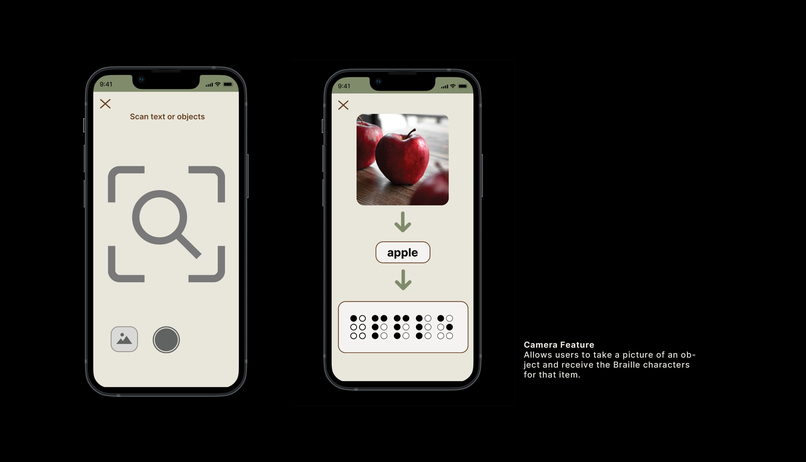
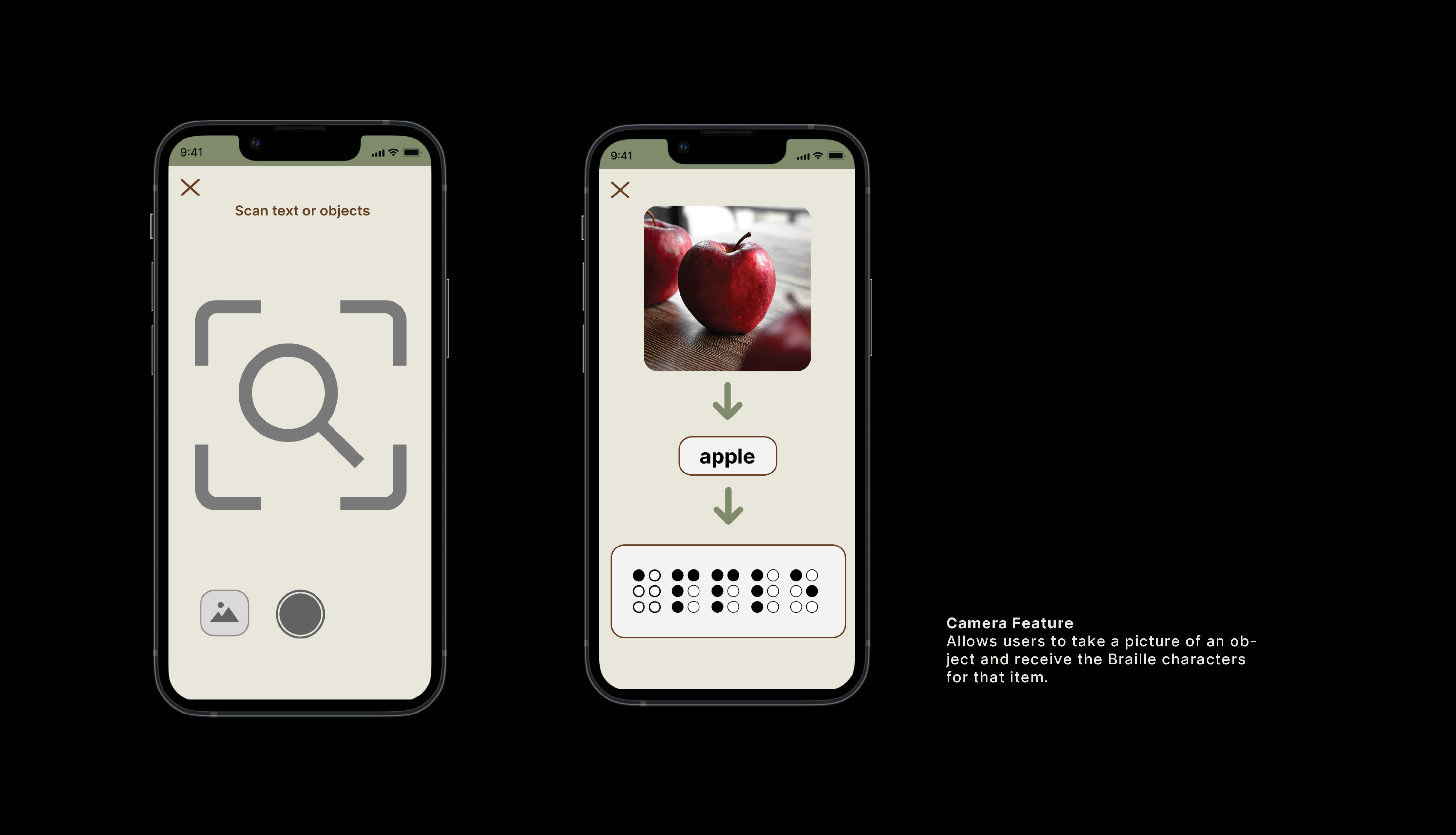
Image Scan Detection to Braille
-
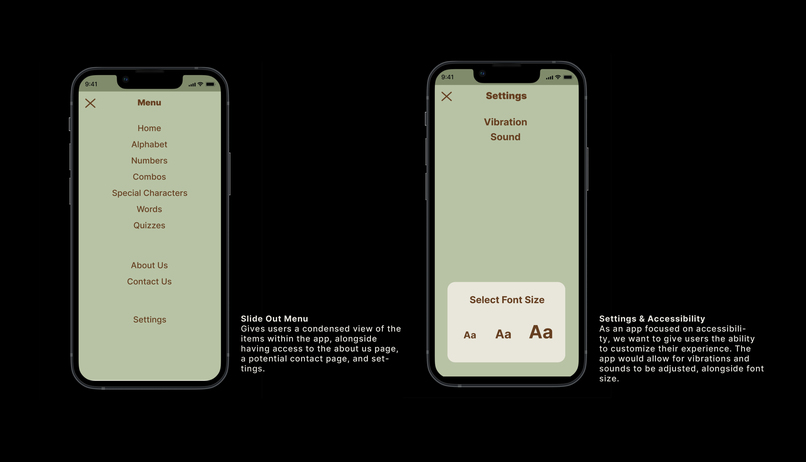
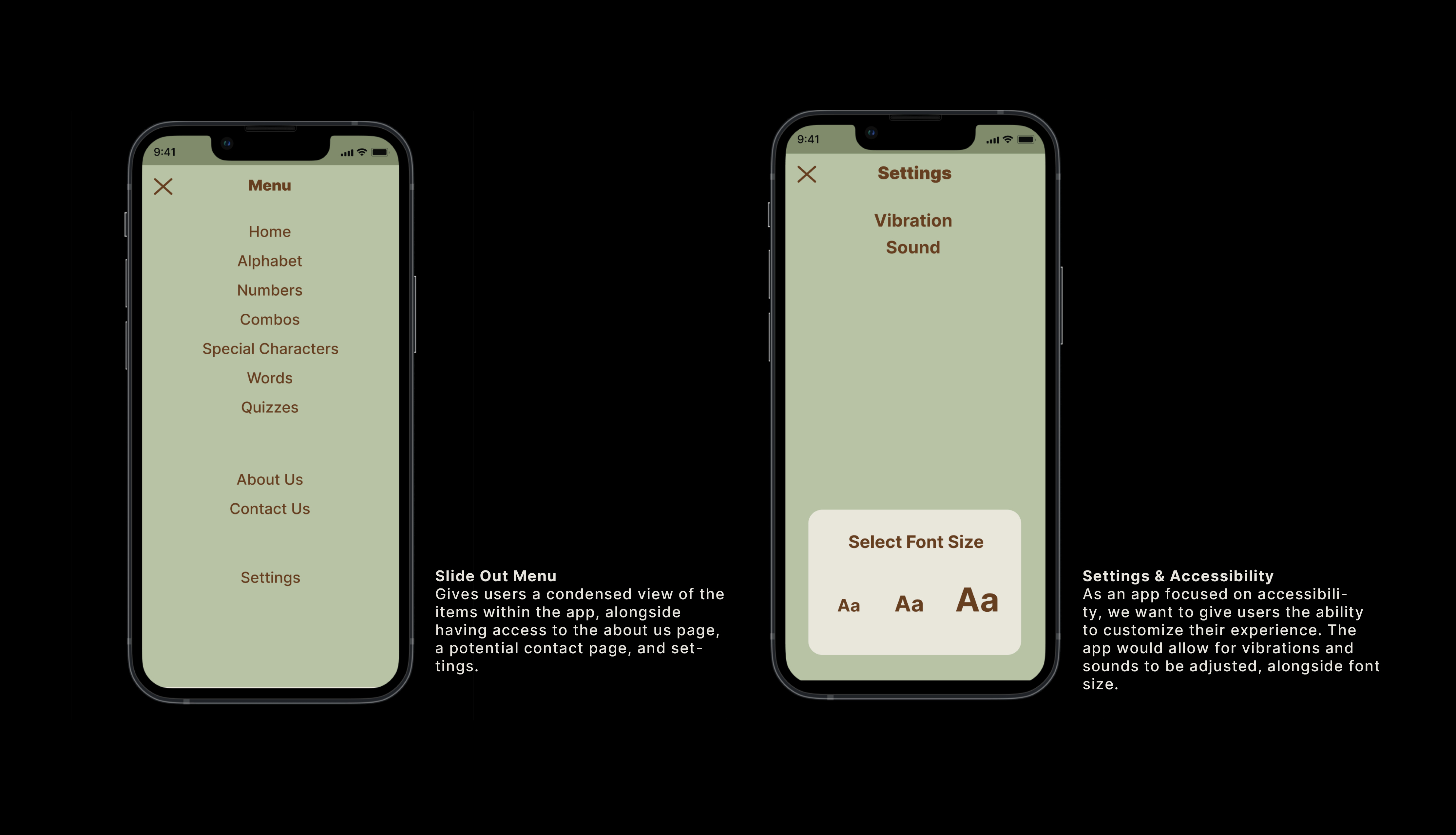
Hamburger Menu and Accessibility Function Concept
-
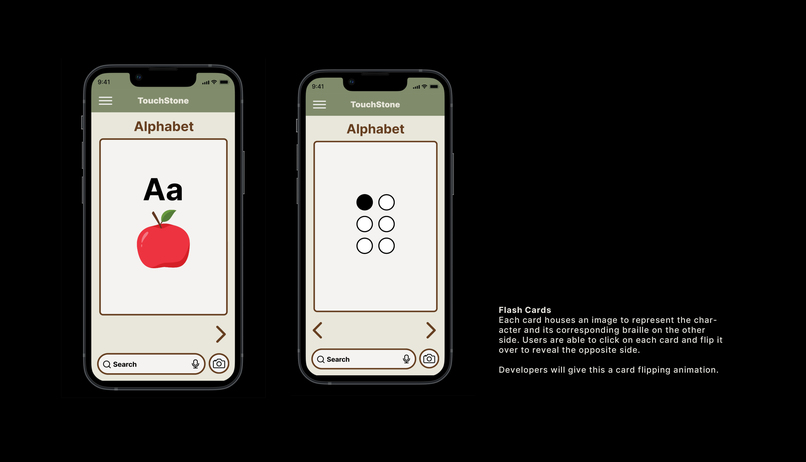
Flashcard Page
-
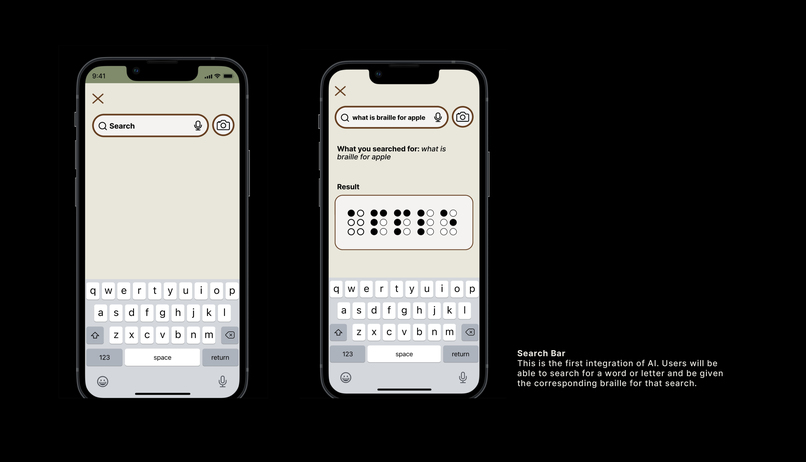
AI Search Function
-
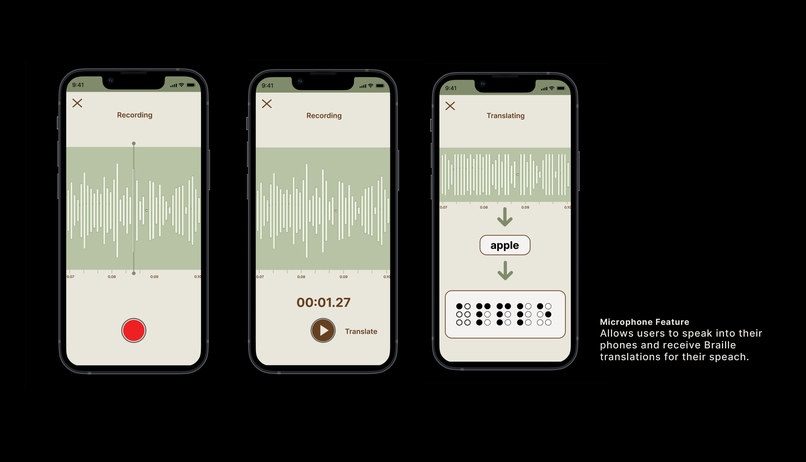
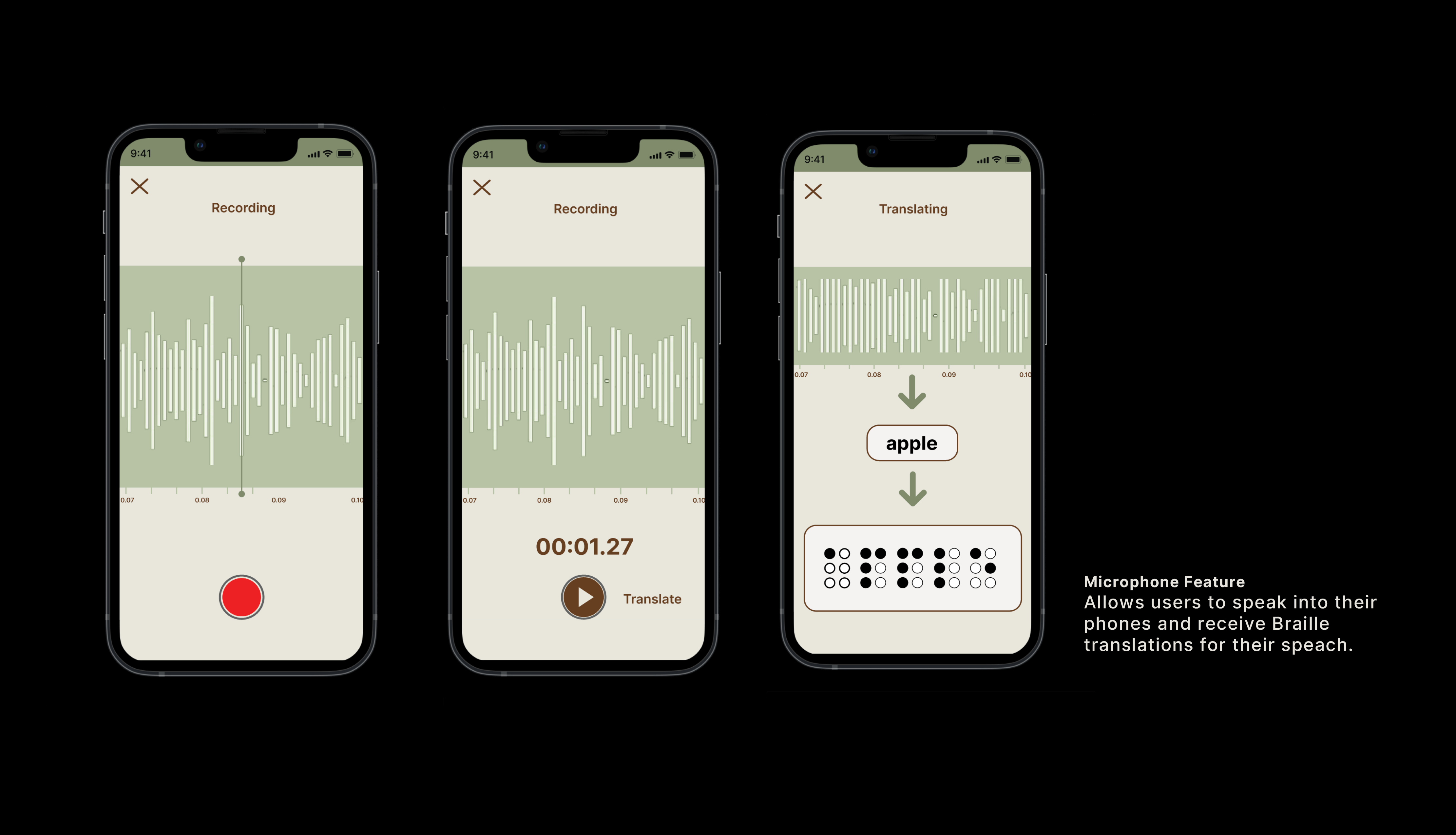
Speech to Text to Braille Concept
-
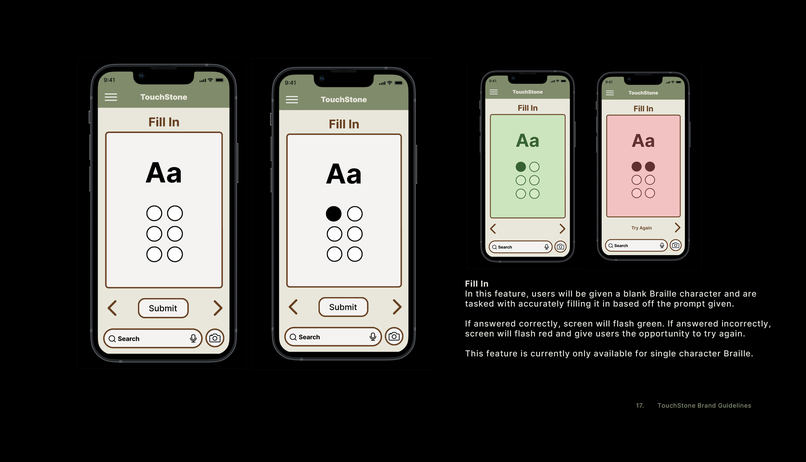
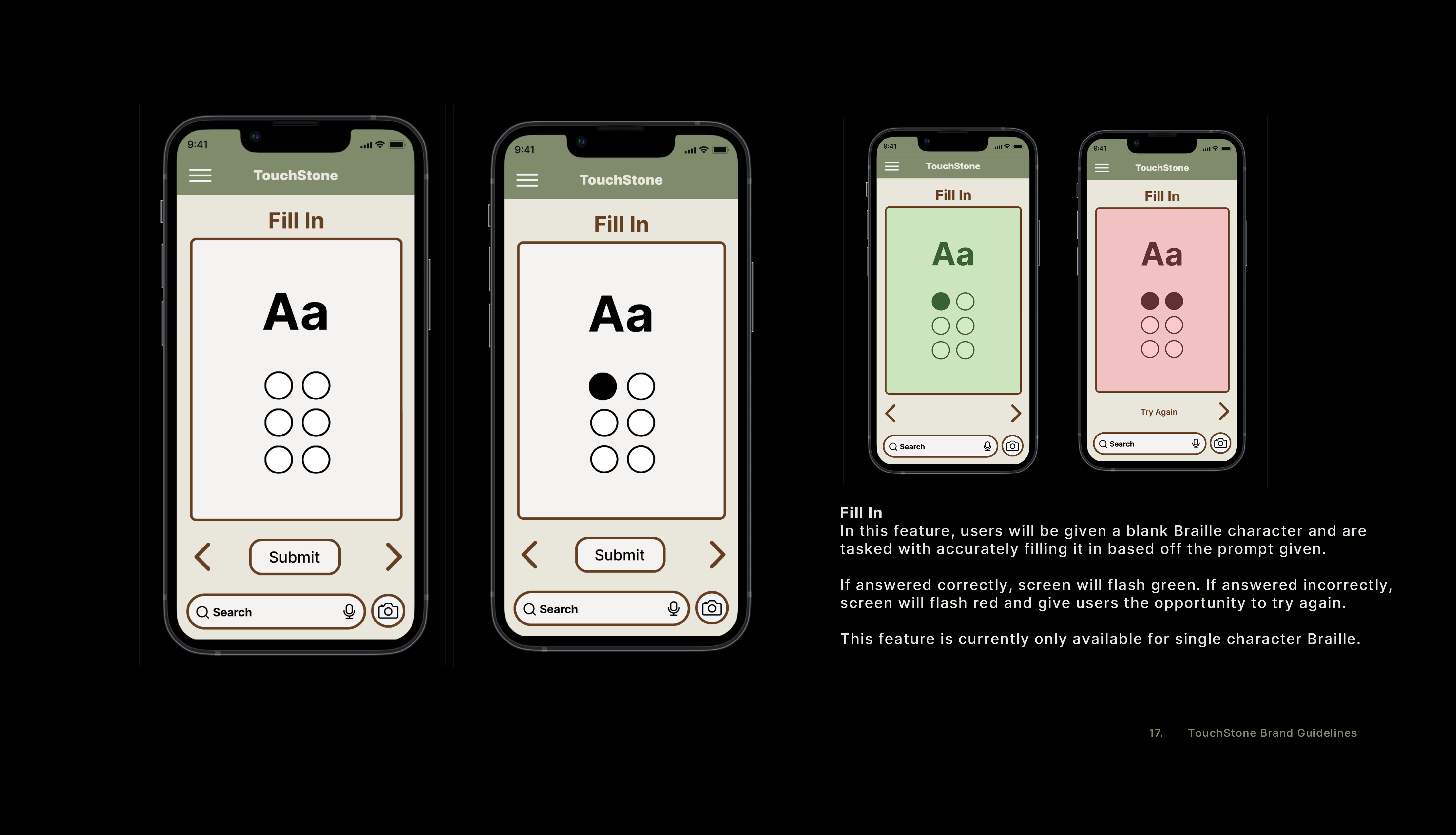
Fill In Quiz Flow
-
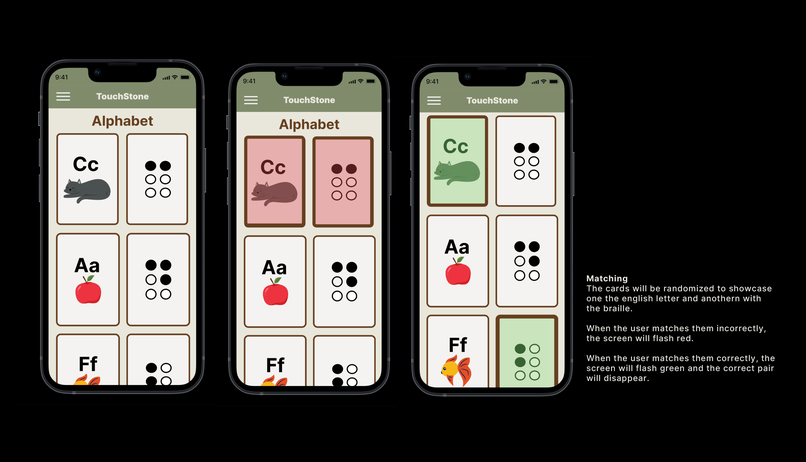
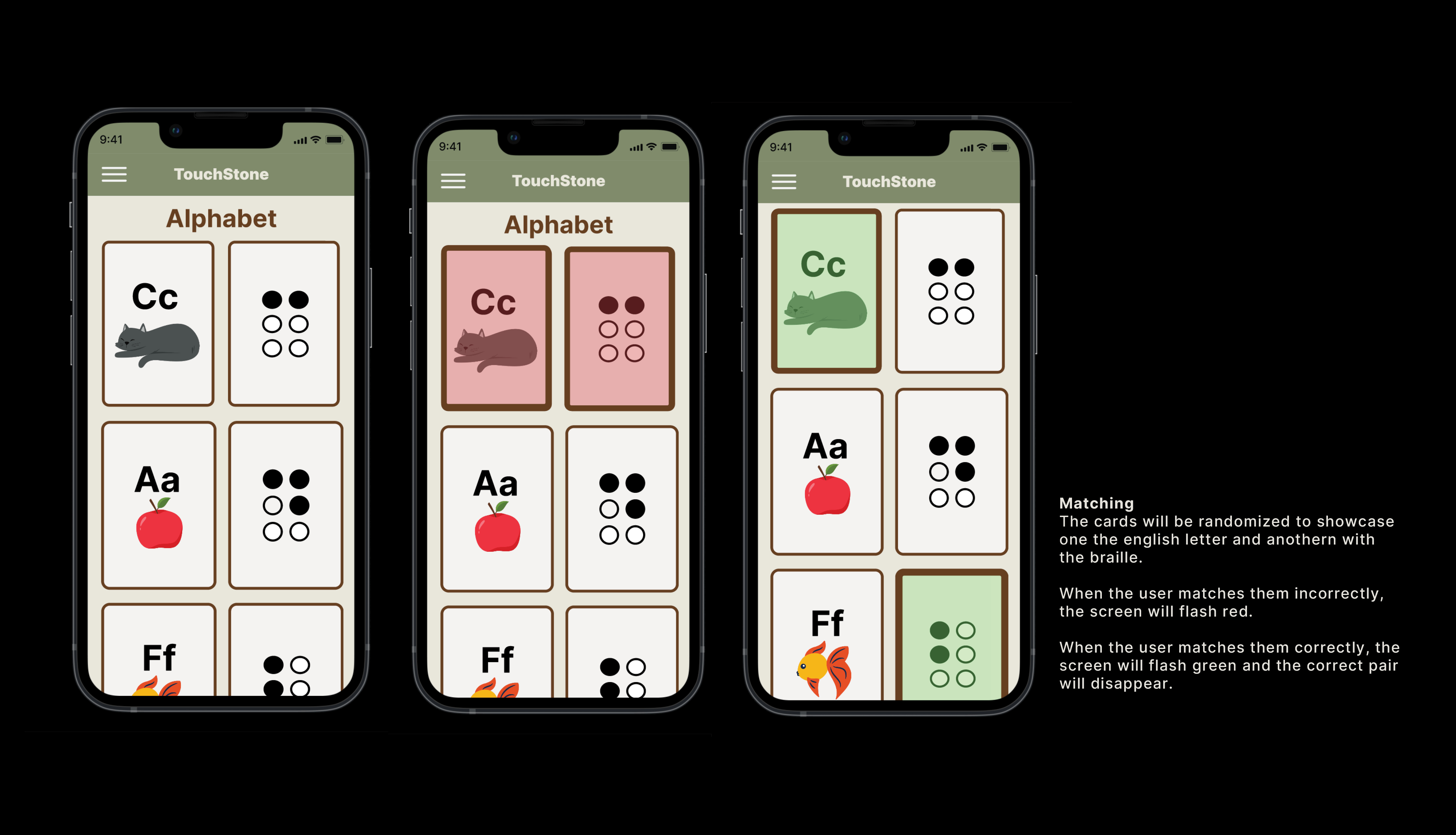
Matching Quiz Flow
-
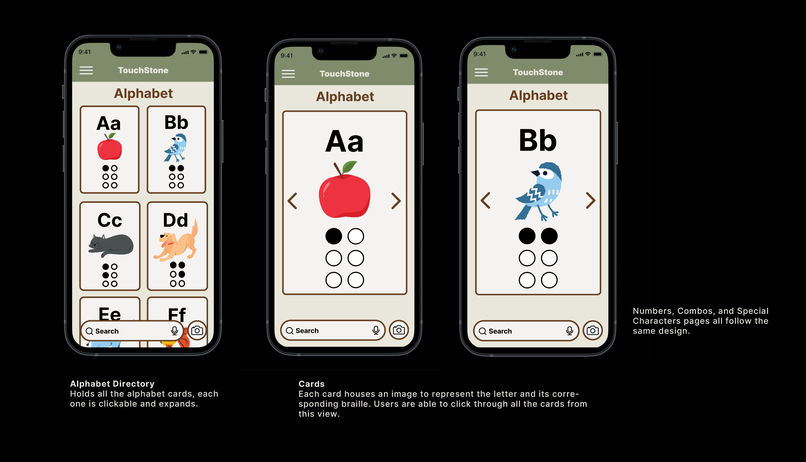
Alphabet Pages Flow
-
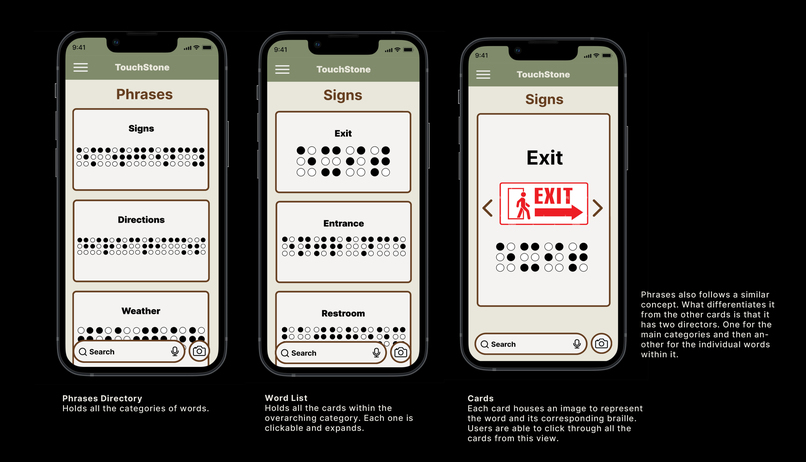
Words Pages Flow
-
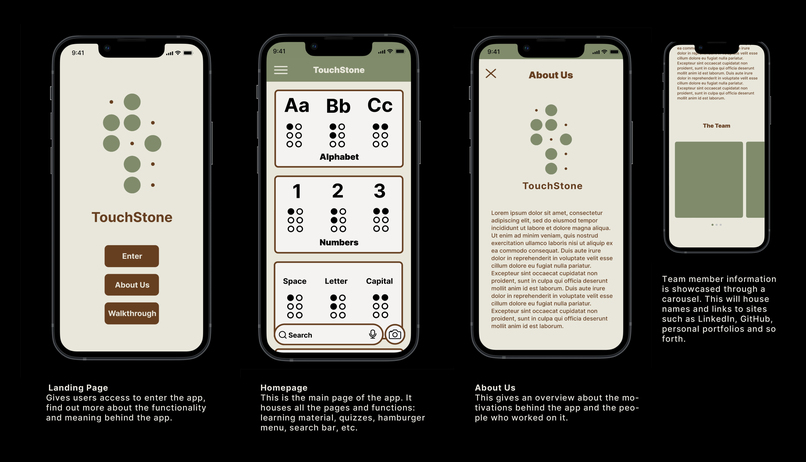
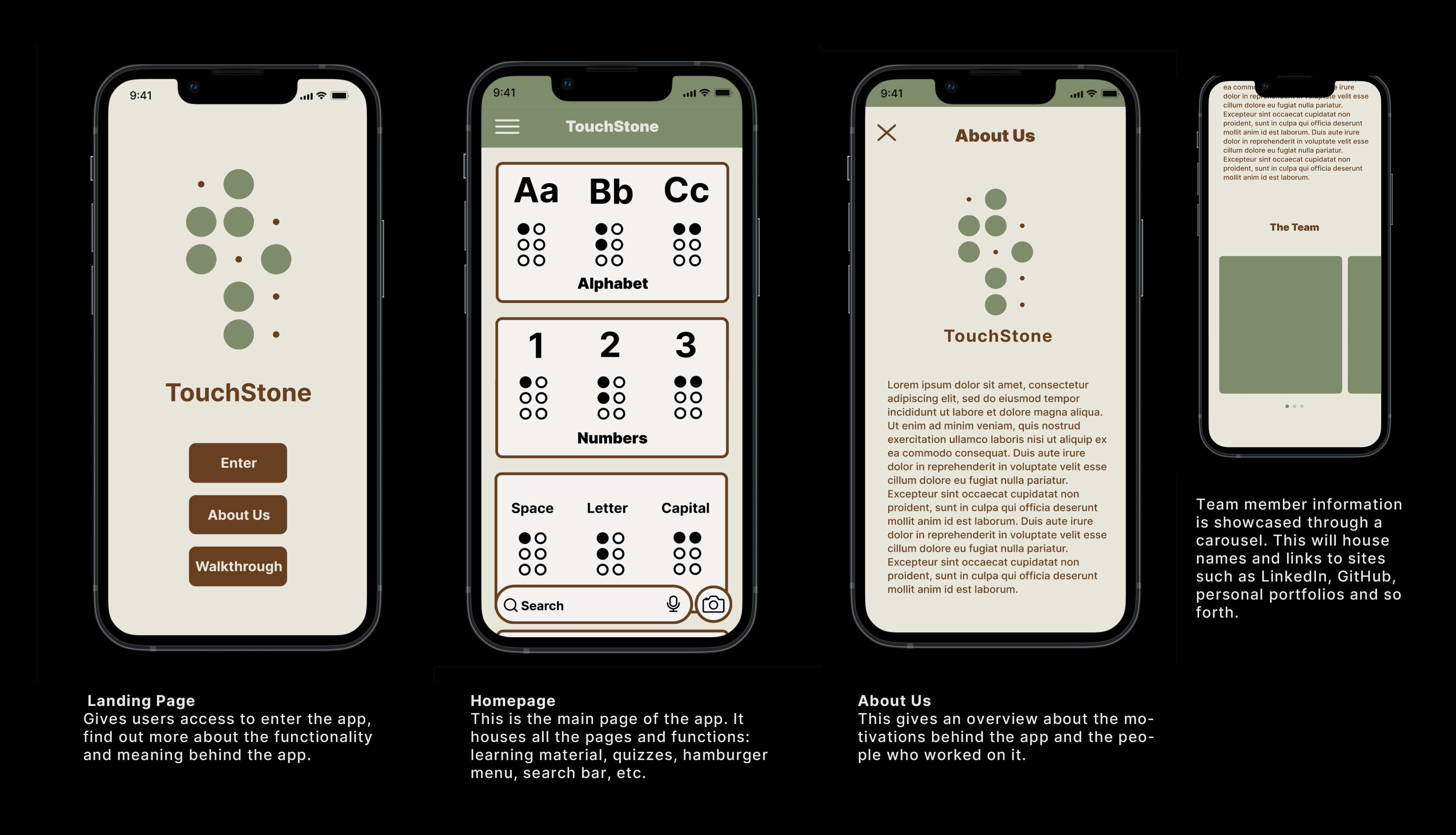
Opening Pages
-
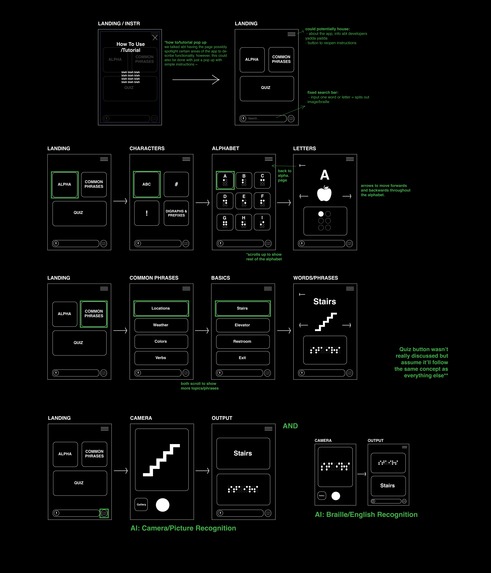
Initial planning Layout
-
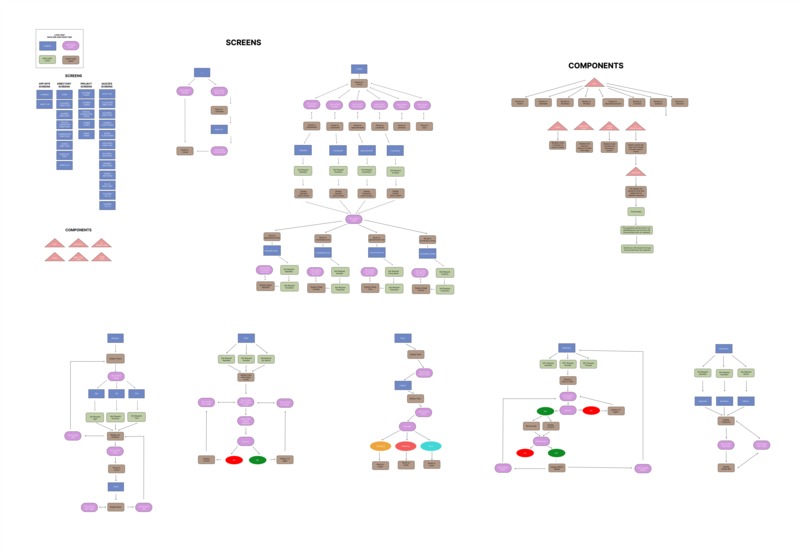

Logic FlowChart Map





Inspiration
The inspiration for TouchStone lies behind a shared passion for education and accessibility, alongside our interests in language and communication. Our motivation to create a learning app for Braille stemmed from a memory shared by our peer as they reminisced about their childhood best friend, who happened to be visually impaired. Despite their differences, they formed an inseparable bond exchanging handwritten notes in Braille by poking holes through pieces of paper. The friend created an entire cheat sheet of Braille representations that they knew in order to preserve that precious connection. Within this story, and our own experiences, we realized the profound impact that accessible communication can have on fostering connections and understanding. This greatly portrayed the importance of inclusive education and the need for accessible resources for those eager to learn. We empathize with and recognize a multitude of things: the emotional journey of individuals facing the risk of visual impairment, the overwhelming feelings that come from times of uncertainty and the connection that can stem from learning. With an enhanced learning experience of instant translations of words and phrases through the integration of AI, TouchStone becomes not only a learning app for those at risk of visual impairment but also a tool to empower educators, parents and caregivers in providing effective support and guidance.
What it does
TouchStone offers a unique and engaging way to learn Braille. Through the combined use of AI assistance and interactive quizzes, the app creates an enhanced experience that guides users through the basics of Braille, covering the representations of simple numbers, the alphabet, special characters and everyday words that are likely to be encountered.
Our interactive quiz feature includes:
- FlashCards: Learn letters, numbers, or words, and see their correct Braille translation when you flip the card. Matching: Match six random words, letters, or numbers with their Braille translations to test your memory and recognition. Fillin’ the Braille: Apply what you’ve learned by filling in the Braille characters for specific words, letters, or numbers.
With the integration of Gemini AI in TouchStone’s search bar, you can easily inquire about the Braille translation of any word or letter. Gemini AI will provide a detailed text explanation and an image of the Braille translation, making learning both comprehensive and visually accessible.
How we built it
Our team of seven was composed of five developers and two UX/UI designers. Our first week began with project planning, which included a conversation with UX/UI where developers provided a complete ERD and write up of expectations for our app. From there, the UX/UI team created an interactable figma wireframe alongside the creation of a branding plan. The developers then split into groups, working on front-end with React and back-end with Django. Despite being newcomers within the field of AI, a few of us dedicated 2.5 weeks to comprehend AI modeling and training. Through this process, we explored tools such as the Gemini AI studio, delved into Google AI documentation and experimented with TensorFlow and Jupyter Notebook to enhance and streamline our AI usage.
Challenges we ran into
A.I We started the project with no prior experience in creating, tuning, and implementing a large language model. Navigating through extensive documentation was a challenge, often requiring us to research terminology to fully grasp the concepts, especially when tuning and implementing OAuth. We did not foresee the timeframe learning A.I implementation would take. Braille Finding consistent information when translating letters to braille, different websites would use a unique Braille binary or ASCII code. Coordinating to ensure the team was utilizing the same information. Including combination letters to translate words into braille images (expand) Case by case one function implemented in a component to translate letters, numbers and words and detect combination letters. Project Coming up with an idea that could incorporate A.I, add accessibility, social good and be original.
Accomplishments that we're proud of
A.I Through persistence we found incremental progress and learned how to train a vertex model, tune gemini and understanding documentation. Gained insights on how LLM’s intake data and how the structure or format can make significant differences. Learned how to interpret error messages and debugging information to achieve our desired implementation. Braille Found how extensive and complex translating to braille can be, Code functionality needed to cover many cases. This project truly tested our newly obtained skills in implementing seamless functionality across all parts of our App. Project Having accomplished creating an app and learning A.I while completing our Bootcamp for software development was difficult to coordinate but a great experience.
What we learned
Developing an app to better serve a specific community such as individuals experiencing vision loss or those eager to learn Braille, presented a significant learning curve. This was our first time diving into the world of accessibility so it required extensive research into Braille’s intricate details.
Additionally, we developed skills in training Verte and Gemini models and became adept at navigating Google’s documentation. Working closely with the UX/UI team was crucial, as constant communication ensured alignment and cohesive progress.
This process not only advanced our technical capabilities but also deepened our appreciation for teamwork and the critical role of tailored accessibility in technology.
What's next for TouchStone
Ensuring that TouchStone is fully accessible remains our primary focus for the app’s next development phase. We plan to support connectivity with portable Braille devices, enabling tactile learners to engage directly throught their smartphones.
Future enhancements for TouchStone include refining our Gemini AI with tuned models and structured prompts for more accurate responses. We are committed to incorporating Responsible AI to ensure these responses are reliable and appropriate.
Additionally, we aim to introduce a camera feature that utilizes OCR technology powered by Google AI. This will allow users to take a picture of a text document and receive instant BRaille translations. We also plan to implement image detection technology so sers can photograph objects and receive their Braille descriptions.
Our ongoing efforts will also focus on improving the accuracy of our Braille translations, ensuring TouchStone continues to meet the needs of our users effectively.


Log in or sign up for Devpost to join the conversation.