-
-
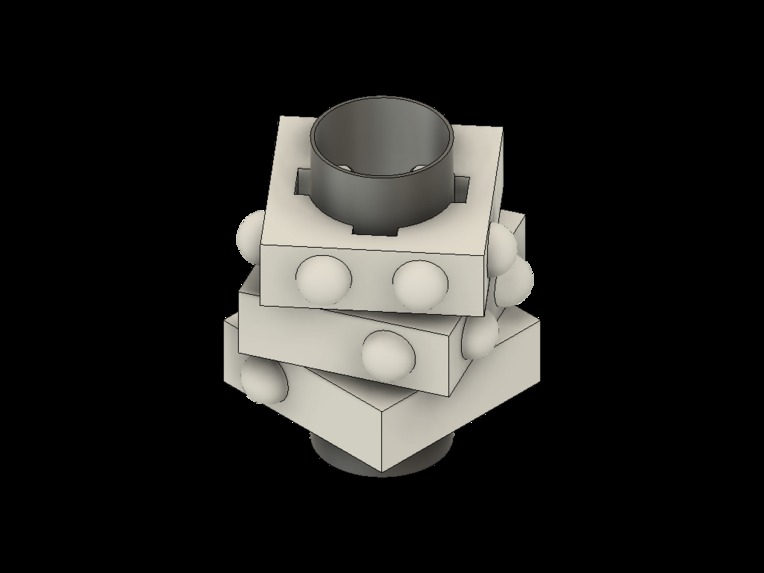
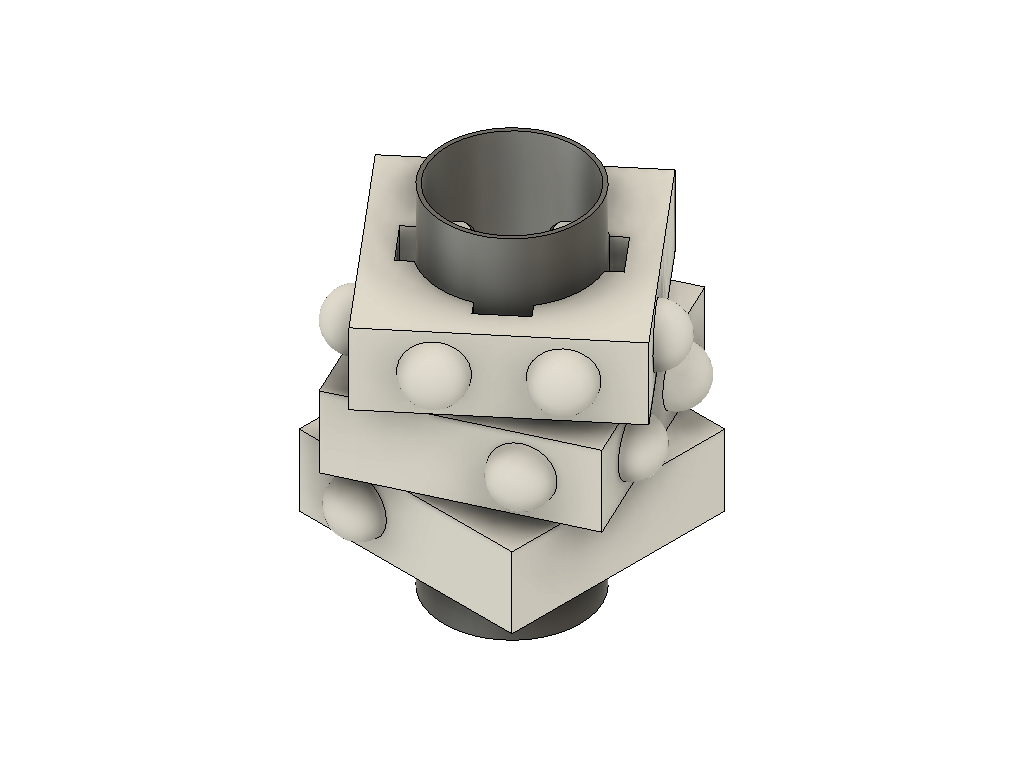
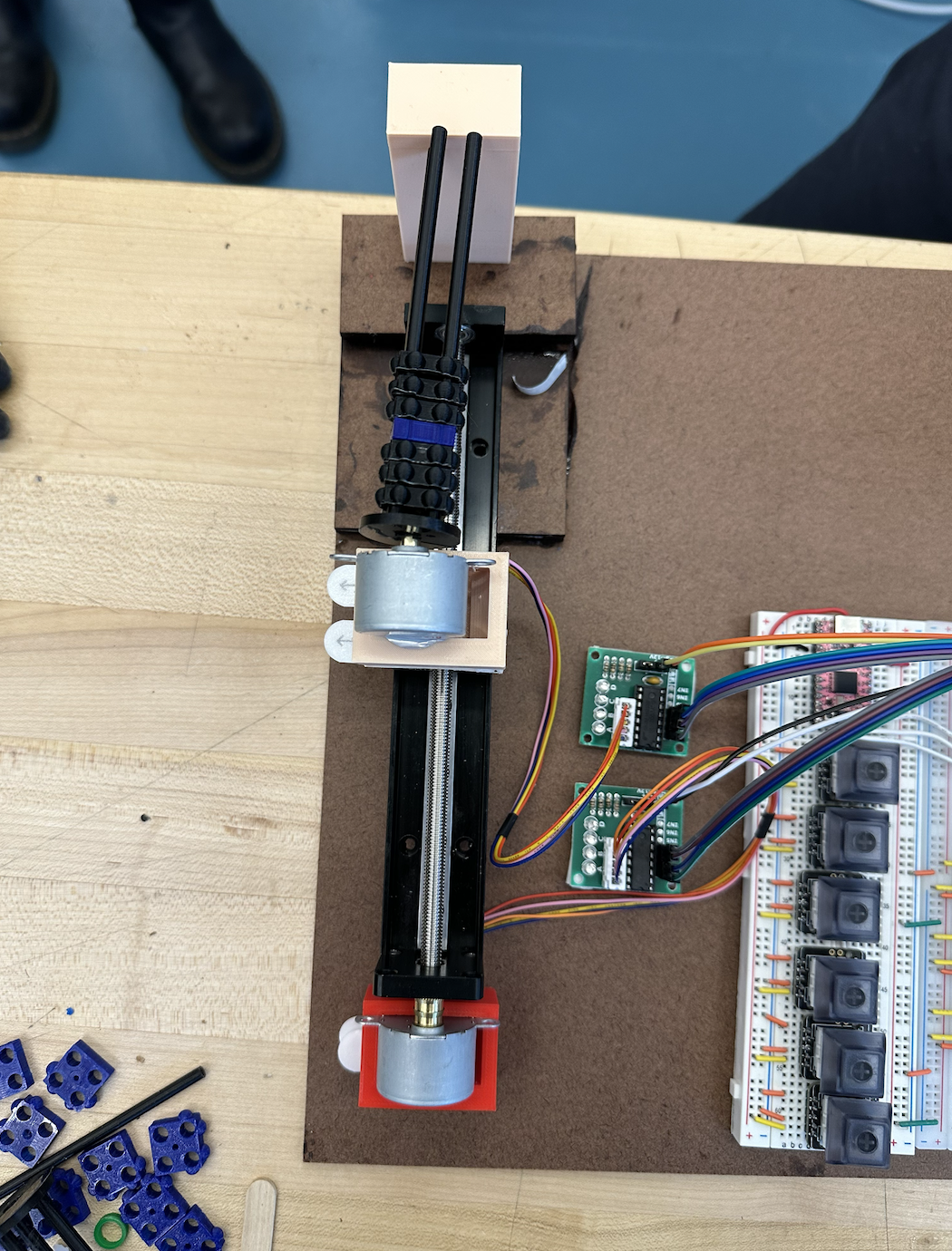
Stacked "cuboids" that can be arranged to represent a Braille character
-
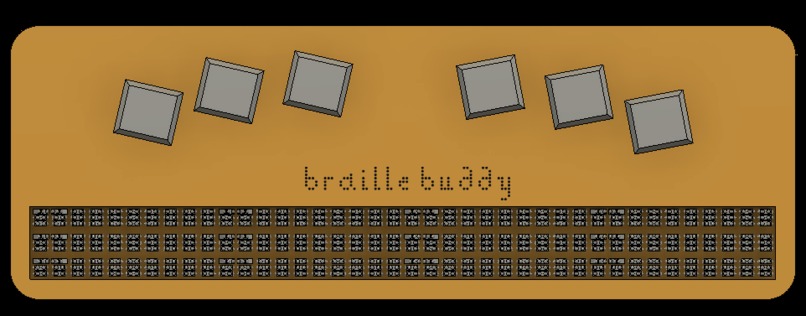
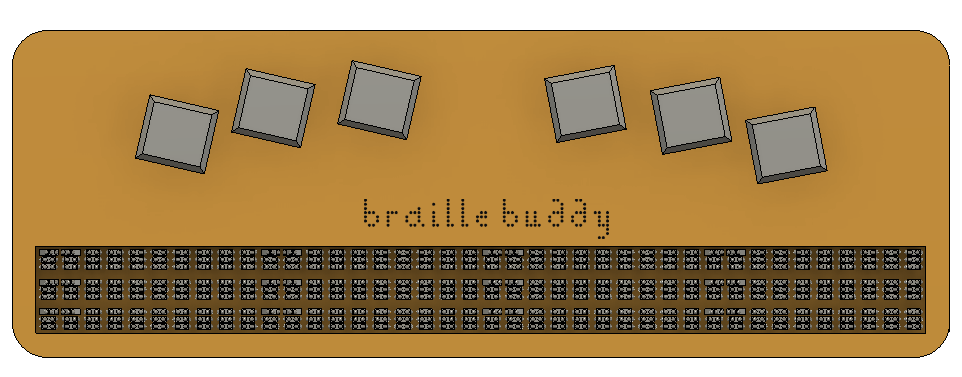
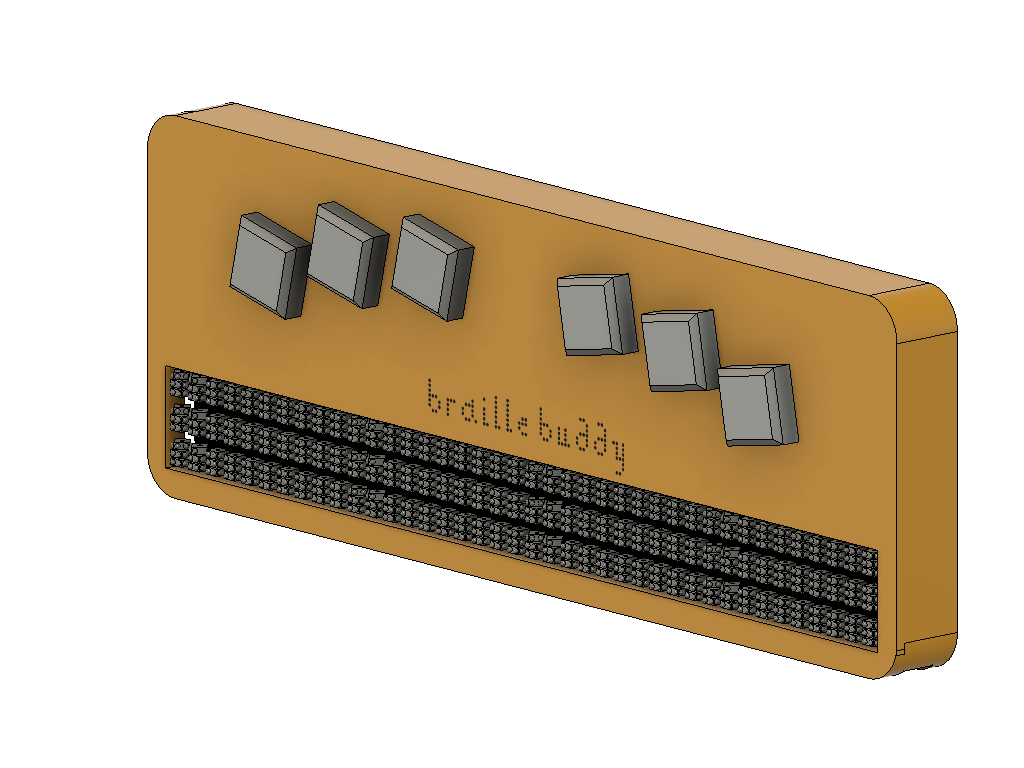
Model for final display (1/2)
-
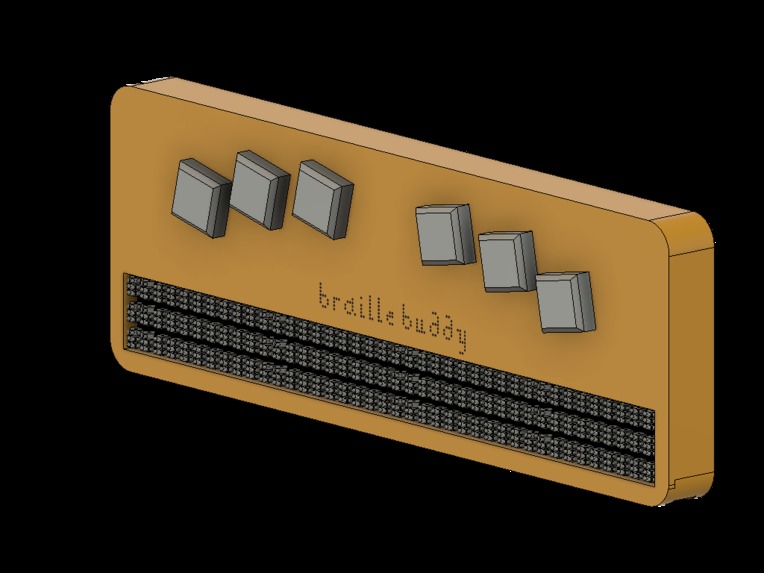
Model for final display (2/2)
-
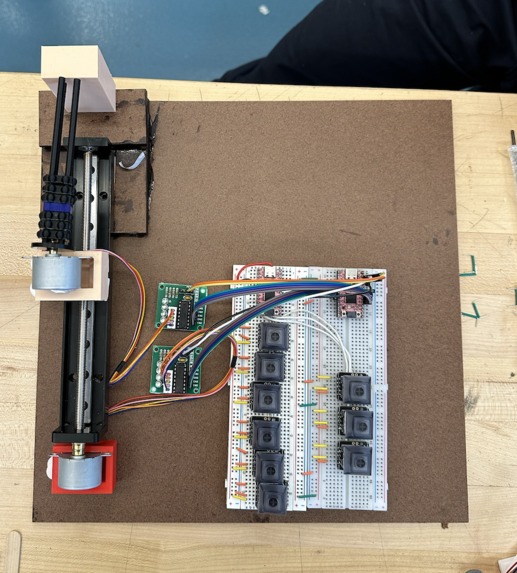
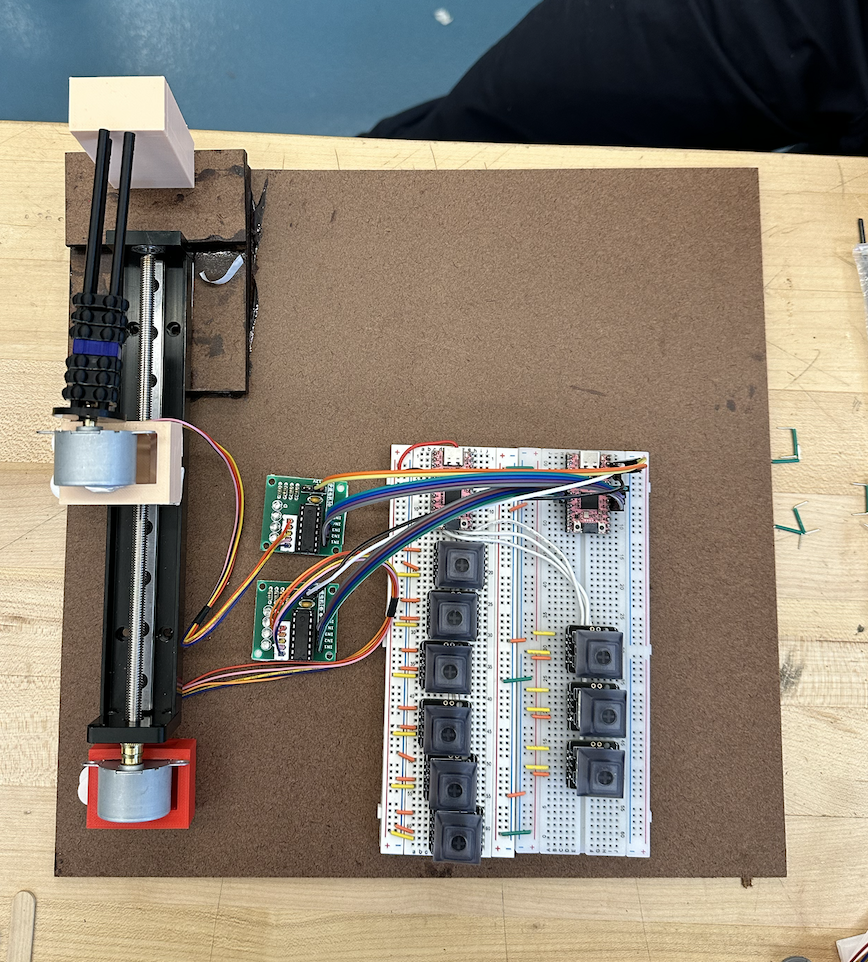
System
-
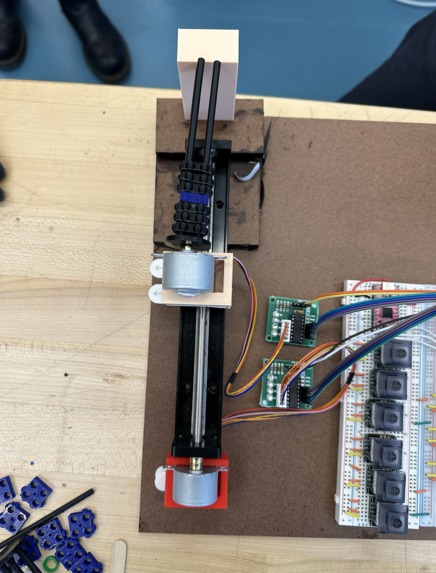
Cuboid Motors
-
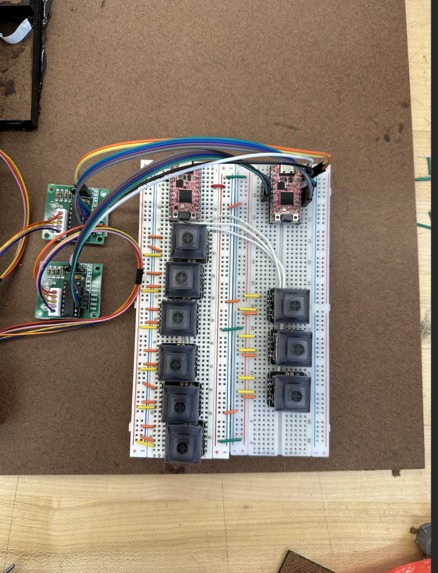
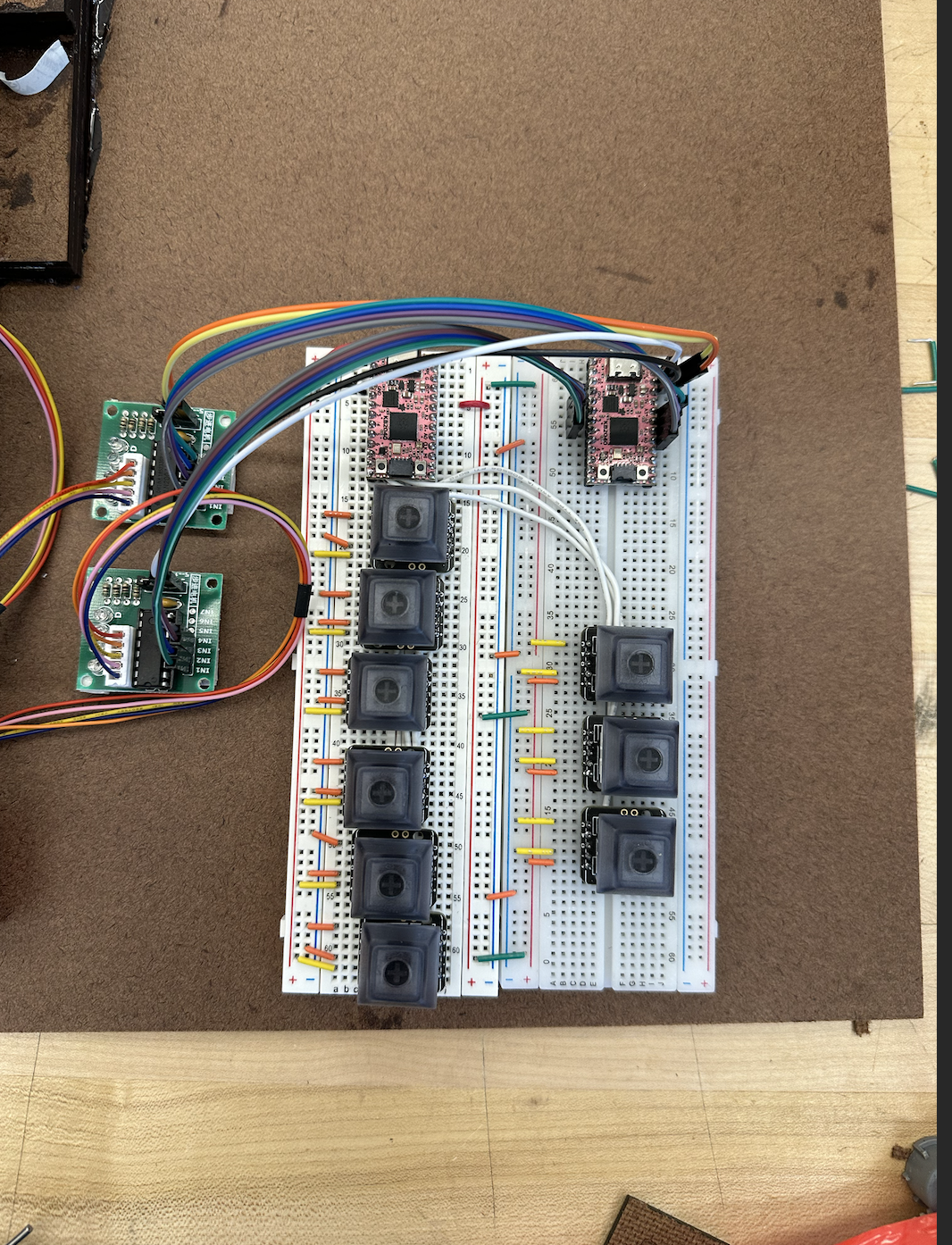
Perkins Keys
Inspiration & What it Does
According to the National Institute of Health, as of 2015, 15 million Americans are blind or visually impaired. The more commonly used assistive technologies that exist for the blind and visually impaired to use computers are text-to-speech and dictation softwares -- resulting in a decline in the numbers of Braille-literacy among this population.
To encourage the use of Braille in school, work, and home settings, we designed BrailleBuddy. Our goal is to create a user-friendly, plug-and-play refreshable Braille display. It features Perkins keys for typing and a unique mechanical design that requires less actuators to implement than standard displays (resulting in lower cost and a device more robust to operating environment).
How we built it
A single character is represented in Braille using a 3x2 matrix of combinations of raised and flat dots, as outlined by ISO/TR 11548-1 Communication aids for blind persons.
To implement the refreshable display for the Braille characters, we designed stacked "cuboids" with static protrusions in various combinations (see demo and attached images) -- three stacked cuboids can represent any single character in standard 6-dot Braille. We controlled these linear combinations using stepper motors. The refreshing of each line is also controlled by a stepper motor.
The control logic was programmed using KB2040 microcontroller and CircuitPython. We followed USB Human Interface Device (HID) standards for keyboards and Braille Displays.
Challenges we ran into
As is the case in any engineering project, we ran into a a number of challenges. To note a couple:
- After trying to make the driver work for our bipolar stepper motor for a long time, we ultimately had to reassemble part of our design with a new motor.
- Assembling our 3D printed materials for our prototype required a lot of troubleshooting.
What's next for Braille Buddy
We plan on continuing this project after the competition, and we have some immediate next steps outlined. We plan to finish programming an HID driver using CircuitPython to make our device plug-and-play with existing screen-reading software. We also plan to refine our 3D-printed design, and eventually print our components using resin and metal. A reach goal in the design stage of our project is to contribute to an open-source screen-reading software, called NVDA, to create a proof of concept for using machine learning to handle the parsing of non-accessible web-pages (specifically for image captioning).
Built With
- autodesk-fusion-360
- circuitpython
- kb2040
- nvda


Log in or sign up for Devpost to join the conversation.