-
-
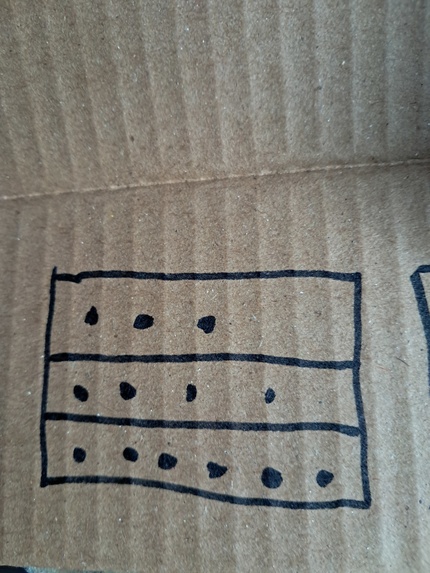
me drawing codes
-
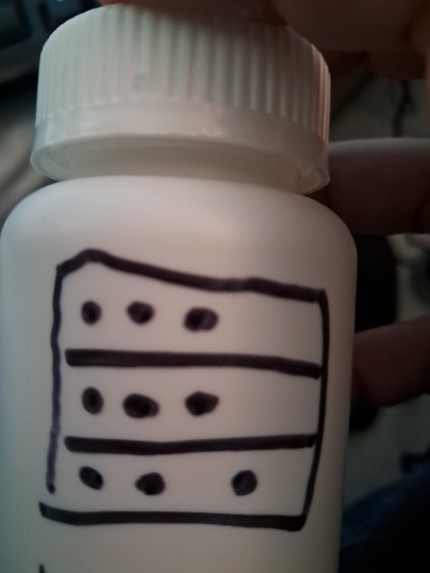
everywhere
-
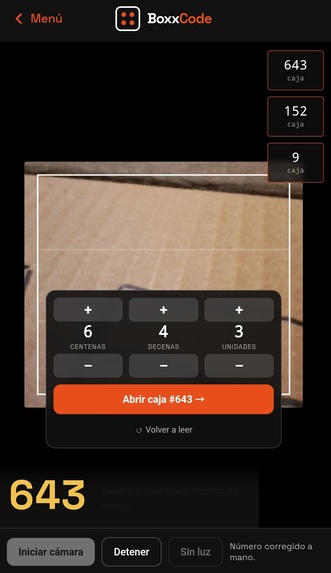
Debuging
-
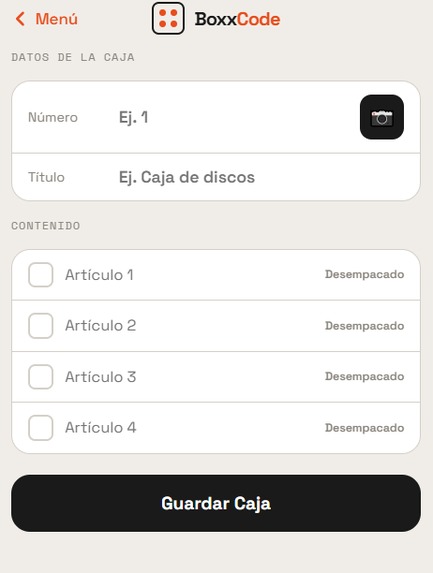
UX design
-
"The engine"
Inspiration
I've moved house more than fourteen times.
Every single time, the exact same thing happens. The boxes get taped shut, someone scrawls "kitchen" on the side with a marker, and three days later you are tearing open seven different boxes just to find a phone charger. Printed labels are the obvious answer. But nobody uses them. Why? Because in the middle of a chaotic move, you don't have a printer, you don't have label sheets, and you are not going to stop to make some.
Then there is a second problem people don't talk about enough. A box that says "jewelry" or "laptop" tells a thief exactly which one to steal. The clearer your labeling, the better you've marked your valuables for someone else.
So the question I kept coming back to was: could a phone read a symbol you can draw with a marker in five seconds, that means absolutely nothing to anyone who doesn't have the app?
What it does
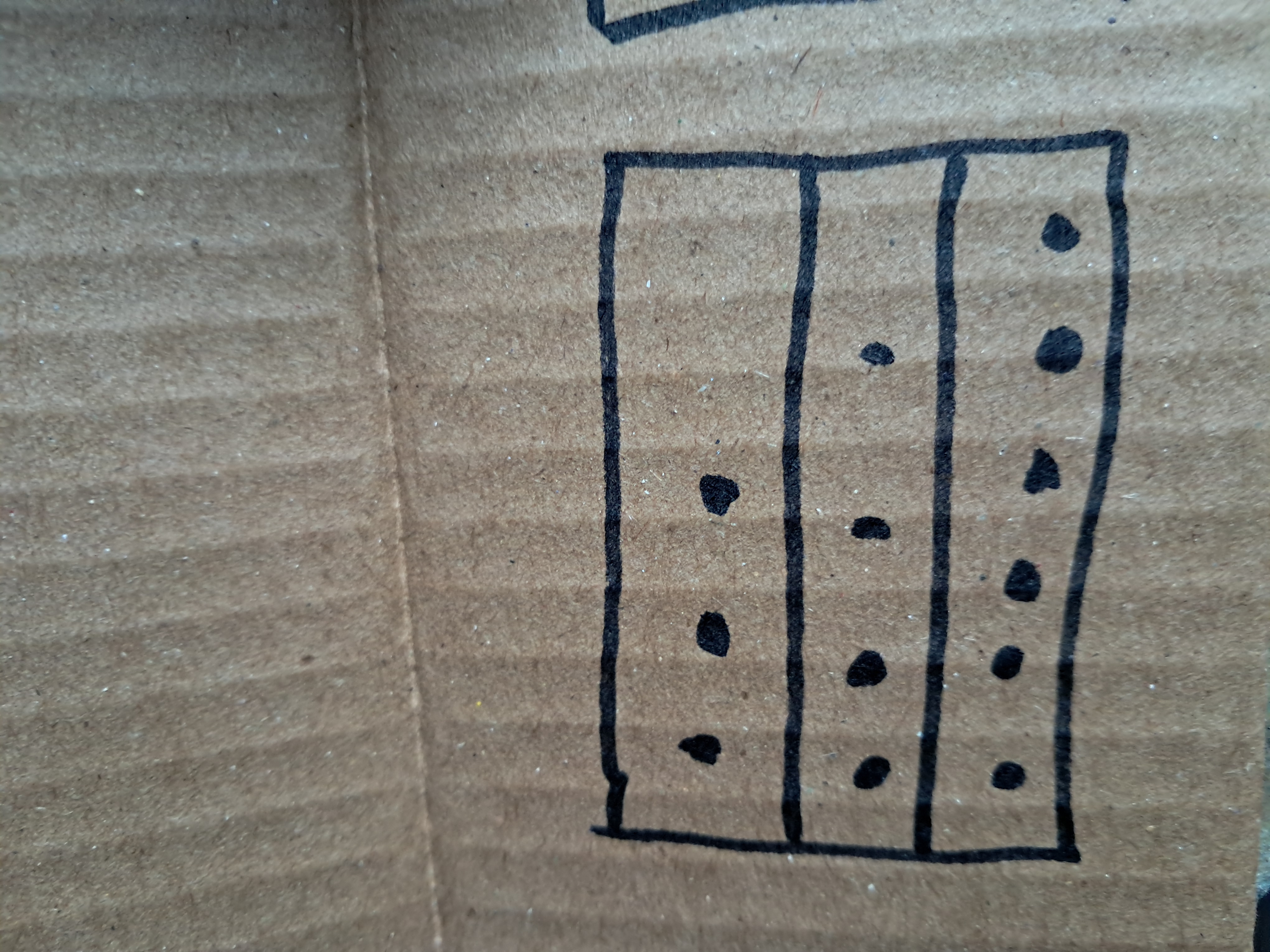
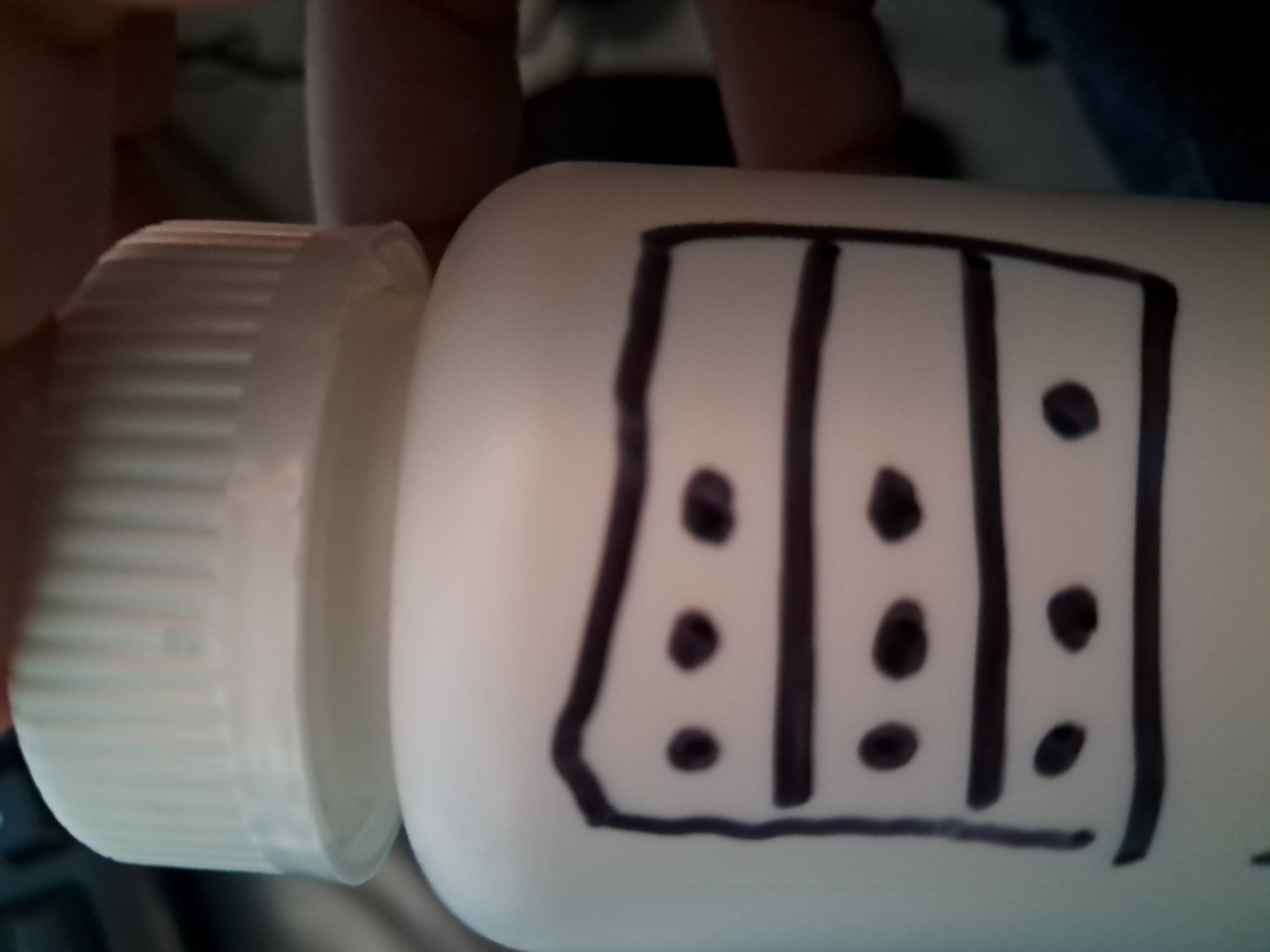
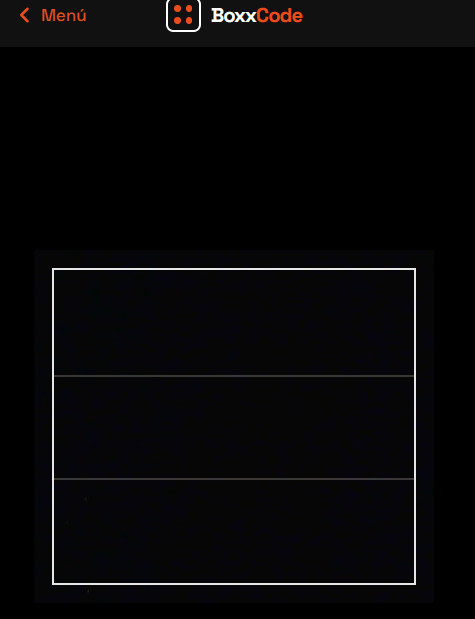
You draw a square on the box and divide it with two horizontal lines, creating three bands. Think of it like an abacus. The top band counts hundreds, the middle counts tens, and the bottom counts units. You just put a dot in each band for each count. Two dots on top, five in the middle, three at the bottom? That's box 253.
$$(2 \times 100) + (5 \times 10) + (3 \times 1) = 253$$
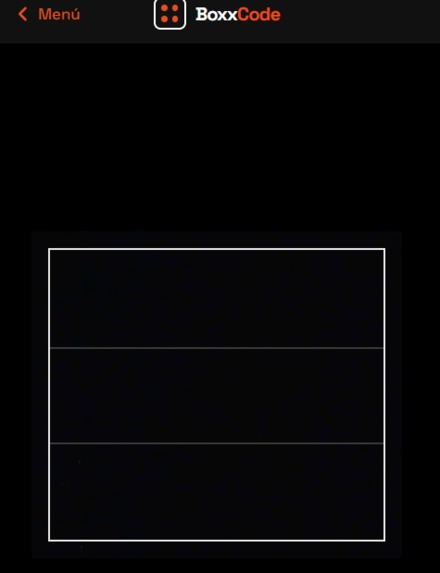
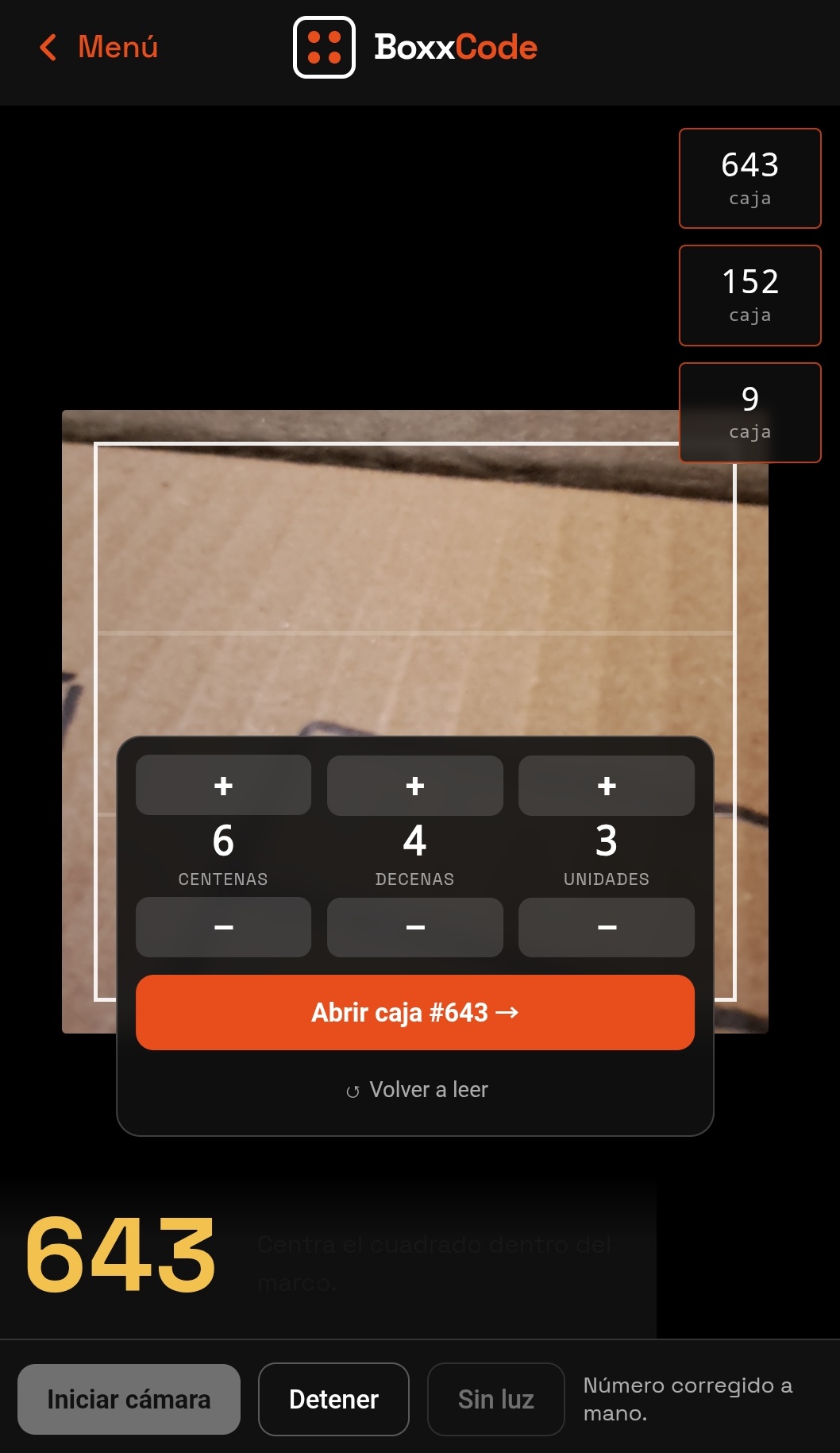
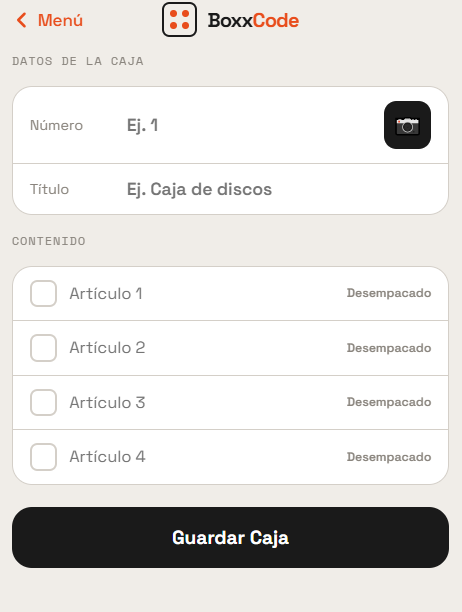
It takes about ten seconds with any marker, and it covers numbers 0 to 999. Then, you point your phone at it. The app instantly finds the square, identifies the three bands, counts the dots, and gives you the box number in real time. It then shows you what you registered as being inside, without opening a single box.
To anyone else walking by, it's just a weird square with some dots. It doesn't scream "jewelry."
How I built it
The whole reading pipeline relies on classical computer vision using OpenCV 5, running live in the browser through WebAssembly. Here is what the pipeline looks like:
- Adaptive thresholding. Separates marker ink from cardboard, a surprisingly hostile brown, textured surface.
- Probabilistic Hough transform. Finds the square's edges and the two dividing lines.
- Scoring pass. Picks the four horizontal lines forming the most plausible frame.
- Frame reconstruction and erasure. Erases the frame before dot detection, so dots touching lines don't disappear.
- Connected components analysis. Filters by area, aspect ratio, fill, and darkness to keep real dots.
- Dot assignment. Assigns dots to bands using fitted line equations, for angle-tolerant reading.
But a move is never just one phone and one box. It's a crew, a truck, and hundreds of boxes that have to make sense at the other end. Because of this, the record of the move lives on AWS:
- S3 holds two archives. The first is the move itself: every registered box, its contents, and the frame captured at each scan. The second is the project's evaluation archive, the labeled photographs, extracted blob crops, and models from abandoned approaches. Keeping the failed experiments alongside the working ones is deliberate; they are the record of why the current design exists.
- DynamoDB holds the box registry. This means the whole crew reads and writes to one shared inventory, instead of the information being trapped on whoever happened to do the scanning.
- Lambda runs the same OpenCV 5 decoder server-side. When a phone can't resolve a frame, due to bad light, a creased box, or a dot swallowed by a fold, the frame goes up, gets decoded with more time and without browser constraints, and comes back.
That last piece matters beyond convenience. Every frame the phone fails on is exactly the frame worth studying. Now, they are collected rather than discarded.
Challenges I ran into
The first design was a dead end, and it took me a long time to admit it. The original idea was a vocabulary of symbols: a filled dot meant one, a ring meant five, a line meant ten. Ten rounds of classical CV tuning got it to 6% accuracy on real photos. Six CNN training rounds, with progressively larger datasets and heavy augmentation, stayed stuck between 3% and 12%. The conclusion was uncomfortable but useful: telling a hand-drawn ring apart from a hand-drawn dot on textured cardboard is not reliably separable from the texture itself. The problem was the encoding, not the model.
Redesigning around identical dots and positional meaning removed the classification problem entirely. There is nothing to classify. You only count.
Six photographs proved nothing. The band decoder reached 83% on a set of six real photos. When the set grew to thirteen, accuracy collapsed to 46%. That collapse was the most valuable result in the project, because it showed that the earlier number was just noise.
Getting from there to 87% took twelve rounds of debugging. The fixes that worked were all structural rather than parameter tweaks. For example, a row of dots looks exactly like a dashed line to Hough; tightening the maximum line gap stopped rows of dots from being detected as dividers. I also realized that real dots are isolated islands of ink, while frame fragments stay connected to the frame. This connectivity test was the single most effective fix in the entire project.
Accomplishments that I'm proud of
Going from 0% to 87% on real photographs, and being able to explain every single point of that improvement. Excluding two images that were deliberately drawn with more than nine dots in a band to test overflow handling, the decoder reads 14 out of 14 correctly. It correctly flags the two overflow cases instead of returning a wrong number.
I am also incredibly proud of what got thrown away. Sixteen rounds of work on the symbol approach are not in the final product, and the project is much better for it.
What I learned
- A small evaluation set will lie to you, and it will lie in the direction you want to believe.
- When a model refuses to improve with more data, the encoding is usually the problem, not the model.
- The strongest fixes came from understanding the physical object, how ink bleeds, how dots touch lines, how cardboard has ridges, rather than from adjusting thresholds.
- A system that is right 87% of the time is not finished. It needs a way for the person to correct it, because the user standing in front of the box can see the dots perfectly well.
What's next for BoxxCode
I foresee this system being used in far more ways than it is today. Beyond moving house, the same principle applies anywhere someone needs to label physical objects quickly, without equipment, and without broadcasting what is inside: warehouse inventory, disaster relief supply chains, and field logistics. It could be the next QR. I think that adding the a proper DWH such as AWS might do the trick for users in order to allow users to store their contents of their boxes. Also I need to improve the existing CV implementation with 5 since i just recently migrated to 5 and performance needs to be optimized.
I also want to build a Magic: The Gathering life and token counter on these same principles. It is a harder test than it sounds: the same three-band positional code, read live off a table instead of a box, with the count changing constantly rather than being written once. If the decoder can track a number that changes every few seconds under table lighting and moving hands, it can definitely handle a warehouse.
Built With
- ai
- amazon-dynamodb
- amazon-web-services
- aws-lambda
- care
- computer-vision
- css
- html5
- human
- intensive
- javascript
- keras
- love
- numpy
- opencv
- opencv-python
- opencv.js
- opencv5
- python
- tensorflow
- webassembly
- webrtc

Log in or sign up for Devpost to join the conversation.