-
-

app icon
-
feature graphic
-
stats
-
home
-
settings
-
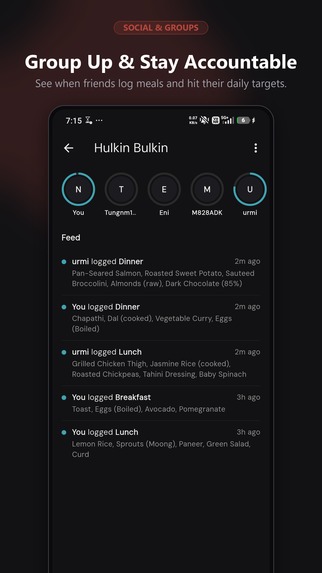
accountability groups
-
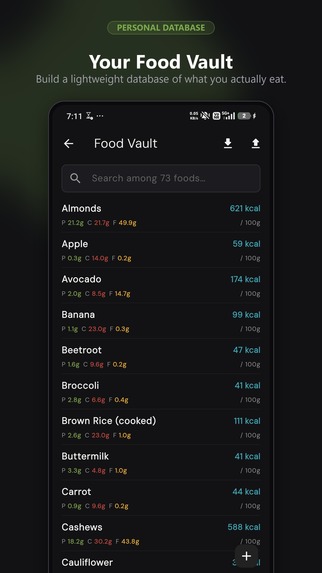
food vault
-
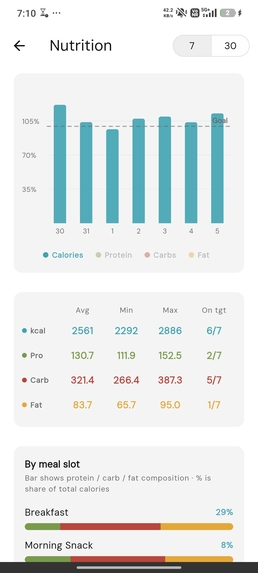
unframed stats
-
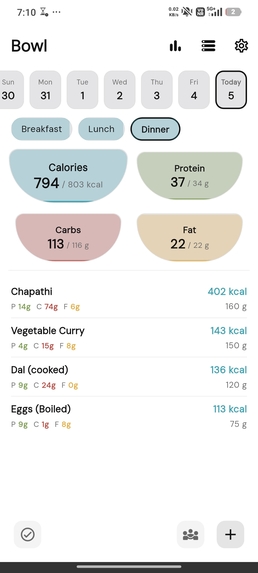
unframed home light theme
-
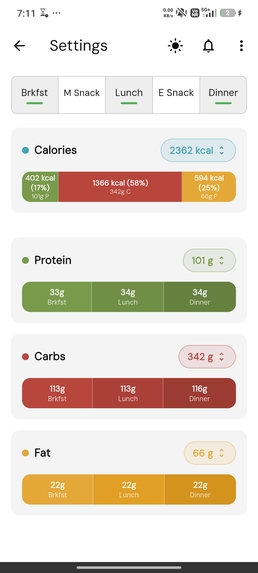
unframed settings
-
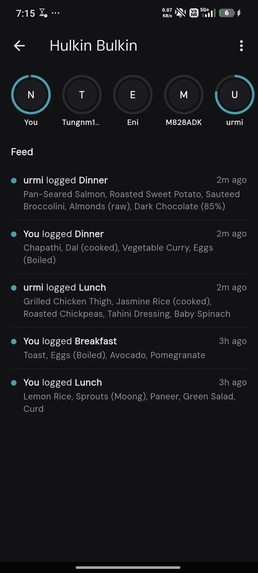
unframed group feed
-
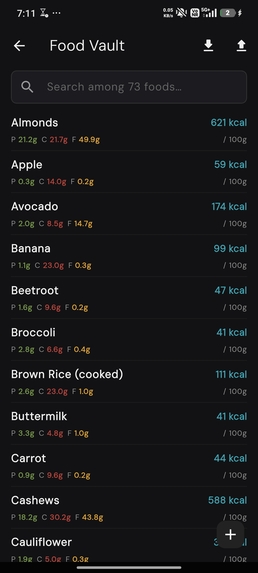
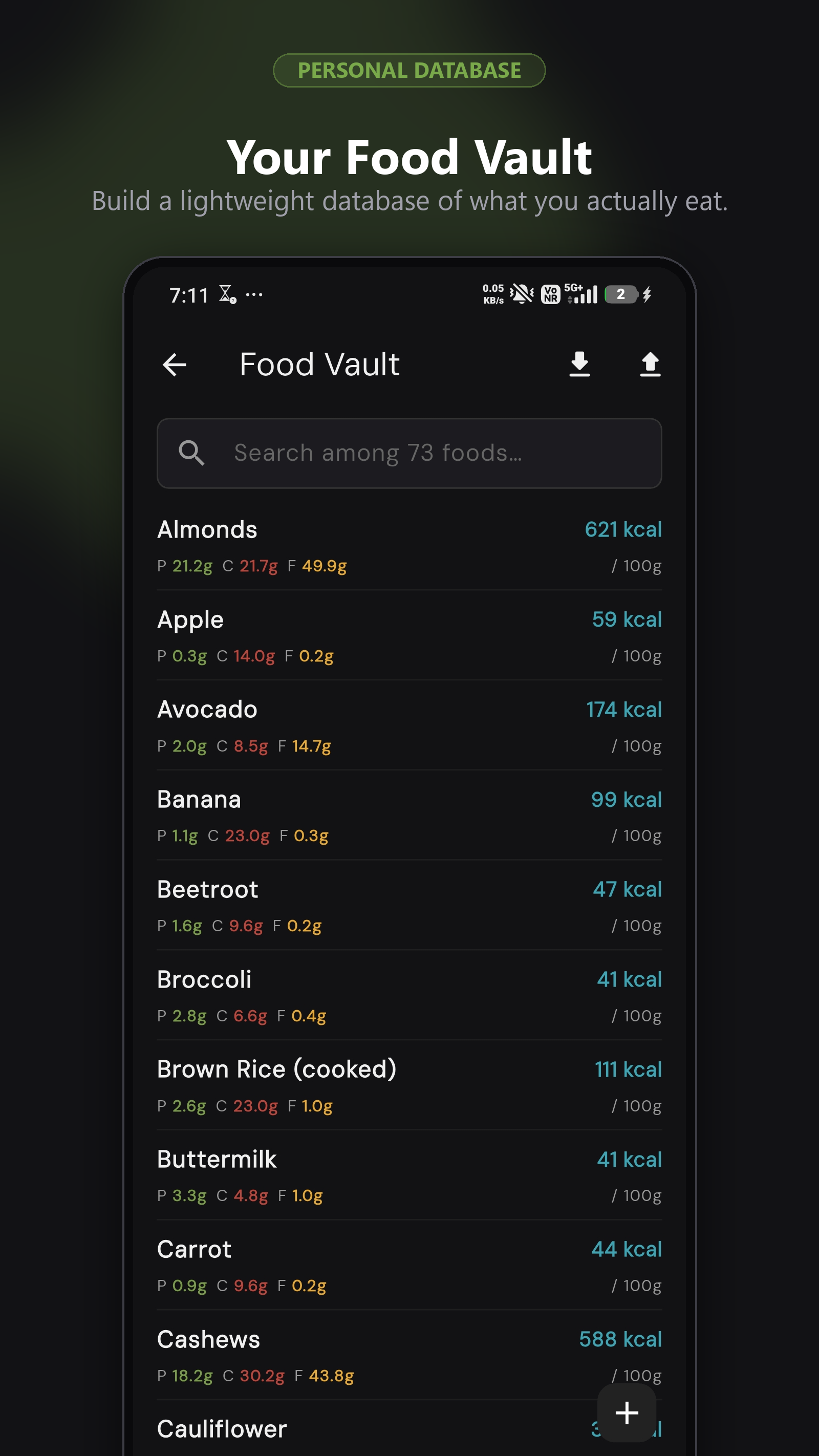
foodvault

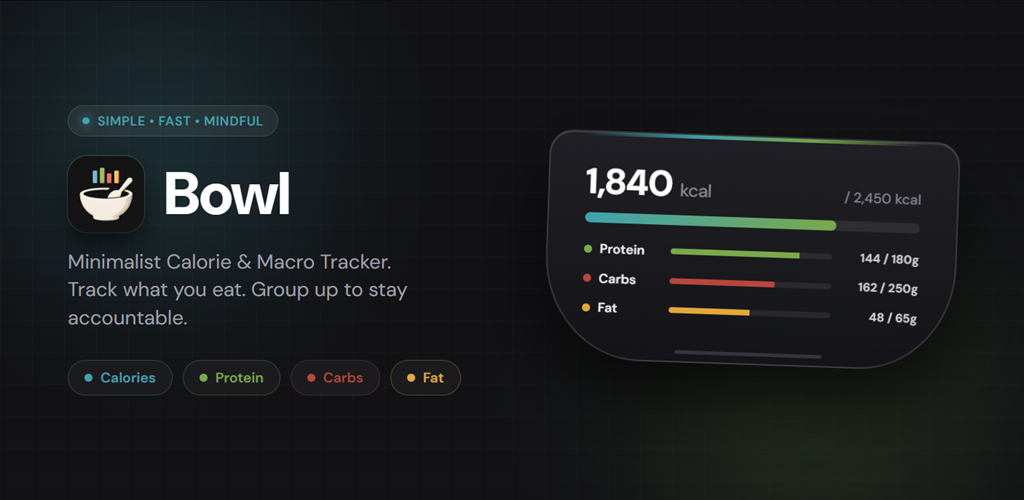
Inspiration
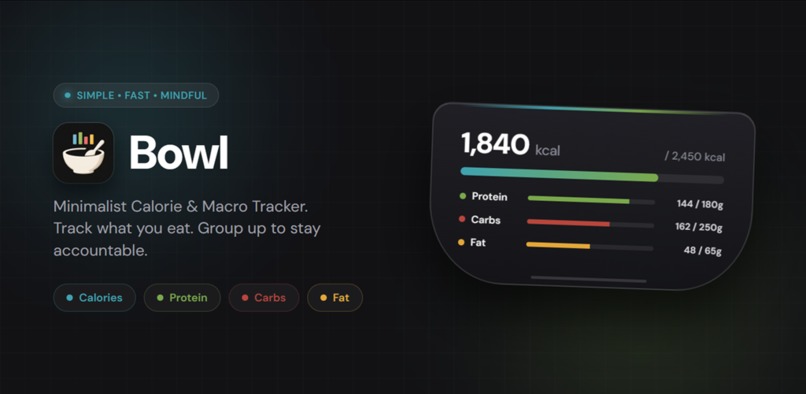
Most calorie trackers make you fight the app just as much as you fight the fridge — endless ads, paywalls on basic macro targets, and food databases padded with junk. I wanted something that just tracks calories and macros cleanly, respects meal-by-meal targets instead of one flat daily number, and doesn't hold any feature behind a paywall. Bowl is that app.
What it does
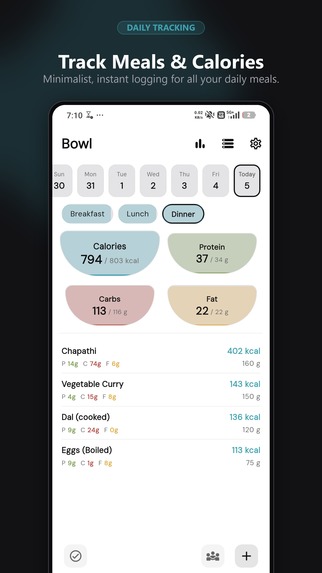
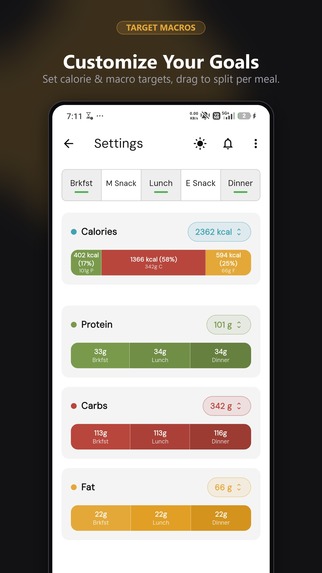
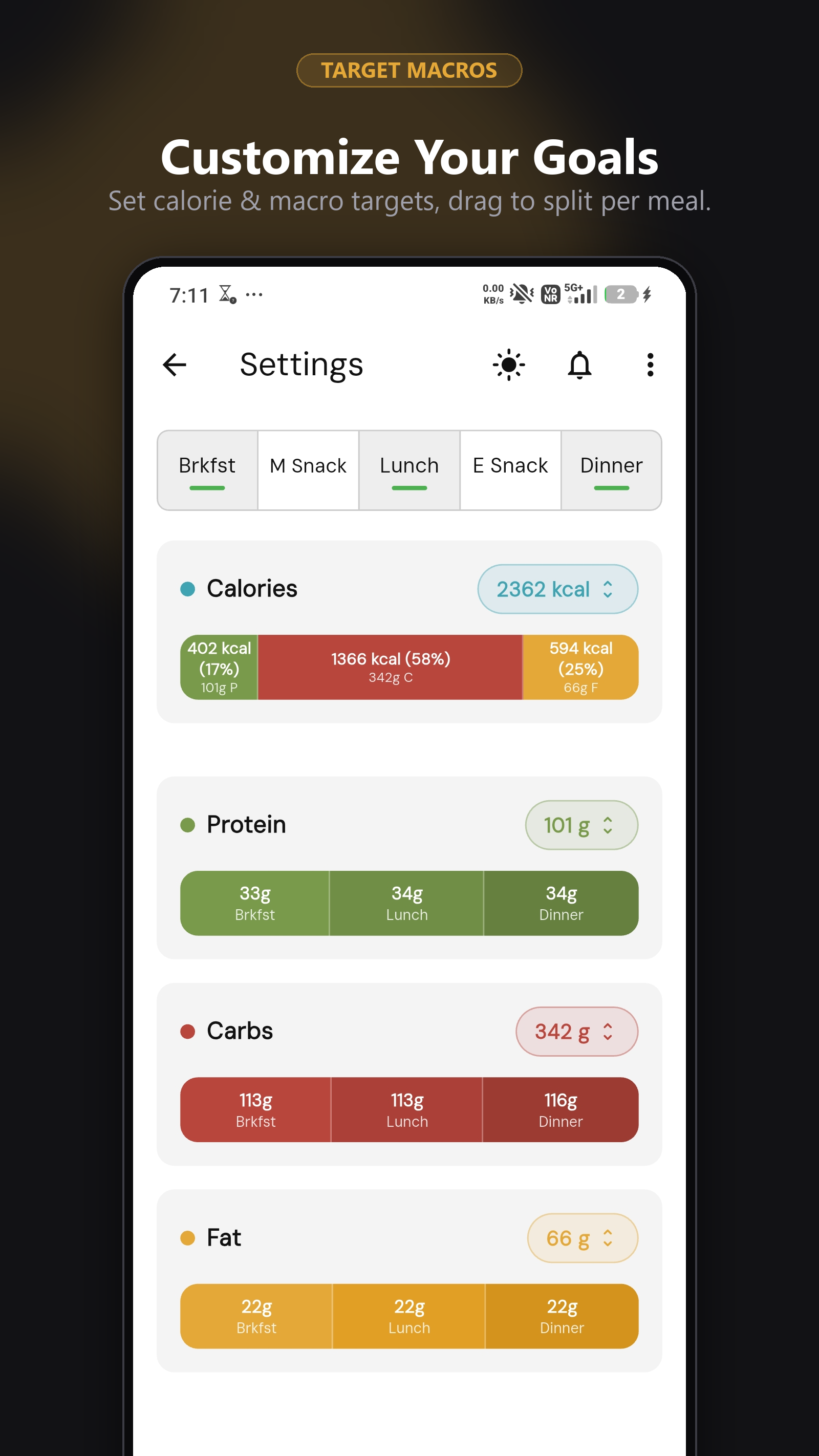
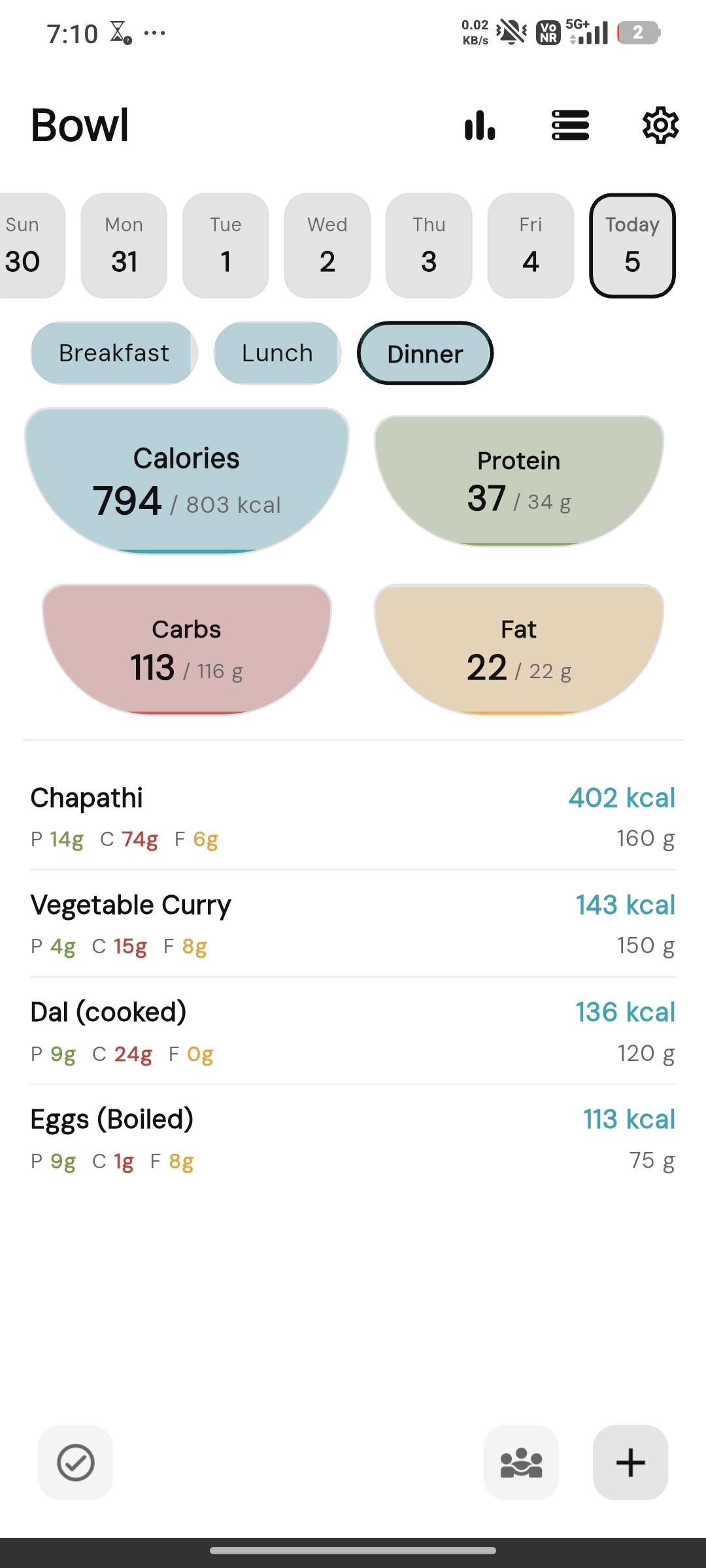
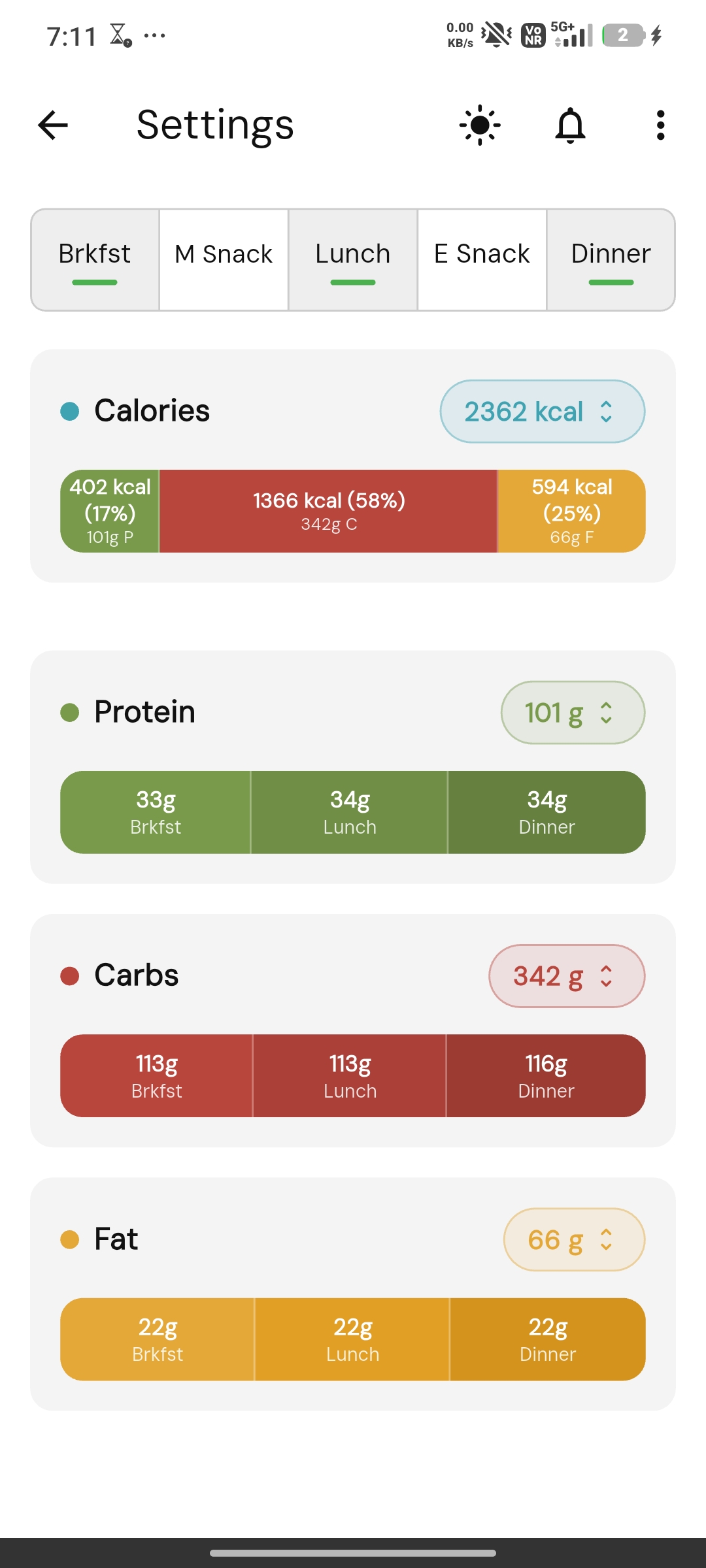
Bowl is a calorie and macro tracker built around per-meal targets, not just one big daily number. You set calorie/protein/carb/fat goals for each meal slot (breakfast, lunch, dinner, snacks), and Bowl tracks progress against each one individually throughout the day.
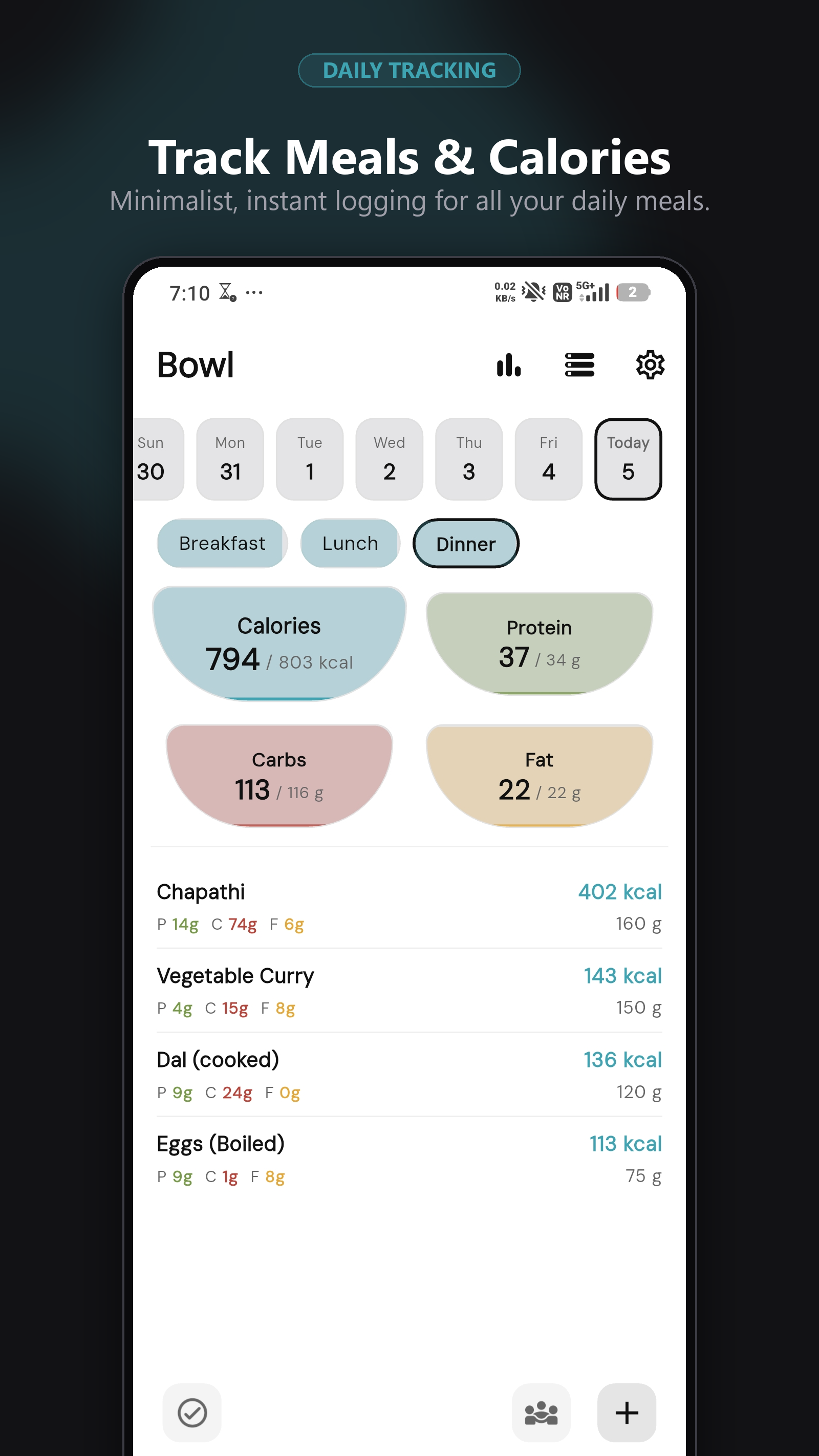
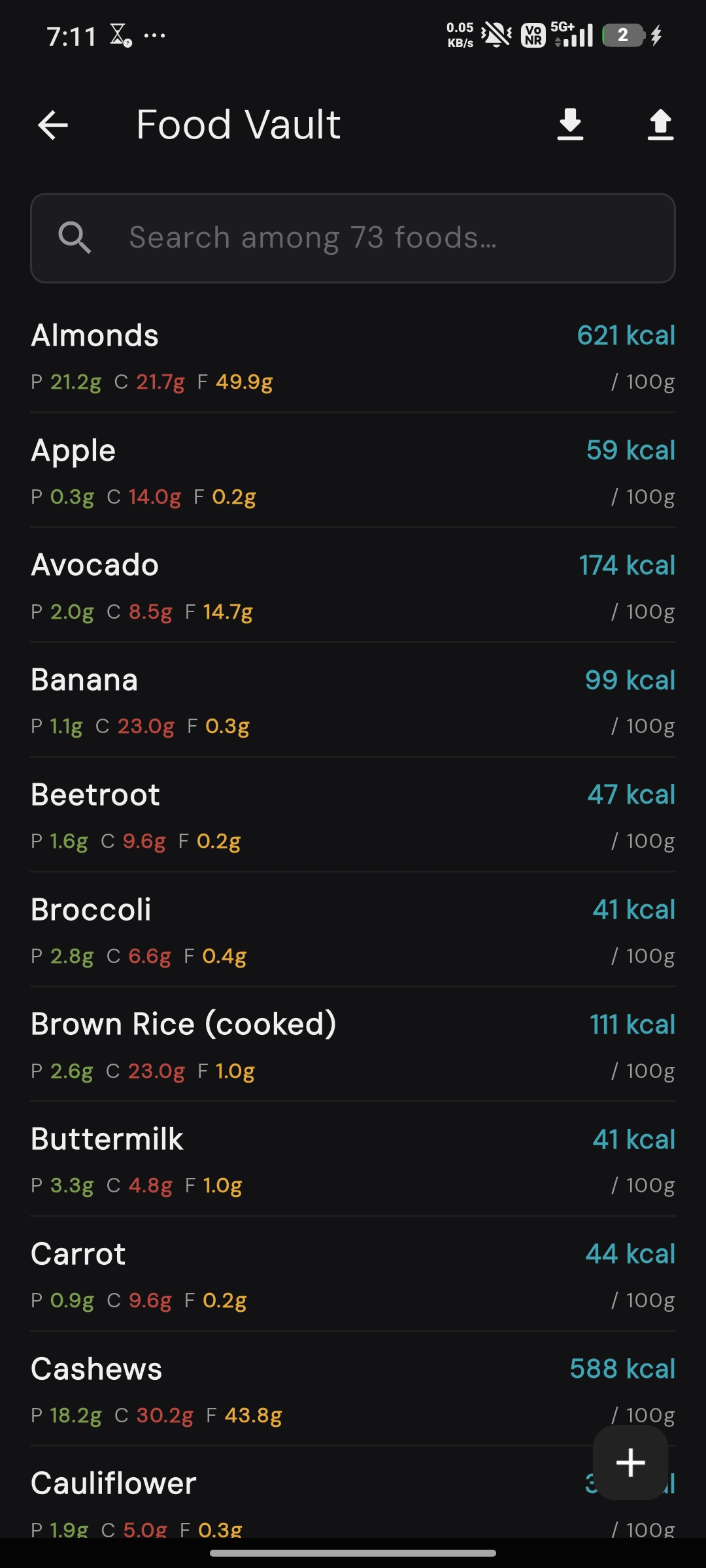
- Log food against a personal food database, with quick meal-segmented entry
- Visual macro breakdowns per meal and for the day as a whole
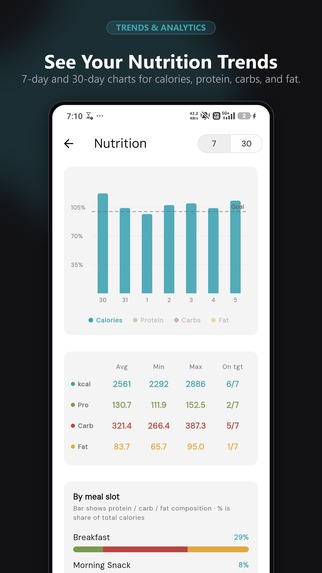
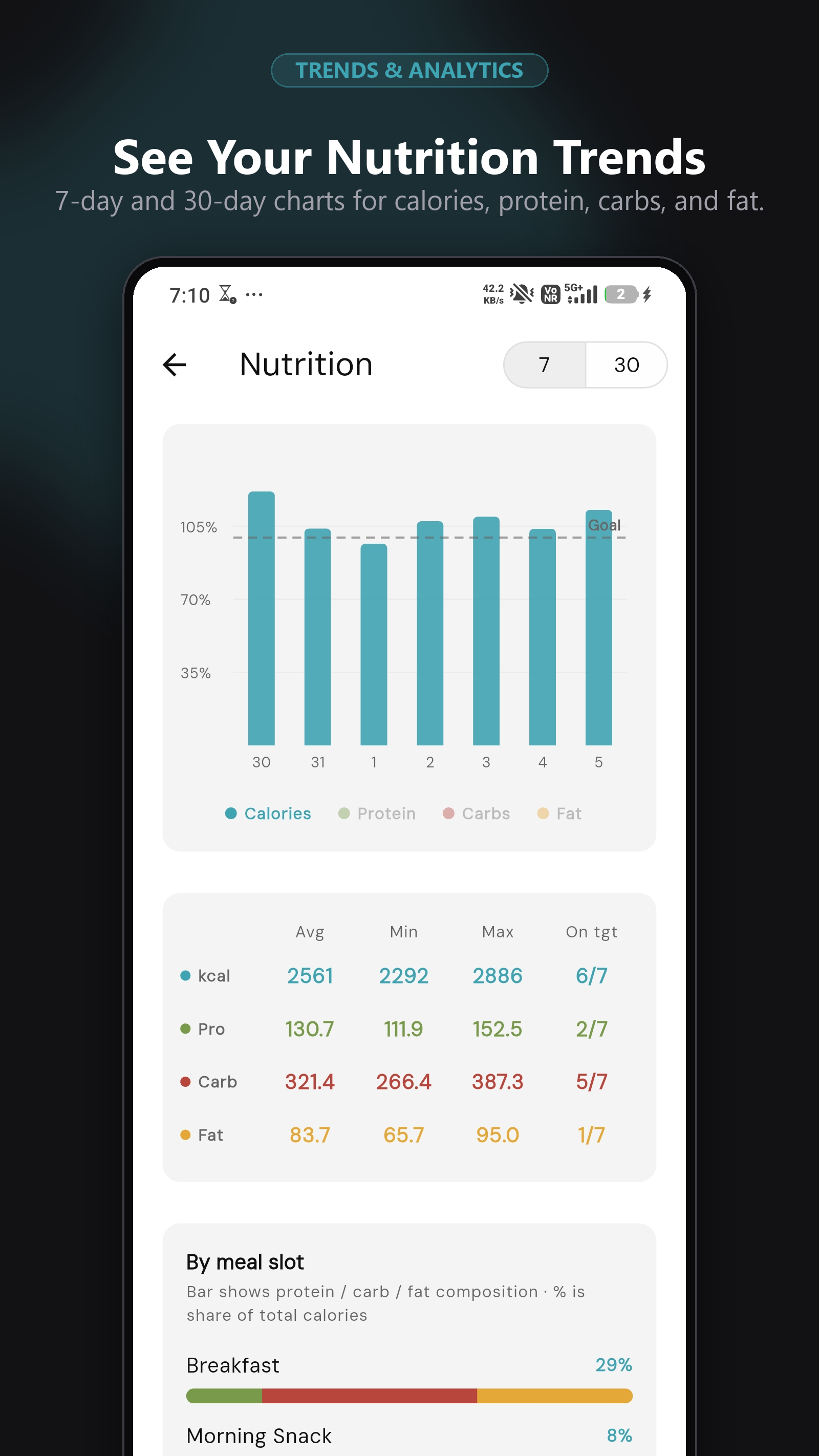
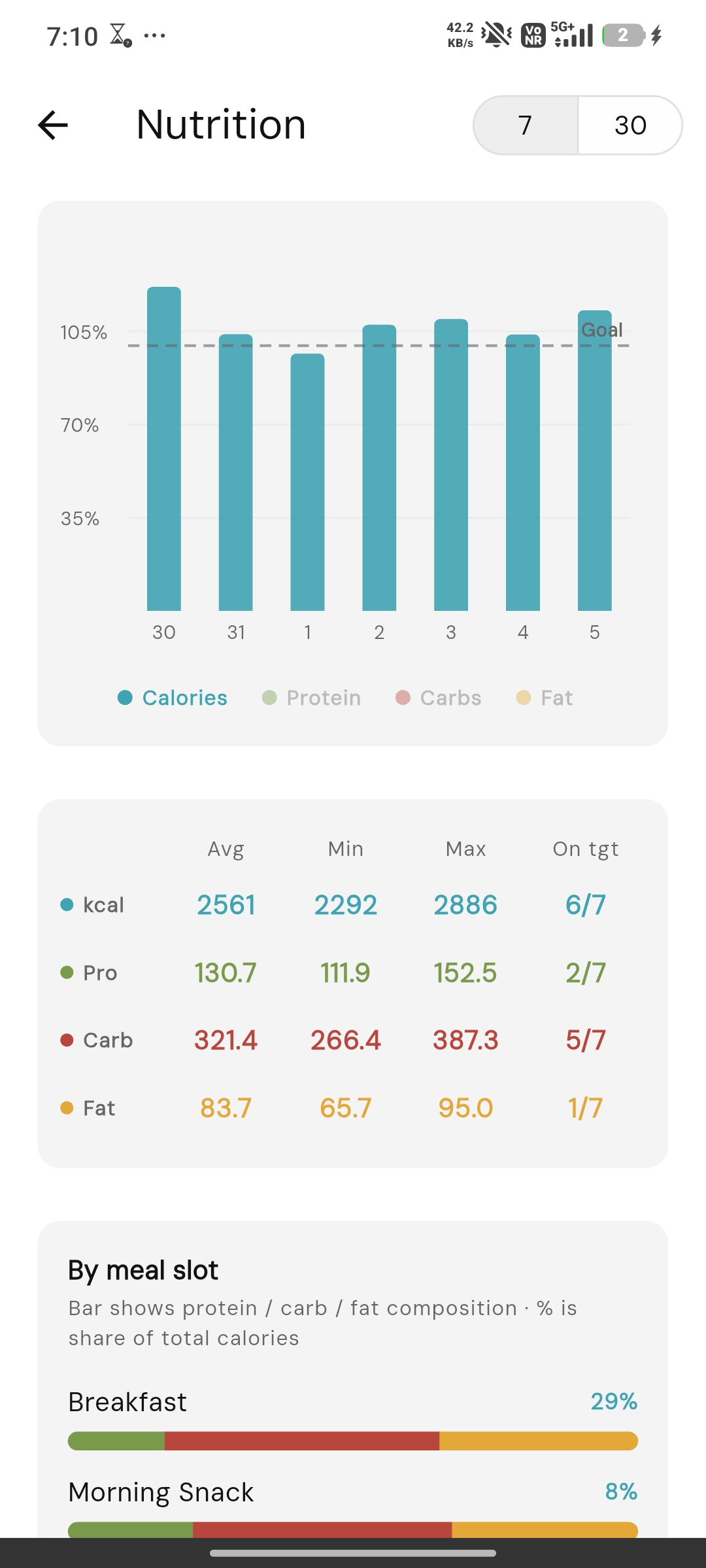
- Nutrient stats and trends over time
- Meal reminder notifications so logging doesn't get forgotten
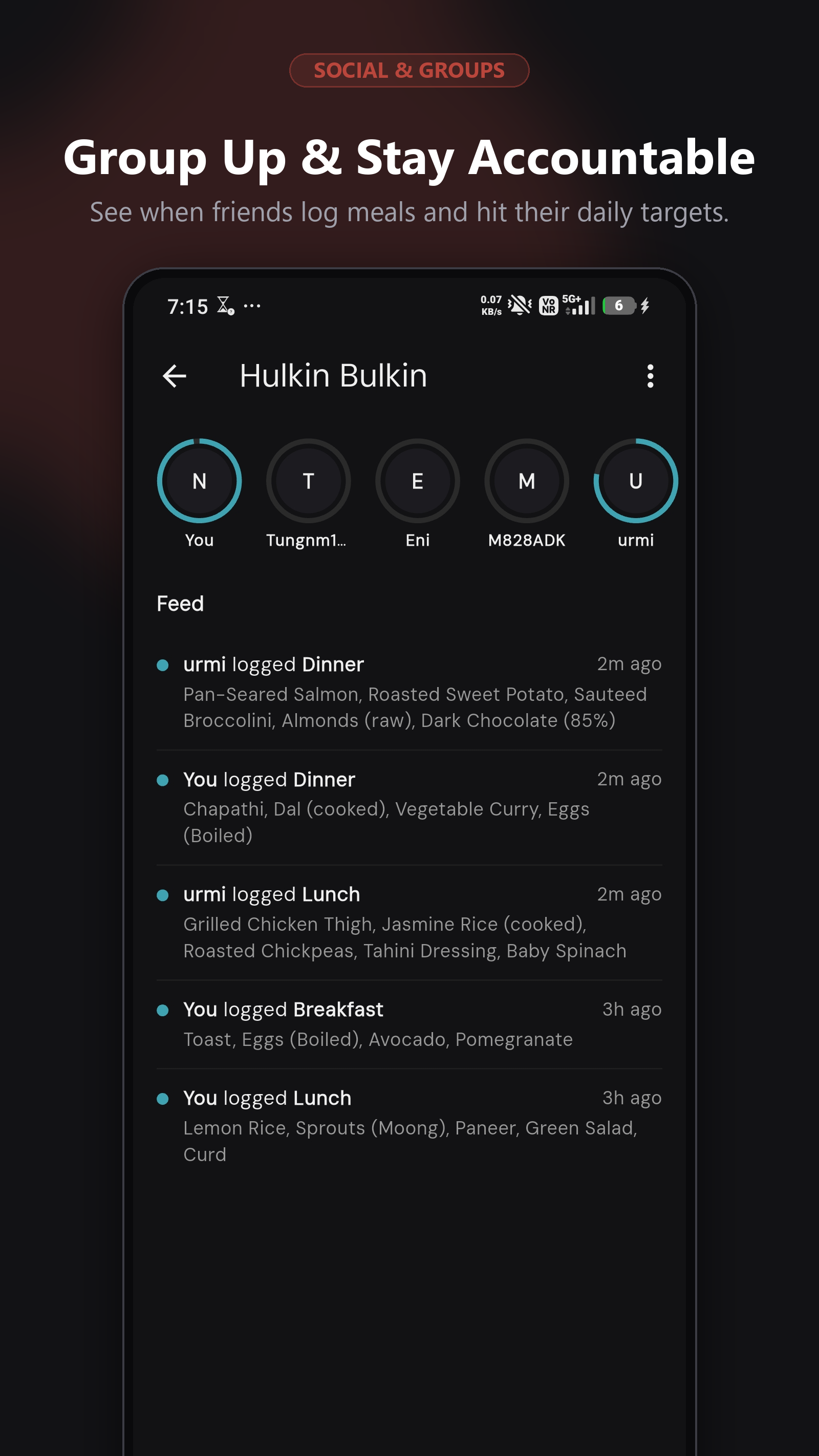
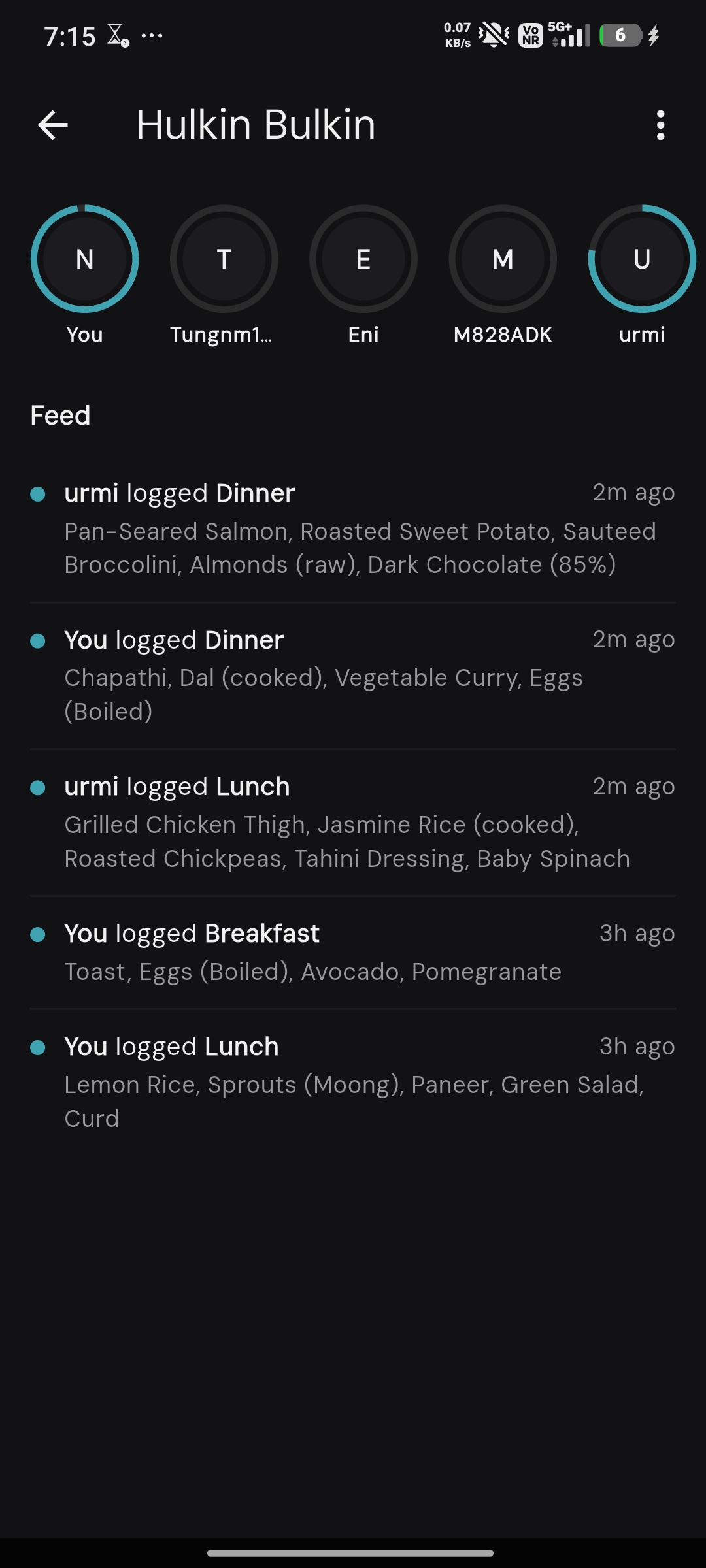
- Groups — share progress with friends via Supabase-backed sync
- Full local backup/restore (JSON export/import) — your data isn't locked in
- A completely optional one-time "Pro" tip jar (triple-tap the Settings title) for anyone who wants to support development — nothing in the app is gated behind it, it's purely a thank-you
How we built it
Bowl is a Flutter app with a local-first SQLite (sqflite) database as the source of truth, with Supabase layered in only for the optional Groups/social feature — the app works fully offline otherwise. Nutrient math and meal-target logic all live client-side so logging feels instant with no network round-trip.
For Shipaton, I integrated RevenueCat to power a one-time in-app purchase — a "Pro" support unlock reachable via a hidden triple-tap gesture. Building it around RevenueCat's Test Store first let me validate the entire purchase flow (offerings, entitlements, purchase completion) before touching real Play Billing, which made catching integration bugs (like an entitlement ID mismatch) trivial before it ever hit a real device.
Challenges we ran into
Getting from "purchase works in RevenueCat's Test Store" to "purchase works for real" surfaced a chain of infrastructure most tutorials skip: Play Console's Billing Library version requirements meant bumping several transitive dependencies (share_plus, web) without breaking existing share/export functionality; wiring a Google Cloud service account with exactly the right Play Console permissions (financial data, order management, store presence) for RevenueCat's server-to-server purchase verification; and setting up real-time developer notifications via Pub/Sub so purchase/refund events sync live. None of it is conceptually hard, but each step gates the next, so debugging felt like peeling one locked door at a time.
Accomplishments that we're proud of
A real, working, end-to-end purchase flow — tested with an actual Play Billing transaction — built in a way that keeps the app 100% free and un-gated. Supporting development is opt-in, never a requirement to use any feature.
What we learned
Google Play's purchase verification stack has a lot of moving, interdependent pieces (Billing Library version, service account permissions, Pub/Sub topics), but almost none of it needs touching again once it's right the first time. Also: RevenueCat's Test Store is genuinely useful for catching bugs — the entitlement-ID typo we caught before ever needing a real device came directly from testing against it first.
What's next for Bowl
More nutrition insight content, an expanded recipe field on food entries, and a smarter macro-target auto-suggestion based on logged history.
Built With
- flutter
- revenue-cat
- supabase

Log in or sign up for Devpost to join the conversation.