-
-
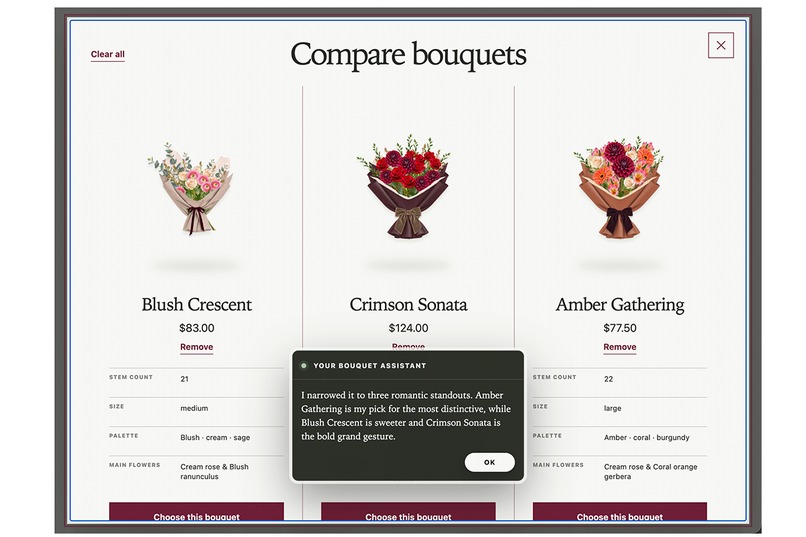
A better way to choose flowers
-
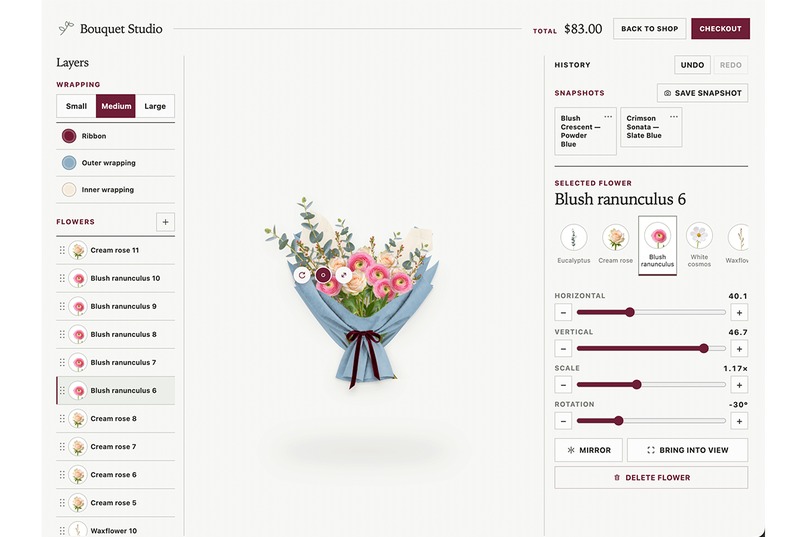
One shared editing system
-
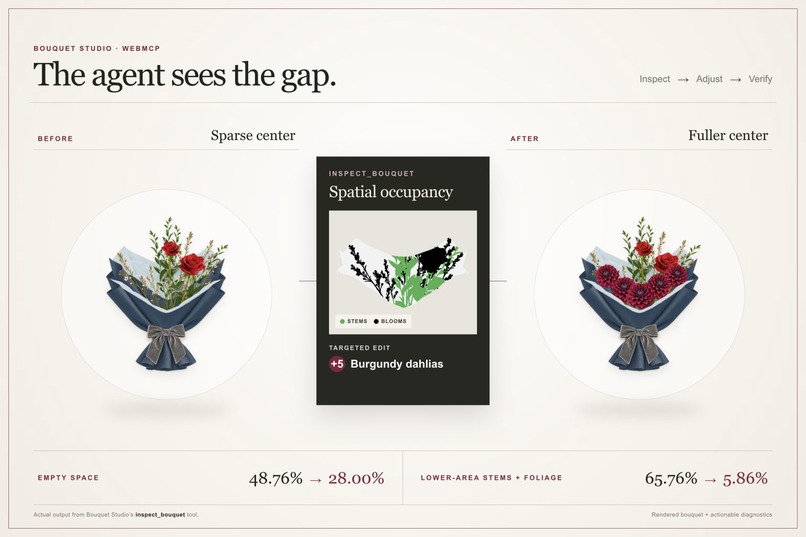
Using WebMCP to Inspect and Improve Bouquets
-
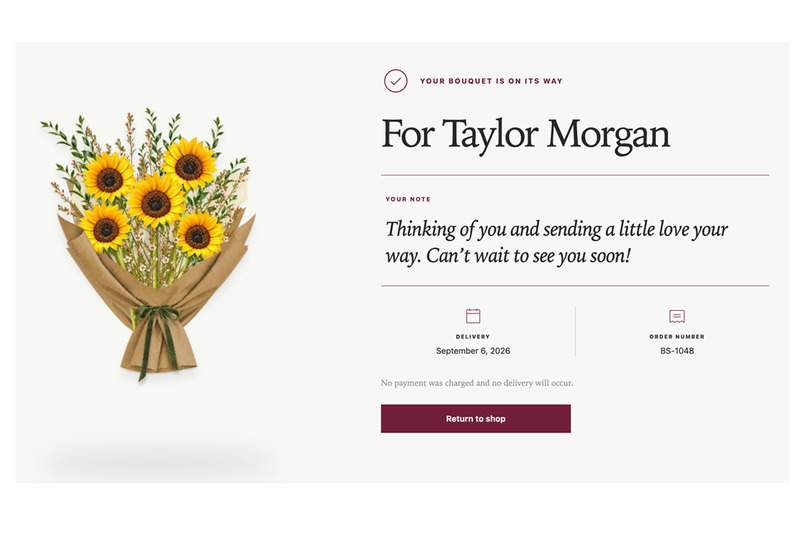
From idea to order
Inspiration
I do not know much about flowers. Whenever I buy a bouquet, I run into the same questions: What flowers do I want? How should they be arranged? What style am I looking for?
I usually cannot answer those questions in floral terms. What I do know is who the bouquet is for, why I am giving it, and how I want it to feel.
An agent can translate those intentions into flower choices, but a text recommendation only solves half the problem. I still need to see the flowers together, react to them, and shape the design until it feels right. A generated image can provide inspiration, but it is disconnected from the products I can actually buy and difficult to revise precisely.
Bouquet Studio started with a simple idea: let people describe the feeling instead of naming the flowers, then let the person and agent shape the actual bouquet together.
Why WebMCP is the right fit
Most online flower shops are designed for human eyes. Online flower shops contain the information an agent needs, but that information is often scattered across product pages, FAQs, announcements, and checkout. An agent can navigate those interfaces, but it has to repeatedly interpret pages, images, and UI state like a human would.
WebMCP gives the agent a direct way to understand and operate the same flower shop:
Task-level actions. Instead of opening products and applying filters one by one, the agent can search for bouquets matching the customer’s complete request, inspect their contents, customize them, and continue toward ordering.
Direct bouquet-editing tools. When the customer wants to change a bouquet, the agent can add, remove, replace, move, resize, and reorder flowers; change wrapping; undo changes; save and restore versions; and request rendered images or diagnostics when it needs to inspect the result. Without these tools, an agent would have to repeatedly analyze screenshots, estimate click or drag coordinates, and determine whether visual actions succeeded.
The agent can receive the shop’s full context on demand. On a customer-facing website, useful information naturally lives in different places, which makes sense for people browsing step by step, but an agent must first discover and combine those details. Through WebMCP, the shop can provide the information the agent needs together, rather than forcing it to discover and combine information scattered throughout the website.
This makes flower shopping a strong WebMCP use case: product knowledge, multi-step actions, and visual decisions all need to work together. WebMCP lets the agent access the right context and tools while keeping the customer in control of the visual decisions.
How does it create a better experience?
Start with intent, not expertise. People can describe the recipient, occasion, mood, budget, or simply how they want the bouquet to feel. The agent translates those cues into suitable products or a first arrangement without requiring the user to know flower names.
React instead of specify. It is often easier to recognize what feels right than to describe it from scratch. Users can look at a visible bouquet and say “warmer,” “less formal,” or “more delicate,” then watch the agent adjust the actual flowers, composition, and wrapping.
Explore without pressure. Users can try different directions, compare alternatives, ask questions, and undo changes without asking a florist to prepare version after version or starting over.
Turn uncertainty into confidence. The final bouquet is something the user has actually seen and shaped, not a black-box recommendation, and it can be ordered directly.
What can people and agents do together now that was difficult before?
Previously, an agent could recommend flowers, generate an inspiration image, or navigate a flower shop. The customer still had to bridge the gap between that recommendation and a real, orderable bouquet.
Bouquet Studio turns that handoff into a shared workflow:
A customer can say: “A longtime teammate is leaving for a new role. I want the bouquet to feel grateful and optimistic, but still professional.”
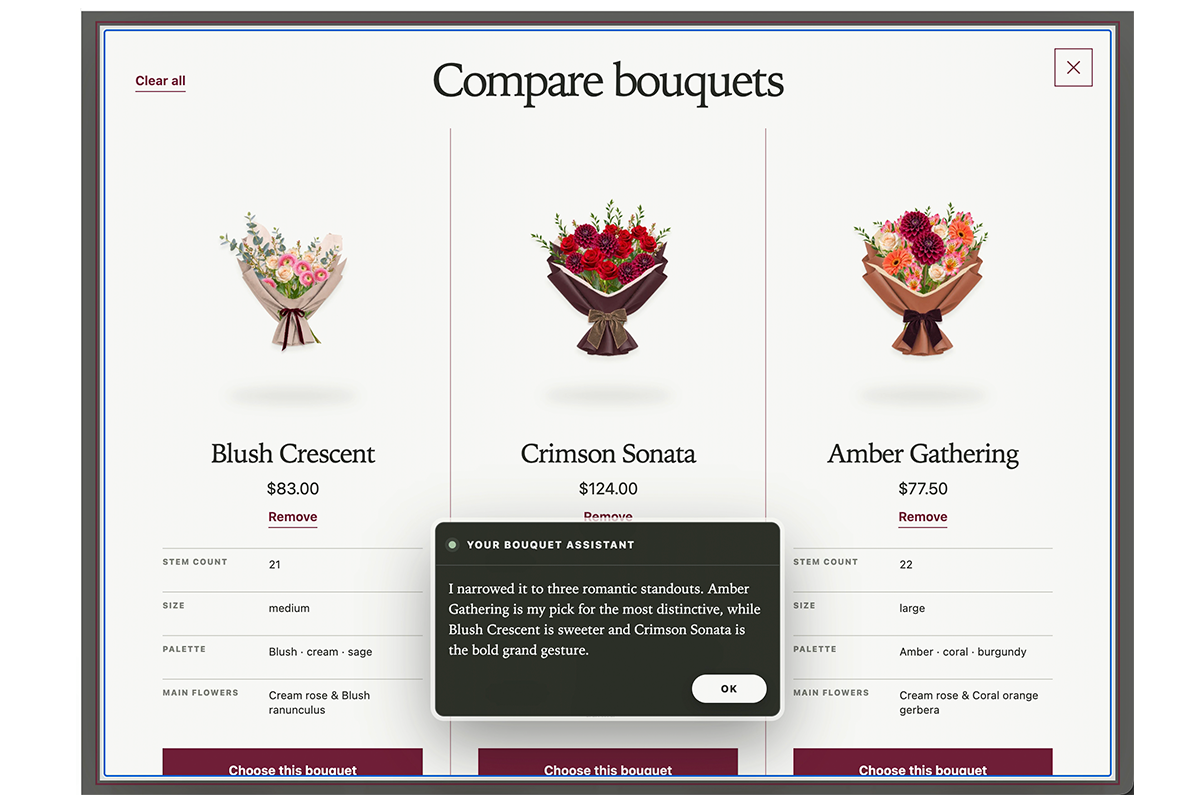
The agent can turn that intent into several options using flowers that are actually available, each with different flowers, colors, wrapping, and composition.
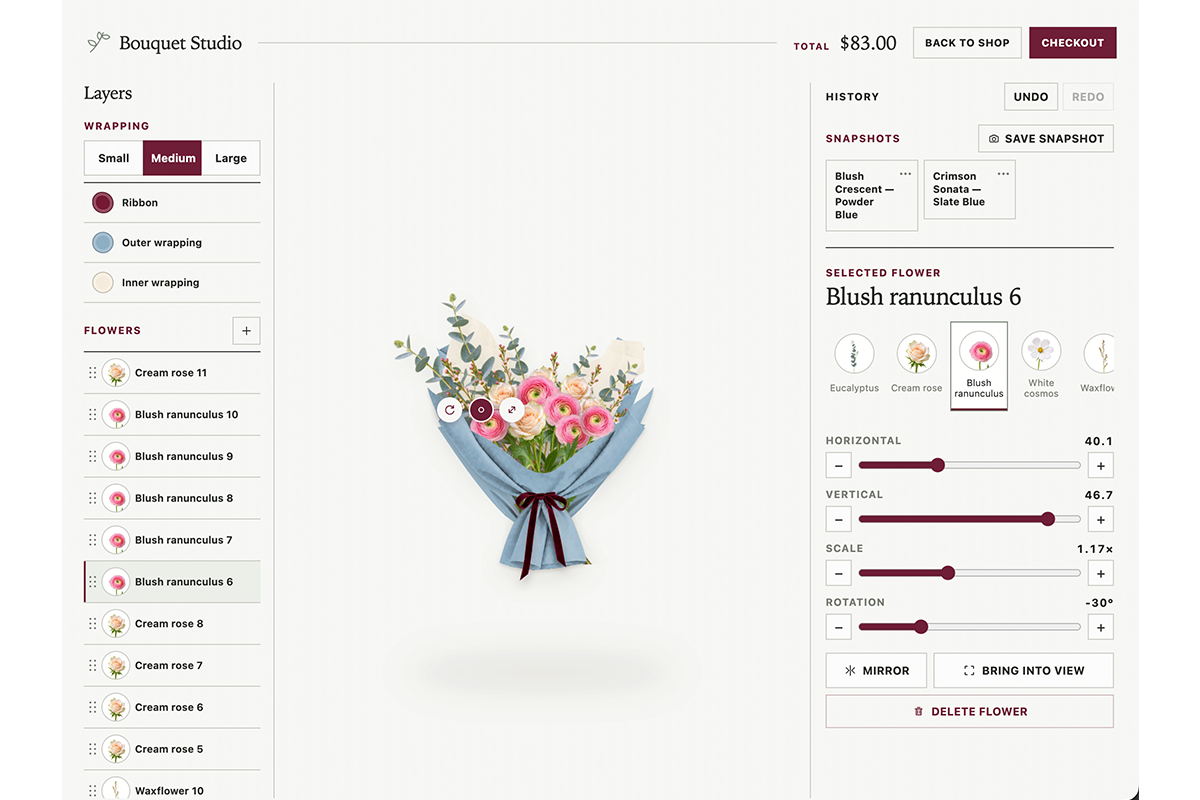
From there, the agent and customer work on the same live bouquet. The agent can make changes directly in the editor, while the customer sees those changes immediately and can refine them visually. Human and agent edits share the same state, undo/redo history, and saved versions.
The agent contributes structured reasoning: which flowers are available, where they are positioned, what is hidden, which elements overlap, and where the composition may feel empty. The customer contributes the judgment that matters most: does this bouquet feel right for this person and this moment?
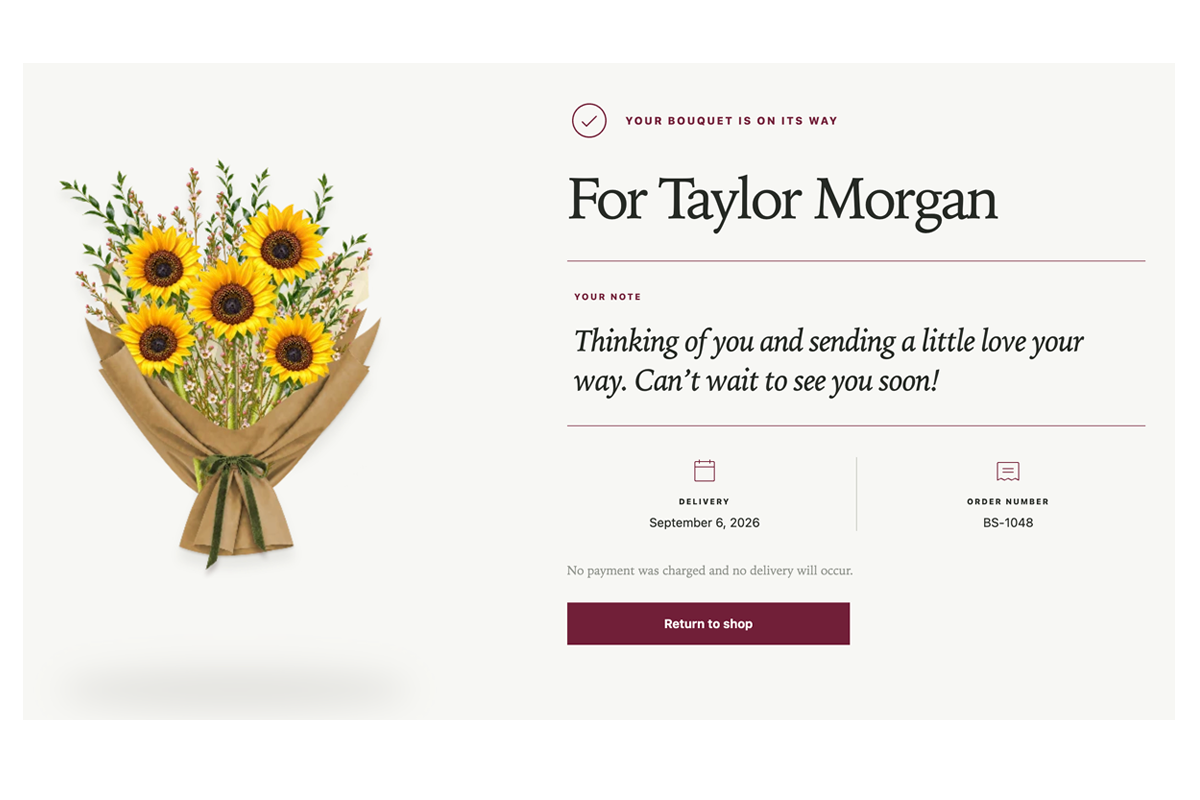
Once the design feels right, it continues into checkout. There is no need to recreate the recommendation or search for real flowers that resemble an AI-generated image.
The new capability is the end-to-end collaboration loop itself. Intent, reasoning, visual editing, and purchasing remain connected instead of becoming separate handoffs.
How We implemented WebMCP
We built the human-facing editor first, then added WebMCP by testing it with fresh agents that had no prior knowledge of Bouquet Studio. We observed where they struggled and refined the tools around those problems.
Agent feedback shaped the workflow. Early tests showed that undo and redo were critical: an agent could revise its latest change, while a person could reverse an agent’s action directly instead of explaining the correction in chat. Human and agent edits now share the same bouquet state, edit history, and saved versions.
Guidance appears where decisions happen. Agents initially produced horizontal rows, excessive symmetry, repeated colors, and wrapping that competed with the bouquet. We added concise arranging guidance directly to the tools used to choose flowers, position them, and style the wrapping.
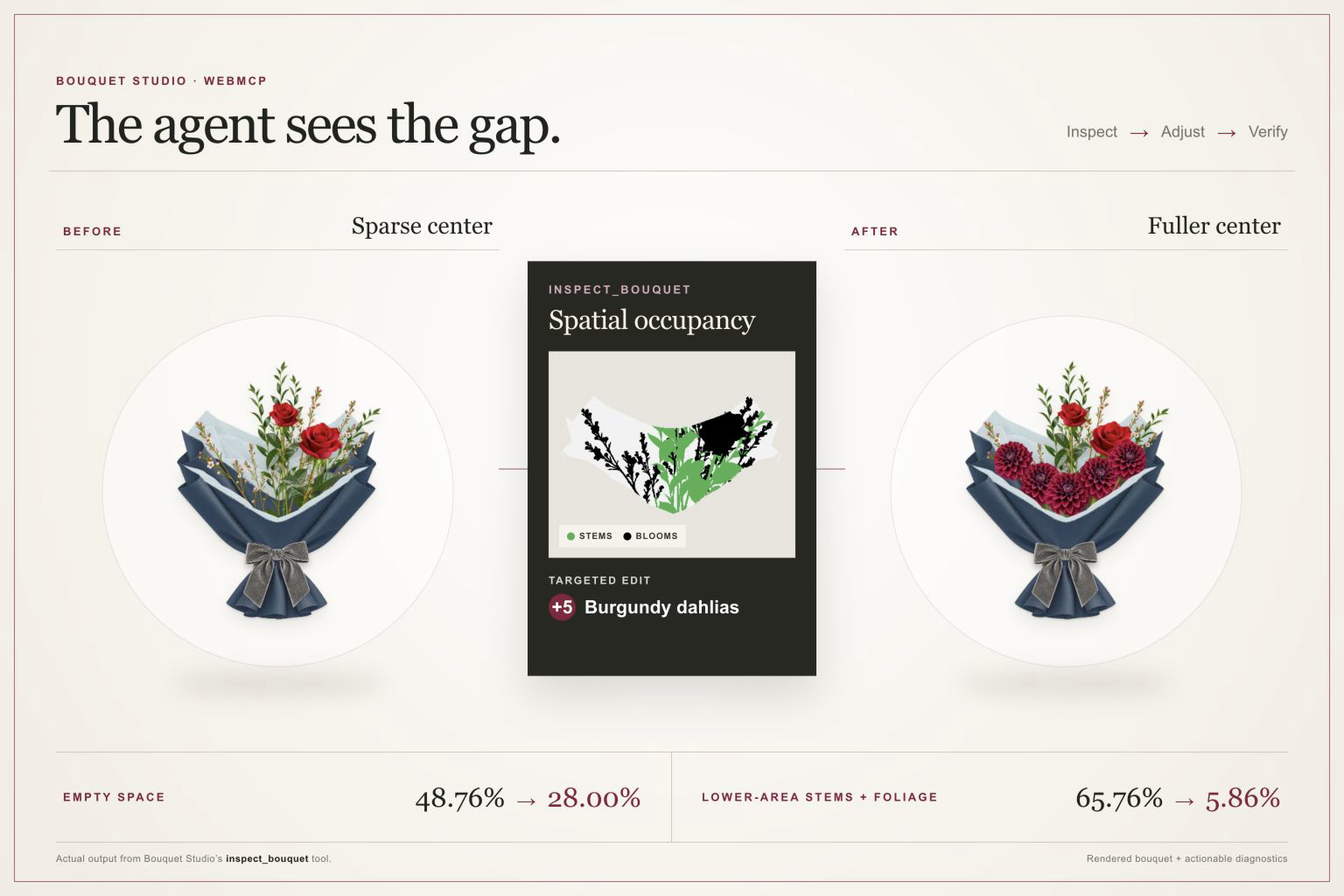
Agents can inspect what they created. They can request the rendered bouquet, a color map showing flowers, greenery, and empty space, and a visibility report identifying hidden blooms and overlapping flower IDs. This combines an overall visual impression with specific information the agent can act on.
Predictable corrections became reliable actions. When agents repeatedly positioned flowers too far outside the wrapping, we added a fitting action that handles the geometry automatically and leaves the agent to focus on flower choice, composition, and mood.
Together, these decisions turned WebMCP from a collection of tools into an iterative collaboration between the customer, the agent, and the website. The agent handles intent and creative exploration, the product handles reliable constraints, and the customer remains in control of what ultimately feels right.
Built With
- chatgpt
- cloudflare-workers
- codex
- html5
- imagegen
- openai-image-api
- react
- typescript
- vite
- webmcp


Log in or sign up for Devpost to join the conversation.