-
-
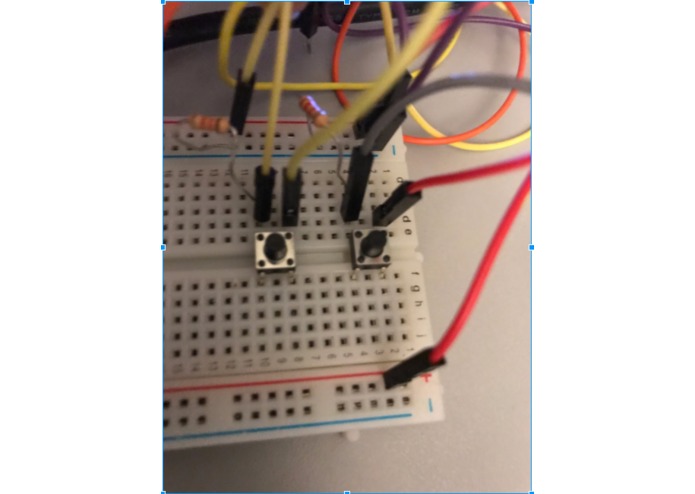
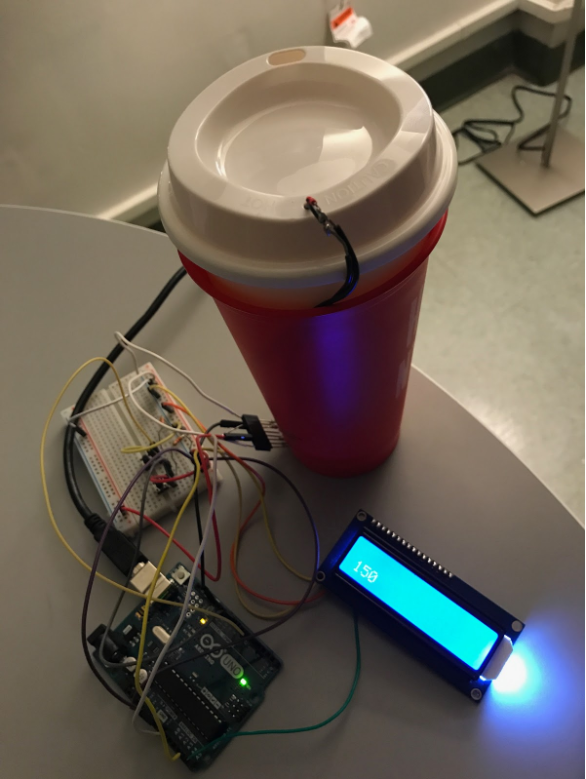
These buttons increase or decrease your desired temperature
-
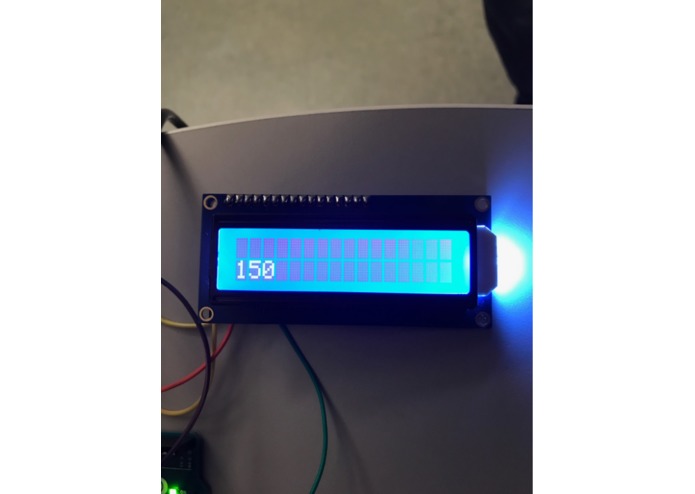
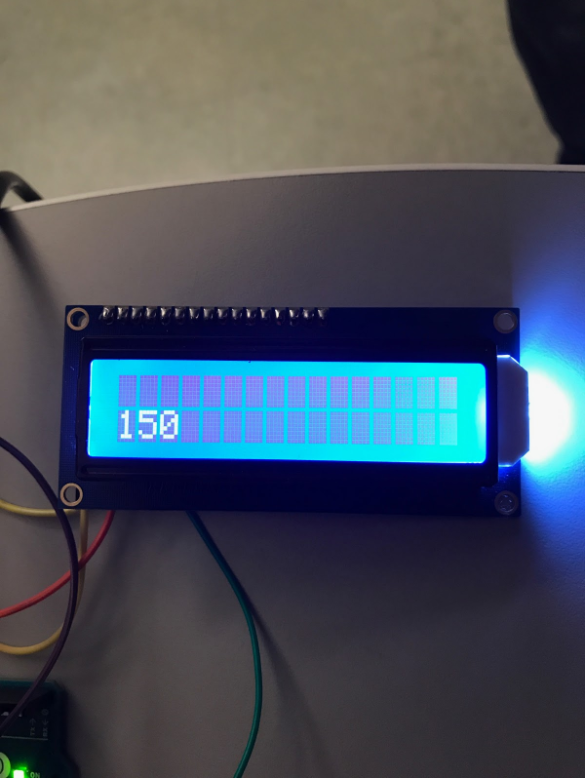
LCD screen which shows your desired temperature
-
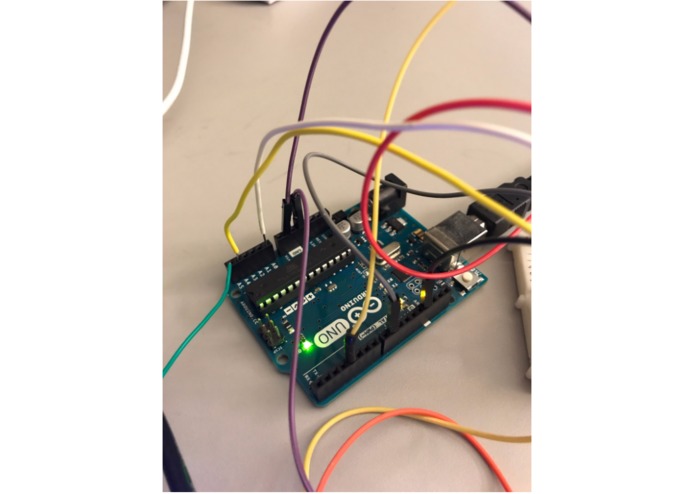
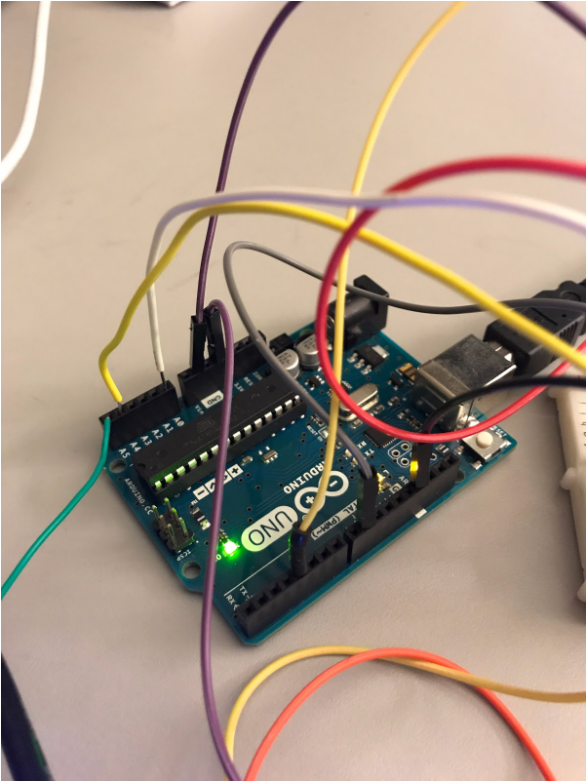
Arduino which sends the current to heat up your drink
-
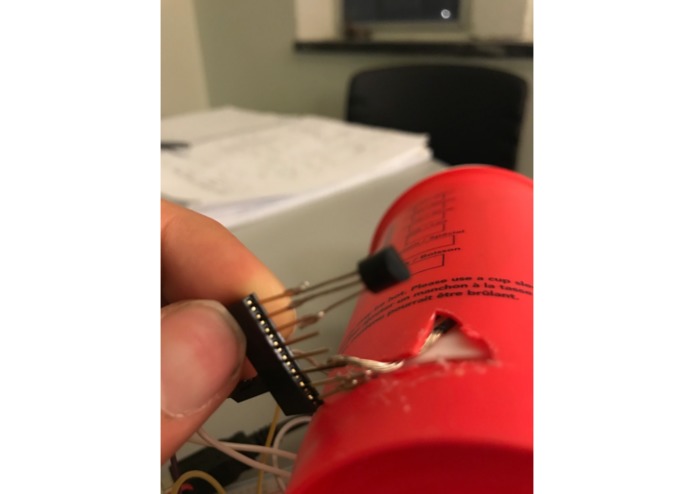
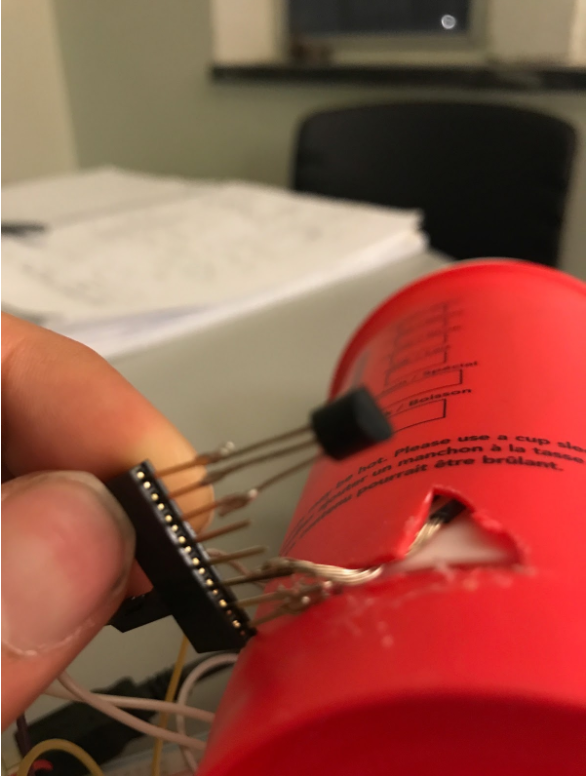
Thermistor monitors the temperature of the liquid
-
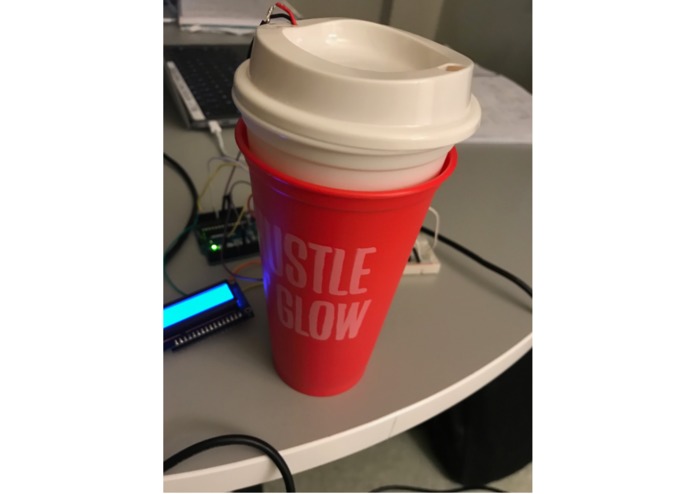
HEATR
-
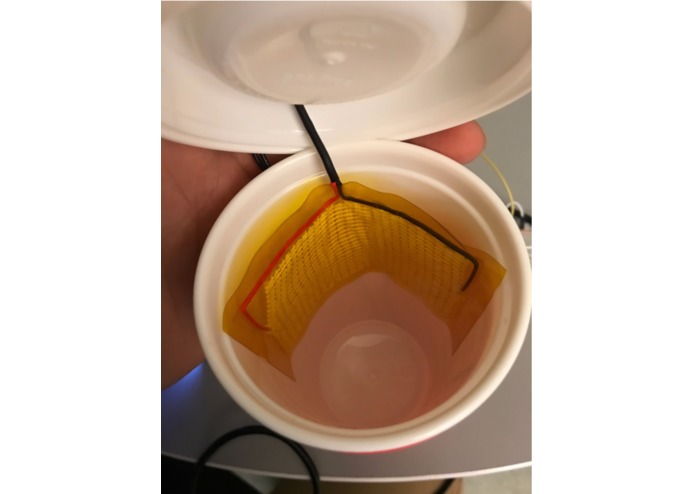
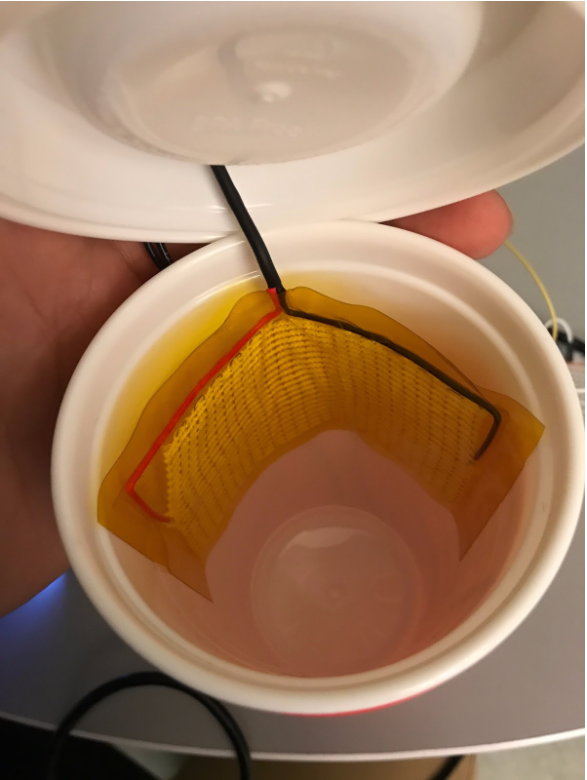
Adafruit heating element which heats up your drink
-
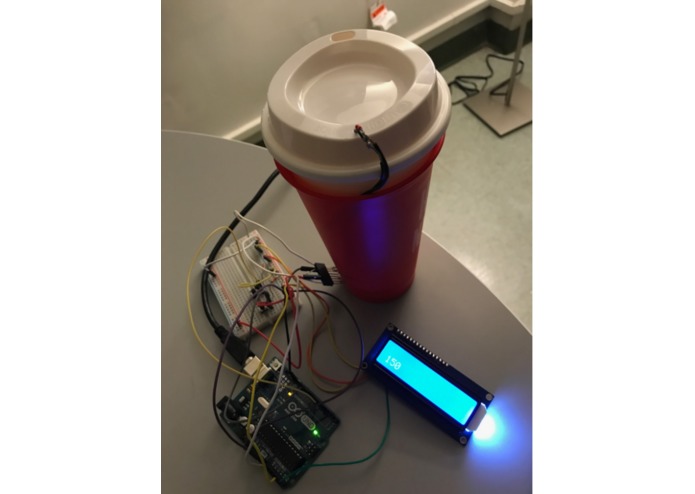
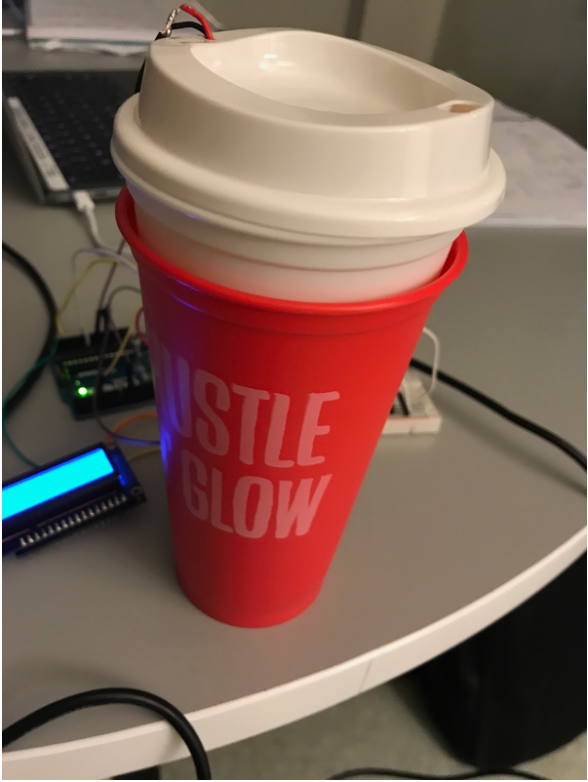
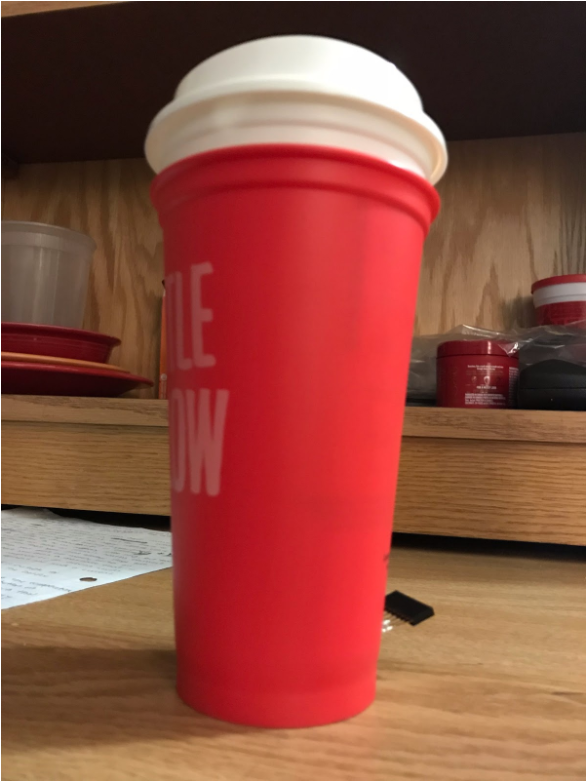
HEATR and its components
-
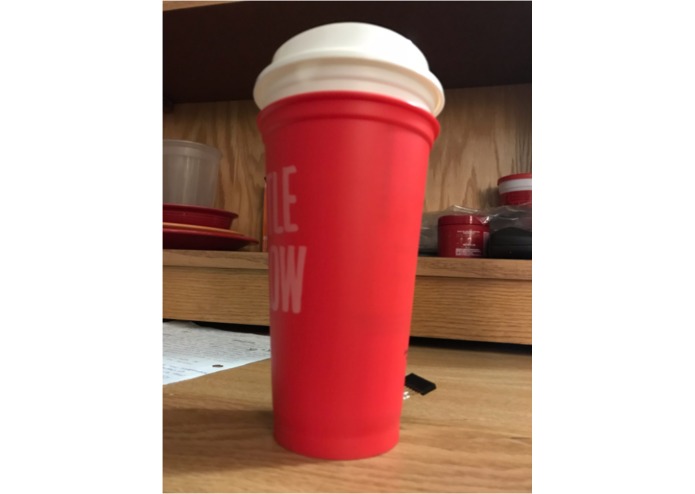
HEATR
-

HEATR


2 Minute Hype-Video link
https://www.youtube.com/watch?v=cSAUNo6LLz8
Inspiration
I put coffee in a reusable bottle which claimed to keep the coffee hot for hours. However, when I went to drink it it felt cold and I knew that there had to be a solution. Many times either the liquid is way too hot or just cold. Sadly, getting that perfect temperature is extremely challenging. A study found that 136 degrees Fahrenheit is the optimal temperature for hot drinks. This temperature, however, is very hard to maintain even in an insulated bottle. However, we believe that there is a solution that can help all coffee drinkers with these issues with a little help from an arduino.
What it does
The device has two parts, one is a reusable double-walled coffee mug that has a plug at the base of the mug. This plug is connected to a thermistor and a heating element. The thermistor lies in between the two mugs to take the temperature without being exposed to the liquid. The heating element runs up the inner wall and into the top of the mug where it is placed inside the mug to heat it up. The other part is our arduino and breadboard which will connect into the mug. The arduino will be connected via wireless to a laptop where the user will be able to input the desired temperature that they want. The arduino will then read the temperature from the thermistor. If the temperature of the liquid is higher than the user input the arduino will do nothing and let the liquid cool off. Once the liquid dips below the inputted temperature, the arduino will send power to the heating element to heat up the liquid to the desired temperature.
Technical Description
Our final product, HEATR, was developed with the customer in mind. In order to ensure that the drink inside HEATR always remains at the consumer’s desired temperature, we made sure to incorporate a thermistor and adafruit heating element. The thermistor in the bottom of the product detects the temperature of the liquid inside the device and sends a signal back to the arduino which then displays the liquid’s temperature on the computer screen. In addition to the thermistor in the bottom of the device, we have the adafruit heating element on the inside of the bottle which heats up the liquid to the consumer’s desired heat. When the thermistor senses that the temperature of the liquid inside the bottle is less than the desired temperature it sends a signal to the arduino. The arduino then sends a current through the wires up to the heating element which then heats up the liquid in the bottle. After the thermistor senses that the temperature of the liquid has reached the desired level, the arduino stops sending current to the heating element and the drink is ready to be drunk by the consumer. In addition to these elements, HEATR is equipped with an LCD screen that allows the consumer to change the desired temperature of the liquid. The consumer can change the number on the LCD screen by pushing a button on the breadboard to lower the number and a different button on the breadboard which will increase the number. This sends a signal to the arduino which then regulates what the desired temperature of the liquid is and controls whether or not to send current to the heating element. When the temperature of the liquid has reached the desired temperature, the arduino no longer sends current to the heating element, but the thermistor still monitors the temperature to make sure that the liquid does not fall below the desired temperature.
Code
include
LiquidTWI2 lcd(0x20);
const int temperaturePin = 0;
const int heatPin = 3;
const int buttonPin = 9;
const int buttonPin2 = 4;
int buttonPushCounter = 150;
int buttonState = 150;
//int buttonState2 = buttonState;
int buttonState2 = 150;
int lastButtonState = 150;
void setup()
{
lcd.setMCPType(LTI_TYPE_MCP23008);
lcd.begin(16, 2);
lcd.setBacklight(HIGH);
pinMode(heatPin, OUTPUT);
pinMode(buttonPin, INPUT);
pinMode(buttonPin2, INPUT);
Serial.begin(9600); Serial.begin(9600); }
void loop() { lcd.setCursor(0, 1); lcd.print(buttonPushCounter);
buttonState = digitalRead(buttonPin2); buttonState2 = digitalRead(buttonPin);
if (buttonState != lastButtonState) {
if (buttonState == HIGH) {

  buttonPushCounter++;
  Serial.println(buttonPushCounter);
}

delay(1);

lastButtonState = buttonState;
buttonState2 = buttonState;
} if (buttonState2 != lastButtonState) {
if (buttonState2 == HIGH) { buttonPushCounter--; Serial.println(buttonPushCounter); } delay(1); }
lastButtonState = buttonState;
float voltage, degreesC, degreesF;
voltage = getVoltage(temperaturePin);
degreesC = (voltage - 0.5) * 100.0;
degreesF = degreesC * (9.0/5.0) + 32.0;
Serial.print(" deg F: ");
Serial.println(degreesF);
delay(1000);
int analogValue = analogRead(degreesF);

if (analogValue < buttonPushCounter) {
digitalWrite(heatPin, HIGH);
} else { digitalWrite(heatPin, LOW); }
}
float getVoltage(int pin) { return (analogRead(pin) * 0.004882814); }


Log in or sign up for Devpost to join the conversation.