-
-
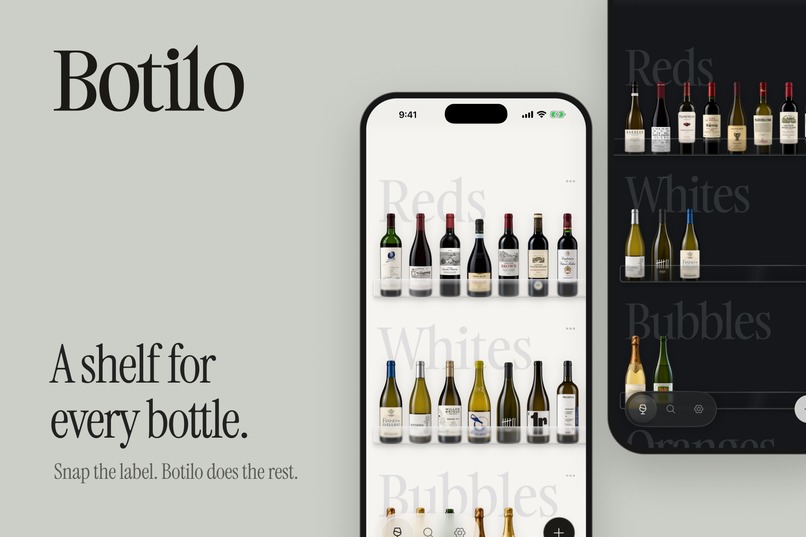
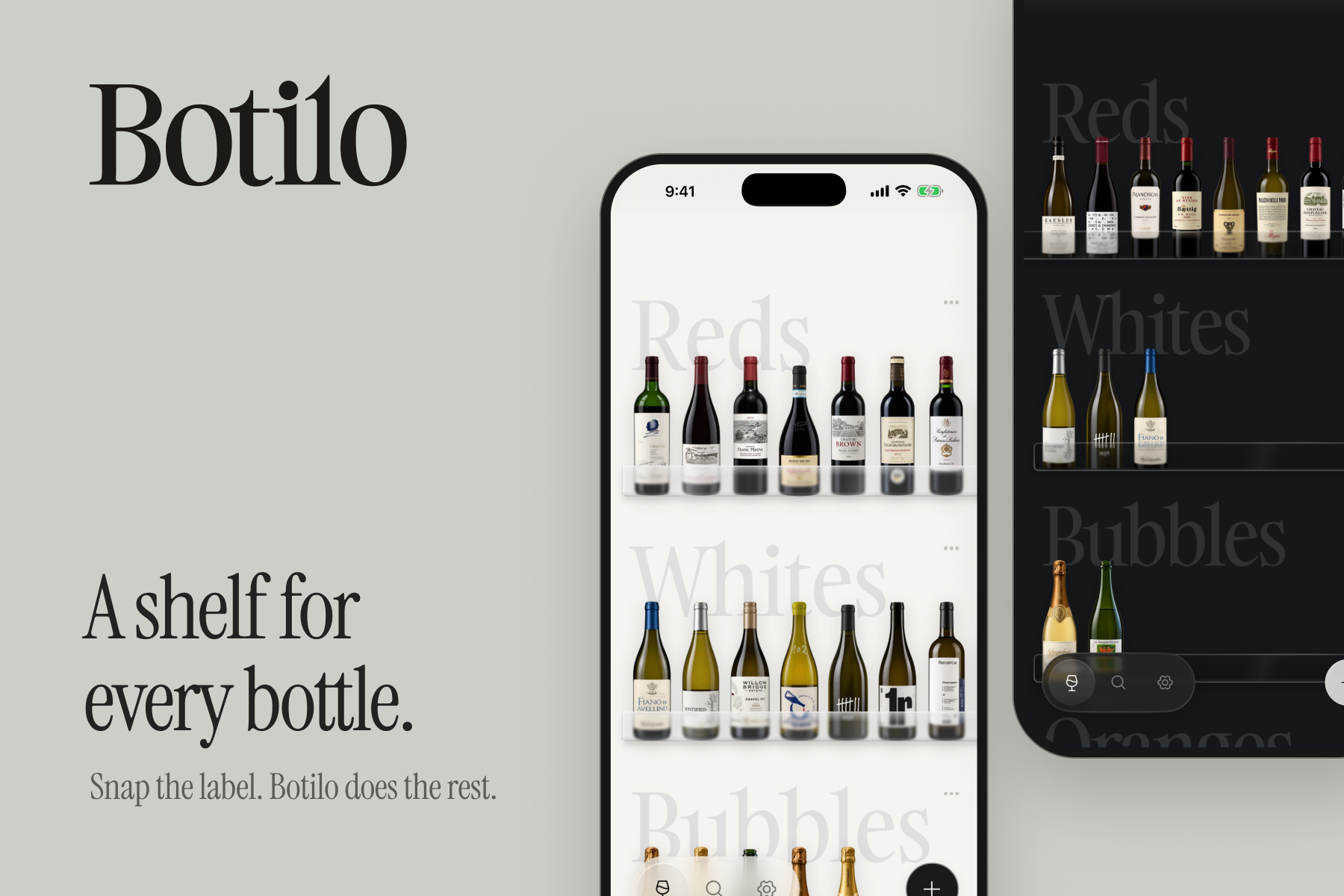
A shelf for every bottle. Keep track of your collection, with the wine at the center.
-
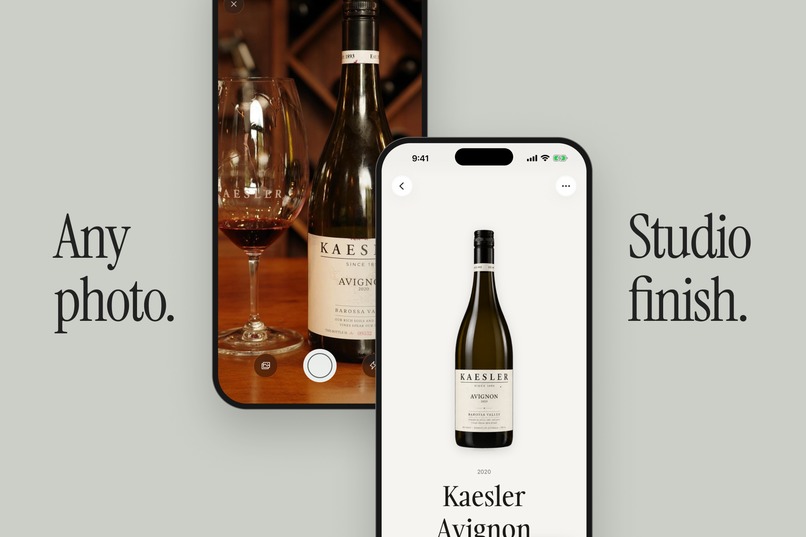
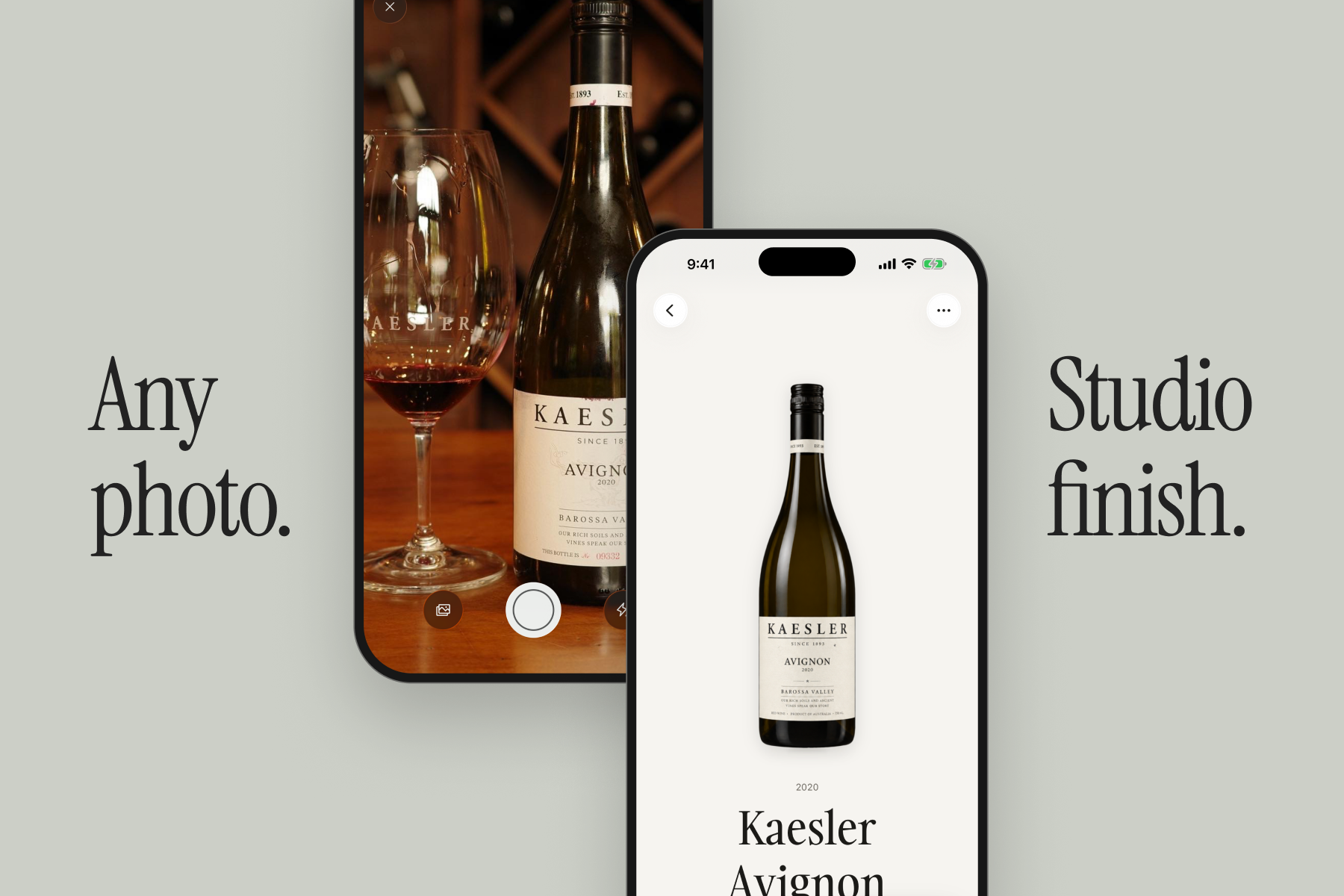
Any photo. Studio finish. Turn an everyday bottle photo into an image that belongs on your shelf.
-
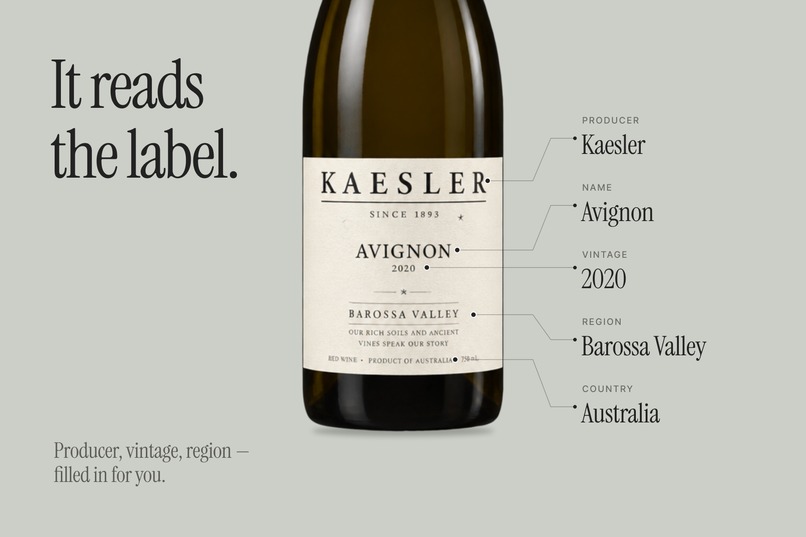
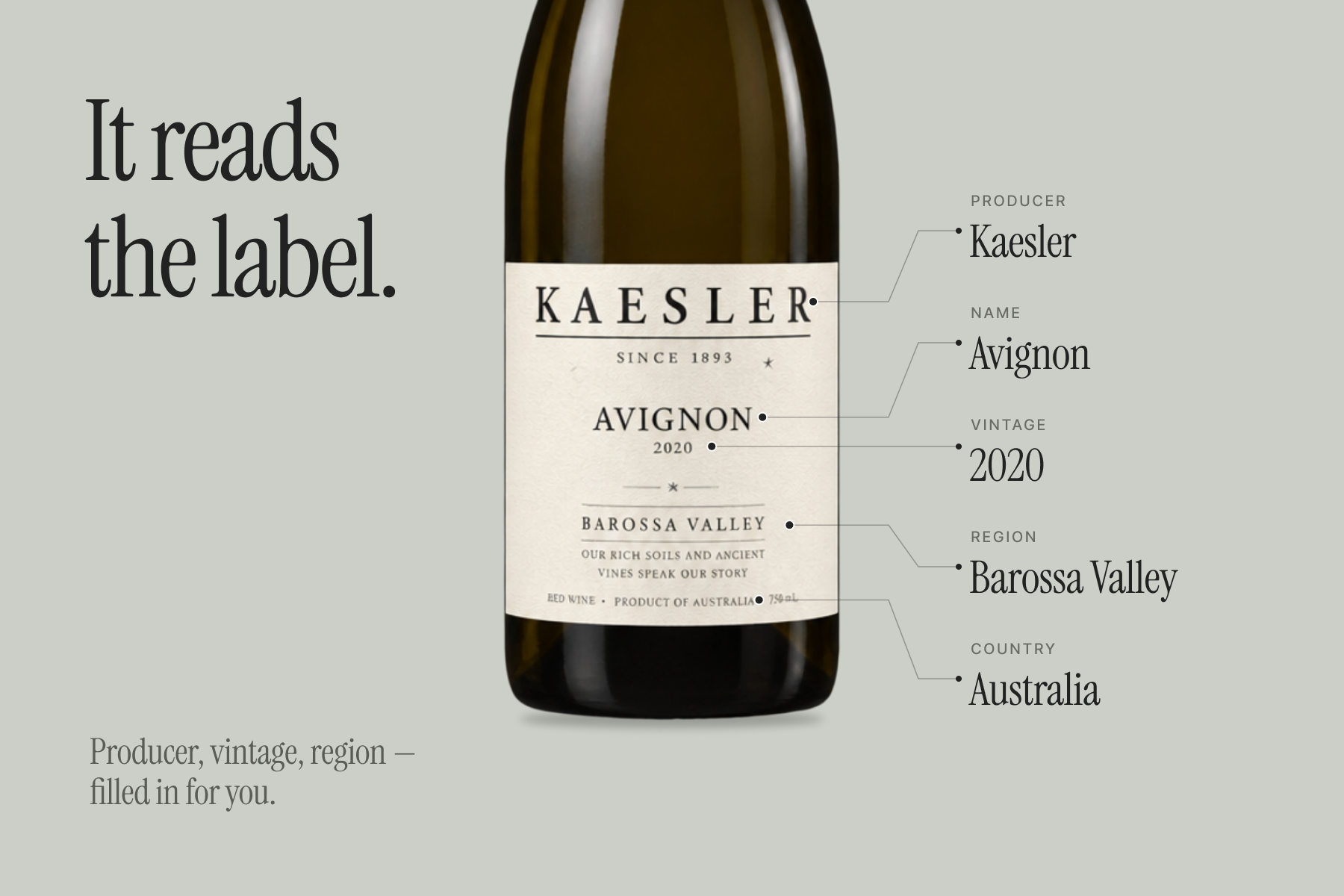
Botilo reads the label for you. Check the name, producer, vintage, region, and grapes before saving.
-
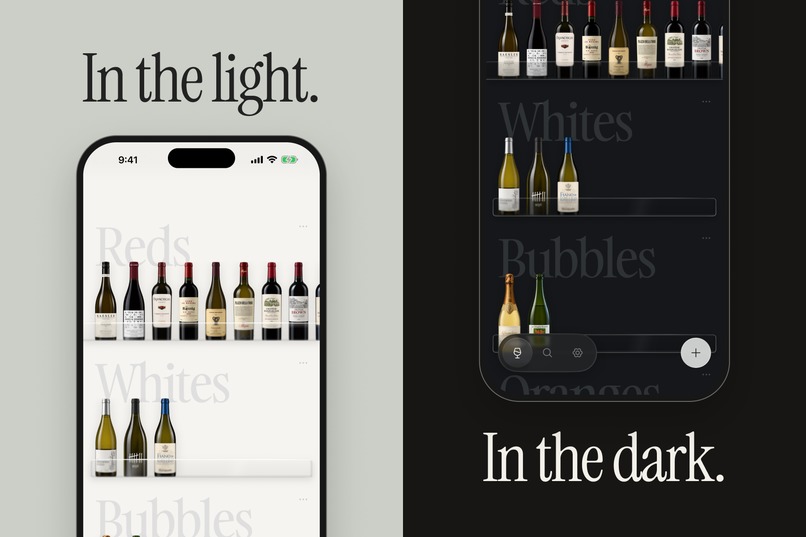
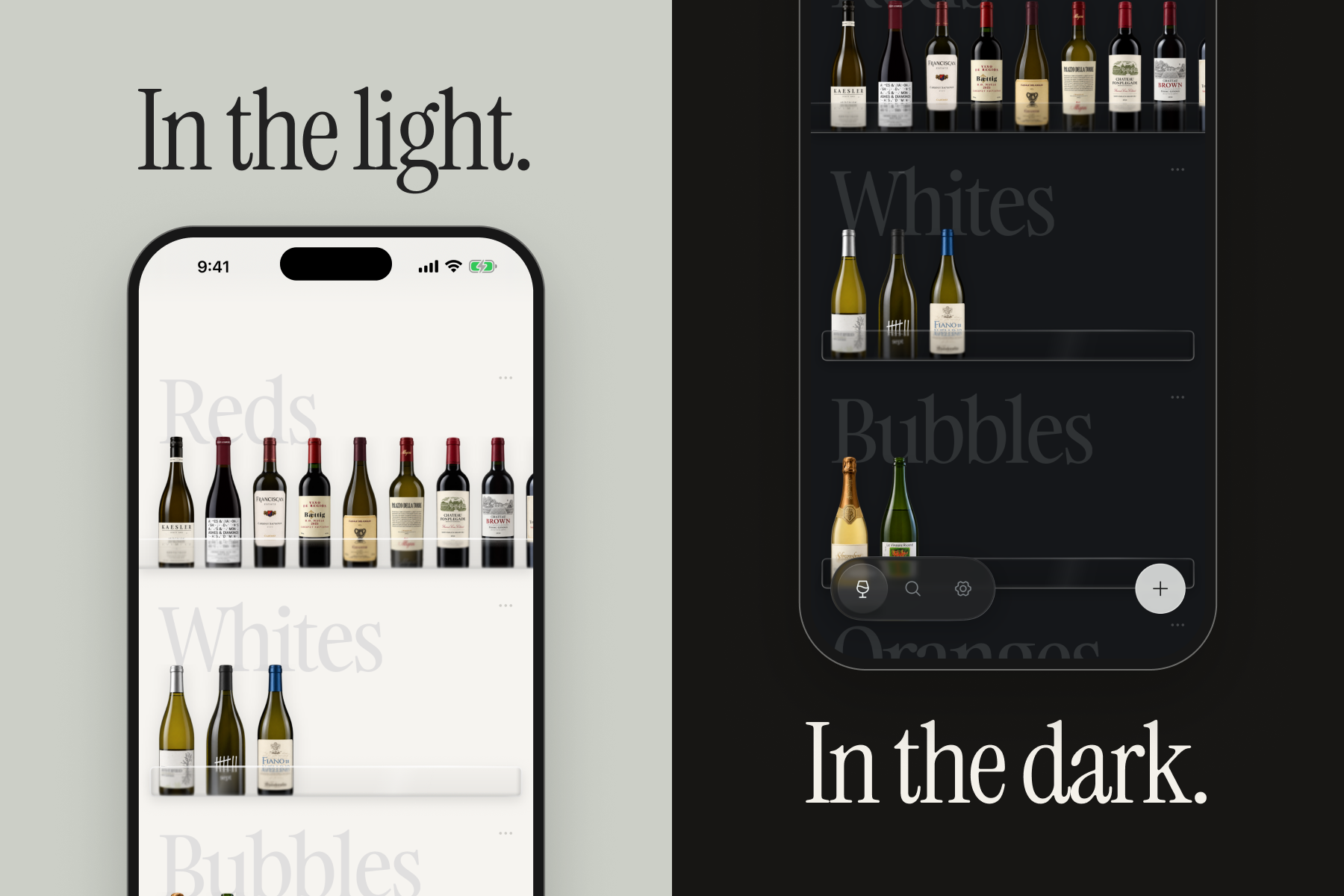
The same cellar in light and dark. Change the mood in My cellar → Theme.
-
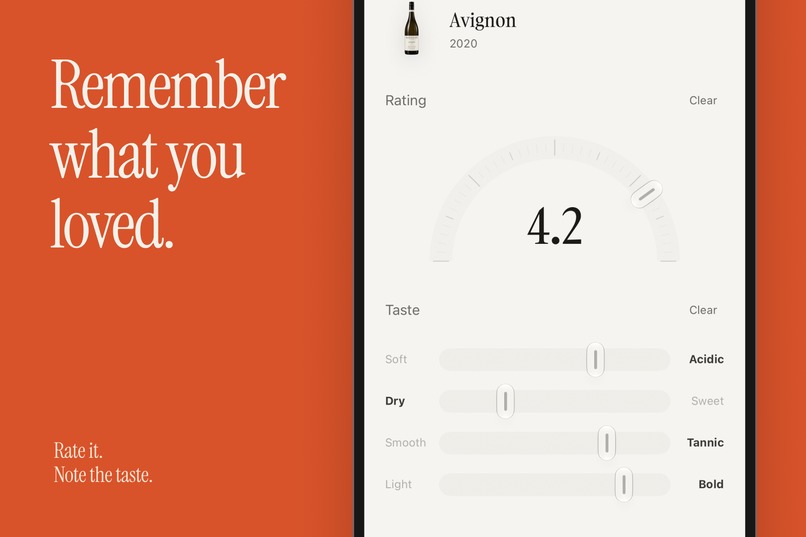
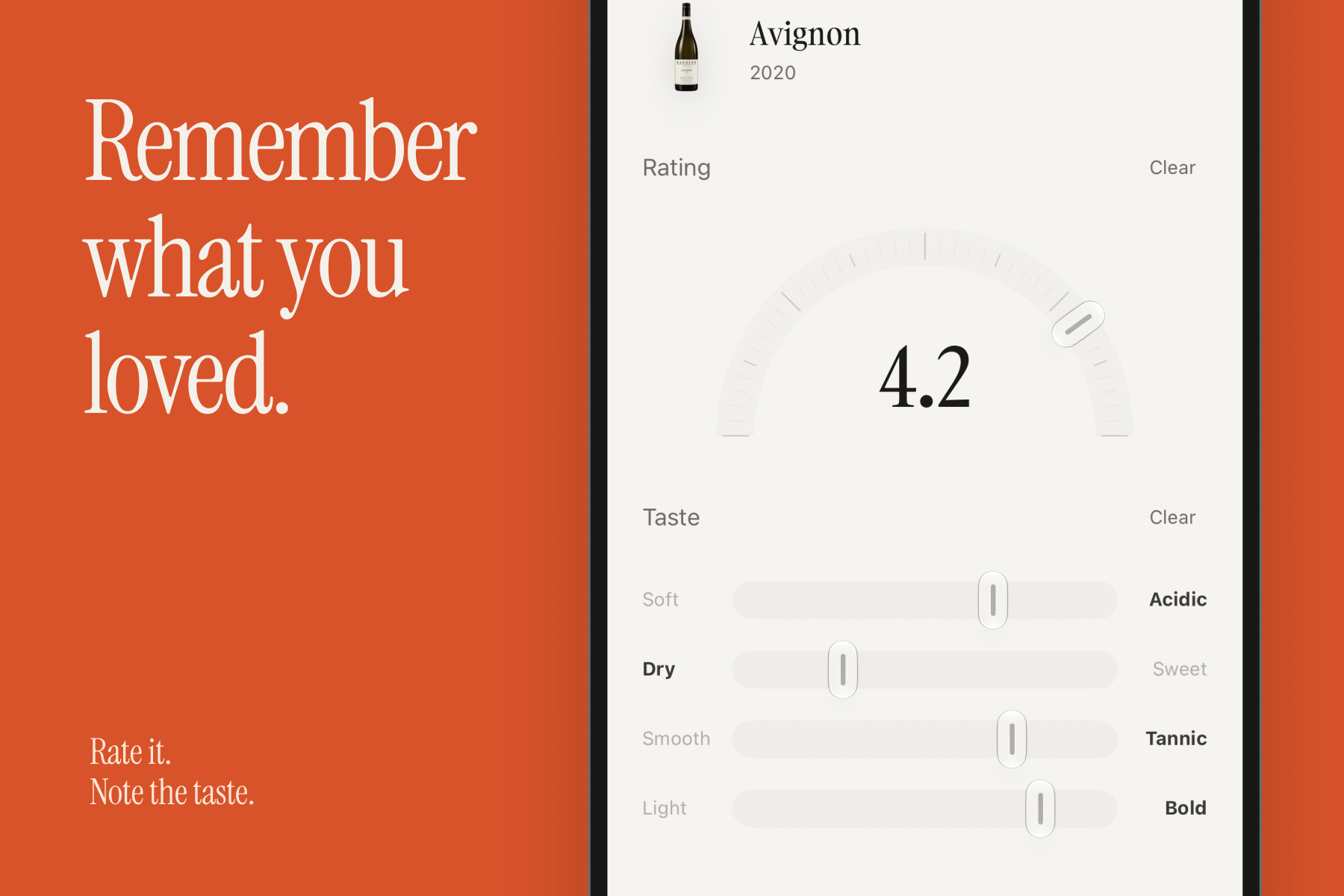
Remember what you loved. Rate a bottle with the half-circle dial and record how it tasted.
-
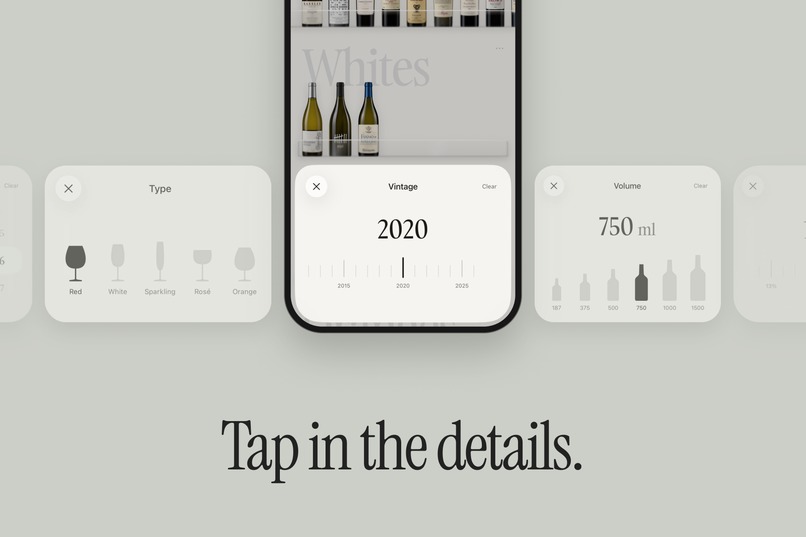
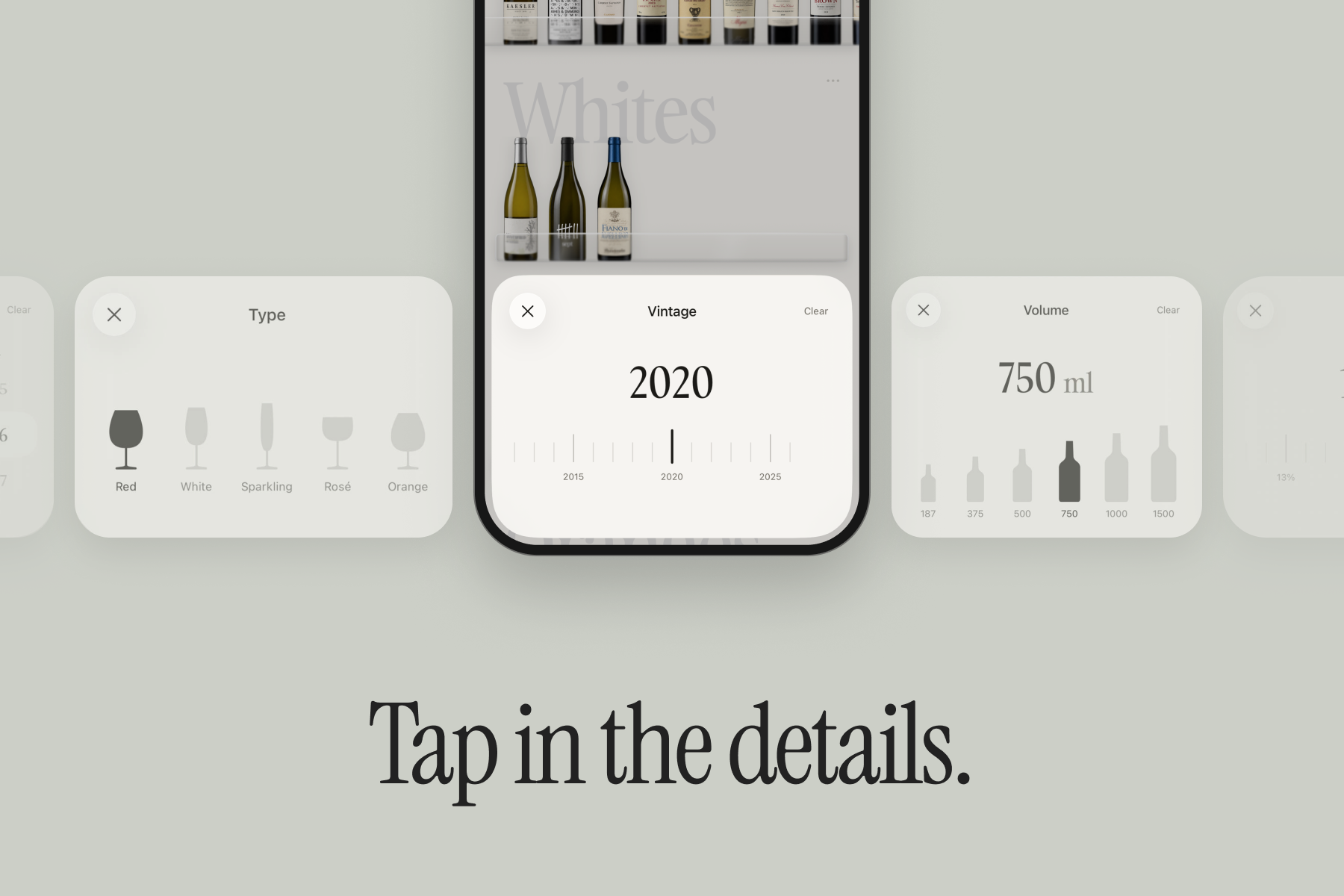
Fill in what the photo could not tell you, with a vintage ruler and controls made for each detail.
-
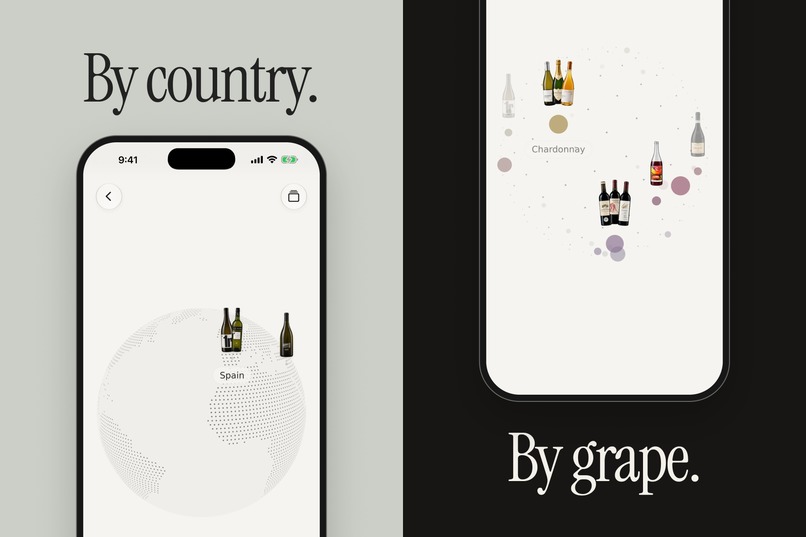
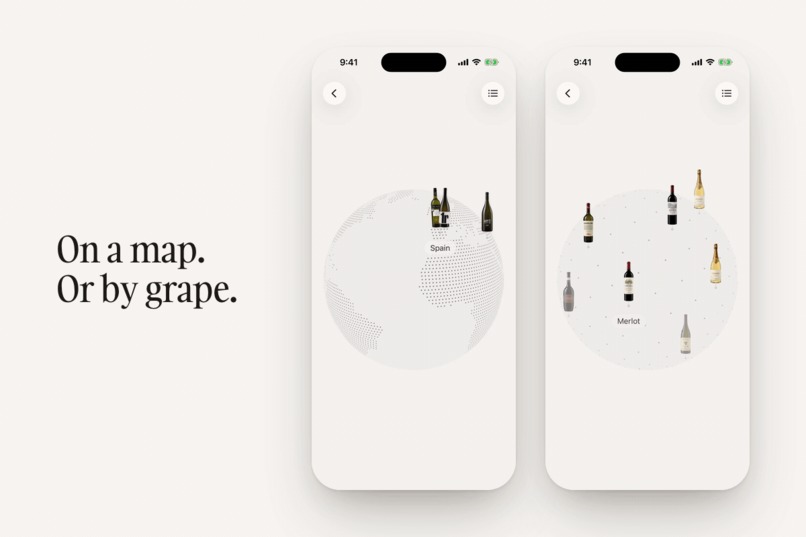
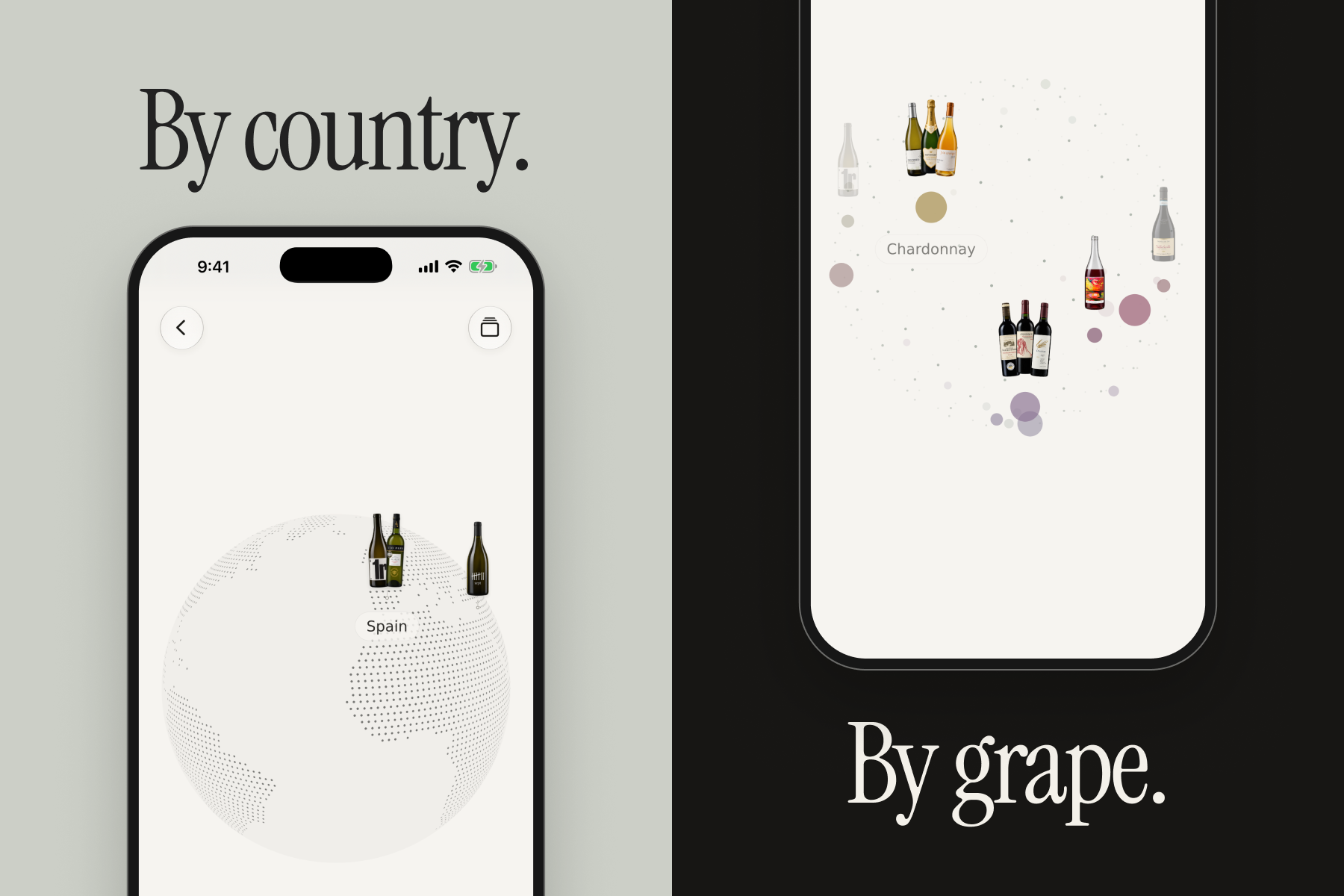
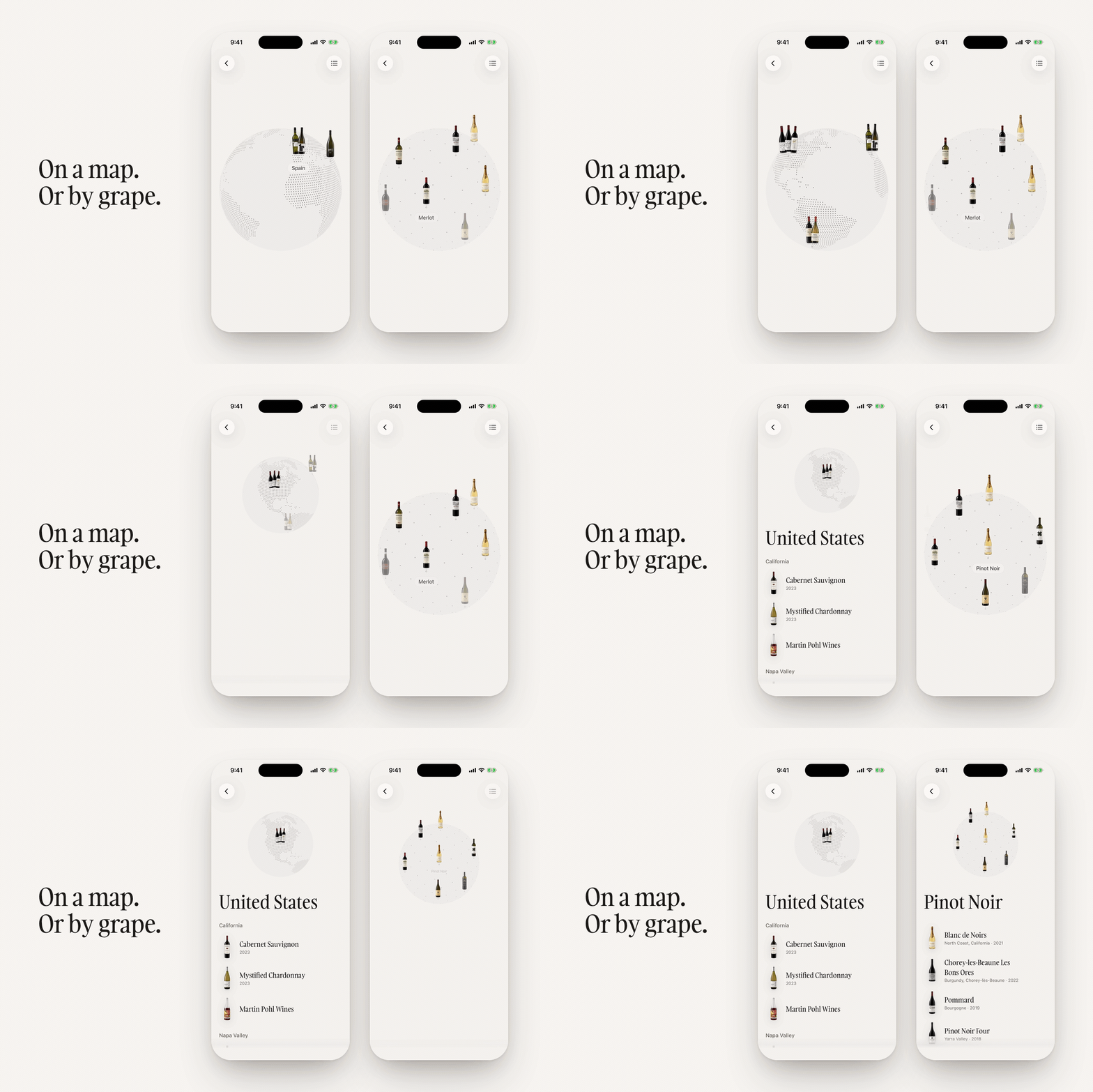
Explore your collection by country on a globe, or browse by grape variety.
-
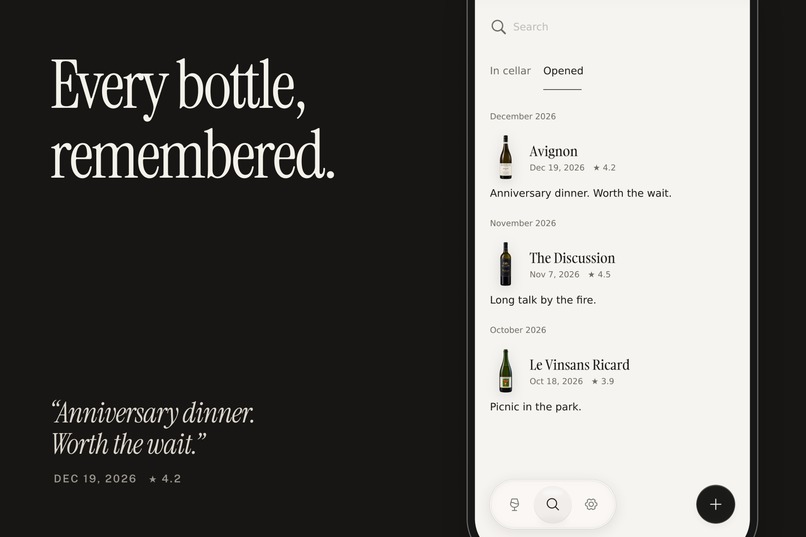
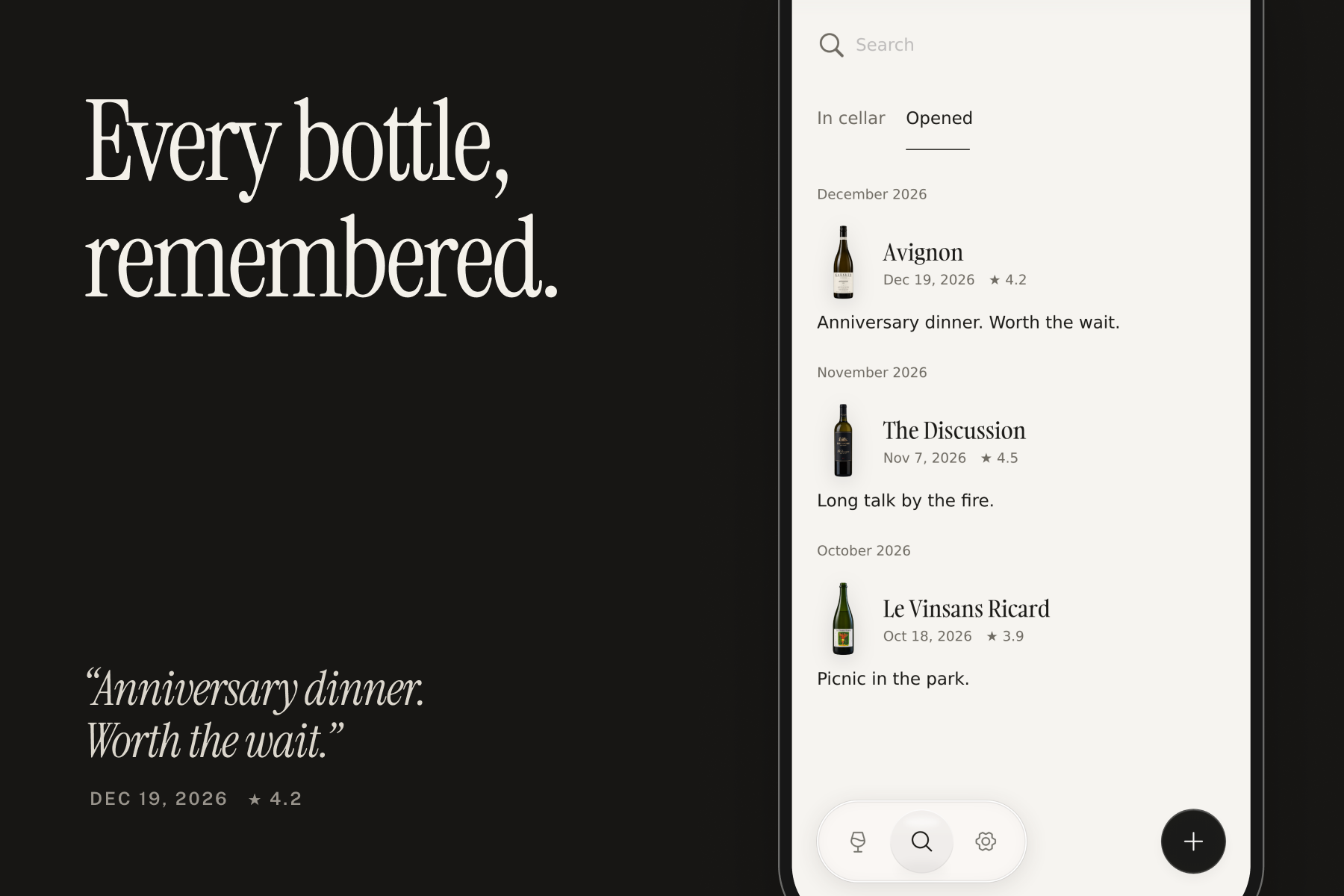
Keep the bottles you have opened, along with the notes and memories that make them yours.
-
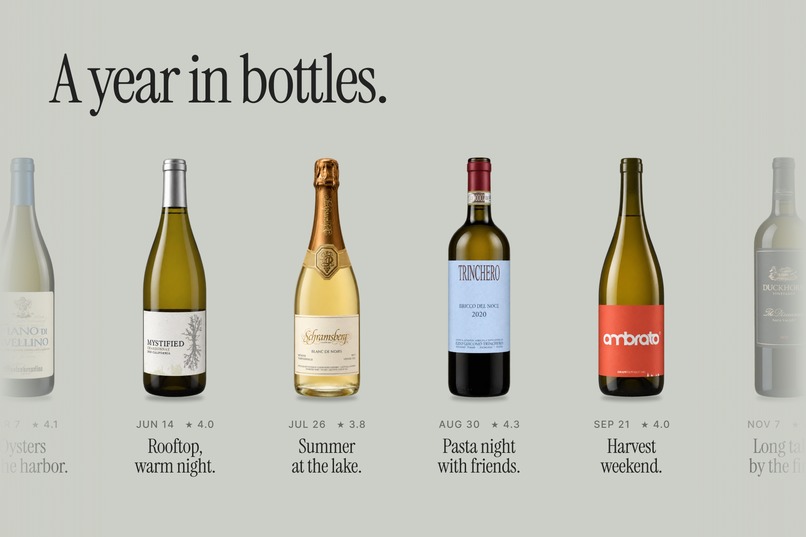
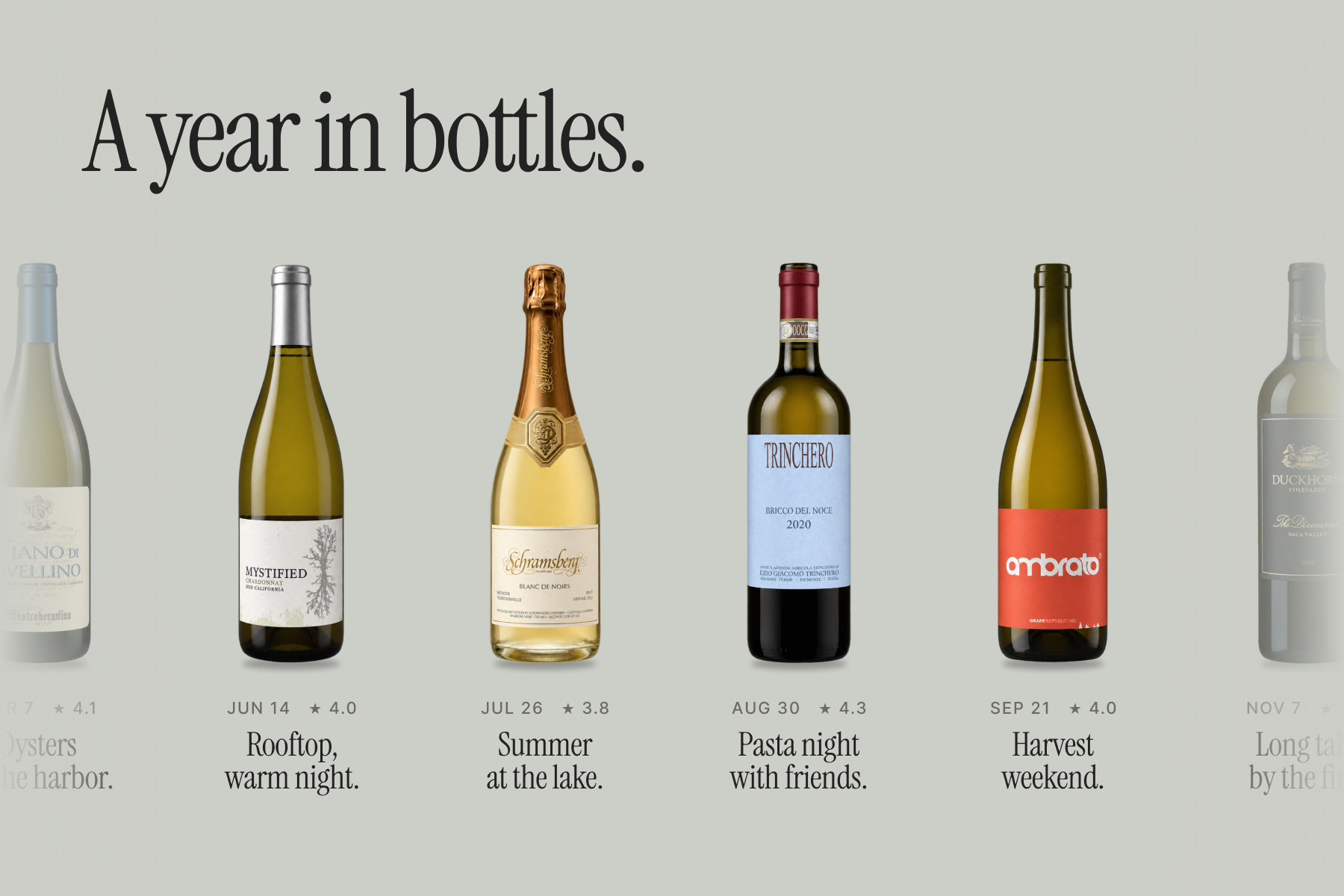
A year in bottles. Look back through what you opened, month by month.
-
 GIF
GIF
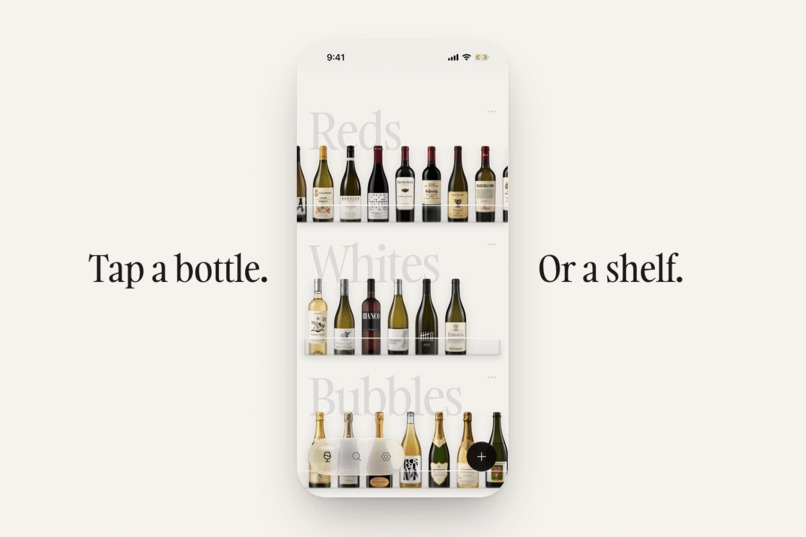
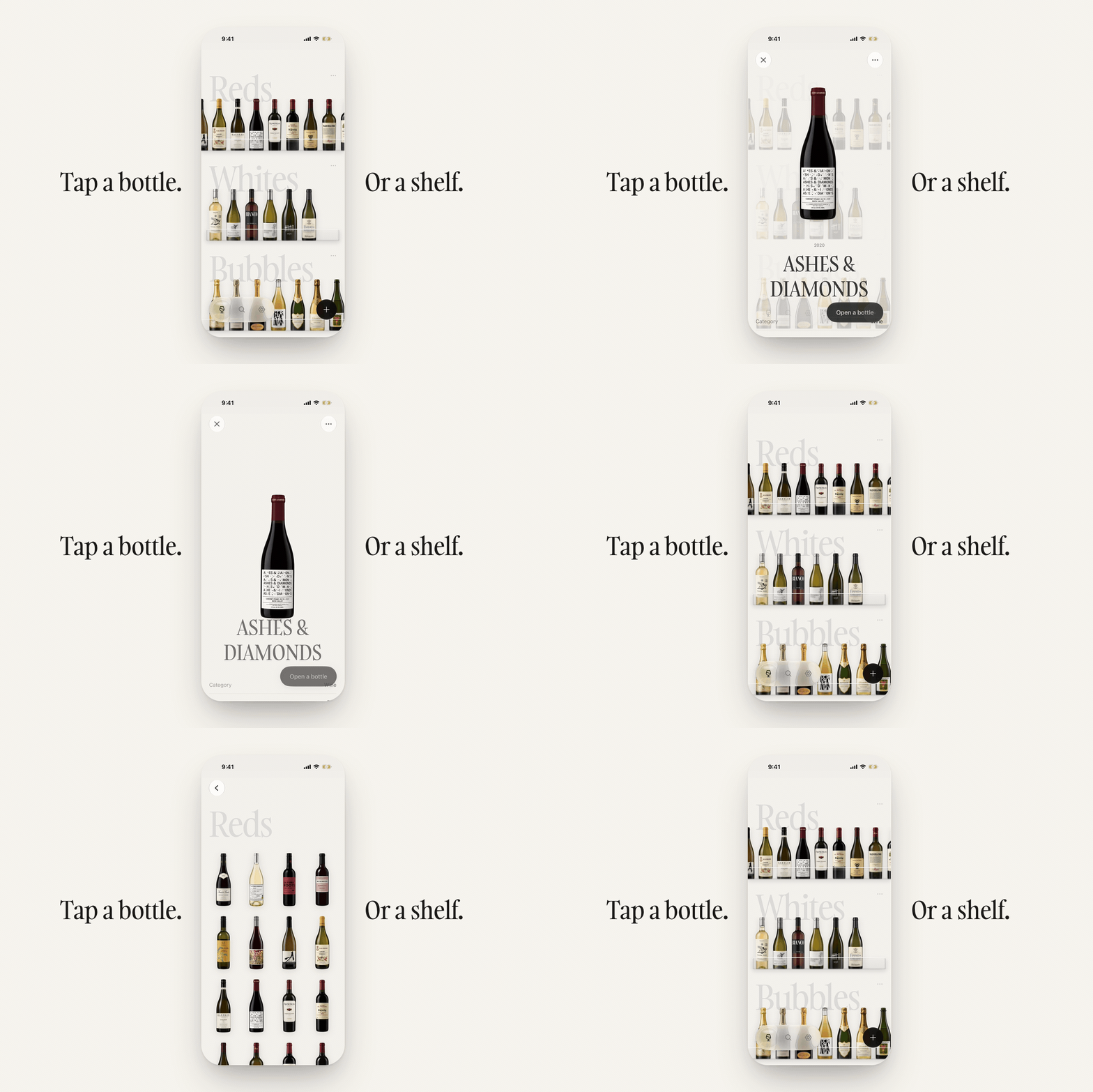
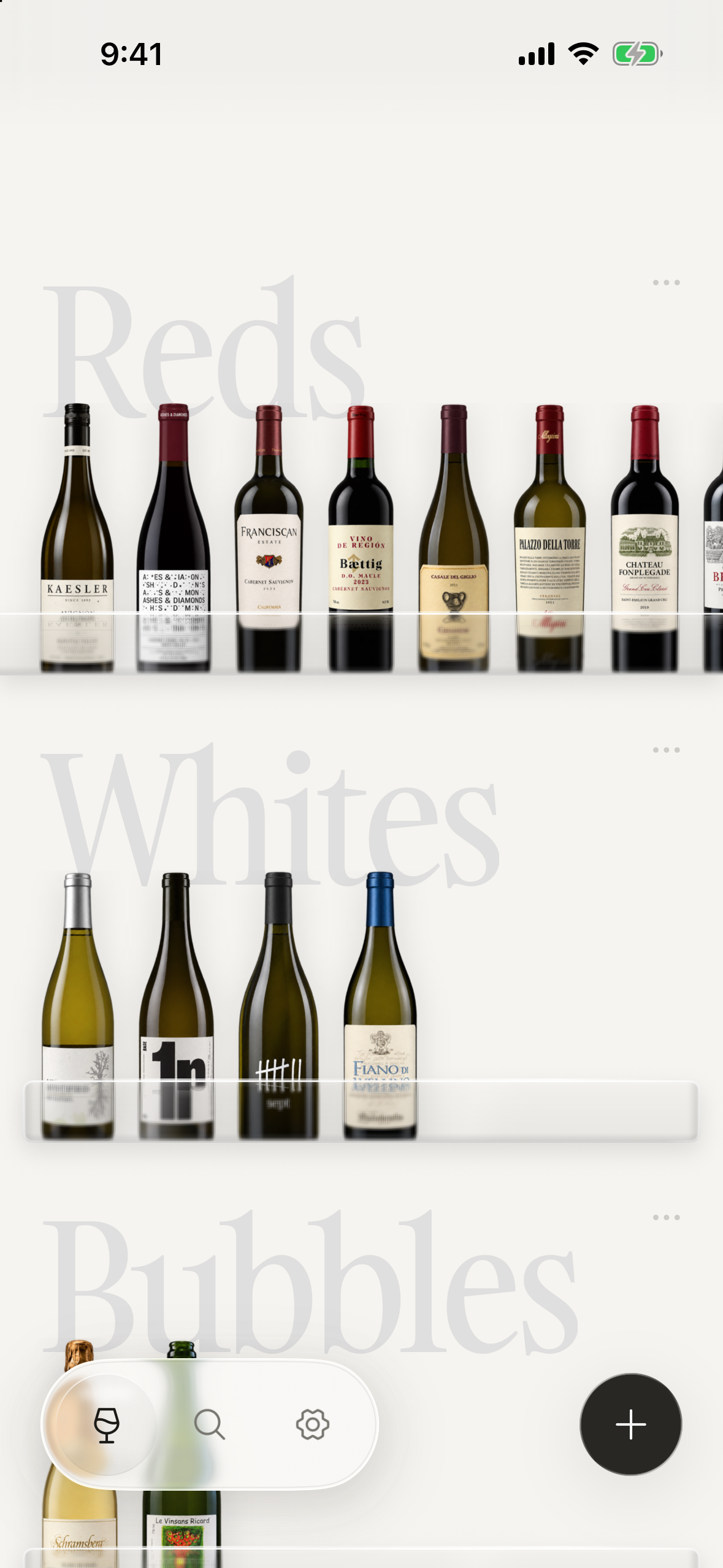
Tap a bottle to open its details, then drag down to return it to the shelf. Tap a category name to see the whole group.
-
 GIF
GIF
Explore your bottles on a globe by country, or grouped by grape.
-
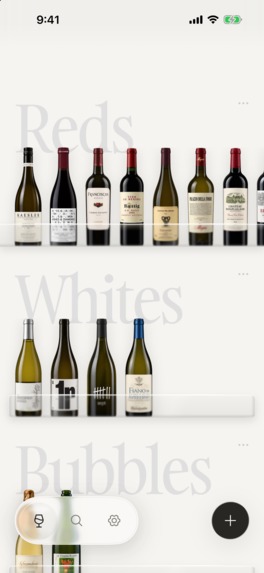
The cellar on iPhone: every bottle on glass shelves, sorted by category.
-
Botilo app icon.
Inspiration
I wanted a place to keep track of the wine I own, one I'd actually enjoy browsing.
I have a Wine Expert certification in Japan, and I enjoy sharing wine with family and friends. I have bottles I'm saving and others I'd like to open soon. I wanted to look through my own collection without being steered by other people's ratings or recommendations.
Some wine labels are small works of art. I'd take photos of them, then lose them in my camera roll. Botilo turns those everyday photos into clean, studio-style bottle images, arranged on glass shelves.
When I open a bottle, I can keep a note of how it tasted and who I shared it with. Over time, the collection holds both the bottles still in my cellar and the ones I want to remember.
I started building it for myself, my family, and my friends. Then I shared an early version on X, and the response encouraged me to finish it and release it on the App Store.
What it does
Botilo keeps track of wine, sake, and other bottled drinks.
- Add a bottle from a photo. Botilo creates a studio-style bottle image and reads the name, producer, vintage, region, and grapes from the label. You can check and correct the details before saving. You can also select several photos at once.
- Browse what you have. See everything together or by category, such as Reds, Whites, Bubbles, or Sake. Search your collection, explore it by country on a globe, or browse by grape variety.
- Record what you open. Opening a bottle reduces the quantity in your cellar by one. You can add a rating, a note, and your impressions of its acidity, sweetness, tannin, and body. You can also look back at opened bottles by month.
Saved bottles are available offline. Image generation and label reading need an internet connection. Botilo syncs through your private iCloud account, supports backups that include photos, and has a Home Screen widget for recently added bottles. There's no separate Botilo account to create.
RevenueCat Design Award
I wanted to enjoy the labels while keeping track of my wine. That led me to a mostly neutral interface: paper and ink tones, with glass shelves. The labels provide the color. Bottle names are set in Gambarino, with Hiragino Mincho for Japanese names.
I also wanted bottles photographed in different light or against different backgrounds to look good together on the shelf. The generated images make that possible, without asking people to take carefully staged photos.
These are the details I'd most like you to try:
- Take a bottle off the shelf. Tap it to open its details, then drag down to return it to the same spot. You keep your place in the collection. There's a soft haptic as the bottle lifts and a firmer one when it settles back.
- Move around the cellar. Tap a category name, such as Reds, to see that whole group. Tilt your phone and the reflection on the glass shifts. Scroll quickly and the bottles lean slightly, then settle. With Reduce Motion enabled, the sway and tilt-driven reflection switch off. In My cellar → Theme, choose Dark: the background and shelves dim together, like changing the light in a room.
- Add a photo. Tap + and one glass droplet becomes two: camera and photo library. As the label is read, the empty fields pulse gently. Details appear as they arrive.
- Fill in a missing detail. For anything the photo hasn't picked up, try the Vintage ruler or the wine-type selector. Under More details, Volume lets you choose a bottle shape, from 187 ml to a 1.5 L magnum, and Purchased uses a date wheel.
- Record a tasting. Tap Open a bottle on the detail page. The half-circle rating dial moves from 1.0 to 5.0 in tenths, with light haptic ticks and a stronger cue at whole numbers. Sliders let you record acidity, sweetness, tannin, and body.
How I built it
I'm a freelance designer in Japan, and I also make iOS and Mac apps. I designed and built Botilo on my own.
The app uses Swift and SwiftUI, CloudKit for private sync, WidgetKit for the widget, and Core Motion for the glass reflections. With the user's consent, photos go to a Cloudflare Workers backend, where OpenAI models generate the bottle image and read the label. API keys stay on the server, and requests are verified with Apple's App Attest.
RevenueCat handles the Botilo Plus subscription. My backend receives RevenueCat's purchase events and keeps its own count of remaining registrations, so restoring a purchase can't replenish registrations that have already been used.
Challenges I ran into
Getting useful results from ordinary photos. Botilo doesn't have a large database of individual wines to look up. It starts with the user's photo. For both label reading and image generation, I went through several models, testing each on real bottle photos.
Labels can be awkward. The largest text might be the producer's name. The vintage can be tiny, and the grapes may not be listed at all. For the images, I needed to improve the presentation while preserving the bottle's shape and the details of its label.
Botilo checks the extracted information against reference lists of 2,145 grape varieties and 2,692 wine regions.
I evaluated the label reader on a separate set of 120 everyday bottle photos. For the 113 wine bottles in that set, per-field accuracy improved from 87% to 94% compared with the previous version of the label reader, and missing required fields fell from 104 to 47. These figures measure label reading only, not image generation.
I'd rather leave a vintage blank than confidently save the wrong year. Values inferred rather than read directly are marked Suggested for the user to check.
The details a photo can't provide. I want a photo to do as much of the work as possible, and I'll keep improving automatic entry. But some details will still need to be filled in by hand. I wanted the controls for those details to feel good under your fingers. That's where the vintage ruler and wine-type selector came from.
Accomplishments that I'm proud of
I'm most proud that the design keeps the wine at the center. I can manage my cellar and still enjoy the bottles as small works of art, which is what I wanted when I started. I use Botilo for my own collection of about 70 bottles.
What I learned
Getting one good result from an image model doesn't tell you much about how it will handle the next hundred photos. I had to keep testing different bottles, backgrounds, and lighting, while watching the cost of each registration.
That cost matters for an app people use whenever they buy a bottle. Choosing a model meant considering both the results and what I could afford to keep offering.
What's next for Botilo
Better automatic entry is the first priority. I want fewer details to need correcting or filling in, and better ways to identify a bottle from its label.
I'd also like to add more ways to browse the collection, whether I'm choosing something to open or looking back at a wine I enjoyed.
Monetization
Image generation and label reading cost money each time they run, so bottle registration is the paid part of Botilo.
- The first 5 registrations are free, with no subscription started automatically. A registration includes image generation and label reading. It is used when processing finishes, even if you don't save the bottle.
- Botilo Plus is a monthly subscription with up to 30 registrations per billing period. Unused registrations don't roll over.
- Viewing and editing saved bottles, managing quantities, tasting notes, sync, and backups are free, with or without Plus. I want people to keep using their records even if they stop subscribing.
Judge access is provided in the testing instructions.
Built With
- claude
- cloudflare
- cloudkit
- codex
- coremotion
- openai
- revenuecat
- swift
- swiftui
- widgetkit

Log in or sign up for Devpost to join the conversation.