-
-
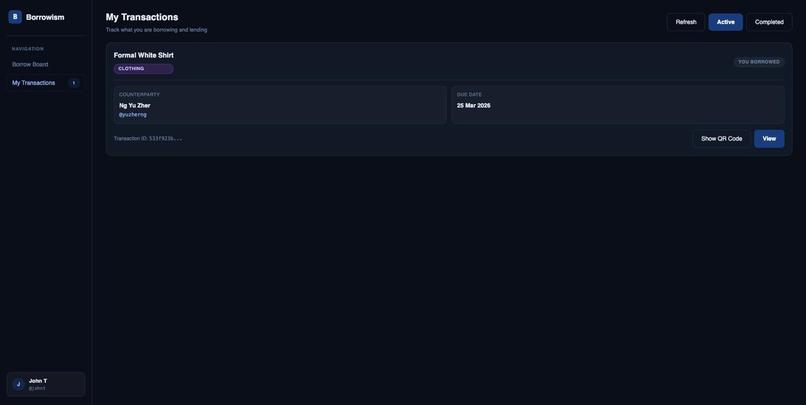
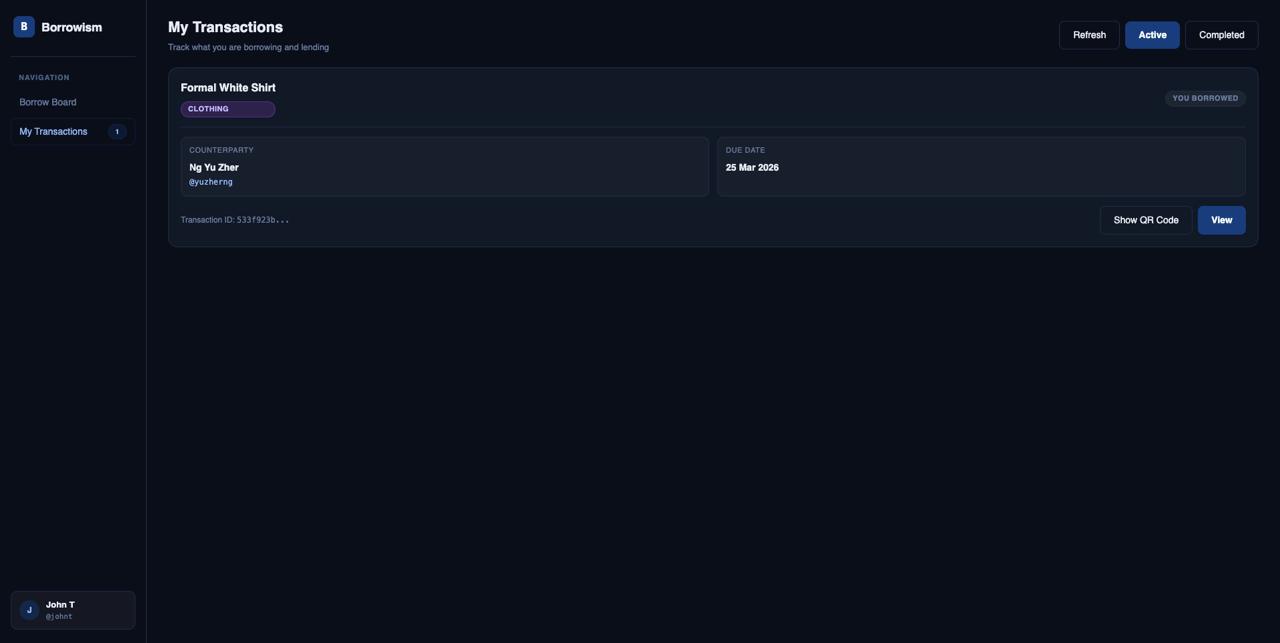
Transactions page for active and completed transactions
-
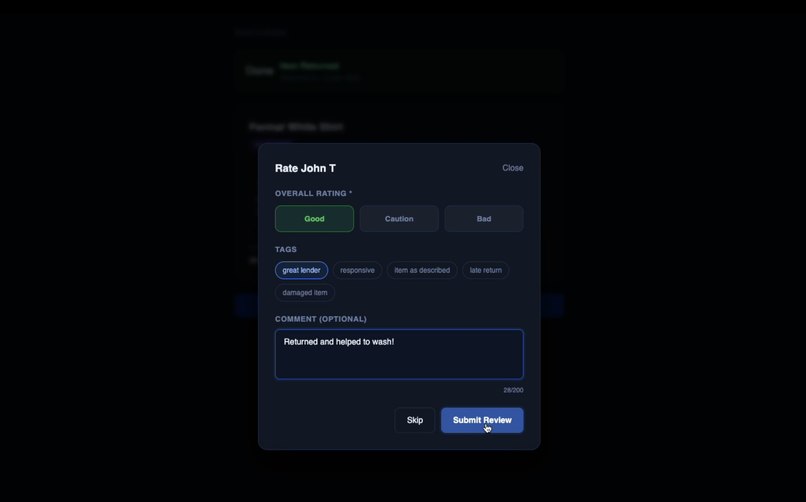
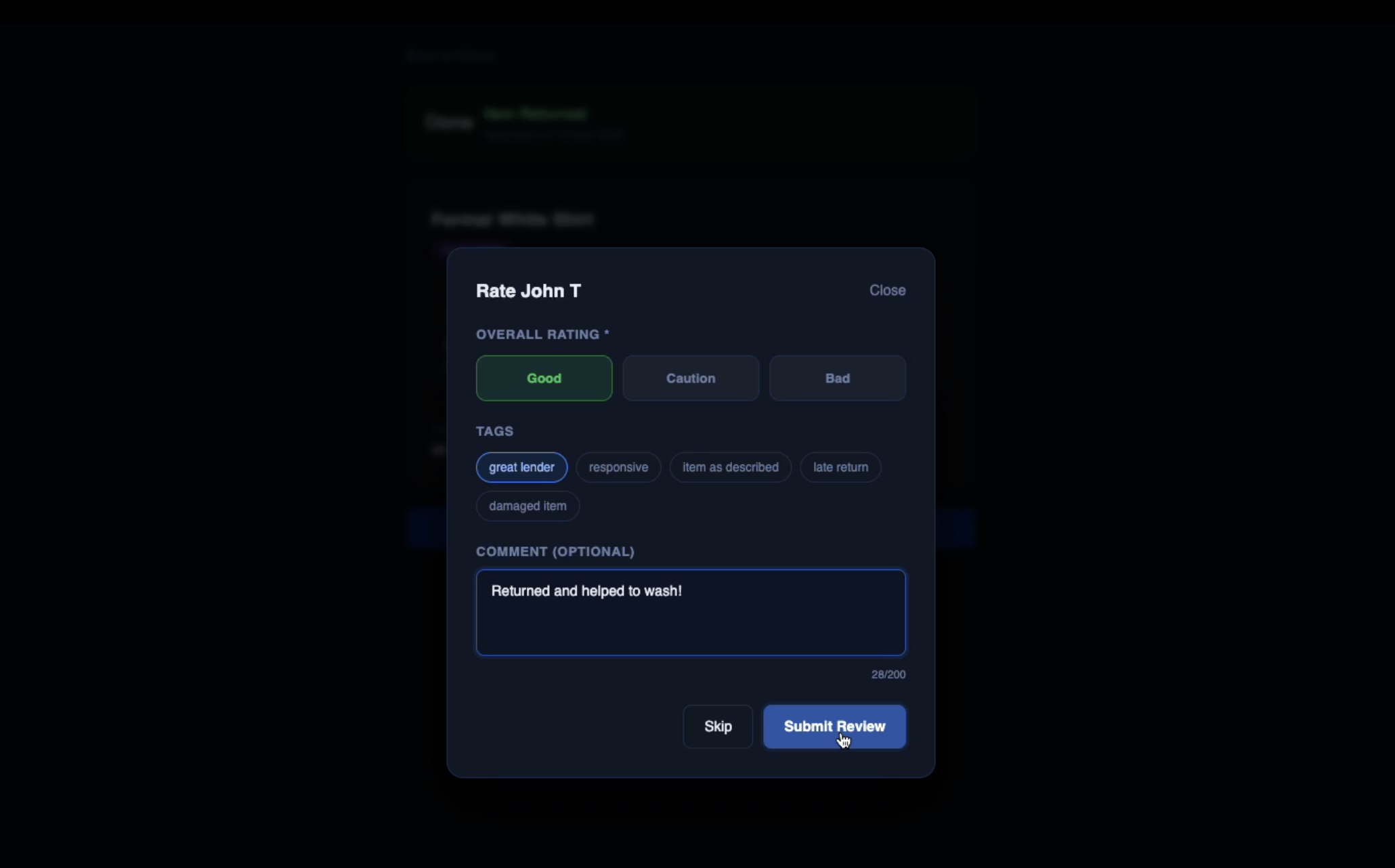
Rating and review after returning
-
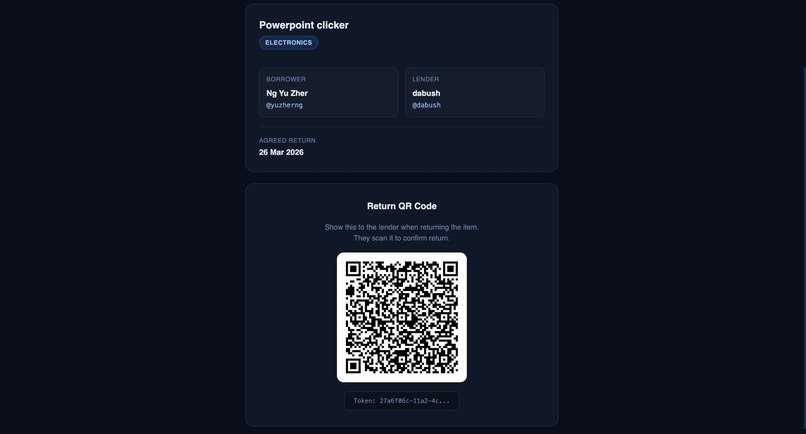
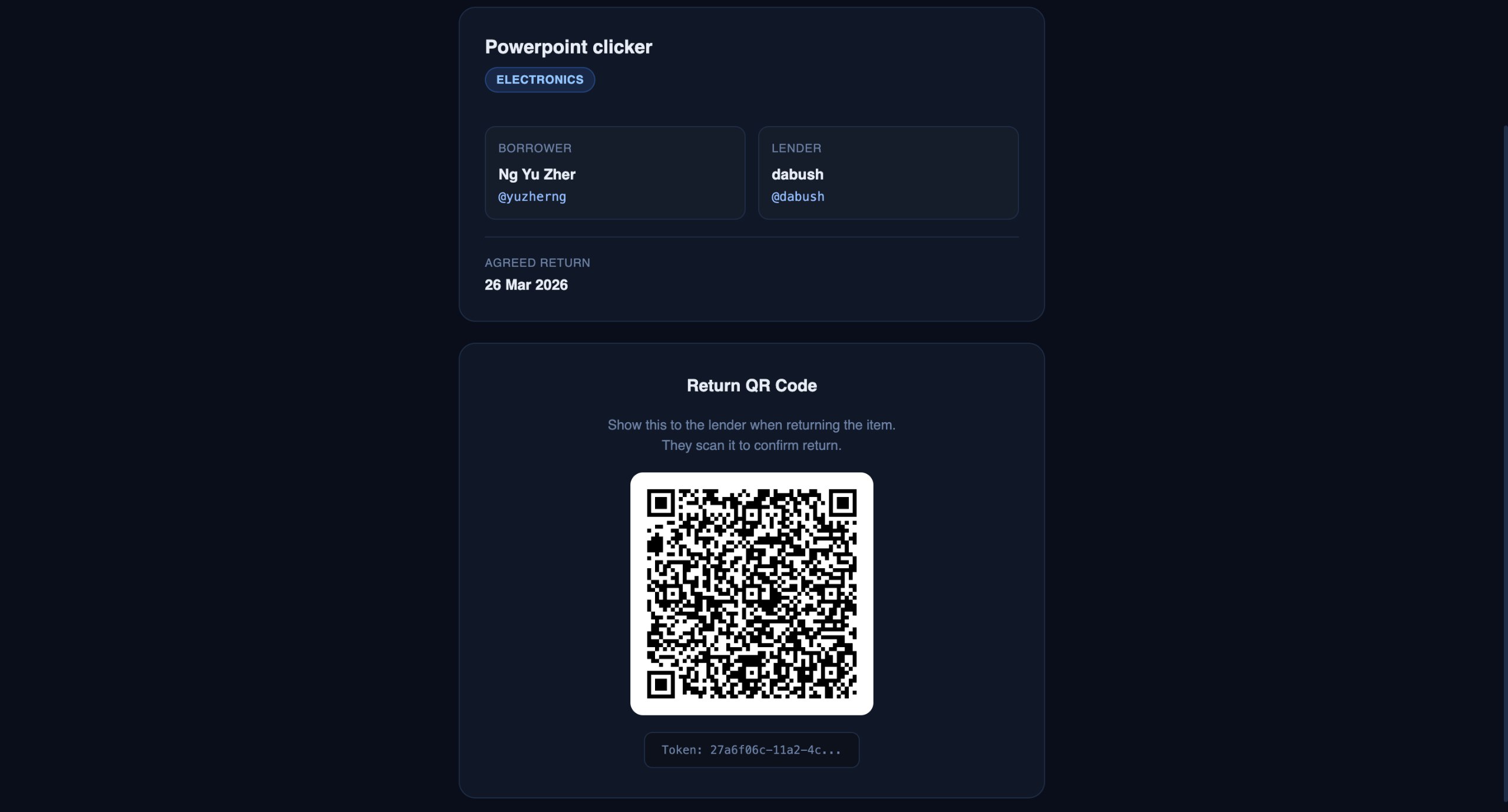
QR Code to be scanned when returning
-
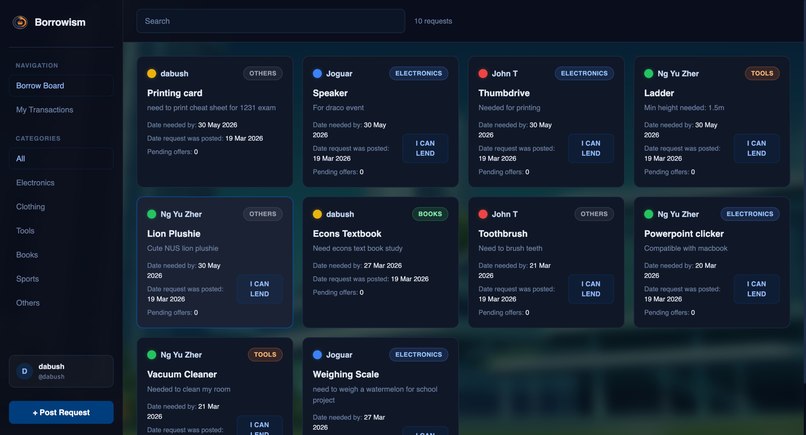
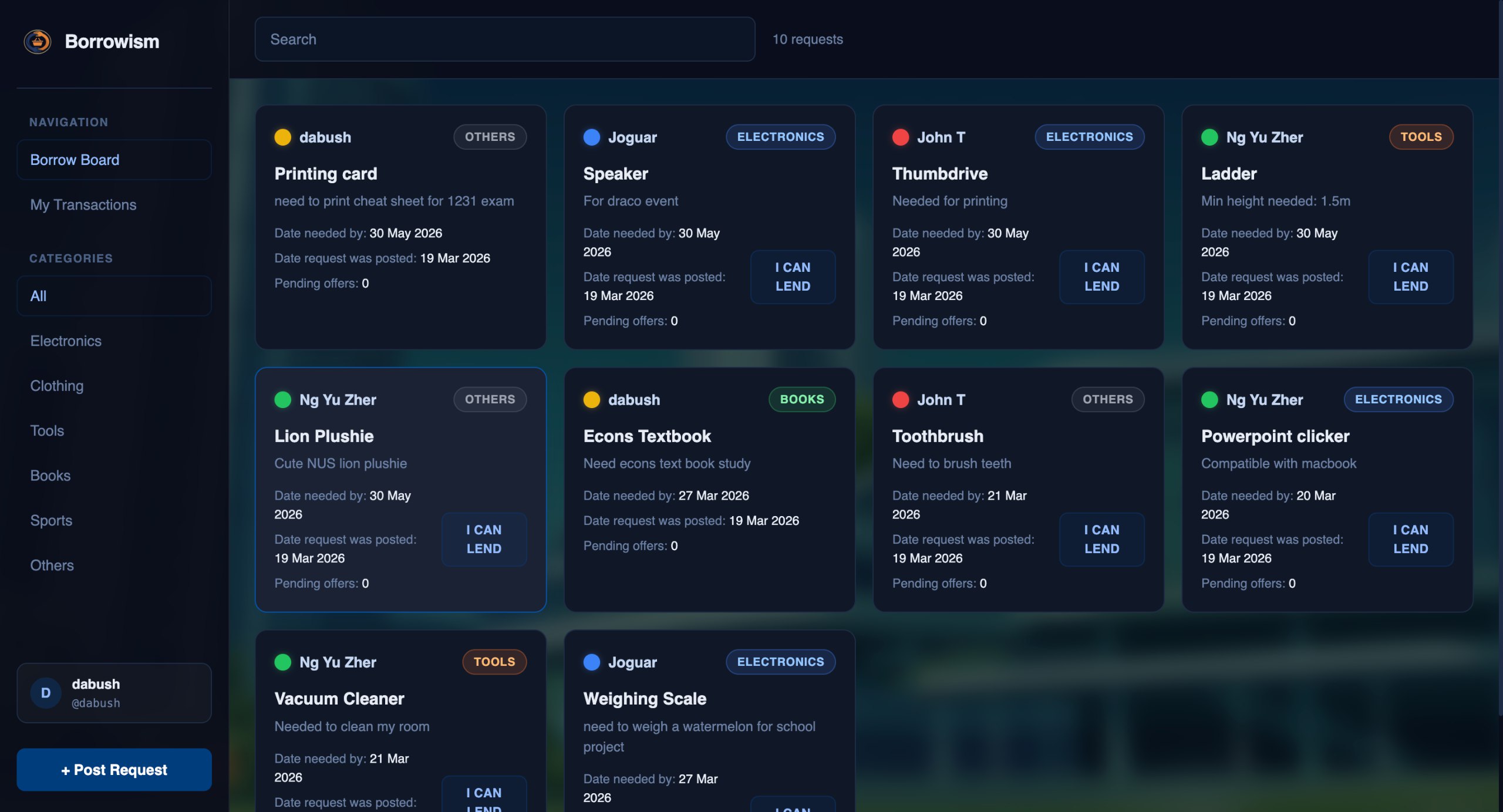
Main borrowing / lending page
-
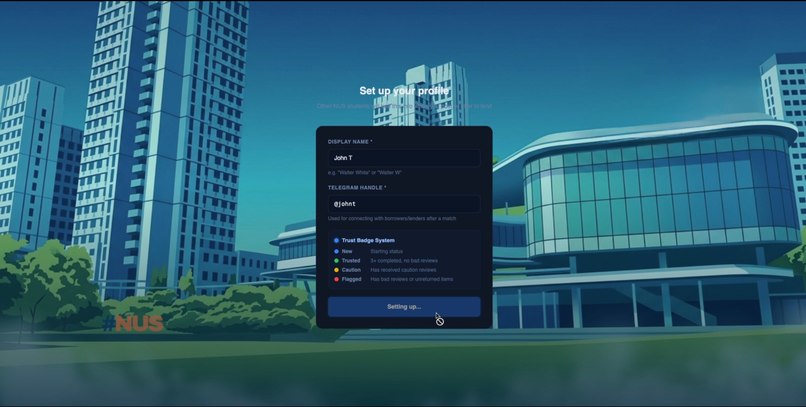
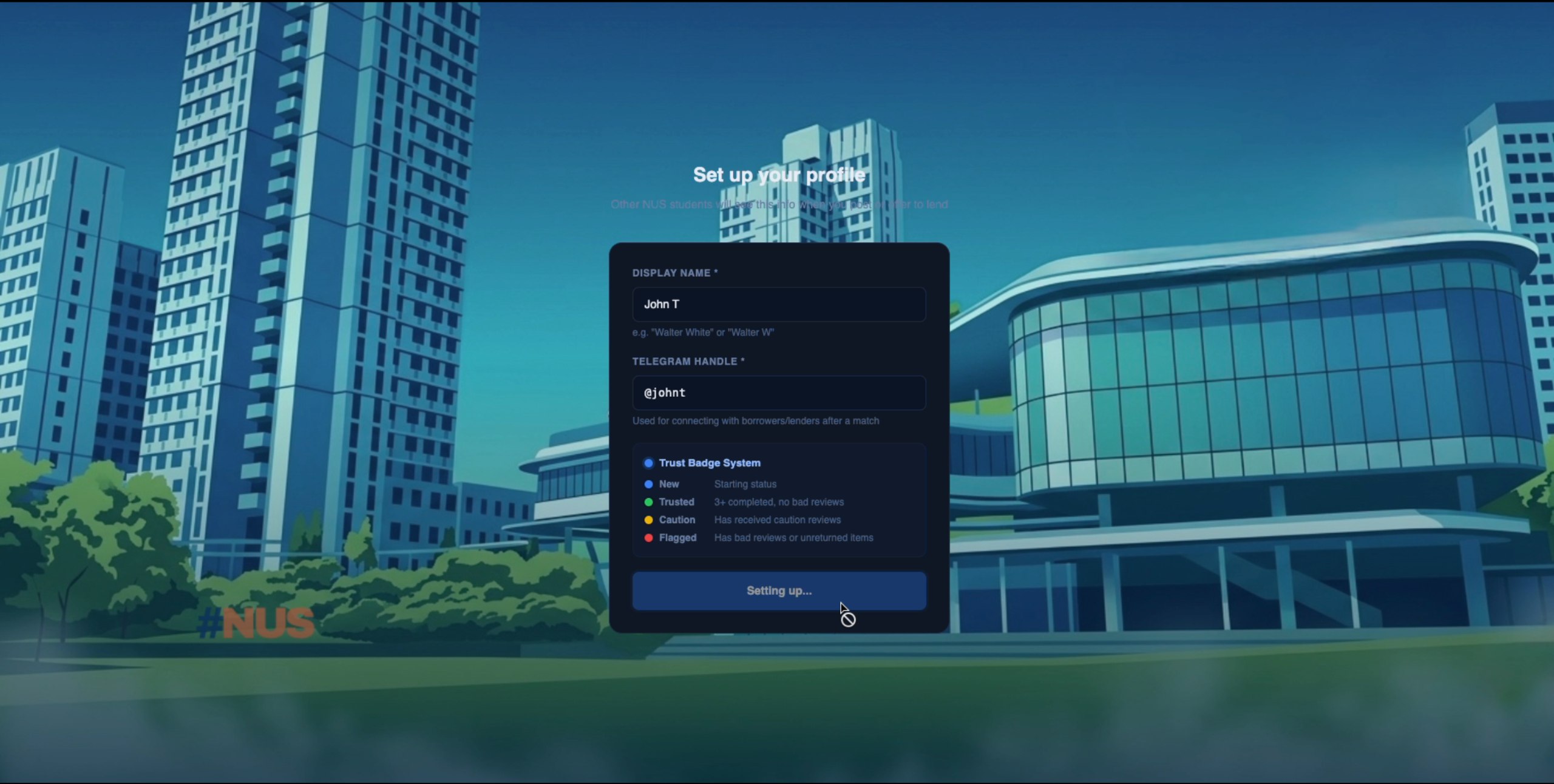
Onboarding page explaining trust system
-
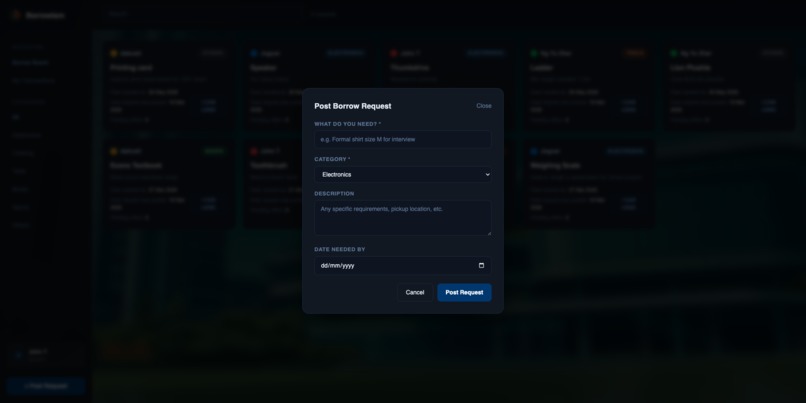
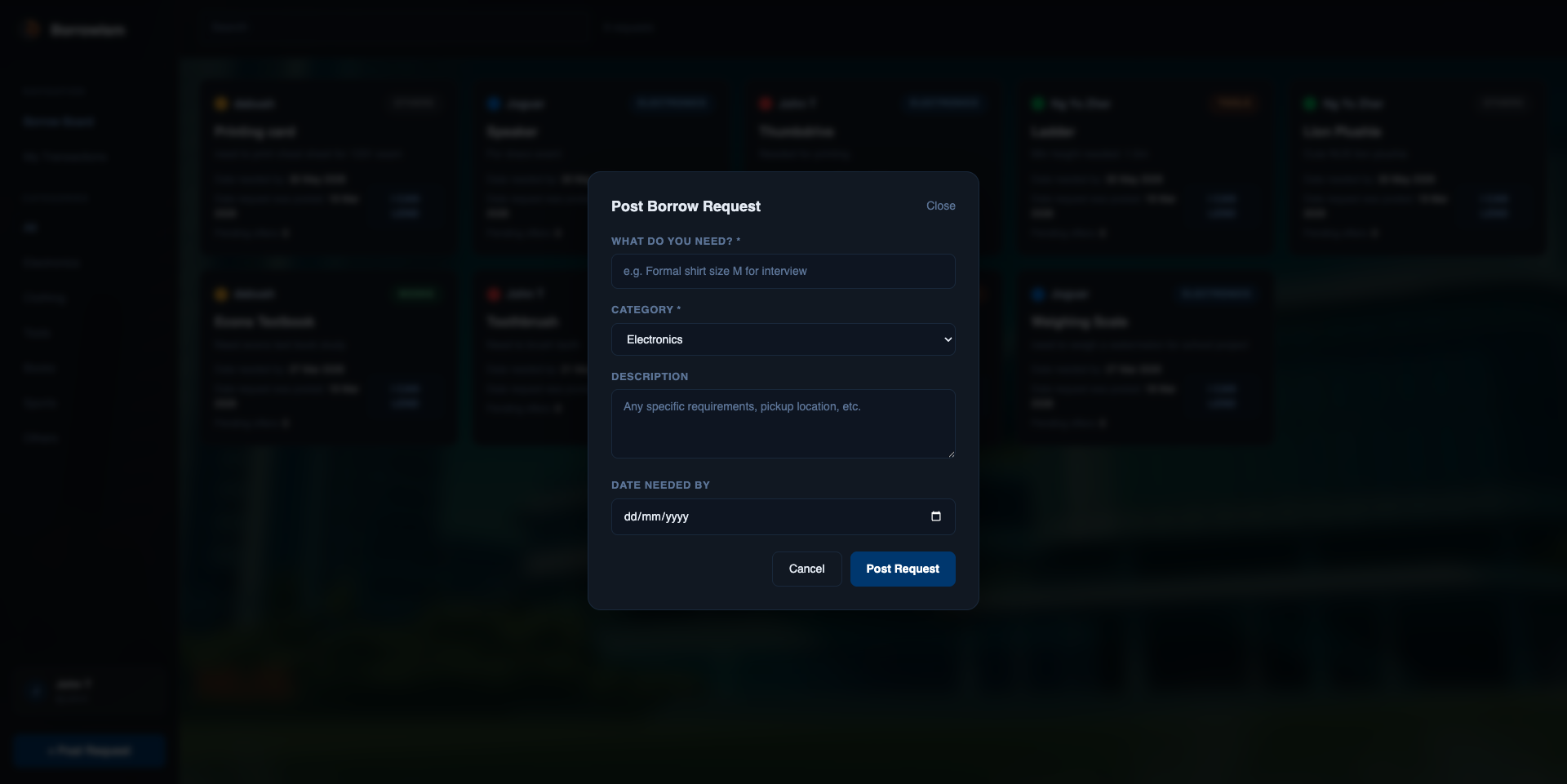
Create a borrow post
Borrowism: A Secure Peer-To-Peer Borrowing System
Inspiration
“Sorry, anyone got a MacBook charger???” Messages like this flood student group chats daily. We noticed students constantly need items they don’t own, often just for short-term use. Things like calculators for exams, tripods for projects or kitchen tools for one-off events. Buying them is wasteful, costly and time-consuming for students’ already packed schedules, yet the peers living around us already own these items, sitting unused, if only we knew....
Our solution? Borrowism. A peer-to-peer borrowing platform exclusively for NUS students. With Borrowism, borrowers are able to find essentials on short notice within a trusted community and lenders can enjoy peace of mind with NUS email verification, ratings and accountability.
Lessons Learned
As a first major project, building Borrowism pushed us far beyond our comfort zone of just writing code. We learned:
1. Full-Stack System Design
Gained hands-on experience connecting frontend and backend systems:
- Designing user flows (login → browse → request → borrow)
- Structuring relational databases for users, items and transactions
- Handling authentication securely
2. Real-World Product Thinking
Unlike school assignments, this project forced us to think about:
- User trust (How do you ensure items are returned?)
- Incentives (Why would someone lend their belongings?)
- Design flow (What each step of the borrowing and lending process are)
- Edge cases (Expired listings, inactive users)
3. Modern Web Development Tools
We worked with:
- Next.js for scalable frontend architecture
- Supabase for authentication, database, and real-time updates
- Render for deployment
This helped us understand not only how modern applications are built and shipped but also the many considerations and trade-offs involved, from user trust and edge cases to scalable architecture and rapid deployment.
How the project was built
Step 1: Planning the Core Features (What do we NEED?)
First, focus was placed on creating a minimal viable product (MVP) with:
- User authentication (NUS email-based)
- Item listing and browsing
- User rating and review system
Step 2: Frontend Development (How will it look?)
Using Next.js + TypeScript + Tailwind CSS, we
- Designed a clean UI with a top navigation bar and side panel
- Built reusable components (cards, forms, search bar)
- Ensured responsiveness and usability
Step 3: Backend & Database (How will it function?)
Leveraging Supabase, we
- Set up authentication (NUS email-based login)
- Designed tables for:
- Users
- Items
- Borrow transactions
- Implemented logic for:
- Removing expired listings
- Linking borrowers to item owners
Step 4: Deployment (How will it run?)
We deployed the app using Render, which allowed:
- Fast iteration
- Continuous deployment from GitHub
- Easy environment variable management
Challenges Faced
1. Challenge faced collaborating simultaneously
Due to unfamiliarity with Git, Github and Render, pulling, committing and pushing were not second nature to our development process, leading to much time spent on merge conflict resolutions.
2. Authentication & Data Flow
Connecting Supabase authentication with frontend state was tricky:
- Handling session persistence
- Protecting routes
- Ensuring user-specific data loads correctly
3. Data Integrity & Edge Cases
We had to think about scenarios like:
- What happens when an item’s “needed by” date passes?
- How to prevent stale listings from cluttering the platform?
We ultimately chose to build more components myself for better control over authentication and database design.
Future Extensions
Borrowism is currently scoped to UTown for concept validation, with plans to expand to NUS halls and houses like PGP.
- In-app messaging
- Forget password feature
- Punitive measures for flagged users
Borrowism is still evolving, but its core idea remains simple:
Own less. Share more. Waste less.
Built With
- github
- javascript
- next.js
- react.js
- render
- sql
- supabase
- tailwind
- typescript


Log in or sign up for Devpost to join the conversation.