-
-
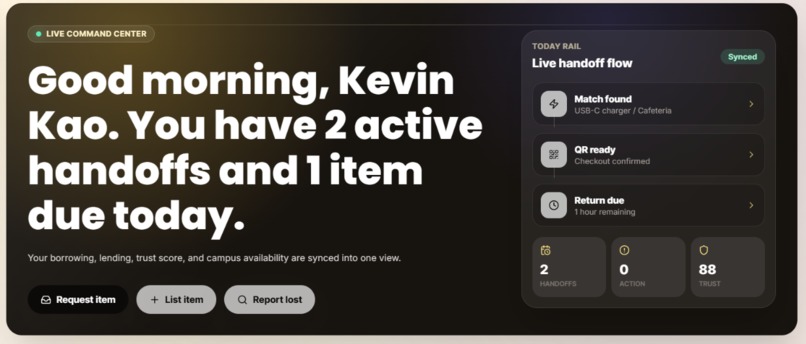
Dashboard
-
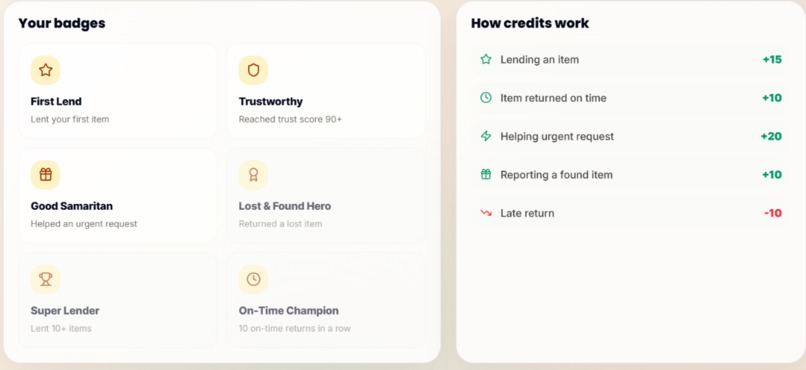
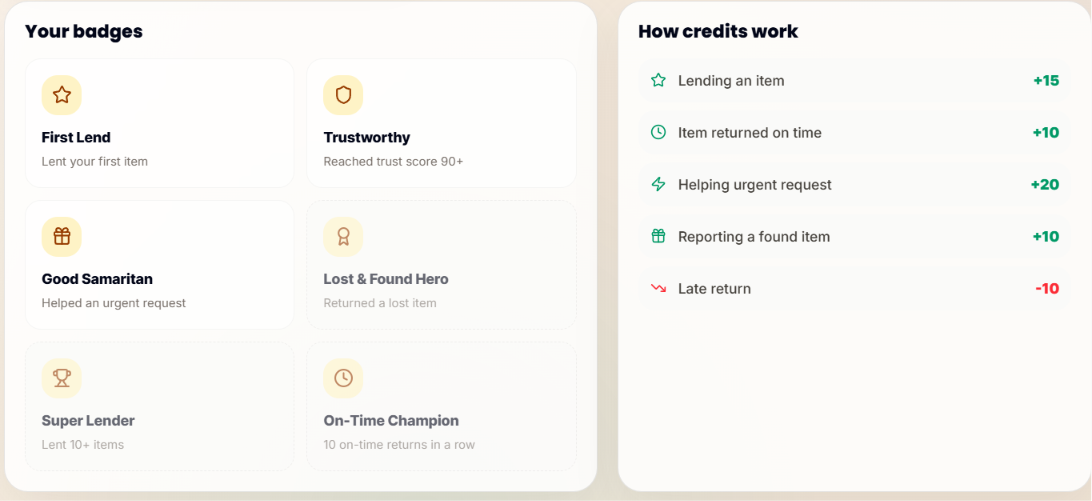
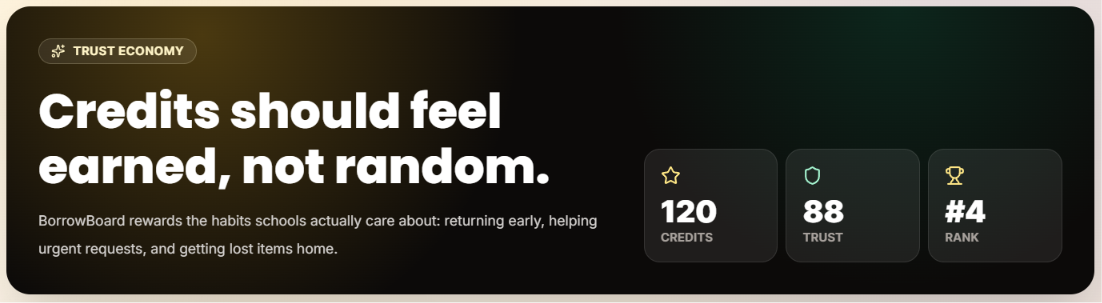
Credit system + Badge system
-
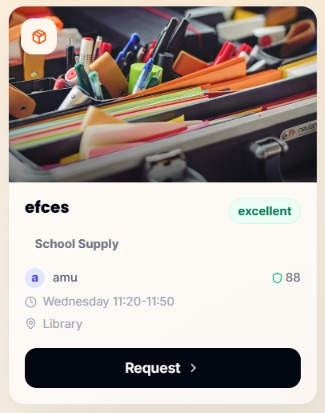
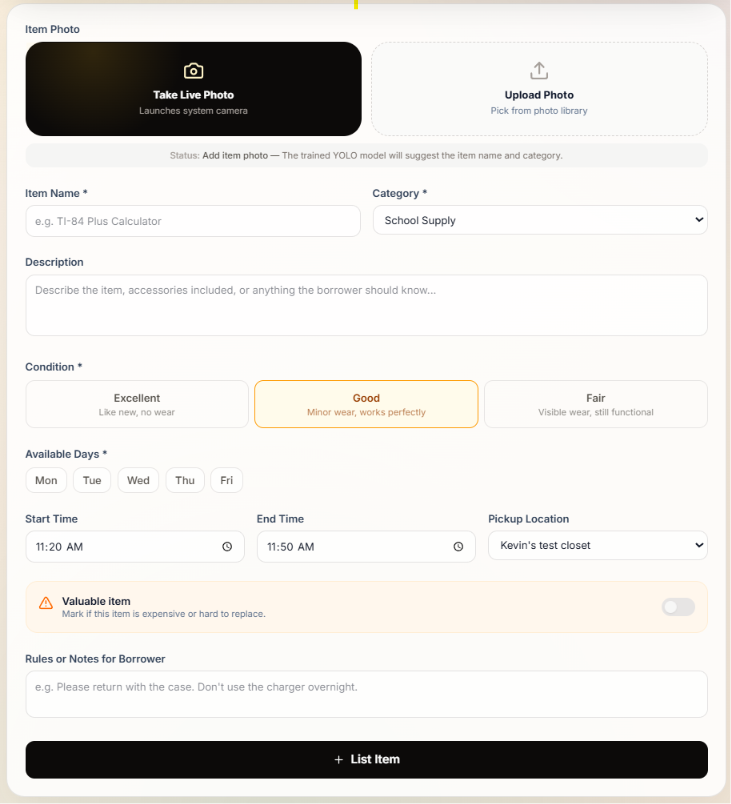
Item listing
-
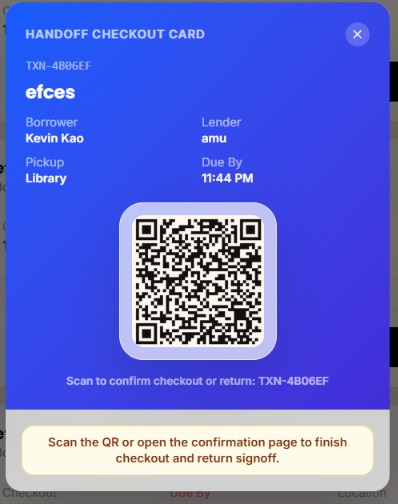
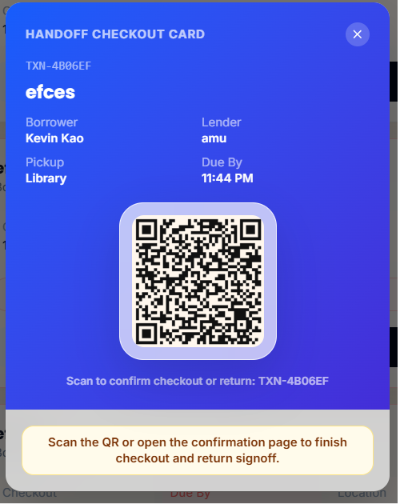
QR checkout page
-
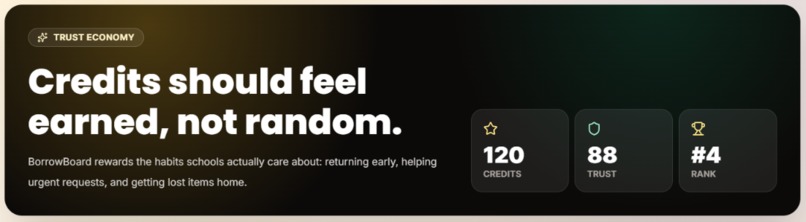
Credit overview
-
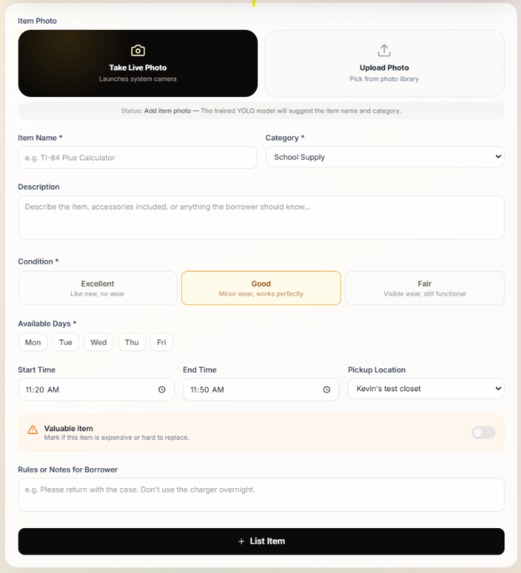
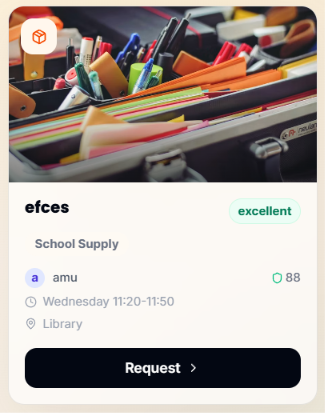
Item listing page
BorrowBoard
Inspired by the pain of panicking before a test for a calculator, BorrowBoard is a student-to-student school resource network for borrowing classroom items, lending supplies, and recovering lost belongings. It helps students find things like chargers, calculators, safety goggles, rulers, and tools through trust scores, schedule-aware matching, pickup locations, handoff flows, and a credits system.
What It Does
- Lets students browse available school items and request a match.
- Allows students to list items they are willing to lend.
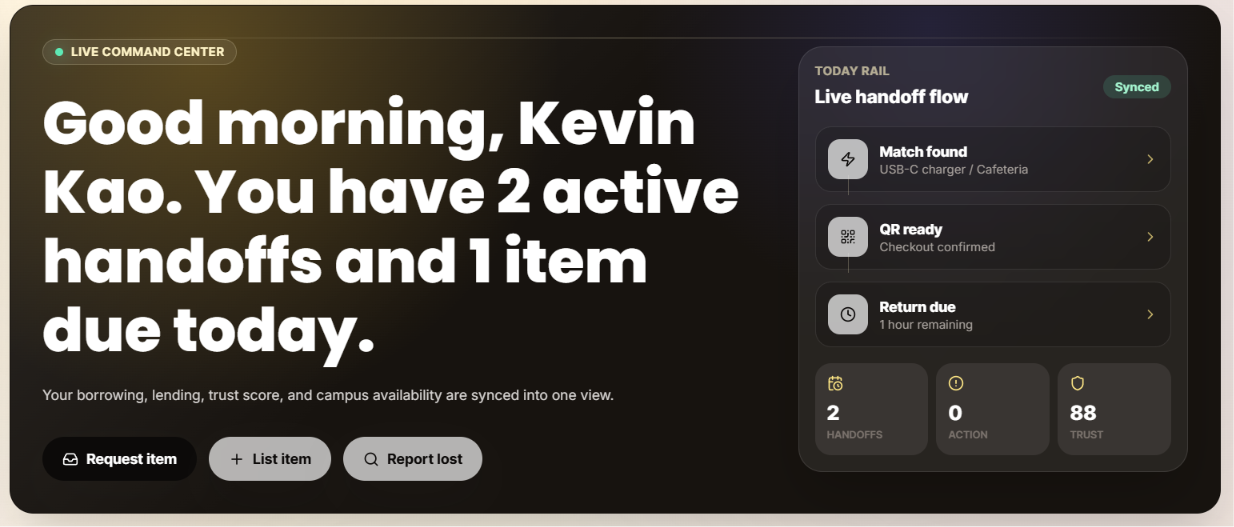
- Tracks borrowing and lending activity through a dashboard.
- Supports lost-and-found reports for missing or found items.
- Uses profile details, school context, pickup location, and schedule windows to improve matches.
- Includes credits, trust scores, return tracking, and handoff workflows.
- Uses an image classifier to suggest item names and categories during listing and lost-and-found flows.
Main Pages
- Home: product landing page for BorrowBoard.
- Auth: email/password and Microsoft sign-in through Supabase Auth.
- Dashboard: active handoffs, recommendations, trust score, and activity timeline.
- Borrow: marketplace-style item browsing.
- Request: matching flow for finding an item.
- List Item: lender flow for adding items.
- Lost & Found: report and match lost/found belongings.
- Schedule: availability setup for smarter matching.
- Credits: rewards and trust activity.
- Profile: name, school info, pickup location, avatar, and sign out.
Tech Stack
- Framework: Next.js App Router
- Language: TypeScript
- Styling: Tailwind CSS
- Auth + Database: Supabase
- Icons: lucide-react
- Model Runtime: YOLO ONNX model with Node.js inference
- Deployment: Vercel
Local Setup
Install dependencies:
npm install
Create .env.local from .env.example and fill in your Supabase values:
NEXT_PUBLIC_SUPABASE_URL=your-supabase-url
NEXT_PUBLIC_SUPABASE_PUBLISHABLE_KEY=your-supabase-publishable-key
Start the app:
npm run dev
Open:
http://localhost:3000
Image Classifier
/api/classify-image runs the YOLO model directly in the Node.js runtime with ONNX Runtime. The same route works locally and on Vercel.
models/yolo26n.onnx   # exported model weights
models/metadata.yaml  # class metadata
lib/classify-onnx.ts  # preprocessing and inference
The class order in lib/classify-onnx.ts must match models/metadata.yaml.
Challenges
As with any collaboration, we ran into our fair share of problems dividing work and managing conflicts between our code and ideas. We used git, a lot of messaging, and mutual respect to get through these challenges.
Learnings
- Batch size greatly contributes to overfitting
- Simple logic always beats automation
What's next?
- More data
- More schools
- More integration
Credits
BorrowBoard was built as a collaborative project.
- Ayaan: product idea, design direction, frontend decisions, Supabase/auth setup, feature planning, testing, and project coordination.
- Kevin: trained/provided the item classification model work and helped shape the AI/model direction.
- Codex / OpenAI: assisted with implementation, UI development, debugging, responsive fixes, Supabase/Vercel setup, and code integration.
Built With
- google-notebook
- javascript
- lucide
- next.js
- notebook
- python
- pytorch
- roboflow
- sql
- supabase
- tailwind
- tensorflow
- typescript
- vercel
- yolo


Log in or sign up for Devpost to join the conversation.