-
-
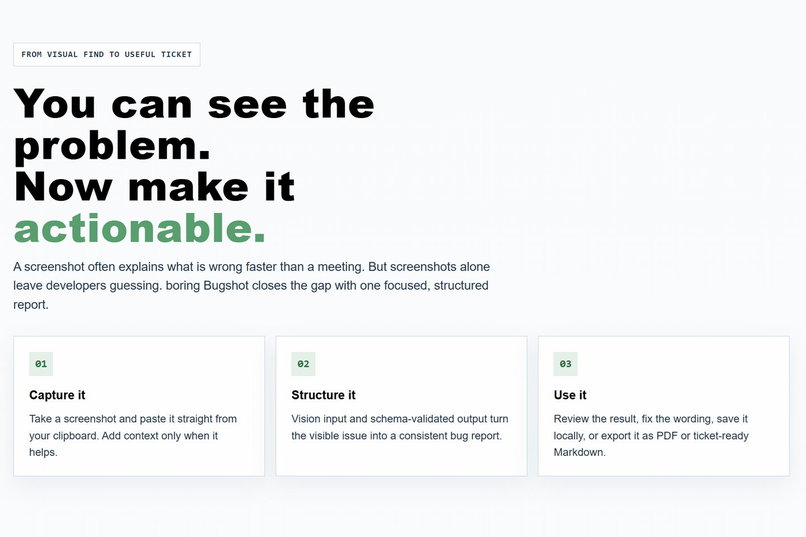
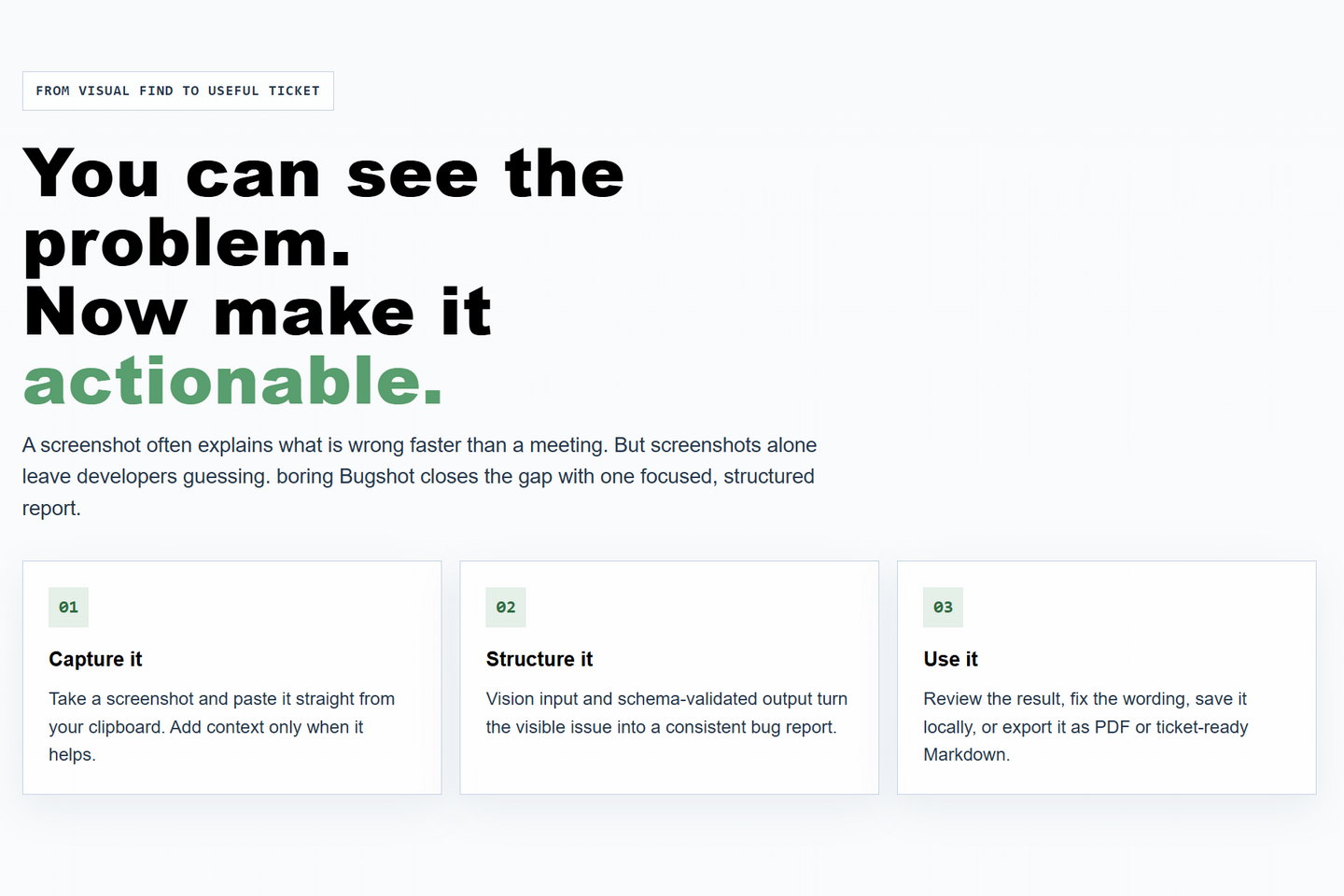
Bugshot closes the gap between spotting a visual problem and handing over a focused, actionable report.
-
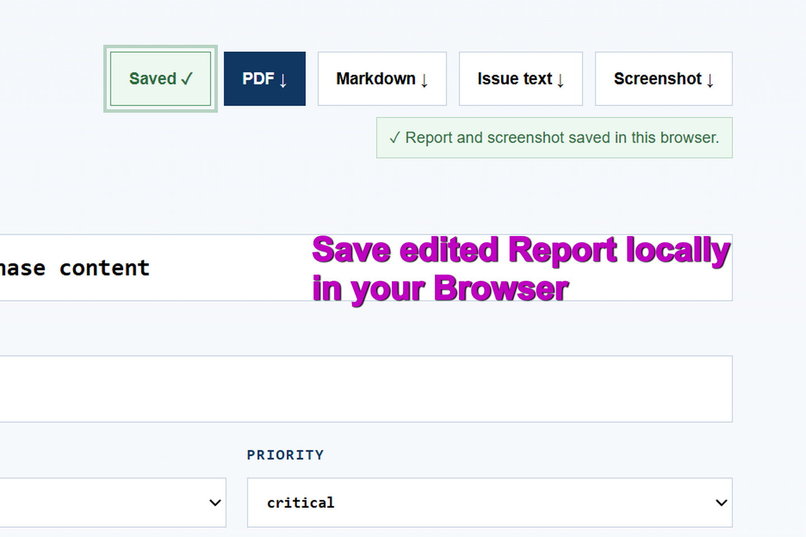
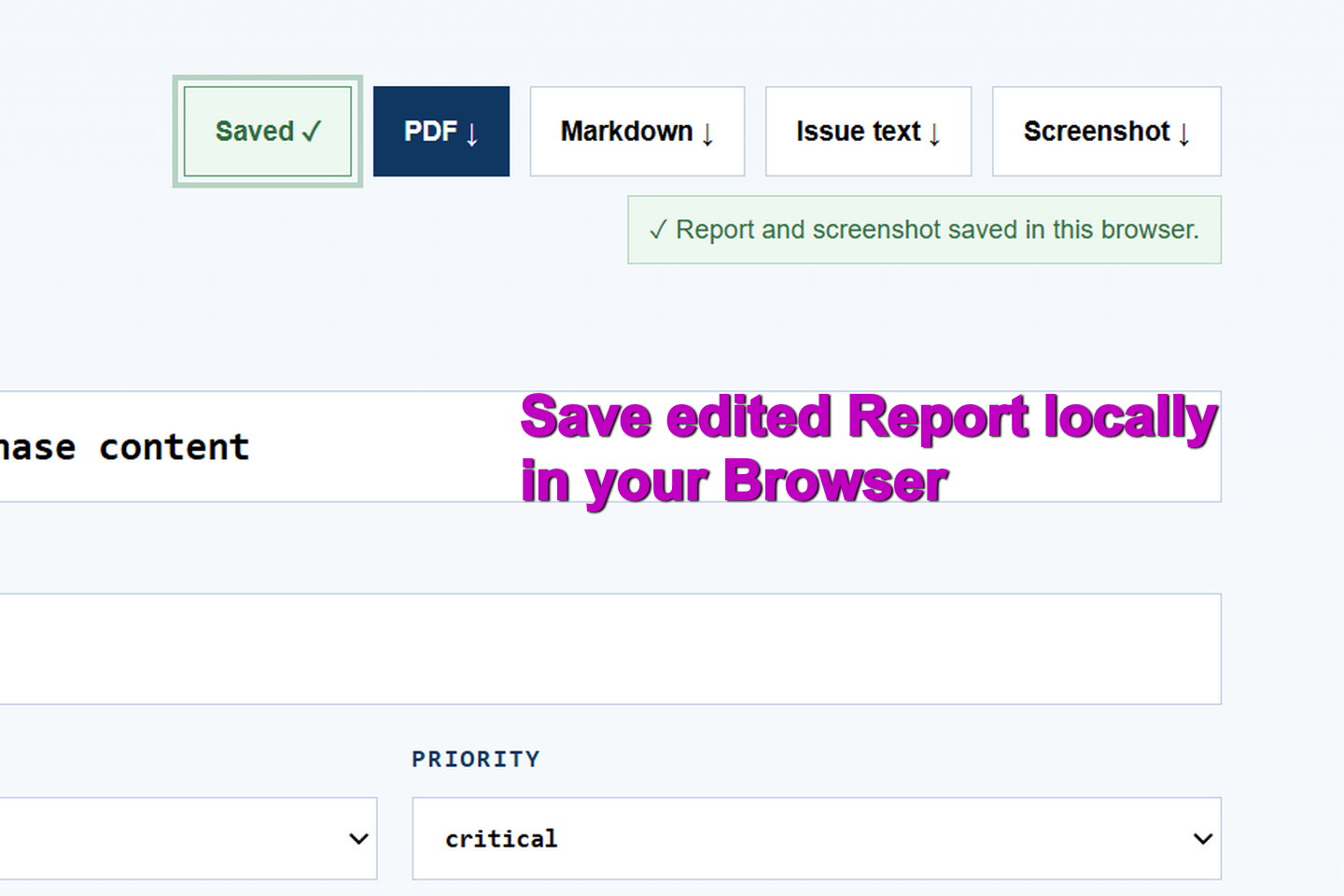
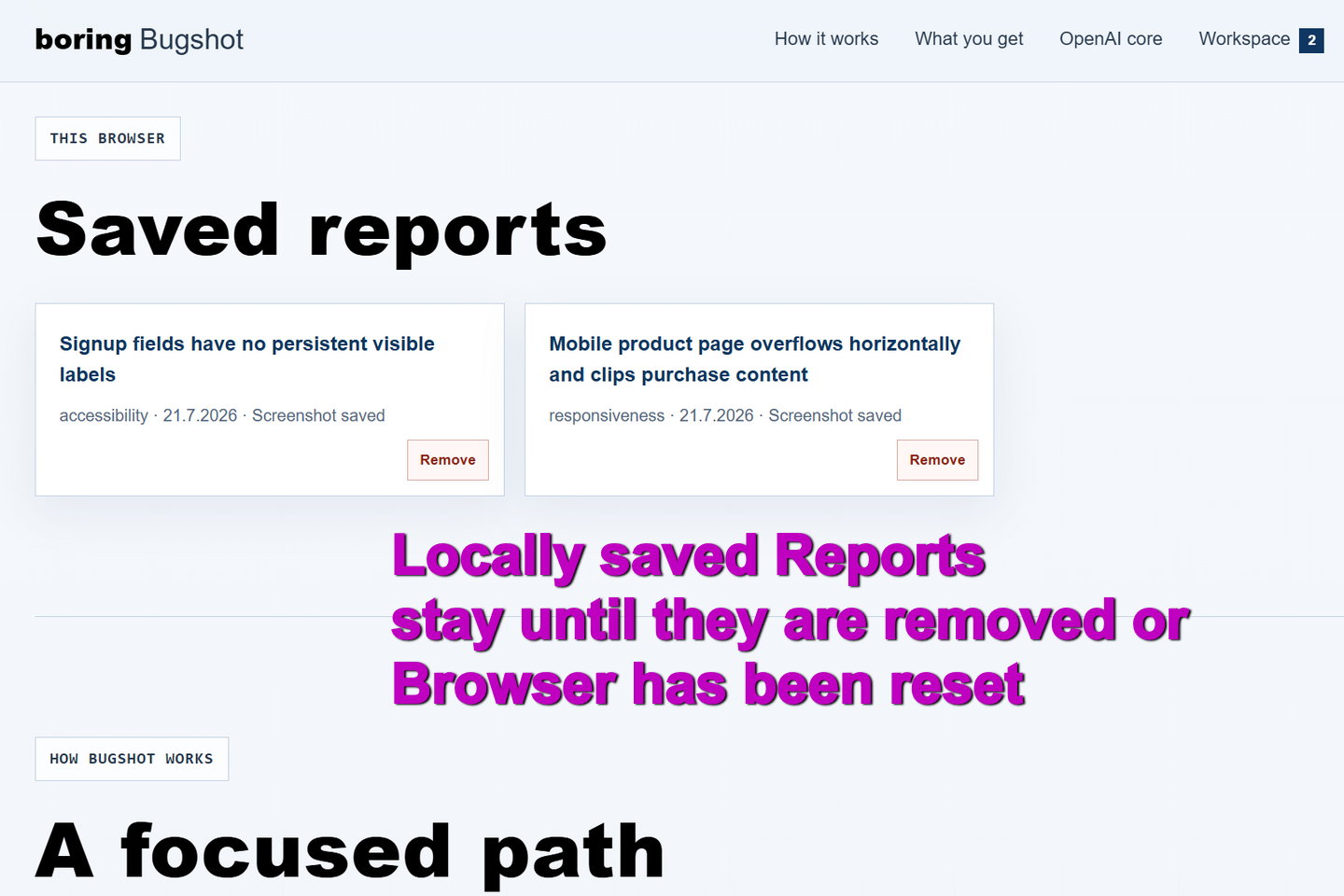
Edited reports and their screenshots can be saved locally in the browser without creating an account.
-
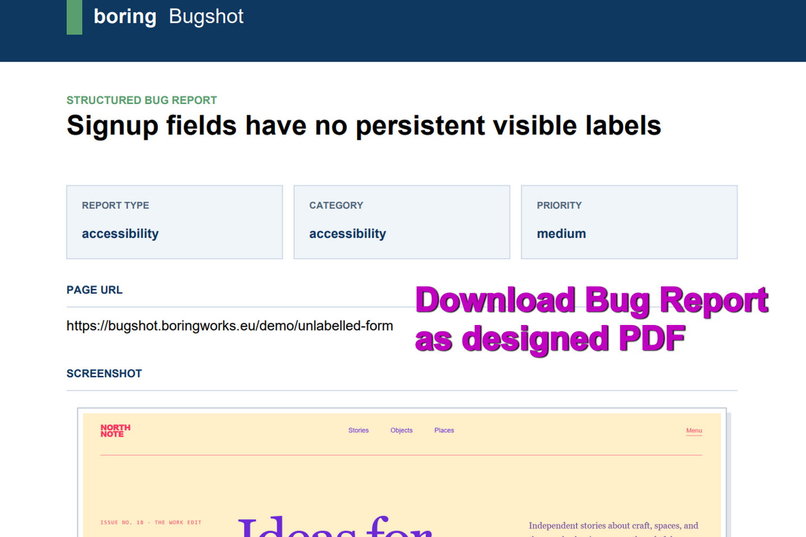
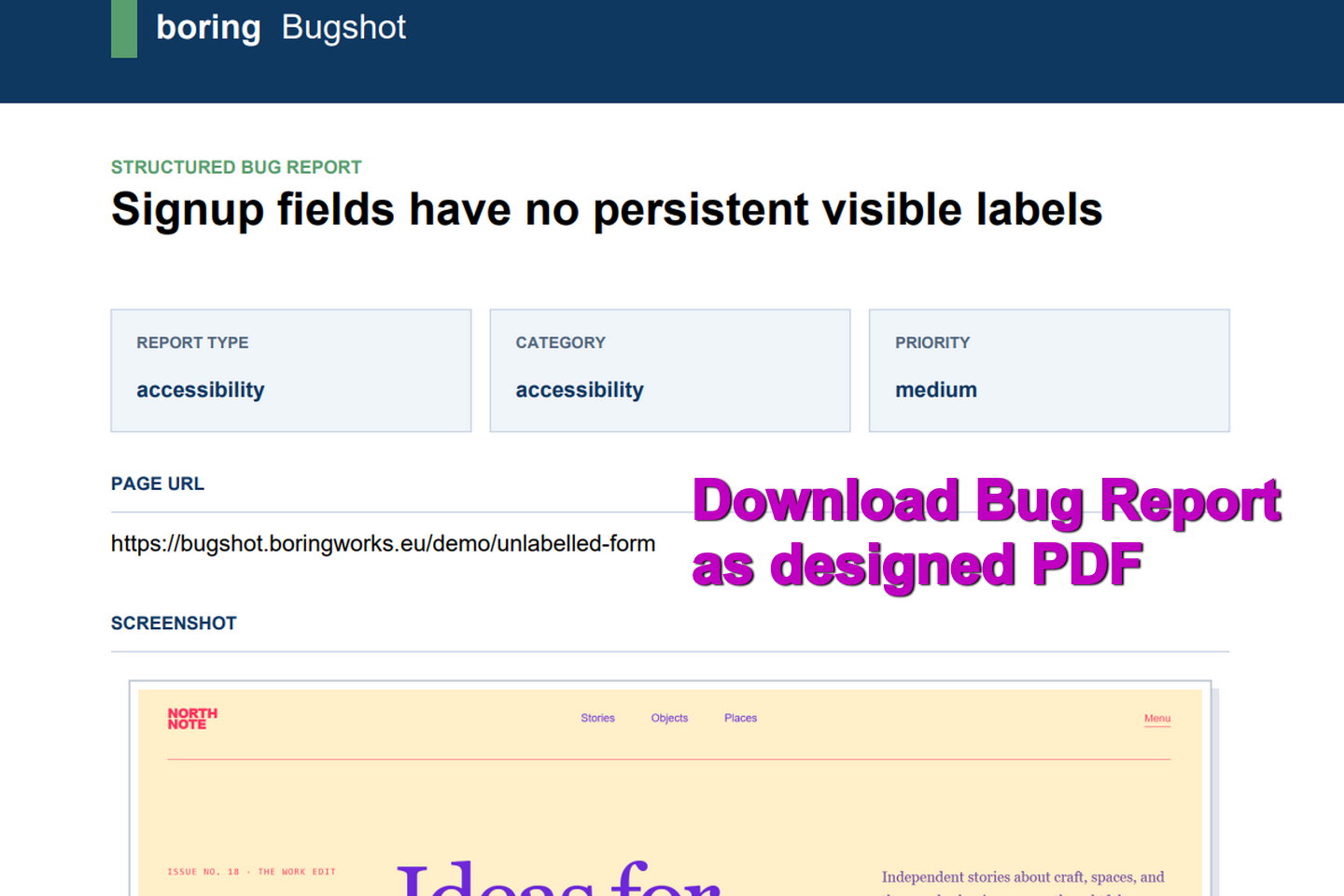
Export the finished report as a designed PDF that includes its metadata, findings, recommendations, and original screenshot.
-
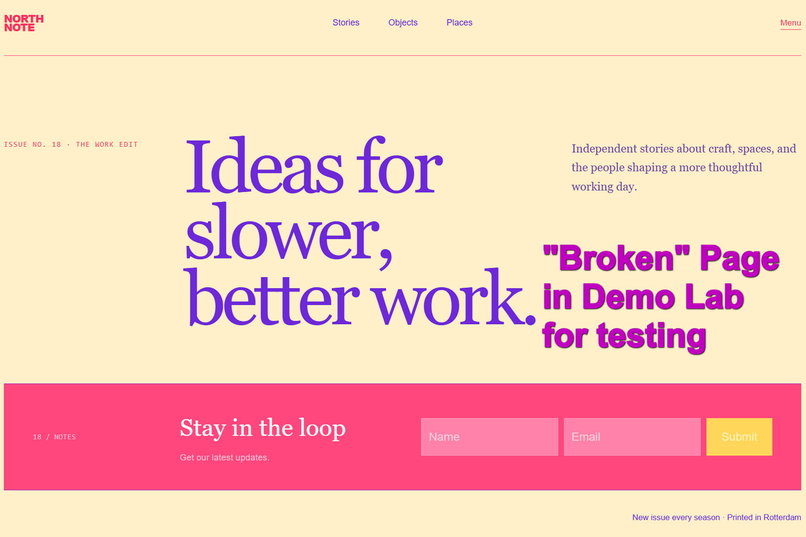
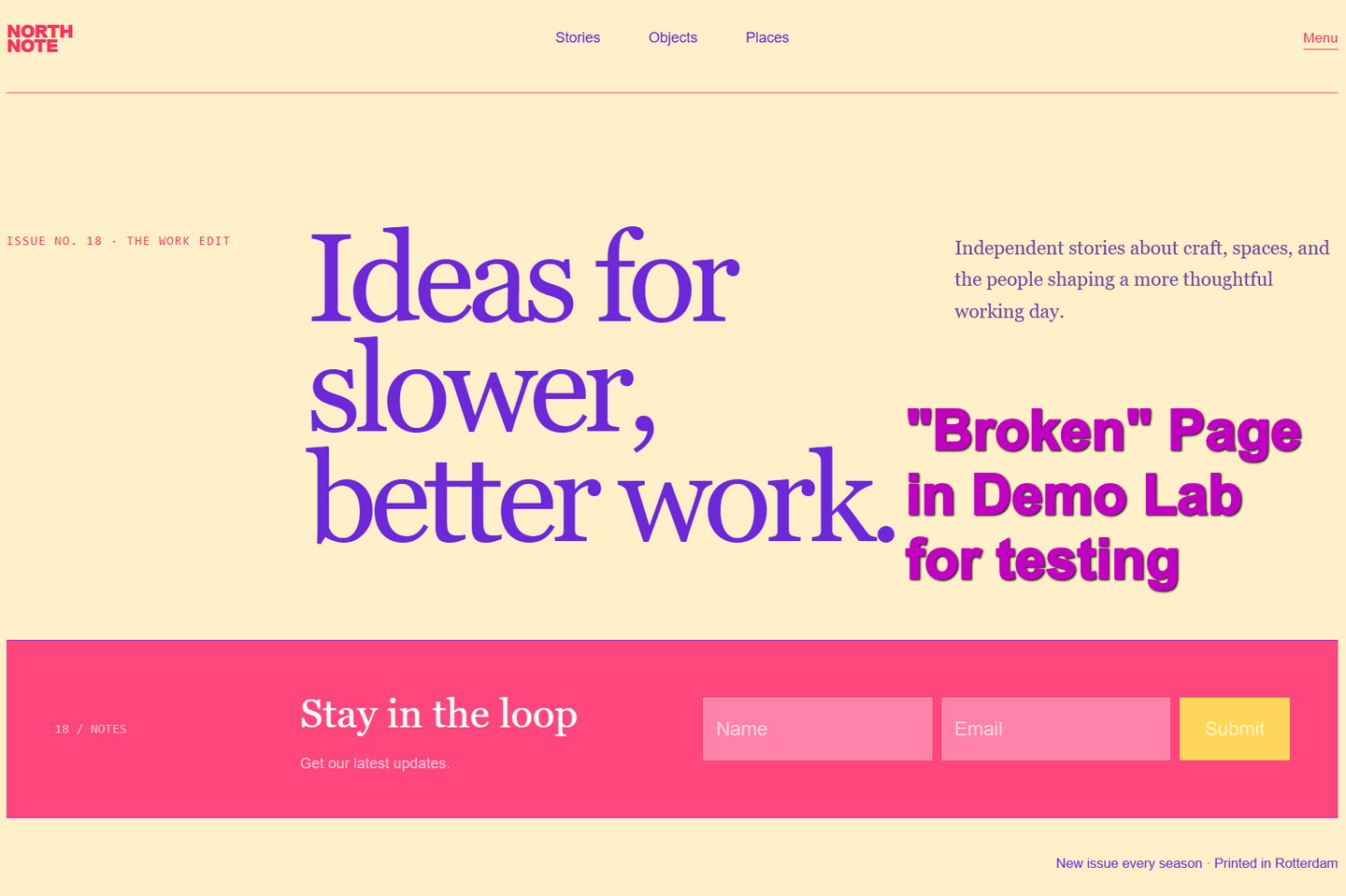
One intentionally broken Demo Lab page provides a reproducible accessibility example without external websites or customer data.
-
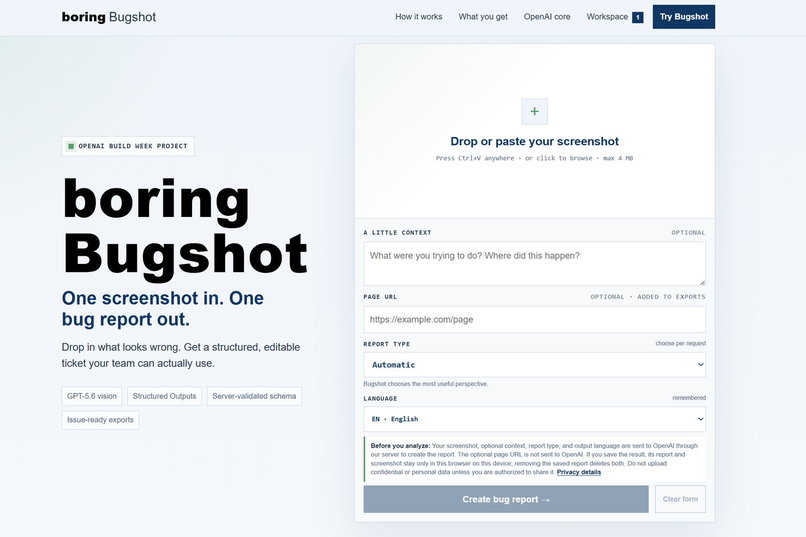
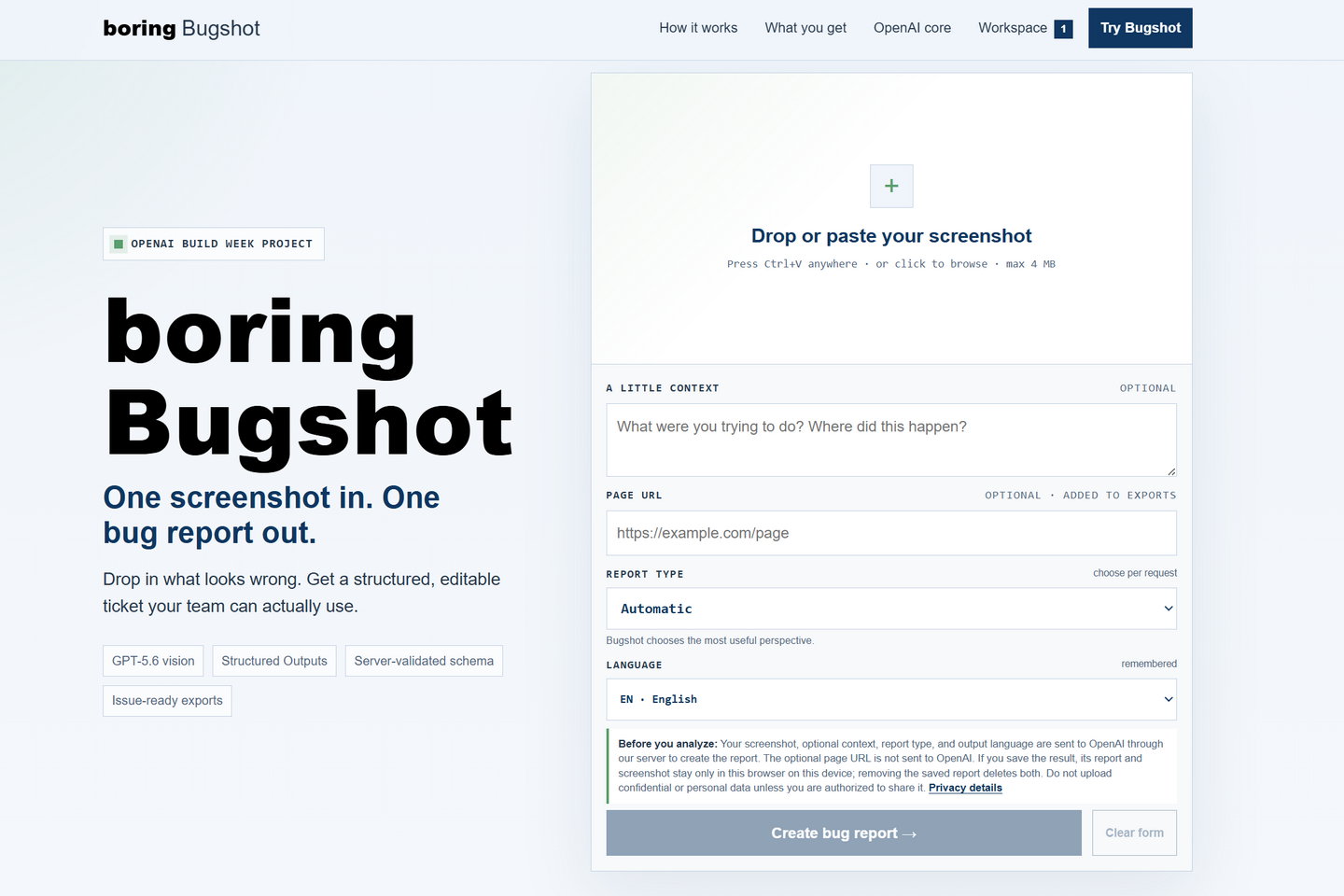
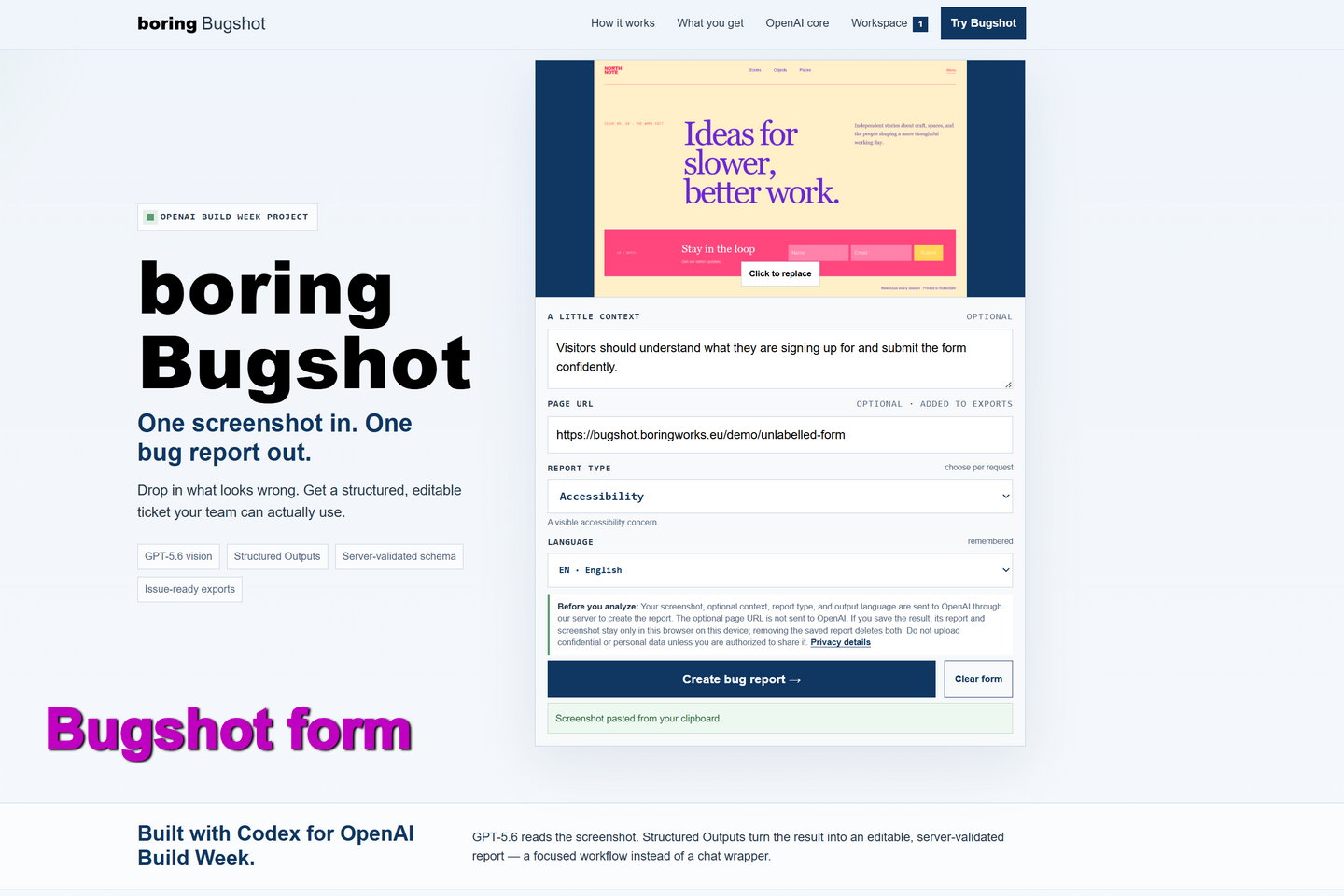
Start with one screenshot: paste, drop, or upload an image, then add optional context, a page URL, report type, and output language.
-
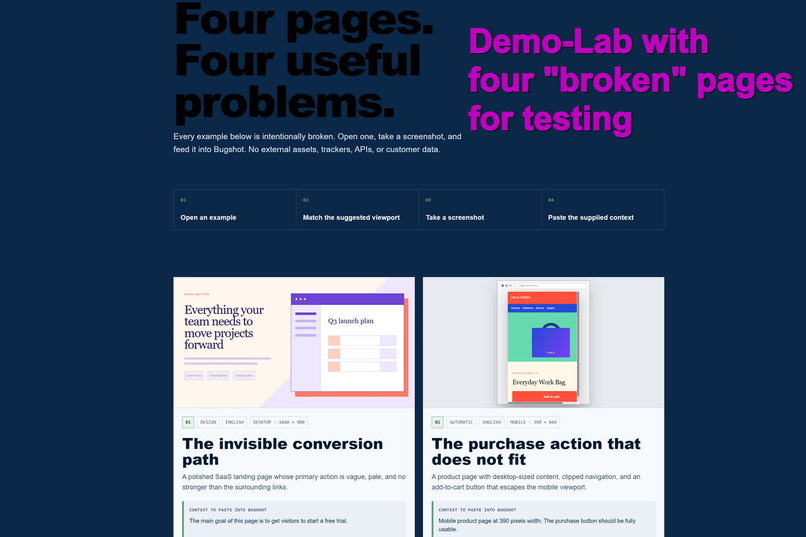
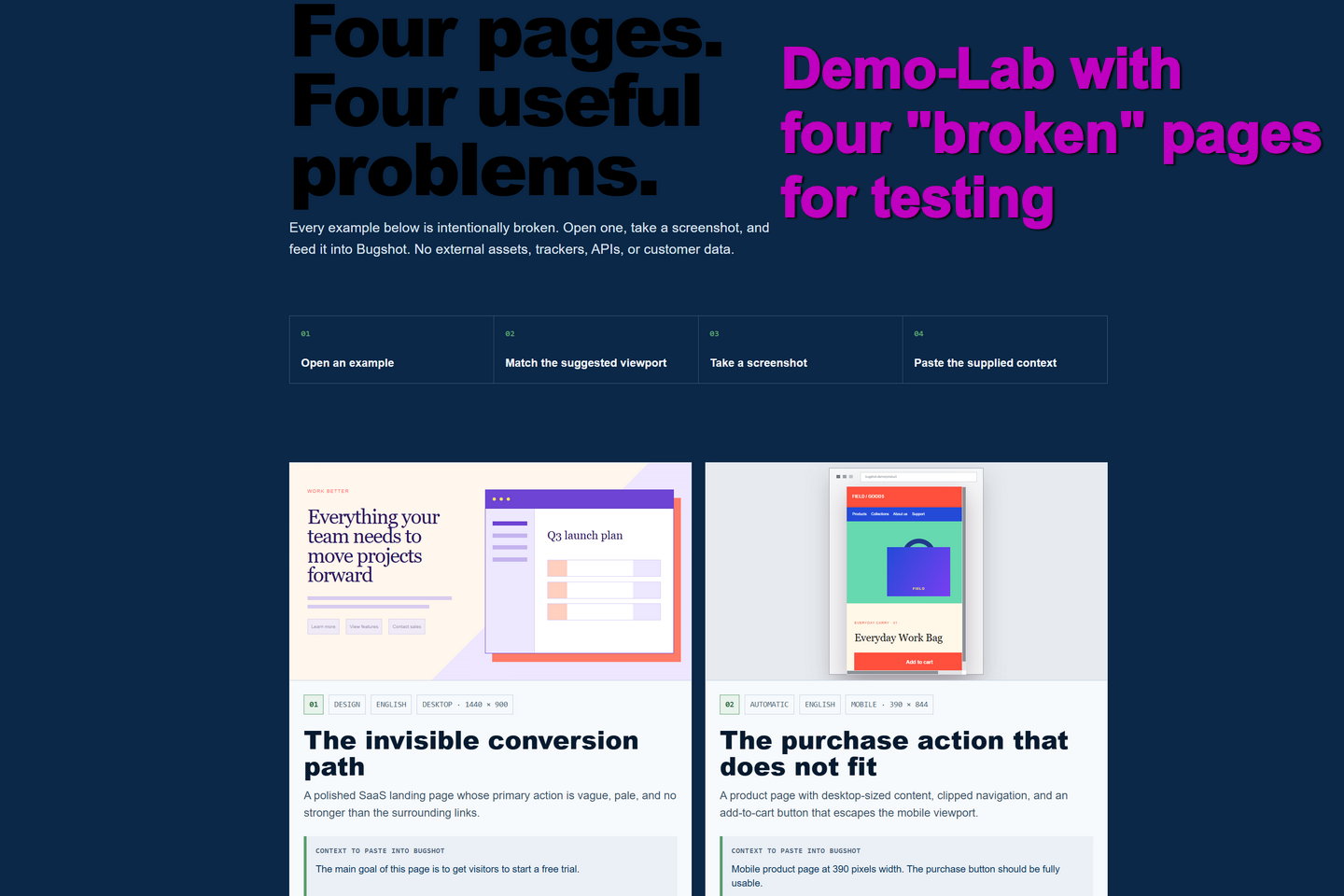
The Demo Lab contains four controlled examples for testing design, mobile layout, accessibility, and UX reports.
-
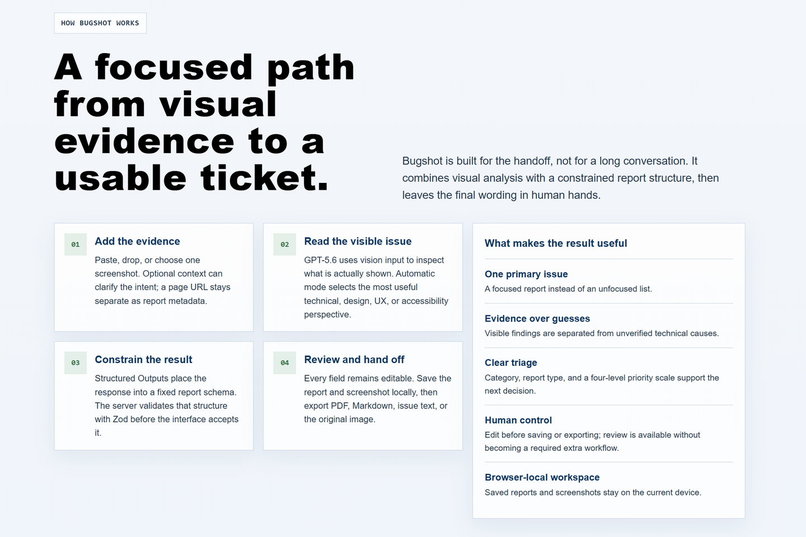
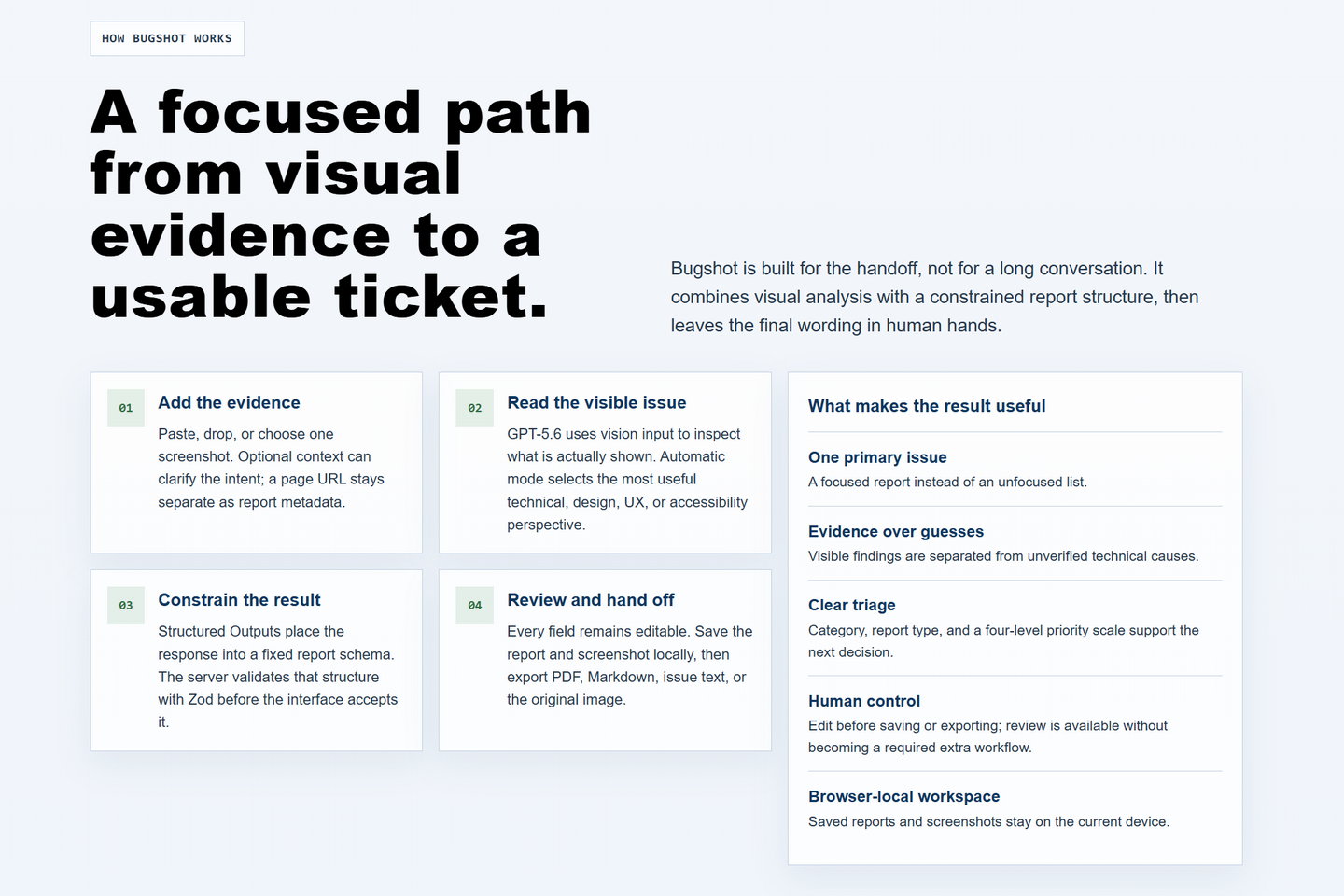
The complete workflow: add visual evidence, analyze the visible issue with GPT-5.6, validate the structure, then review and export.
-
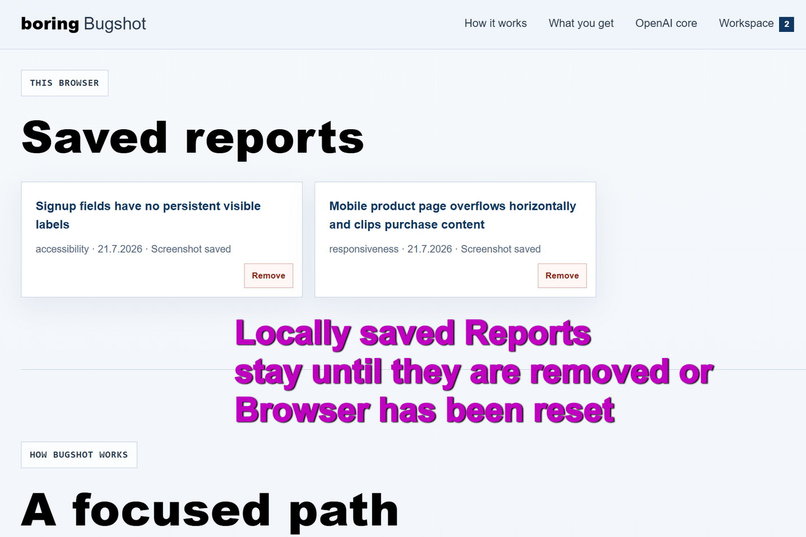
The browser-local workspace keeps saved reports and screenshots together until the user removes them.
-
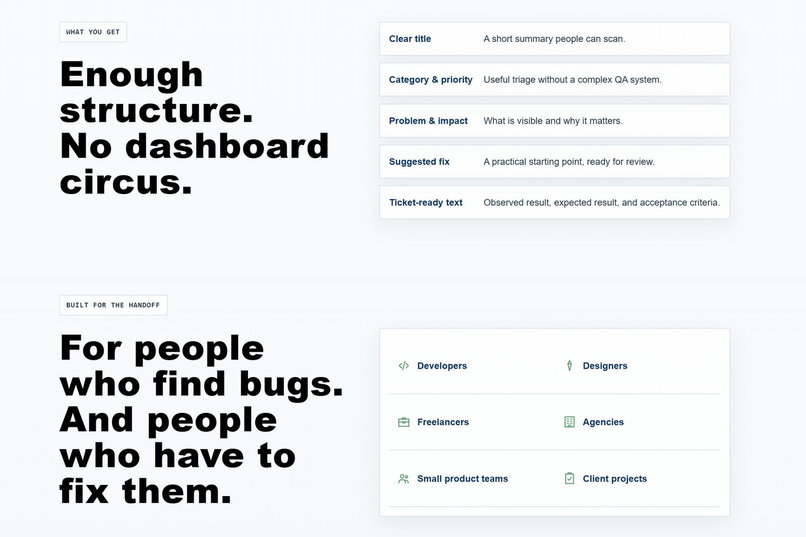
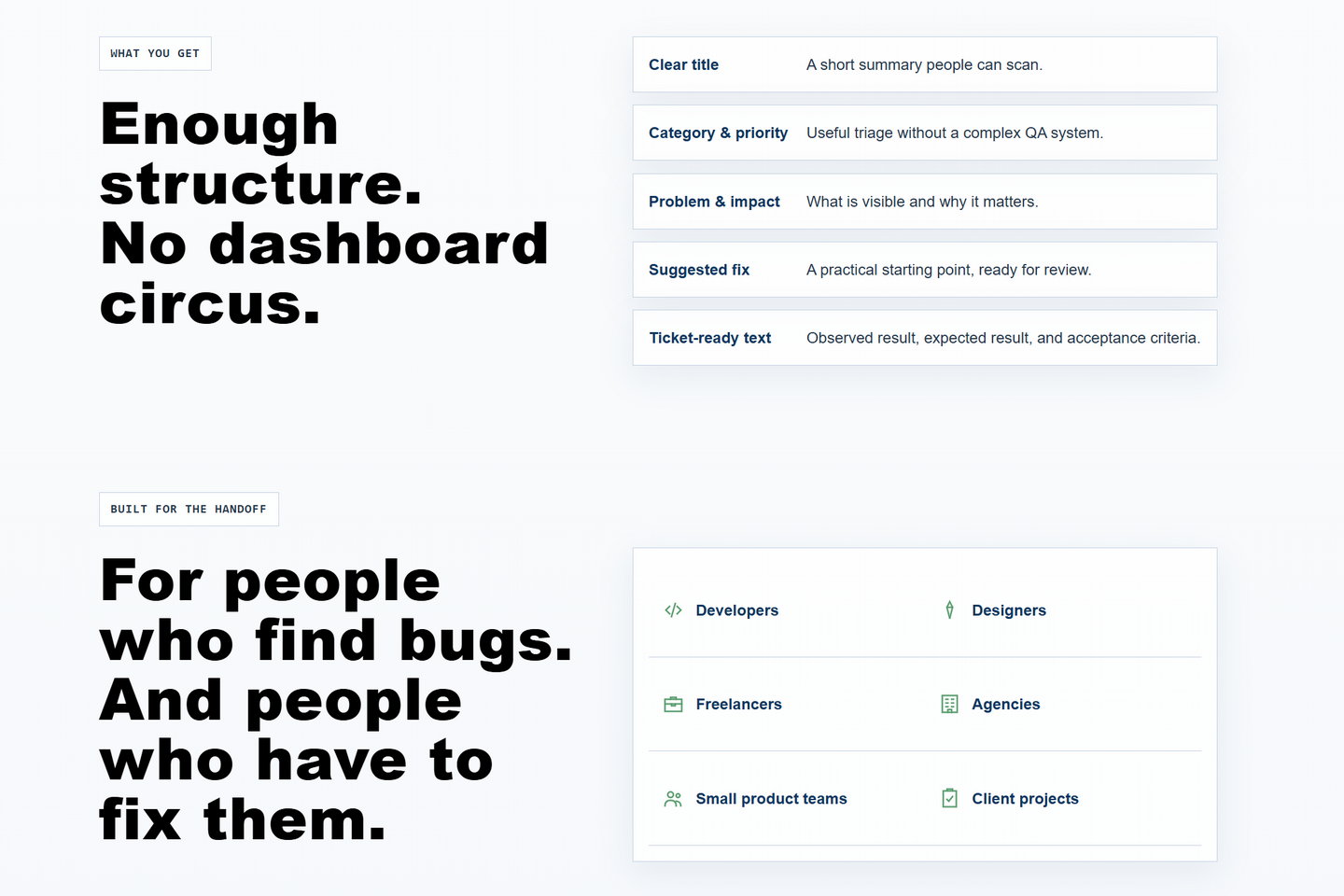
Bugshot provides enough structure for a useful handoff without becoming another large QA or project management platform.
-
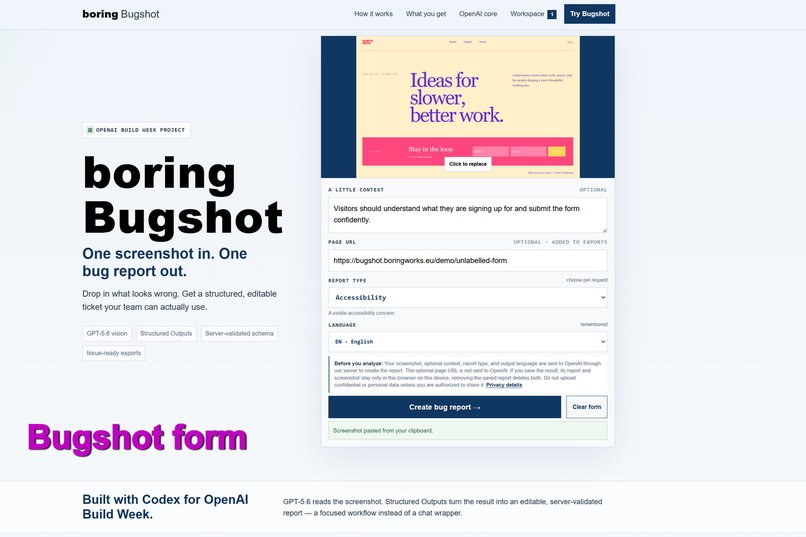
A complete analysis request with screenshot, context, page URL, accessibility perspective, and English output selected.
-
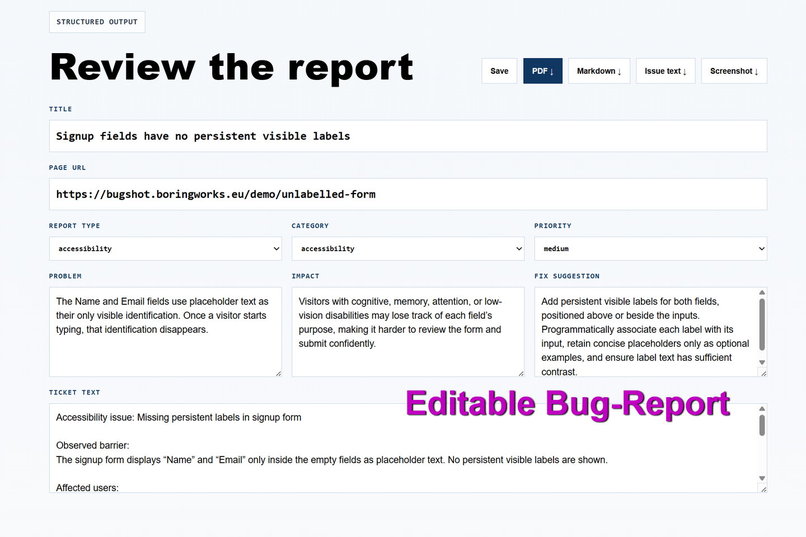
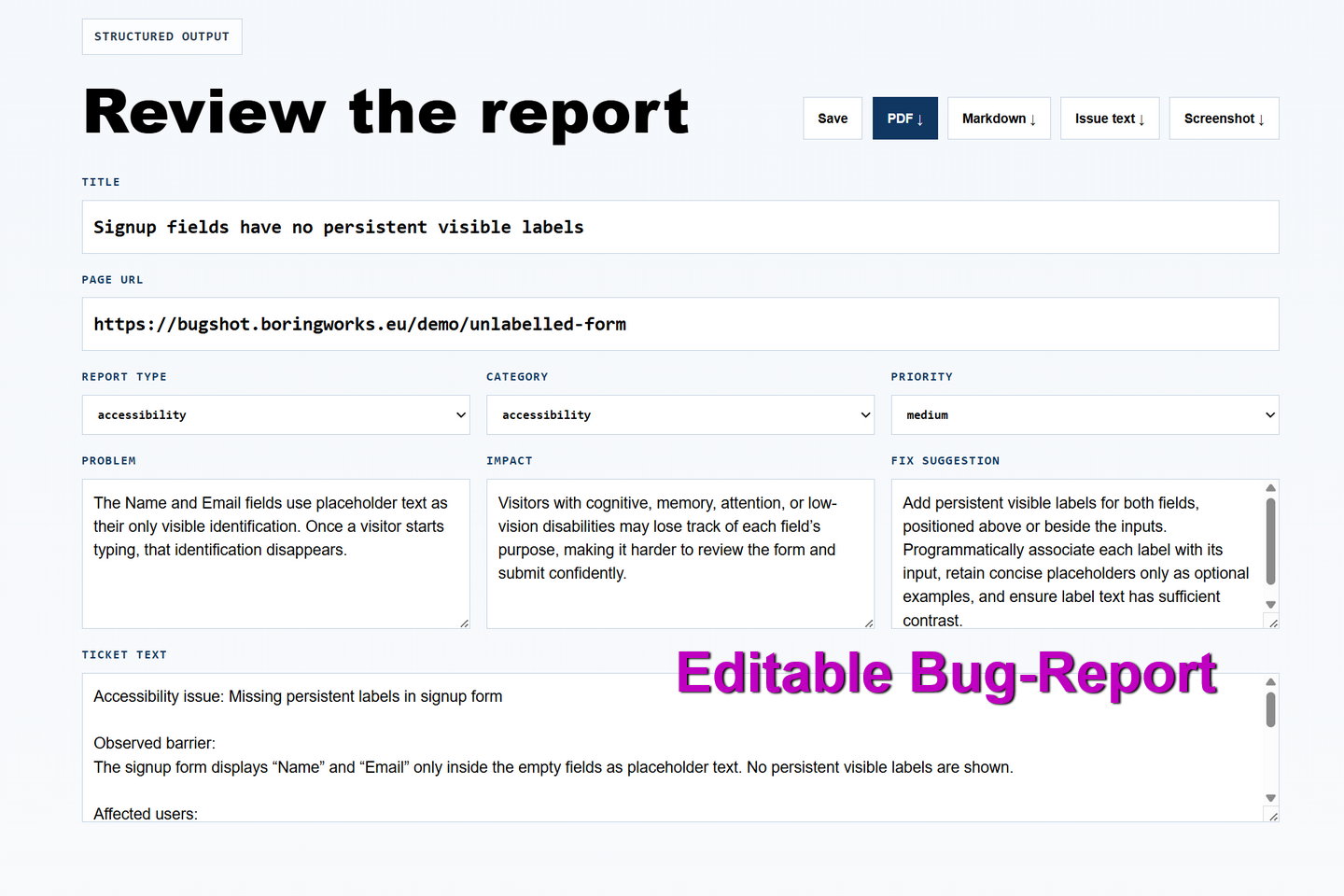
GPT-5.6 returns a structured report with editable fields, clear triage, suggested fixes, and ticket-ready text.
Inspiration
I come from web design and now work in support at a hosting company. In that role, I started a User-Sided Testing Circle from scratch. Today, this UST Circle is involved in every release as part of the QA process.
That experience taught me how often a bug or design problem starts with a simple sentence:
"Something looks wrong here."
A screenshot usually communicates the visual problem quickly, but turning that screenshot into a useful ticket takes additional work. Someone still needs to describe the issue, explain its impact, choose a priority, and make the result understandable for the person who has to fix it.
I created boring Bugshot to remove that small but repetitive task.
The idea follows the principle behind boring works: I want to create effective tools for everyday problems. They do not need to be flashy or pretend to be magic. They should do one useful job clearly and then get out of the way.
What it does
I built boring Bugshot to turn a visual observation into something a team can act on immediately.
You can upload, drag and drop, or paste a screenshot directly from your clipboard and add optional context. You can also enter the page URL. The URL is validated and added to the report and its exports, but it is not sent to OpenAI.
Before starting the analysis, you can choose the language and the kind of feedback you need:
- an automatic assessment,
- a technical bug report,
- design feedback,
- a UX finding,
- or an accessibility report.
GPT-5.6 analyzes the visible issue and returns one focused, schema-validated report containing:
- a clear title,
- the report type,
- a category and priority,
- a description of the problem,
- its likely impact,
- a suggested fix,
- and ticket-ready text.
The generated report is designed to be useful immediately. A human in the loop is possible, but not required to complete the workflow. You can use the result as generated or review and edit every field before handing it over.
You can save the report and its screenshot in your local browser workspace. Reports can currently be generated in English, German, Spanish, or Dutch and exported as a designed PDF, a Markdown file, issue-ready text, or a separate screenshot attachment.
I also created a Demo Lab with four intentionally broken pages. You can use these examples to test technical, design, UX, and accessibility reports with reproducible screenshots, without relying on external websites or customer data.
The result is not another chatbot or a large QA platform. It is a focused handoff tool:
One screenshot in. One useful report out.
How I built it
I built boring Bugshot as a full-stack web application using Next.js, React, TypeScript, and the OpenAI API.
The screenshot, selected report perspective, language, and optional context are sent to a server-side endpoint for analysis. The OpenAI API key remains on the server and is never exposed in the browser.
An optional page URL is validated separately and added to the report as metadata. It is not sent to OpenAI.
GPT-5.6 uses vision input to examine the visible evidence in the screenshot. I use Structured Outputs and a validated schema so the response is returned as predictable report data instead of loosely formatted chat text.
The schema includes:
titlereport_typecategorypriorityproblemimpactfix_suggestionticket_text
The generated result is validated on the server before it reaches the interface. Every field remains editable, giving you control when you want it without making manual review a mandatory step.
Reports and their screenshots are stored locally in the browser. They can be downloaded as Markdown, issue-ready text, a screenshot attachment, or a designed multi-page PDF. The application also remembers the selected language to make repeated use more convenient.
I used Codex as my development partner throughout the project. It helped me:
- translate product decisions into working code,
- build the server-side vision workflow,
- define and validate the report schema,
- improve the interface,
- implement multilingual reports and export formats,
- create the reproducible Demo Lab,
- test the complete workflow,
- and prepare and deploy the public application.
Because I do not come from a traditional software development background, it was important that I could understand the steps instead of only receiving finished code. Codex helped me learn how the frontend, server, API, validation, local storage, testing, and public deployment fit together.
Challenges I ran into
My biggest challenge was keeping the project focused.
Bugshot could easily become a large QA platform with accounts, projects, integrations, dashboards, and complex workflows. That would work against the original idea. I wanted the first version to solve one clear problem well:
Turning one screenshot into one useful report.
Another challenge was supporting different kinds of feedback without making the interface feel complicated. A developer may need an implementation-ready technical ticket, while a designer may need visual feedback. A marketing team may want feedback on a landing page, while a product team may need a UX or accessibility assessment.
I solved this by making Automatic the default while still allowing a specific report perspective to be selected for each request.
It was also important to make the GPT-5.6 output reliable enough for immediate use, editing, saving, and exporting. A free-form answer would have made the interface unpredictable. Structured Outputs and server-side validation allowed me to turn the analysis into a consistent product workflow.
Finally, I had to build something that I could understand, demonstrate, and publish. Learning the full-stack concepts while making product and design decisions was part of the challenge, but also one of the most valuable parts of the project.
Accomplishments that I am proud of
I am proud that boring Bugshot became a complete working product rather than only a technical proof of concept.
The application now supports the complete workflow:
- Add a screenshot.
- Provide optional context and a page URL.
- Choose a report perspective and language.
- Generate a structured report with GPT-5.6.
- Review or edit the result when needed.
- Save it in the local browser workspace.
- Export the finished report in the format the team needs.
Bugshot accepts uploaded, dropped, or pasted images and produces technical, design, UX, accessibility, or automatically selected reports.
It generates reports in four languages and exports them as Markdown, issue-ready text, a screenshot attachment, or a designed multi-page PDF. Reports and their screenshots can also be saved and reopened in a browser-local workspace.
I am also proud of the Demo Lab. It contains four controlled examples with intentionally built-in problems:
- a weak landing-page CTA,
- mobile overflow,
- an inaccessible newsletter form,
- and an unhelpful checkout error.
This makes Bugshot easy to demonstrate and test without depending on third-party content.
Bugshot is no longer only a local prototype. I deployed a working public version on Netlify with its own domain, privacy information, basic safeguards, and a reproducible testing path for judges and other users.
I am especially proud that I was able to build and understand a full-stack application despite not coming from a traditional development background. Codex allowed me to move beyond my previous technical experience while keeping the product idea, visual direction, and final decisions in my own hands.
What I learned
I learned that AI becomes especially useful when it is placed inside a clear workflow.
The most valuable part of Bugshot is not simply that GPT-5.6 can look at an image. The value comes from turning that visual input into a predictable structure that fits an existing handoff between testers, designers, support teams, marketing teams, and developers.
I also learned that human control and automation do not have to compete. Bugshot can independently produce a complete and usable report while still allowing someone to review, edit, recategorize, or reprioritize every part of it.
In other words, a human in the loop remains possible whenever judgment or additional context is valuable, but the workflow does not depend on mandatory human intervention.
Another important lesson was that product scope is a design decision. Adding more features does not automatically make a tool more useful. Clear defaults, editable results, and practical exports can matter more than a large number of integrations.
On a personal level, I learned how a modern full-stack application is structured, how data moves securely between the browser and the server, how structured AI responses can be validated, how browser-local storage works, and how a web application can be tested and published.
What's next for boring Bugshot
Now that boring Bugshot is publicly available, my next step is to learn from real use while keeping the product focused.
For broader public use, I want to strengthen the existing safeguards with durable rate limiting, monitoring, clearer cost controls, and additional abuse protection.
Direct integrations with tools such as Jira and GitHub could make the handoff even faster. A finished report could become a ticket without requiring another copy-and-paste step.
I also see a larger opportunity in making Bugshot available as an embeddable feedback service. A company could allow customers or testers to submit screenshots, page URLs, and context directly from its website. Bugshot could then turn each submission into a structured technical, UX, accessibility, or design ticket for the responsible team.
This could be useful for:
- hosting companies,
- support and QA teams,
- product teams,
- marketing departments,
- agencies,
- customer feedback programs,
- and user-sided testing circles.
Shared workspaces could later support teams that need to review and manage reports together. I would still keep the current browser-local workflow available for people who want a fast tool without accounts or project setup.
Even if Bugshot grows, I want to keep the original boring works principle intact: create effective tools for everyday problems, keep the workflow understandable, and get out of the way once the job is done.
Screenshots in. Useful reports out. No drama.
Built With
- codex
- css
- gpt-5.6
- jspdf
- markdown
- netlify
- next.js
- node.js
- openai-api
- react
- responses-api
- structured-outputs
- typescript
- vision
- zod


Log in or sign up for Devpost to join the conversation.