-
-

App Logo
-
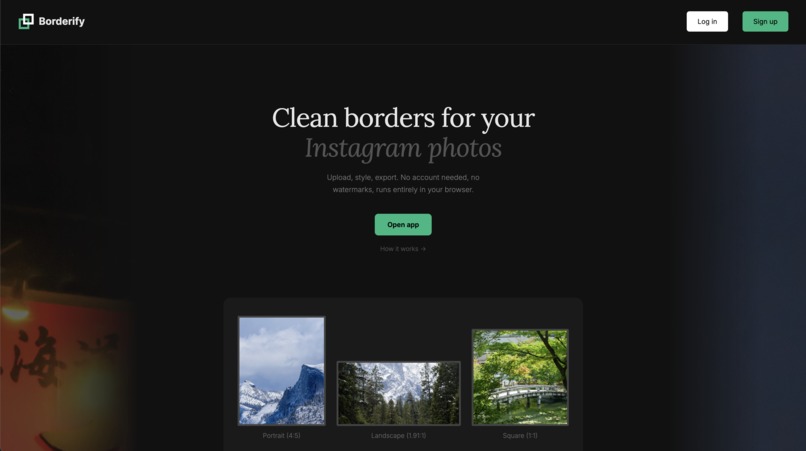
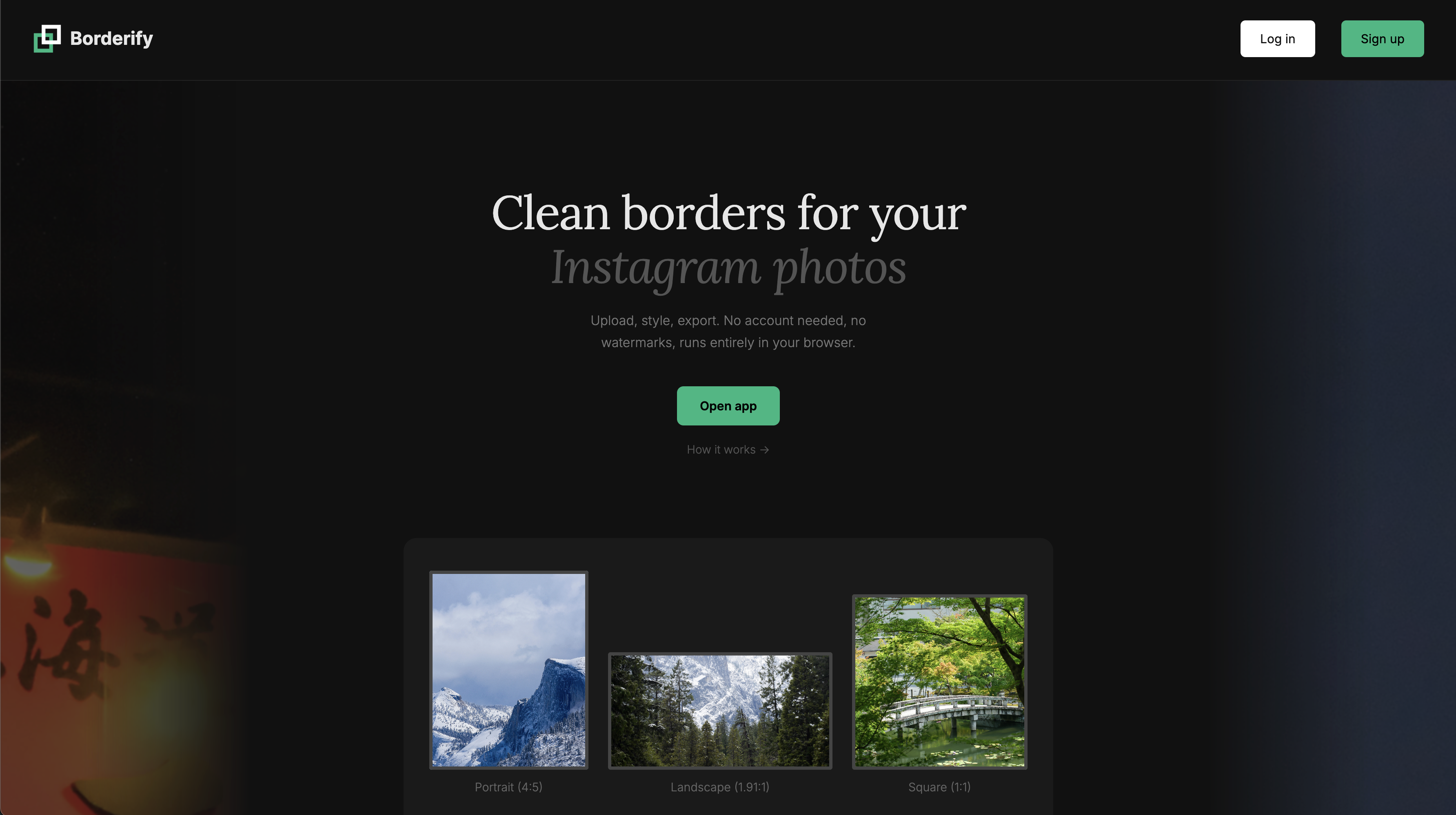
Landing page
-

Photo uploading page, users can select photos or drag and drop
-
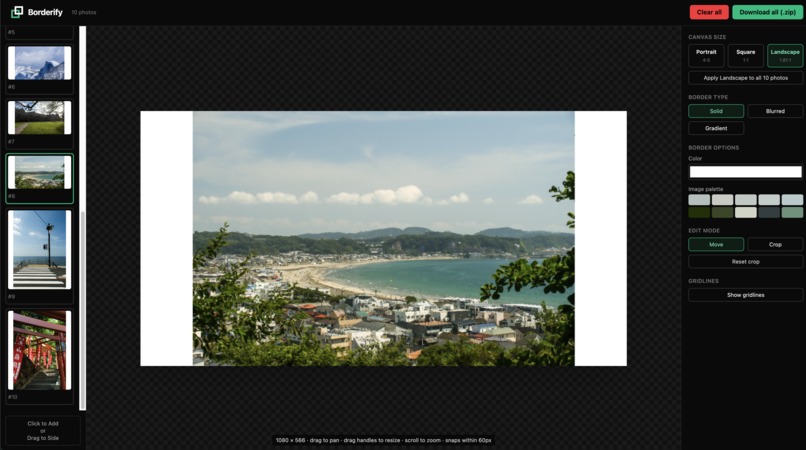
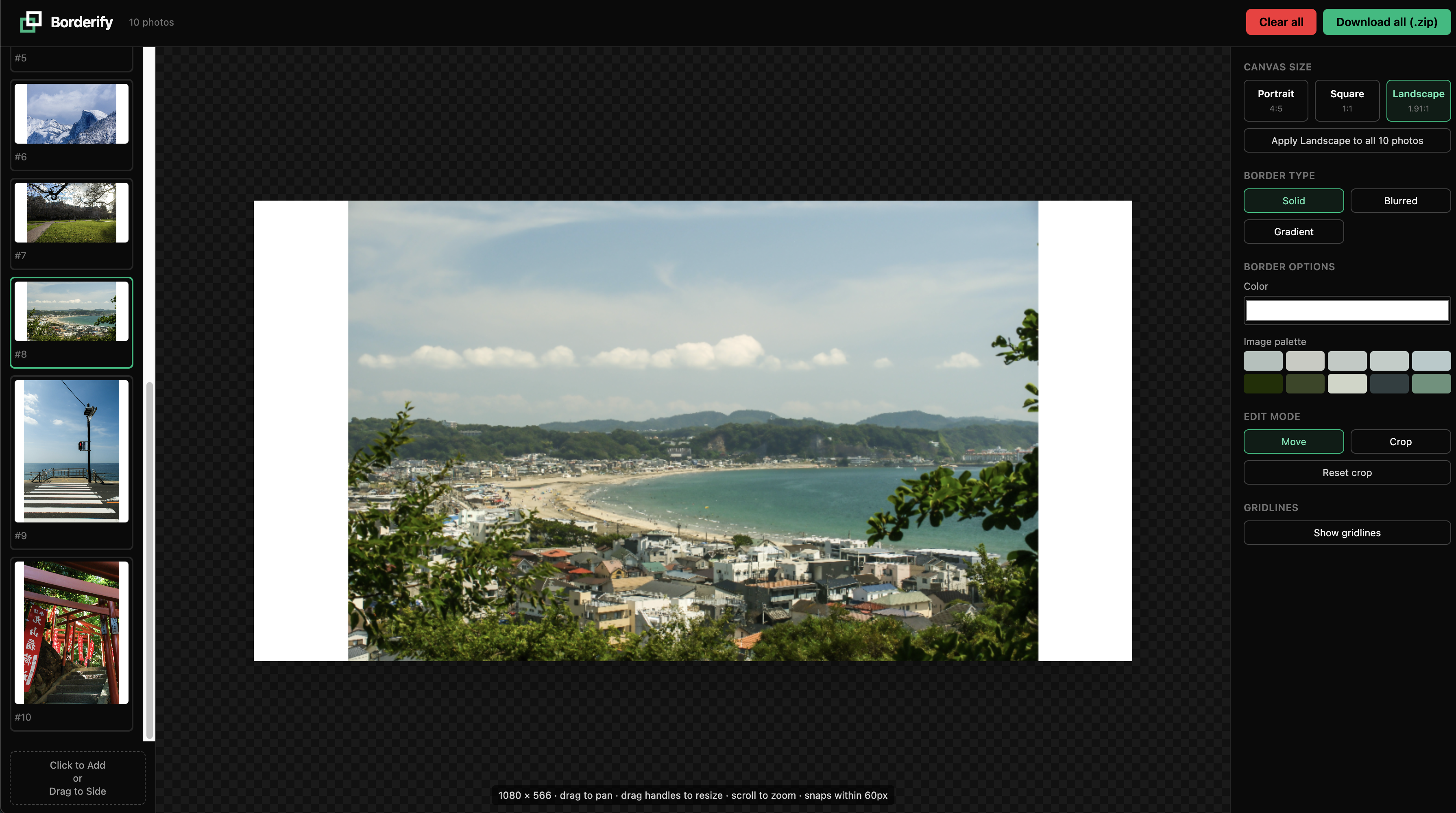
Editing Screen
-
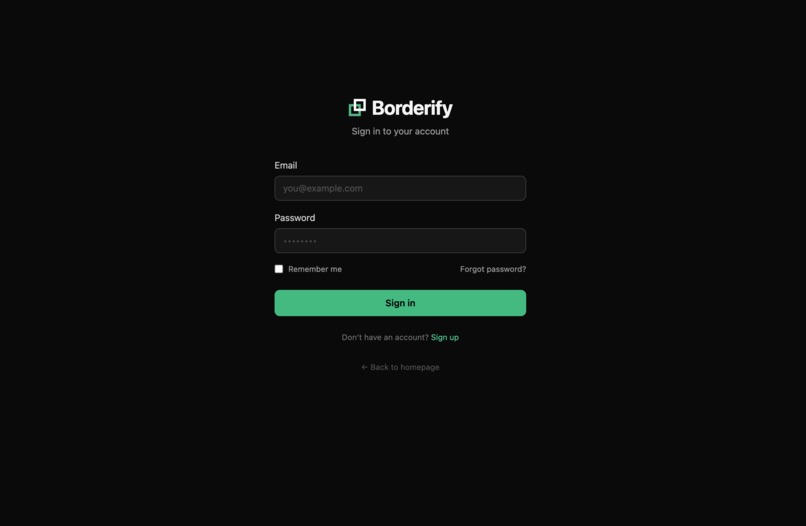
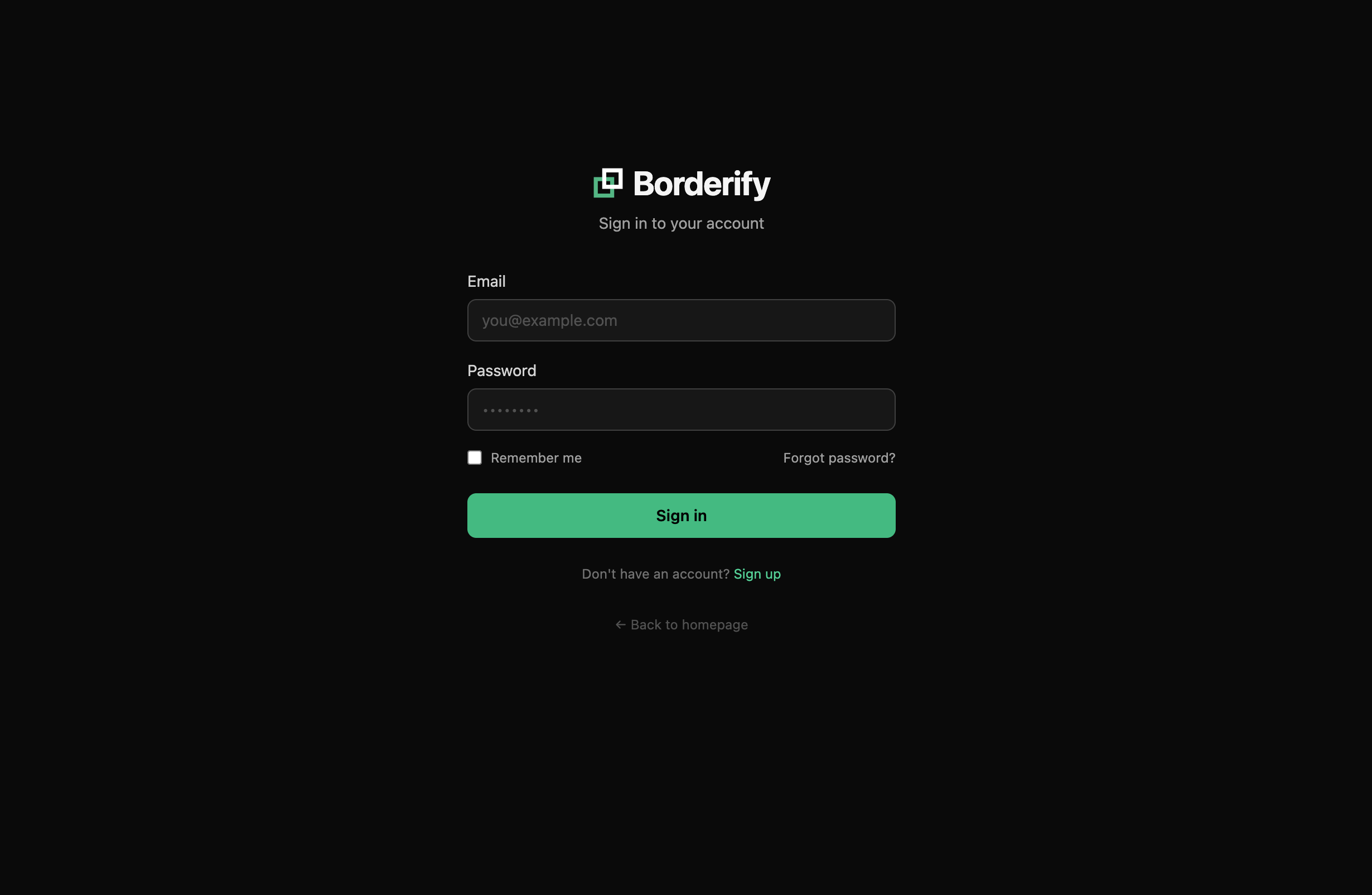
Optional Log in for users, if they wish to save a session.


Track 2: Digital Content Creation
Inspiration
Photographers on Instagram are no stranger to its inconvenient auto-cropping. When creating a carousel post, Instagram forces every subsequent image to match the aspect ratio of the first. So if your first photo was a portrait, your landscape shots get cropped horizontally, and vice versa. Our web app tool seeks to empower the social media photographer by introducing smart borders to every photo so nothing gets cropped, ensuring every photographer gets to share to the world what they see.
What it does
Borderify is a browser-based photo framing tool that solves Instagram's auto-cropping problem for carousel posts. It adds smart borders to every photo so nothing gets unintentionally cropped — regardless of orientation or canvas size. Photos are processed entirely client-side using the HTML5 Canvas API, with optional cloud session saving for logged-in users. Upload mixed portrait, landscape, and panoramic shots, pick a canvas size, and Borderify auto-frames each one ready for export as full-quality JPEGs.
Key Features:
- Auto-Framing on Upload: Photos are decoded as ImageBitmap objects in-browser and instantly centered with balanced borders sized to fit the chosen canvas, making them export-ready.
- Instagram-Ready Canvas Presets: One-click switching between Portrait (1080×1350), Landscape (1080×566), and Square (1080×1080) formats, can additionally be applied to every photo at once.
- Customizable Border Styles: Per-photo control over solid color fills, blurred backgrounds (using the photo itself as the fill, with adjustable blur strength), and two-color gradients with adjustable angle.
- Split Mode for Carousels: Wide landscape photos on a portrait or square canvas can be split into two posts (left + right halves) for a panoramic carousel scroll.
- Free Repositioning: Aspect-ratio-locked resize and drag-to-reposition within the canvas, with live canvas re-rendering on every change.
- Batch Export: Download all as a single .zip of numbered JPEG files at original quality.
- Optional Cloud Sessions: Supabase auth + a FastAPI backend with Cloudinary media storage let signed-in users save and restore editing sessions across devices; the app still works fully without an account if desired.
How we built it
Frontend
- React + Vite: Fast, modern web app powered by React 18 and Vite 5 with TypeScript 5 for type-safe, high-performance development.
- Tailwind CSS v4: Utility-first styling via the native Vite plugin for a clean, responsive UI with minimal overhead.
- React Router v7: Client-side routing enabling smooth, multi-page navigation without full page reloads.
- Zustand: Lightweight global state management keeping UI state simple and predictable across components.
- HTML5 Canvas API: Direct canvas rendering for performant, pixel-level image manipulation and editing workflows.
- JSZip: Users can package and download multiple processed images in a single zip file directly from the browser.
- Supabase Auth Client: Seamless authentication flows using @supabase/supabase-js, integrating with the backend's JWT-based session model.
Backend
- FastAPI: High-performance Python API handling image processing requests, session management, and media uploads with clean, auto-documented endpoints.
- JWT Verification: Secure RS256 token validation via python-jose against Supabase's JWKS endpoint, ensuring every request is properly authenticated.
Cloud & Infrastructure
- Supabase Auth: JWT-based authentication using Authorization: Bearer tokens, shared seamlessly between the frontend client and backend verifier.
- Supabase Postgres via PostgREST: Session metadata stored and retrieved through the session table, enabling persistent user state across visits.
- Cloudinary: Scalable image storage with per-user folder organization, keeping saved files isolated and easy to manage.
- Vercel: Full-stack deployment with the Vite frontend served at / and the FastAPI backend at /api via experimentalServices in vercel.json.
Challenges we resolved
- Optional cloud session save: Achieving sign up / log in with Supabase (email + password)
- Crop mode: An additional feature allowing a movable, resizable crop window over the preview image.
- Supabase file size limit: Supabase prohibits images above 50 MB, preventing large photo uploads from being saved. Solved by compressing images before upload.
Accomplishments that we're proud of
- Fully Client-Side Image Pipeline: When logged out, upload → frame → edit → export flow runs in the browser with zero server round-trips, ensuring photos never leave the user's device.
- User-accessible design: Clean, intuitive user interface with quality of life features, including drag image and drop, automatic image centering, batch apply, and more.
- Optional file-persistence: If the user decides to create an account, photo editing sessions can be saved, allowing the user to resume progress.
What's next for Borderify
- Extended customizability: More border styles, finer user control over style attributes.
- Multi-platform support: Increased compatibility for more social media platforms such as Tiktok, Facebook, etc.
- Seamless Photo Upload from Phone: Users can scan a QR code and be redirected to upload photos from their phone directly to the app.
Team Members
- Brendan Ly: San Jose State University
- Ethan Le: San Jose State University
- Jason Nguyen: San Jose State University
Built With
- canvasapi
- cloudinary
- fastapi
- react
- supabase
- tailwind
- typescript
- uvicorn
- vercel
- vite


Log in or sign up for Devpost to join the conversation.