Bootstrap Widgets
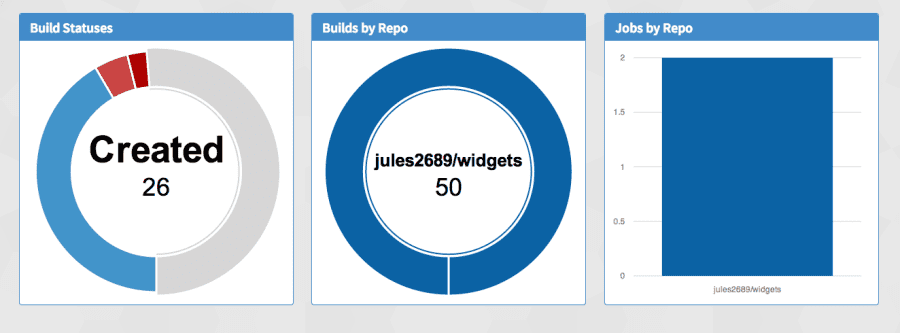
A simplistic way of rendering dashboard widgets with Bootstrap.
Setup
Add this line to your application's Gemfile:
gem 'bootstrap_widgets'
And then execute:
$ bundle
Or install it yourself as:
$ gem install bootstrap_widgets
Require the CSS file in application.css
//= require bootstrap_widgets
Require the JS file in application.js
//= require bootstrap_widgets
Include the Widgets Module in your Application Helper (plus any other model or controller you want to use it in):
  module ApplicationHelper
    include BootstrapWidgets
  end
Then in your erb views just call the Helper:
<%= widget @some_dashboard_widget %>
Dashboard Widgets
A Dashboard Widget can be created by calling:
DasboardWidget.new(title, panel='text', opts={}, data={})
As you can see, only title is required. Panel Type defaults to text, and opts/data are initialized to {}.
Currently the available panel types are: "text", "bar_graph", "line_graph", "donut_graph", "area_graph".
The following helper methods are available to handle data:
  widget.add_data_pair(key,value)
  widget.remove_data_pair(key, value)
Opts Hash
The opts array can take the following custom options:
- row_size ~> The vertical size of the widget (small, medium, large, x-large). The default is medium.
- col_size ~> The horizontal size (number of columns) of the widget (1-5). The default is 1.
- text ~> The text to be displayed at the top of the widget. The default is nothing. If you set text, the recommended size is large or x-large.
- color ~> The color of the array. See below for more details.
On top of the above options, for any graphs, Morris.js options can be passed as a hash array. You can read more about which ones are available here
Here is an example hash: { text: 'I want to be the very best', size: 'large', color: 'light-blue', pointFillColors: ["#469ad0"], pointSize: 10, lineWidth: 10 }
Panel Colours
Each of Bootstrap's main colours have been mapped to a type that may make more sense. These are listed below, however, you may use the default Bootstrap names.
   'primary' => 'primary',
   'green' => 'success',
   'light-blue' => 'info',
   'yellow' => 'warning',
   'red' => 'danger'
Widget Groups (Full Dashboard)
By using a widget_group and passing an array of widgets, a dashboard is automatically created with Masonry (auto resizing and position dashboard). Number of Columns can be anything, but obvious limits of a screen exist. Columns defaults to 3.
<%= widget_group [widget, widget, widget], num_of_columns=3 %>
Using Graphing Widgets
On resize, the library redraws the graphs. Due to this, we put up a loading spinner briefly and redraw the graphs in behind this spinner. This allows for a smoother experience.
Contributing
- Fork it ( http://github.com//bootstrap_widgets/fork )
- Create your feature branch (
git checkout -b my-new-feature) - Commit your changes (
git commit -am 'Add some feature') - Push to the branch (
git push origin my-new-feature) - Create new Pull Request

Log in or sign up for Devpost to join the conversation.