-
-
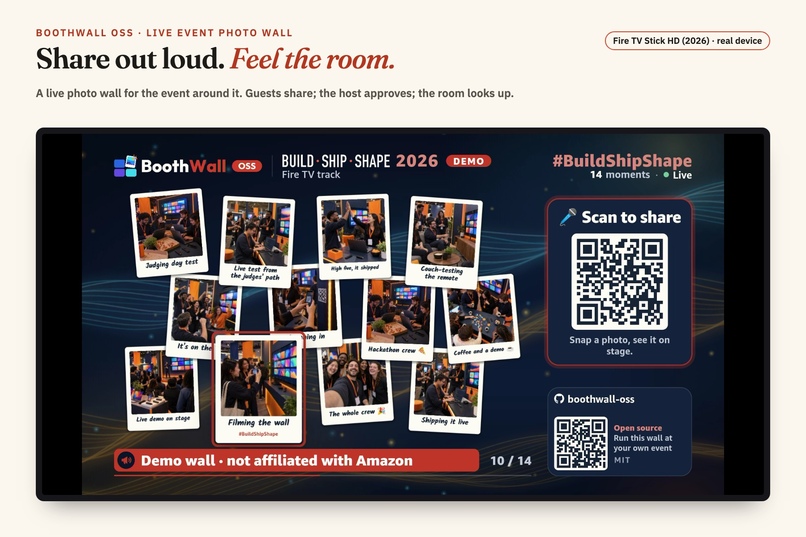
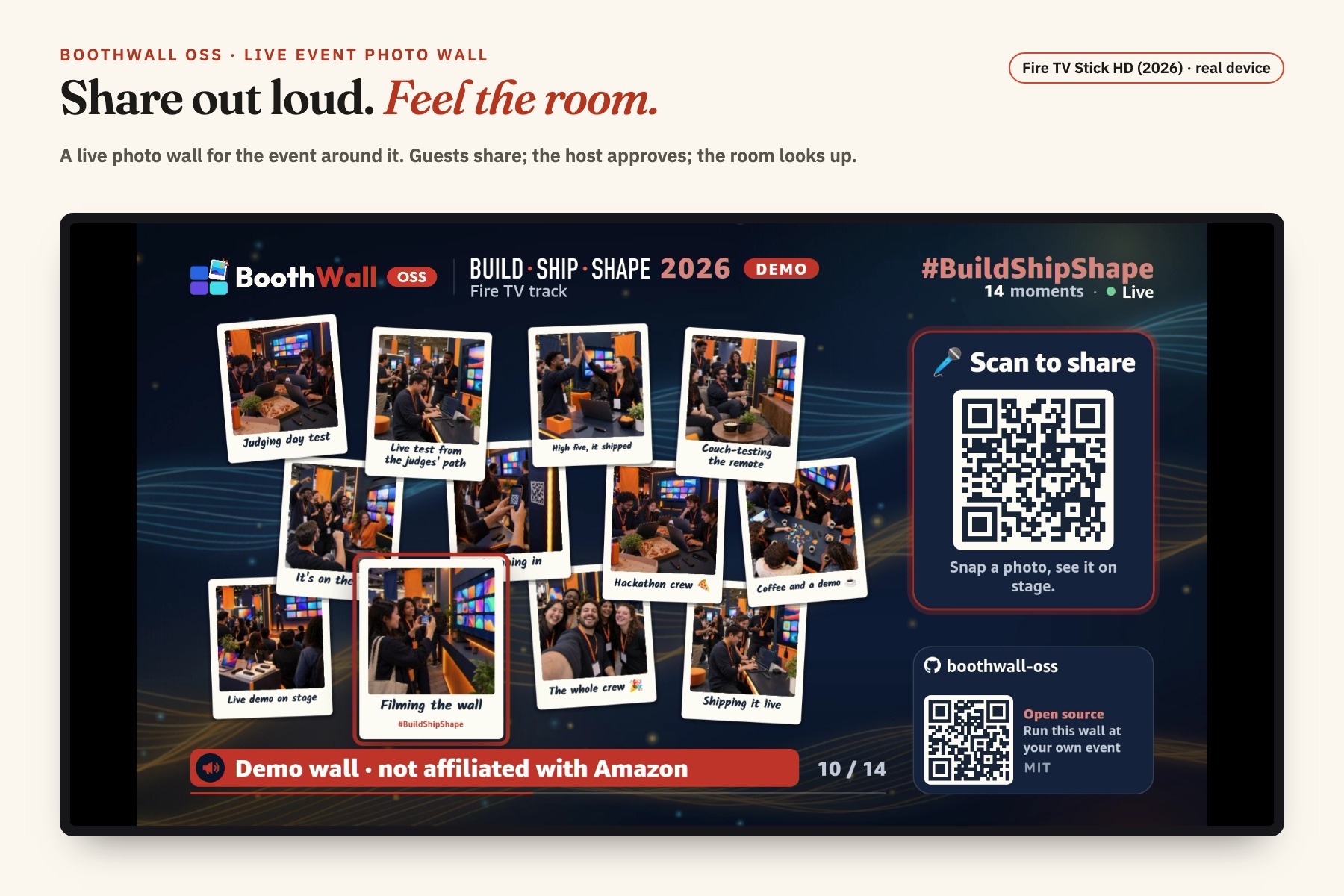
Share out loud. Feel the room. Live demo on a real Fire TV Stick HD (2026).
-
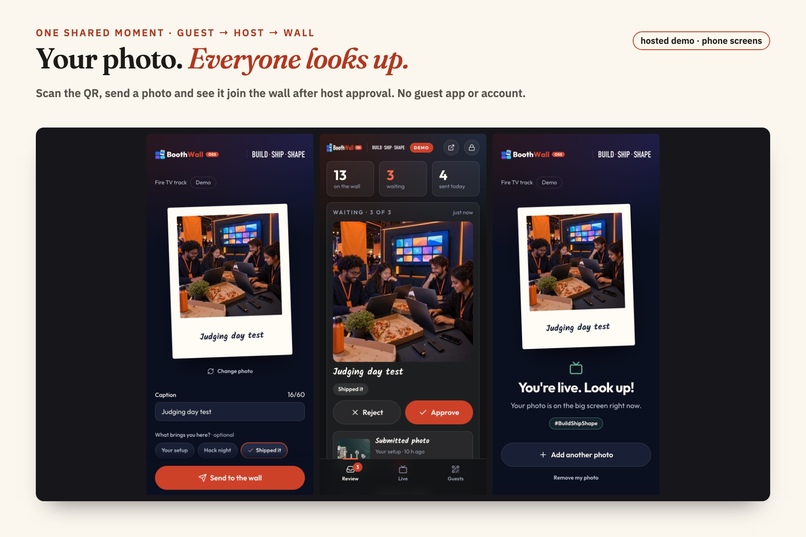
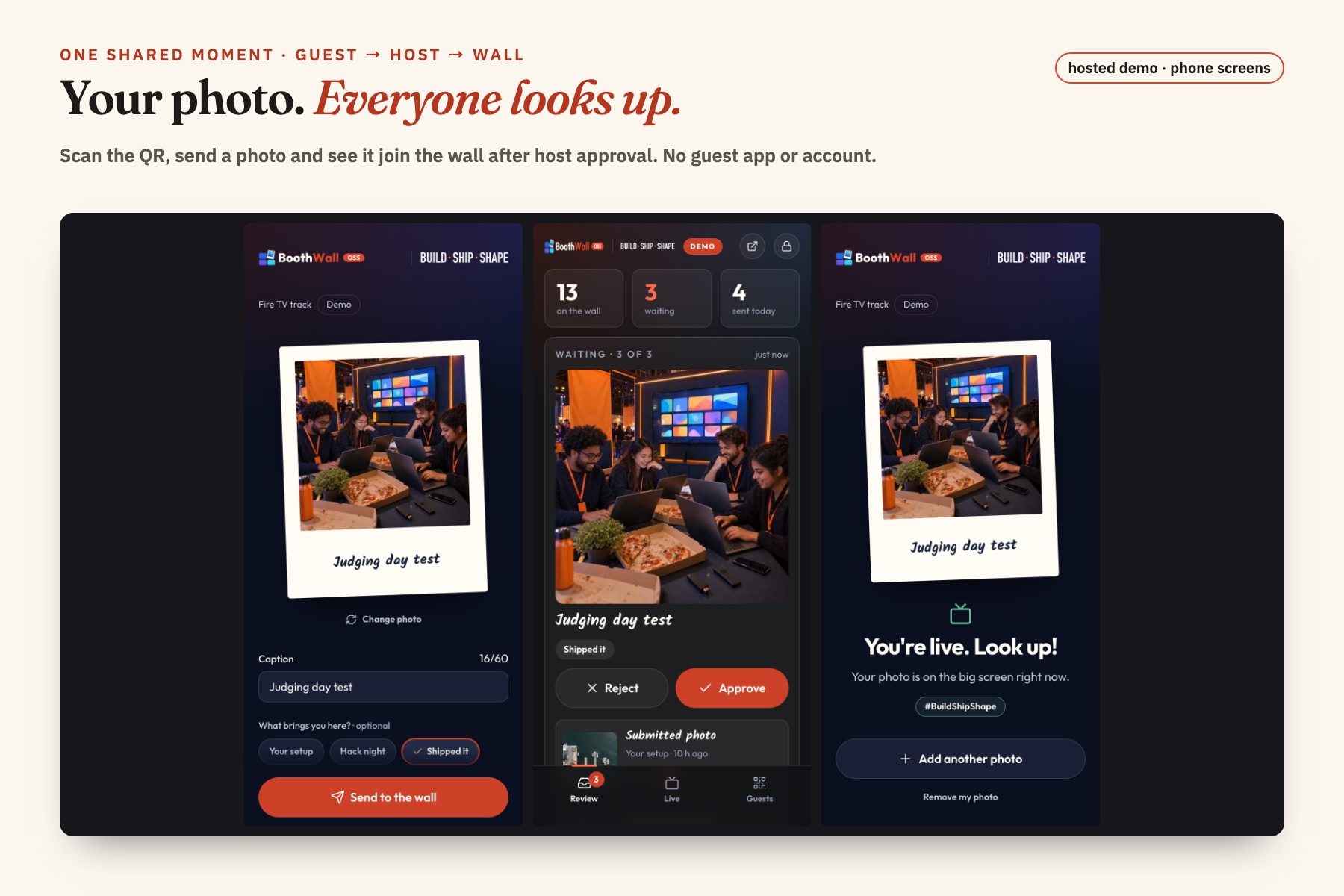
Guest sends, host approves, the phone says look up. Hosted demo phone screens.
-
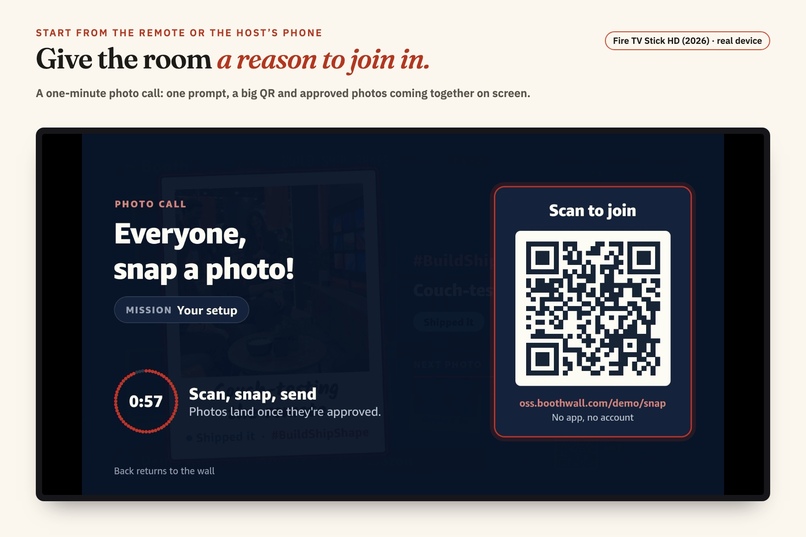
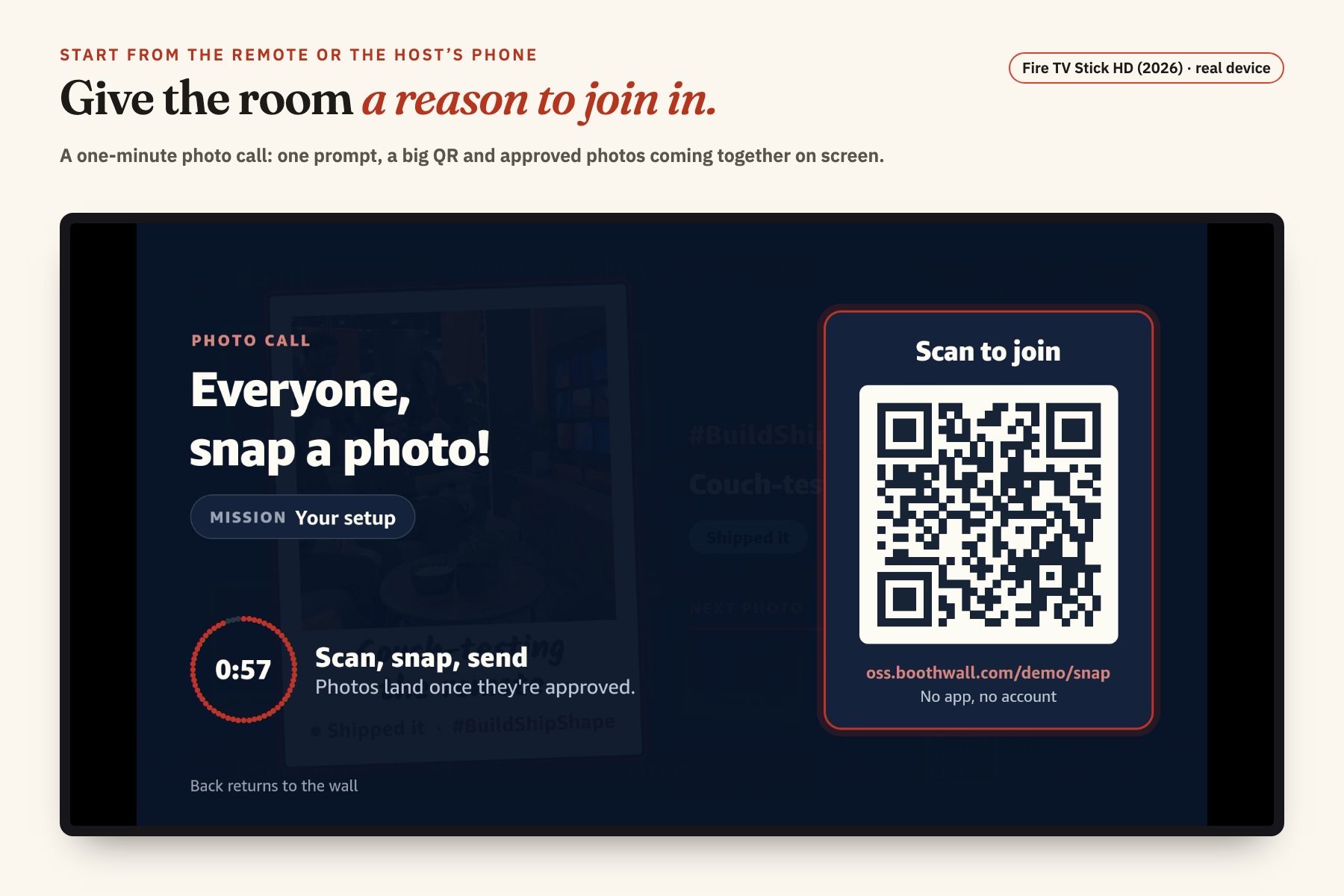
Give the room a reason to join in: one-minute photo call. Real Fire TV Stick capture.
-
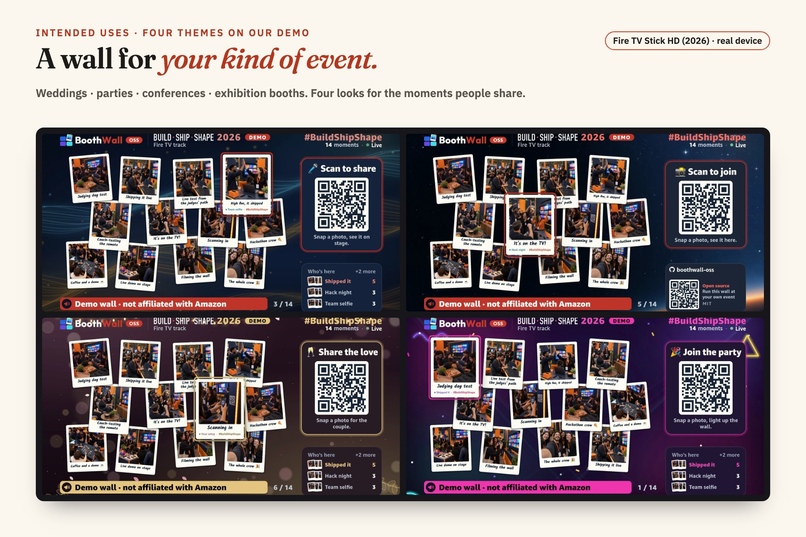
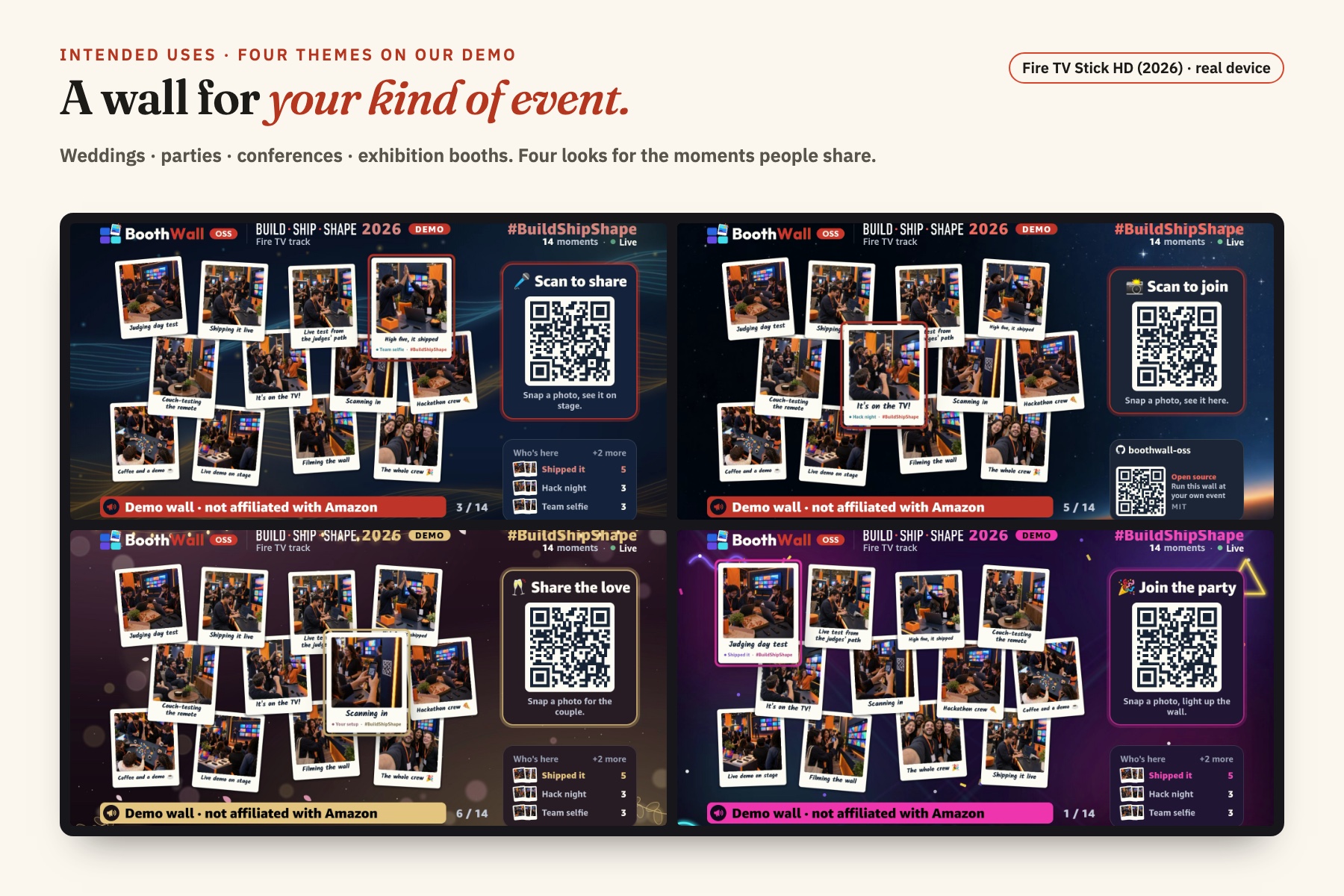
Weddings, parties, conferences and exhibition booths: intended uses, four demo themes on the Stick.
-
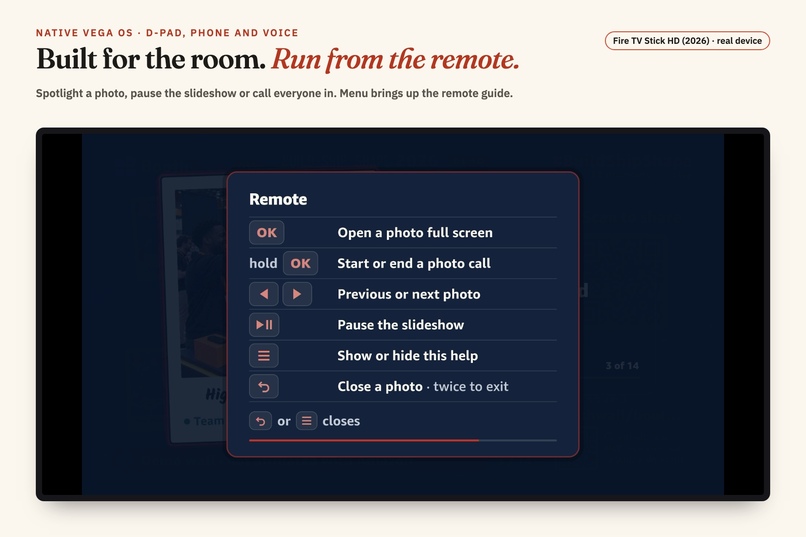
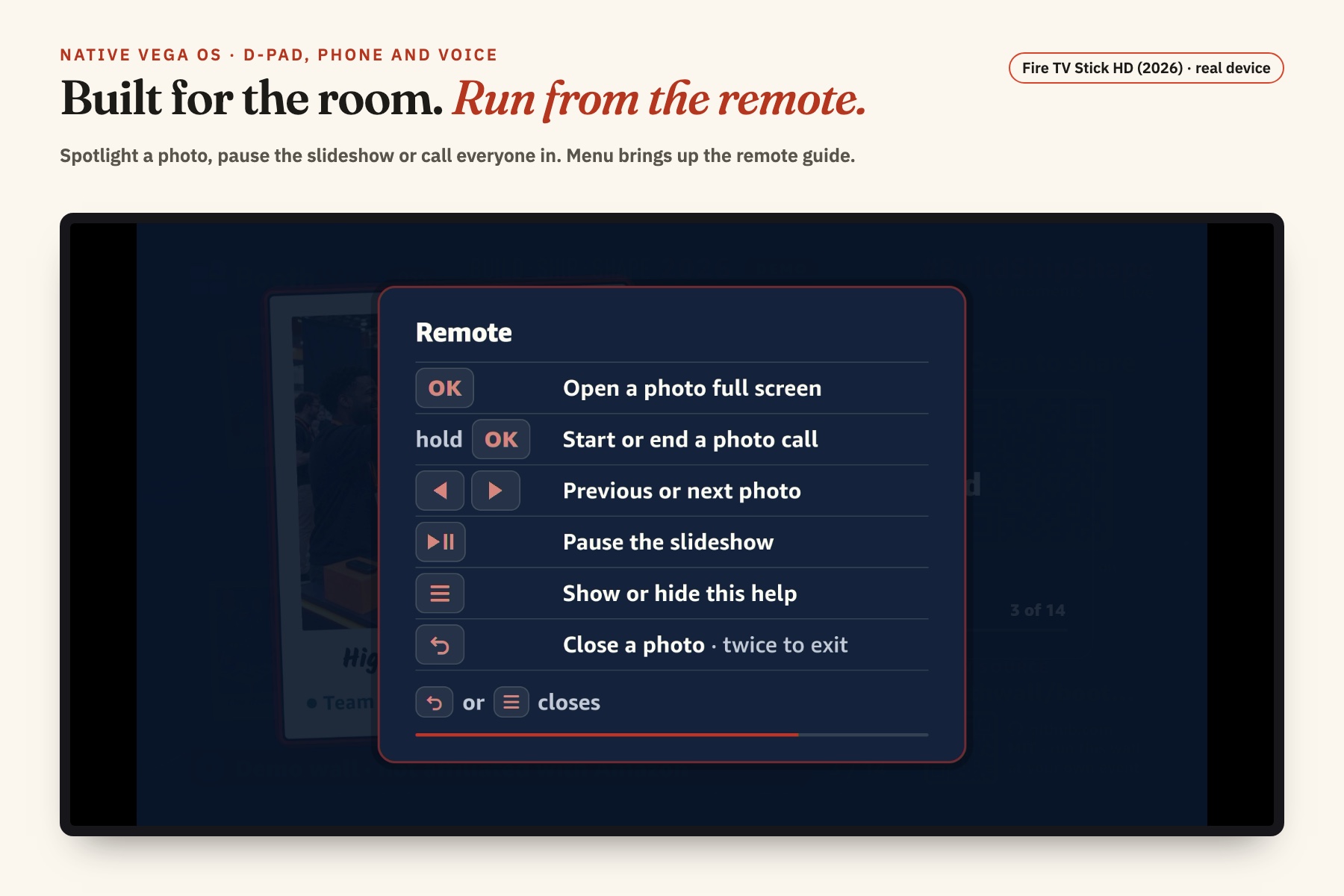
D-pad, phone and voice. Menu brings up the remote guide on the real Fire TV Stick.
-
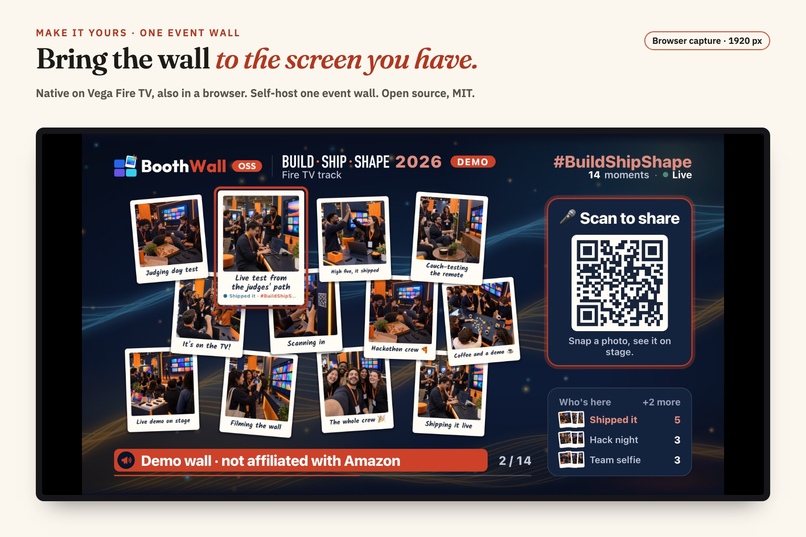
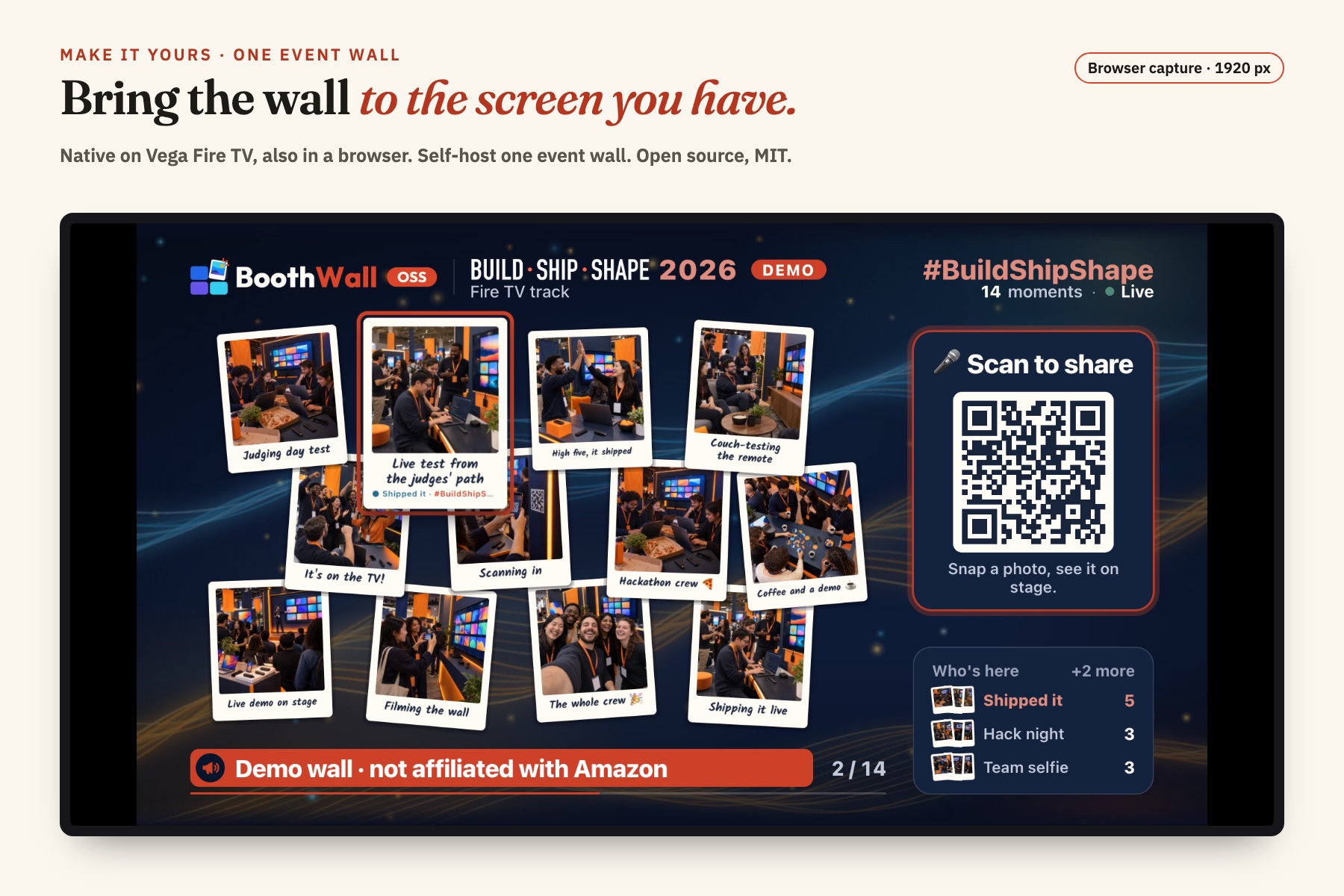
Self-host one event wall. Native Vega OS and browser share the same wall component. Browser capture.
-
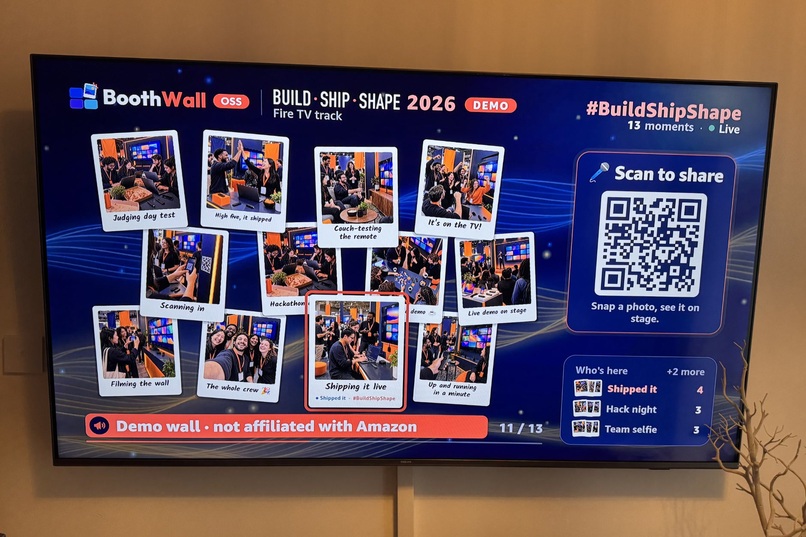
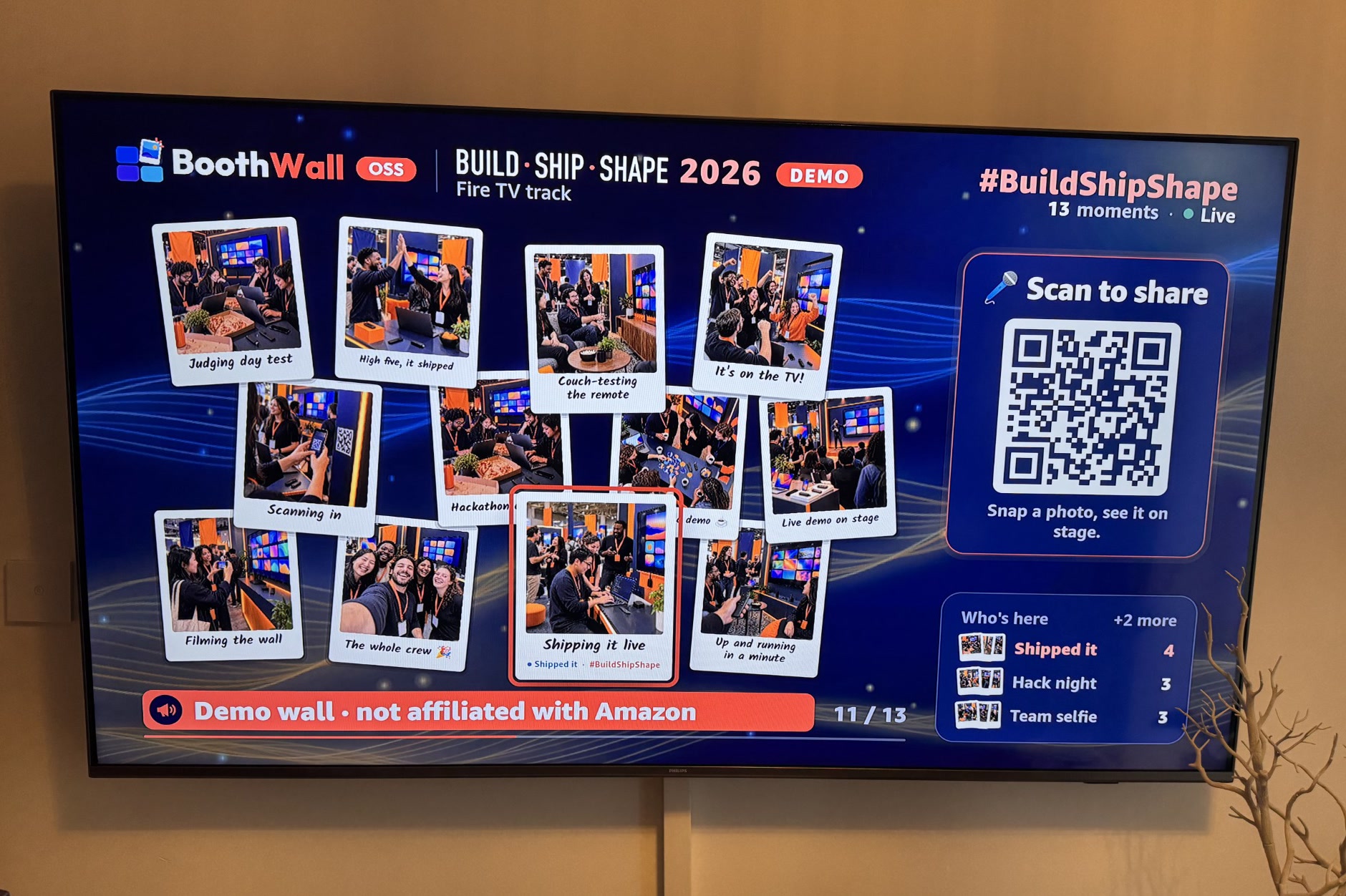
BoothWall running on a Vega OS Fire TV Stick at home: the live wall, with QR and stats.
-
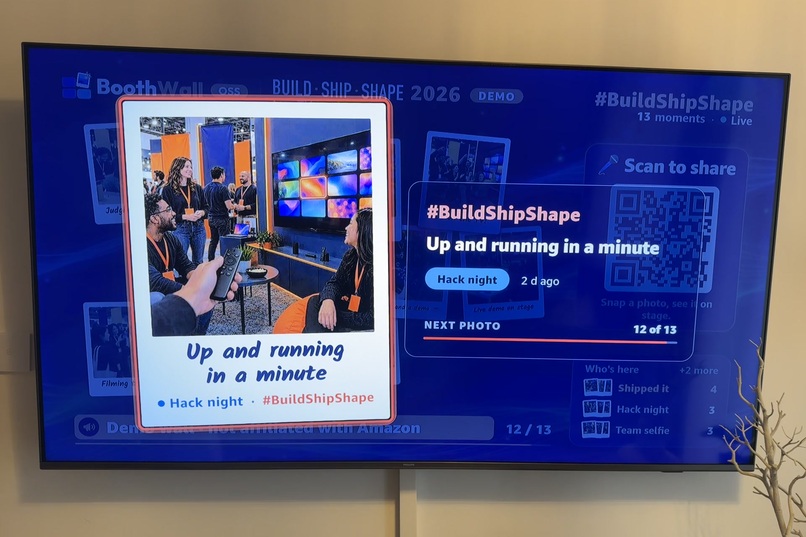
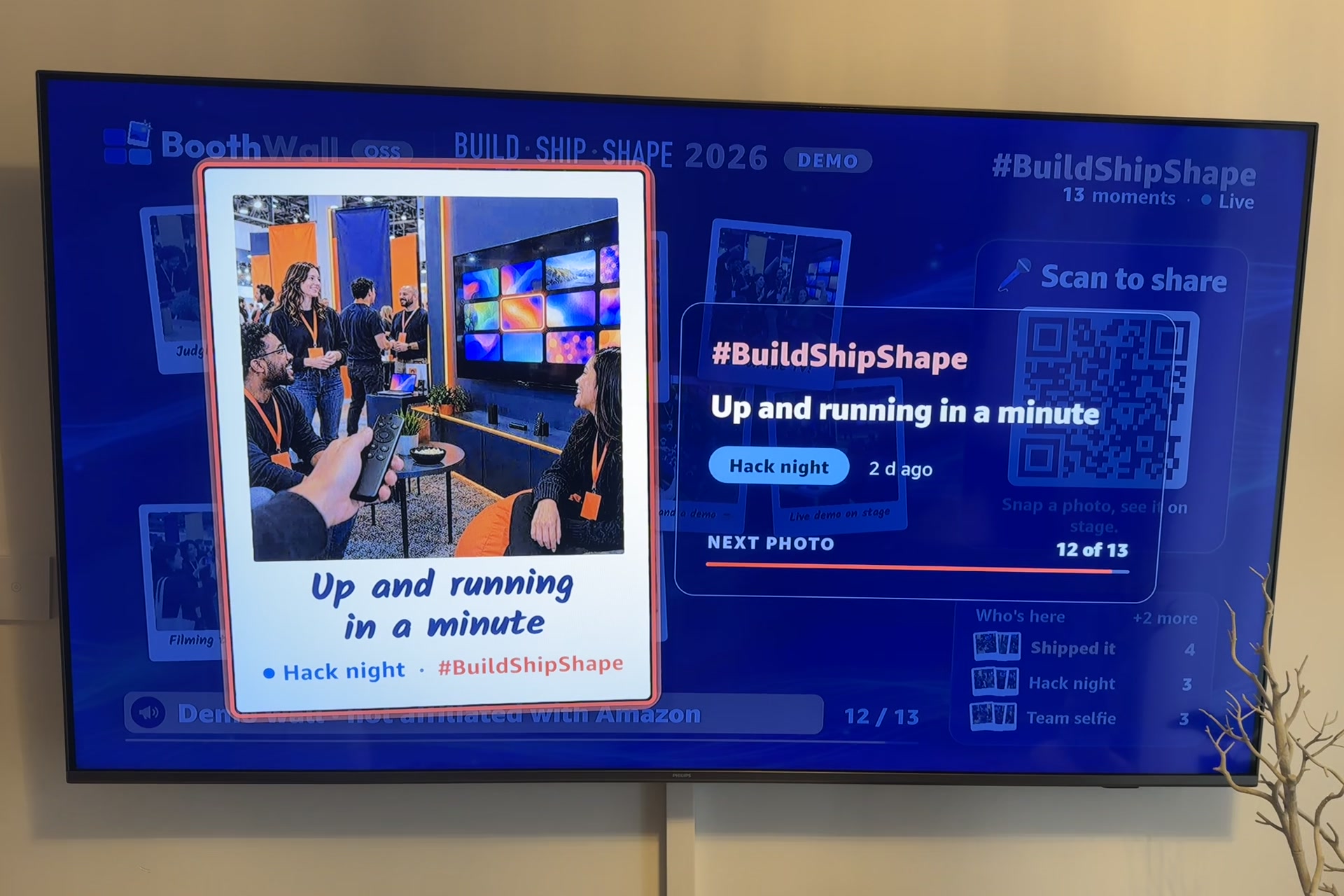
The same Stick, spotlighting a guest photo.
Inspiration
At a wedding, a party or a conference, everyone sees a different part of the same event. A candid photo, a team celebrating what they made, a moment at the next table. We want those moments to become part of the room while people are still there to enjoy them together.
That is the idea behind BoothWall: share out loud, feel the room. Give people a reason to join in and look up.
What it does
BoothWall turns a TV into a live photo wall for the event around it. Guests scan a QR code and share from their phones, without an app or an account. The host reviews every photo before it reaches the screen. When it is approved, it appears full screen, then joins the wall, and the guest's phone says "You're live. Look up!"
Imagine guests sharing the small moments at a wedding, friends answering a photo prompt at a party, attendees showing what they built at a conference, or visitors adding their photo to an exhibition booth's screen. These are the situations we are building for: a wall that reflects the people there and gives them something to share in person.
A photo call makes that invitation explicit. Hold OK on the Fire TV remote, or start it from the host's phone: the TV gives everyone one minute, with a large QR code, a mission and a countdown. The host approves the submissions, the photos land, and a closing card brings that round together.
The current open-source edition runs one event wall, with four looks: wedding, party, conference and universal. You run it yourself. It is a native app for Vega OS Fire TV and the same wall also runs in a browser.
On the TV, the remote belongs to the experience. Use the D-pad to move through photos, OK for a spotlight, Back to close it and Menu for help. Media keys control the slideshow; "Alexa, pause" and "Alexa, next" work through Vega Media Controls. The host can also control the wall from a phone.
BoothWall is built to spark participation and give the room shared memories as the event unfolds. Try the demo to send a photo, approve it and see that complete guest → host → wall flow for yourself.
How we built it
- Fire TV app: React Native 0.83 for Vega OS (
@amazon-devices/react-native-kepler, Vega SDK 0.24). It renders the same wall component as the browser does through React Native for Web.- Native-driver animation on Vega's 960×540 canvas.
- D-pad focus is always visible: a ring and a lift on the selected photo.
- Vega Media Controls with no video in the app. A silent W3C audio session keeps the screensaver away, and the media handlers drive the slideshow.
- Long press without a long-press event: the OK key arrives as repeated key-downs, so we time it ourselves.
- Launch time, measured and fixed on the real Stick. The app reports
performance.reportFullyDrawn(), and Amazon'skpi-visualizershowed 2.3 s to first frame. A trace pointed at module loading before the first render. Now the app draws one plain frame first and starts the keep-awake player 5 s later. Result: 1.02 s to first frame (Amazon's cool-start target is 1.5 s), 3.2 s fully drawn, mean of 10 cool starts on a Fire TV Stick HD (2026). The trade-off: media keys and Alexa answer from about 5 s after launch. - Phone and host pages: React. Backend: a Hono API on Cloudflare Workers with D1 and R2, and a Durable Object that pushes each approval to every screen over WebSocket.
- Local stack:
pnpm demo --lanruns all of it on a laptop for a phone and a Fire TV on the same Wi-Fi.pnpm tryalso builds the TV app and opens it on the Vega Virtual Device.
Challenges we ran into
- Media keys never reach
useTVEventHandleron Vega. They go only to Media Controls, so we needed a media session for an app that plays no media. Commands also only arrive from the app's second launch after install. - "Alexa, play" and "Alexa, resume" do nothing. Our keep-awake session always reports "playing", so Alexa treats them as no-ops. "Pause" and "next" work. We document this instead of hiding it.
- The Home row crops the app icon to its centre 16:9 band, which isn't documented. We redrew the icon for the crop.
- Local networking: the Virtual Device reaches the Mac only over IPv4, and browsers drop
crypto.randomUUIDon plain-http LAN pages. The demo tooling handles both.
Our friction log has 19 entries like these, each with steps, a workaround and a suggestion.
Accomplishments that we're proud of
- One wall component, native on Fire TV and in any browser.
- A complete guest → host → TV loop. It's live at oss.boothwall.com/demo, and it runs from
git cloneon a laptop, TV app included. - Remote, voice and phone working together on a real Fire TV Stick, with a cold start under Amazon's 1.5 s first-frame target.
vega-web-remote, a separate open-source browser remote for Vega developers that came out of building this.
What we learned
Building for Vega OS is mostly React Native you already know. The surprises live at the platform edges: media keys, long presses, the screensaver, the icon crop and memory on a 1 GB Stick. We wrote them up in the repo (docs/vega-os-notes.md) and in posts on oss.boothwall.com so the next developer doesn't lose the same hours.
What's next for BoothWall
"Alexa, play" and "resume", more event themes, and a celebration moment when a photo lands.
Built during the hackathon
The public repo was created on 7 Oct 2026, inside the submission period. Since then we added:
- the native Vega OS app with Media Controls and voice;
- the photo call (from the remote or the host's phone);
- the remote help card and live theme switching;
- the config-driven single-wall open-source edition (v3.0.x);
- the local LAN stack and
pnpm try; - the hosted demo;
- the field notes, the friction log and the project site.
Built With
- cloudflare-d1
- cloudflare-r2
- cloudflare-workers
- durable-objects
- hono
- pnpm
- react
- react-native
- react-native-web
- turborepo
- typescript
- vega-media-controls
- vega-os
- vega-sdk
- websockets

Log in or sign up for Devpost to join the conversation.