
You're surfing the world-wide-web, as one does and you come across a statement. Is it a fact simply because that kid from physics shared something in her story about it? Where do you even begin to look into it when just "googling it" can be so overwhelming? But at the same time, is it safe to repost without looking into it in the slightest? Intro- Boomerang. An online friend to ensure confidence and security while searching the world wide web. Boomerang asks you to stop before you hit that repost button, and though it cannot tell you right from wrong, Boomerang will curate top sources that support and oppose the statement at hand. In this way, YOU are in control of what your final verdict is, but not at the hand of a sketchy " .xyz " domain, and instead through an informed reading through verified sources. You took the pause to rethink and it paid off because in the end, that kid from physics who shared the misinformed post all the way at the start was very wrong and if nothing else, while you became better educated on what was happening, you saved yourself a lot of embarrassment. Stop; Start; Boomerang.
Inspiration
We wanted to work on an app that would help bridge a technological gap, this is when we thought of various family members who use Whatsapp and sometimes spread information widely before checking it’s validity. Our second thought was how those raised with the web know how to navigate websites and decide whether they are legitimate or scams. So, we decided to work on a program that would combat both problems.
We learned that there have been articles and techniques to address these two problems, however, most of them require manual checking, and none work on both at the same time. This means that while our app isn’t a new school of thought, it is still useful because it is automating several processes which some users may not be so well versed in.
What it does
Boomerang has three key functions. Firstly it offers the main component, a fact-checker. The extension recognizes highlighted texts and is able to extract various validated sources from the web that either prove or disprove the text’s contents. Users are then able to better gauge what sources have worked on the topic at hand and further, can quickly learn about whatever two sides of the story may exist. This ensures they make the best decision possible when forming a personal take on the issue. Secondly, Boomerang comes with a scam-checker. By inputting links and URLs, consumers can use Boomerang to aid in scanning websites to see how trustworthy they truly are. And finally, through a combination of the software in the former two tools, Boomerang will provide an ad verification tool. This tool scans ads and extracts keywords and links and then searches the web to determine if the media is providing secure information, or if a scam is likely.
How we built it
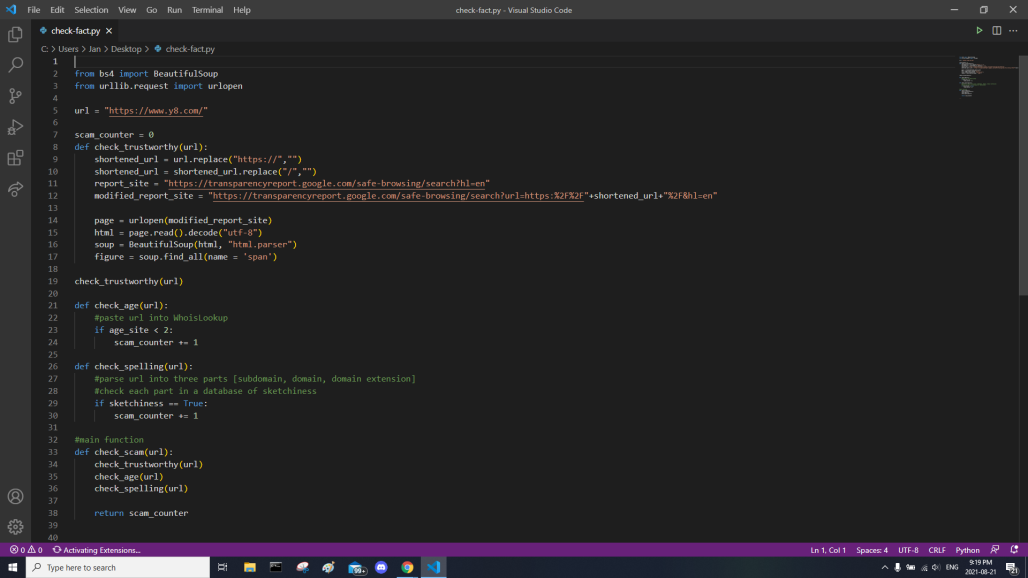
We decided to use VS Code and Chrome Development Tools to write our program. VS Code was our main IDE and Chrome Development Tools were being used to successfully translate our code into a chrome extension.
Although we were unable to access Cloud functions, the following tools would be utilized to build our extension: Google app engine - could use this as a base for our code; helps build a website
Google cloud functions - lets us connect and use different services; google API, third-party services, etc.
Google cloud firestone - could use to construct an app version of the chrome extension
Google cloud autoML - could use machine learning to vastly improve how all checkers work
Google cloud vision - could be used to assist the visually impaired; helps detect some things on screen the user may not be able to see clearly
Google cloud natural language - could be used to let fact-checker understand intent and sentiment behind sentences, making it far more effective
Google cloud translation - let’s boomerang work in multiple languages
Google cloud speech-to-text - helps boomerang be more accessible to users by offering a different way to input commands; helps users with trouble typing
Google cloud text-to-speech - helps boomerang be more accessible to users by offering a different medium for output; helps users with trouble reading
Challenges we ran into
Some of the challenges we faced along the way were making the flow chart for our code and finding pre-existing functions to suit our needs. For the flow chart, we knew for the fact and scam checker that we would compare the user’s entry against a list of criteria. The obstacle there was coming up with that exact list because we had to balance how effective an idea would be against how realistically we could make it work. For the second challenge, we had to first locate some functions which would take too much time, or expertise, to make but were important nonetheless. An example is a function with the capability of “web scraping”, since we have to pull information from websites often.
Accomplishments that we're proud of
We’re proud of our ability to work with a number of mentors to learn how we could continuously develop the concepts of our app to provide consumers with more resources, while taking a building block approach to our project as a whole.
What we learned
We learned that the spread of misinformation, and the lack of cybersecurity is so prevalent that each person with whom we would share a pitch, would immediately understand the context of our app. By this being the case we learned just how prevalent the issue is and further, how critical it is to make a solution.
What's next for Boomerang
Once fully developed, Boomerang would aim to become a persistent background app that could recognize specific texts in a manner that programs like Grammarly extensions might. Thi way, users needn't even initiate the app and instead, the way their grammar may be monitored, the content can be checked on as well.

Log in or sign up for Devpost to join the conversation.