-
-
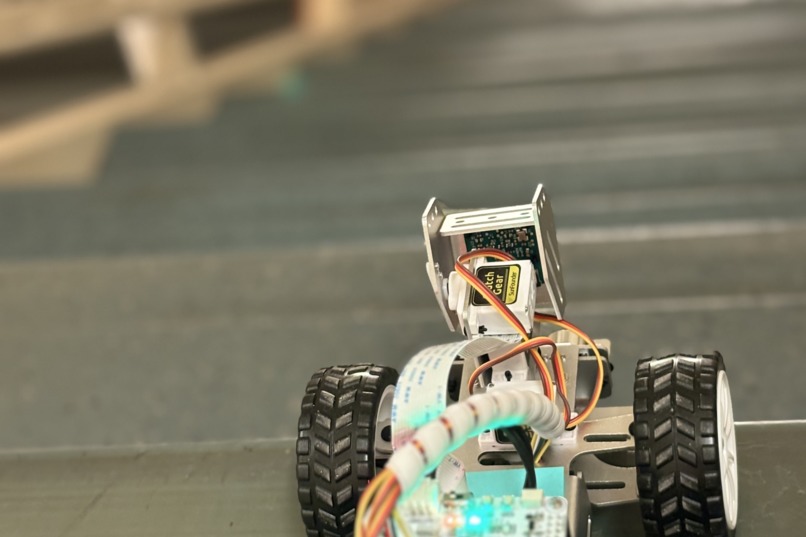
Boom stopping at a cliff
-
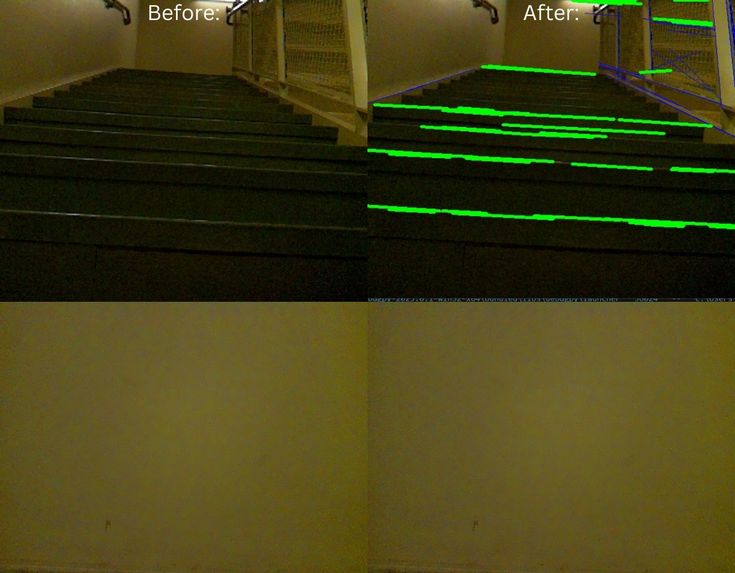
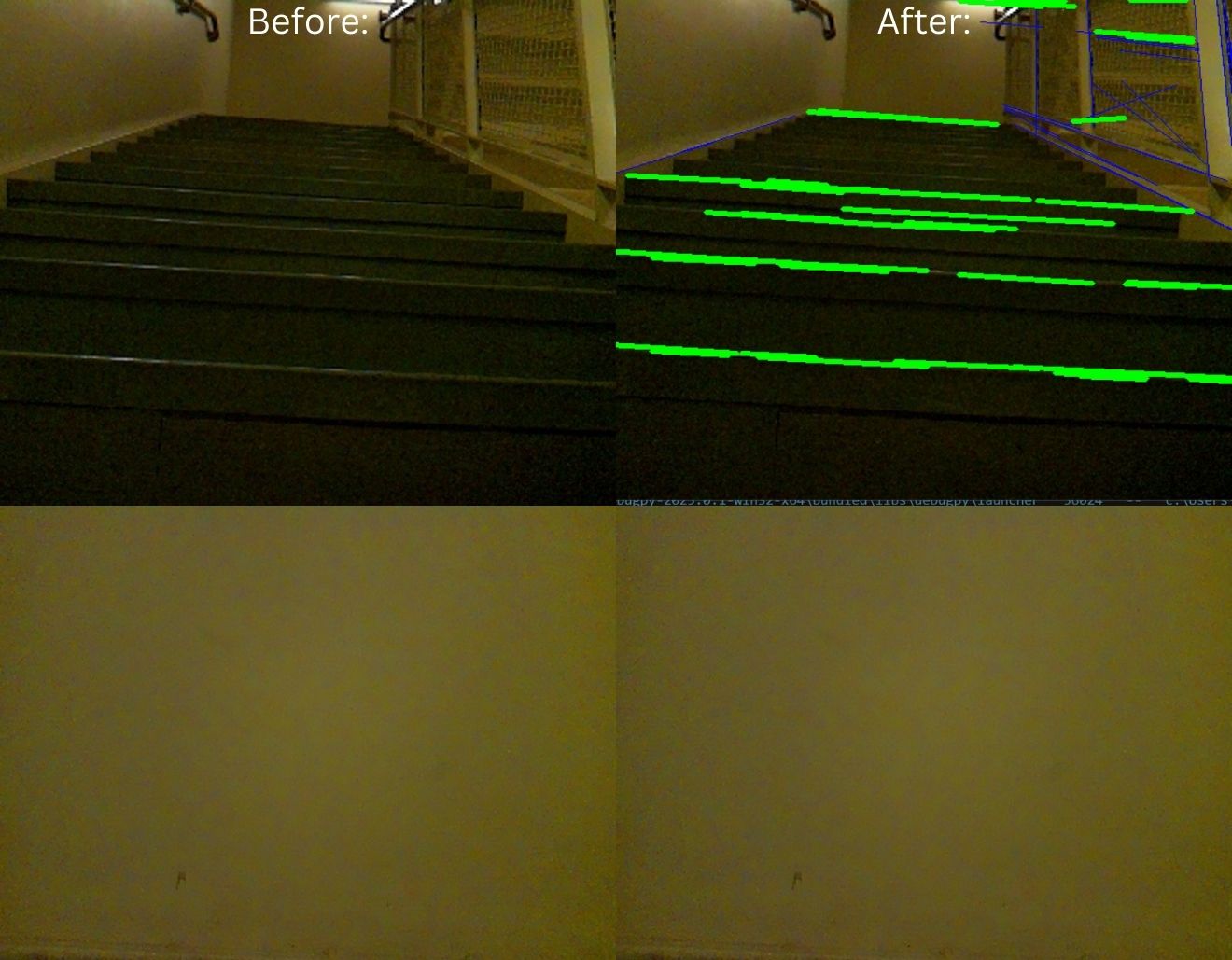
Stairs and wall before vs after line detection processing
-
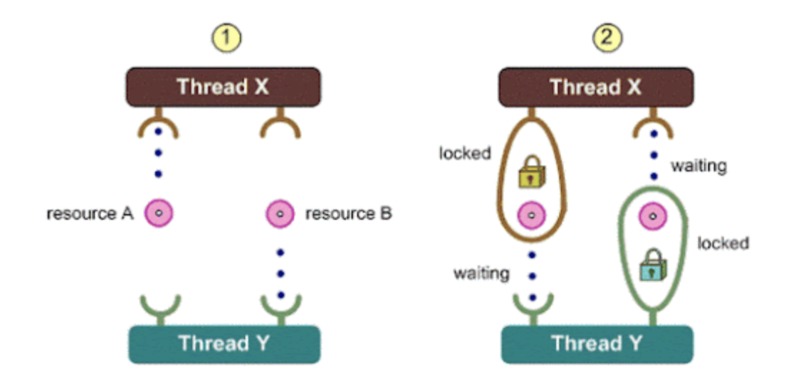
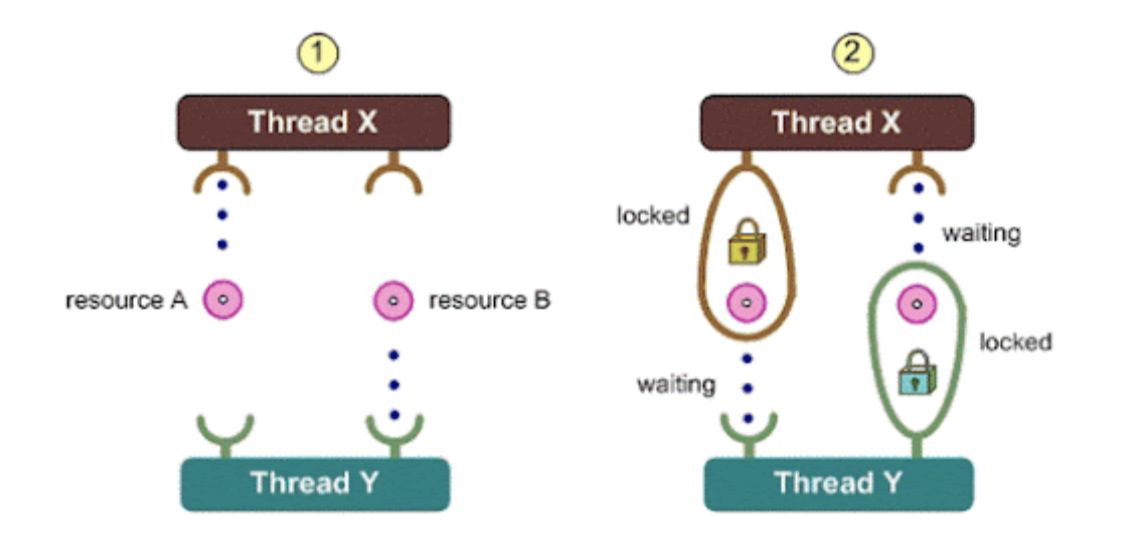
Multithreading. Locking and unlocking resources between processes.
Inspiration
Visually impaired individuals often face problems navigating a society that isn't designed for them. Many have guide animals to help them, but a traditional guide dog can cost about $50,000 per year and is difficult to train. Our vision is to provide a solution that's more accessible to all by creating an autonomous guide dog vehicle that utilizes computer vision and other sensors to warn the user of danger.
What it does
In general, our vehicle leverages multiple sensors to gather information about the environment and warn the user accordingly. The ultrasonic distance sensor senses if an obstacle is in the user's path, then utilizes the camera to detect the type of obstacle. It will warn accordingly if the user faces a wall or an upward stairwell. The line sensor can detect if a drop-off is ahead of it, which can be used to warn the user of a downward stairwell, a curb on the street, or a steep drop-off. Via the onboard speaker we notify the user of the robots messages.
How we built it
For our hardware component, we used a mobile platform equipped with a Raspberry Pi, camera, ultrasonic distance sensors, and a line sensor. For our software component, we utilized computer vision through the picarx and OpenCV libraries to help detect obstacles and decide on a path. For our stair detection component, we filtered images, utilized canny edge detection, then used the probabilistic Hough line transform in order to find where lines were. Then, we deleted any that were not roughly horizontal, and grouped lines together by y-coordinate. We then measured the amount of groups in order to detect if a stair was present or not. We also utilized multi-threading to handle sensor and camera data in parallel, ensuring smooth and responsive guidance. Every process of our robot that required considerable time to run was split into its own tread. For example, our distance sensor subsystem needed to wait a short amount of time for the sound waves to reverberate back to itself. Thus we put it into its own thread enabling it to run simultaneously with the decision making code without impacting the decision makers speed.
Challenges we ran into
At first, we had no idea how the camera was going to differentiate between different obstacles. We had to develop a way to turn our raw images into data that we could interpret and establish which obstacle we were really seeing. We also had to keep in mind time limitations. The vehicle must respond to obstacles as quickly as possible because a fraction of a second can mean the difference between an effective guide and a disaster. To do this, we tried to implement time-saving measures in all of our sensing and image processing. For example, we used the Probabilistic Hough line transform. This method cuts corners by only considering subsets of the points we care about, but it is still very effective for our purposes since the lines we measure are simple, and its increased processing speed is extremely valuable to our purpose.
Accomplishments that we're proud of
We're proud that we were able to implement several different sensors and obstacle detection methods, each requiring complex computer vision processing and sensor data processing all in one day. We're also proud of our solution's usage of multi-threading because it allowed us to ensure real-time performance by processing different sensors simultaneously.
What's next for Boom the Guide Dog!
Our current project is somewhat limited in scope as it can't currently detect every obstacle that a visually impaired person might need to know about to go about everyday life. So, some next steps include further classification of different obstacles like road signs and traffic. We would also like to implement a more advanced pathing mechanism that allows the user more control over where the vehicle actually leads them. Additionally, the vehicle could be improved mechanically to be able to traverse obstacles like stairs with the user. Lastly, the speaker volume is currently an issue as it can easily be drowned out in light noise, so a more powerful speaker could remedy that.


Log in or sign up for Devpost to join the conversation.