Inspiration
Traditional home security systems are great at telling you that something happened, but an emergency requires much more context. A motion alert doesn't tell responders who is inside, where people are moving, whether someone is in danger, or how the situation is changing.
We wanted to explore a different question: What if a security system could actually understand an emergency as it unfolds?
That became Radar.
Our goal was to create an intelligent emergency-response layer for the home that combines computer vision, wireless sensing, mobile devices, and AI agents to build a continuously updated picture of an incident from the first detection to the final evidence package.
What it does
Radar is an AI-powered home emergency awareness and response system designed to understand an emergency from the moment it begins to the investigation that follows.
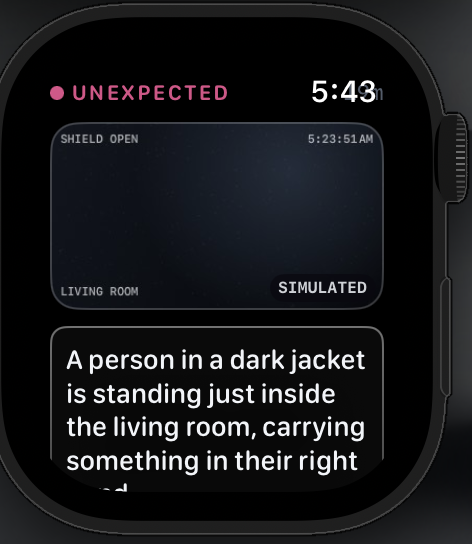
When Radar detects a potentially dangerous situation, such as an unidentified person entering a home, its Camera Agent analyzes the scene, identifies relevant people, and tracks their activity and movement. Radar combines this with additional sensing data to maintain a live understanding of what is happening inside the home.
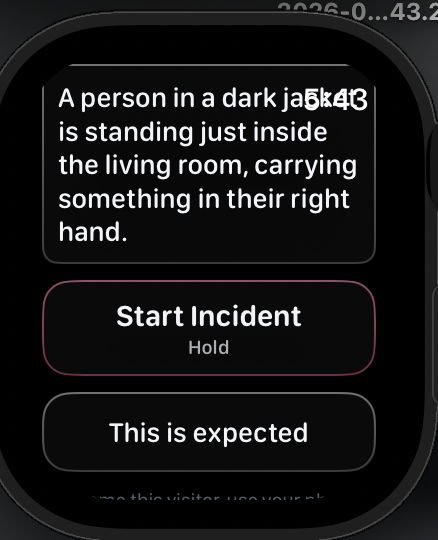
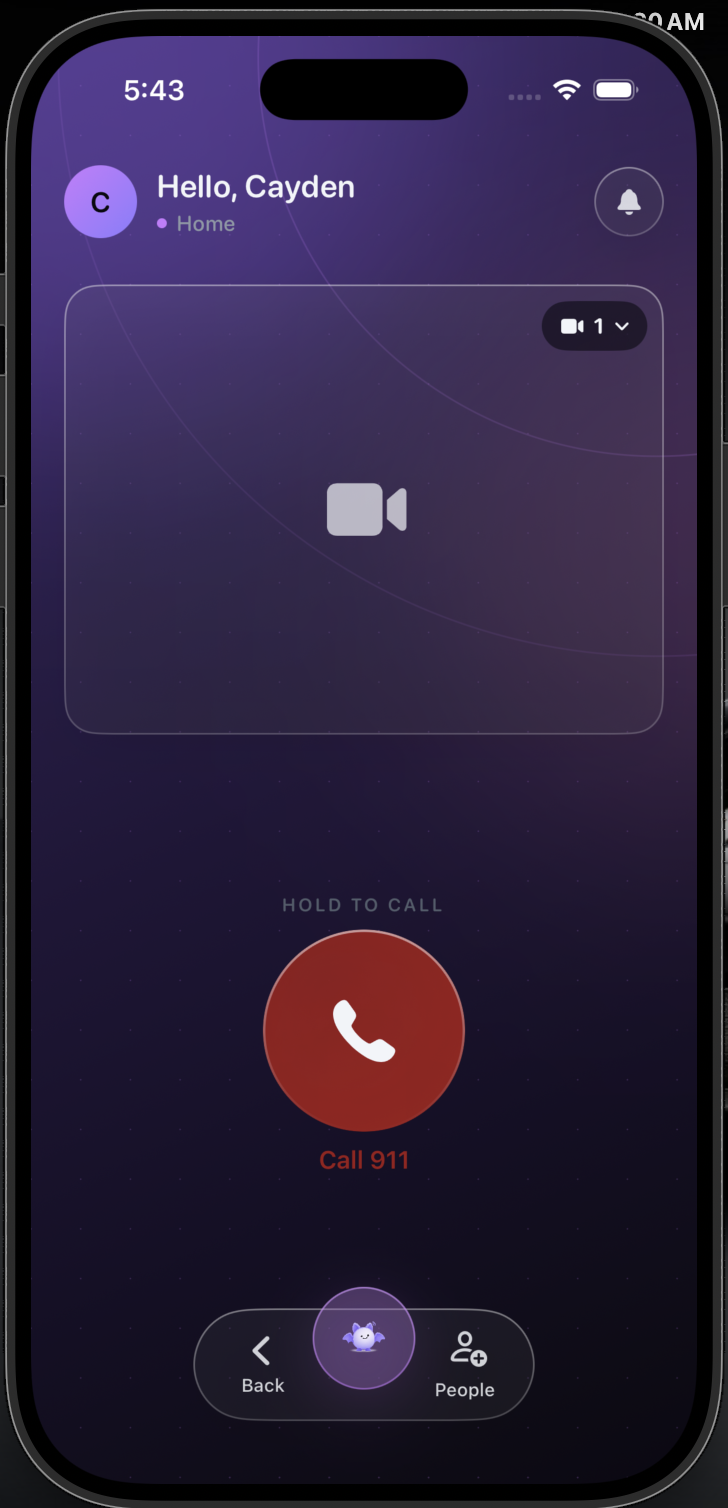
If something suspicious is detected, Radar immediately alerts the resident through both the iPhone and Apple Watch apps. From their wrist or phone, the resident can start an incident and provide additional information without navigating a complicated interface during an emergency.
Once an incident begins, Radar's specialized AI agents work together around a shared incident state. The system continuously tracks information such as who has been detected, where they were last observed, what the cameras currently see, what the resident has reported, and how the situation is changing.
Radar's Call Agent uses this live context during a simulated emergency call. Instead of relying entirely on a resident under stress to explain the situation, the agent can communicate relevant observations from Radar's computer-vision system while the incident continues to evolve. The resident's speech can also be transcribed from their phone or Apple Watch and incorporated into the incident.
Radar continues working even after the immediate emergency ends.
Throughout the event, the Replay Agent records and organizes important information including camera footage, AI detections, movement, timestamps, user statements, and the emergency-call transcript. Once the incident is resolved, the Replay Agent reconstructs these events into a synchronized timeline and sends the structured incident data to a web application dashboard.
The dashboard provides a central place to review an incident afterward. Instead of searching through hours of raw security footage, an authorized user can view the incident summary, replay the timeline chronologically, inspect relevant video clips, review the call and user transcripts, see detected people and movement, and examine the evidence associated with individual events.
How we built it
Radar combines computer vision, Wi-Fi sensing, mobile applications, voice AI, and a multi-agent backend into one real-time emergency response system. At the edge, a router and laptop-based sensor monitor changes in Wi-Fi signals to detect movement and presence inside the home. When suspicious activity is detected, Radar activates its cameras, where our Vision Agent uses computer vision to detect people, track activity, and record relevant footage.
Radar's backend is built as a collection of specialized agents, each responsible for a specific part of an incident:
- Master / Incident Agent - coordinates the system, maintains incident context, and routes information between agents.
- Vision Agent - manages cameras, person detection, scene understanding, narration, and video recording.
- Intruder Tracking Agent - tracks unidentified people using Wi-Fi sensing.
- People Tracking Agent - maintains the number and locations of people detected throughout the home.
- Shutter Agent - Has the skill to one GPIO pin, verify a grant, move 90°, and refuses everything else
- Call Agent - communicates relevant incident information through the emergency-call workflow.
- Replay Agent - records the incident timeline and prepares information for post-incident investigation.
For communication, we use ElevenLabs for real-time conversational voice, Retell AI for phone-call infrastructure, and our Call Agent to translate the constantly changing incident state into useful information during the call.
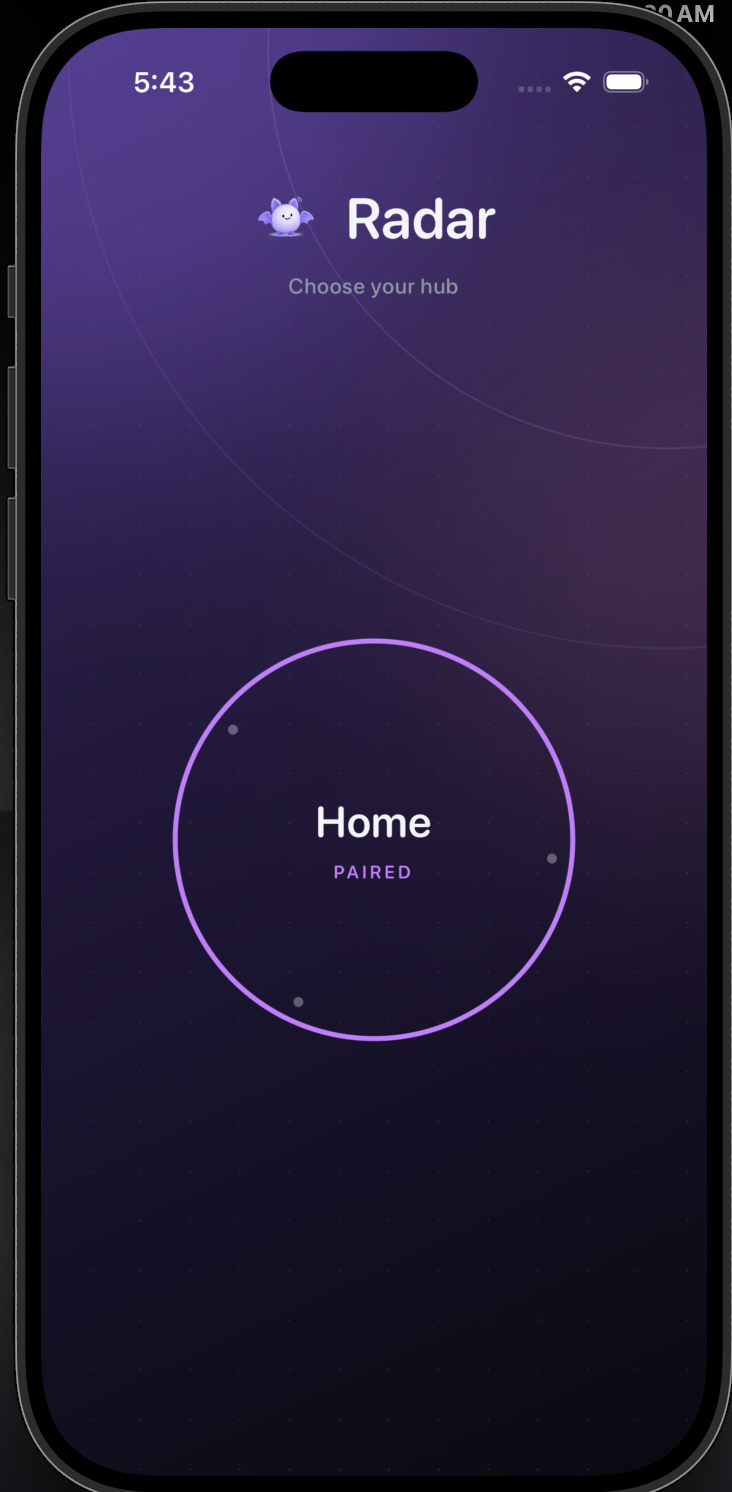
On the user side, Radar is built with Swift for both iOS and watchOS. When an incident is detected, users receive an alert on their iPhone and Apple Watch and can confirm their safety or initiate the emergency workflow directly from their devices.
Throughout the incident, Radar stores footage, detections, transcripts, timestamps, and agent events in MongoDB. The Replay Agent organizes this information into a chronological record and sends it to our web application, giving users and authorized investigators a dashboard for reviewing what happened after an emergency.
Our web dashboard is hosted on Vultr, with Gemini used for video analysis and incident understanding. We use Resend for our evidence-delivery workflow so relevant incident information can be sent through an authorized channel after the event.
Our infrastructure is secured using Let's Encrypt for TLS/HTTPS, with GoDaddy used for our domain and DNS infrastructure.
Together, our stack includes Wi-Fi sensing, computer vision, Swift/iOS/watchOS, MongoDB, Vultr, Gemini, ElevenLabs, Retell AI, Resend, Let's Encrypt, and a custom multi-agent architecture—connecting physical sensing all the way to emergency communication and post-incident investigation.
Challenges we ran into
- Connecting everything together - Computer vision, Wi-Fi sensing, voice AI, iOS, watchOS, notifications, and our backend all had to communicate as one real-time system.
- Reducing latency - Emergency alerts need to arrive quickly, so we optimized the path from detection → classification → backend → user notification.
- Handling AI uncertainty - Computer vision isn't perfect, so we had to avoid treating every detection as fact and instead combine multiple sources of information.
- Synchronizing agents - Multiple agents needed to share information without duplicating work or creating conflicting versions of an incident.
- Designing for emergencies - We had to make the iPhone and Apple Watch interfaces usable with as few interactions as possible.
Accomplishments that we're proud of
- Built an end-to-end system - Radar connects real-world detection all the way to user alerts, emergency communication, and post-incident investigation.
- Created a multi-agent architecture - Specialized agents independently handle vision, tracking, coordination, calling, and replay while sharing incident context.
- Integrated Apple Watch - Users can receive alerts and interact with an active incident directly from their wrist.
- Combined physical sensing + AI - Radar brings together Wi-Fi sensing and computer vision rather than depending on a single sensor.
- Built the Replay Agent - Radar reconstructs incidents using video, transcripts, detections, movement, and timestamps.
- Created a post-incident dashboard - Replay data is sent to our web application so incidents can be reviewed and investigated afterward.
What we learned
- Detection isn't the same as understanding - Knowing that a person exists doesn't explain who they are, where they're going, or whether they're a threat.
- Context is extremely important - Combining cameras, Wi-Fi sensing, user input, and agent observations creates a much richer picture of an emergency.
- More agents ≠ a better system - Specialized agents are useful when each has a clear responsibility and only the context it needs.
- A shared source of truth matters - Agents need to work from the same incident state to prevent conflicting information.
- Real-world AI requires uncertainty - Radar needs to distinguish between what it knows, what it detects, and what it only suspects.
- Hardware + software integration is hard - Building AI is only one piece; connecting sensors, cameras, mobile devices, APIs, databases, and physical hardware was a major part of the project.
- Emergency UX has to be simple - In a high-stress situation, every unnecessary interaction matters.
What's next for Radar
Our next step is improving Radar's ability to understand increasingly complex situations while reducing detection and notification latency.
We want to expand the computer-vision system to better track individuals between cameras and recognize meaningful changes in an environment. We also want to continue developing our Wi-Fi sensing system so Radar can maintain awareness in areas where cameras cannot see.
On the user side, we plan to expand the Apple Watch experience with faster incident controls, live status updates, and context-aware guidance.
Radar can also grow beyond intrusion detection. The same architecture could potentially support falls, fires, medical emergencies, and other dangerous situations, with different agents and response playbooks activated depending on the incident.


Log in or sign up for Devpost to join the conversation.