Inspiration
Our links were everywhere. Browser bookmarks, WhatsApp "Saved Messages", random notes app entries, screenshots of tweets we meant to read later. Most of it was never opened again. The problem was never saving content, it was finding it and connecting it back to what we already knew.
We wanted a single place to drop any link (an article, a YouTube video, a tweet, a PDF) and have AI do the boring work: understand what it is, tag it, summarize it, and make it searchable by meaning instead of exact keywords. That idea became BookMaster: a second digital brain.
What it does
BookMaster lets you save anything from the internet with one click, either from the web app or from our Chrome extension, and turns it into organized knowledge automatically. When a link is saved, the backend scrapes the page (with special handling for YouTube), then runs it through Gemini AI in parallel to generate five relevant tags, a two to three line summary, and a vector embedding of the content. From there, users get:
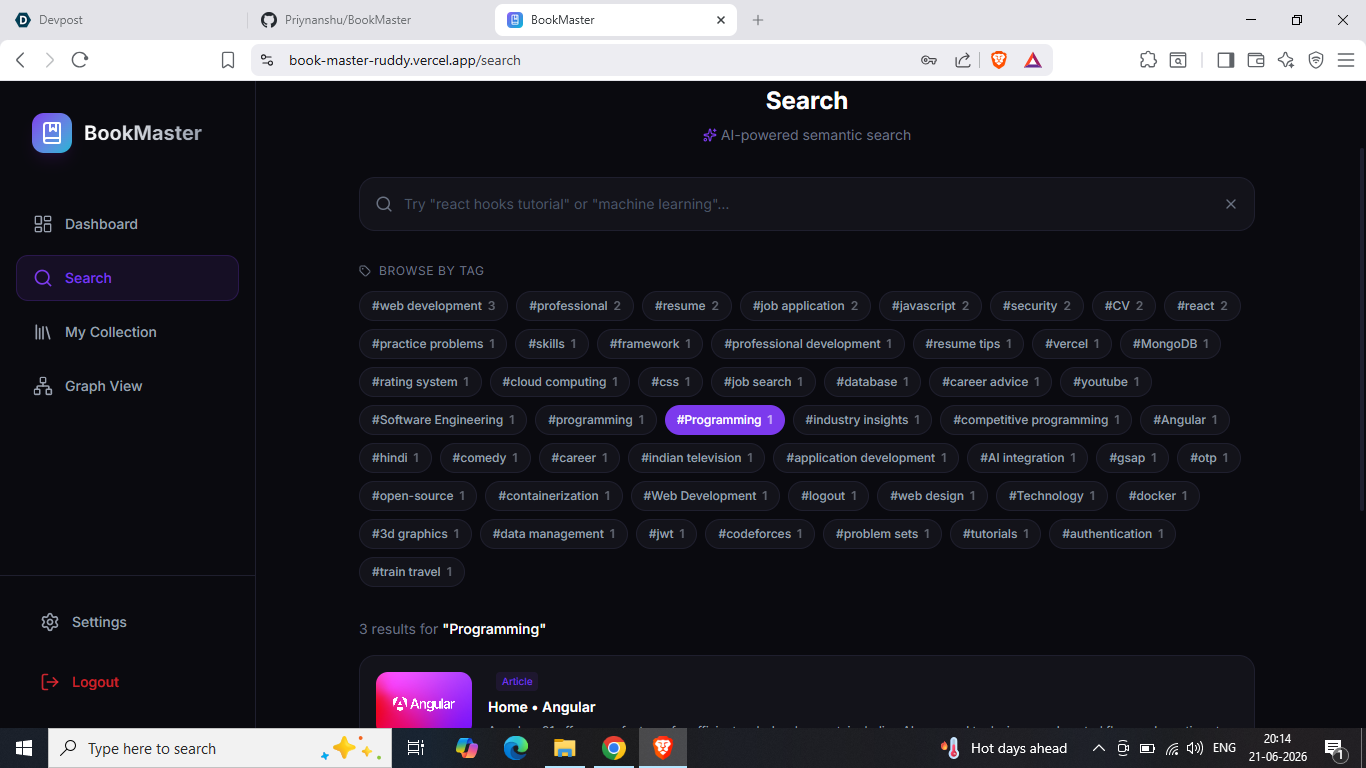
- Semantic search, powered by MongoDB Atlas Vector Search, so searching "react state management" can surface a saved article that never uses those exact words.
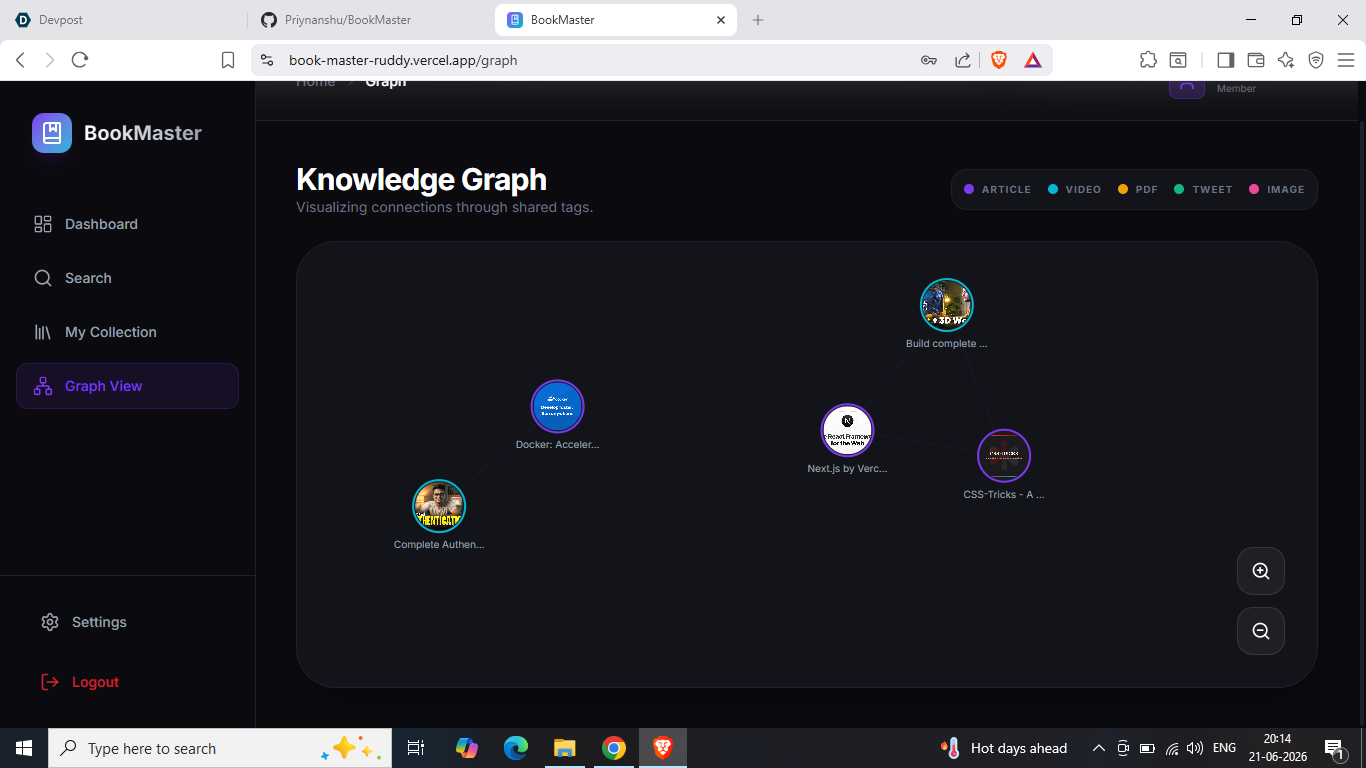
- A knowledge graph, rendered with D3.js, that visually connects items sharing common tags so users can see clusters of related knowledge form over time.
- Collections to manually group items, with custom icons and colors.
- Highlights to save important quotes or notes against any item.
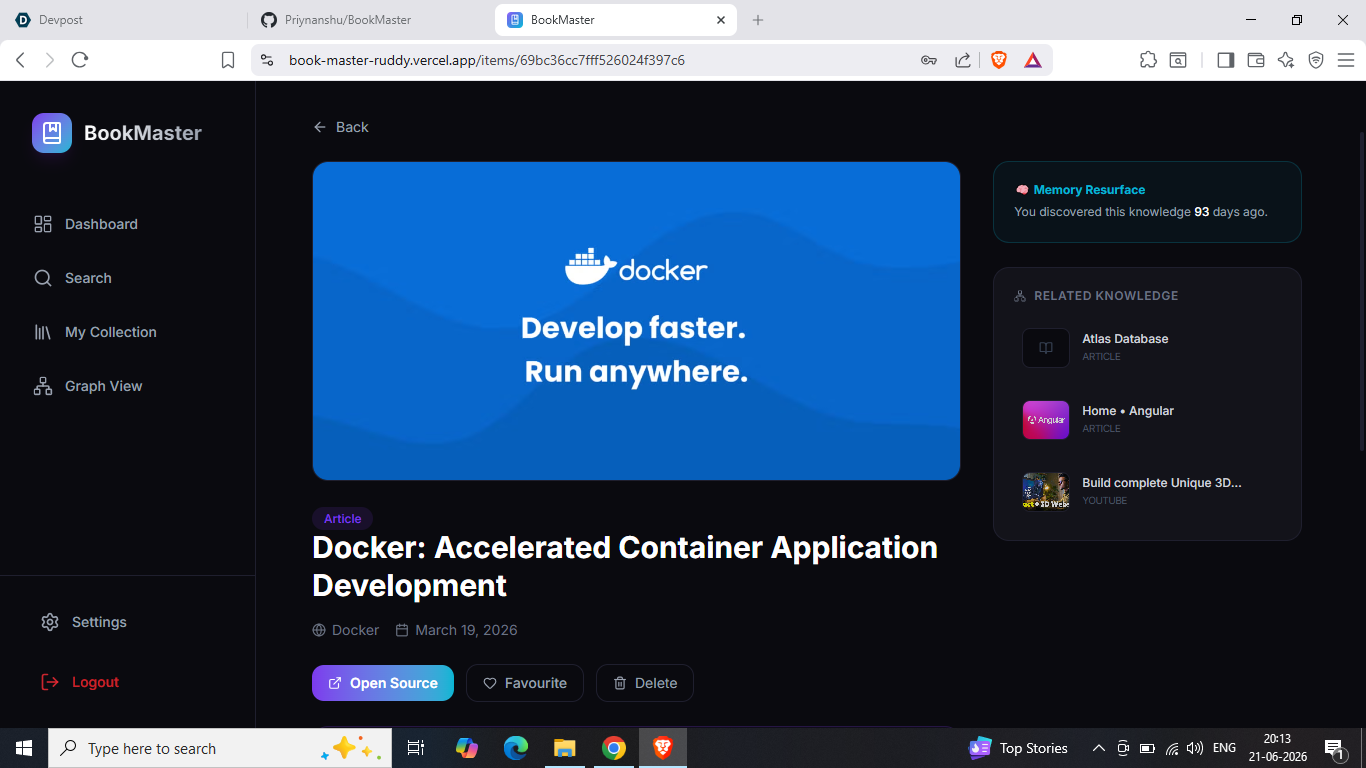
- Memory resurfacing, which surfaces items saved 7, 30, and 90 days ago, similar to "On this day" but for knowledge.
- PDF upload, where uploaded PDFs are stored on Cloudinary, parsed with pdf-parse, and run through the same AI pipeline as web links.
- A dashboard showing total saves, items this week, top tags, and a type breakdown.
How we built it
The stack is full MERN: React with Vite on the frontend, Node.js and Express on the backend, MongoDB Atlas for storage, all styled with Tailwind CSS and animated with Framer Motion.
State is managed with Redux Toolkit, split into feature slices for auth, items, search, collections, stats, and graph. Authentication uses JWT, supporting both httpOnly cookies and bearer tokens (needed because the Chrome extension cannot rely on cookies), with Redis used to blacklist tokens on logout and rate limiting on the login route.
For content extraction, we use Cheerio to pull Open Graph metadata from articles, with a separate path for YouTube links that calls the official oEmbed API instead of scraping. Title, description, thumbnail, and cleaned text content are extracted and capped to keep payloads reasonable.
AI processing runs through Cohere: embed-english-v3.0 for embeddings (separate input types for documents versus search queries), and command-r-plus for tag generation and summarization. Tag generation, summary generation, and embedding generation run concurrently with Promise.all to keep save times low.
Semantic search and the "related items" feature both run MongoDB's $vectorSearch aggregation stage against the stored embeddings, scoped to the logged in user. The knowledge graph endpoint computes shared-tag edges between all of a user's items on the backend, and the frontend renders this as a force-directed graph using d3-force, complete with zoom, drag, and a detail panel for the selected node.
The Chrome extension is a Manifest V3 extension with a popup for saving the current tab and a right-click context menu option. It receives the auth token from the web app through chrome.runtime.sendMessage using externally_connectable, and stores it in chrome.storage.local, keeping the extension in sync with whichever account is logged into the web app.
A node-cron job runs daily to check for items saved exactly 7, 30, or 90 days ago and prepares them for resurfacing.
Challenges we ran into
Syncing authentication between the web app and the Chrome extension was tricky since the extension cannot read localStorage or cookies from the web app's origin. We solved this with externally_connectable messaging, where the web app explicitly pushes the token to the extension's background service worker on login, register, and logout.
Setting up MongoDB Atlas Vector Search for the first time meant learning how to create a proper vector index, then tuning numCandidates and limit so search results stayed both fast and relevant.
Scraping is inherently messy. Different sites structure their content completely differently, some block scrapers outright, and YouTube needed a separate code path entirely. We built fallback logic so a failed scrape still produces a usable, if minimal, saved item instead of crashing the save flow.
Keeping the "save" action fast was important since each save triggers three separate AI calls. Running them sequentially made saves feel slow, so we moved to parallel execution with Promise.all, which significantly cut down response time.
Rendering the knowledge graph smoothly with d3-force while also supporting zoom, drag, and a resizable container required careful handling of the simulation lifecycle so it would not leak or restart unnecessarily on every re-render.
Accomplishments that we're proud of
We are proud that semantic search actually works the way it is supposed to: it understands meaning, not just keywords, because it is backed by real vector embeddings and not a regex hack. The knowledge graph turned out to be a genuinely useful way to rediscover connections between saved content that a simple list view would never reveal. The Chrome extension works as a true companion to the web app rather than a separate disconnected tool, sharing the same login session seamlessly. We also built a consistent, polished dark-themed design system from scratch, with reusable UI components (buttons, inputs, badges, modals) used consistently across the entire app.
What we learned
I learned how to design and query a real vector search index in MongoDB Atlas, including writing aggregation pipelines that combine vector similarity with user-scoped filters. I learned the message-passing patterns required to build a Chrome extension (Manifest V3) that securely talks to a separate web application. I learned how to prompt an LLM (Cohere) reliably enough to get clean, parseable JSON output for tagging, including handling cases where the model wraps its answer in markdown code fences. I also learned, very practically, how much of a difference running independent async operations in parallel makes for user-perceived performance in latency-sensitive features.
What's next for BookMaster
Image upload is already scaffolded on the backend through Cloudinary and just needs to be wired up to the frontend save flow. Memory resurfacing currently logs to the server console. The next step is turning that into real email or in-app notifications. We also want to add bulk actions in the dashboard (multi-select delete, move to collection), shareable public collections, and a smarter related-items ranking that blends vector similarity with tag overlap for even better recommendations.
Built With
- axios
- bcrypt
- cheerio
- chrome-extension-manifest-v3
- cloudinary
- cohere-ai
- d3.js
- express.js
- framer-motion
- gemini
- jwt
- mongodb-atlas
- mongodb-atlas-vector-search
- mongoose
- node-cron
- node.js
- pdf-parse
- react
- redis
- redux-toolkit
- render
- tailwind-css
- vercel
- vite


Log in or sign up for Devpost to join the conversation.