-
-
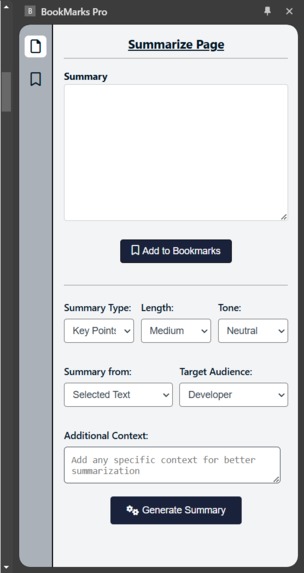
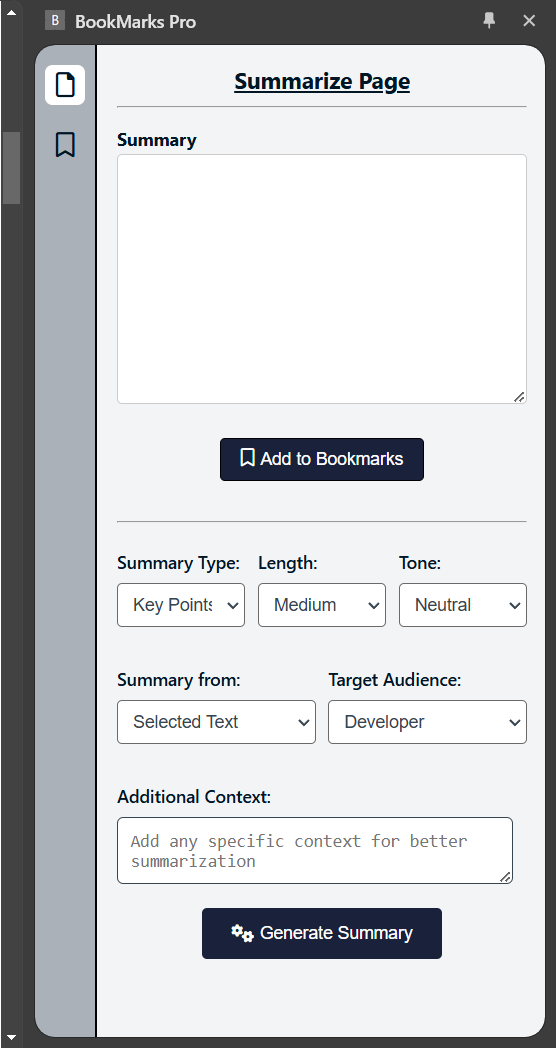
Summarize Page UI and features
-
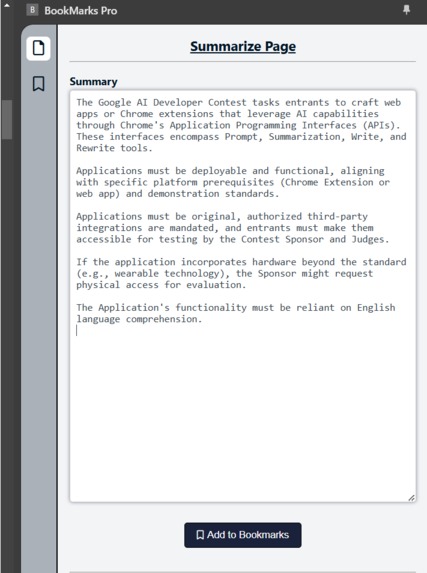
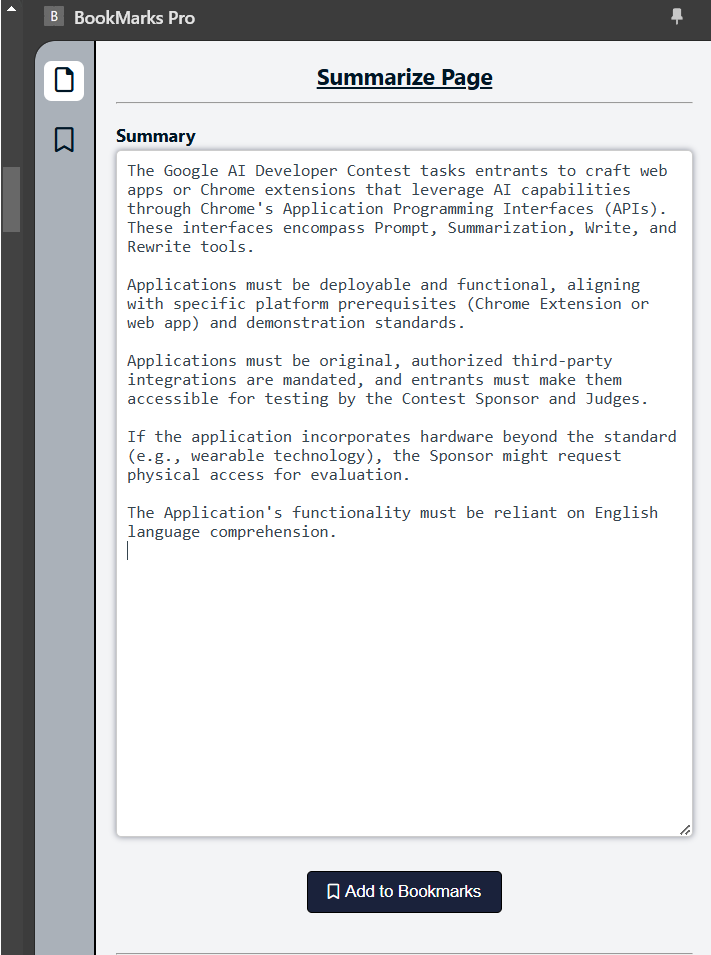
generated summary
-
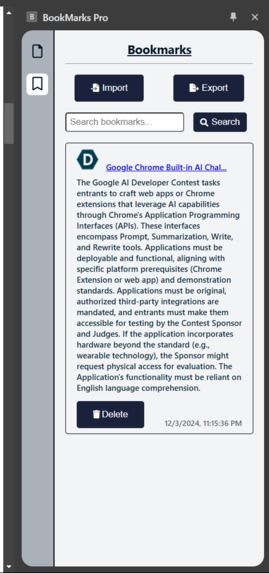
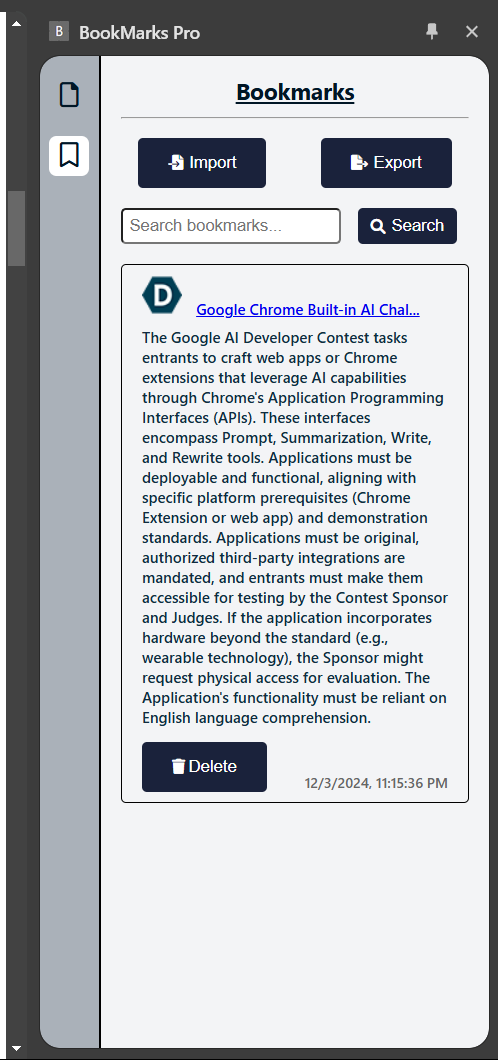
Bookmarks Page UI and features (search, import, export)
-
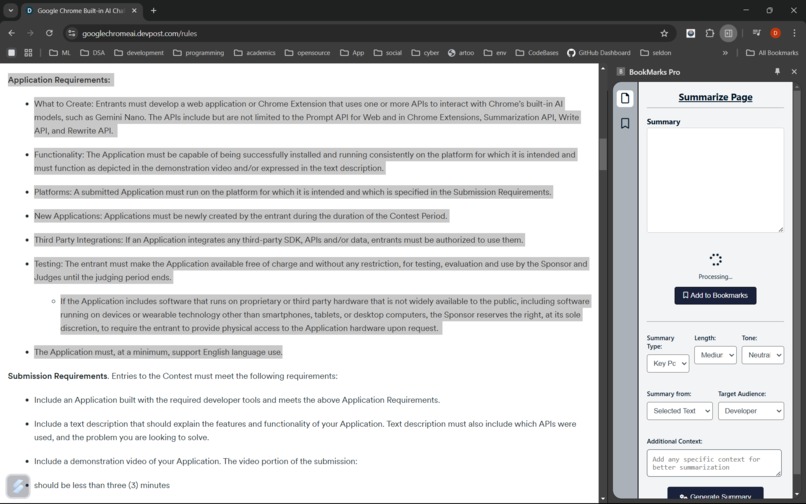
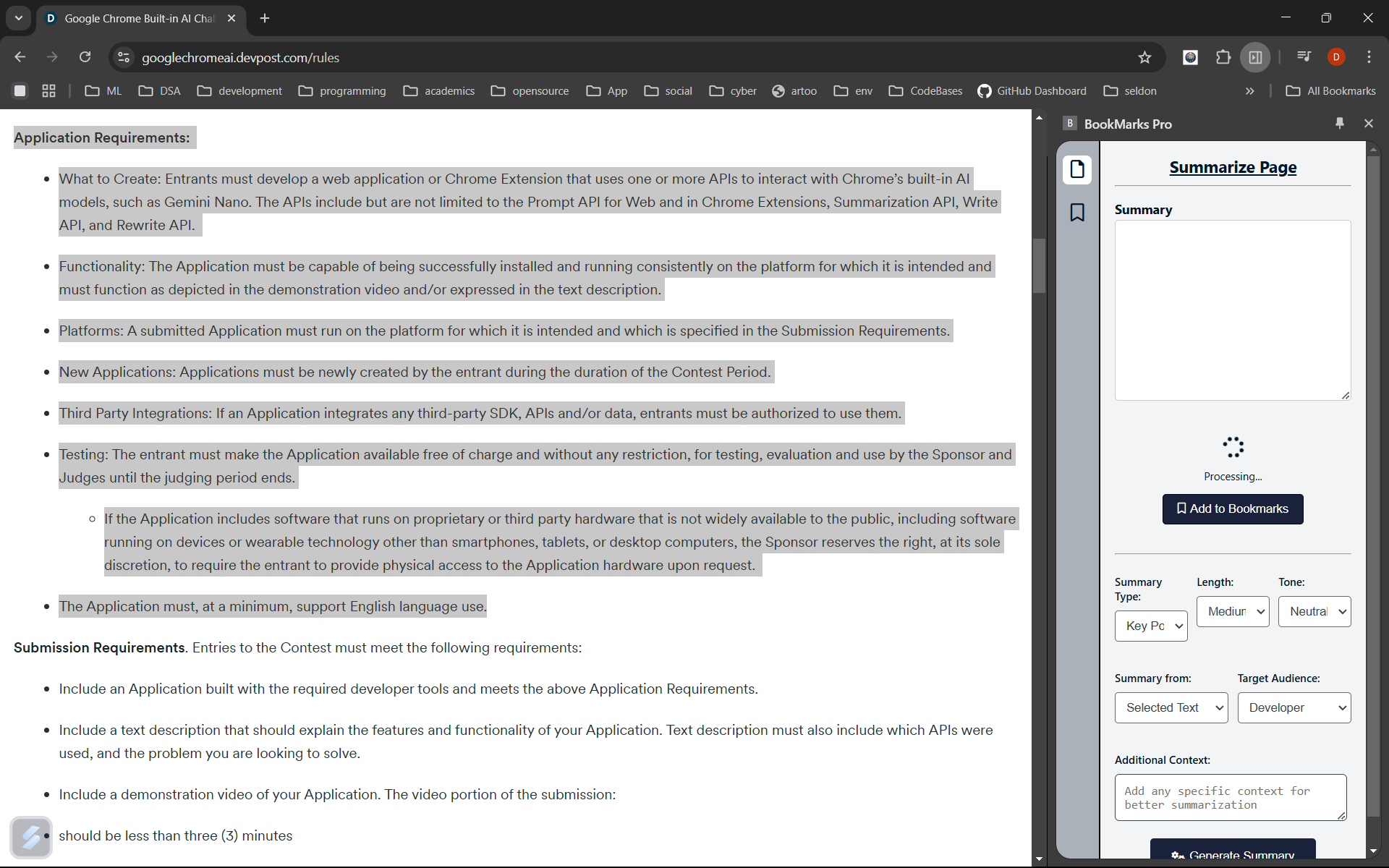
the extension in action processing the selected text
Inspiration
The idea for Bookmarks PRO was born out of frustration—our own messy, disorganized bookmarks. Every time we clicked "Bookmark this page," it felt like adding another puzzle piece to a box without knowing what the picture was supposed to look like. I realized bookmarking hasn’t evolved much over the years, and it was time to reimagine it. With the advent of AI-powered tools in Chrome, I saw the perfect opportunity to transform bookmarks into something smarter, clearer, and way more useful.
What It Does
Bookmarks Pro revolutionizes the way you save and manage bookmarks by harnessing the power of Chrome's built-in AI. Here's what it offers:
- Intelligent Summaries: No more vague webpage titles! Bookmarks Pro uses Chrome’s Summarization and Rewriter AI to create concise, meaningful summaries of content. Whether it’s a recipe, an article, or a tutorial, you’ll instantly know why you bookmarked it.
- Smart Bookmark Management: Organize your saved pages effortlessly with URL- or title-based search, making it quick and easy to find what you need.
- One-Click Convenience: Save and summarize any webpage with a single click, streamlining the entire bookmarking process.
- Personalized Touch: Tailor summaries to match your needs—adjusting tone, length, role, or context for the perfect fit.
In short, Bookmarks Pro transforms your browser’s bookmarks from a messy junk drawer into a smart, personalized library!
How I Built It
Building Bookmarks Pro was an exciting and rewarding journey. Here’s how it came together:
- Chrome’s Built-In AI APIs: The foundation of Bookmarks Pro lies in Chrome’s built-in summarization and rewriter APIs. These tools analyze webpage content to generate clear, concise summaries. Summarization condenses content, while the Rewriter tailors summaries to user preferences like tone and length.
- Frontend Development: I crafted a clean and intuitive user interface using HTML, CSS, and JavaScript. Special attention went into making the UI simple and accessible for everyone—from curious kids to tech enthusiasts.
- Bookmark Management: I implemented IndexedDB for storing bookmarks locally on the user’s browser. This ensures that bookmarks are accessible offline, providing speed, security, and privacy.
- Import and Export Bookmarks: Users can import and export bookmarks to use them across multiple devices or share them with others. All data is stored on the client side, which I find particularly exciting—it’s efficient and privacy-friendly!
Ultimately, Bookmarks Pro was designed with users in mind, combining cutting-edge AI with thoughtful features to solve a real-world problem.
Challenges I Ran Into
- Getting the AI Models Running: Setting up Chrome’s built-in AI models on my local machine was tricky at first, but the active user community and GitHub discussions helped me overcome these hurdles.
- Finding the Right Idea: The idea needed to use AI efficiently while keeping the user’s perspective front and center. Solving my own challenge of managing bookmarks became the perfect inspiration.
- Data Storage: Initially, I considered using Chrome’s native bookmarks, but modifying their structure wasn’t possible. I opted for IndexedDB instead, which proved to be powerful and flexible.
- Handling AI Errors: Like many experimental AI tools, occasional errors were part of the process. Tackling these challenges taught me patience and adaptability.
Accomplishments That I’m Proud Of
I’m especially proud of making Bookmarks Pro run entirely on the client side. This approach feels futuristic, empowering, and privacy-focused. Working on experimental AI tools, contributing to community discussions, and learning Chrome’s developer tools were also incredibly rewarding experiences.
What I Learned
Building this project taught me the vast potential of built-in AI for lightweight tasks. AI that runs on the client side eliminates the need for server calls, making it faster, more efficient, and better for privacy. It’s a sustainable approach that opens up new possibilities in computing and information management.
What’s Next for Bookmarks Pro
- Translation Support: I’d love to introduce translation for native languages, though I faced technical issues with this feature in the current version.
- Cloud Backup: Adding cloud storage would allow users to keep a backup of their bookmarks, ensuring they don’t lose data even if their browser is cleared.
- Categorization Support: I want to implement AI-powered categorization and folder-based management for even better organization and usability. This journey has been an amazing learning experience, and I can’t wait to continue improving Bookmarks Pro to make bookmarking smarter, simpler, and more enjoyable for everyone!
Built With
- chrome-build-in-ai
- css3
- html5
- indexeddb
- javascript
- node.js
- rewriter
- summarizer


Log in or sign up for Devpost to join the conversation.