Inspiration
We wanted to make something that would allow students to highlight text and remember where the text came from in order to make writing papers and taking notes online easier.
What it does
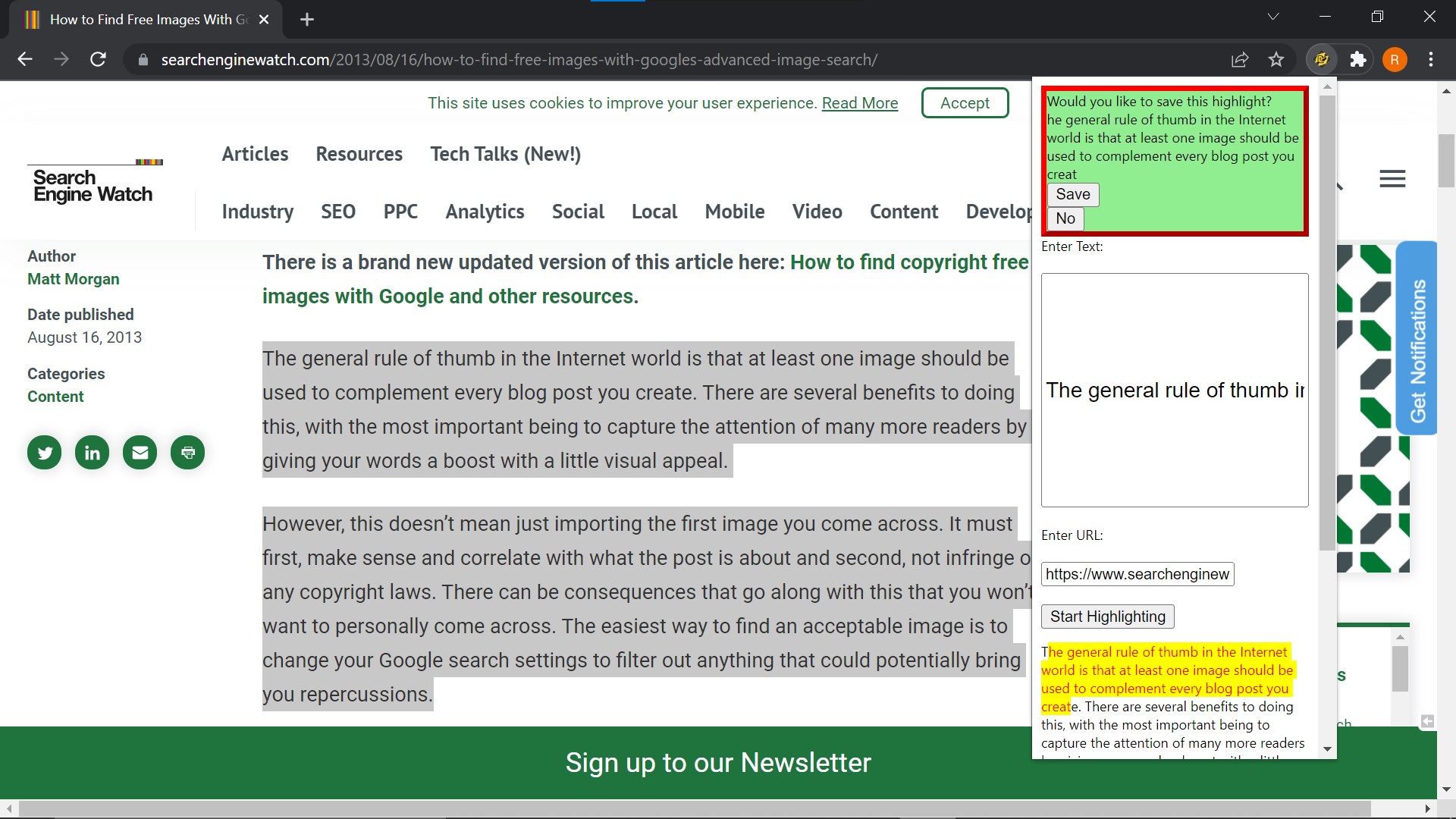
This extension pops up two input fields, one for the actual portion of a webpage to be copied and one for the URL of that text. Upon clicking the "Start Highlighting" button, the user can start highlighting portions of the selected text that was copied into the input text box of the popup. The user can either Save or discard the highlighted text by selecting the No button associated with each highlight.
How we built it
JavaScript, HTML, and you guessed it…CSS!
Challenges we ran into
Saving the bookmarks in a user's chrome bookmarks folder. We had difficulty using the chrome bookmarks API.
Accomplishments that we're proud of
We are proud of a landing page the of our team members designed using Figma and we are also prod of making the actual extension possible.
What we learned
We learned the process of making a google chrome extension, how to collaborate in a team since HackNYU 2022 was our first hackathon, and most importantly we learned how to plan out our project using a Github README.
What's next for Bookmarker & Highlighter Chrome Extension
We would like to add some advanced CSS code to the pop up to make it look nice moving forward. We would probably design it using Bootstrap. We would like to be able to make use of the chrome bookmarks API to save the highlights and bookmarks in chrome's bookmarks folder. We would also like to persist the copied text in the popup window in the event that a user mistakenly refreshes his or her webpage.


Log in or sign up for Devpost to join the conversation.