-
-
respones
-
profile
-
icon
-

Bonr is a mobile application to enhance the social life of fellow dog owners.
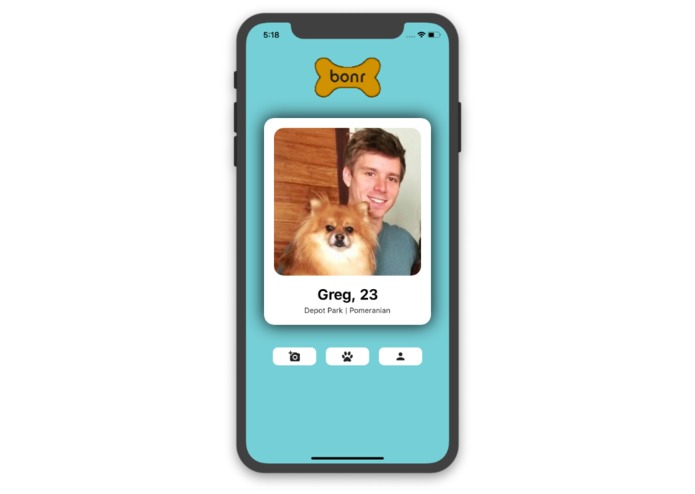
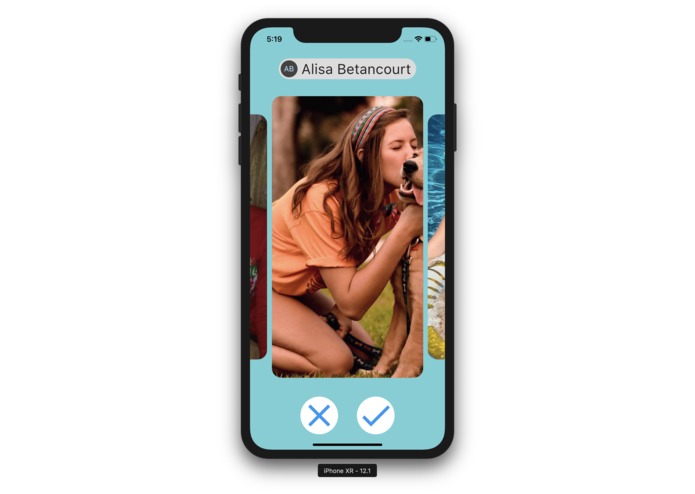
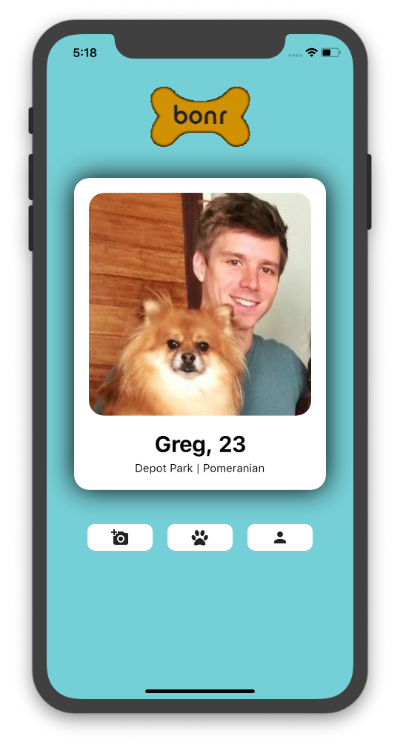
In our first integration we have a clean and simple interface which displays a users' profile photo as well as has the page for finding matches with other dog owners of their preferences.
These preferences include:
- Dog park or general location
- Age
- Sex Preference
- Dog Size

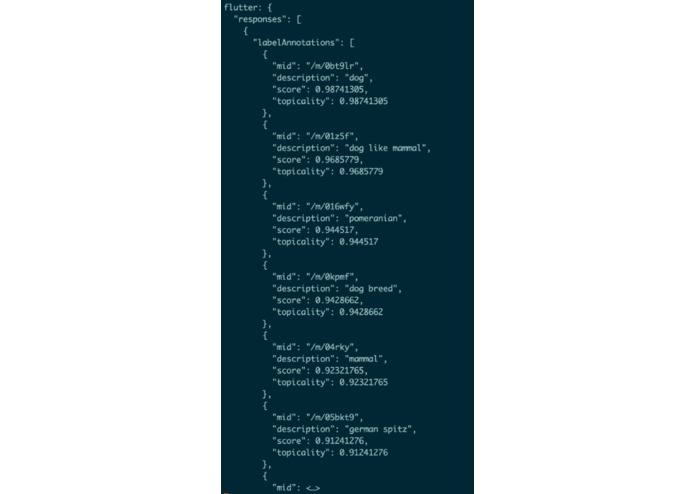
One issue we foresee is individuals using the app just as another dating app without having a dog. We are preventing this issue by enforcing a picture upload for each profile, and using Google Cloud Vision to check if the profile picture contains a dog.
Technology We Used:
- Flutter/Dart
- Google Cloud Storage & Google Cloud Vision
- Android Studio
- Git
- Gimp
Completed Tasks
- [x] Install flutter and dart
- [x] Create landing page
- [ ] Allow users to upload pictures
- [x] Send uploaded pictures to Google Cloud Vision
- [x] Use computer vision to detect if upload pictures contain a dog
- [x] Create profile page
- [ ] Create recommendations/browsing page
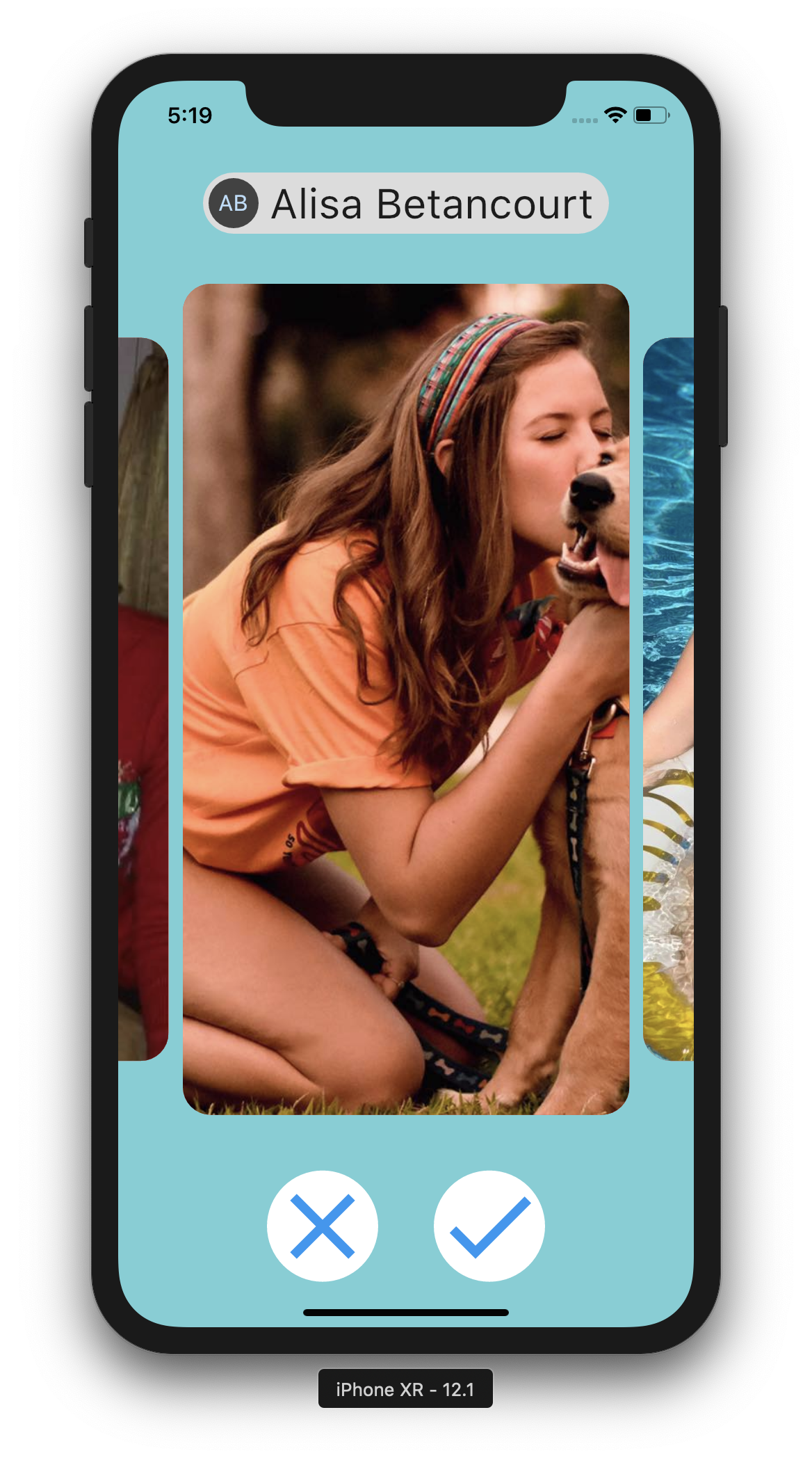
- [x] Allow user to like or dislike other profiles with buttons
- [ ] Create filters for the preferences listed at the beginning
- [ ] Allow for swiping through matches
- [x] Ensure app runs on emulated software on Android Studio
- [x] Test that app runs on a live IPhone
- [x] Create custom logo
- [x] Dynamically change size of app buttons based on phone size
Running the App
- Download and install Flutter
- Download and install Android Studio
- Download Flutter and Dart plugins
- Create a Flutter project from version control in Android Studio
- Select File > New > Project from Version Control > Git
- Enter in our git repo which is: https://github.com/smartdanny/vanguard
- Click Clone
- Create Virtual Device
- Ensure you have a Virtual Device running and click the green RUN button in the top right of Android Studio
Issues We Came Across
While installing Virtual Devices we had multiple issues of not having the correct certifications for some devices. This was solved by installing each API Level that was required.
Steps Taken:- Open SDK Manager in Android Studio
- Select Show Package Details
- Select the proper API Levels
- In our specific example we had API Level 28, but we also need API Level 27 for a package
- Select the first 2 check boxes for which ever API Level needed
- Hit Apply and this will download the needed SDK files
Since Flutter v1 came out December 4th just a little over a month ago we have many incompatibility issues with many packages we tried to use.
- For example we wanted to use a image swiping package, instead we had to alter a picture carousel to fit our needs.
Determining a process for determining if an uploaded picture contained a dog was much more involved then expected. We first came across ML Kit for Firebase. The initial reason for choosing this route was that it allows running image labeling models directly on the mobile device. However we were not able to get the correctly working for iOS. Given that we chose Flutter for the sole purpose of being able to use the same code base for both iOS and Android, we decided not to go the ML Kit route.
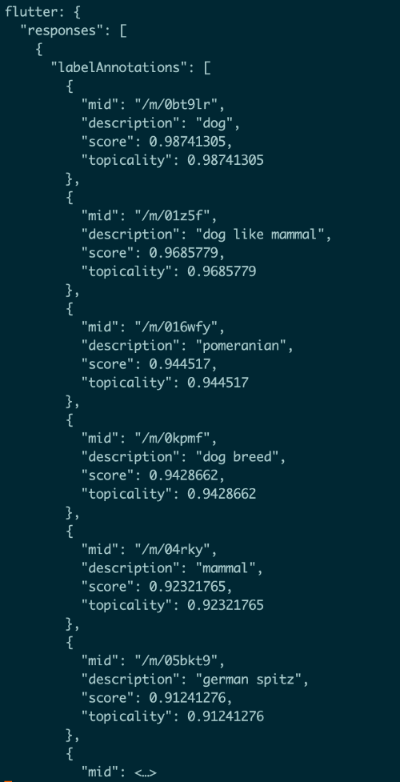
After testing of Google Cloud Vision we determined it would be a good fit. The major issue we had with Google Cloud Vision was connecting with its API. The API has Client Libraries for many other languages but unfortunately Dart was not one of them. Instead we had to figure out how to make http POST requests with and http package we found. Given no examples for correctly implementing POST requests with the required authentication tokens need for Google Cloud Vision we finally figured out the correct way to send our POST requests.
- This certainty felt like one of our biggest achievements when we were able to receive a json response giving us a object labeling in a given picture and its certainty value. It only responds with object with a fairly high certainty, so then we just check the one of the object labels contain the word 'dog'.


What We Took Away
Overall we are very proud of our work over the past couple days. Most of the time things turned out to be more difficult then anticipated, but that is to be expected. Some of the UI was actually a bit easier then we assumed it would be, especially given that non of us typically work on front end or app development. Since we want to specialize in data science we were hoping for more integration of machine learning tools. We got to implement some computer vision but we also would of wanted to add a recommendation system. Although we may not go into app development we think we have learn a lot about some of the initial stages of app development and can carry this onto future encounters in understanding and working with application developers in the future.
Thank you for checking out bonr, a hot_budr company.


Log in or sign up for Devpost to join the conversation.