-
-
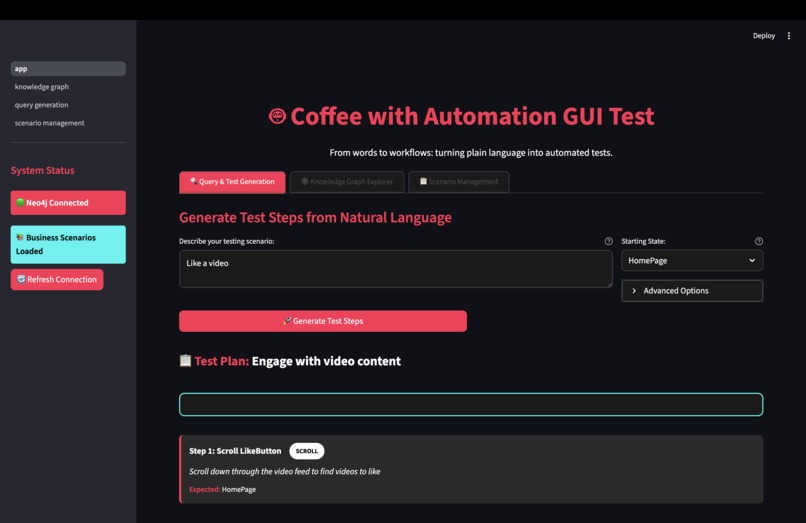
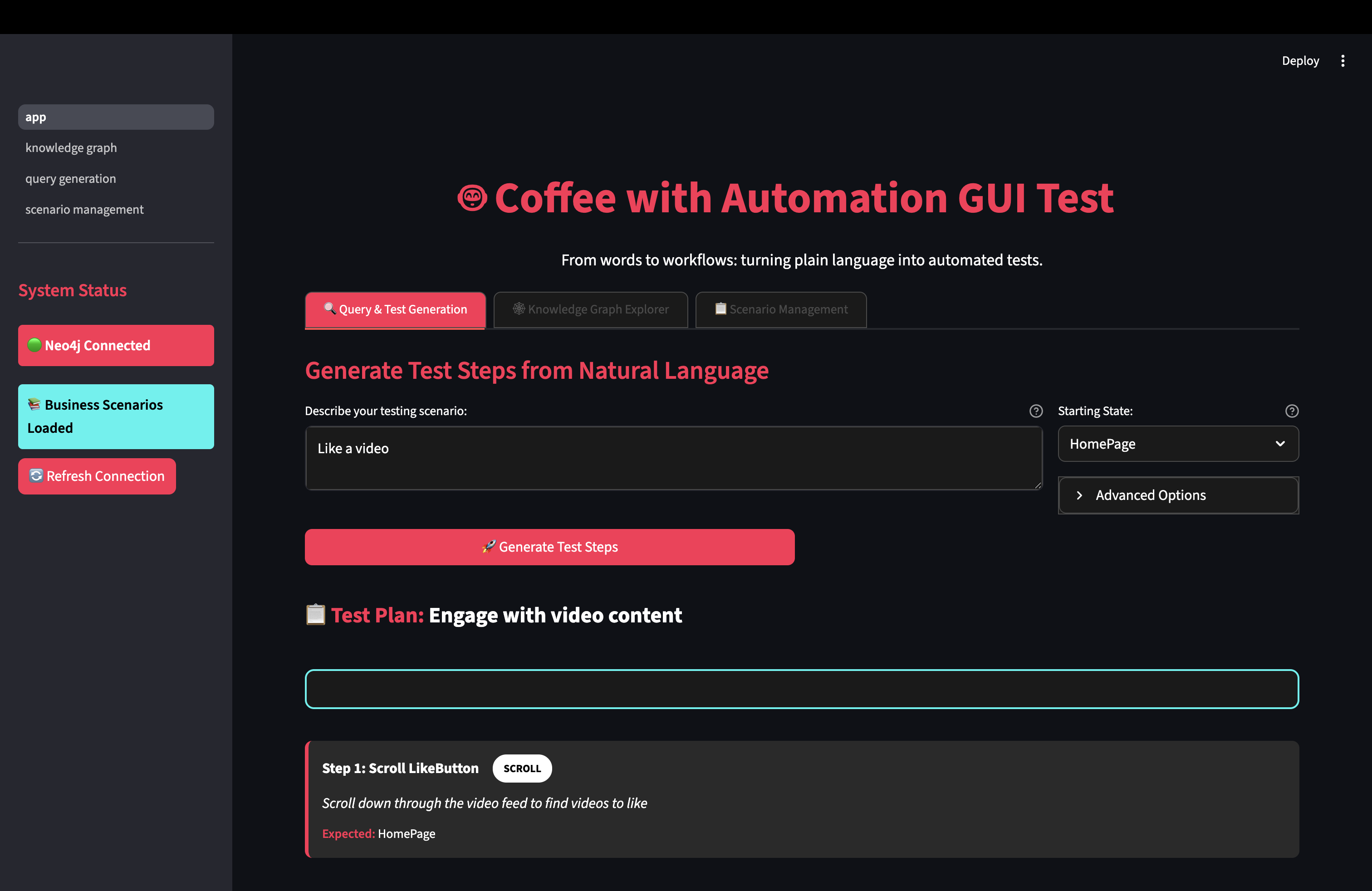
1. Step Definition Generation -- Input the feature you want to analyse, and the step definitions will be outputted.
-
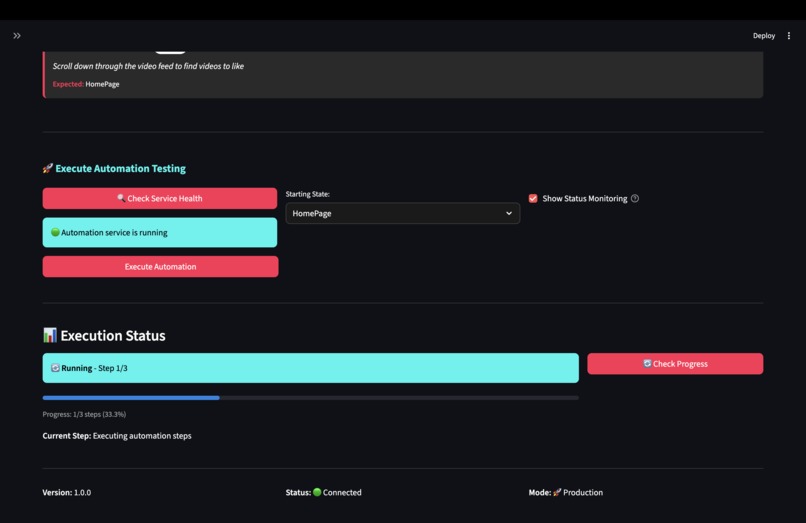
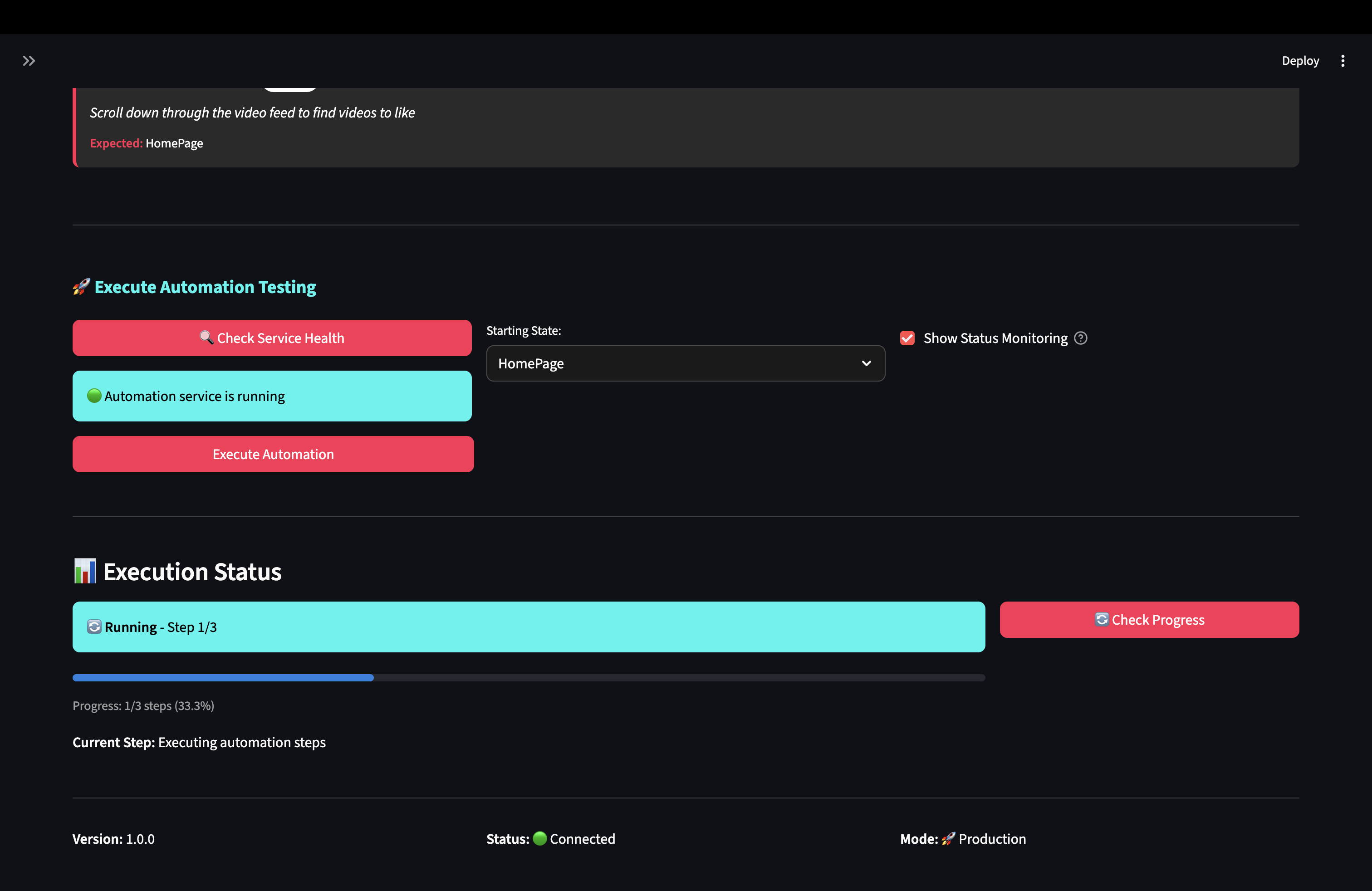
2. Automatic testing of the feature based on the step definition[generated in 1.]
-
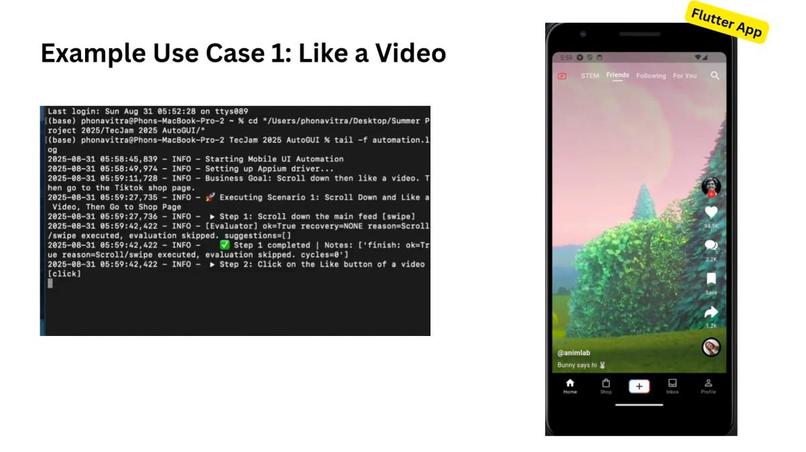
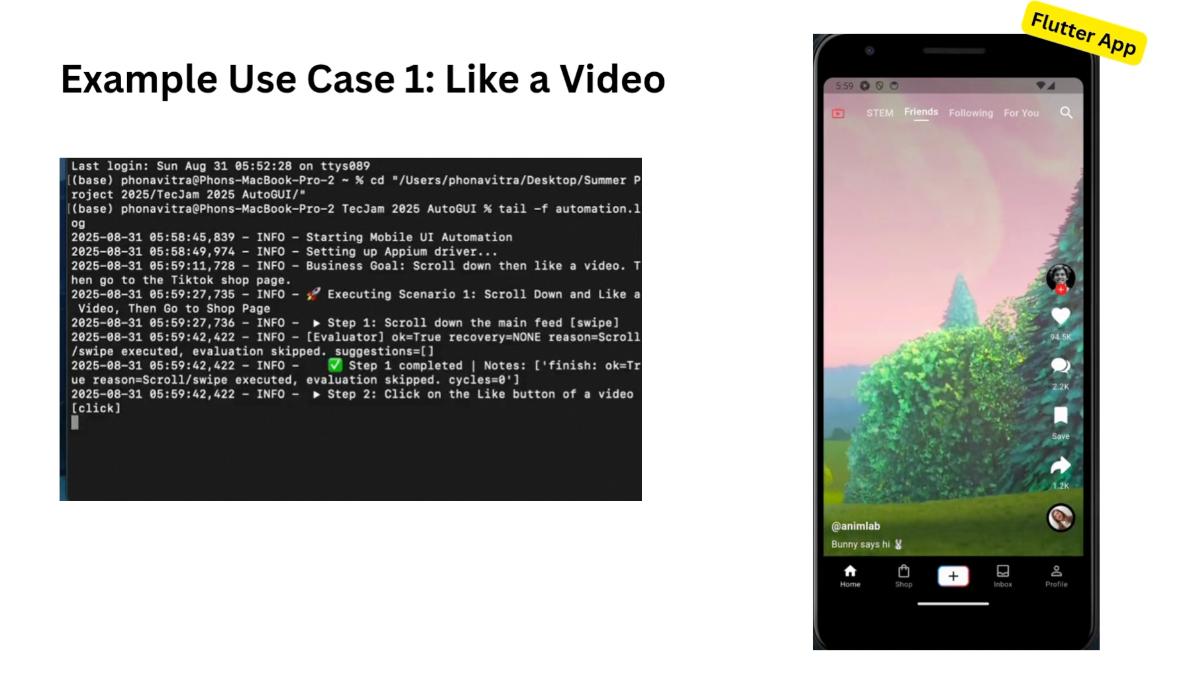
3. [Like Video Scenario] Output of the logs after automated testing has completed
-
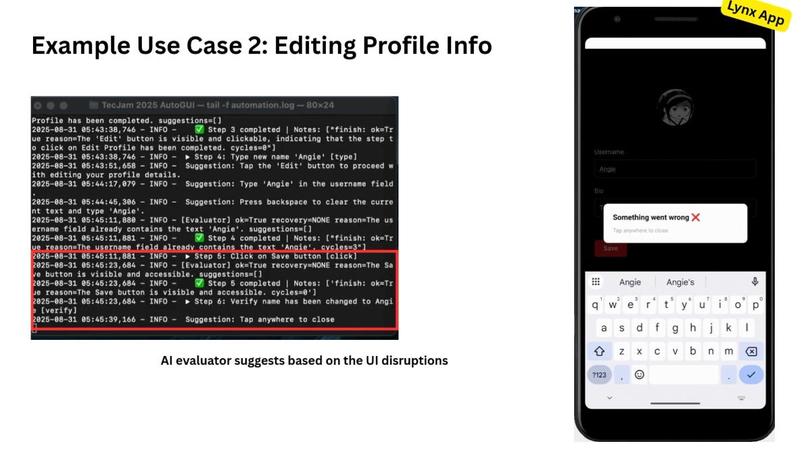
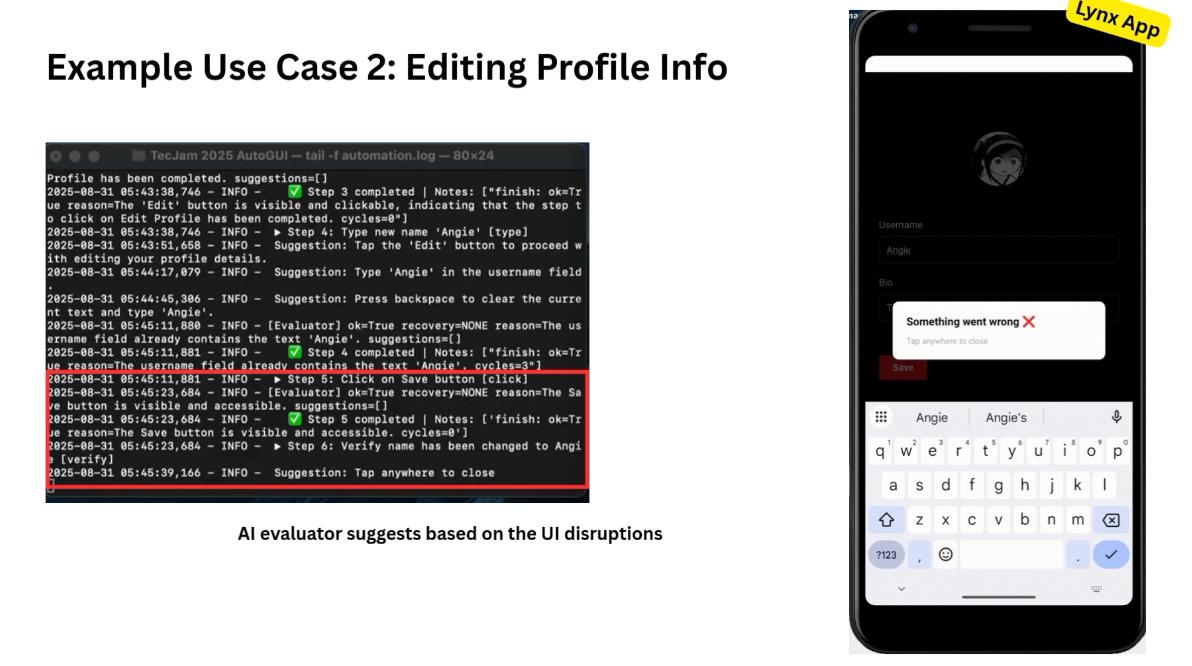
3.1 [Edit Profile Scenario] When there is a UI Disruption, the AI evaluator will suggest alternative steps to take.
-
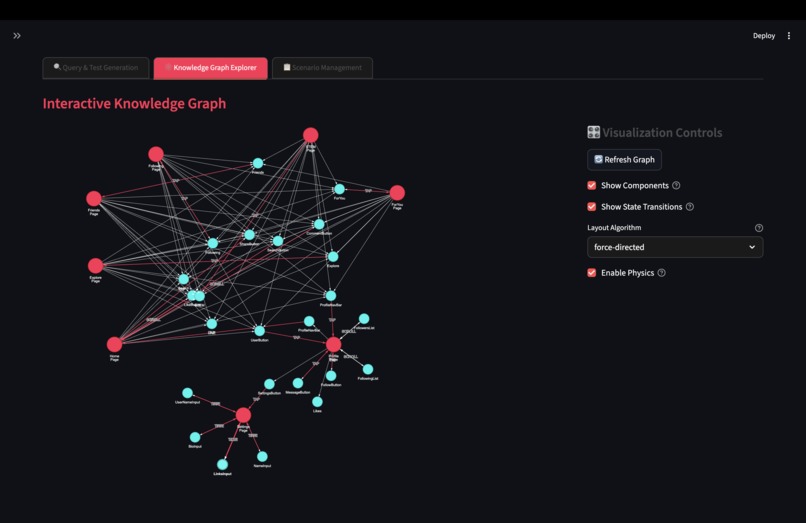
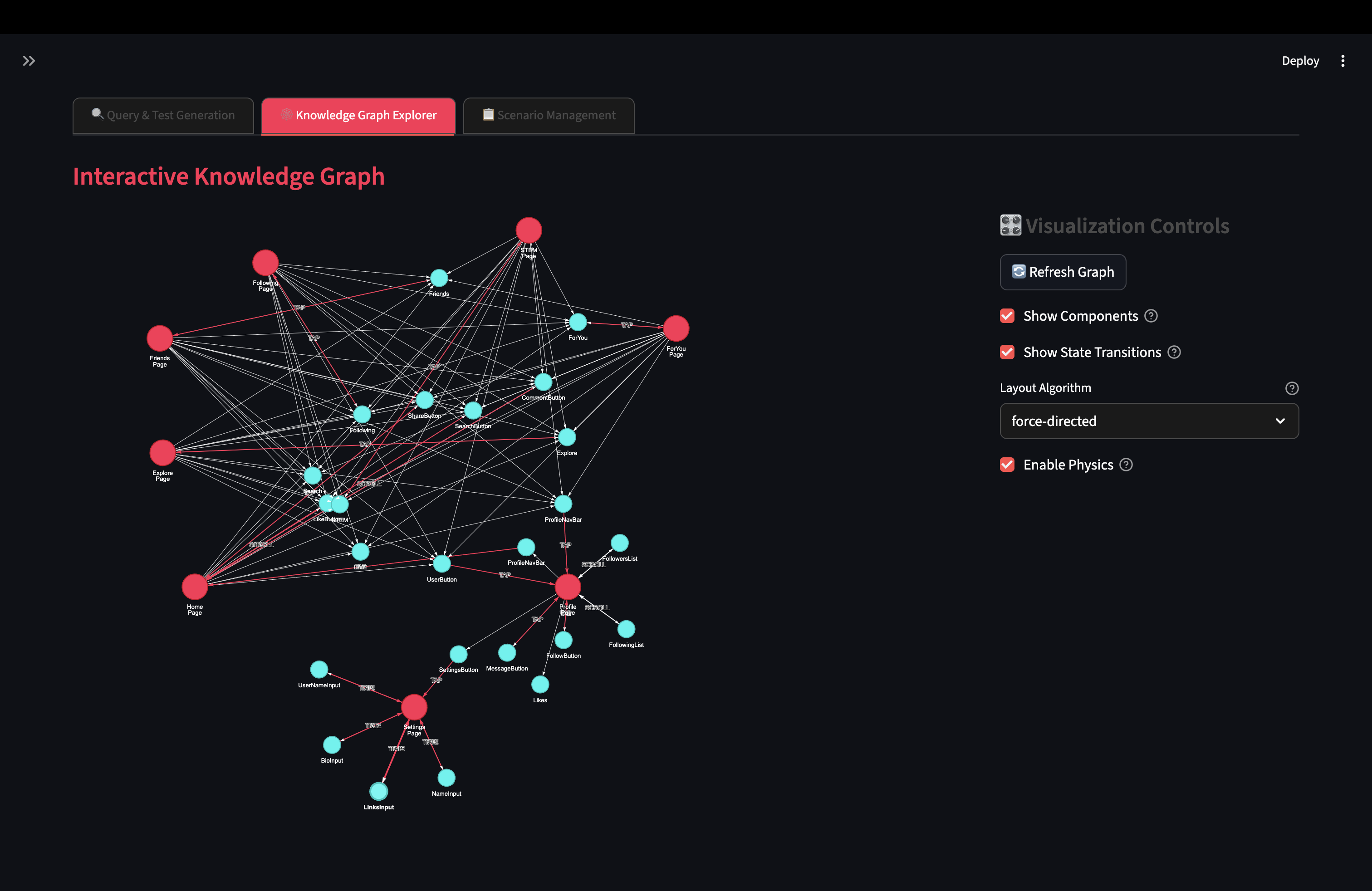
3. LIVE Knowledge Graph Displaying Relationship between States and UI Components
-
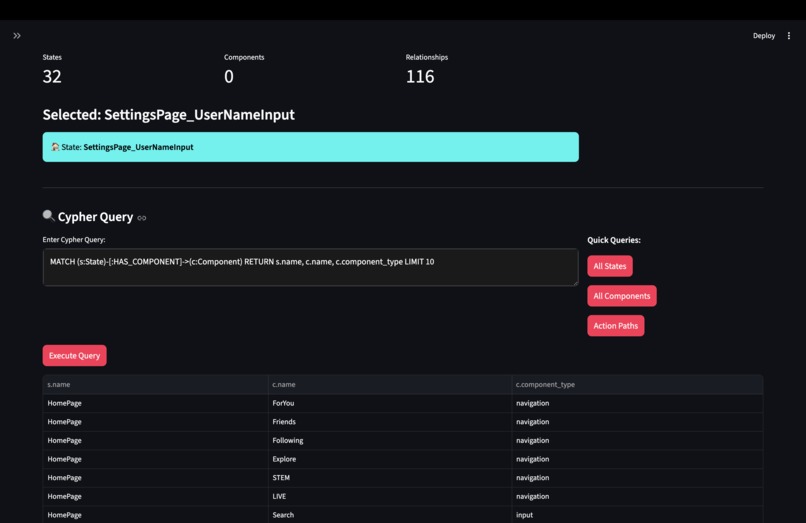
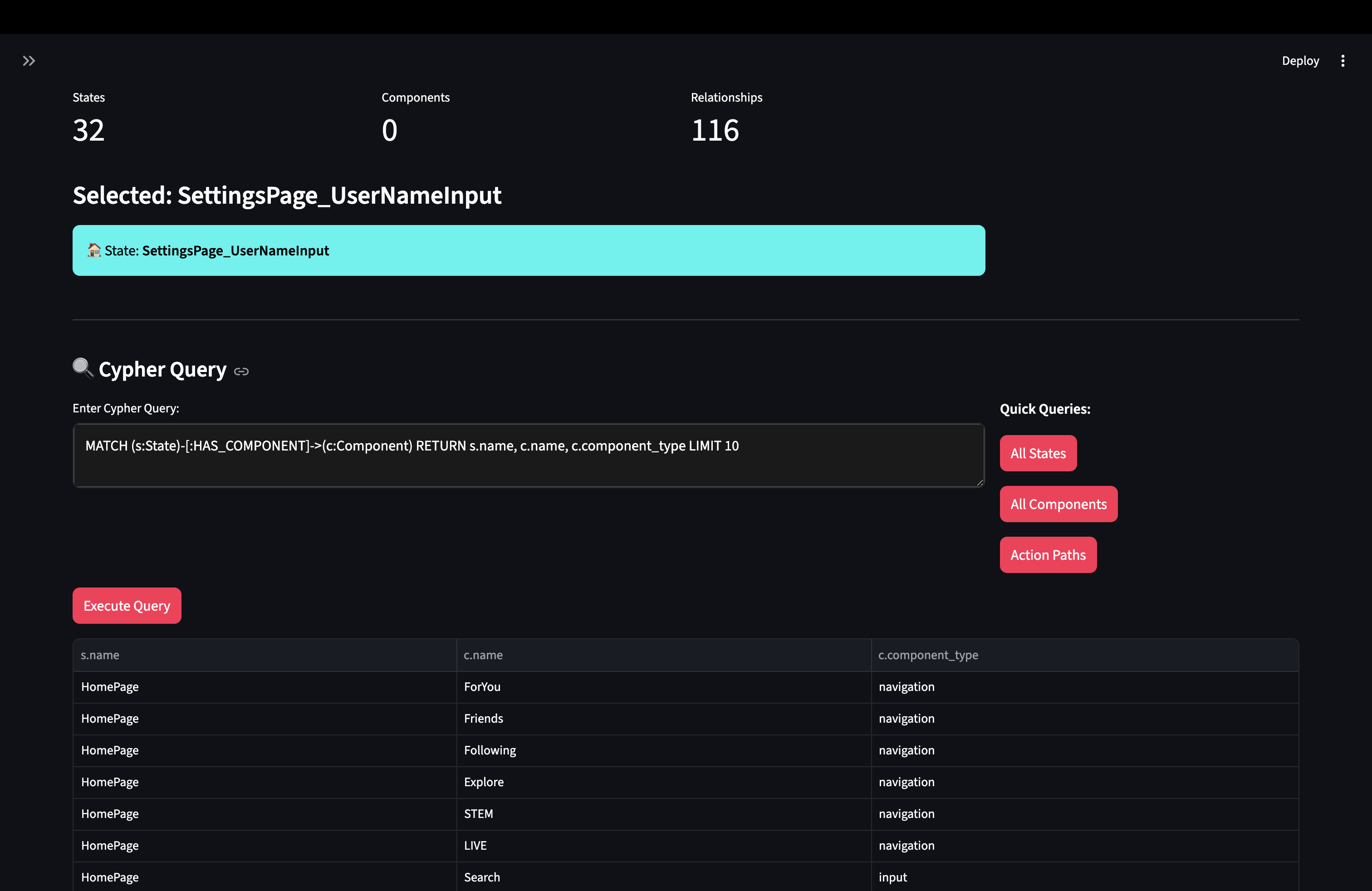
4. Type your own cypher query against the knowledge graph to gain more insights
-
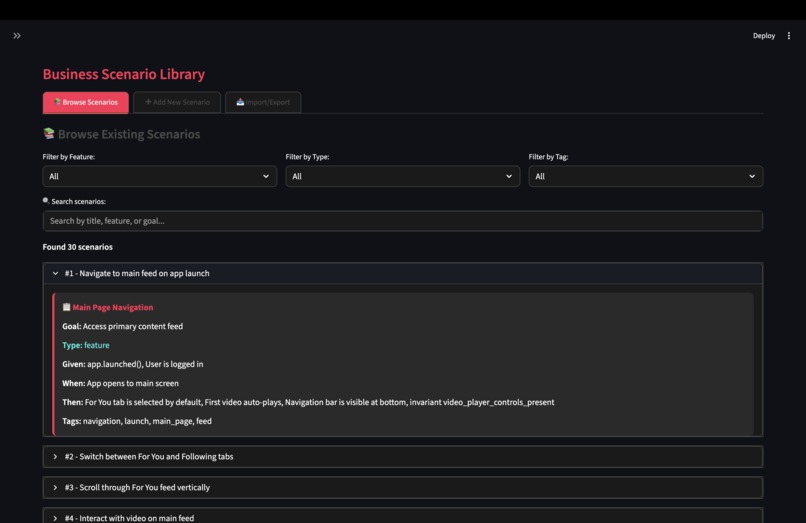
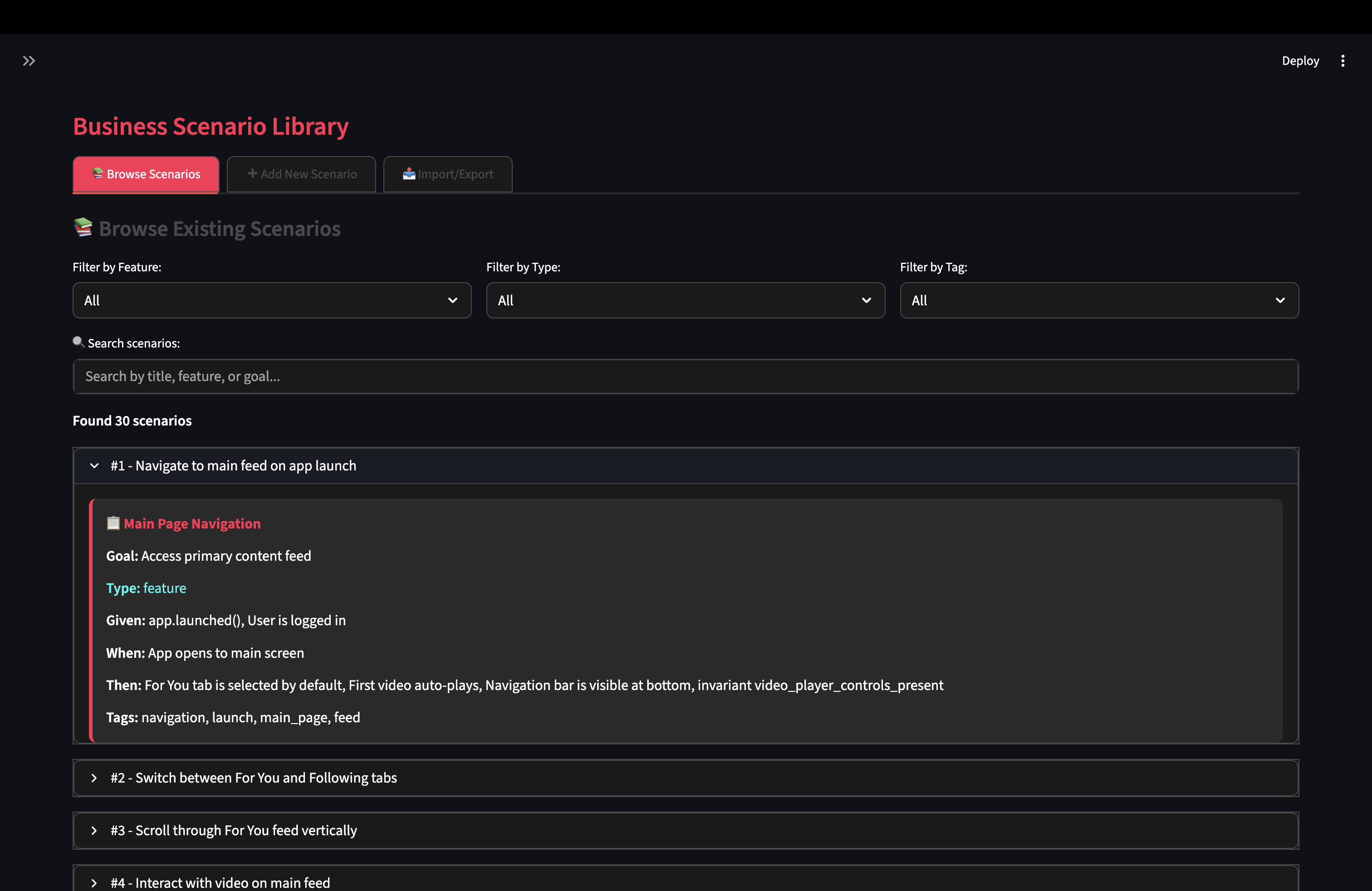
5. Repository of Business Scenarios Written in Gherkin Format & Stored in the ChromaDB [able to filter by different categories]
-
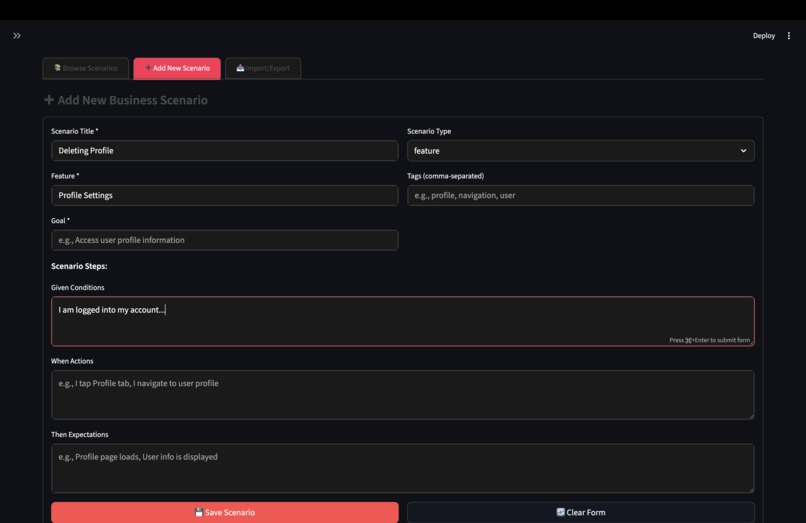
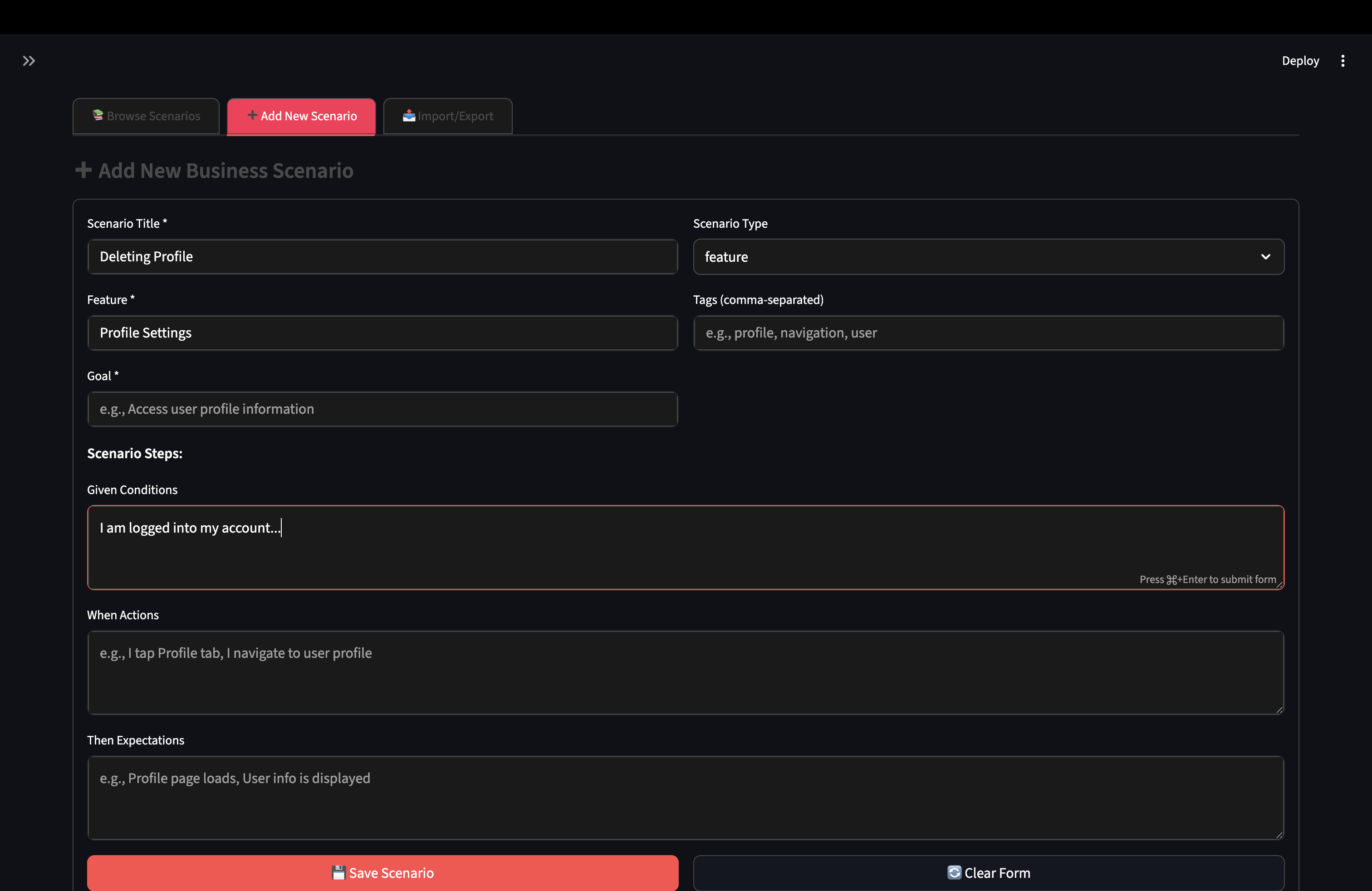
6. Add in Your Own Business Scenarios into ChromaDB
-
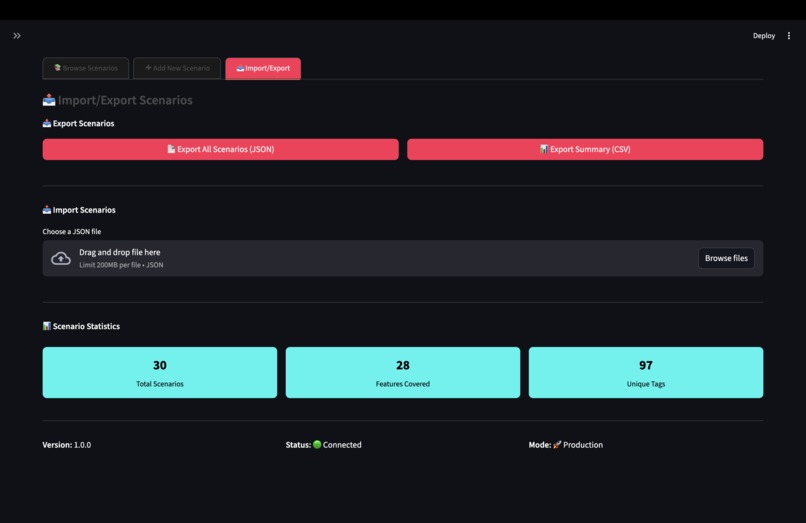
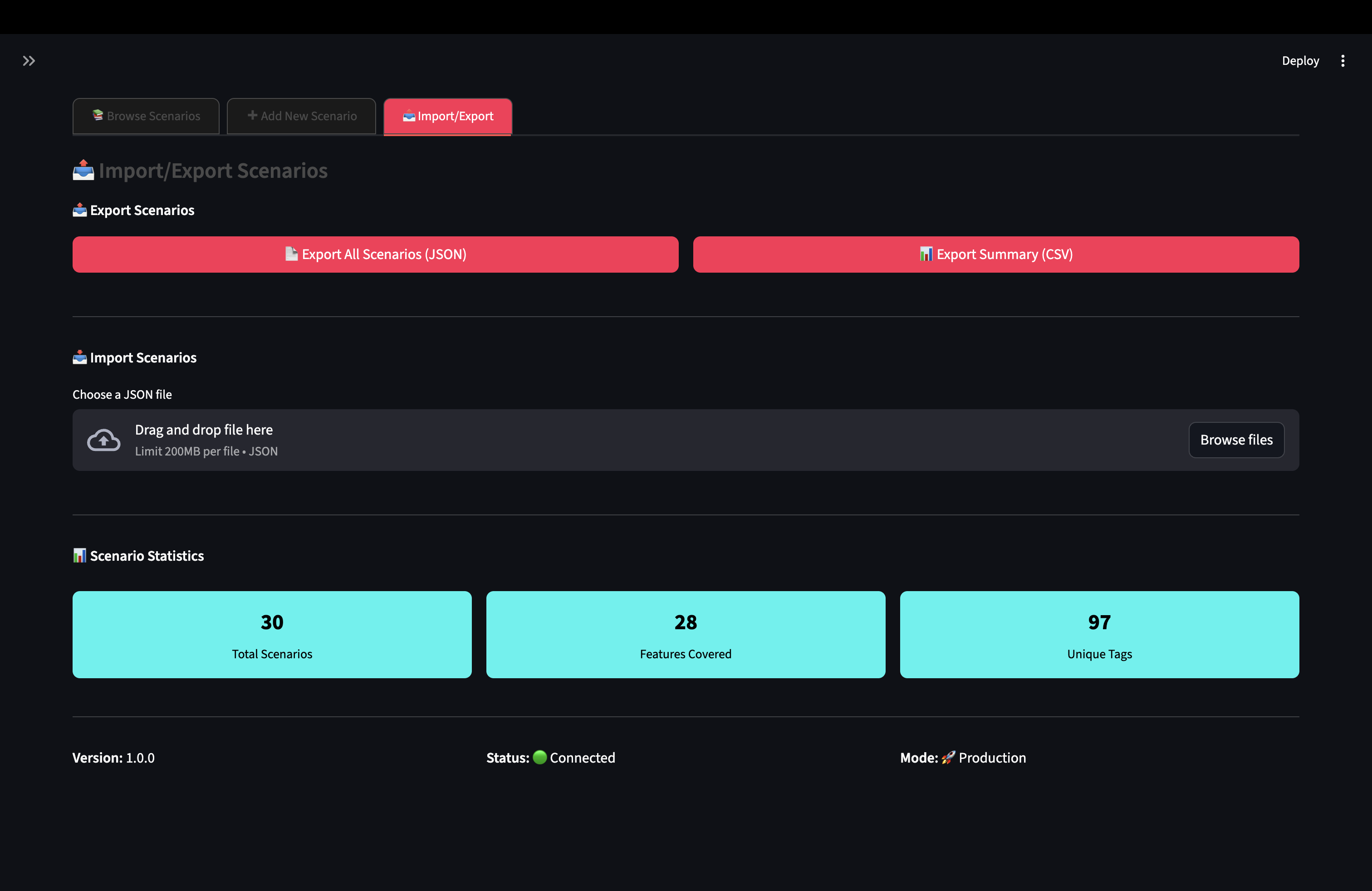
7. Import/Export Feature for the Business Scenario in ChromaDB
-
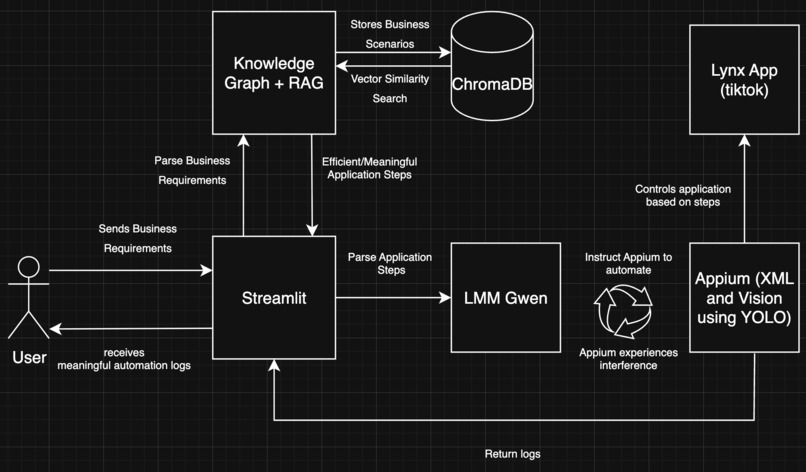
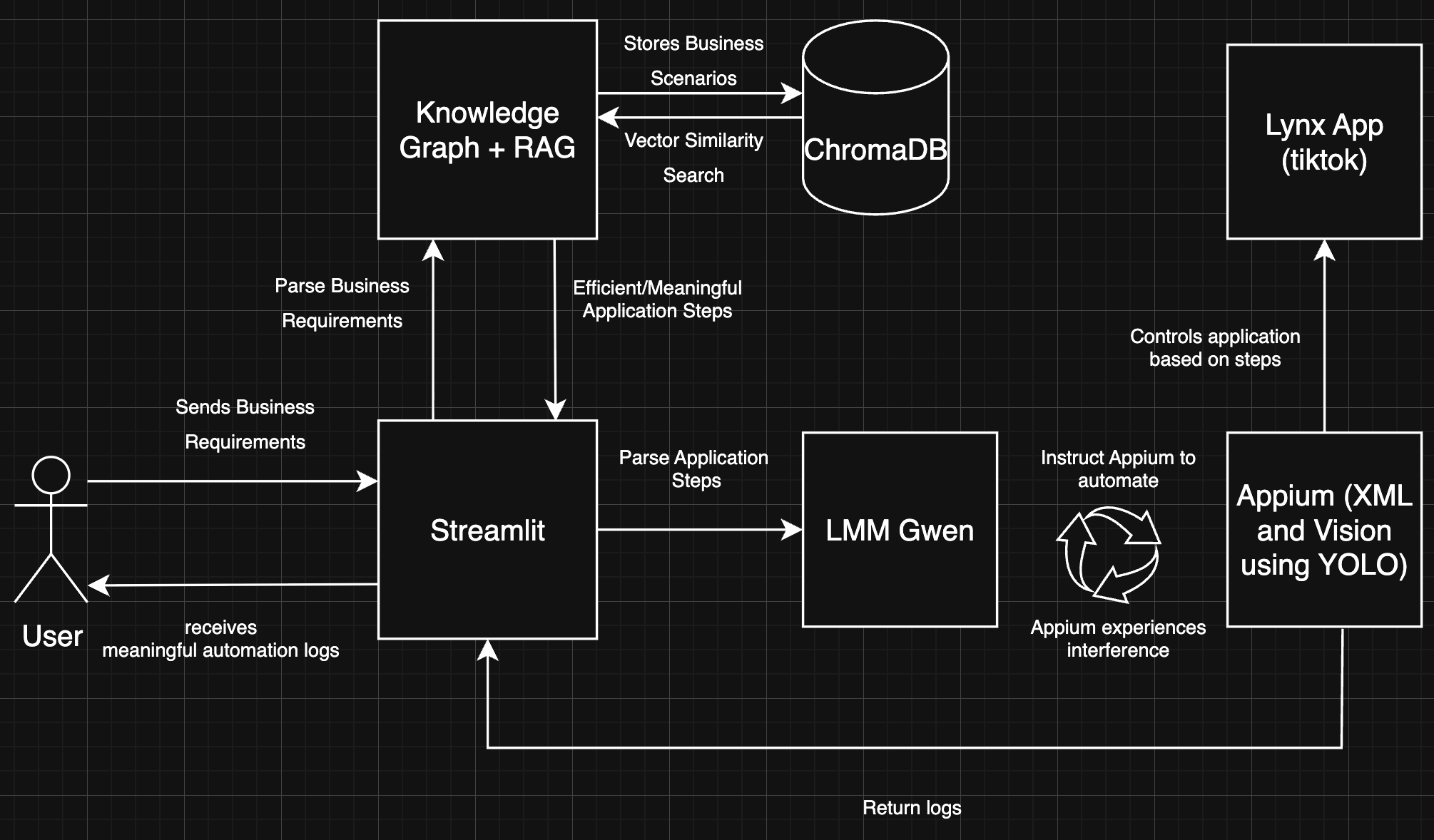
8. Architecture Diagram
Coffee with Automation
The Problem
- GUI test automation is fragile — 5–10% of test code constantly changes, with ~60% of failures caused by minor UI tweaks.
- Current tools (Appium, Espresso, XCUITest, Katalon, etc.) rely on brittle element locators, break easily as apps evolve, and can’t handle real-world anomalies like popups, ads, or crashes.
- Even AI-driven approaches improve interaction flexibility but fail to confirm whether business goals (e.g., completing a purchase) are actually met.
The Gap
- Tools focus on element localization, not end-to-end business scenario validation.
- Static locators and scripts quickly become obsolete in dynamic environments across Android, iOS, React Native, Flutter, and hybrid frameworks.
- Result: Costly human rework, unstable regression coverage, and poor scalability.
The Opportunity
Build a universal, vision-driven UI testing agent that:
- Converts natural language requirements into test steps.
- Uses multimodal validation (visual + structural) to adapt to evolving UIs.
- Handles anomalies (ads, dialogs, login walls) gracefully with recovery strategies.
- Validates business outcomes, not just clicks.
Outcome: Resilient, scalable, business-aware test automation that evolves with the app.
What It Does
The Automation GUI Tester takes business requirements written in plain language and turns them into working test cases for the LYNX application.
- Uses a Knowledge Graph with RAG to break down requirements, map them to app components, and build step-by-step scenarios.
- Steps are executed by LMM Qwen with Appium, which can interact with the app via:
- XML-based testing using accessibility IDs.
- Vision-based testing using computer vision when XML fails.
- XML-based testing using accessibility IDs.
- Gwen detects and handles popups, dialogs, and errors automatically, keeping the test running.
- A Streamlit interface lets users enter requirements, run tests, and view results in clear reports and logs.
Result: Easier test creation, more reliable execution as apps evolve, and accessibility for both technical and non-technical teams.
How We Built It
1. Knowledge Graph and Retrieval-Augmented Generation (RAG)
- Transforms vague natural language into precise, executable test scenarios.
- Uses NLP to extract intent, entities, and context.
- Maps business terms (e.g., “update username”) to UI components and actions.
- Queries the Knowledge Graph for valid state transitions and relationships.
- Retrieves relevant past scenarios using vector similarity search.
- Fuses graph structure, semantic similarity, business rules, and history into a reliable foundation for test generation.
2. LMM Qwen and Evaluator with Appium Execution
- LMM Qwen translates structured steps into Appium commands.
- Executes with two modes:
- XML-Based Testing: direct interaction with elements.
- Vision-Based Testing: computer vision + OCR for dynamic UI handling.
- XML-Based Testing: direct interaction with elements.
- Adaptive interference management during execution:
- Detect anomalies (popups, errors, dialogs).
- Classify (system prompt, notification, business error).
- Resolve gracefully (dismiss, accept, retry, reroute).
- Detect anomalies (popups, errors, dialogs).
- Self-healing reduces failures caused by transient UI issues.
3. Streamlit User Platform
- Input: Users submit business requirements in natural language.
- Processing: Pipeline: Knowledge Graph + RAG → Qwen+ Appium.
- Output: Structured logs, reports, and results.
- Enables both technical and non-technical stakeholders to validate coverage and review results easily.
Key Differentiators
- Intelligence: RAG-enhanced retrieval ensures contextually relevant tests.
- Adaptability: Dual-mode (XML + Vision) handles dynamic UIs.
- Accessibility: Natural language input democratizes test creation.
- Transparency: Full execution visibility with audit trails.
Challenges We Ran Into
- Lynx: Picking up Lynx was relatively smooth because its structure felt familiar to ReactJS. However, the real challenge came in understanding how Android’s LynxExplorer runtime actually integrates with and drives the application. Unlike React, where rendering and debugging are straightforward, LynxExplorer introduces its own execution model and lifecycle, requiring deeper exploration to understand how UI components interact with the underlying Android environment.
- Appium with Lynx: We initially intended to rely on XML tagging for element detection within the LYNX application. However, we discovered that many elements were not fully exposed or easily discoverable by Appium, which introduced challenges in achieving reliable automation through XML alone.
Accomplishments That We're Proud Of
- Lynx: Recreating TikTok's For You page with custom controllers (pause and play) was an exciting challenge. With limited documentation on LynxJS, especially around custom native elements, we had to create a native video player component from scratch. This required a blend of Android development expertise (to implement the native element) and Web UI development skills (to style and structure the pages). Successfully combining knowledge across different platforms and technologies made this achievement especially rewarding.
- Automation Pipeline: Successfully integrated Knowledge Graph + RAG + LMM Qwen into a single working pipeline that could parse business requirements and translate them into Appium test steps.
What We Learned
- Multimodal validation matters: Relying only on XML locators is brittle; combining XML + Vision creates a far more resilient automation pipeline.
- Contextual grounding is essential: RAG + Knowledge Graph retrieval made requirements more precise, avoiding ambiguity that pure LLM prompts often introduced.
What's Next for Coffee with Automation
- Expand cross-platform support beyond LYNX.
- Integrate with CI/CD pipelines and test management tools.
- Improve anomaly recovery strategies with reinforcement learning.
- Build collaboration features for teams to co-create and refine scenarios.
Built With
- android-studio
- appium
- chromadb
- flutter
- lynx
- neo4j
- python
- qwen
- streamlit
- yolo


Log in or sign up for Devpost to join the conversation.