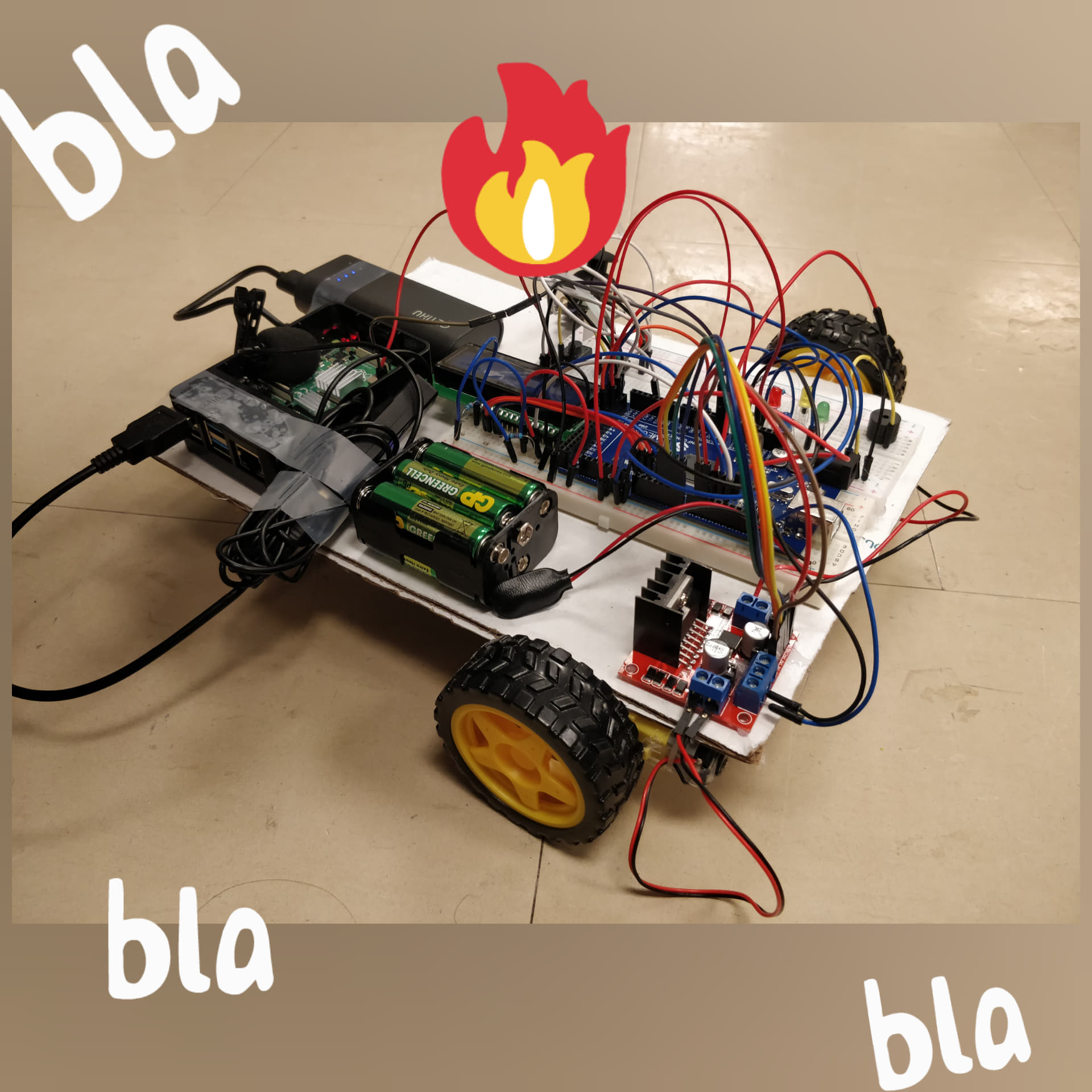
We are all first year computer engineering and computer science students and we struggle with getting up in the mornings, and we all use alarms. We wanted to come up with an alarm system that really will get us up and out of bed. So we went ahead and combined a an alarm system and a robot that you need to chase down and then disarm.
The robot has a countdown timer set by the user, and when that timer expires (alarm goes off) the robot drives forward and back playing loud noise. The user has to catch the robot, then proceed to mimic an LED light pattern using a joystick. Then the user needs to use their voice to say the disarm the alarm (after the pattern is complete!) The robot returns to its initial state waiting for an input timer.
Our team had used the Arduino Mega to control all user input apart from the speech recognition. The arduino has 2 buttons, that are used to switch states and set the timer, and then 4 LEDs for the pattern which is then replicated by user actions on a joystick. The Arduino also drives the 2 DC motors controlled by a motor driver. The Raspberry Pi uses a Google speech recognition api to listen to user speech with a microphone. Once the safeword is heard, the Pi sends a signal to the Arduino board.
The team had run into trouble with the wiring and providing power to all components, validating the api, powering the lcd.
Our team is proud of our ability to interface an Arduino with a Raspberry Pi. As part of our alarm system, we wanted to have voice control. However, the only microphone available to us used a USB interface. Given that the Arduino doesn't have a USB port and there were no adaptors available, we were forced to think outside the box. In order to get voice recognition on the Arduino, we used a Raspberry Pi (which has a USB port) to interface with the microphone, and then send a signal to the Arduino once the keywords ("I will be productive" or "Hello World") have been said.
During our development we grew familiar with both hardware and software, as well as the interactions within.
Our project would require a proper body to enclose the electronics, and the timer would have to be adjusted to work with longer timer intervals (from seconds to minutes). For more customization of settings (edit safeword, edit buzzer)
Built With
- arduino
- button
- buttons
- buzzer
- c
- dc-motor
- dc-motors
- google-speech-to-text-api
- joystick
- lcd
- lcd-display
- led
- leds
- microphone
- motor-controller
- python
- raspberry-pi


Log in or sign up for Devpost to join the conversation.