-
-

Thumbnail
-
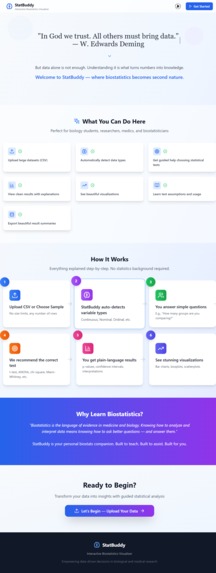
Landing Page
-
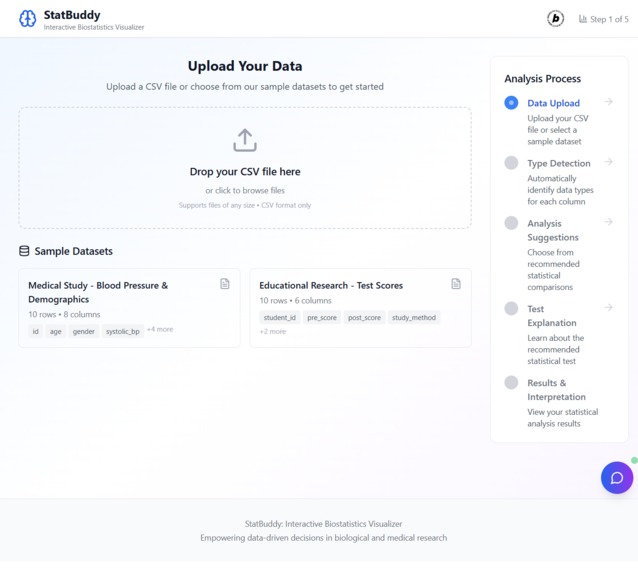
Upload dataset page
-
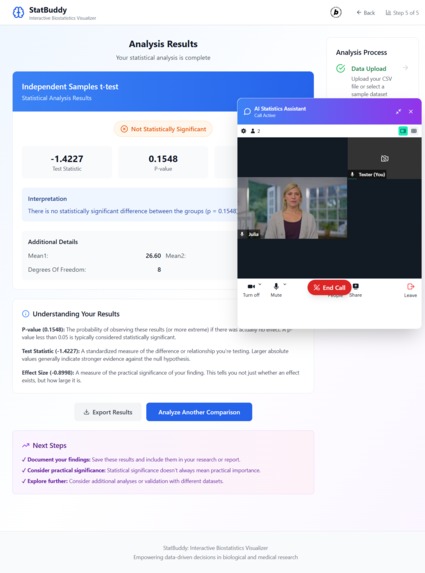
AI assistant
-
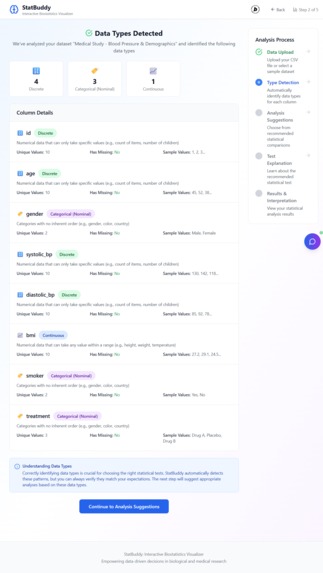
Data types detection page
-
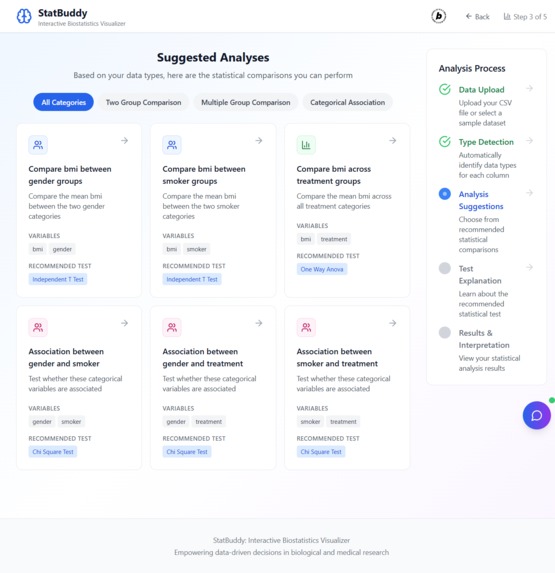
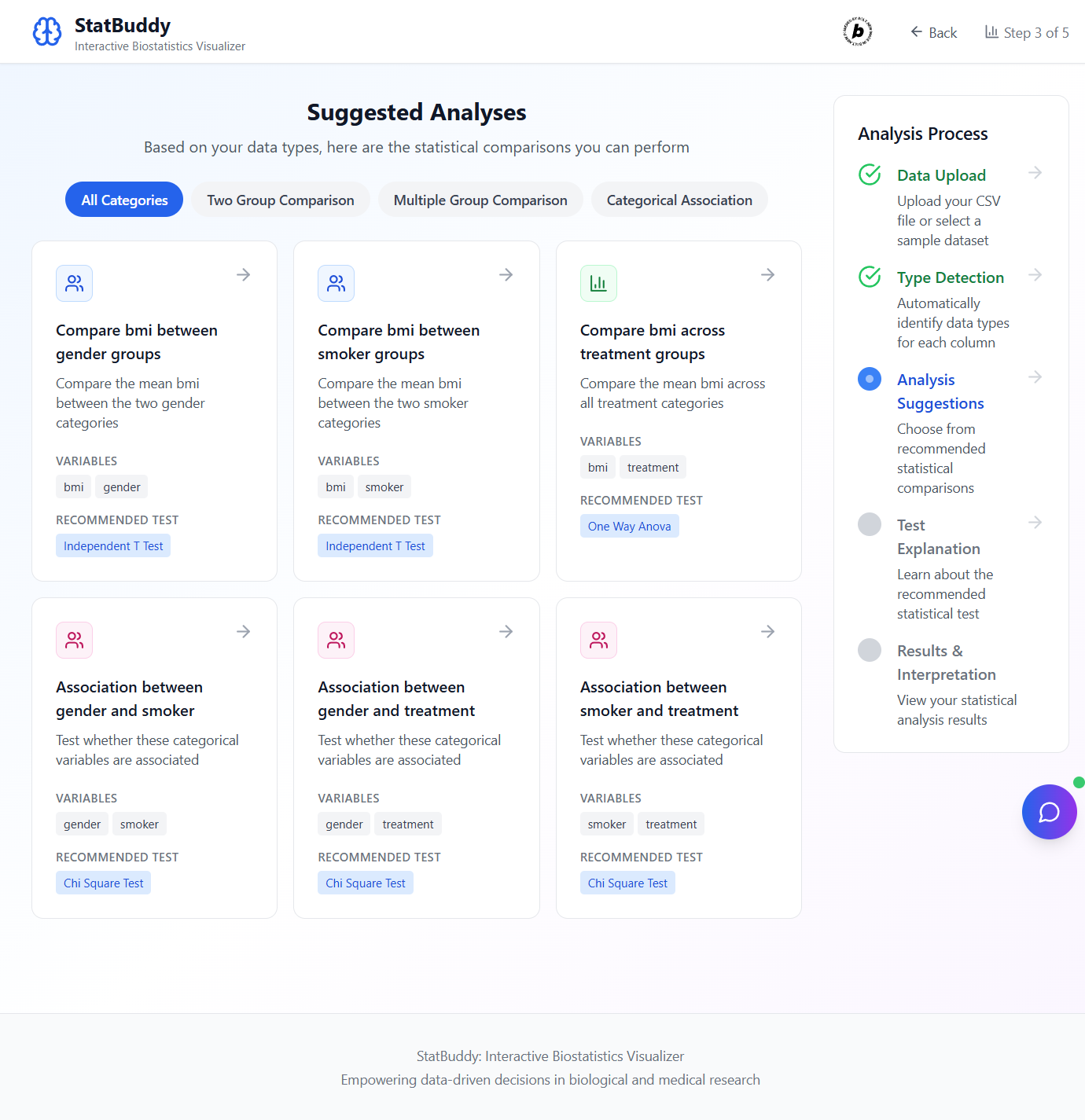
Suggested analyses page
-
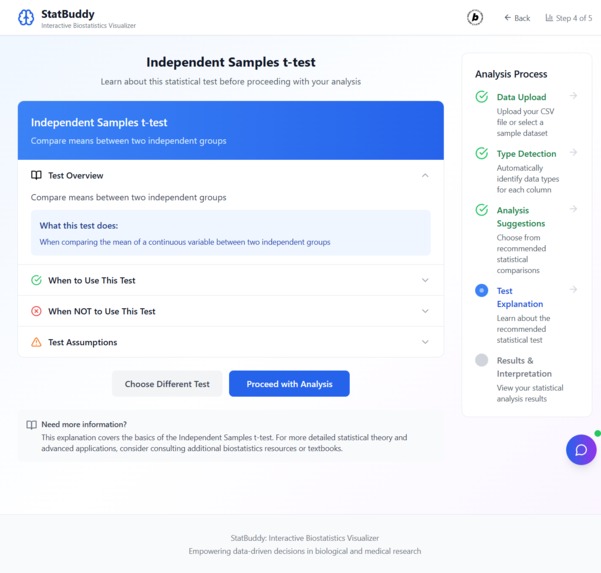
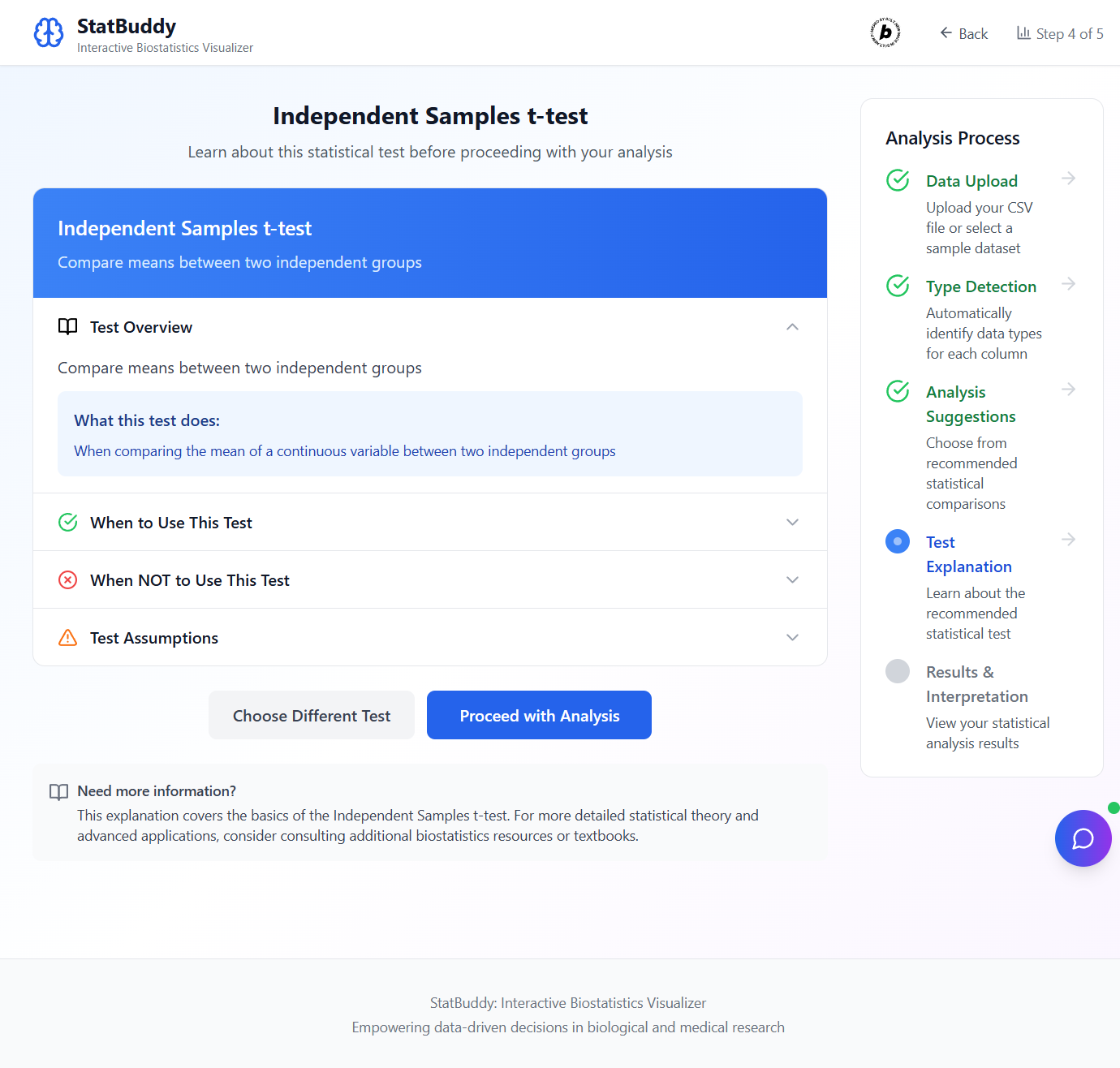
Statistical Test Explanation
-
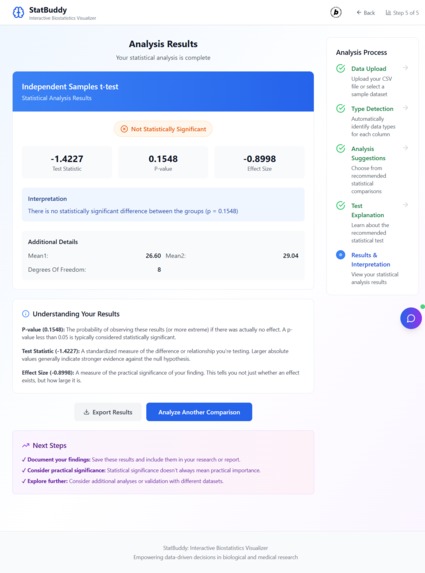
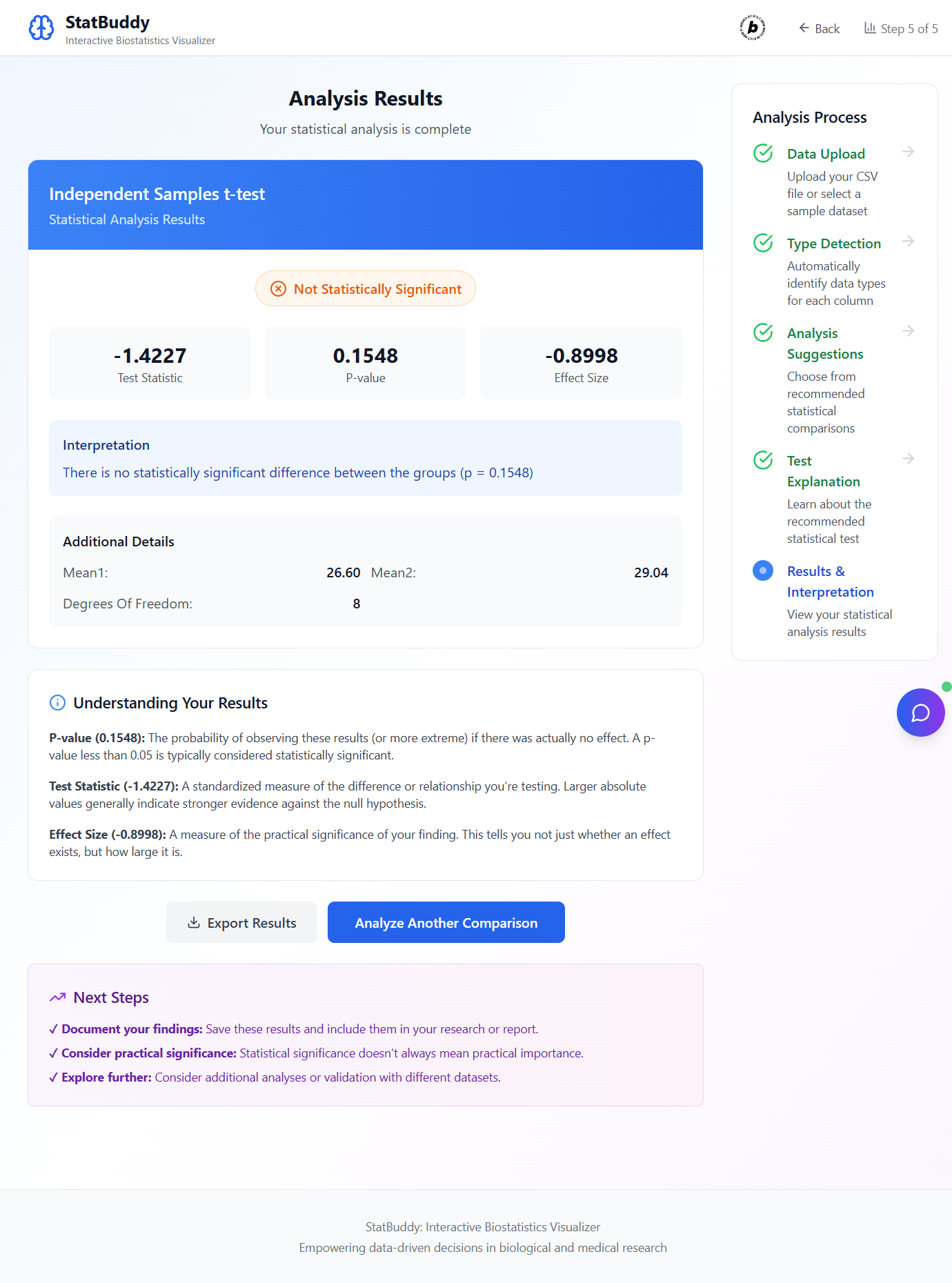
Analysis results page
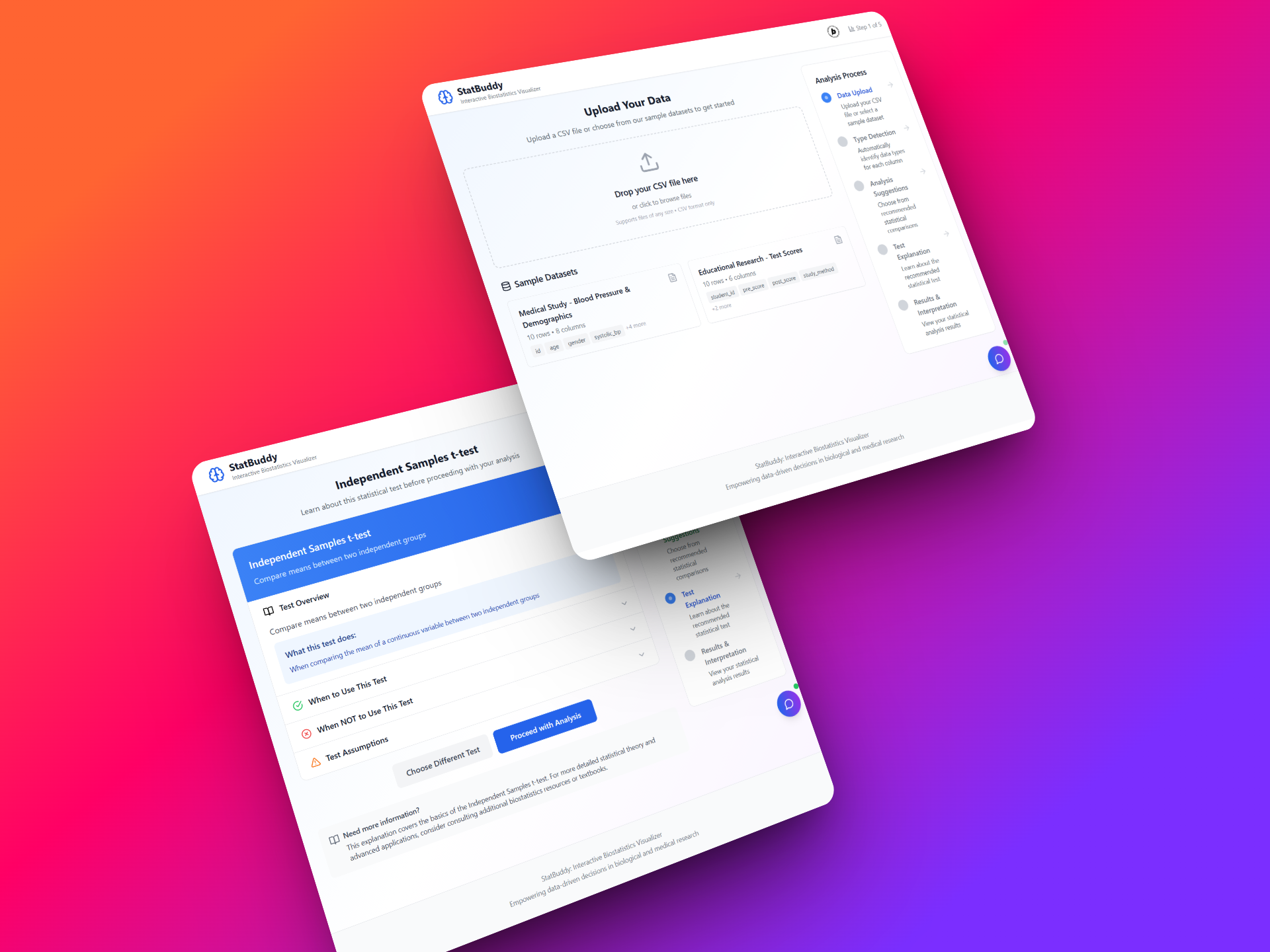
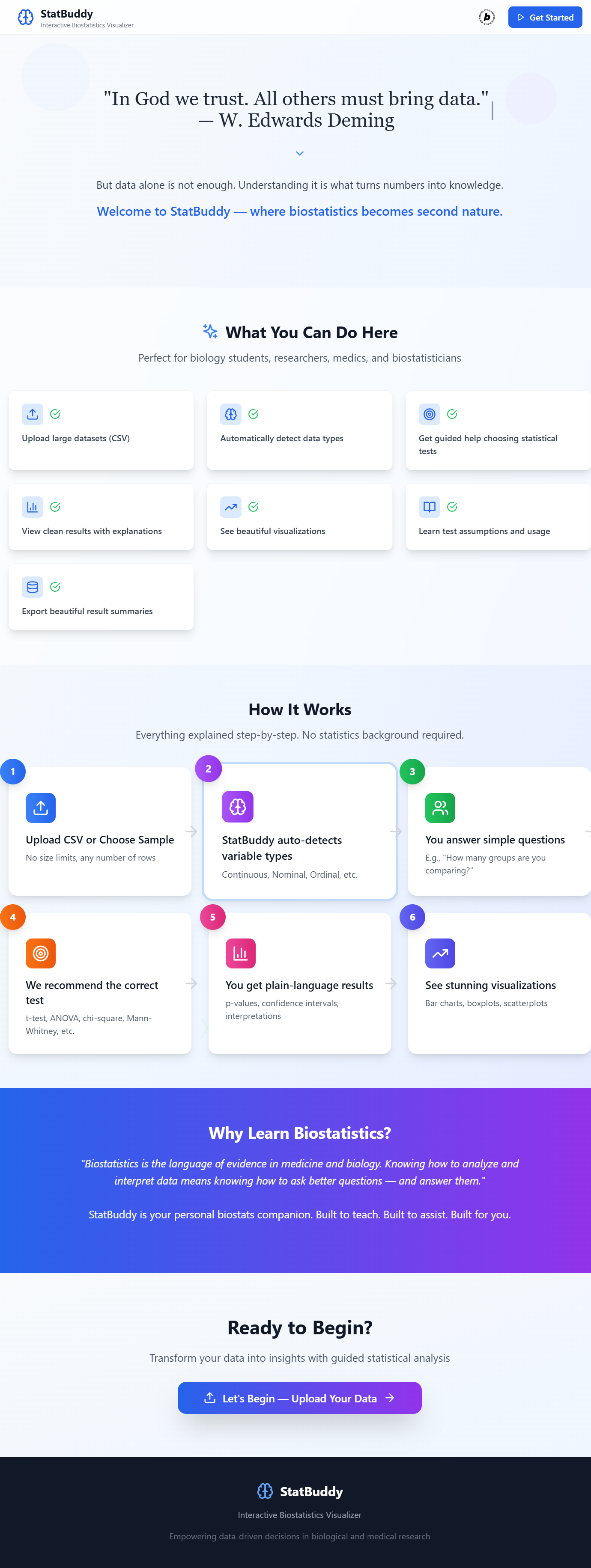
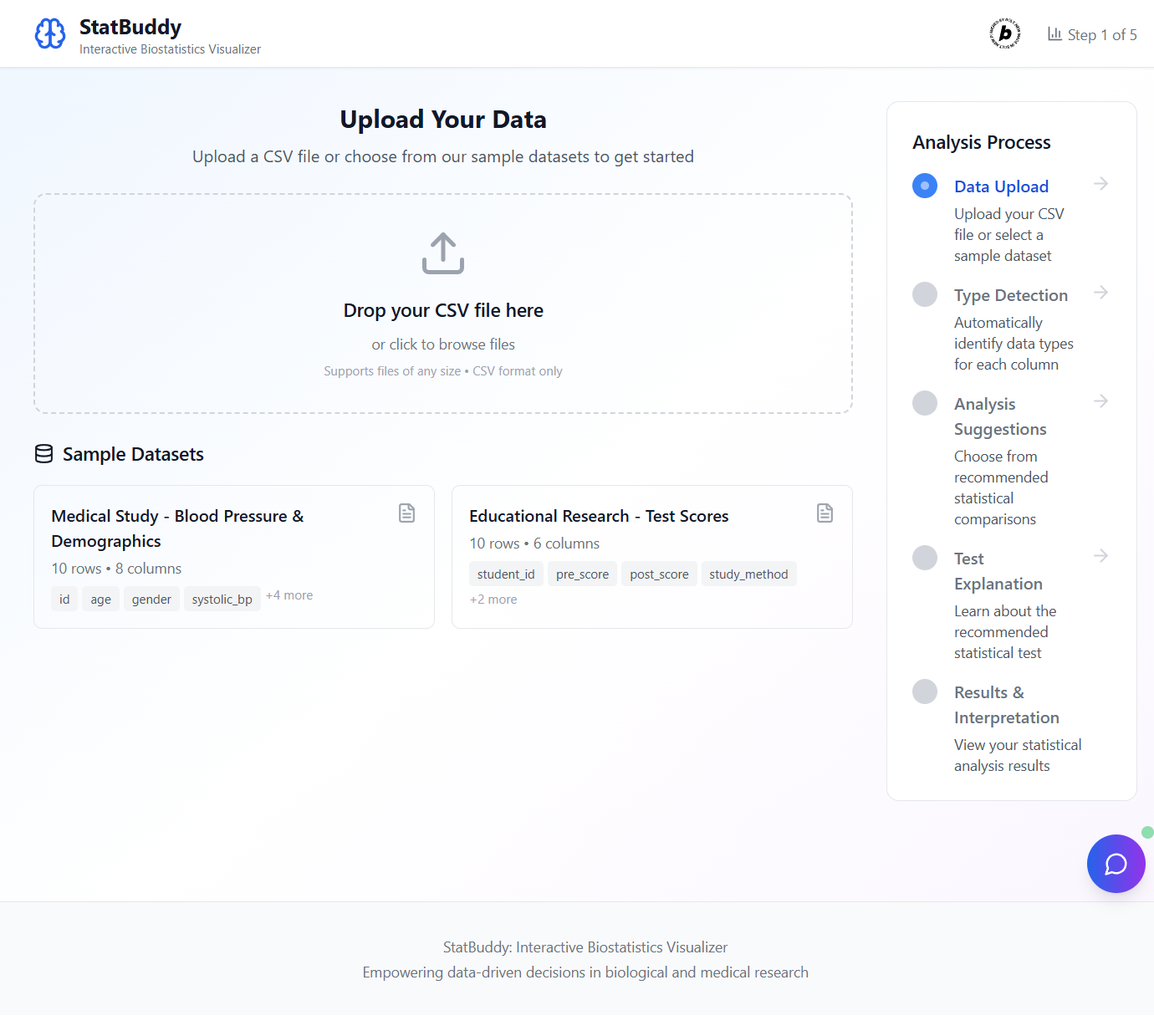
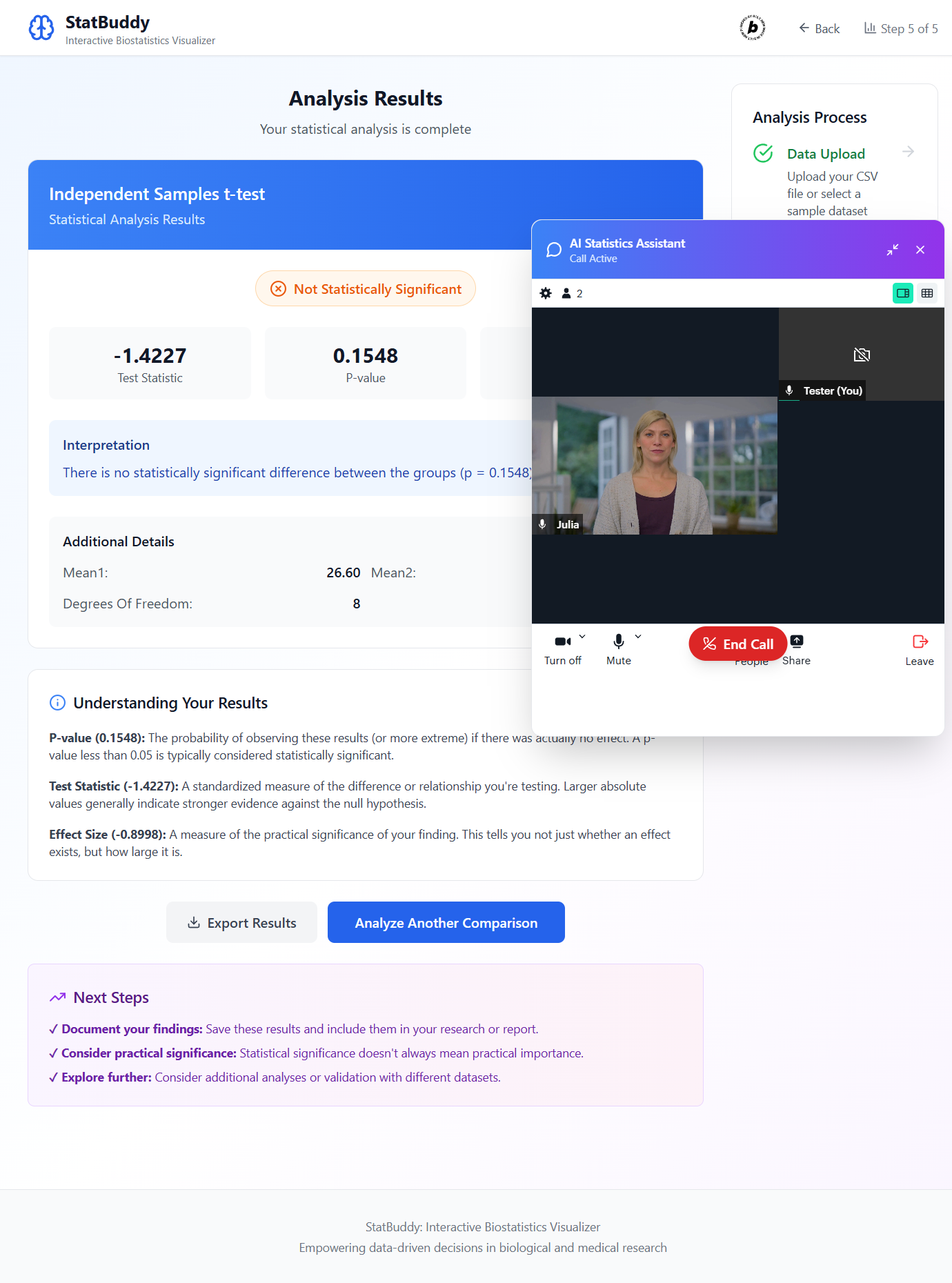
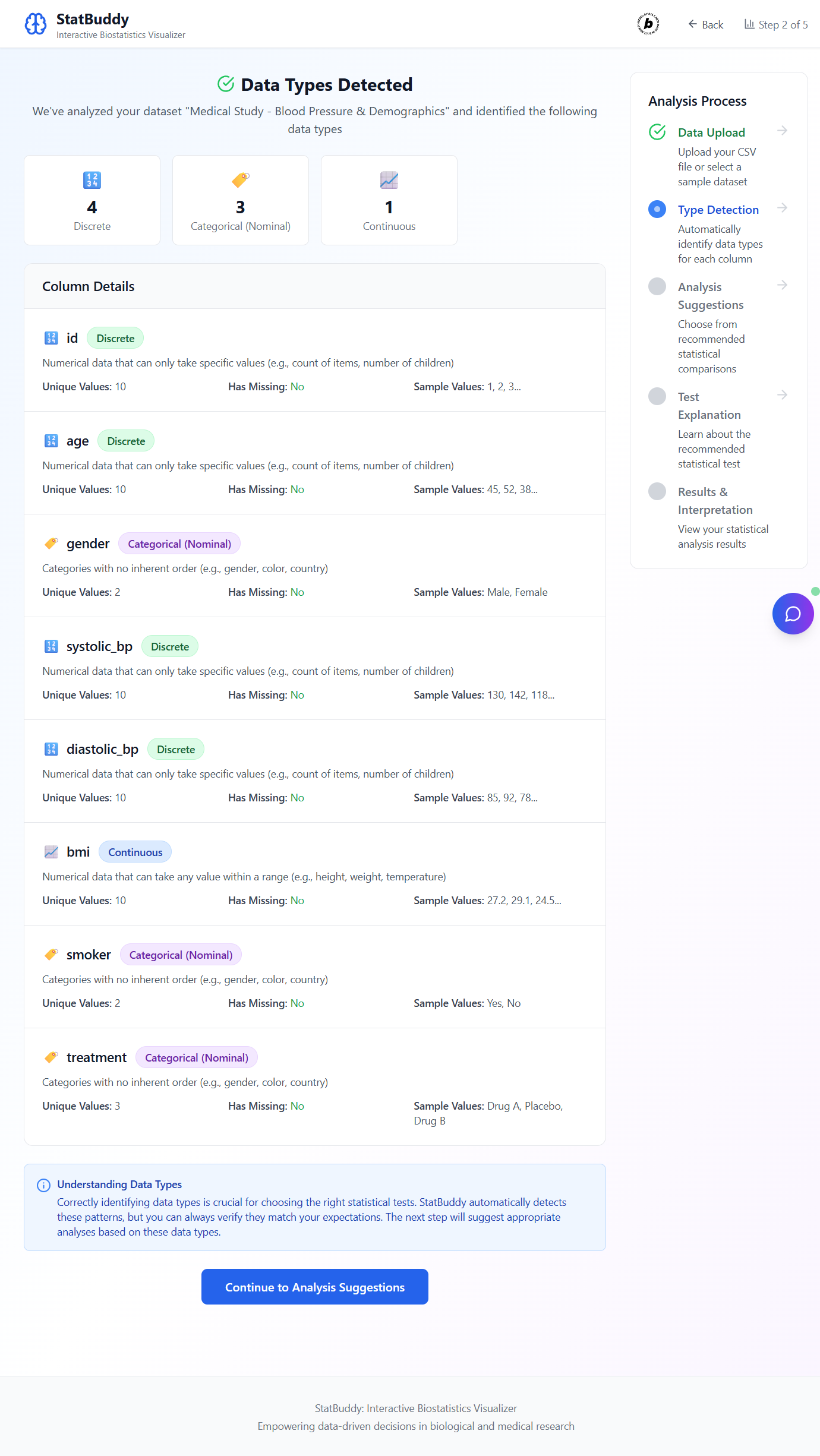
StatBuddy: Your Biostatistics Companion
What Inspired Us
Have you ever felt overwhelmed by statistics? We certainly have! Biostatistics, in particular, can be a real hurdle for students, researchers, and medical professionals. The sheer complexity of choosing the right test, understanding assumptions, and interpreting results often leads to frustration. Our inspiration for StatBuddy came from a simple desire: to demystify biostatistics and make data analysis accessible and intuitive for everyone. We wanted to build a tool that acts like a friendly guide, turning daunting numbers into clear, actionable insights.
What We Learned
Building StatBuddy was a fantastic learning journey. We dove deep into the practical applications of various statistical tests, from independent t-tests and paired t-tests to chi-square and Pearson correlation. Understanding their underlying assumptions and when to apply each one correctly was key. We also gained a much clearer picture of data classification, realizing how crucial it is to distinguish between continuous, discrete, and categorical data for accurate analysis. On the technical side, working with Bolt allowed us to appreciate the power of rapid development, especially when integrating complex features like our AI assistant.
How We Built It
We kicked off StatBuddy using Bolt, which gave us a robust foundation with React and Tailwind CSS. This allowed us to focus on the core functionality without getting bogged down in initial setup. The heart of the application lies in its statistical engine, where we meticulously implemented the various test formulas in TypeScript to ensure precision.
The user interface was designed with a step-by-step approach: users upload their CSV data, StatBuddy automatically detects data types, suggests relevant comparisons, explains the recommended statistical test, and finally, presents clear, interpretable results. A standout feature is the integrated Tavus AI Assistant. This AI is context aware, meaning it understands which step of the analysis you are on and can provide real-time, personalized guidance on statistical concepts or how to use the app. It truly transforms the learning experience.
Challenges We Faced
Every project has its hurdles, and StatBuddy was no exception. One of the main challenges was ensuring the absolute accuracy and robustness of our statistical calculations across diverse datasets. Handling different data formats and edge cases during the data parsing and type detection phases also required careful attention.
Integrating the Tavus AI Assistant seamlessly was another interesting challenge. We wanted it to feel like a natural part of the workflow, providing help without being intrusive. Ensuring its lifecycle was managed correctly, from starting a call to gracefully ending it, required some dedicated effort. Finally, translating complex statistical jargon into plain, understandable language for the test explanations and result interpretations was a creative puzzle we enjoyed solving.
Built With
- and-lucide-react-for-a-comprehensive-set-of-icons.-*-**development-tools:**-vite-serves-as-our-fast-build-tool-and-development-server
- bolt
- ensuring-a-smooth-development-workflow.-eslint-is-used-for-code-quality-and-consistency.-*-**platform:**-the-application-is-built-on-bolt
- eslint
- javascript
- javascript-*-**frameworks/libraries:**-react-for-the-user-interface
- leverages-a-modern-web-development-stack-to-deliver-an-interactive-and-intuitive-experience.-*-**languages:**-typescript
- lucide
- providing-real-time-guidance-and-explanations-to-users.-*-**data-handling:**-data-is-processed-in-memory-from-csv-file-uploads-or-sample-datasets
- react
- statbuddy
- tailwind
- tailwind-css-for-utility-first-styling
- tavus
- typescript
- vite
- which-provides-the-foundational-environment-and-streamlines-the-development-process.-*-**ai-integration:**-we-integrated-the-tavus-ai-api-to-power-our-context-aware-ai-assistant


Log in or sign up for Devpost to join the conversation.