⚡️ Bolt-IDE
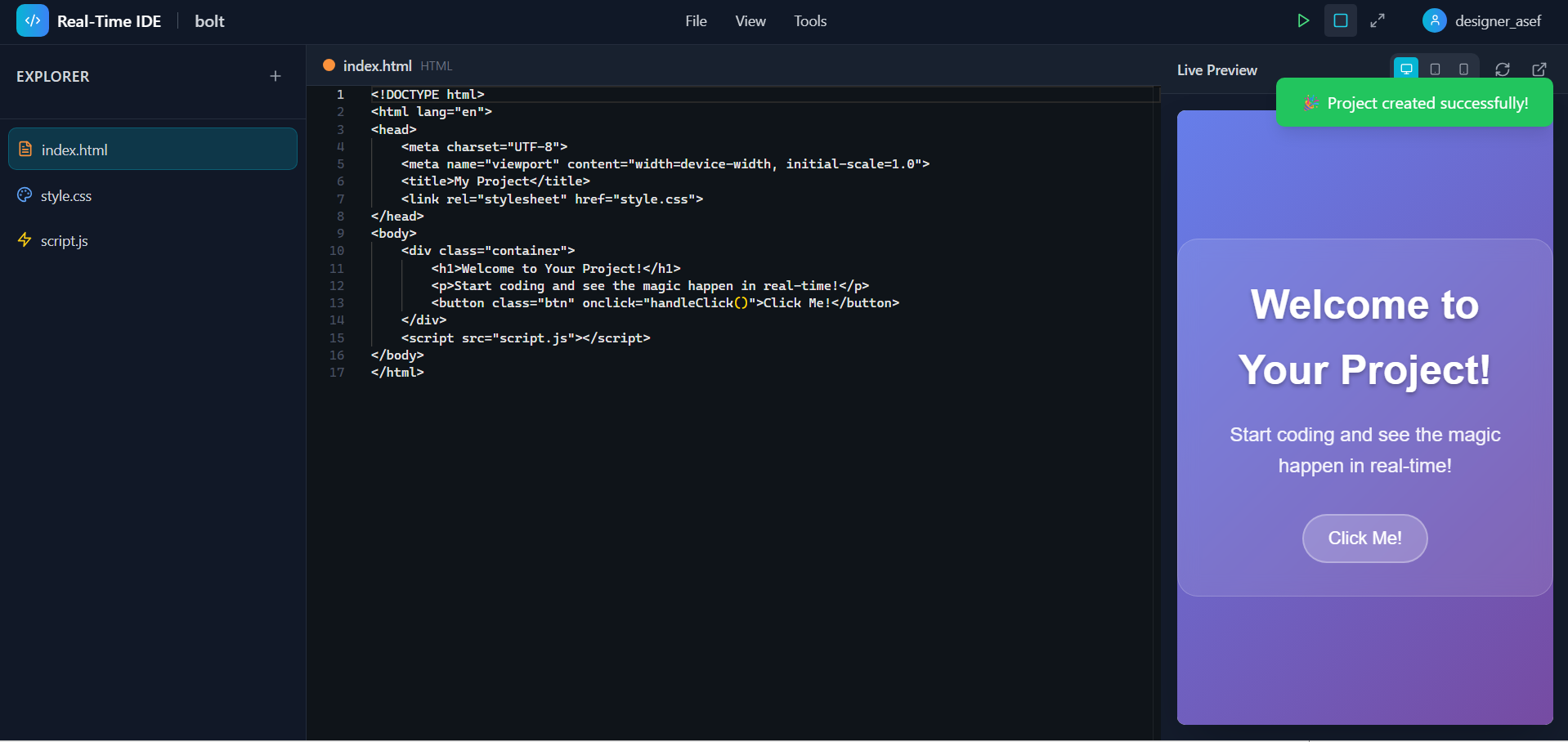
A fully animated, real-time web IDE that combines the best of VS Code, CodePen, and Figma — built for creators, learners, and developers to code, preview, and deploy instantly in the browser.
🚀 Inspiration
We were inspired by the frustrations of switching between multiple tools for coding, previewing, deploying, and learning. Developers deserve an all-in-one creative playground — where real-time updates, AI assistance, and gorgeous animations enhance the experience instead of slowing it down. We wanted Bolt-IDE to feel magical, responsive, and empowering — for beginners and pros alike.
💡 What it does
Bolt-IDE is a browser-based real-time coding environment that lets users:
- ✍️ Write HTML, CSS, and JS code with Monaco Editor
- 👀 See live preview of code changes instantly, without refreshing
- 🗃️ Create, rename, delete, and manage multiple files and folders
- 🧠 Use an AI Assistant to suggest code, fix errors, and explain logic
- 💾 Auto-save to
localStorageevery 2 seconds - 🔐 Authenticate with username/email (localStorage-based)
- 🌈 Animate everything with GSAP, Framer Motion, and Three.js
- 🎨 Drag and drop layout builder with visual CSS tools
- 📱 Enjoy a fully responsive and mobile-optimized IDE
- 📦 Export full projects as .zip files (HTML/CSS/JS + assets)
🛠️ How we built it
- Framework: React + TypeScript
- Bundler: Vite
- Styling: Tailwind CSS
- Editor: Monaco Editor via
@monaco-editor/react - Animations: GSAP, Framer Motion
- 3D Graphics: Three.js + @react-three/fiber + @react-three/drei
- File Export: JSZip + FileSaver
- Auth & Storage: localStorage (session & project management)
🧰 Tech Stack (One Line)
React, Vite, TypeScript, Tailwind CSS, Monaco Editor, GSAP, Framer Motion, Three.js, @react-three/fiber, @react-three/drei, JSZip, FileSaver, Lucide React.
🧱 Challenges we ran into
- Simulating a multi-file IDE completely in the browser
- Ensuring smooth real-time rendering and code execution without lags
- Managing project CRUD operations in localStorage without corruption
- Creating conflict-free auto-save logic across multiple tabs
- Combining 3D, motion, and UI responsiveness without performance drops
🏆 Accomplishments that we're proud of
- Built a fully functional coding playground with zero backend
- Integrated Monaco Editor + live preview with real-time updates
- Designed an interactive, animated UI with GSAP, Framer Motion, and Three.js
- Added AI-based code assistance features for beginners
- Made the experience feel native, creative, and fun
📚 What we learned
- Deep use of Monaco Editor and how to manage its models and tabs
- Creating real-time experiences with iframes and DOM injection
- Structuring React for multi-panel UIs with drag-and-drop
- Using Framer Motion and GSAP together for smooth UX
- Managing and syncing localStorage-based project state
🔮 What's next for Bolt-IDE
- 🌐 Real-Time Collaboration: Live cursors, editing, and shared sessions
- ☁️ Cloud sync and GitHub Integration
- 🧠 Full AI coding assistant using OpenAI or Gemini API
- 🎓 Built-in coding tutorials, challenges, and skill tracking
- 📲 Native mobile app version with smart code keyboard
- 🧩 Plugin architecture for extending IDE functionality
Want to contribute or try it out? Stay tuned for the GitHub link and live demo 🚀
Built With
- filesaver
- framer-motion
- gsap
- jszip
- lucide
- monaco-editor
- react
- react-three/drei
- react-three/fiber
- tailwind-css
- three.js
- typescript
- vite

Log in or sign up for Devpost to join the conversation.