-
-

Boiler Bites Logo
-
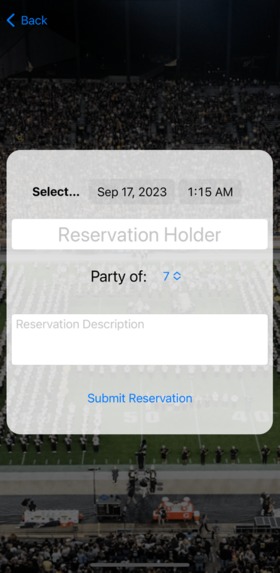
Create New Reservation
-
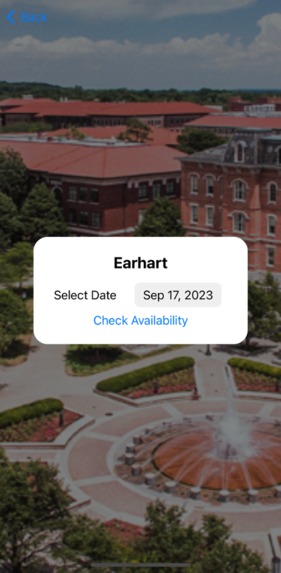
Check Dining Hall Availability
-
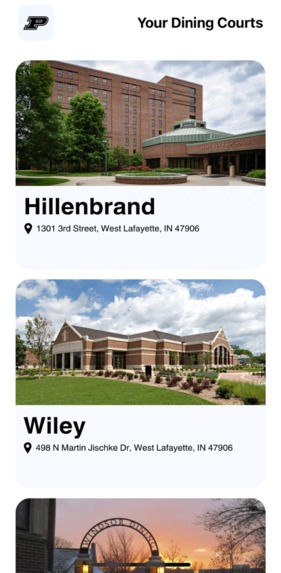
BoilerBites Home | Dining Courts
-
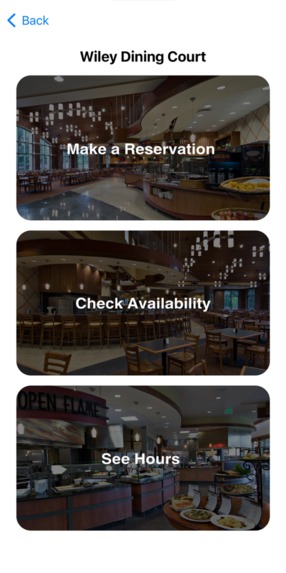
Dining Court Home
-
Dining Hours

Inspiration
Boiler Bites is heavily inspired by our own personal experiences in Purdue dining courts. We find them to be busy, crowded, and hopelessly unorganized. The feeling of seeing an open table a mile away, only for you to find a small jacket on a chair is incredibly demoralizing as well as irritating when carrying three plates of food. This was especially the case during Boiler Gold Rush (Purdue Freshmen Orientation), when we had trouble finding spots for our entire orientation group. Not only that but we also have heard from many friends who struggled to plan out group gatherings after club meetings and organize meetings with team members where they could all work and use meal swipes as meals.
What it does
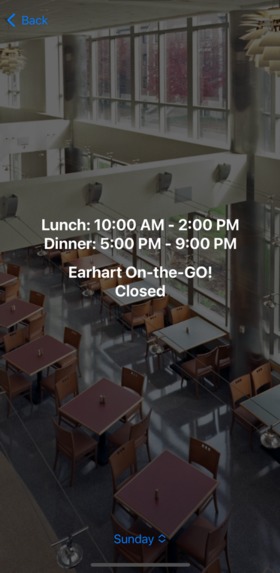
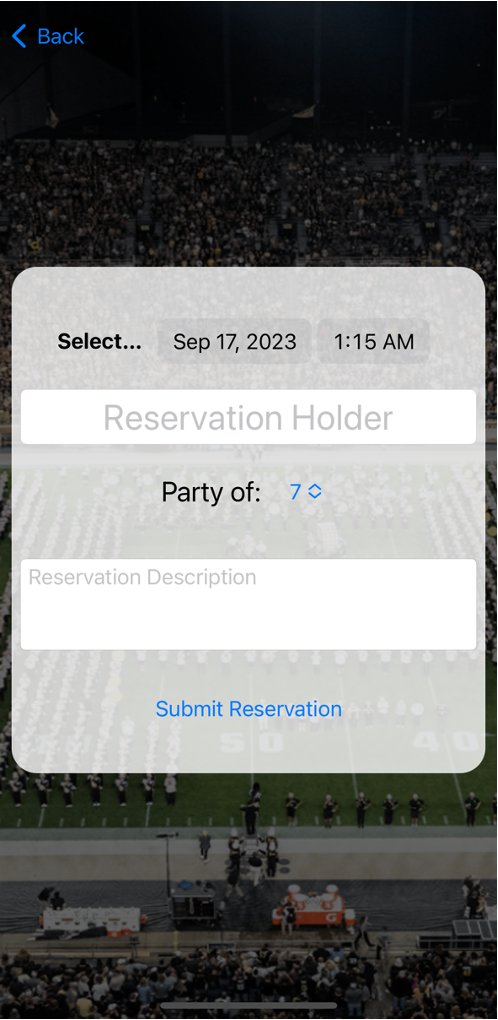
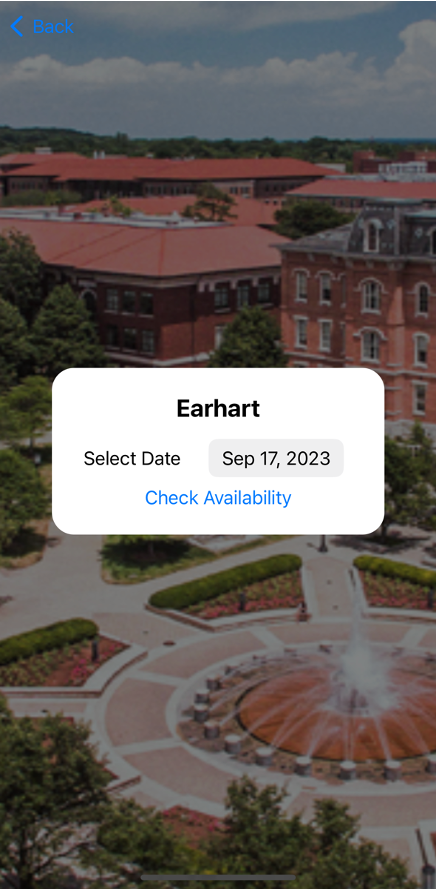
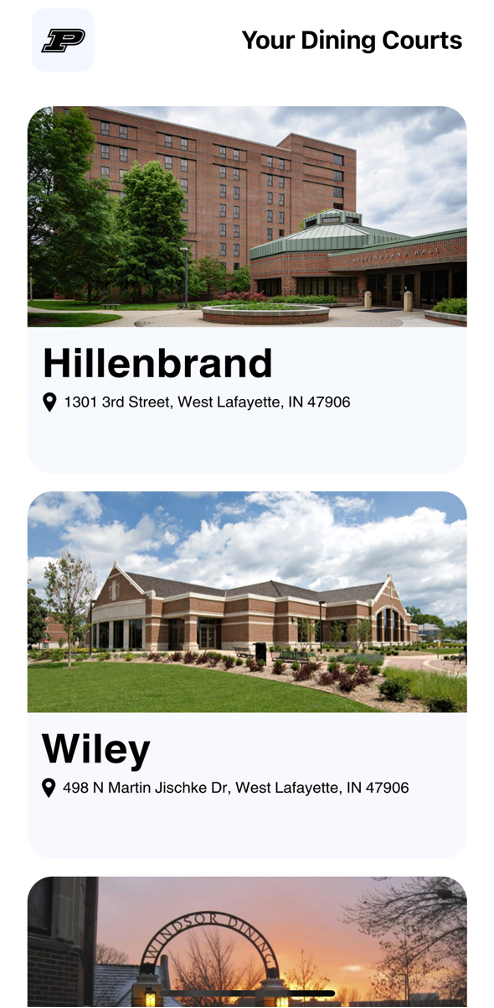
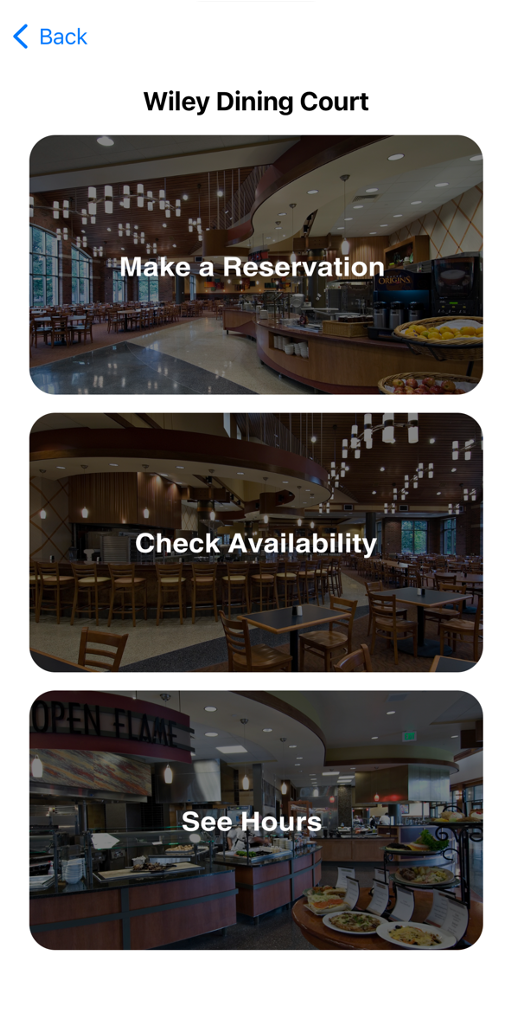
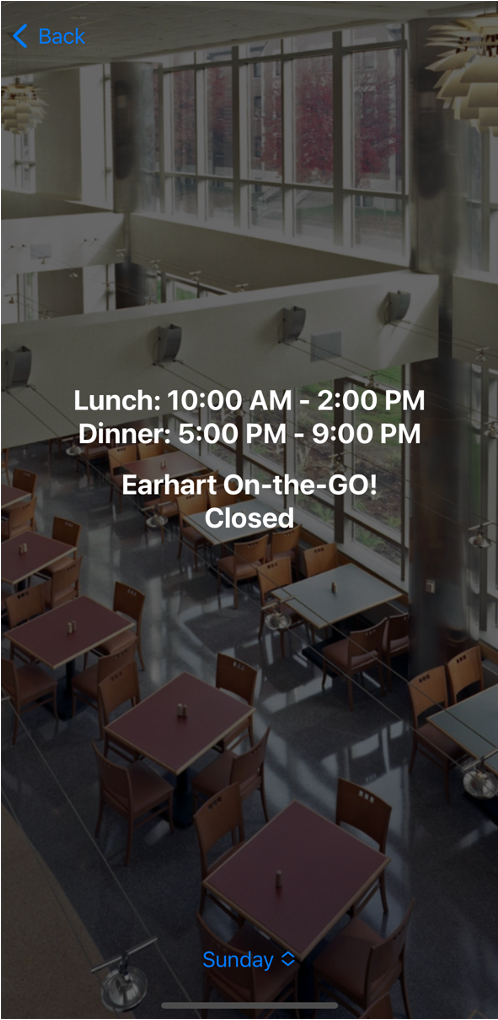
BoilerBites is simply an app to make reservations at your favorite Purdue dining halls. Simply open up the app, select a dining court and begin your journey towards finding that perfect reservation. Whether your simply looking to sit down with a group of friends or have a post-meeting dinner plan with some of your club members--BoilerBites is your easy way into booking a table simply and swiftly. Once you select a dining court, you'll be able to look into the availability times for that dining hall. Simply by selecting a dropdown you can check the open times for that day and then proceed to check availability. In the availability page, a student can select a day for a dining court and check to see if the dining hall has reached max reservations for that. Once you open the make a reservation page, a user will be able to select a day (only one week in advance), a time and then fill out information on his/her booking. This information will include name, number of attendees, and a description as well. As soon as a reservation is created, the reservation will persist into our online database. From here, the dashboard (written in Flask and Python) will display to dining hall staff members the upcoming reservations for each dining court, and all the information that the user inputted. Most importantly, the dashboard provides the dining hall staff members to cancel reservations at any time if they find that they are facing capacity issues or busy dining hours. Last but not least, the user can open up the app up at any time and view all his/her reservations in the "My Reservations" page.
How we built it
At the core of BoilerBites is an iOS App which is built purely using SwiftUI. SwiftUI is a UI framework language that is built upon Swift UI and allows us to essentially develop functionality while also developing the user interface upon it. With our app we built everything in core components of a UINavigationView and then attached pages to each of the Navigation Views. This allowed us to make each page connect to the core navigation view and allow the user to move between pages. All data that the app pushes or commits goes to a Firebase online realtime database. This database contains a node which keeps tracks of Reservations for each dining hall. Underneath this node is the information such as Reservation Holder, Group size, Dining Hall and even a description of the reservation. From here, the app accesses these reservations by checking for availability and also showing a My Reservations page to the user. In order to achieve this connection between the app and the Firebase database, we use the Firebase iOS SDK. This is a framework which takes in our Firebase credentials and can read/write from our database. For example, the Availability page works by simply counting the number of nodes in a given database and checking to see if the dining hall has reached max capacity. Lastly, we had to make sure that we didn't just built our app for the client side but also for the management side. This includes the dining hall workers and staff members. For this use case, we developed a Flask app developed in Python which also accessed the Firebase python package. Similarly to the app, this allowed the dashboard to access read/write functions of the database and also to attach important Firebase data to UI components such as our table. While functionality was surely our goal on the dashboard side of the project, we also didn't keep a blind side towards design. In order to achieve sleek and elegant design we utilized the Tailwind CSS framework. This allowed us to develop and design beautiful tables which could read and display data from the Firebase database in a clean way.
Lastly, our dashboard was deployed on Vercel to achieve a production environment.
Challenges we ran into
One of the primary challenges was developing the dashboard to be a web app which could refresh automatically. Essentially the vision behind this was making the app in such a way that almost any dining hall manager could access the app and keep it running on a screen. Similar to how restaurants show online orders on a screen, our idea was that this dashboard could update and show new reservations automatically. Unfortunately this brought about several challenges such as declaring global data in Python and also opening up threads in the flask app which could consistently check for new snapshots of the Firebase database.
Another challenge we ran into was deleting rows in our dashboard. Although this seems like a relatively easy feature to build it involved us not only making a UI change on the dashboard side of things by deleting a row of the table, but also making a internal change by deleting a child in the Reservations node of the Firebase database. Thus, the challenge here was to essentially send query parameters to a GET route in our flask app and retrieve those values to know which dining hall the deleted reservation belongs too in the firebase database.
Accomplishments that we're proud of
- Achieving design which prioritizes what it means to be a Boilermaker. Simple features such as images of the Dining Court or background images of Ross-Ade gives a student user the feel that is an "app for Purdue students by Purdue students"
- Developing an efficient solution architecture. Our architecture utilized the Firebase real time database effectively as a middle-man between the app and dashboard. This meant data could be easily read, written and deleted in the database at any time. Since a database is at the crux of our product it makes it so that our data management is all interconnected--essentially allowing the user instant insights into making the perfect reservation
- We were able to create a full-fledged iOS application within 24 hours. Additionally, we were able to connect our “reservations” to a database on a completely different application, where functionality of adding and removing reservations to different dining courts was achieved. Not only did we build an app for students, but we turned said database into a nuanced website marketed towards those dining courts, where Purdue (the organization running the dining courts) would be able to view and edit reservations for all five main campus dining courts. As hackers with limited experience in Swift UI, we impressed ourselves with the amount and quality of the work we produced.
What we learned
Boiler Bites provided three main learning points for us. Before this hackathon, UI design was essentially a foreign concept for our entire team. Being able to design professional layouts and pages within an app we were somewhat unfamiliar with was a major learning experience. For example, understanding how to space objects vertically and horizontally by stacking was something completely new to us. Navigation was also a fairly new idea for most of our team, as being able to expand on normal navigation links took time and effort to understand and achieve. But most of our effort came in understanding the database aspect of our project.
What's next for Boiler Bites
- Talk to dining hall managers to see if certain a number of tables can be set of reservation during the week
- Publish BoilerBites on the iOS App Store and get in contact with the Purdue front office to see if such a app could be implemented into dining halls for students to access
- Take surveys of students and sample sizes to see whether this would be a viable product at Purdue
- Add functionality to develop a "Add to Wallet" button which allows students to add a card to their wallet which contains information about their booked reservation

Log in or sign up for Devpost to join the conversation.