-
-
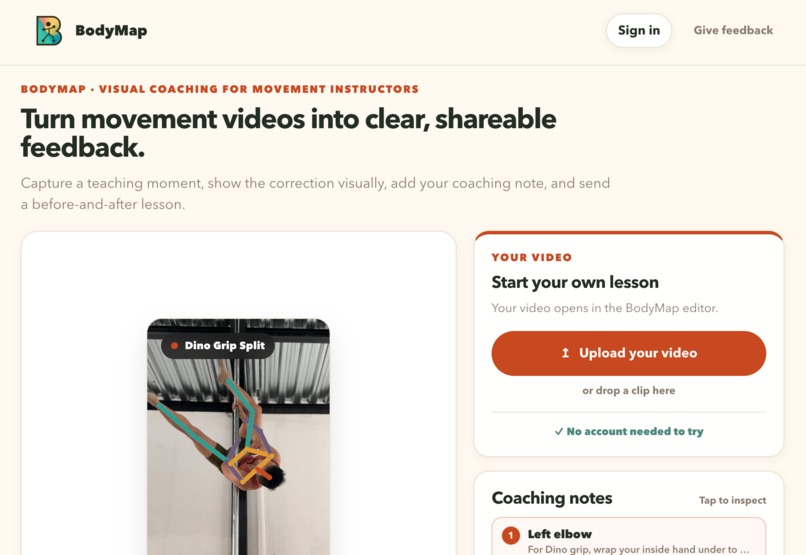
Bodymap web screenshot
-
Project cover
-
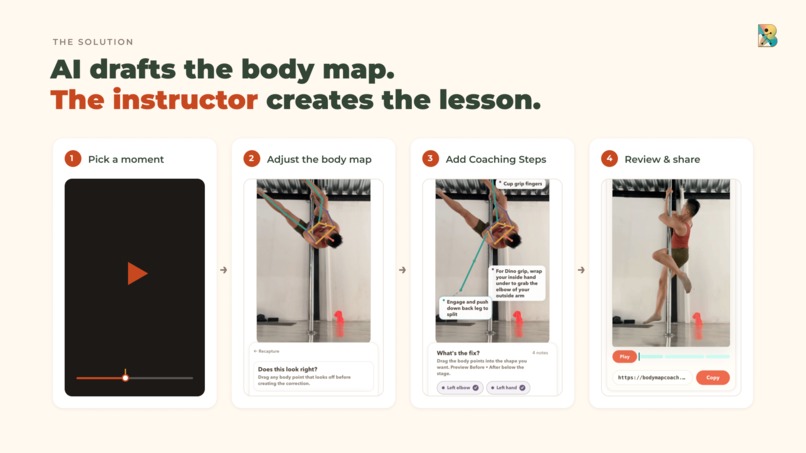
Core flow
-
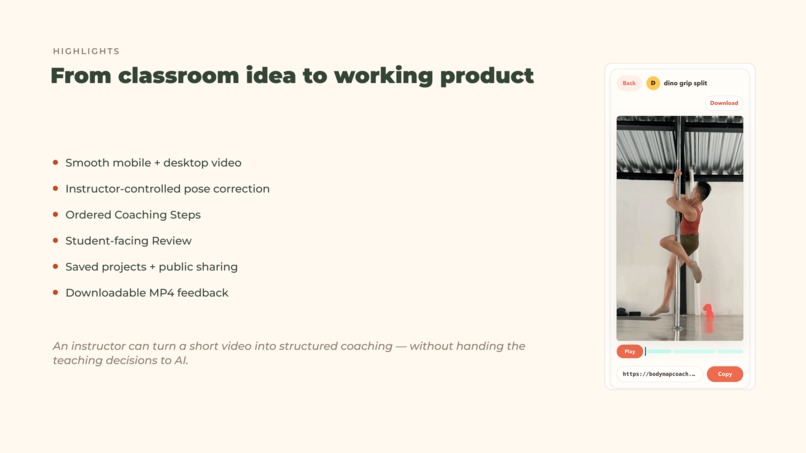
Highlights
-
Challenges
-
Retrospective
Inspiration
Movement instructors (eg: weightlifting, dance, aerial sports..) often give their most valuable feedback verbally: “Move your hip here,” “lengthen through this line,”. The in the moment coaching is super valuable but hard for students to absorb in the moment much less remember to apply afterward.
I experienced this problem directly as a pole dance instructor. It's common practice in aerial / dance / weightlifting for instructors to record (or students themselves record) their movements to get feedback on. The challenge is.. the instructor can point at the video and tell you what to adjust in the moment, but the coaching is not captured alongside, and that's how I thought of this project! I built BodyMap to explore a more visual approach:
What if an instructor could show a student not only where their body was, but where it could move next?
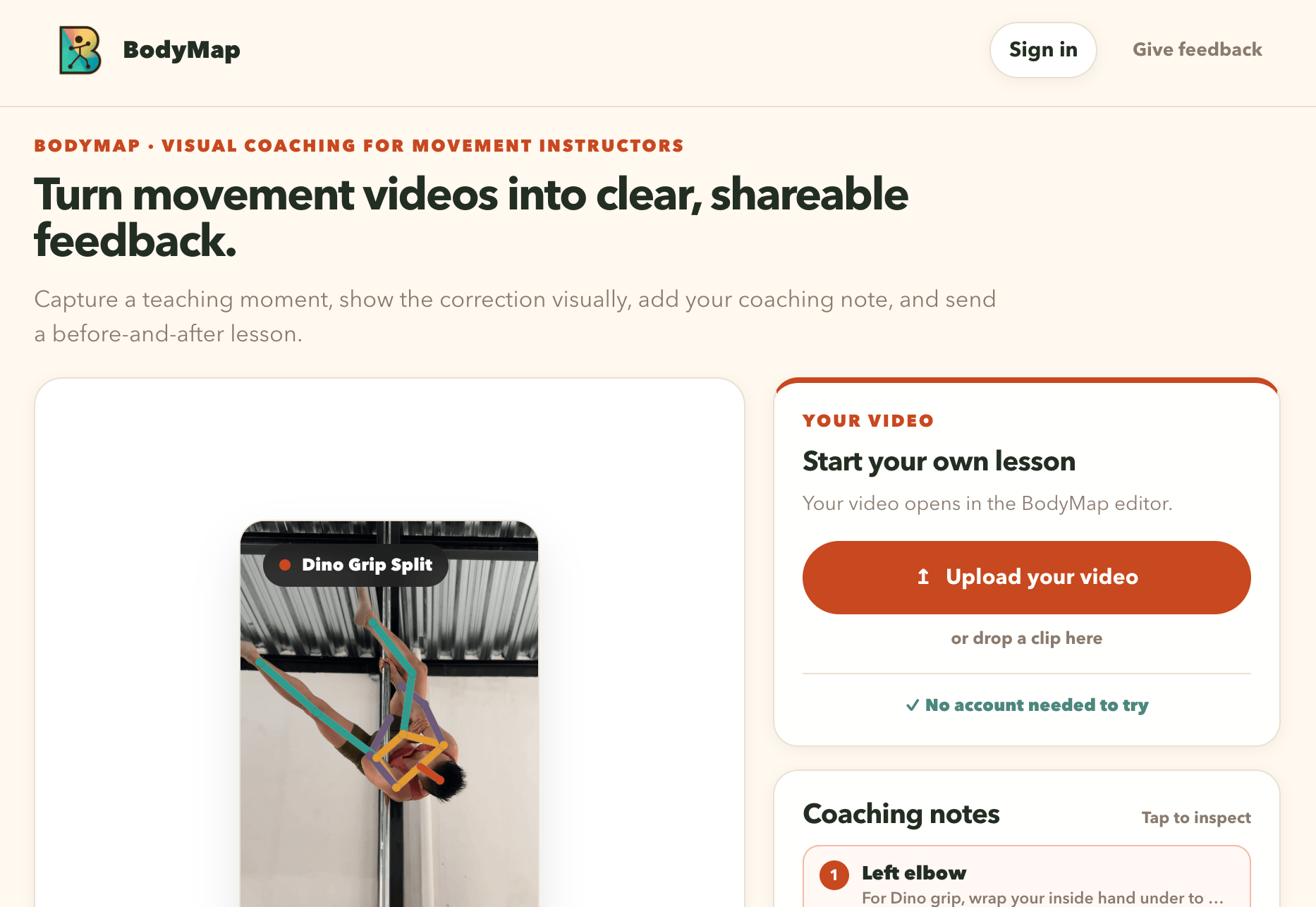
BodyMap turns a student’s movement video into a visual coaching artifact. An instructor captures a key moment, adjusts a pose overlay to demonstrate the recommended position, adds focused coaching notes, and shares the result as an animated review or downloadable video.
What it does
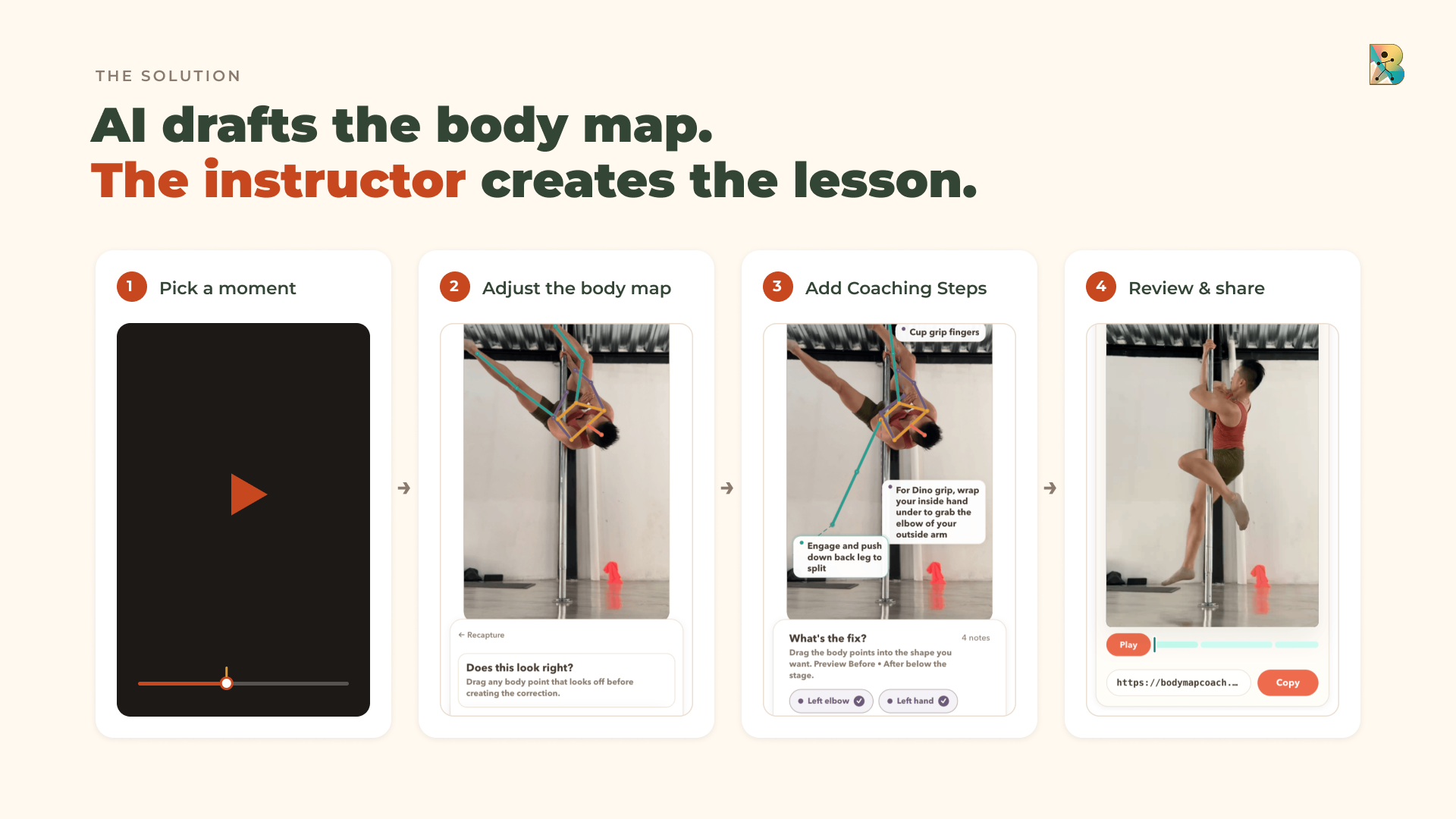
BodyMap guides instructors through four stages:
- Prepare — Upload a movement video and capture the moment that needs feedback.
- Author — Confirm the detected original pose and create a recommended pose by repositioning body landmarks.
- Review — Preview the transition from the student’s original position to the coached position, with timed annotations and teaching notes.
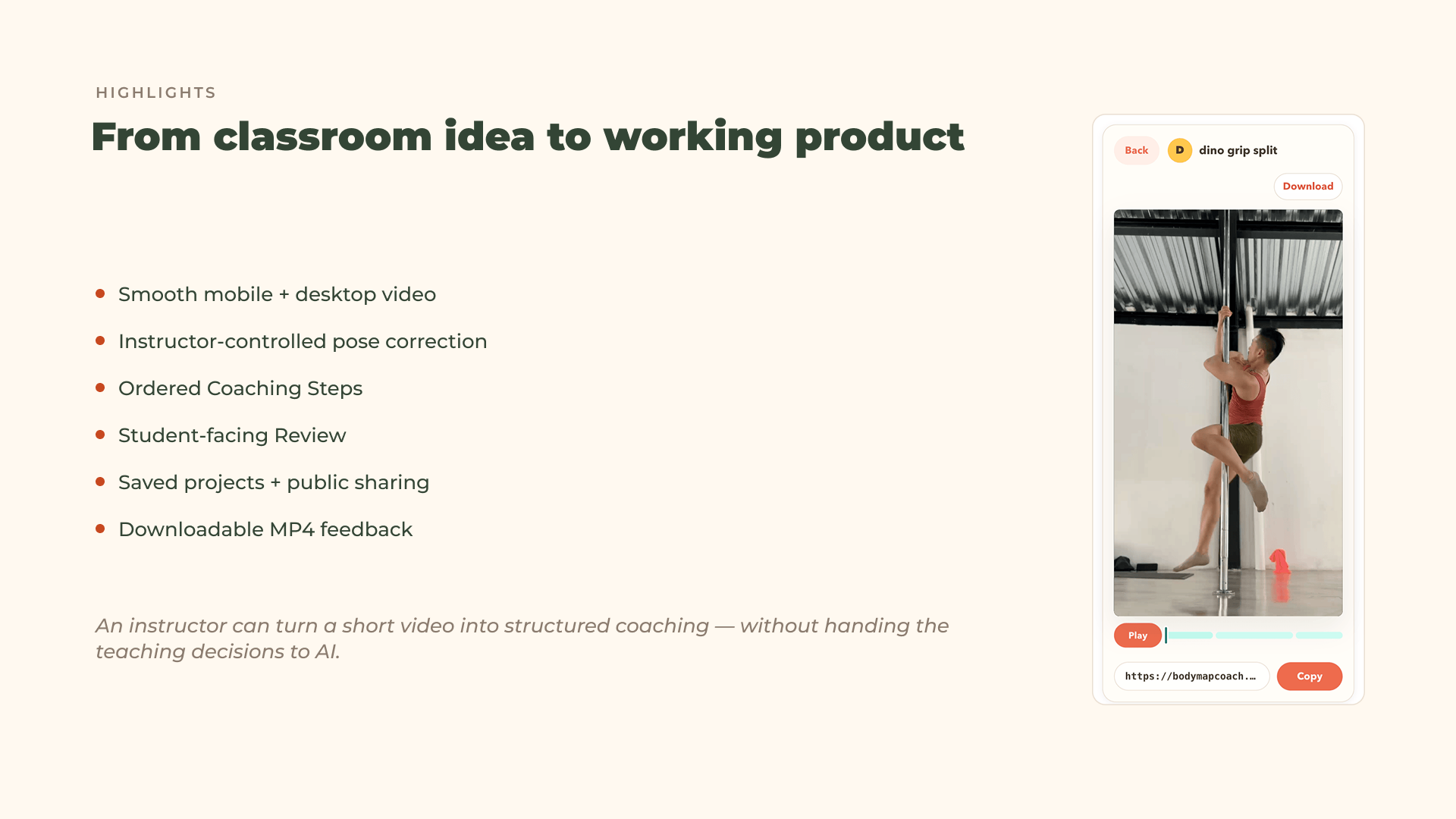
- Share — Save the project, generate a shareable link, or download an annotated MP4.
Instead of presenting students with a static diagram or a paragraph of instructions, BodyMap connects the coach’s words to a visible change in the body.
How I built it
BodyMap is a React and TypeScript application built with Vite.
I use MediaPipe Pose Landmarker to detect body landmarks from a captured video frame. The detected skeleton becomes the starting point for an editable pose overlay. Instructors then move individual landmarks to create the recommended position while preserving the original pose for comparison.
The coaching system records which regions changed and lets the instructor attach notes to those specific adjustments. BodyMap then generates a teaching sequence that moves through:
- the original pose
- the animated correction
- the recommended pose
- the instructor’s coaching notes
Projects, authentication, shared reviews, and uploaded media are handled through Supabase. A separate FFmpeg rendering service creates downloadable MP4s that reproduce the same timing, pose transitions, labels, and notes shown in the browser.
The interface was designed as a responsive coaching workspace rather than a collection of scaled-down desktop screens. On larger displays, the video and editing controls can sit side by side; on mobile, the same tools adapt into a more focused stacked workflow. A responsive prototype also helped establish the visual system, interaction hierarchy, and reusable component direction that shaped the production interface.
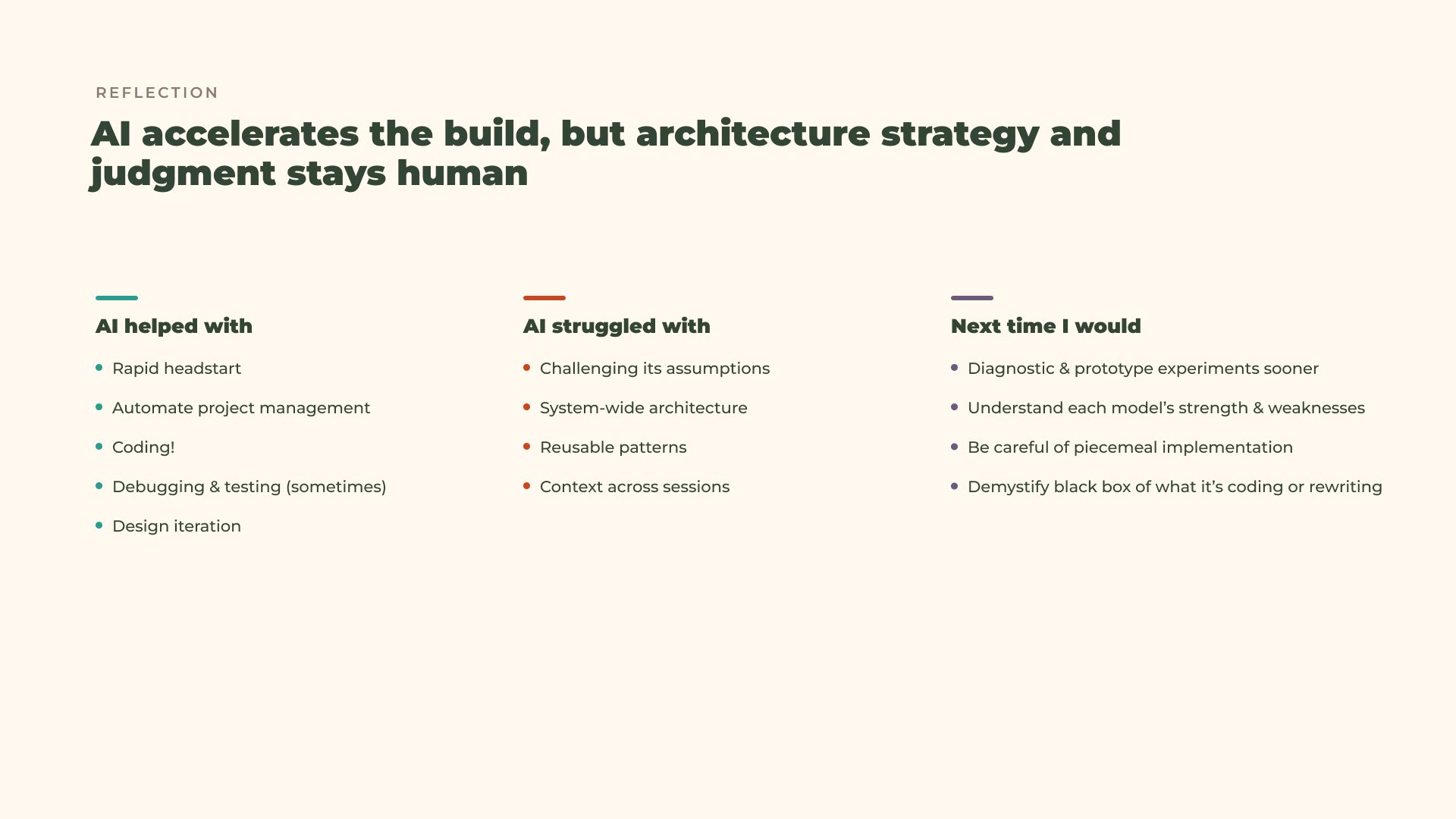
AI helped me:
- investigate unfamiliar browser and media APIs
- translate product requirements into implementation plans
- reason through state-machine and persistence failures
- generate focused regression tests
- compare implementation approaches
- audit visual consistency and responsive behavior (kind of)
- document architectural and product decisions
- accelerate repetitive implementation work
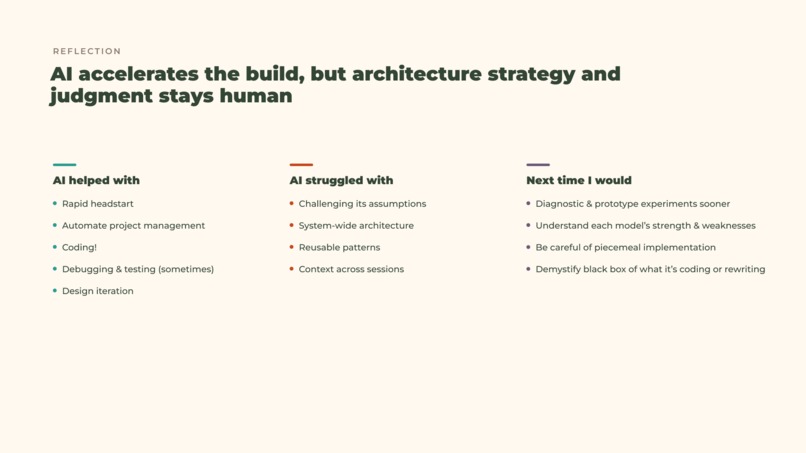
AI was effective for the parts of the project when the product behavior was already clearly defined. When a prompt included the intended user experience, system constraints, failure states, and acceptance criteria, the resulting implementation was significantly more reliable.
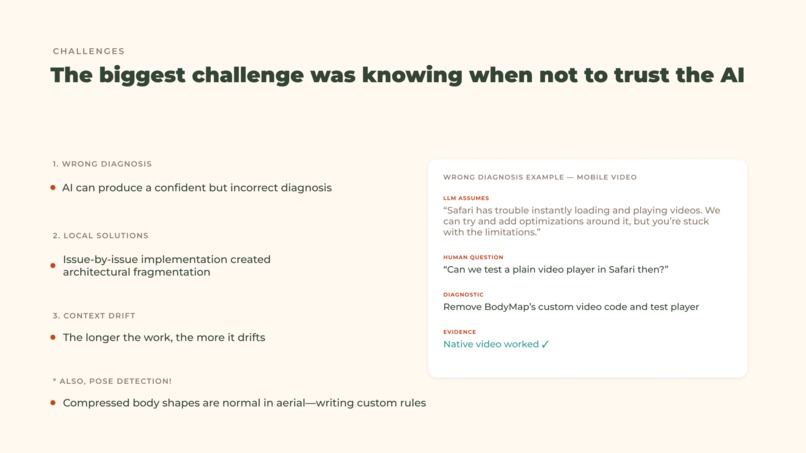
But it struggles a lot with one-off implementations creating technical debt you don't realize until later.
For visual exploration, I also used AI-generated prototypes to test responsive layouts and interaction ideas before translating the strongest concepts into BodyMap’s existing React architecture. The prototypes became a presentation reference, while the production data model and application behavior remained the source of truth.
Challenges
Making pose detection editable
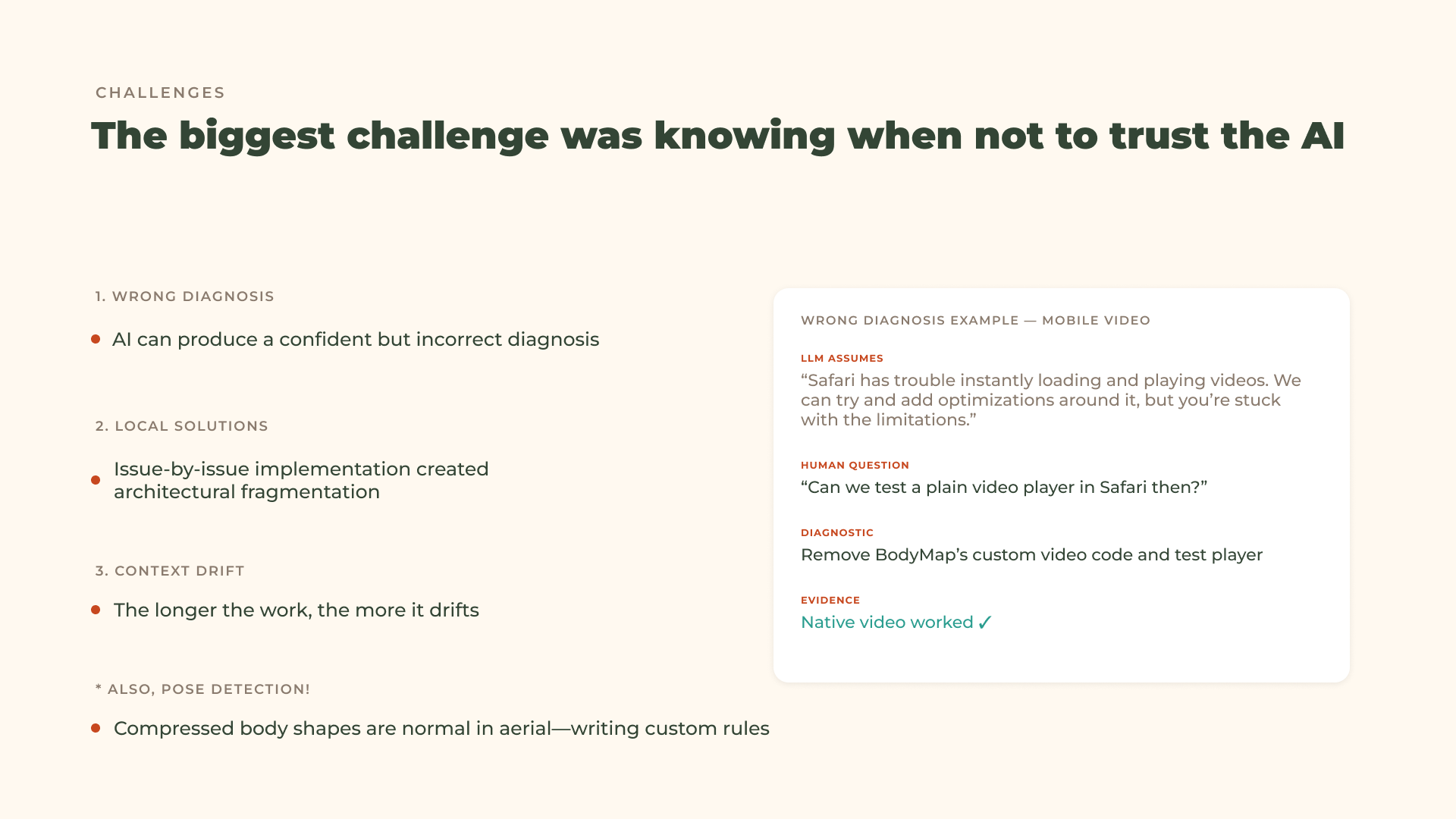
Pose detection is useful, but it is not automatically correct—especially in pole and aerial movement, where limbs overlap, rotate, or partially leave the frame.
I had to treat detection as a starting point rather than an answer. BodyMap allows the instructor to confirm and adjust the detected pose before creating a recommendation. I also added plausibility checks and recovery behavior for cases where landmarks were missing or anatomically unlikely.
Keeping browser playback and exported video consistent
The review experience exists in two different environments:
- an interactive browser preview
- a server-rendered MP4
Both needed to show the same pose timing, notes, transitions, labels, and pauses. This required defining a shared playback model instead of creating separate animation logic for preview and export.
Supporting mobile video behavior
Mobile Safari introduced some of the hardest technical problems. A video element could report that it was ready while remaining stuck in an unresolved seek, causing playback or frame capture to appear available when it was not.
Solving this required more than adding delays. I built explicit media initialization states, bounded recovery behavior, source-identity checks, and regression tests that reproduced the Safari event sequence.
Preserving a simple instructor workflow
BodyMap contains computer vision, editable landmarks, animation timing, cloud storage, sharing, and server-side video rendering. The challenge was preventing that technical complexity from becoming the instructor’s problem.
I repeatedly simplified the interface so the workflow remained centered on the teaching task:
Find the moment, show the change, explain why it matters, and share it.
What I learned
I learned that building with AI works best from a top down project plan. What's hard is some areas of the project I might not be as knowledgeable about, so I might lean more on AI to implement. But the issue with that is letting it build a solution once, often times means it builds something piecemeal. at least that's my experience with codex.
I wish it were more thorough with checks and top level infrastructure - or calling things out. But maybe i need to get better at prompting.
AI does accelerate research, prototyping, debugging, and implementation, but the quality of the result depends on maintaining clear sources of truth for:
- product behavior
- terminology
- architecture
- visual direction
- acceptance criteria
Finally, I learned how important edge cases are to the real product experience. A successful demo can hide media failures, recovery problems, inaccessible interactions, or confusing state changes. Much of the most meaningful work happened after the first version appeared functional.
What’s next
The next step is to put BodyMap in the hands of movement instructors and observe how they use it during real coaching sessions.
I want to learn:
- which types of corrections benefit most from visual pose comparison
- how instructors organize multiple coaching moments
- how students interpret animated versus static feedback
- whether shared reviews improve practice between lessons
- where automation helps and where instructor control must remain explicit
Future versions could support multiple moments within one lesson, collaborative feedback, additional movement disciplines, mobile-first authoring, and carefully scoped AI assistance for drafting or organizing coaching notes.
The goal is not to replace the teacher. It is to help their expertise remain visible, understandable, and useful after the lesson ends.
Built With
- codex
- supabase
- vite

Log in or sign up for Devpost to join the conversation.