-
-

Bob Eats Cookies
-
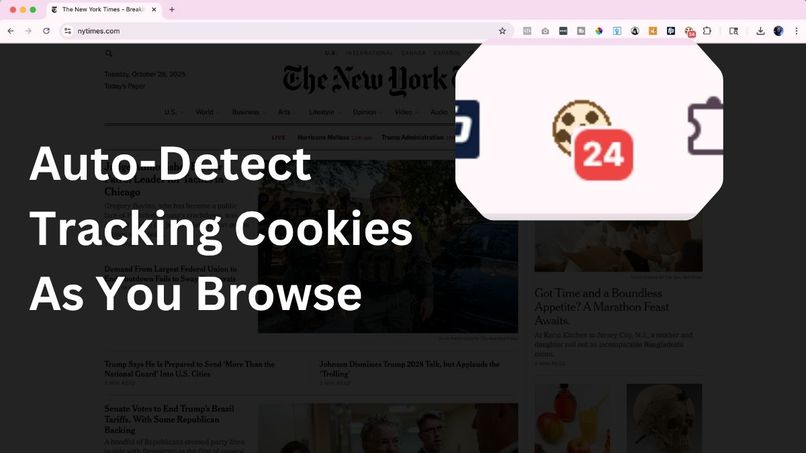
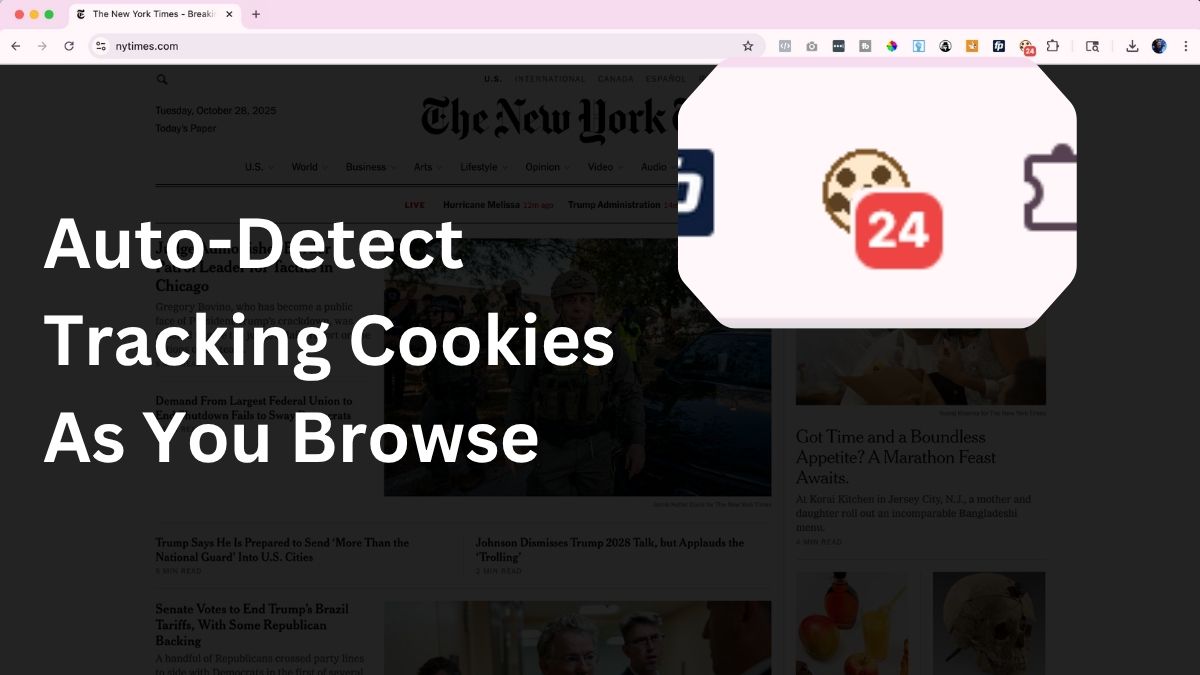
Auto-detect tracking cookies as you browse.
-
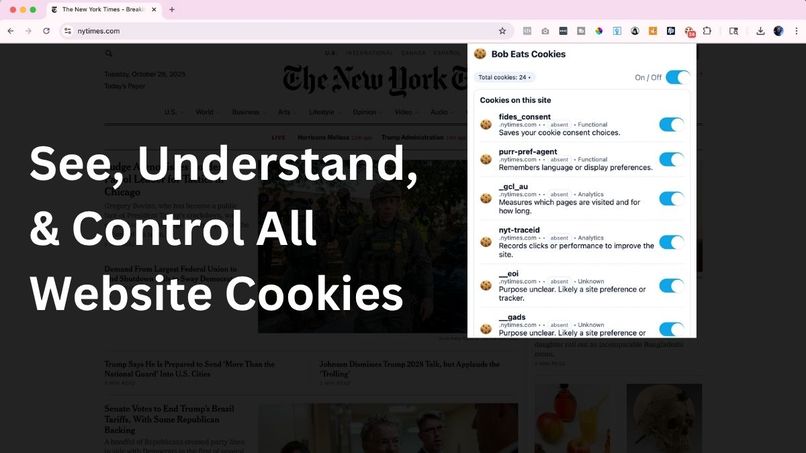
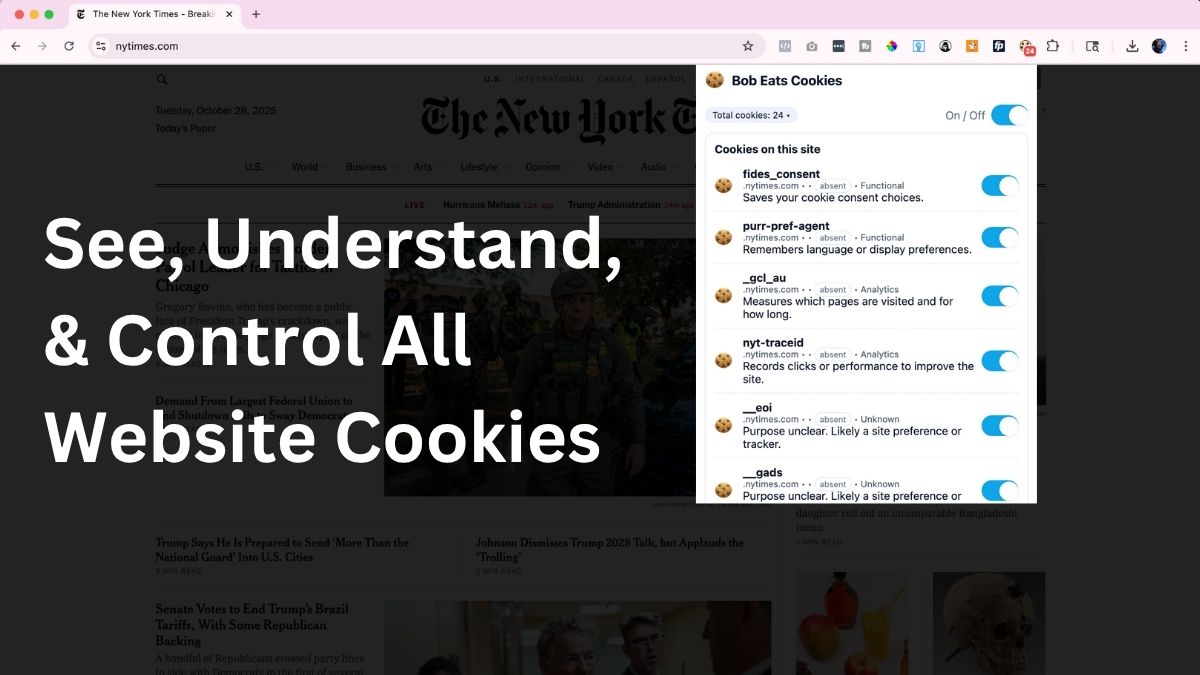
See, understand, & control all website cookies.
-
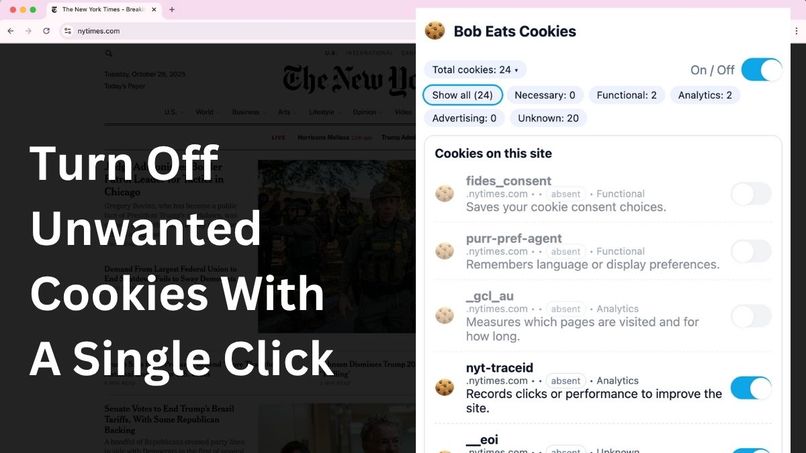
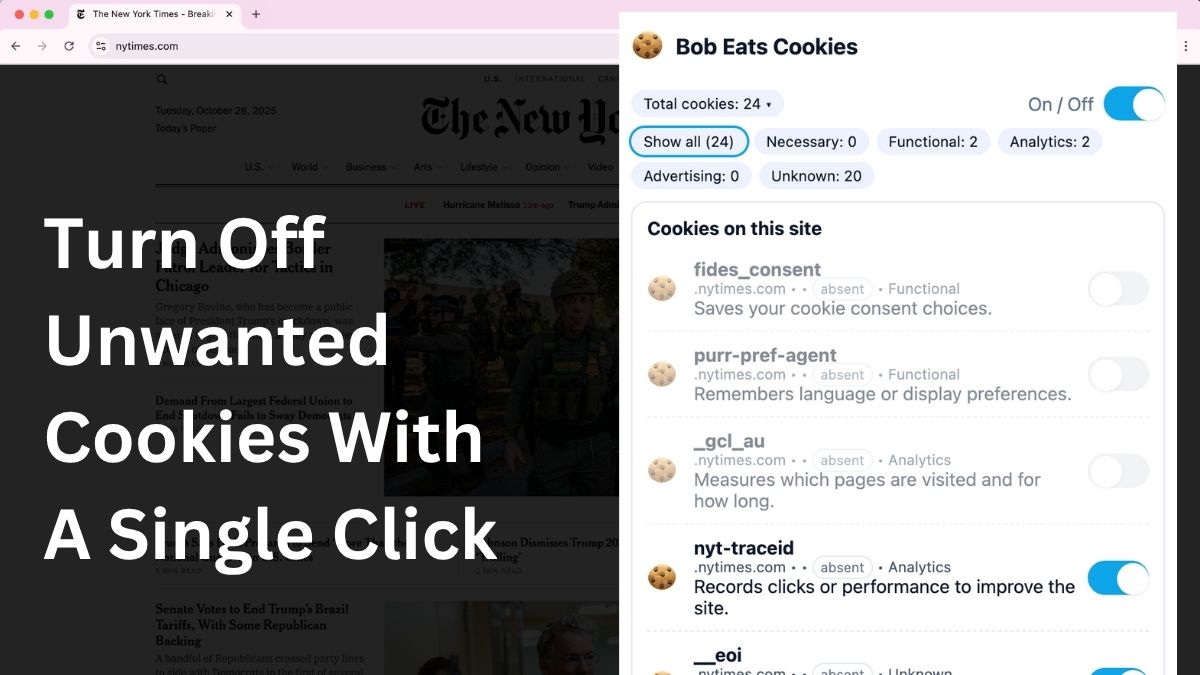
turn off unwanted cookies with a single click.
-
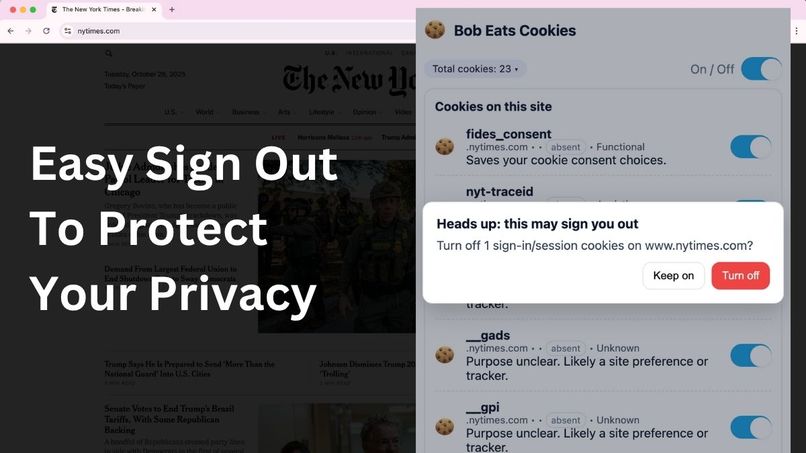
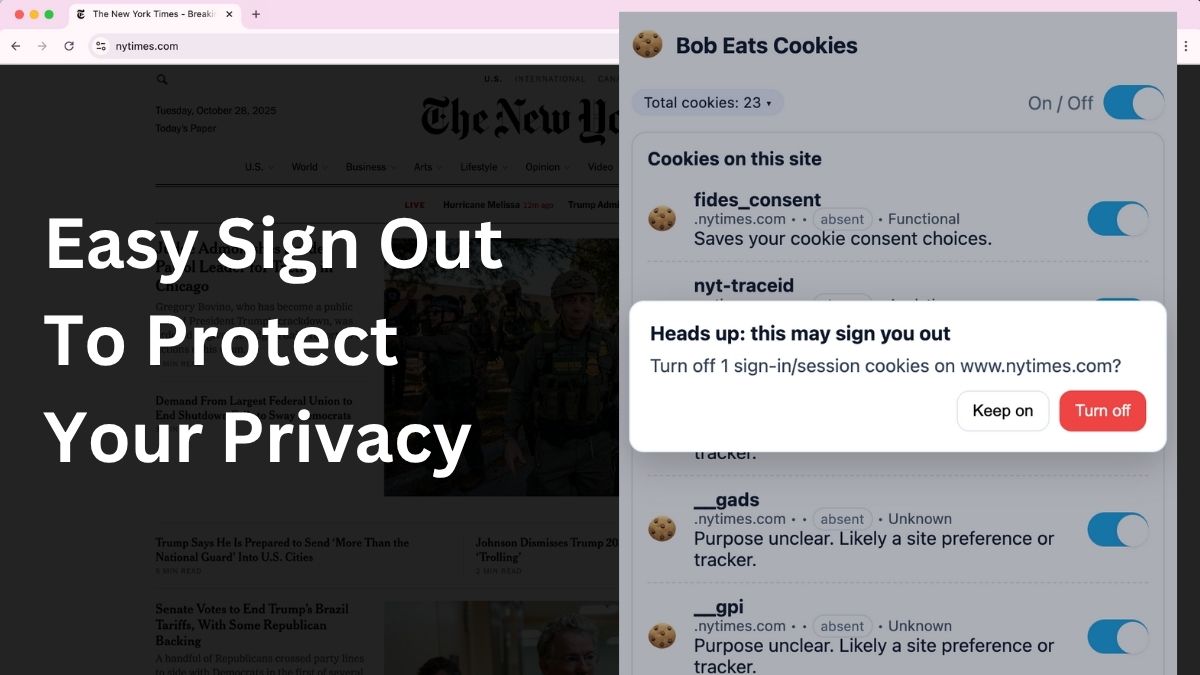
Easy sign out to protect your privacy.
-

Hi, I'm Bob.


Bob Eats Cookies
Inspiration
I wanted to build something that I would use. Notoriously against downloading more apps to my phone, I felt like this same concept applied to Chrome extensions as well. So it had to deliver real value (or curb serious curiosity) to get me to download it, let alone use it on a regular basis. And, if I was going to use it regularly, it needed to be something that provided value every time I browsed, worked, or perused for personal gain. Thus, Bob Eats Cookies was born.
Like most things, from unbelievably lengthy registration terms and conditions to stadium clear bag policies, there's an uproar of initial resistance to change... in this case, adding cookie approvals and popups the moment you land on a site. At first, we all were against it. But then, eventually, we just became immune to seeing them and just click to get to the site. All without thinking what we're agreeing to. Because, well, out of sight... out of mind. This leads to "I'll worry about it later", to not caring at all.
So, I got to thinking. What is tracking us? Massive organizations like Duck Duck Go base their entire unique selling proposition on this one concept of "no tracking, ever." But what does that even mean? What things are tracking us? What is a cookie? And can anyone please just talk to me like a normal person on what these things are doing and tracking on a regular basis.
I'll be the first one to tell you that I'm not an expert in tech. Far from it. In fact, I'm not even a developer. I'm just sometimes too curious for my own good, and today I found a solution to help me curb this curiosity around what cookies are, how many are on each site, what each do (in plain language), and how we can take back control over browsing privacy with as little effort as possible.
What it does
Bob Eats Cookies is a Google Chrome extension that recognizes cookies on a website, describes in plain language what each do, and gives you one click control to flip on or off cookies you don't want monitoring your activity.
How we built it
Bob Eats Cookies was built with the help of ChatGPT and personal curiosity. From a technical perspective:
- Chrome Extension (Manifest V3)
background.js(service worker): reads cookies on tab events, manages badge counts, applies rules.content.js: lightweight DOM hook for page context and UX affordances.popup.html/popup.js: UI for listing cookies, categories, toggles, and the master On/Off.- Permissions:
cookies,activeTab,scripting(minimal surface).
- Cookie reasoning: heuristics over names, domains, prefixes (
__Host-,__Secure-), and flags (Secure, HttpOnly, SameSite) to produce plain-English purposes. - Icon system: crisp PNGs at 16/32/48/128 to avoid toolbar blur; dynamic badge for counts.
- Release pipeline: semantic versioning, GitHub Releases with a ready-to-load ZIP, screenshots, and README instructions.
Challenges we ran into
Frankly, the UX and main functionality build went smooth. There were a few hiccups on some of the versions not revealing the cookies in the popup window, yet still showing the total number in the nav bar icon. So there were a few tiny debugs that went into this but nothing significant on the UX.
The largest issue I ran into (unexpectedly) was the nav bar icon kept changing.
Yeah, this one was super strange. I felt like I was losing it since the little cookie would appear clear then all of a sudden it was much more brown and pixelated. The number + red hover stayed consistent but the cookie kept changing appearance. After some investigation, it was an icon rendering issue where Chrome was scaling down to the 16px icon when padding was either off or adjusted. This was the last fix of the build before landing on our final deployment - a simple padding adjustment and multi-sized assets allowed us to maintain a consistent look and feel. Easy peasy.
Accomplishments that we’re proud of
First off, this was our first Google Chrome extension. Ever. So this definitely stretched our thinking and ability to execute in a different environment / format. Living more in the MarTech world, this gave us a completely different perspective and I think we nailed it on the clear value + simple solution combo.
Everyone we ask — it's pretty much unanimous. "Yeah, I have no idea what I'm agreeing to." Accepting all cookies has become commonplace but no one knows what they're agreeing to. So being able to provide a simple solution that delivers actual visibility and control, is something we're really proud of.
What we learned
There are more cookies floating around the web than we thought. Not only are there millions of cookies out there, some sites have over 100+ first party and third party tracking pixels doing gosh knows what with our data. With Bob Eats Cookies, we not only get a birds eye view of what's out there, we get a non-technical description of what each do so you can pick and chose what monitors your activity. Just because we check the box to "get it out of the way", that doesn't mean we shouldn't have the option to turn them off or know what's out there if we so choose.
What’s next for Bob Eats Cookies
We intend to get this on the Chrome Web Store and share it with all our colleagues, friends, and family. so more people can browse with confidence. The tool in itself may develop into something larger, but its value is partially rooted in its simplicity. So we may just keep it as is and let Bob eat his cookies as you see it currently.
What Makes Bob Different
Most cookie popups force a one-time, all-or-nothing choice—and then hide what’s actually running. Bob is built to give you ongoing visibility and real control in plain English, right from the toolbar. Here’s how it stands apart:
Plain-English explanations — short, readable purposes for each cookie (no jargon).
Real control (not just “Accept/Reject”) — per-cookie toggles plus a master On/Off you can change anytime.
Visibility before and after — see what’s set the moment you land, and still see names when blocked so you know what changed.
Always-on badge — toolbar badge shows the live cookie count as you browse; one click opens the full list.
Clear, simple layout — clean list, readable labels, safe defaults for quick scanning and fast decisions.
Safety guardrails — warnings if turning something off might sign you out (session cookie detection).
Private by design — runs locally in your browser; no analytics, no tracking, no network calls for your cookie data.
Works even after “Accept All” — if you already clicked the banner, Bob still lets you review and toggle what’s actually running.
Repo: https://github.com/warehousebob/bob-eats-cookies
Release (latest ZIP): https://github.com/warehousebob/bob-eats-cookies/releases/latest

Log in or sign up for Devpost to join the conversation.