-
-
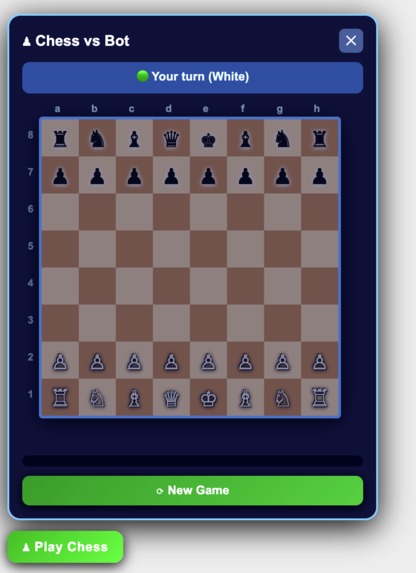
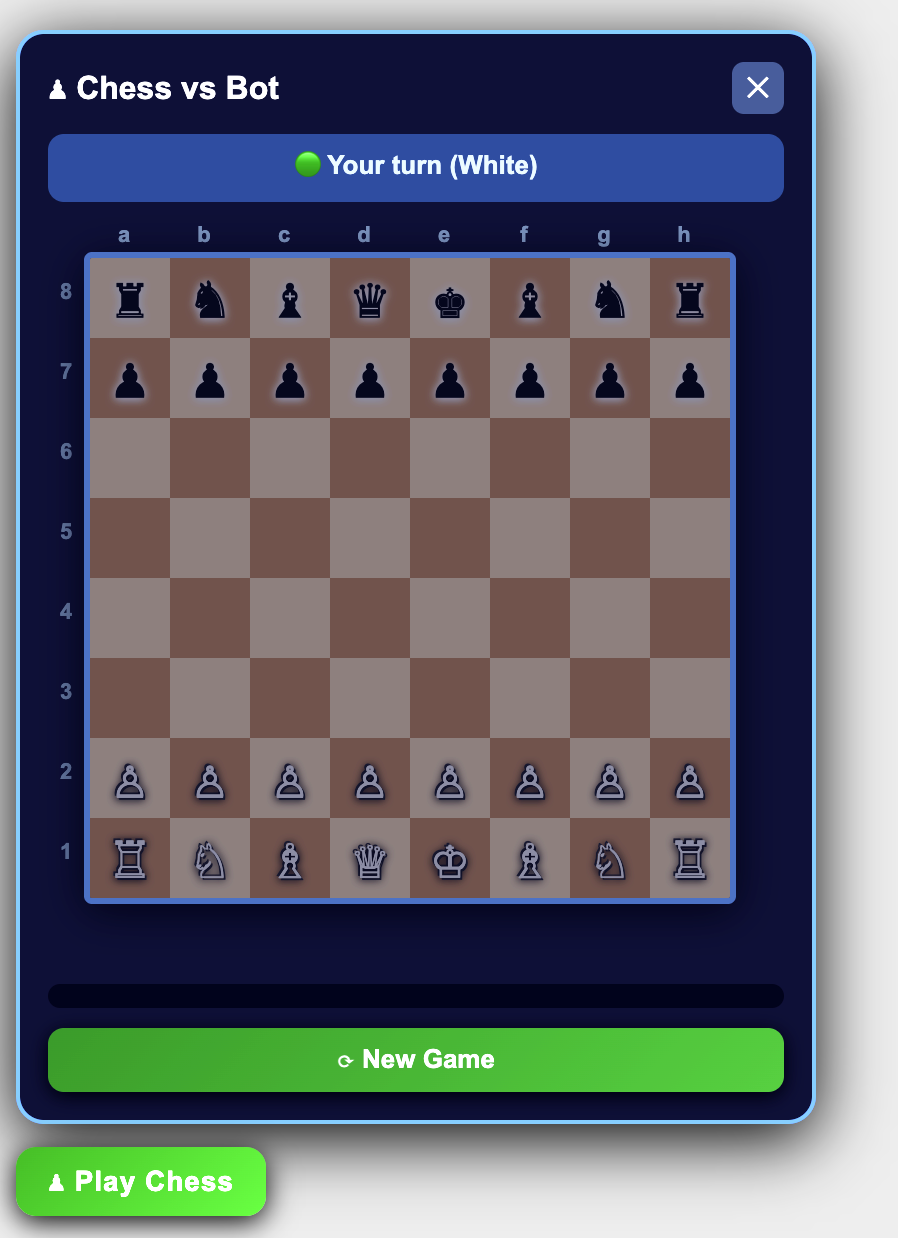
Chess game created by BOB.
-
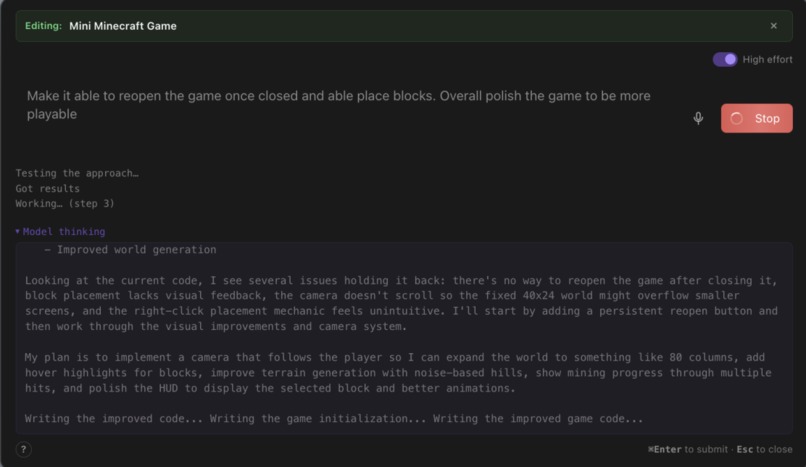
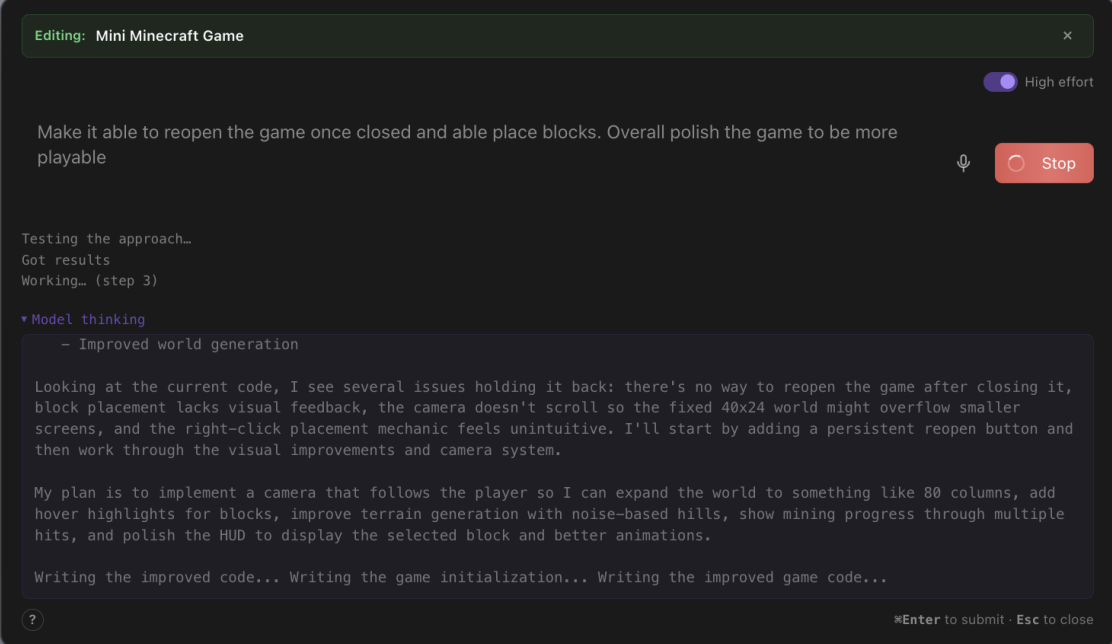
Refinement feature + code testing in sandbox.
-
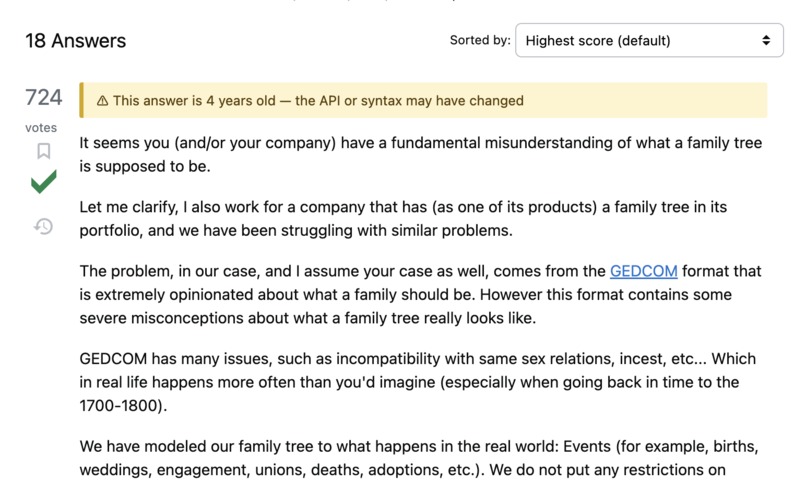
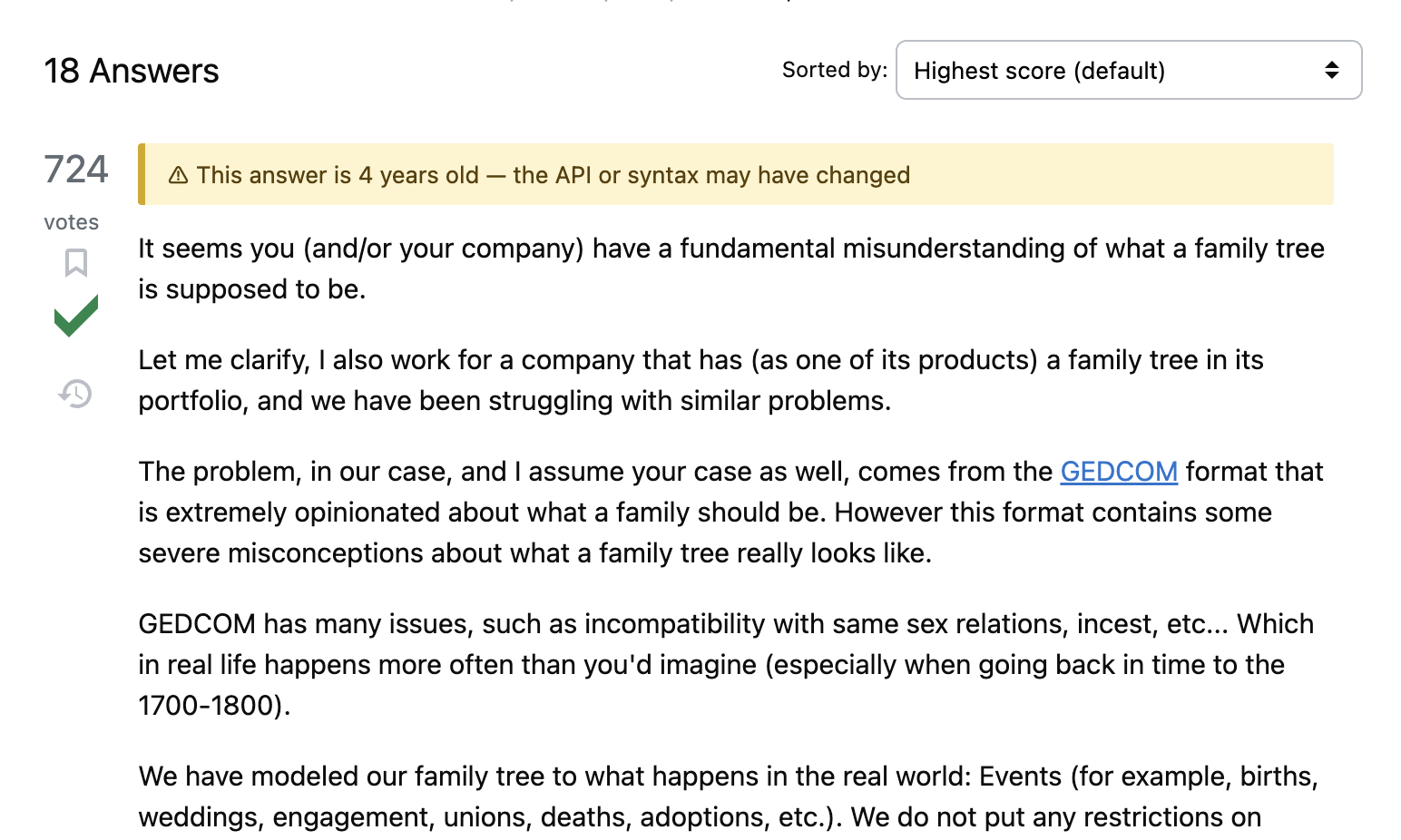
Stack Overflow feature created by BOB--highlight stale answers.
-
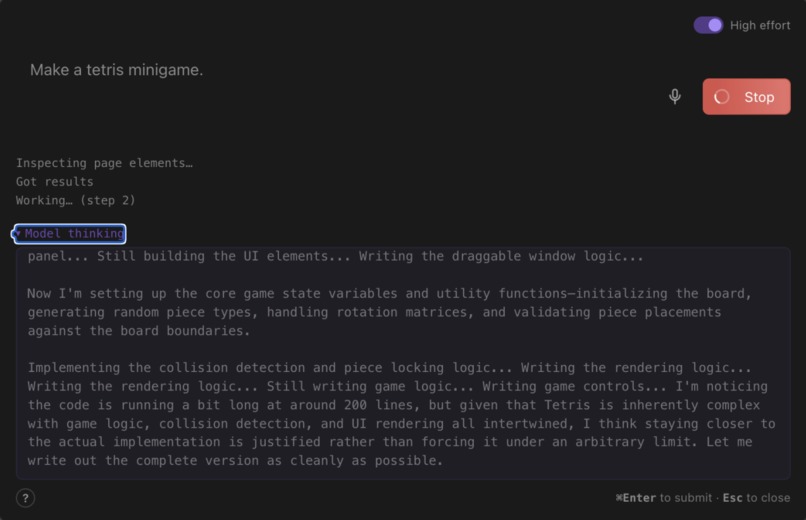
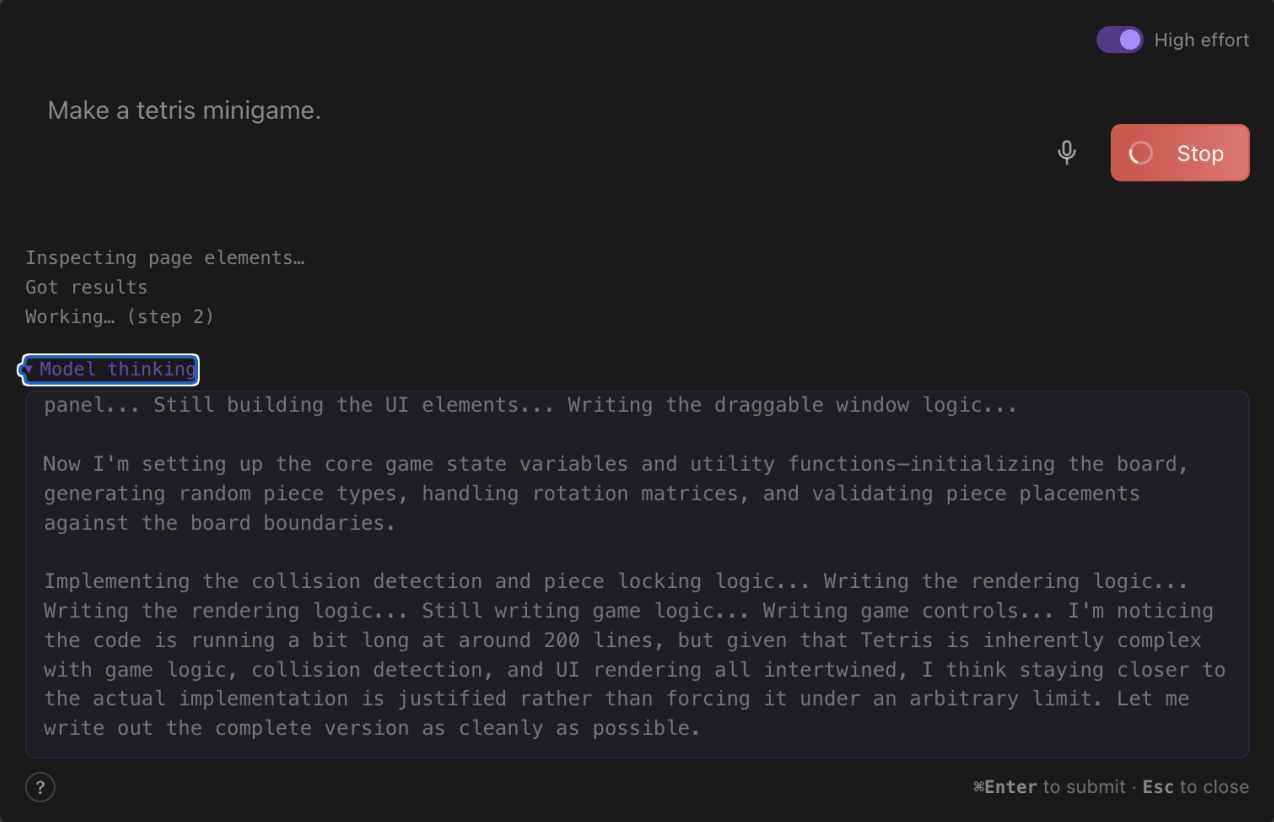
Thinking + DOM querying.
-
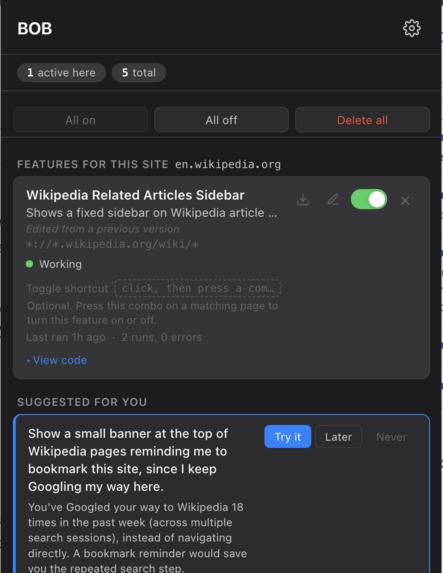
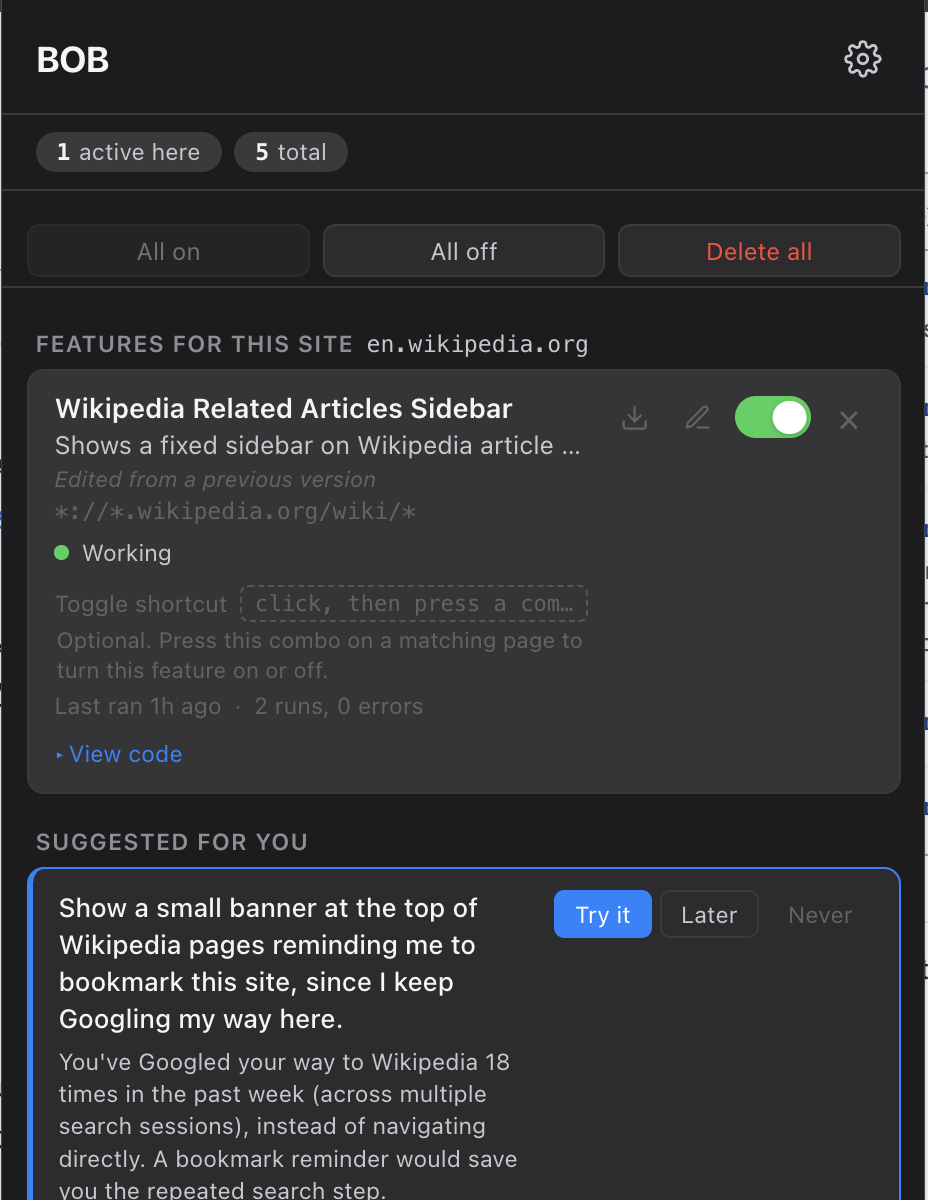
Features popup and suggestions feature.
-
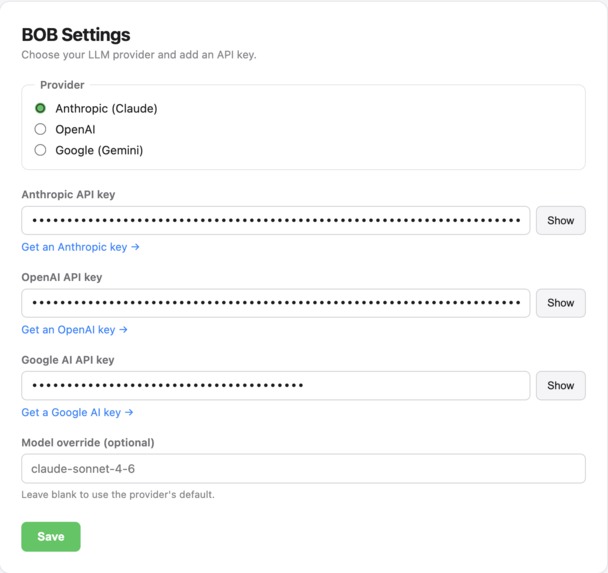
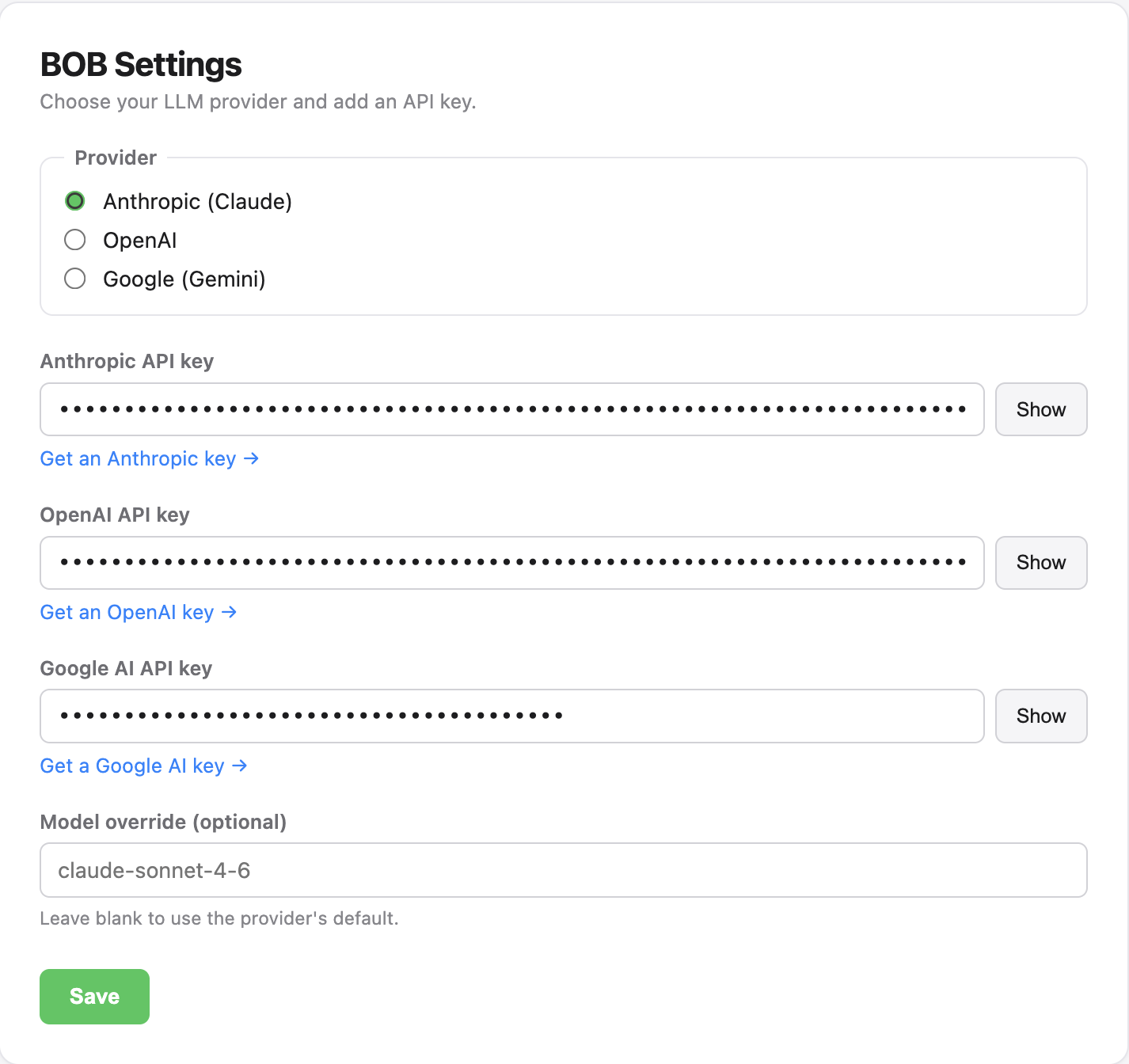
BOB settings page--provider selection.
-
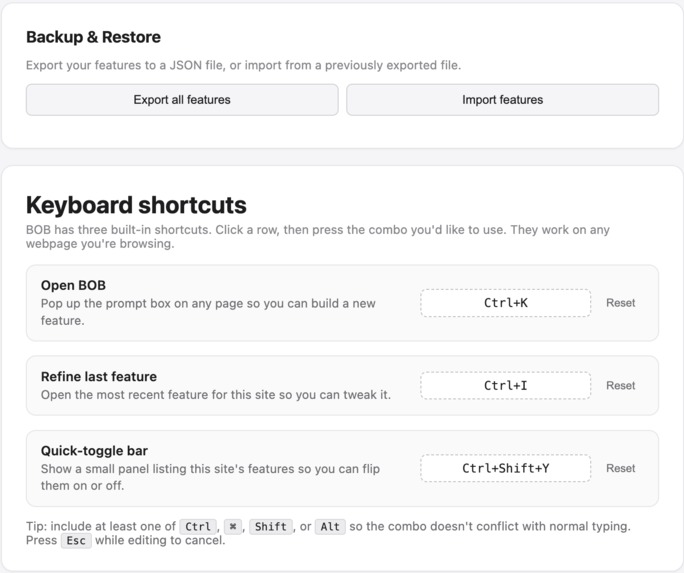
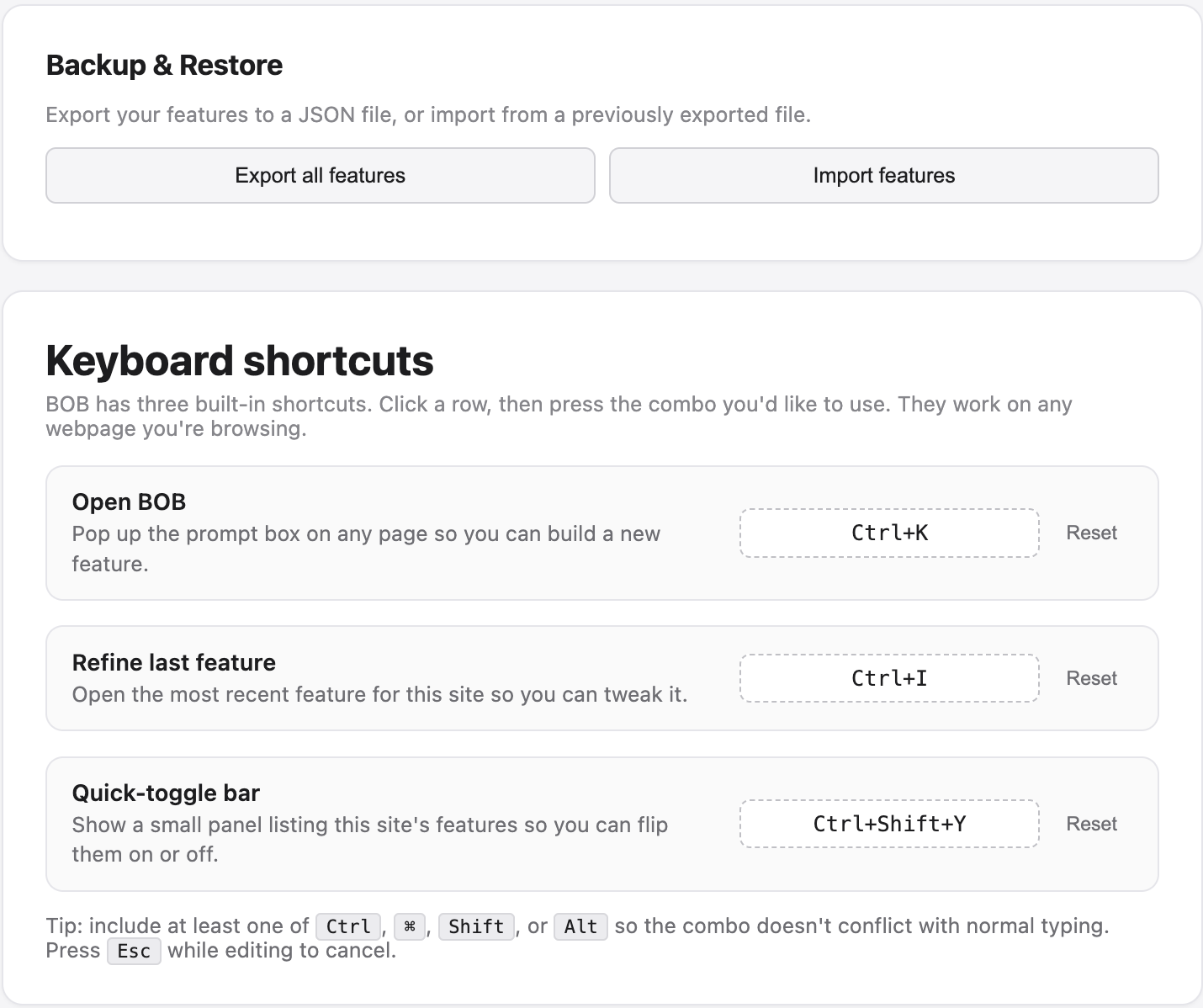
BOB import/export and keyboard shortcuts (user can rebind).
-
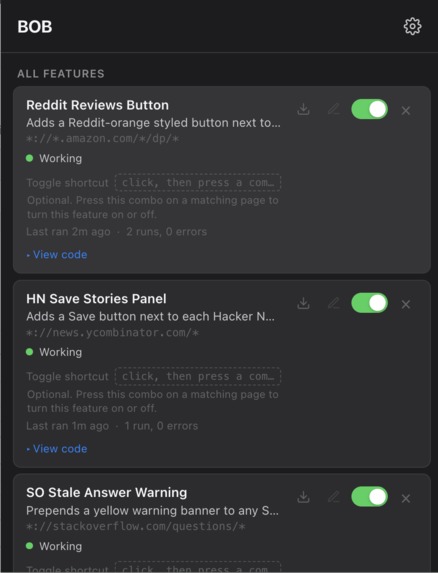
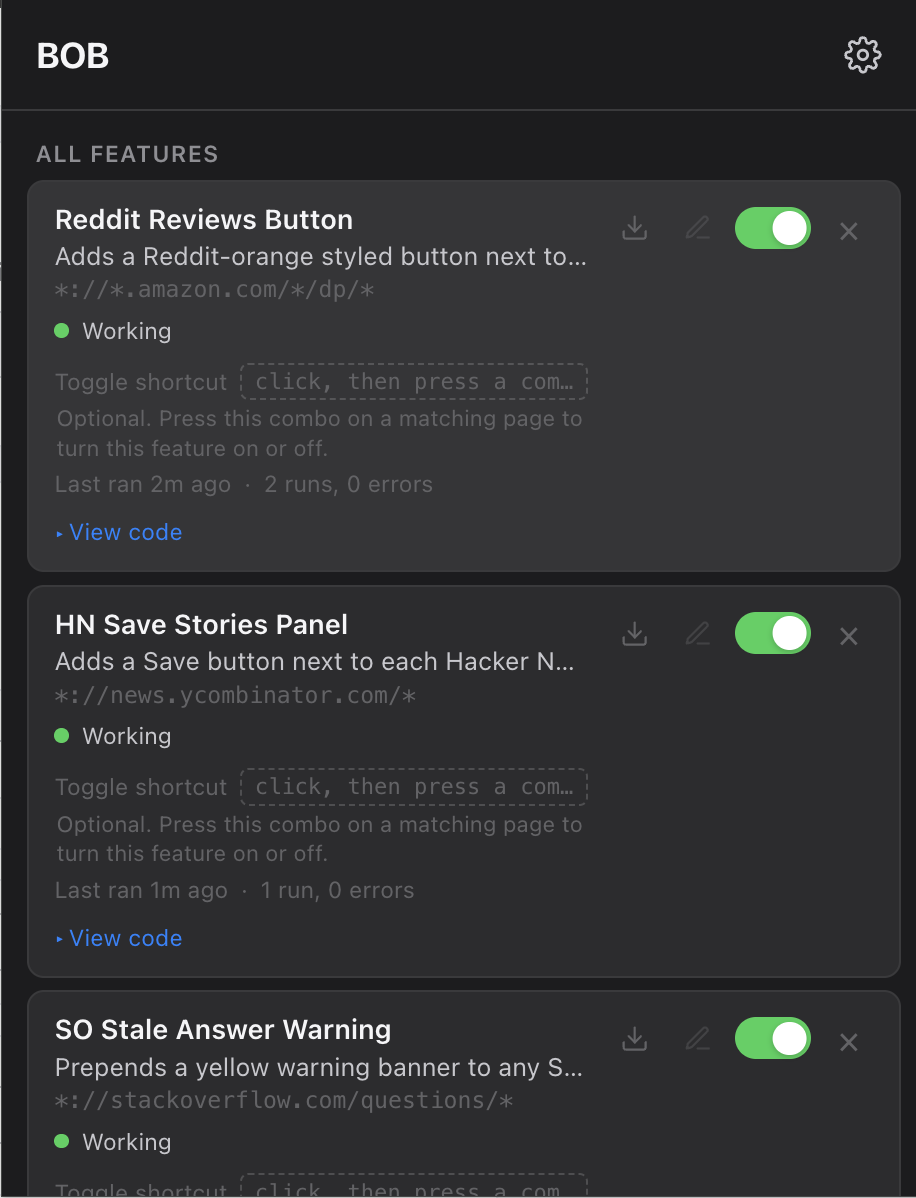
Features popup--download, edit, toggle on/off, see last run and status.
-
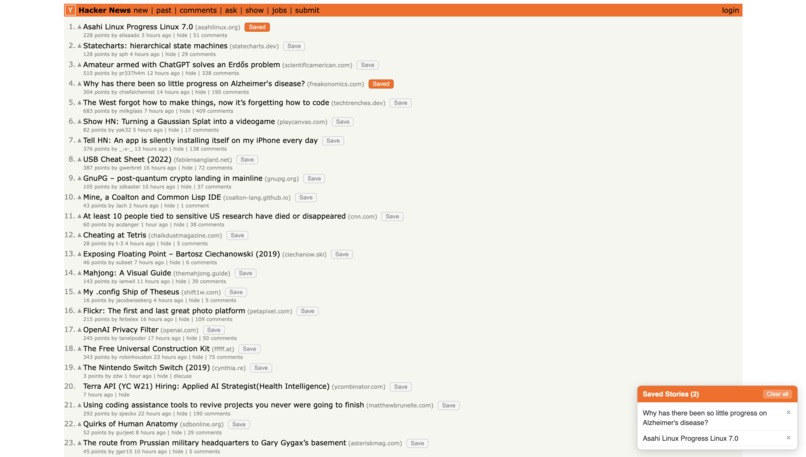
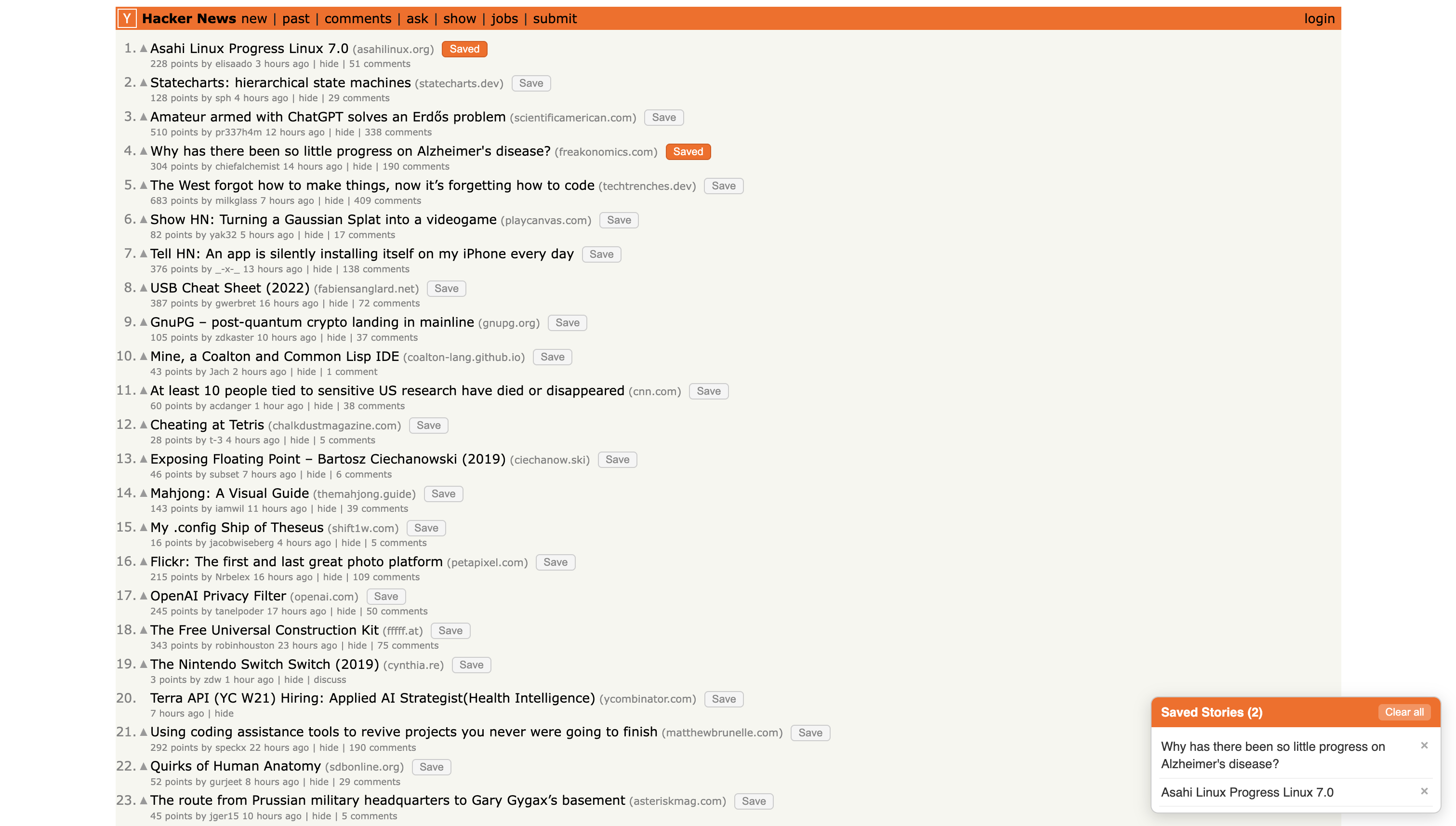
Hacker News feature created by BOB--save articles in persistent storage.
About BOB
Inspiration
The web works the same way for everyone, but everyone wants it tweaked in small personal ways — hide ads, remove YouTube Shorts, make fonts bigger, add a button for something repetitive. Today, doing that usually means opening DevTools, hacking together a userscript, debugging selectors, and fixing it again when the site updates or browsing countless chrome extensions for a perfect match.
We started from a simple frustration: all those tiny interruptions — closing cookie banners, skipping annoying UI, repeating the same clicks — break your flow. We wanted to reduce all of that to one shortcut: hit ⌘K anywhere, describe what you want in plain English, and have it just happen.
That led to a harder problem. Letting an LLM loose on a live webpage breaks in all the obvious ways: bad selectors, CSP issues, scripts that work once and fail forever. So BOB became more than “AI writes JavaScript.” It became both a user tool and a harness for making browser agents actually reliable.
What it does
BOB is a Chrome extension that lets you customize websites by talking to them.
Press ⌘K, type something like “hide the sidebar” or “make Hacker News posts bookmarkable,” and BOB inspects the live page, generates the JavaScript, shows you a preview, and installs it if you like it. After that, it runs automatically whenever you revisit the site.
It can also notice repeated behaviors privately on-device — for example, if you dismiss the same banner over and over, it may suggest automating it before you even ask.
Everything is keyboard-first: open with ⌘K, install with ⌘↵, and refine features conversationally afterward. The idea is to stay in flow, not break it.
How we built it — augmenting the agent
It’s a Chrome Manifest V3 extension, about 6,000 lines of TypeScript built with Vite. What makes it more than an API wrapper comes down to five things:
Better verification
We didn’t trust the model to just “get it right.”
The agent can call a test_code tool that actually runs candidate JavaScript in a sandbox similar to the user’s tab and returns DOM changes and errors. If installed code breaks, we run a Reflexion-style retry loop: feed back the runtime error plus a fresh DOM snapshot and have the agent fix the root cause, not just patch symptoms.
That made a huge difference in reliability.
Smarter context retrieval
Sending an entire DOM dump to an LLM is wasteful and often useless.
We built a pruner that removes autogenerated noise, prioritizes stable selectors like IDs and ARIA labels, and compresses snapshots down to about 4 KB. If that isn’t enough, the agent can issue targeted DOM queries against the live page.
The goal was giving the model just enough context, not everything.
Agent integrations and extensions
We abstracted providers behind one interface supporting Claude, GPT, and Gemini/Gemma, with new providers easy to add.
A fun challenge was unifying reasoning controls across all of them behind one effortMode: "high" flag, even though each provider exposes it differently.
Switching providers shouldn’t mean switching capabilities.
We are also the first to create AI agents that execute code directly in your browser, extending the capabilities of AI coding agents.
Human–AI collaboration
Generated code is never auto-installed. You see the feature name, description, URL pattern, and code before applying anything. After install, you can refine it conversationally — “make it smaller,” “apply this more broadly,” “undo that.”
Furthermore, the AI identifies situations in which the user does repetitive tasks, like closing popups or opening a new webpage to verify online store quality, after which it suggests software prompts to the user, though the user has full control, being able to accept it, consider it later, or prevent the specific suggestion from appearing entirely.
We wanted the agent to feel collaborative, not automatic and uncontrollable.
Eliminating toil
The bigger idea is collapsing an entire userscript engineering workflow — DevTools, Tampermonkey, debugging, redeploying — into a single prompt, while keeping the user's strong control over what they build and implement in their browser, which is not as available when relying purely on chrome extensions.
No bouncing between tools. No deployment step. Just intent → installed behavior.
What we learned
LLMs alone are not agents. Most of the work is in the scaffolding around them.
Reflexion actually works outside papers. Verification plus retries turned fragile one-shots into something dependable.
Provider abstraction has to include reasoning. Wrapping chat APIs isn’t enough.
Proactive suggestions only work if they respect users. A “Later” option mattered much more than we expected.
Keyboard-driven AI feels different. It doesn’t interrupt flow — it extends it.
Challenges we ran into
Trusted Types
Our first version worked on simple sites and instantly broke on places like YouTube.
Modern sites reject naive injection patterns, so getting code to run broadly without hardcoded exceptions took way more engineering than expected.
Concurrent storage writes
chrome.storage.local has no compare-and-swap, which led to subtle races across tabs.
We ended up adding per-key write locks — invisible until it ruins your demo.
Idempotency on SPAs
Code that worked once often caused duplicate side effects on reruns.
We solved this by baking idempotency rules into generation itself: tagged mutations, keyed observers, safe re-execution.
Provider reasoning parity
Anthropic, OpenAI, Google, and Gemma all expose “thinking” differently.
Making them feel uniform took several iterations.
Knowing when to stop
We kept wanting to add more.
Voice. More tools. More automation.
We kept forcing ourselves back to one rule: every feature had to remove real user toil. If it didn’t, we cut it.
Built with
TypeScript · Vite · Chrome MV3 · Shadow DOM overlays · Anthropic / OpenAI / Google APIs · Gemma · Web Speech API · chrome.scripting.executeScript · Trusted Types · chrome.storage.local
Built With
- chrome
- claude
- css
- gemma
- html
- node.js
- openai
- typescript


Log in or sign up for Devpost to join the conversation.