-
-
Logo
-
Main Page
-
Example
Boardly
Inspiration
2 AM, Tuesday night the exam is tomorrow, and there's one concept that just won't click. YouTube gives you a 47-minute video. Google gives you a wall of text. And the teacher? Unavailable lol.
We have always been that student. We kept asking ourselves: what would it feel like to have a brilliant tutor sitting next to you, drawing on a whiteboard, explaining exactly your problem just like Mr Organic Chemistry Tutor 24/7?
That's why we created Boardly.
What it does
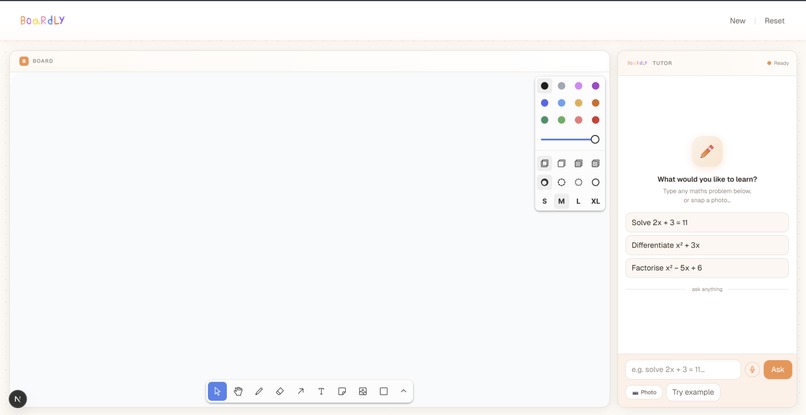
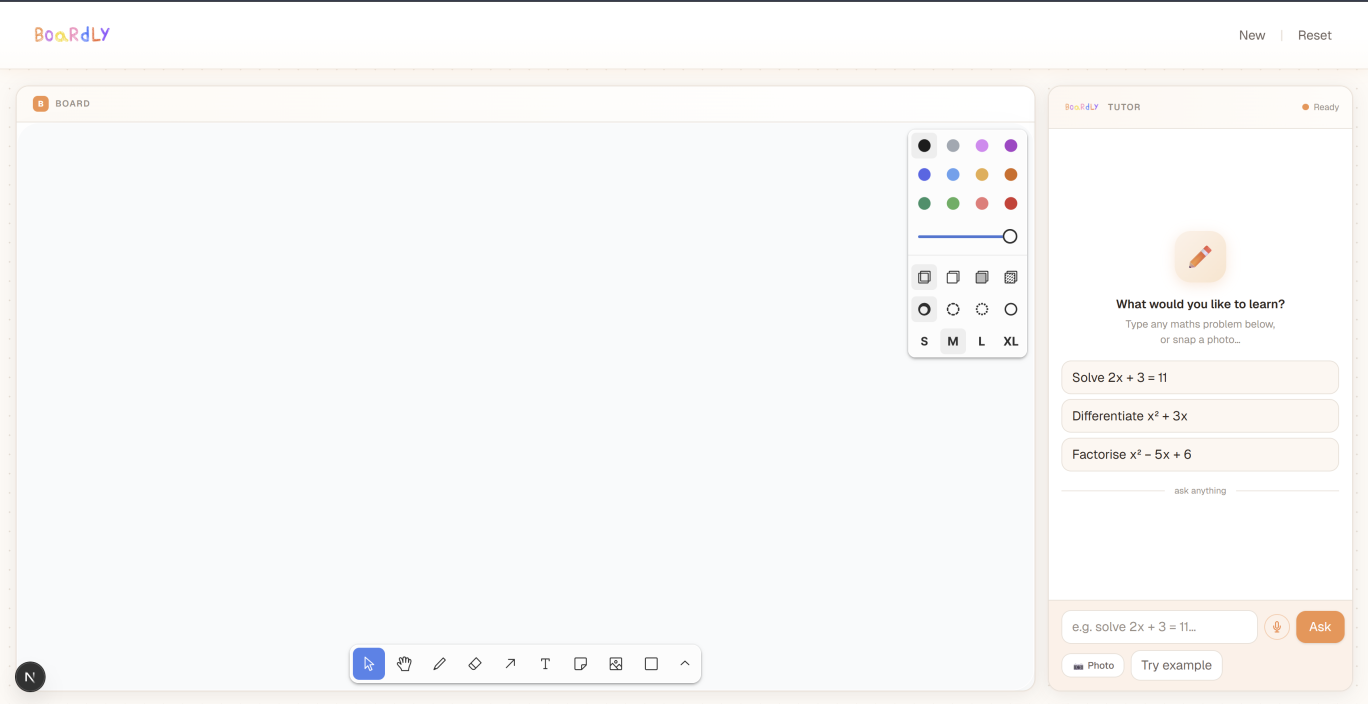
Boardly is an AI-powered interactive whiteboard tutor. You can do tons of things with Boardly:
Put your problem into the box.
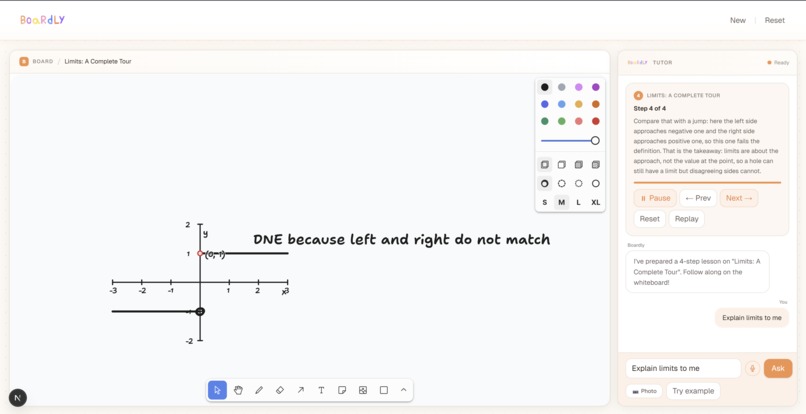
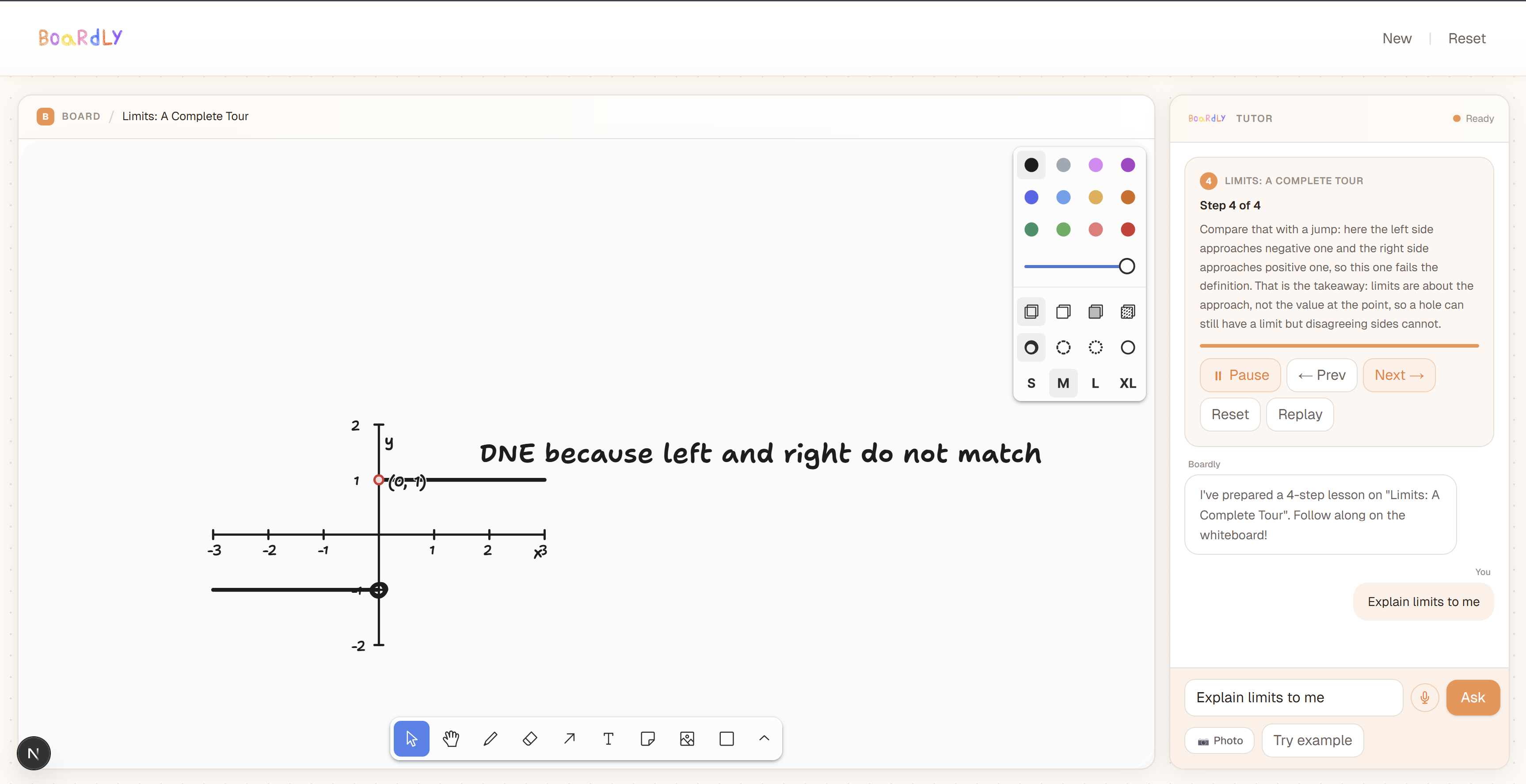
Watch it come alive. An animated whiteboard appears. Step by step, Boardly draws the solution the way a goated teacher would. Boardly can draw different shapes, arrows, labels, and graphs while a natural AI voice narrates every move in plain English.
Basically, your 24/7 tutor. Everywhere. Everyday.
- Interrupt. Ask anything.
At any point, you press and hold the mic button and ask a question — "Wait, where did that come from?" or "Can you explain that step again?" The lesson pauses instantly. Boardly transcribes your voice, understands your question in the context of what's already drawn on the board, and then draws a contextual explanation directly on top of the existing whiteboard — highlighting the relevant shapes, adding arrows, and clarifying your understanding. Just one tap, and you're back in the lesson, right where you left off.
Core capabilities:
- Animated, step-by-step whiteboard lessons with 11 types of draw actions (text, shapes, arrows, highlights, coordinate axes, function plots, tangent lines, points)
- Voice narration synced to each drawn step via ElevenLabs Flash v2.5
- Push-to-talk voice interruption with real-time STT via Deepgram nova-2
- AI-generated contextual branch explanations that annotate the live board
- Seamless resume after a branch explanation
How we built it
Boardly is a Next.js 15 / React 19 app built in a 36 hours. Here's our technical stack and architecture:
AI layer
Gemini 2.5 Flash: model for both lesson plan generation. We use its structured output mode to guarantee parseable and Zod-validated lesson plans without regex hacks.
K2-Think v2 by MBZUAI : our deep reasoning model. Unlike standard LLMs, K2 thinks before it answers, working through a full internal reasoning trace to ensure every branch explanation is mathematically grounded and contextually precise. We built a custom parser (
extractJsonObject) that reads through K2's thought process and extracts clean and structured JSON from the response.ElevenLabs Flash v2.5 : low-latency TTS narration. Each lesson step's narration is synthesized on-demand and SHA1-cached server-side to avoid duplicate API calls.
Deepgram nova-2 : REST-based speech-to-text for voice interruptions, with a confidence threshold gate (< 0.4 confidence )
Rendering layer
tldraw : our whiteboard engine. Every AI-generated draw action maps to tldraw editor calls. Shapes carry
meta.semanticLabel, the handle the LLM uses to reference existing shapes for highlights, arrows, and branch annotations. We maintain aLabelMap(semanticLabel→tldrawShapeId[]) so the AI can say "highlightmiddle_step" and the renderer finds the exact shape instantly.Polynomial math engine : a custom
poly-math.tsmodule that parses polynomial expressions, evaluates them, and computes derivatives for tangent line rendering. Supports up to degree 4.
State machine
A Zustand store manages a
lessonModestate machine:main → paused → branch → awaiting_confirm → main. Everything in the app — narration, mic availability, canvas rendering : keys off this single source of truth.The
audio.endedevent is the clock. When a step's narration finishes, the next step fires. This gives us zero drift between voice and visuals by construction.
Voice interruption flow
Student holds mic → MediaRecorder captures audio → POST to /api/stt (Deepgram) → board snapshot built from live shapes → POST to /api/branch (Gemini / K2) → BranchPlan returned → playBranchStepOnTop draws overlay → narration plays → student says "yes" or taps Continue → resumeMainLesson() replays current step clean.
Challenges we ran into
Keeping voice and visuals in sync. Early builds used a timer-based approach to advance steps. It drifted. We threw it out and rebuilt around
audio.endedas the sole clock. This eliminated drift entirely but required careful abort logic so stale callbacks from a previous step couldn't fire after a voice interruption.The branch overlay problem. When a student interrupts, the AI needs to annotate the existing board, not wipe it and start fresh. This meant building an additive rendering path (
playBranchStepOnTop) that can reference shapes from the main lesson by semantic label, create new overlay shapes tracked separately, and clean them all up on resume without touching main lesson shapes. Getting the label map handoff between main and branch renderers right took significant iteration.K2-Think response parsing. K2-Think v2 is a reasoning model that emits
<redacted_thinking>...</redacted_thinking>blocks before its JSON output. Under load, it occasionally emits markdown fences, partial JSON, or reasoning bleed into the output object. We built a robustextractJsonObjectfunction that handles all three: strip</redacted_thinking>prefix, try fenced JSON code blocks, fall back to last balanced{...}in the string. Then Zod validates the schema. So... two layers of defense.Coordinate system for graph lessons. Calculus lessons (derivatives, limits) require coordinate axes, plotted functions, tangent lines, and labeled points. All in the same tldraw canvas space as text. We had to design a two-phase lesson layout convention: Phase 1 uses the left column for symbolic narration text; Phase 2 erases all text and draws the full graph. Without this, text and graph shapes collided visually. We also had to enforce that any step with an
axesaction must first erase all prior text labels then this is baked into the prompt and validated at render time.Gemini schema enforcement. Gemini's
responseSchemadoesn't support all of Zod's union logic natively. OurDrawActiontype is an 11-variant discriminated union. We solved this with a permissive top-levelresponseSchemato satisfy Gemini's structured output mode, then enforced the full discriminated union strictly in Zod post-parse. Best of both is that Gemini stays JSON-clean, Zod stays strict.
Accomplishments that we're proud of
The interruption experience is genuinely magical. Pressing the mic, asking a question in plain speech, and watching the AI annotate the board contextually in under 2 seconds feels literally unlike anything in existing ed-tech. We're super proud we shipped it end-to-end in 48 hours.
Zero-drift narration. The
audio.ended-as-clock architecture means voice and whiteboard are always perfectly synced, across every lesson, on every device with no timers, no polling, no hack.Dual-model architecture. Gemini drives fast, structured vision and lesson generation; K2-Think brings deep reasoning when explanations need extra rigor.
A genuinely generative whiteboard. We didn't template lessons. Every lesson with coordinate axes, plotted curves, tangent lines, discriminant highlights is generated fresh by the AI and rendered by a real drawing engine. The board looks like a teacher drew it because it actually was drawn shape by shape.
Calculus on a whiteboard. Plotting f(x) = x², drawing a tangent at x = 2, labeling the slope, etc. all from a single AI-generated
plot_function+tangent_lineaction. Shipping a working polynomial renderer with derivative computation inside a 48-hour hackathon is something niche we're genuinely proud of.
What we learned
Ship the MVP features We cut scope ruthlessly whenever a feature threatened the core demo moment. The product you see is lean because we kept asking: does this make the 90-second demo better? If the answer was no, it didn't ship.
LLMs need two layers of validation. Trusting a model's output schema alone is a mistake. Every LLM response in Boardly goes through Zod validation after provider-level schema enforcement. This caught real bugs in both Gemini and K2 outputs during development.
State machines beat boolean flags. Early prototypes used a tangle of
isPaused,isBranching,isAwaitingConfirmbooleans. Replacing all of them with a singlelessonModeenum with explicit transitions eliminated an entire class of race condition bugs in the voice interruption flow.Audio is the hardest part of real-time AI UX. Managing audio lifecycle such as cancellation, stale callbacks, overlapping requests in a React 19 component tree is really complex. The
audio.endedclock is simple in concept and requires serious discipline in implementation.The best prompt is the one that never needs to be explained. We iterated our lesson generation prompt until the AI reliably followed the two-phase erase convention for graph lessons without being reminded each time. A prompt you have to repeatedly patch is a prompt that needs to be redesigned.
What's next for Boardly
Broader subject coverage. Boardly currently focuses on high school math like algebra and calculus. The architecture can generalize to chemistry equations, physics diagrams, and geometry proofs. Every subject that benefits from a visual explanation is on the roadmap.
Persistent student profiles. Right now, each session is stateless. We want Boardly to remember where a student struggles like this student always gets confused at the factoring step and adapt the lesson depth and pacing accordingly.
Classroom mode. A teacher uploads an assignment. Boardly generates pre-cached lessons for every problem on the sheet. Students work through it at their own pace, each getting a personalized experience from the same source material. The teacher sees a dashboard of where the class got stuck.
Multilingual narration. ElevenLabs supports dozens of languages. The lesson generation pipeline is language-agnostic. Boardly in Arabic, Spanish, Hindi, and Mandarin is a near-term unlock that dramatically expands who can access quality math tutoring.
Mobile-first camera experience. A native iOS/Android app with a live camera feed so point your phone at your homework, and the lesson starts before you even put the phone down. Sub-500ms time-to-first-stroke on the cached path makes this feel instant.
The larger vision: A world where every student regardless of zip code, income, or school budget has access to the kind of patient, visual, responsive tutoring that was previously only available to the privileged few. Boardly is the first step.
Built With
- deepgram
- elevenlabs
- eslint
- gemini
- javascript
- k2-think-v2
- next.js
- react
- tailwind
- tldraw
- turbopack
- typescript
- zod
- zustand


Log in or sign up for Devpost to join the conversation.