Banana AI — Devpost Submission
Inspiration
The idea came from watching friends struggle with image creation for their businesses. One runs an Amazon store with hundreds of products. She was spending thousands of dollars every quarter on product photography. Another creates YouTube content and spends up to two hours designing each thumbnail in Photoshop.
I looked at existing AI tools and saw the gap. Midjourney produces beautiful images but requires learning prompt syntax and navigating Discord. DALL-E and ChatGPT can generate images but lack conversational refinement. When the output is close but not quite right, you start over with a new prompt instead of making small adjustments.
The core insight was simple. People already know how to describe what they want. They do it naturally when working with designers. What if AI image generation worked the same way? You describe, you see the result, you say "make the background white" or "move the text to the top," and the image updates. That became the foundation for Banana AI.
What it does
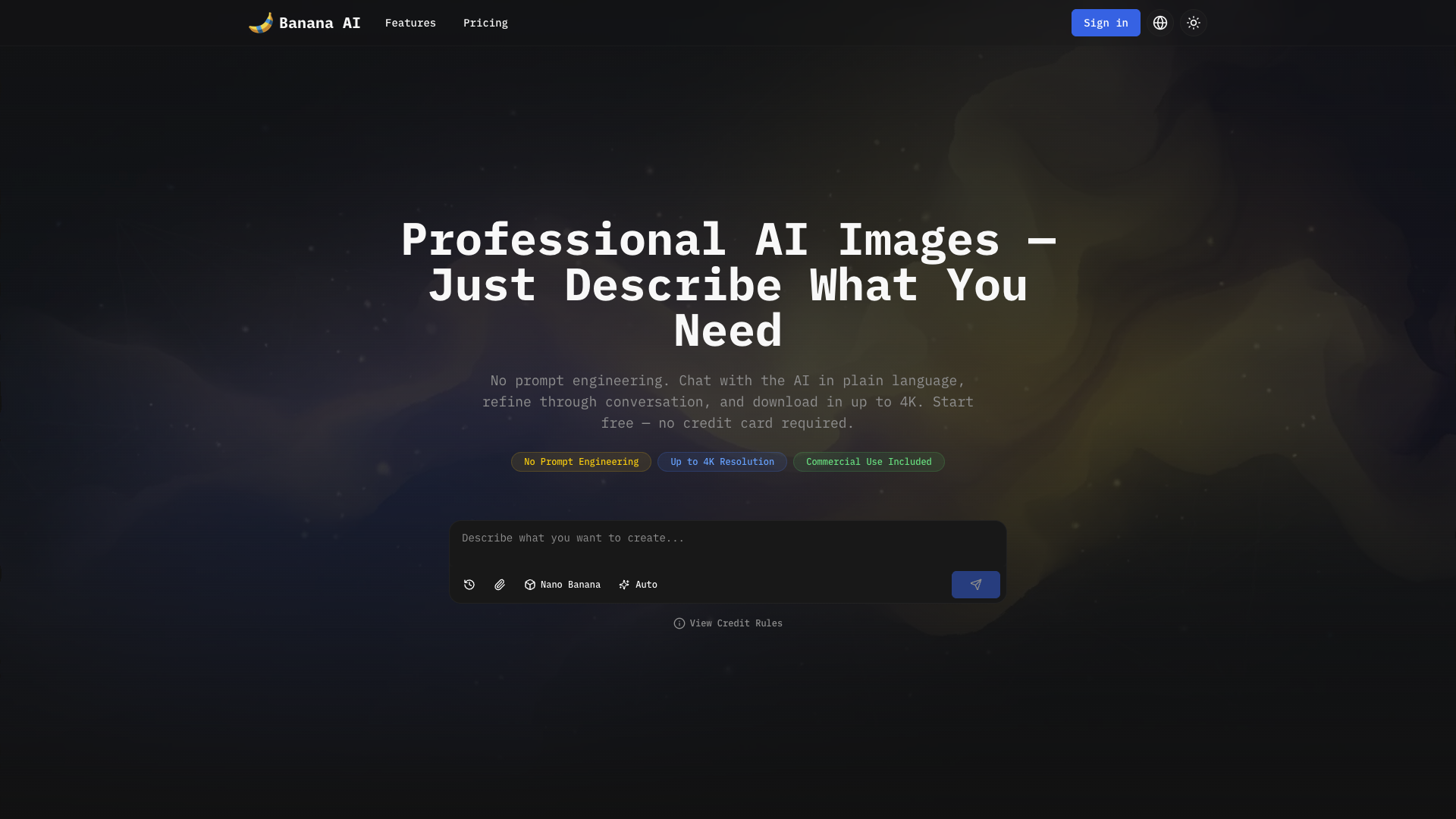
Banana AI is a chat-based AI image generator built on Google's Gemini models. Users describe what they want in plain language, the AI generates images, and then they refine together through conversation.
The platform runs three models. Nano Banana produces fast drafts in 2-5 seconds at 1K resolution for 5 credits. Nano Banana Pro generates commercial-quality images up to 4K resolution with accurate text rendering for 10-20 credits. Flux Fast handles ultra-low-cost needs at 1 credit per image.
The standout feature is text rendering. Most AI image tools produce garbled or misspelled text. Nano Banana Pro renders logos, headlines, and labels cleanly. This makes it usable for product photos, thumbnails, marketing materials, and any image where text matters.
Other capabilities include character consistency across multiple scenes, reference image editing where users upload and modify existing images, and 7 aspect ratio presets for different platforms like Instagram, YouTube, and Amazon.
The credit system keeps pricing transparent. Users pay for what they generate, starting with 10 free credits. Paid plans start at $9.90 per month for 500 credits, roughly $0.02 per image at the base tier.
How I built it
The stack combines Next.js 15 with Cloudflare's edge network for global performance. OpenNext handles the deployment to Cloudflare Pages, giving us server-side rendering with React capabilities at the edge.
The chat system runs on Vercel's AI SDK v5, which manages streaming responses and maintains conversation state across turns. Each user message flows through a workflow engine with distinct nodes. An evaluator node uses structured output from OpenRouter to understand intent and extract parameters. A credit node reserves the right amount based on model choice. A submit node calls the image generation API, and an upload node stores results in Cloudflare R2 object storage.
For data persistence, I use Cloudflare D1 with Drizzle ORM. This handles user accounts, chat sessions, message history, and credit balances. Authentication runs through NextAuth v5 with Google OAuth.
The UI layer combines Shadcn UI components with Magic UI v4 for complex interactions, all styled with Tailwind CSS v4. The theme system switches between light and dark modes using CSS custom properties.
Challenges I ran into
Text rendering was the first major hurdle. Most AI image models produce garbled characters, misspelled words, or text at wrong angles. I tested multiple model providers and found that Gemini's Imagen models handled text significantly better than alternatives. The solution combined model selection with workflow design. Users iterate on text through conversation rather than expecting perfection on the first generation.
Credit management across models required a reservation system. Each model costs different amounts. Generation takes several seconds. Without proper handling, users could trigger multiple generations and exceed their balance. I implemented a two-phase approach where credits are reserved before the API call and confirmed or released after completion.
The workflow state machine took iteration to get right. The system tracks conversation context, user preferences, model parameters, and pending operations. Early versions had issues with infinite loops when the AI asked clarifying questions. I added a maximum step limit and explicit termination conditions to handle edge cases.
Handling image uploads alongside chat messages required a custom transport layer. Standard chat APIs expect text only. I built a FormData-based transport that carries both the message content and any attached images, which the workflow then routes to the appropriate processing node.
Accomplishments that I'm proud of
Real users are getting value from the product. One Amazon seller reduced product photo costs from $30-50 per shot to roughly $0.20. A YouTuber with 500K subscribers cut thumbnail creation time from 2 hours to 5 minutes and saw a 15% increase in click-through rate. A solo social media manager now handles 5 brand accounts without any design team backup.
The 4K output resolution stands as the highest available among comparable tools. Most competitors cap at 2K or lower. This matters for users who need images for large-format printing, packaging, or high-resolution displays.
The conversation-first interface achieves what I hoped. Users describe what they want, iterate naturally, and produce professional results without learning prompt syntax or design software. The barrier to entry dropped from "learn Photoshop or hire someone" to "describe your idea."
What I learned
Building for non-technical users means hiding complexity without removing capability. The chat interface works because people already know how to describe what they want. They do not need to learn technical concepts. The system translates natural descriptions into model parameters behind the scenes.
Streaming responses proved essential for perceived performance. Image generation takes anywhere from 5 to 20 seconds. Showing partial progress and thinking states keeps users engaged rather than wondering if the request stalled.
Credit-based pricing creates better alignment than flat subscriptions for this use case. A user generating 10 images monthly should not pay the same as someone generating 100. The tradeoff is backend complexity. Reservation systems, balance tracking, and usage history all require more engineering than a simple subscription flag.
Edge deployment changes how you think about architecture. Cloudflare's network puts the application close to users globally, but it also constrains what you can do. D1 for database, R2 for storage, Workers for compute. The stack looks different from a typical VPS deployment.
What's next for Banana AI
Video generation is the next major feature. Users keep asking for the same conversational workflow applied to short video clips. The technical foundation is similar, but generation times and costs scale differently.
Team collaboration will follow. Currently each user has an isolated account. Agencies and marketing teams want shared credit pools, centralized brand assets, and the ability to collaborate on image creation.
API access will open the platform to developers who want to integrate image generation into their own applications. The chat workflow translates well to an API structure.
Longer term, I plan to expand model selection. Users have different needs for speed, quality, artistic style, and cost. Offering more choices within the same conversation interface will make the platform serve more use cases effectively.

Log in or sign up for Devpost to join the conversation.