Inspiration
I tracked my spending in a Google Sheet for about a year. It worked, in the sense that a spreadsheet always works. But I would go two or three days without opening it, and by then I could not remember what the 340 rupees at the corner shop was for. So I would guess, and once you start guessing the whole thing is decoration.
I tried the budget apps on the App Store. Most of them wanted a bank connection before they would show me anything. The ones that did not wanted me to set up envelopes and rules and accounts first. I did not want a financial operating system. I wanted to know how much I had left this month, and I wanted logging an expense to take less time than deciding whether to log it.
So I built blyn for myself. The whole design brief was one line: if it takes more than a few seconds, I will stop doing it.
What it does
blyn is a local first budget tracker with an AI money coach.
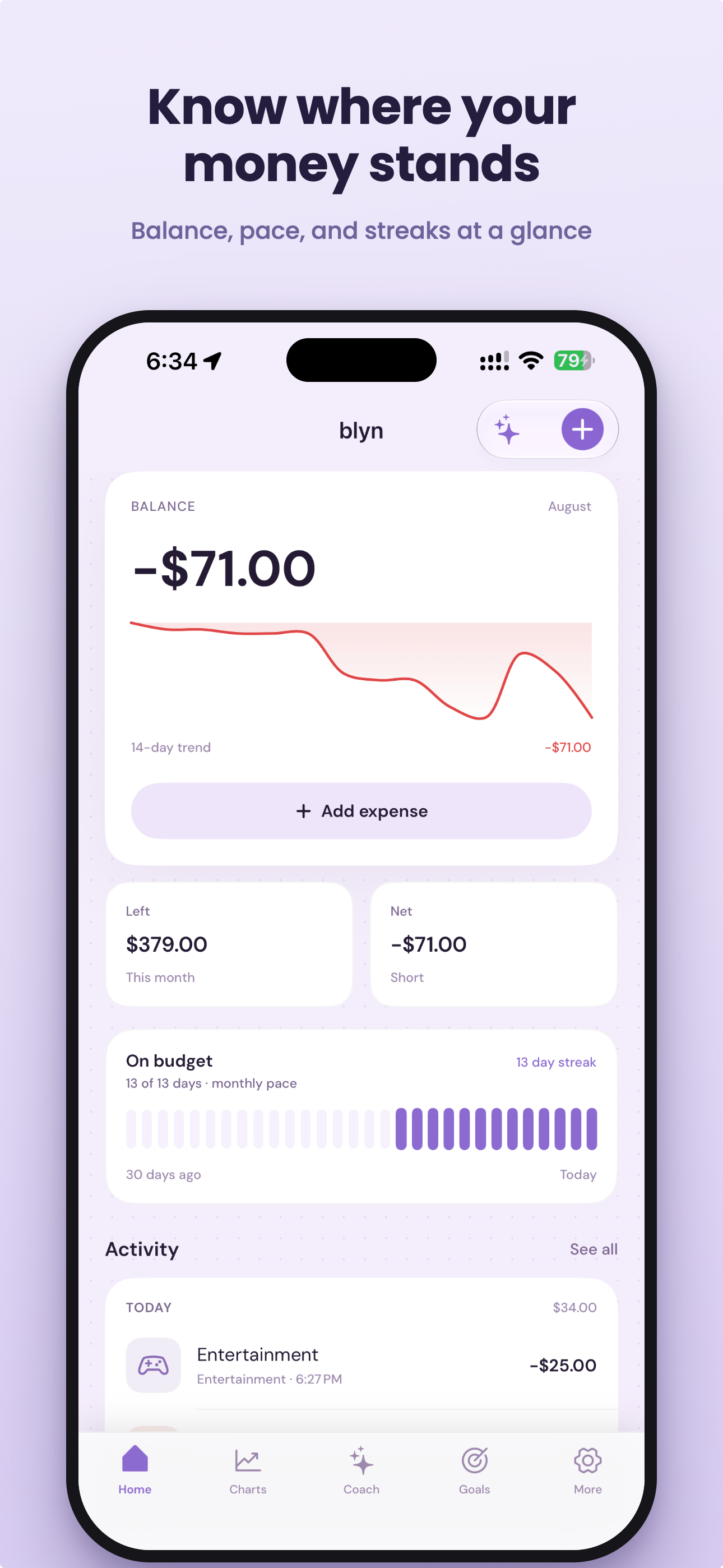
The home screen answers one question, which is what is left this month. Balance, pace, and a streak of days you stayed on budget. Nothing else above the fold.
Logging happens in three ways, and I built all three because I use all three:
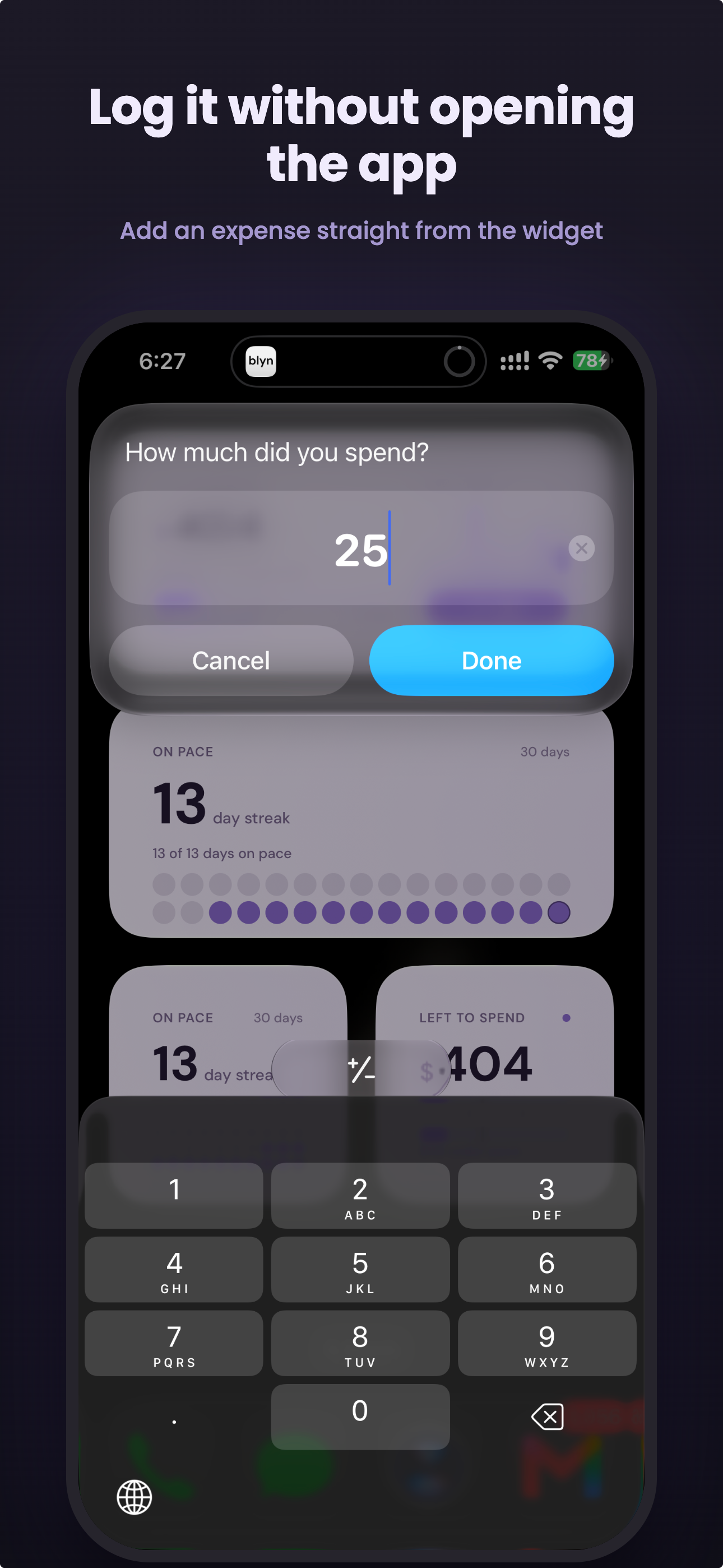
- Back Tap. Double tap the back of the phone and a text field appears. Type 25, hit done. The expense is logged without the app ever opening. This is the one I use most.
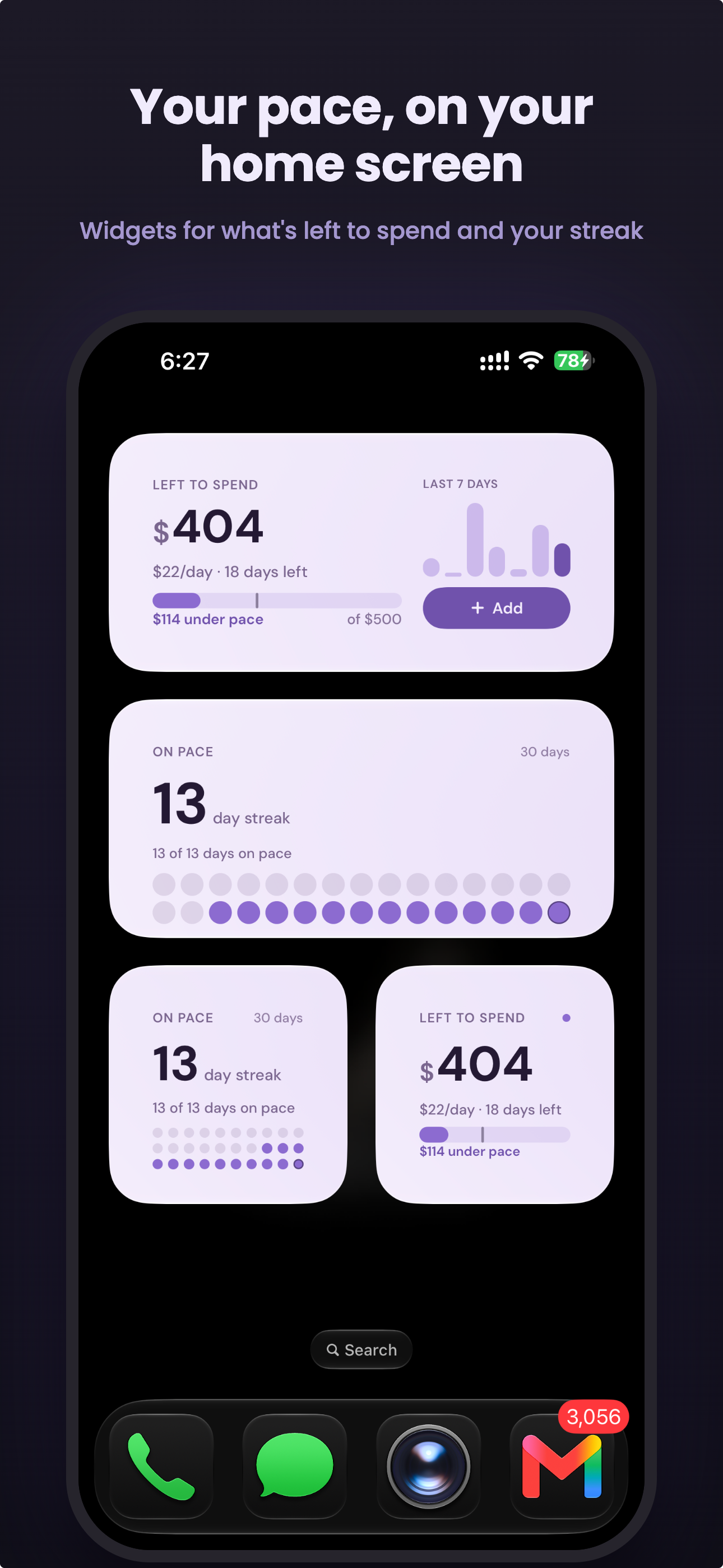
- Widgets. Home Screen and Lock Screen widgets show what is left to spend and how many days you have stayed on pace. The medium widget has an Add button that logs straight from the widget.
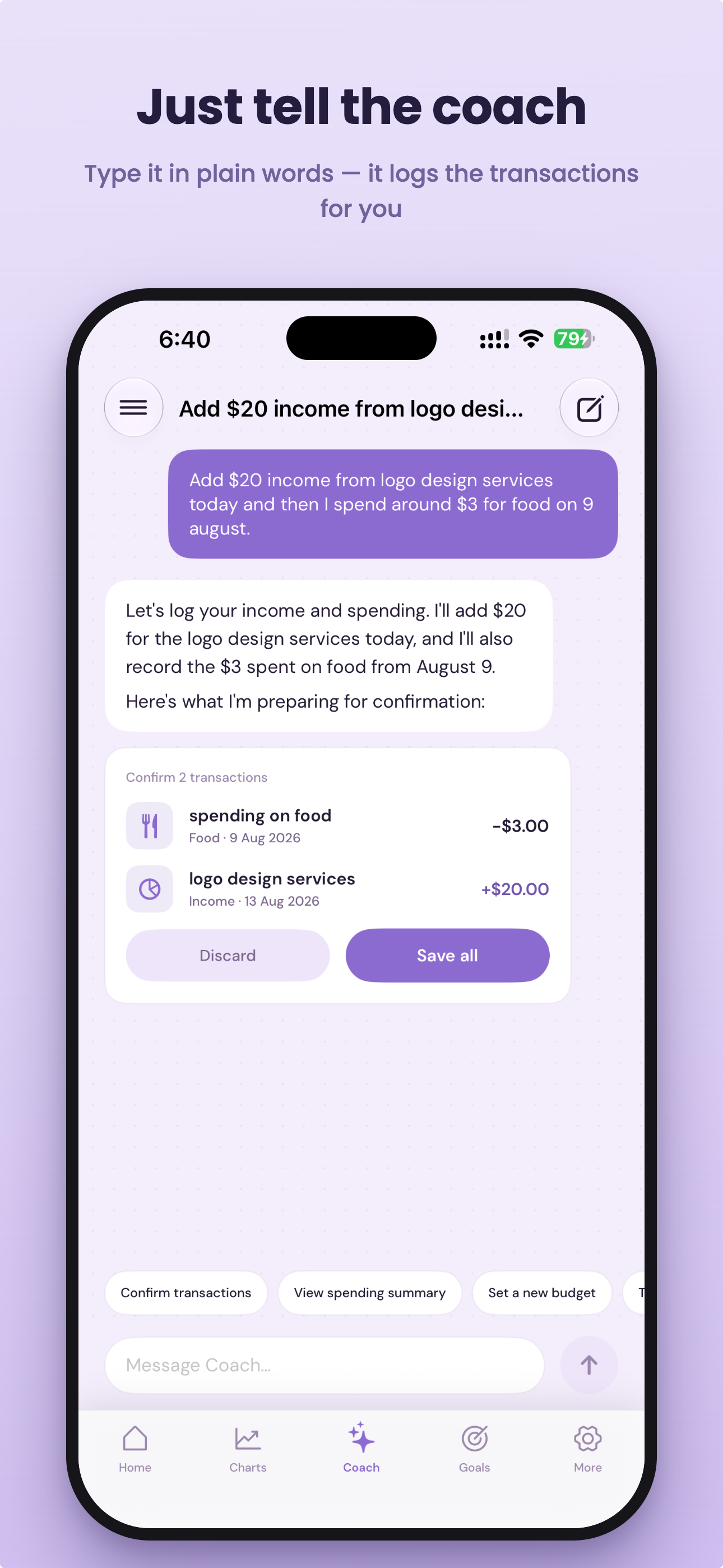
- Coach. Type "add $20 income from logo design today and I spent around $3 on food on 9 august" and it prepares both entries. You confirm before anything saves.
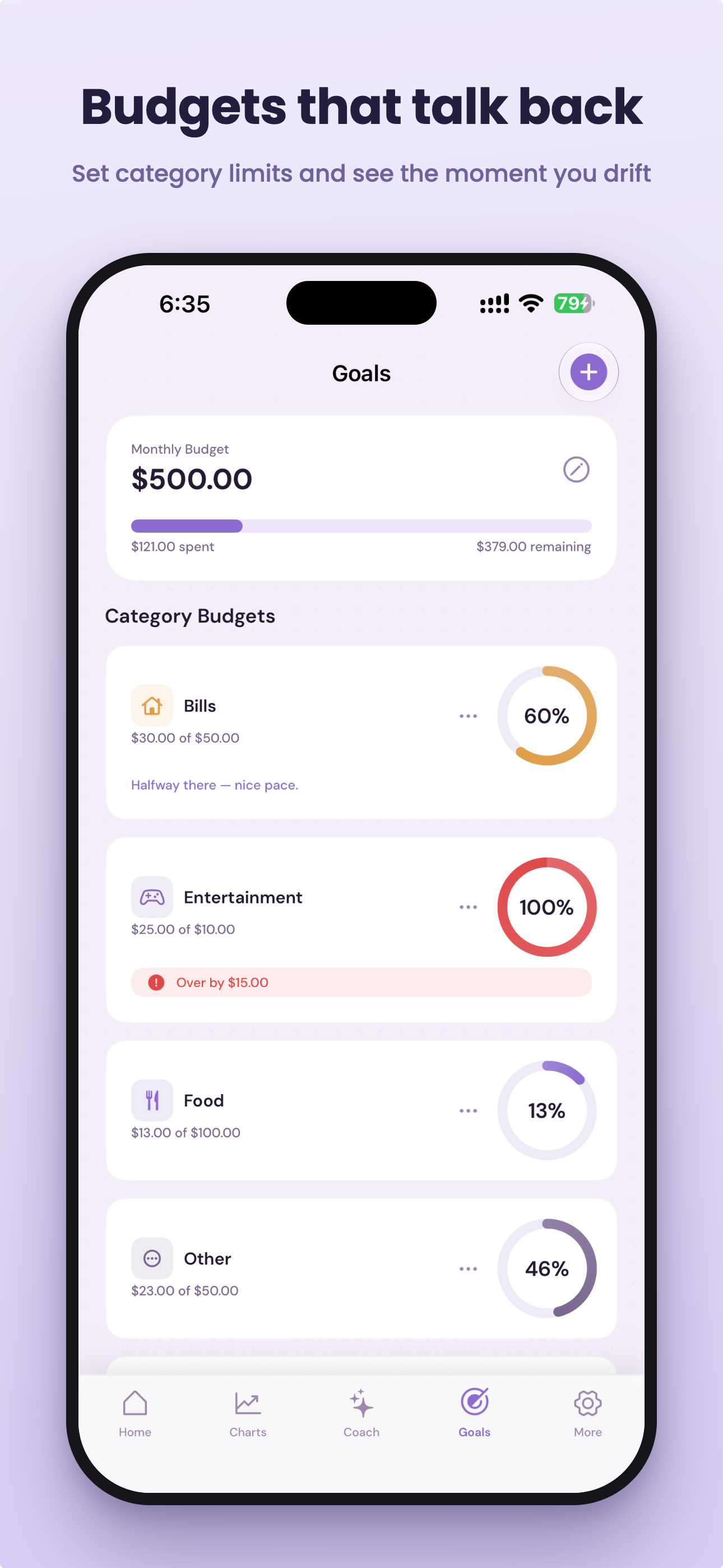
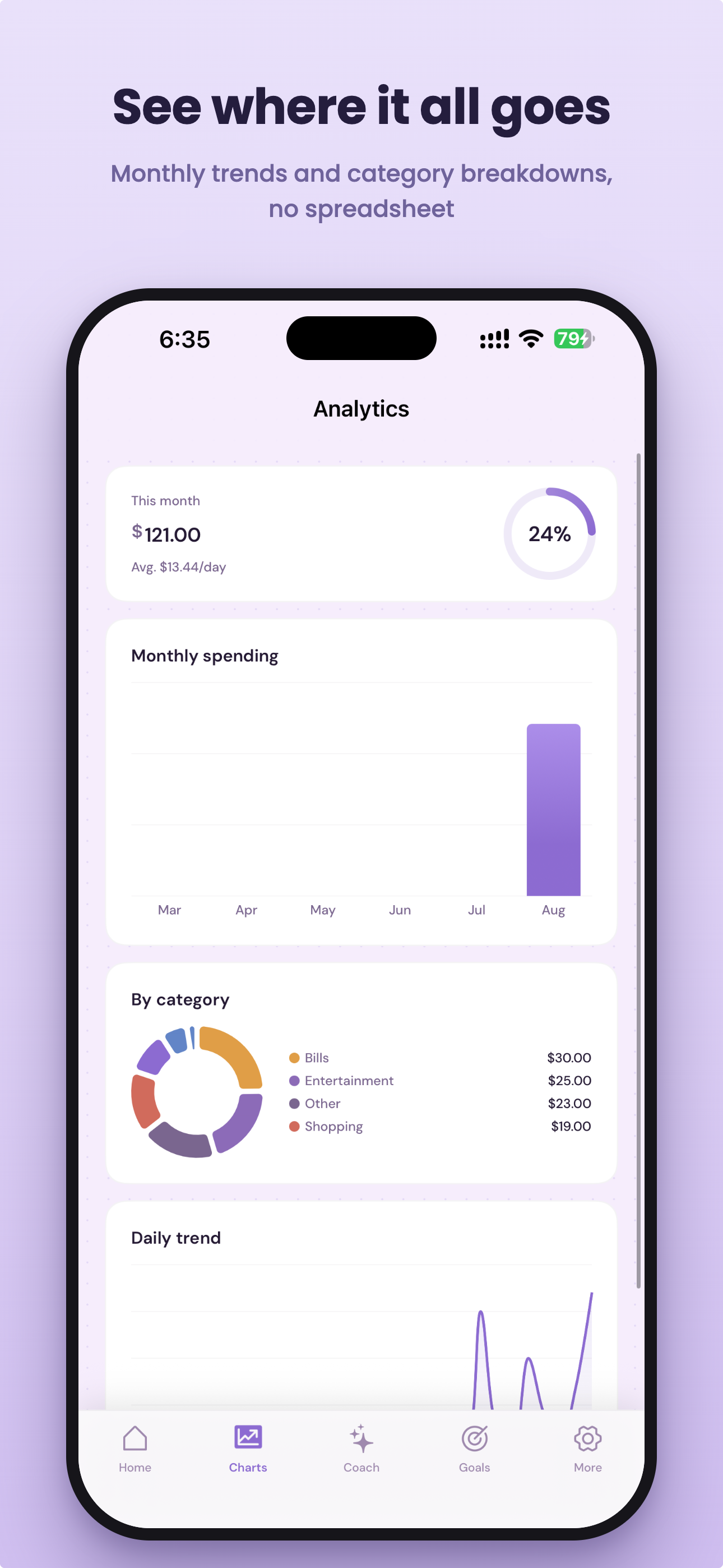
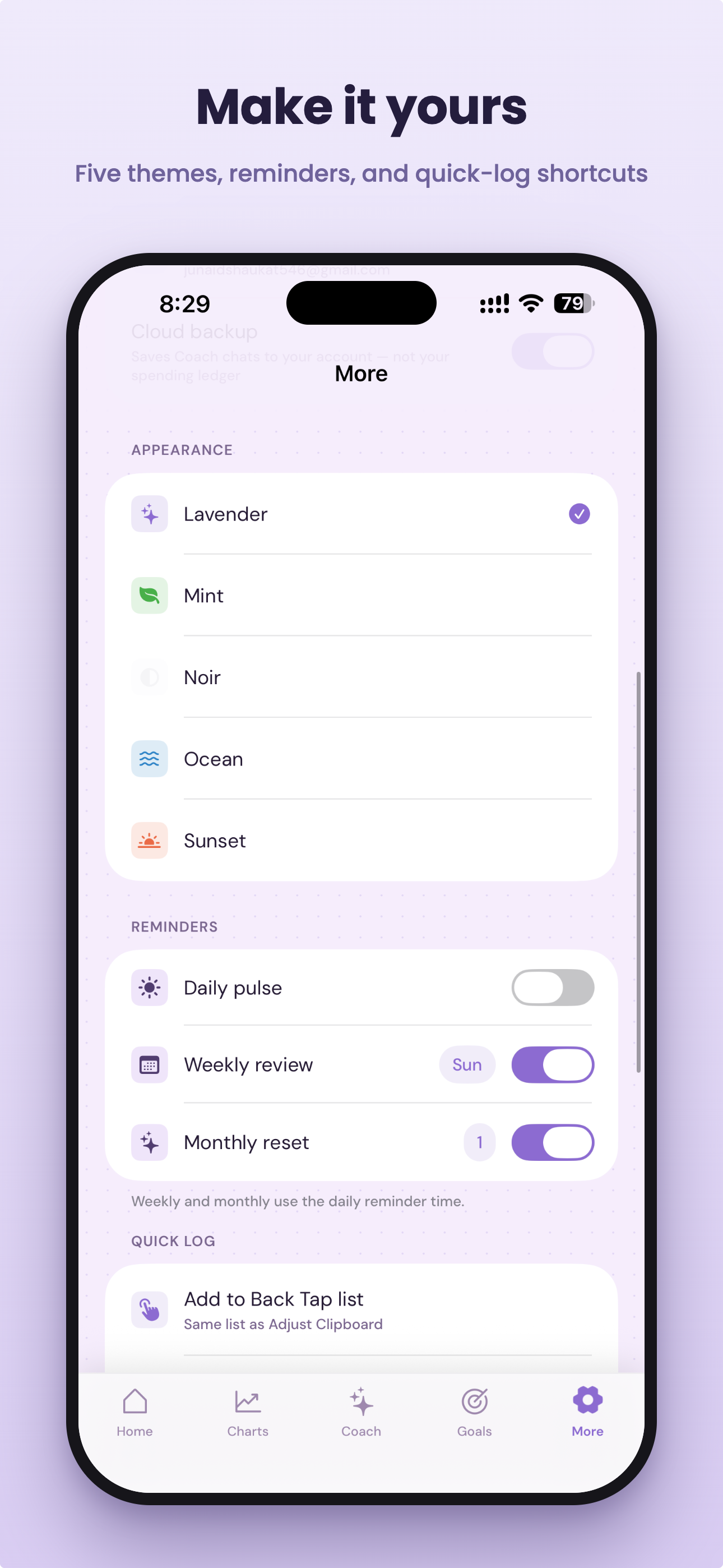
Everything else is the boring stuff a budget app has to have and mostly gets wrong: category budgets that tell you the moment you drift over, charts that do not need a spreadsheet, recurring entries for rent and salary, multi currency, Face ID lock, and export.
The ledger stays on the device. There is no account required to track anything. You only sign in if you want Coach or Pro.
How I built it
Native iOS, SwiftUI
The data layer is local first, which was a decision rather than a shortcut. There is no server holding your transactions, so there is nothing to breach and nothing to sync. That also meant every feature had to work offline by default, and the online parts, Coach and currency rates, had to degrade quietly instead of blocking the app.
Widgets are WidgetKit, and the quick logging path is App Intents. That is what makes Back Tap and Shortcuts work: iOS runs the intent, the intent writes to a shared app group container, and the widget timeline reloads. The app itself never has to launch.
Coach is an LLM that returns a structured transaction proposal rather than free text. The model does not get to write to the ledger. It produces a list of candidate entries, the app renders them as a confirmation card, and only a tap saves them. This turned out to be the single most important architectural decision in the project, and I will explain why below.
Subscriptions run through RevenueCat. Pro is $2.99 a month or $19.99 a year and unlocks Coach beyond the free three messages, unlimited recurring entries, and Coach chat backup.
Challenges
Letting an LLM near a financial ledger. My first version had Coach write entries directly. It was faster and it felt magical for about a day. Then it logged a $3 coffee as $300 because of how I had phrased something, and I did not notice for a week. The fix was to make the model incapable of writing. It proposes, you confirm. It costs one extra tap and it is the reason I trust the feature enough to ship it.
Multi currency without lying about the past. I track in rupees but I think in dollars for freelance income. Early on, switching display currency rewrote the stored amounts, so editing a two month old entry would silently convert it again. Now every entry permanently keeps the currency it was logged in, and conversion happens only at display time. Coach understands this too, so saying "set my budget to $500" while tracking in rupees converts before saving instead of taking 500 at face value.
Making the widget the product. Widgets are usually an afterthought. Here the widget is the main interface, because the fastest interaction is the one that never opens an app. That meant reasoning about timeline refresh budgets, keeping the shared container consistent when the intent and the app might both touch it, and accepting that the widget can be slightly stale as long as the number it shows is never wrong.
Charts disagreeing with home. For a while the charts screen and the home screen showed different totals for multi currency ledgers, because they converted at different points. Boring bug, embarrassing to find, fixed in 1.1.0.
What I learned
The hard part of a budget app is not budgeting. It is the five seconds between spending money and recording it. Every feature that shortened those five seconds got used. Every feature that added structure, however sensible, got skipped.
I also learned that "AI feature" and "AI that writes to your data" are two very different products, and only one of them is shippable.
What's next
Shared budgets for people splitting rent, a proper receipt scan into the same confirmation flow, and Android. Coach could also do the thing I actually want, which is to notice on the 18th that I am spending faster than the month can absorb, before I run out.
blyn is live on the App Store: https://apps.apple.com/app/id6799817602

Log in or sign up for Devpost to join the conversation.