-
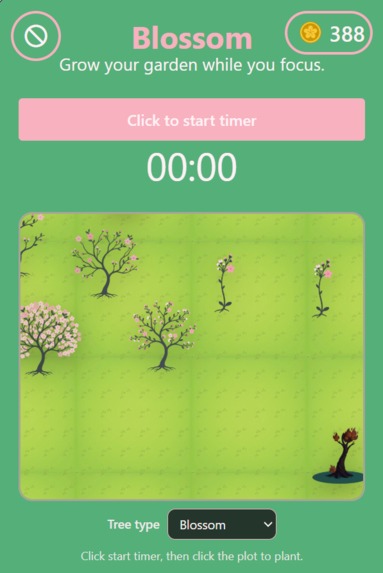
garden
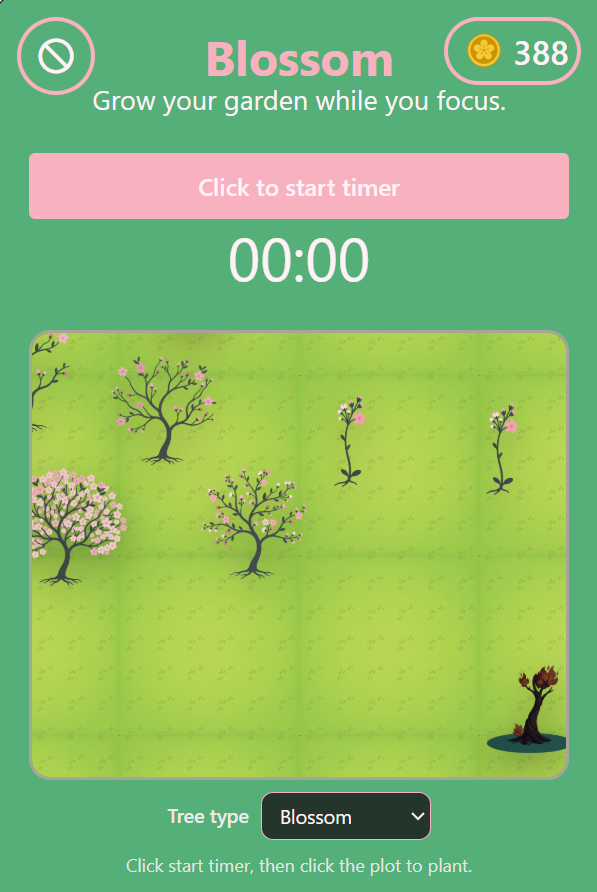
Blossom
Grow your garden while you focus! 🌸
Blossom is a gamified productivity productivity companion built as a Chrome Extension. It helps you build better work habits, eliminate distractions, and visually rewards your focus time by letting you grow a beautiful virtual garden.
✨ Notable Features
- ⏱️ Focus Timer & Tree Planting: Start a focus session by planting a seed in your virtual garden plot. As the timer ticks and you stay focused on your work, your tree continuously grows through multiple aesthetic stages!
- 🛡️ Domain Blocker: Keep distractions strictly away. Blossom's domain blocker allows you to add unproductive websites (like social media or news feeds) to a blocklist to prevent you from losing focus during an active session.
- 💰 Coins & Progression System: Time is literal money! Stopping your focus time converts your hard work entirely into coins. The longer you focus, the more coins you'll earn.
- 🛒 The Garden Shop: Got some extra coins burning a hole in your pocket? Visit the Garden Shop to spend them on unique, beautiful new tree variants (like the radiant Glowberry or blazing Fire trees).
- 🗺️ Interactive Garden Plot: You don't just click a button to plant; you physically click anywhere on your draggable garden plot to decide exactly where your next sprout belongs, allowing you to build an expanding and highly customized forest over time!
📖 How to Use Blossom
Setting Up the Blocker
Before you start a focus session, you can lock down your distractions! To add domains to your blocklist:
- Open the extension popup.
- Click the Settings (Block) icon in the top left corner.
- Type in any distracting website (e.g.,
reddit.comortwitter.com) into the input field and hit Add.
Starting a Focus Session & Planting
- Click the big primary button that says "Click to start timer". This will smoothly transition you into "Planting Mode".
- You will be prompted to pick your tree. Use the Tree type dropdown just below the garden plot to select a tree (e.g., standard Blossom, or any specialized tree you bought from the shop).
- Plant it! Click anywhere inside the visual garden plot area to plant your seed.
- As soon as you click the plot, the timer starts running. Get to work! Your tree will visually evolve through several growth stages the longer you stay focused.
Ending a Session & Earning Coins
- When you're ready to take a break or finish your task, click "Click to stop timer".
- A beautiful animation will play as your accumulated focus time is converted into shiny coins. You'll literally hear the coins rolling in!
Using the Garden Shop
- Click the Coin counter in the top right corner of the extension to open the Garden Shop.
- Here, you'll see a catalog of exclusive trees.
- If you have enough coins from your hard work, click Buy on any tree type to unlock a unit.
- The next time you start a timer and enter "Planting Mode", your newly purchased trees will appear in the "Tree type" dropdown menu!
🚀 Installation
- Clone this repository or download the source code to your machine.
- Run
npm installto install necessary required dependencies. - Run
npm run buildto generate the compiled extension files. - Open Chrome and navigate to
chrome://extensions/. - Enable Developer mode using the toggle in the top right corner.
- Click Load unpacked and select the
buildfolder from this project directory.
🤝 Contribution
Suggestions, bug reports, and pull requests are always enthusiastically welcomed! Feel free to open an issue or submit a Pull Request to help make Blossom even better.
This project was bootstrapped with Chrome Extension CLI.

Log in or sign up for Devpost to join the conversation.