-
-
-
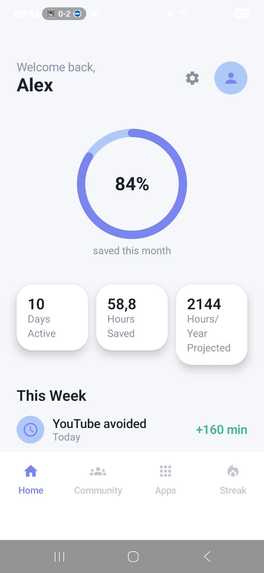
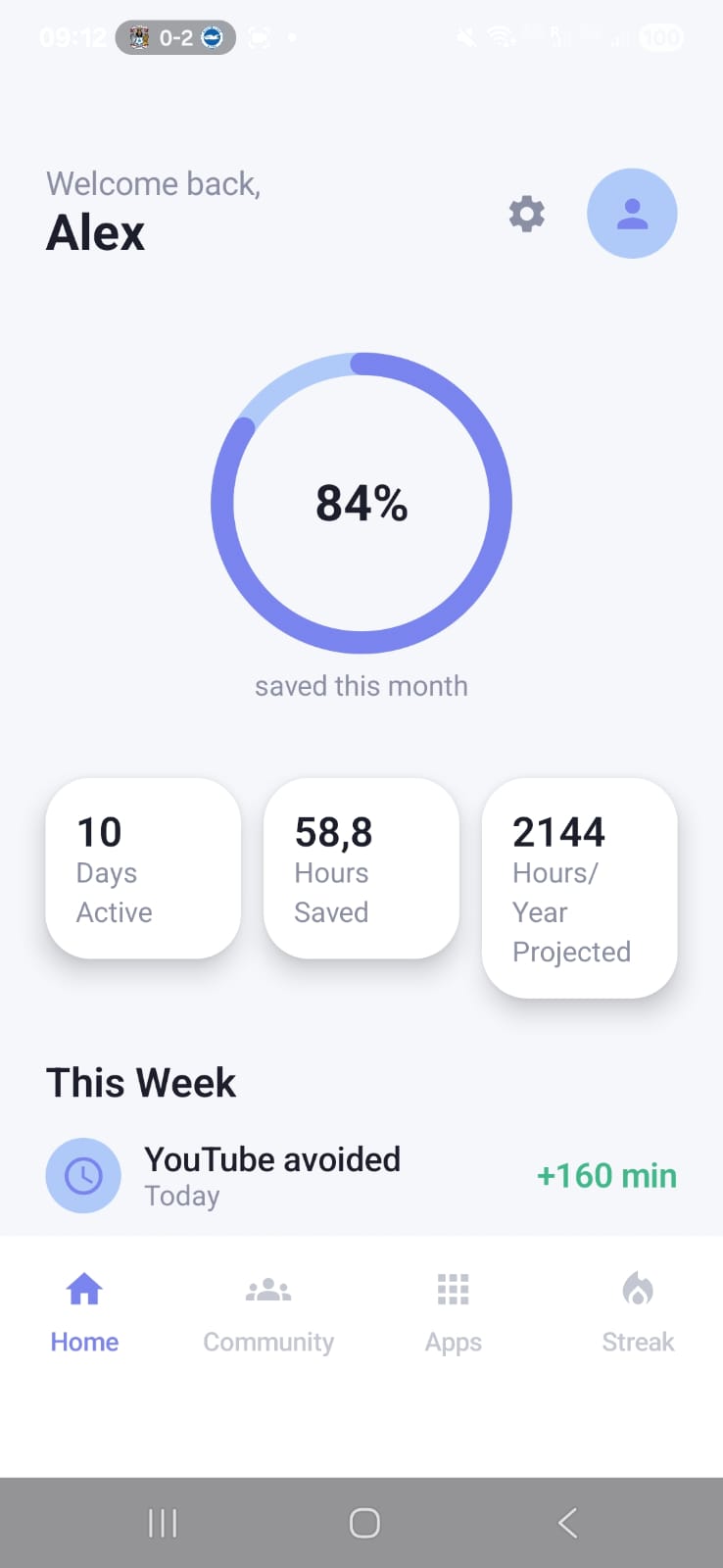
Home, time tracker
-
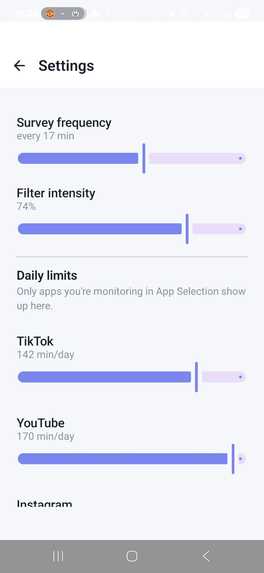
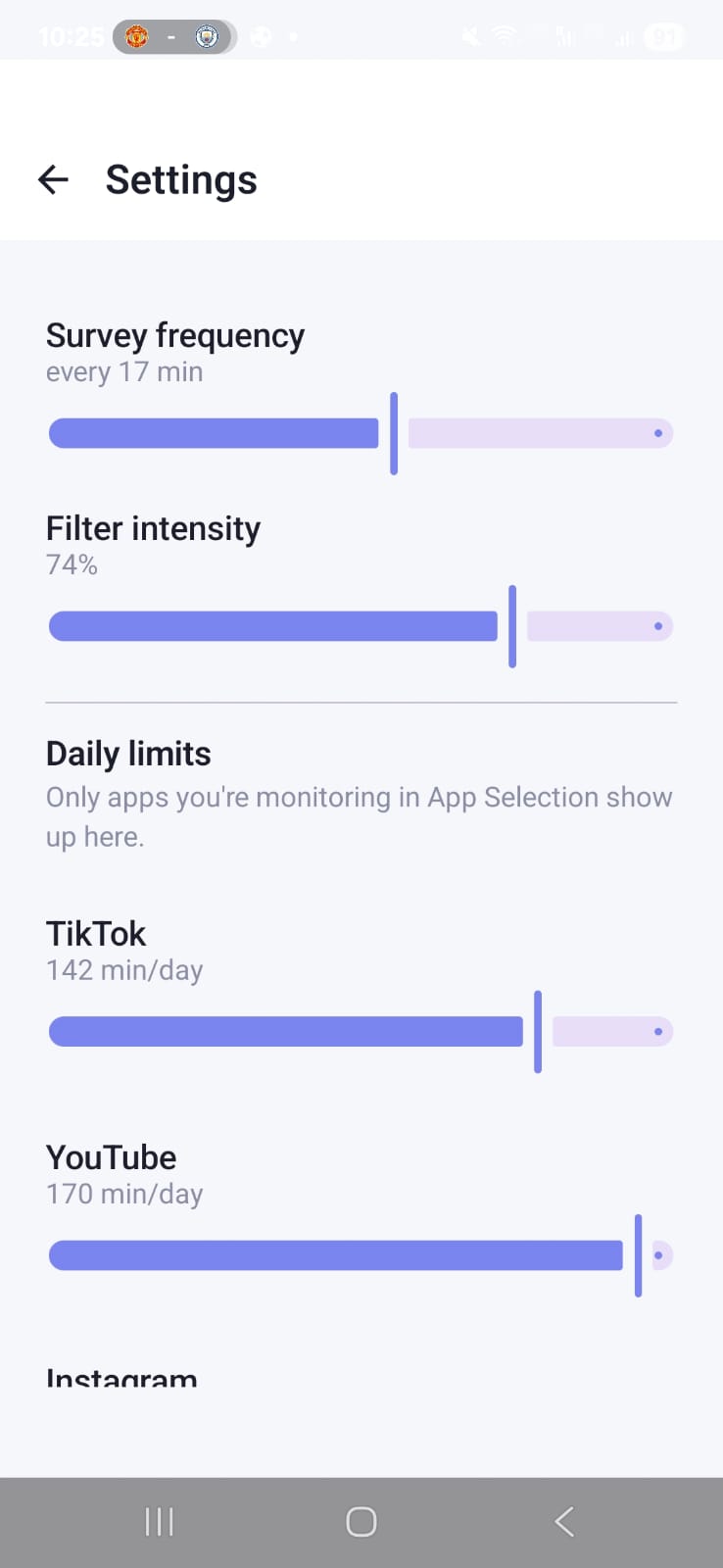
Settings control
-
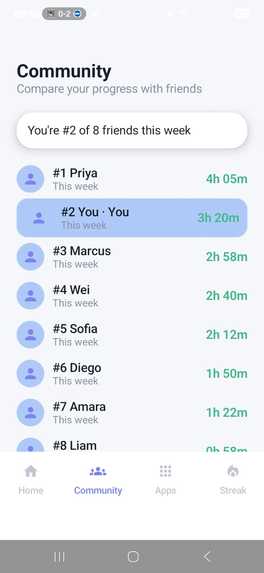
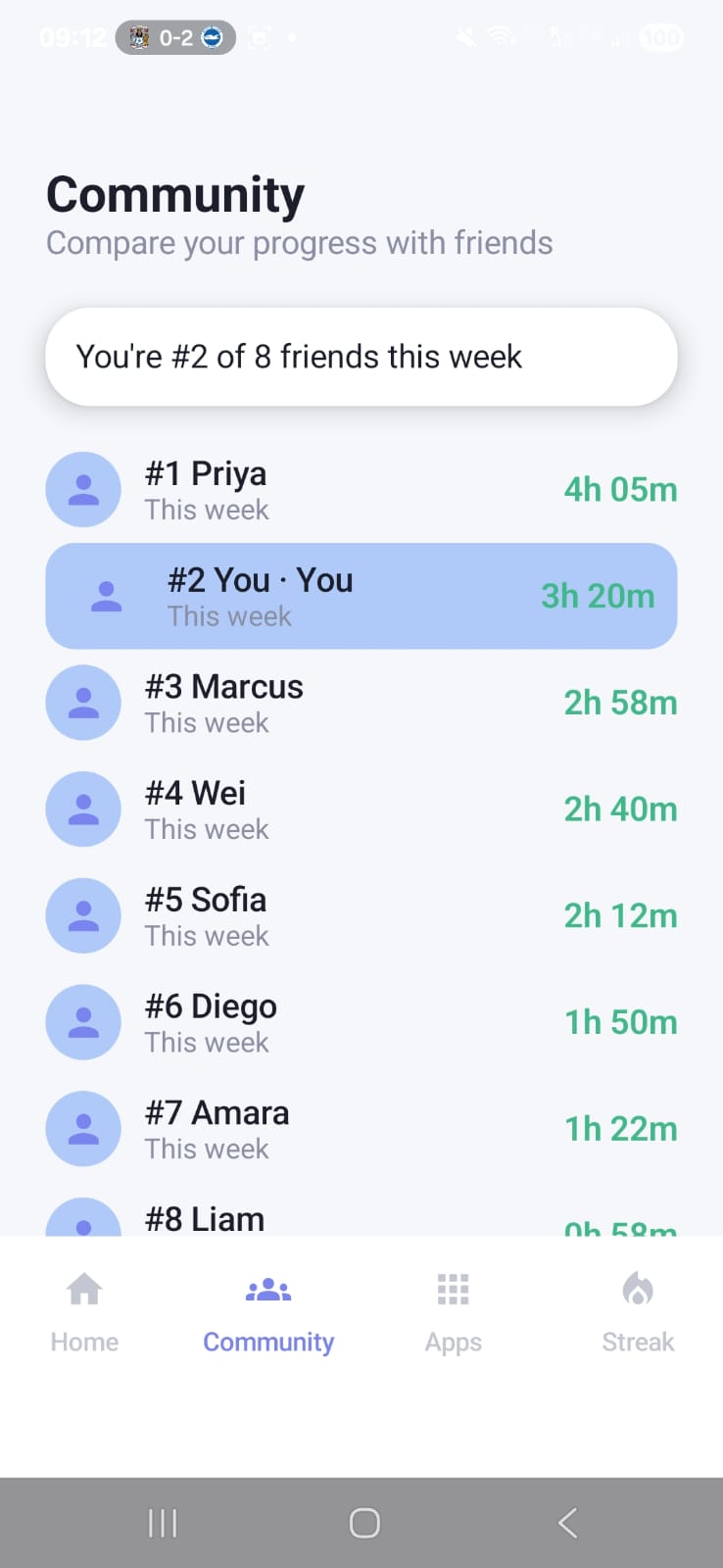
Compete with your friends for time saved
-
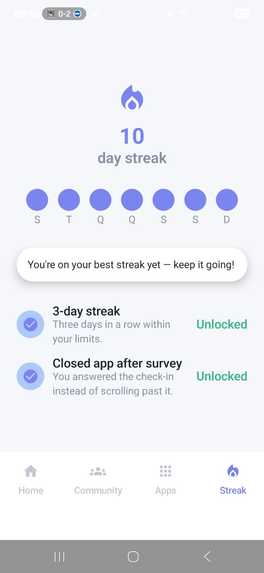
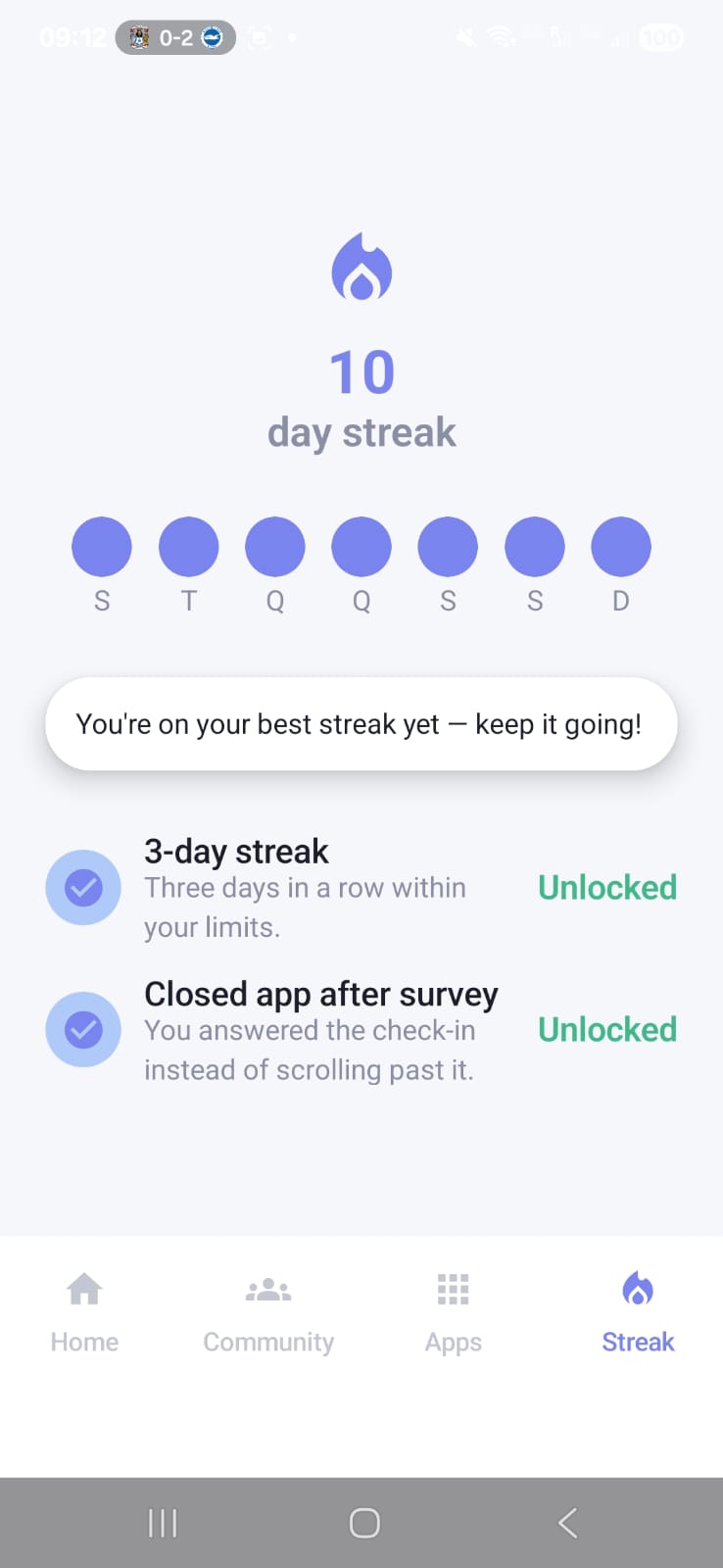
Streak!!
-
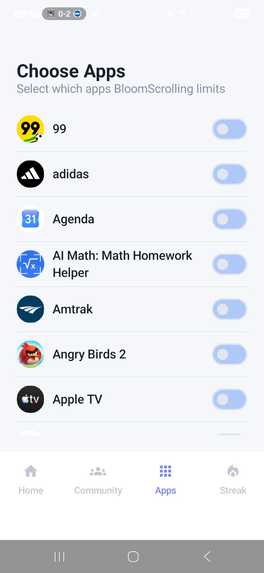
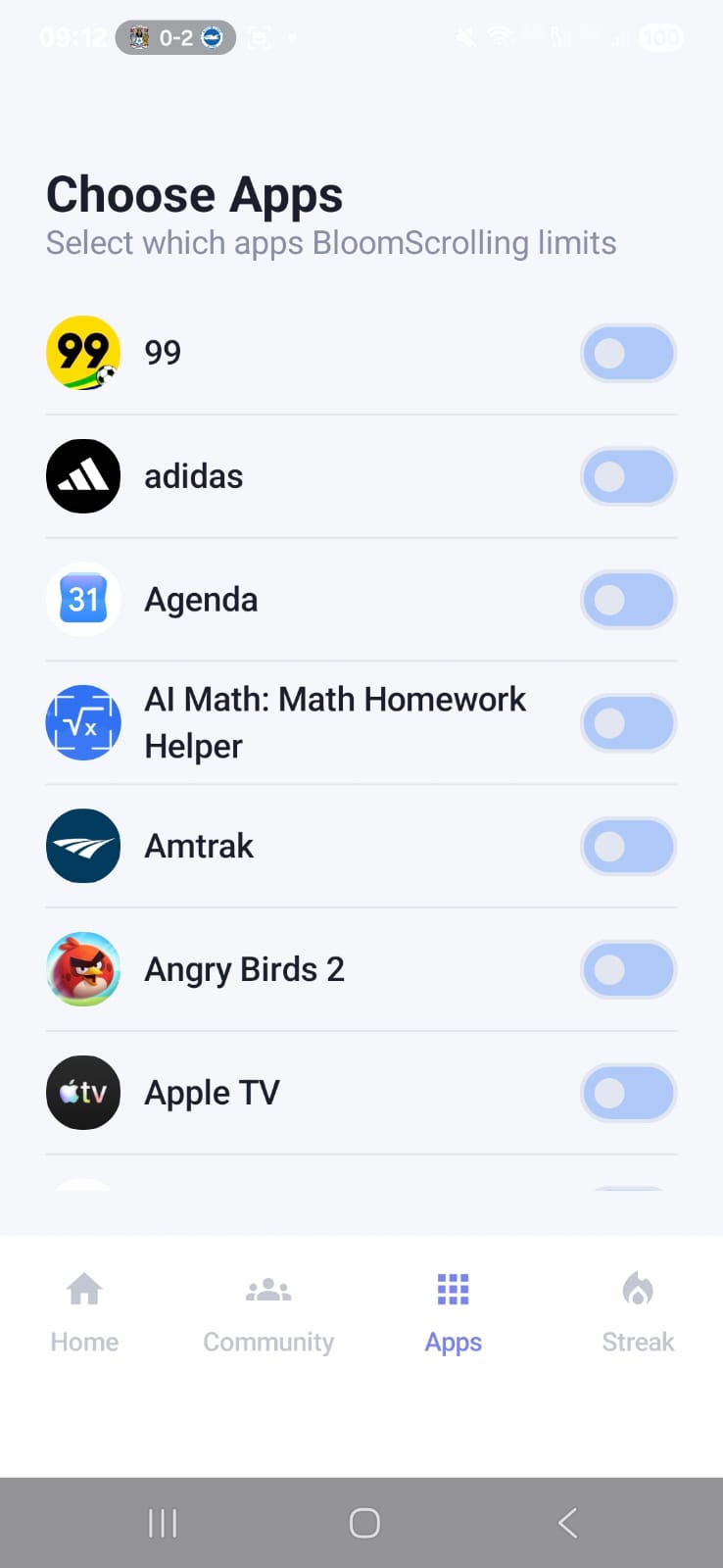
App's allowed
Inspiration
We built this for HackWesTX's "Beyond the Feed" theme — imagining what social media looks like after the algorithm stops being the thing in charge. Most screen-time tools either do nothing until you've already lost the hour, or they block apps outright and get uninstalled within a day. We wanted something that meets you at the actual moment of the habit — the second you tap the icon — and asks one honest question before anything else happens: why are you opening this right now?
What it does
BloomScrolling watches for a short list of apps you choose to monitor (Instagram, TikTok, whatever you pick). The moment one opens, a quick survey asks why — bored, habit, a specific task, or messaging someone — and logs your answer. If you keep scrolling past a daily limit you set, a countdown delay screen appears before you can continue, and it gets longer each time you trigger it that day. Stay past that and a warm color filter gradually washes over the screen, growing more amber the longer you stay. A home dashboard shows your time saved as a percentage and a streak counter, so cutting back becomes something you can see progress on, not just a rule you keep breaking.
How we built it
Kotlin + Jetpack Compose for the entire UI, no XML layouts An AccessibilityService as the single detection point — it watches TYPE_WINDOW_STATE_CHANGED events, reads the foreground package name, and checks it against a user-configured blocklist Room for the local data layer (survey responses, per-app usage logs, per-app settings), with Hilt wiring it all together DataStore for user preferences (limits, survey frequency, filter intensity) A foreground service cross-checking UsageStatsManager against our own in-memory timer, since usage-stats reporting lags a few minutes on some devices A WindowManager overlay (TYPE_APPLICATION_OVERLAY, touch-passthrough flags) for the color filter Vico for the weekly trend chart on the dashboard We split the work so the data-layer contract (Room schema + Hilt module) was agreed on and merged in the first hour, so the three other workstreams — the accessibility service, the survey/delay UI, and the dashboard/settings — could all build in parallel against it from hour two onward.
Challenges we ran into
The accessibility service's behavior is inconsistent across OEMs and between emulator and real hardware — we had to test on a real device early rather than trust the emulator. UsageStatsManager has a real reporting lag (a few minutes on some devices), so we couldn't rely on it alone for real-time triggering and had to add our own timer as the primary source of truth. Getting the three permission flows right (Usage Access, Display over other apps, Accessibility) each redirect to a different Settings screen and none can be requested as a normal runtime dialog — the onboarding flow had to explicitly re-check state on return from Settings rather than assume the user granted it. Organization, as first timers time management was hard!
Accomplishments that we're proud of
A working end-to-end trigger chain — detection → survey → delay → color filter built and integrated inside a 24-hour window with a four-person team split across four largely-parallel workstreams. Finishing the app that we proposed to make, and making it acctually work, with little experience in hackathon's
What we learned
About how accessibility APIs in android, how to approch a problem for behavior change instead of just blocking it, working in parallel on a shared data layer with a team and how bugs can be stresseful.
What's next for BloomScrolling
Weekly summary notifications and a fuller achievement system. iOS version (Android's accessibility APIs don't have a direct iOS equivalent, so this would need a different technical approach likely Screen Time API) Implementing the community tab as a Feature, which allows you to compete with your friends.
Built With
- android
- android-accessibility-service
- android-studio
- datastore
- gradle
- hilt
- jetpack-compose
- kotlin
- vico

Log in or sign up for Devpost to join the conversation.