-
-

Alexis, Beverley, Wei Bin, and Yuhann are proud to present: BloomScroller. For any further queries, please email Wei Bin
-
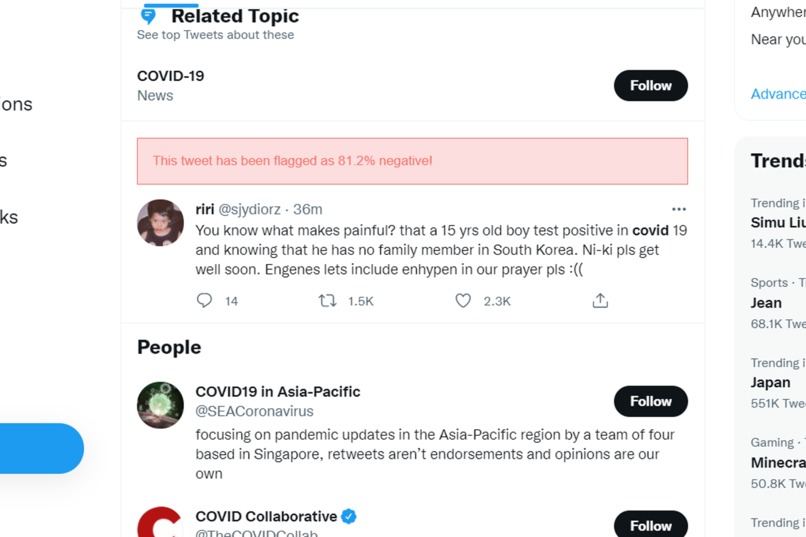
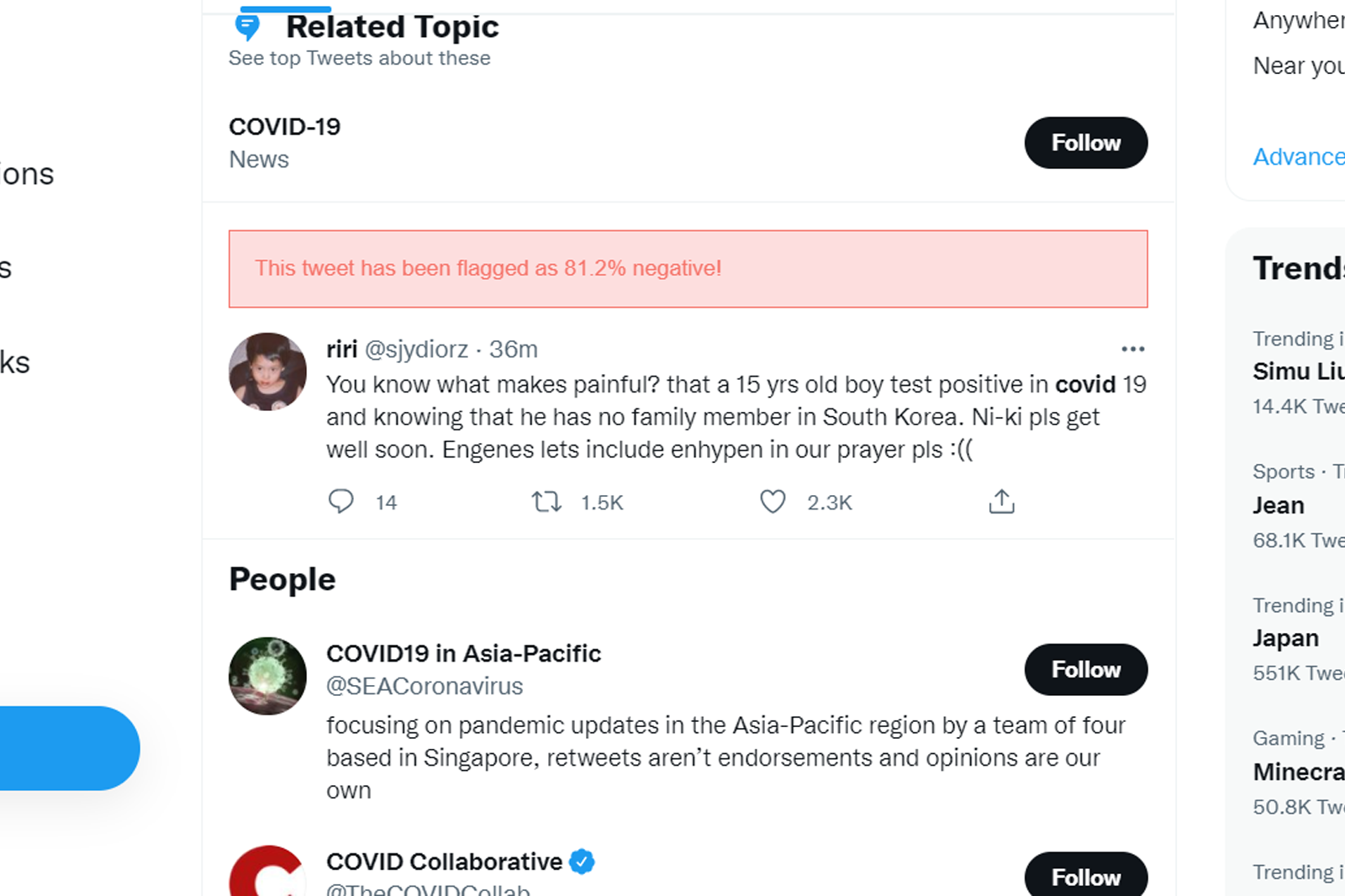
BloomScroller displays a prediction of negativity score based on the tweet
-
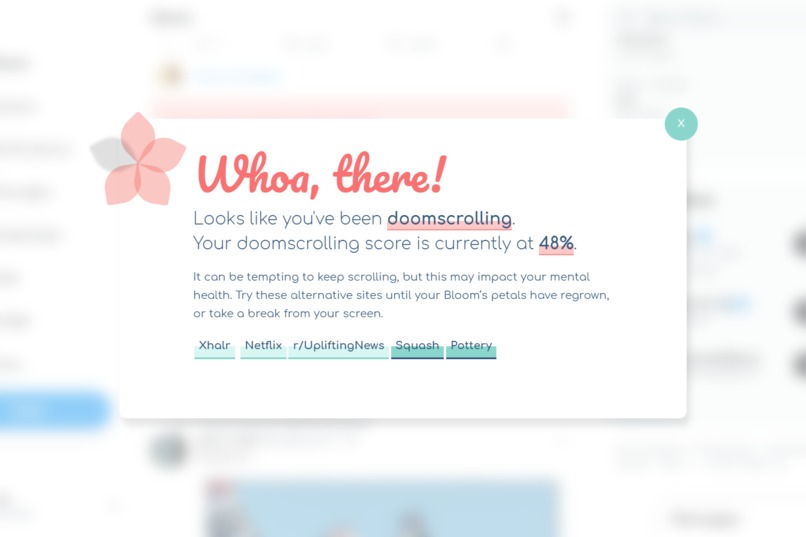
BloomScroller sends you pop-ups when there is too much negativity detected. Alternative activities are suggested for your mental welness.
-
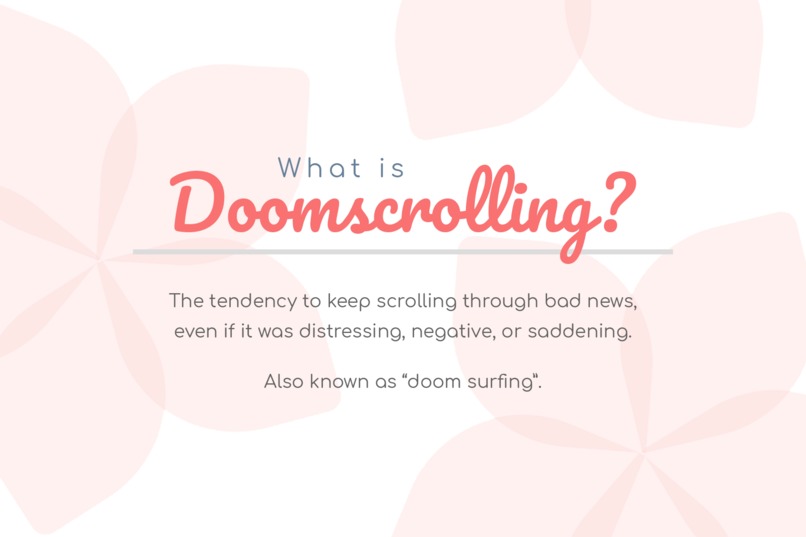
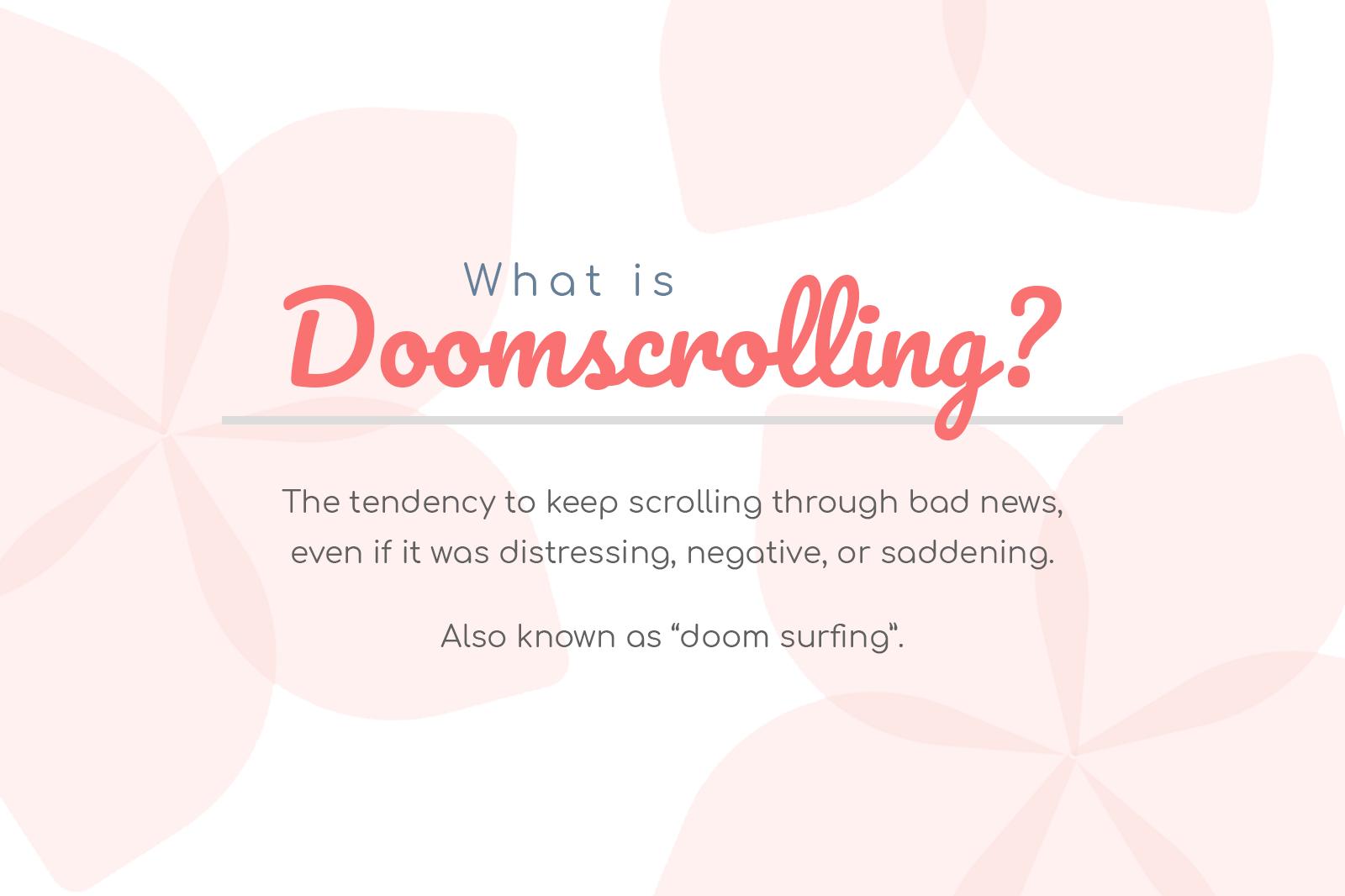
Doomscrolling: the process of continuously scrolling through bad news on your social media, oblivious to the impacts on your mental health
-
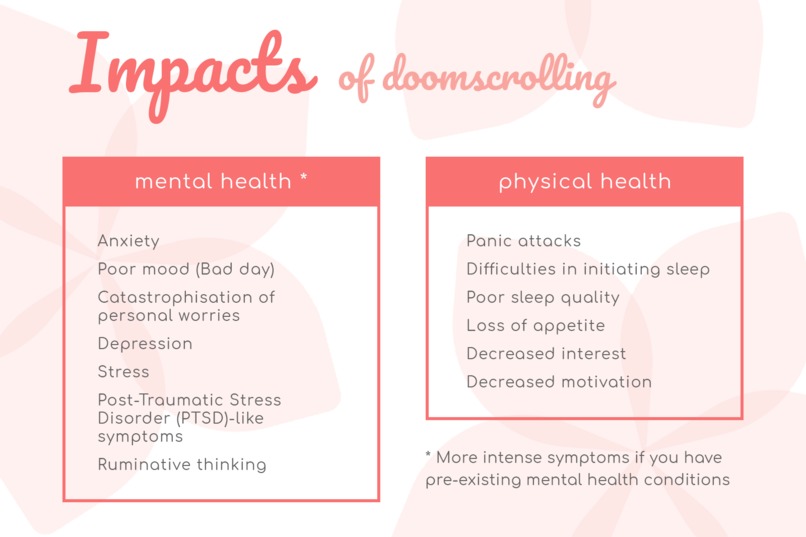
Doomscrolling has negative effects for both your mental and physical health, based on psychology studies.
-

Doomscrolling actually has an evolutionary basis, but social media technologies have made it an unhealthy practice.
-
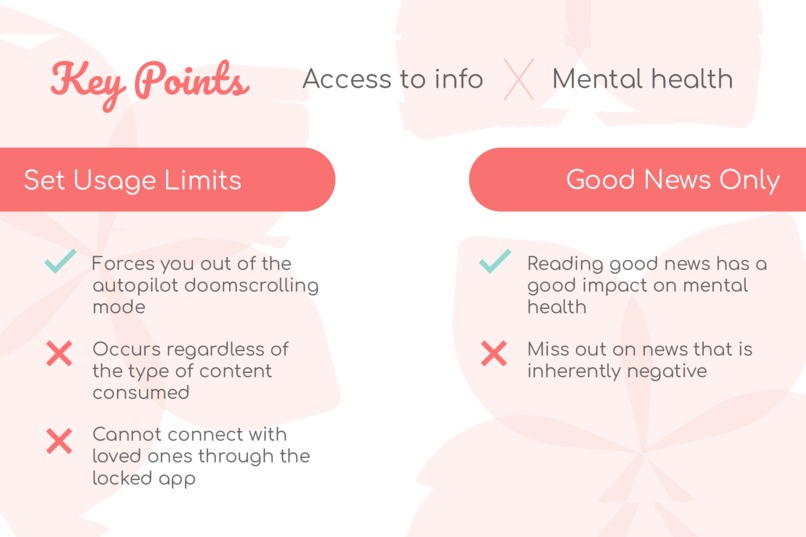
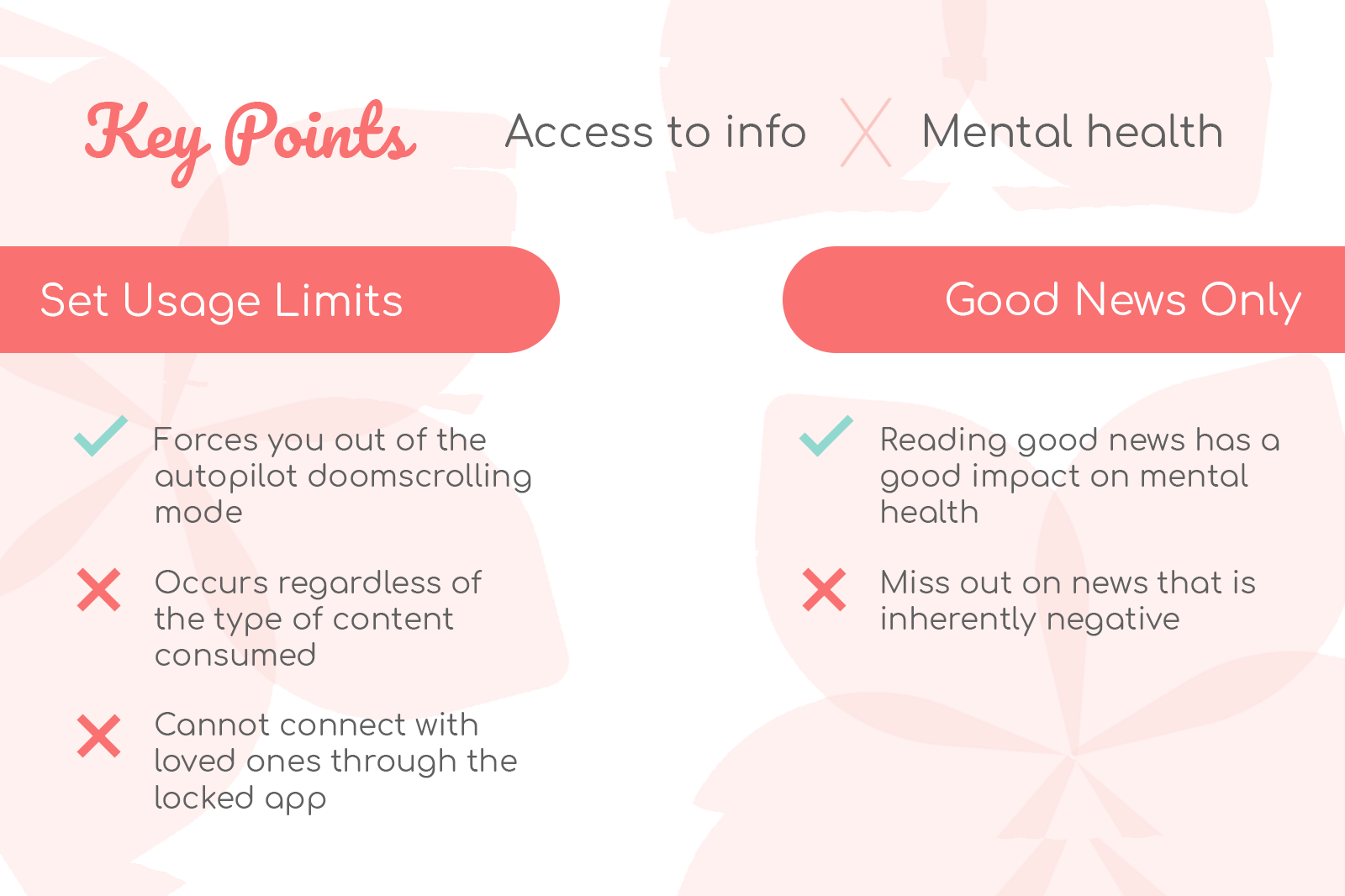
Solutions to doomscrolling exist, but miss out in some way on our key identified factors of access to information, and Mental health impact.




Inspiration
The onset of the COVID-19 pandemic has led to a huge spike in the amount of time spent online, and news consumed from online sources, especially social media. This has evolved into the phenomenon of doomscrolling, whereby individuals spend increasing amounts of time looking at depressing news and being unable to stop or step back. This problem has become so widespread that the Oxford English Dictionary named it Word of The Year for 2020.
Doomscrolling is quickly becoming a serious and prevalent issue, especially for vulnerable younger generations. There are threats to both mental health (anxiety, depression, PTSD-like symptoms, stress, catastrophisation of personal worries) and physical health (panic attacks, sleep quality, appetite, interest, motivation). Many of these symptoms often go unseen, thus doomscrolling may take its toll on people, and they may only realise this when it’s too late.
Our team hence aimed to create a non-intrusive solution to doomscrolling.
What it does
BloomScroller is a browser extension for Twitter desktop that combats doomscrolling using artificial intelligence, gamification, and positive psychology.
Using an AI to analyze tweets locally, we can analyze text sentiment while respecting user privacy. When a large amount of negative content is detected, it prompts a pop-up warning to the user about possible doomscrolling, recommending actions based on a core of positive psychology principles. The pop-up effectively disrupts the autopilot behaviour in doomscrolling, and directs them to recover their mental health.
The suggestions made by the extension can be customised through the extension options. It could include links to watch TV shows on Netflix, read good news at good news-focused news outlets to counteract the doom scrolling, relaxation exhalation exercises, encourage the user to socialise with loved ones, or participate in their favourite indoor and outdoor hobbies. These recommendations are based on positive psychology and coping, which encourages such activities to improve optimism and protect users from the harm of doomscrolling.
The extension is further enhanced via gamification, whereby a user’s mental health is represented as a “Bloom”. The Bloom will respond based on the actions the user takes: the intake of more negative news causes the Bloom to lose its petals, while consuming positive news or taking breaks will help the Bloom regenerate its petals. This is especially meaningful, as people tend to overlook caring for their own mental health. When it materialises as a flower they are taking care of by monitoring the kind of news that is consumed, the user would be able to better manage their mental health by caring for the Bloom as a proxy.
How we built it
BloomScroller was built in Javascript with HTML and CSS for the content and styling respectively, of the popup and other elements. It used Browserify to bundle in necessary dependencies such as TensorflowJS into the main Javascript file used.
An AI model was designed and trained in Python to classify whether tweets were considered ‘positive’ or ‘negative’ in sentiment. The weights of this model were then exported and hosted on an AWS S3 bucket for remote access by the browser extension. This prevented us from packing in the large files such as the Tokenizer parameters as well as the model itself.
We decided to target Google Chrome because it is the most widely used browser in the world, and several other common browsers, such as Microsoft Edge and Brave, also use the Chromium browser engine and are hence also able to use Chrome extensions. Furthermore, having the code run in the browser itself means that it is easy to install and has minimal barrier to adoption for the users.
Challenges we ran into
Firstly, as Twitter itself is built on a React stack, implementing a browser extension that alters its DOM proved to be challenging, as the class names introduced by Twitter’s back-end framework were not consistent. Instead, pattern recognition in the Javascript file was done in order to identify the correct elements to be scraped as well as the correct location in which to insert warnings.
Transferring models from keras to tensorflowjs is optimized for image processing instead of text processing, thus there was a lack of support for text processing pipelines, such as stemming and tokenization. We had to look through multiple alternatives and even adapt some to fit our purposes as there were quite a number of outdated packages.
In particular, the tokenizer required a considerable amount of tweaking on our part to ensure that the output from the model training in Python was usable. On hindsight this could have been better done, but within the limited time we had, we believe did a decent job at ensuring compatibility between these different libraries.
Accomplishments that we're proud of
Within a day, we managed to train a decent neural network model and integrate it within a browser extension despite a relative lack of support for the transfer of text-processing pipelines. In addition, we are proud that we are able to develop a fully functional extension, complete with aesthetically pleasing design elements in such a short amount of time.
We are also proud of how we managed to navigate around the limitations that are imposed on javascript running in the browser, such as limited resource access (e.g. external css styling options) due to cross-site security policies, and also general differences in the API and lack of documentation of some of the ML related libraries that we were using.
Impressively, all members were also able to lend their knowledge of different fields into the submission and presentation of our product, BloomScroller. Different members came in with different capabilities and expertises, in artificial intelligence, webdesign, back-end development, and more, but we were able to take advantage of each of our strengths to create a hack that we can all be proud of.
What we learned
First and foremost, we learnt the importance of adapting the available resources and technology to fit the constraints of the problem. For example, when we discovered that Google Chrome extensions did not like it when we added custom fonts in the CSS, we injected the custom fonts via Javascript instead. Another example was working with the tokenizer, which had to be tweaked to work in the browser.
In addition, we learnt more about the challenges of deploying machine learning models as most of the focus, especially in AI education, is primarily on developing better models and not as much on the actual deployment of the model.
What's next for BloomScroller
In the future, we wish to provide support for other browsers, other popular social media sites, and to provide smartphone compatibility. In addition, we would also like to extend the scope of the model to include other languages as it is currently only trained on English Tweets.
Built With
- amazon-web-services
- css
- glove
- html
- javascript
- keras
- python
- tensorflowjs


Log in or sign up for Devpost to join the conversation.