Inspiration
I love art and drawing. Through this project I wanted to explore how technology could turn something as simple as a person’s name into a unique piece of art. Flowers and music both communicate emotion, so I combined them into one interactive experience. Instead of showing users a finished image, BloomBeats allows them to become part of the creative process by generating a personalized bouquet and melody from their own name.
What it does
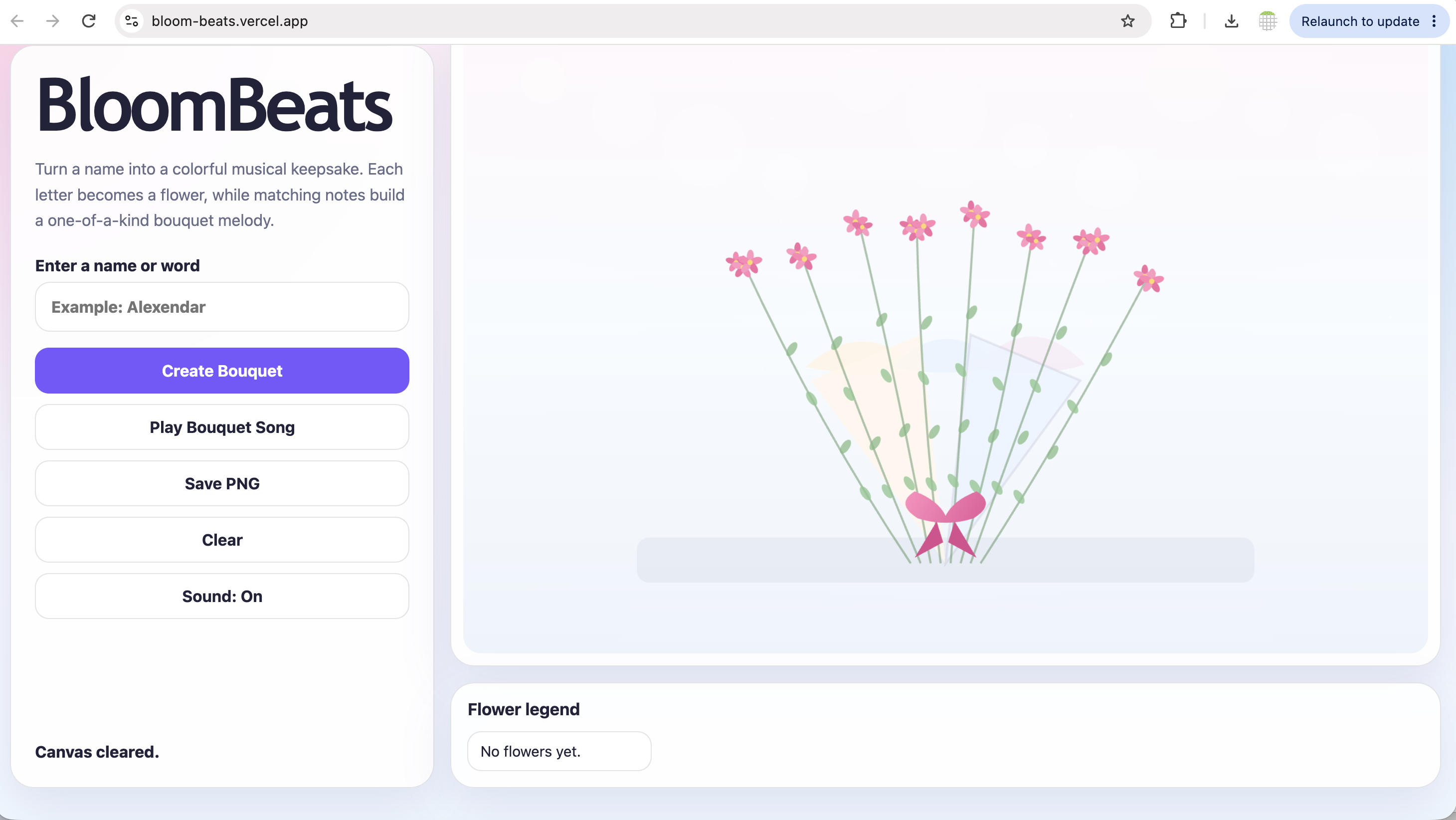
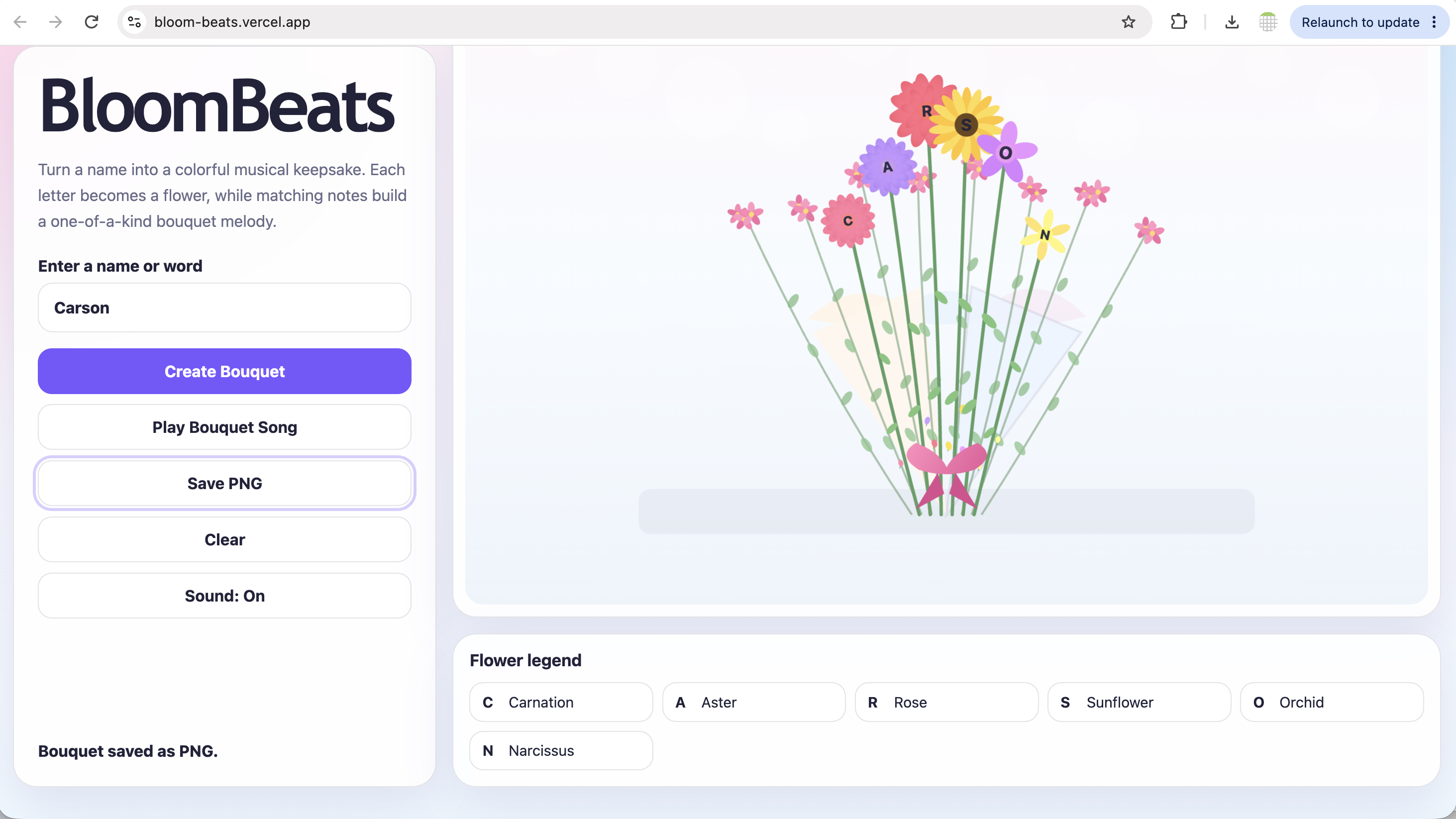
BloomBeats transforms a name or word into an animated digital bouquet. Each letter is matched with a flower beginning with the same letter. As the bouquet is created, the flowers appear one at a time and each letter produces a musical note. Users can enter a name, watch the bouquet form, hear a personalized melody, replay the bouquet song, view the flower legend, and save the finished artwork as a PNG.
How I built it
I built BloomBeats using HTML, CSS, and JavaScript. The HTML Canvas API draws the flowers, stems, leaves, wrapping paper, ribbon, filler flowers, and text. JavaScript reads the user’s input, matches each letter with flower information, calculates its position, and animates it into the bouquet. The Web Audio API generates musical notes directly in the browser. Each letter is mapped to a note, allowing every name to create a different musical sequence. CSS creates the responsive layout, with controls on the left and the bouquet artwork and legend on the right.
Challenges I ran into
One challenge was arranging flowers of different sizes and shapes into a balanced bouquet for names of different lengths. I also had to make sure pale flowers remained visible against the light background, so I replaced white and cream shades with stronger colors. Some flowers required custom drawing logic. For example, the original tulip did not look recognizable, so I created a separate tulip shape. Another challenge was keeping the animation and music synchronized while allowing users to replay, clear, or rebuild the bouquet.
Accomplishments that I’m proud of
I am proud that BloomBeats creates both visual art and music entirely through code. The project does not display pre-made bouquet images. Every flower, stem, leaf, ribbon, and musical note is generated in real time from the user’s input. I am also proud that BloomBeats creates a different result for every name, adapts to different screen sizes, and lets users save their personalized artwork.
What I learned
I learned how to create detailed illustrations from basic shapes, curves, colors, and mathematical positioning using the Canvas API. I also learned how to generate sound with oscillators, frequencies, filters, and gain controls through the Web Audio API. The project taught me that interactive art requires careful attention to animation, timing, composition, responsiveness, accessibility, and user experience.
What’s next for BloomBeats
Next, I would like to add:
- More flower varieties
- Different bouquet and wrapping styles
- Personalized greeting cards
- A gallery of saved bouquets
- Improved flower illustrations and arrangements
- Easy sharing as a digital greeting
Why BloomBeats Couldn’t Exist Without Technology
BloomBeats is not a fixed picture or prerecorded song. It reads the user’s name and generates a new bouquet, animation, and melody in real time. Technology allows the artwork to respond to each user, making every result personal, interactive, and different. BloomBeats uses JavaScript, the HTML Canvas API, and the Web Audio API. JavaScript processes the user’s name and controls the experience. The Canvas API dynamically draws and animates every flower, stem, leaf, ribbon, and bouquet arrangement, while the Web Audio API transforms each letter into a musical note. No external libraries were used; the project relies entirely on built-in browser technologies. Without the Canvas API, the bouquet could not build and animate itself, and without the Web Audio API, each name could not become its own personalized melody.
Link to the app to try- https://bloom-beats.vercel.app/
Built With
- canvasapi
- css
- html
- javascript
- webaudioapi


Log in or sign up for Devpost to join the conversation.