Inspiration
Converting a file is one of the most casually invasive things we ask people to do online.
The normal flow is: search "heic to jpg", land on a site you have never heard of, upload a photo of your passport or a scan of a medical bill to a machine you know nothing about, and hope. Every one of those sites has a privacy policy nobody reads and a retention window nobody checks.
The strange part is that the upload was never technically necessary. An iPhone has had the hardware to do almost all of this locally for years — ImageIO, CoreGraphics and VideoToolbox are right there. Uploading was just easier for the people building the tools, not for the people using them.
So Bloom has one premise: turn on airplane mode and it behaves exactly the same, because nothing was ever going anywhere. No server, no account, no upload.
What it does
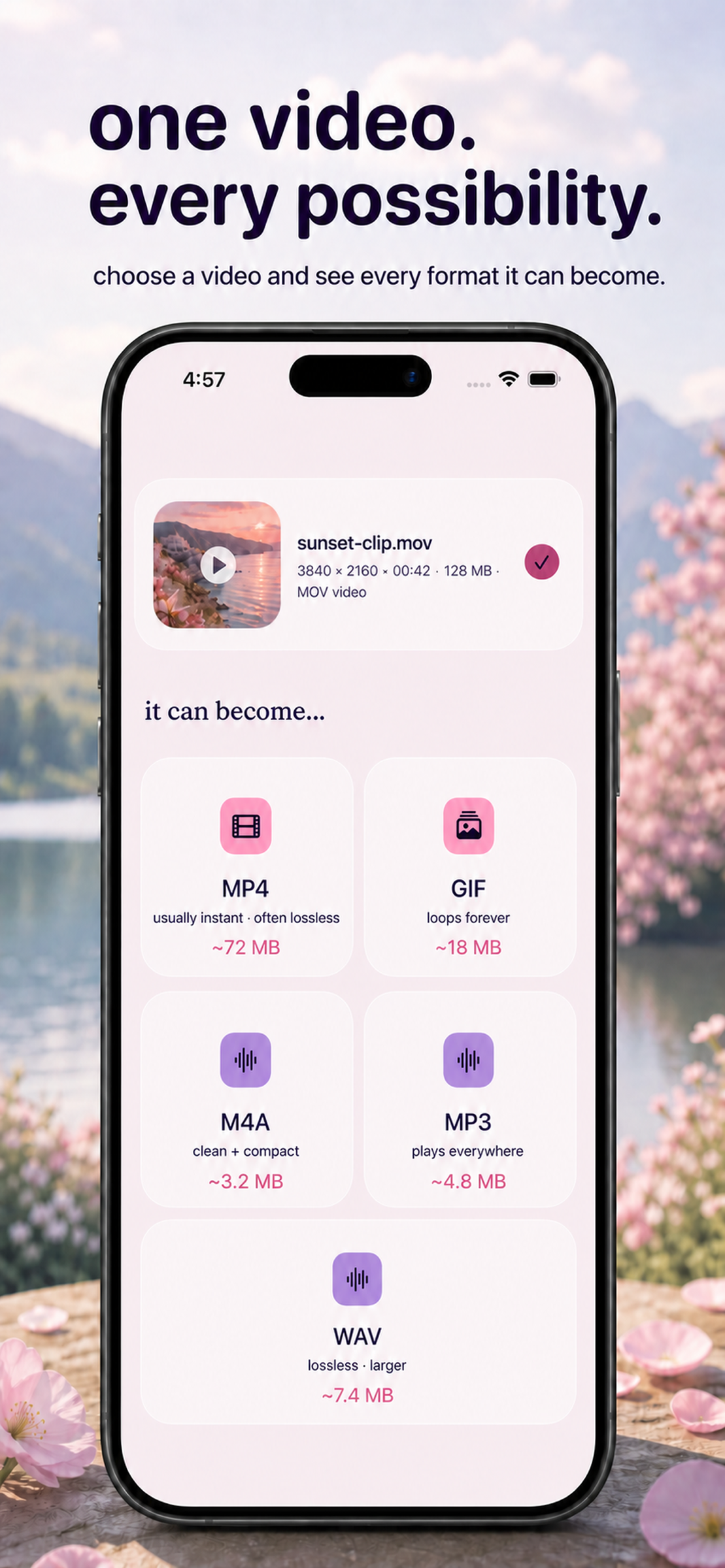
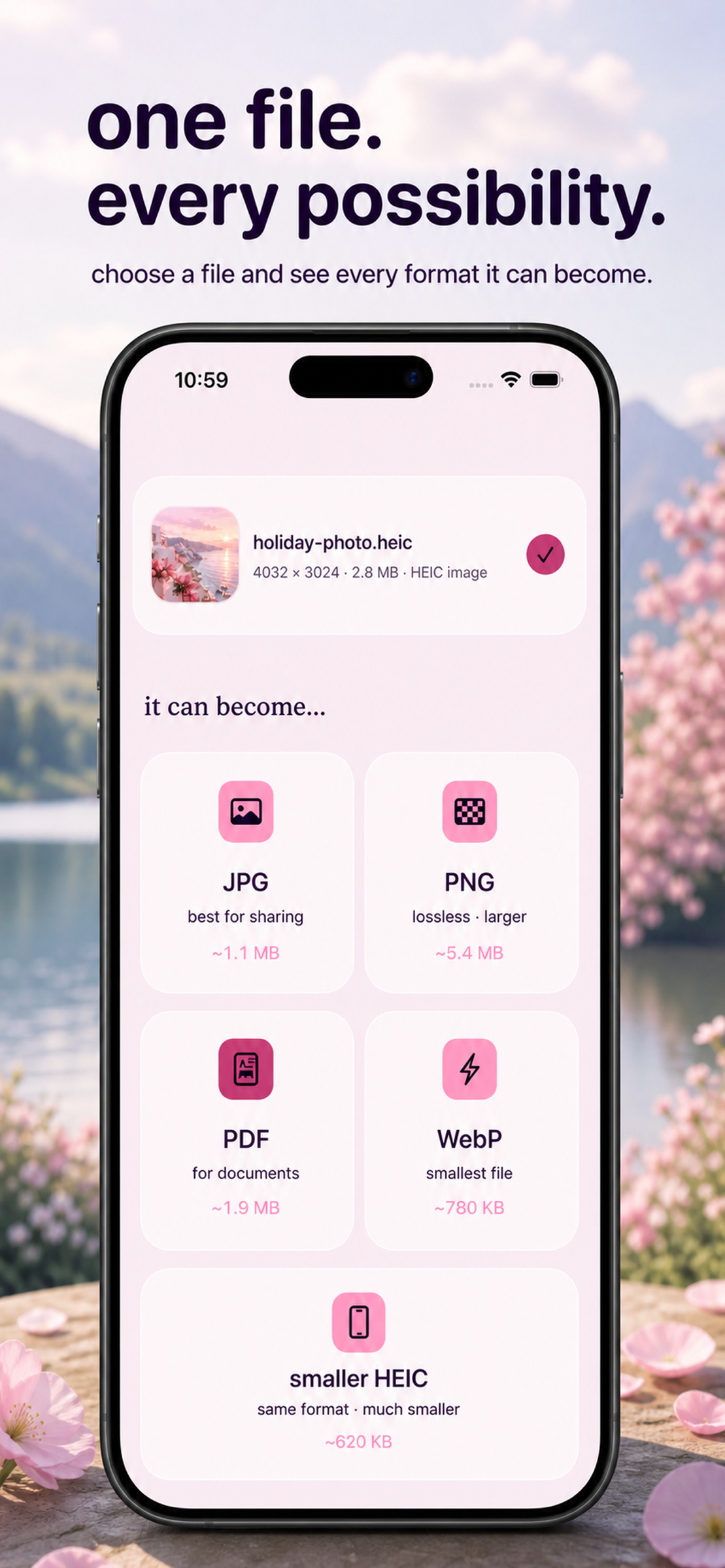
You give Bloom a file. It tells you what that file can become. You tap one thing.
That is the entire product, and the restraint is deliberate. Most converters make you do the routing — pick a category, then a tool, then a direction: "Image tools" → "HEIC converter" → "HEIC to JPG". You have to already know the answer before you can start.
Bloom inverts it:
- It identifies the file by content sniffing — magic bytes, never the file extension — so a
.jpgthat is secretly a HEIC is handled correctly instead of failing confusingly. - It shows only the formats it can genuinely produce for that specific input. Nothing is offered that will then fail.
- It orders them by what people actually choose, so HEIC → JPG sits first.
- It estimates the output size on every option before you commit — "PDF ~1.9 MB / WebP ~780 KB".
That last one turned out to matter more than I expected. It quietly answers the question people were really asking, which is usually not "what formats exist" but "which one of these is small enough to send".
A flower opens while the conversion runs. When the flower is open, you are done.
How I built it
Native SwiftUI, iOS 17+, iPhone and iPad, split into four local Swift packages:
- DesignSystem — tokens, themes, components, the flower. No literal colour or font is permitted to exist anywhere else in the codebase; everything is consumed through the environment.
- ConvertCore — type detection, the format matrix, the job queue. No UI at all, so it is testable without a simulator.
- ConvertEngines — the actual converters, depending on ConvertCore.
- Monetization — RevenueCat, behind a protocol.
Images run through ImageIO and CoreGraphics. Video uses FFmpeg for demux and decode paired with VideoToolbox for hardware encode, so a video conversion is quick and does not cook the battery.
Around the core there is a share extension for converting straight from other apps, App Intents so conversions are reachable from Shortcuts, and a SwiftData history of past conversions.
How RevenueCat is used
Monetization is its own package with the purchase client behind a protocol, so the app builds and its logic tests run without the SDK in the loop.
Two things I would do the same way again:
- The free tier is metered through a dedicated daily usage store rather than scattered checks, so "how much can someone do for free" is one number in one place.
- The paywall is driven by typed triggers instead of
if isProsprinkled through the views. Every gate names why it fired. That sounds like tidiness, but it is what later made it possible to ask concrete questions about where the paywall was actually landing and whether that was the right moment to ask someone for money.
Challenges I ran into
ImageIO cannot encode WebP. It decodes it perfectly happily, which is an entertaining thing to discover halfway through building the matrix. Vendoring libwebp purely for the encode path was the fix.
Vendoring FFmpeg for iOS as an xcframework, and keeping the resulting binary a reasonable size, took more of the schedule than I would like to admit.
Being honest about backgrounding. iOS will not let a long conversion run indefinitely once the app is backgrounded, and I did not want to imply otherwise. So the copy says "your conversion keeps going while bloom is open", and there is a local notification when it finishes. Writing that honest sentence took longer than building the feature behind it.
Cutting things. Multi-image → single PDF was specified and never built. A pre-submission review caught the gap between the spec and the app, and the honest fix was to correct the spec rather than rush the feature into 1.0. RAW input got cut for the same reason.
What I learned
Shipping was the easier half.
After release I ran a small Apple Search Ads campaign, and a week of it taught me more than the build did. Two lessons stuck:
One technical, and expensive. Apple Search Ads keywords silently default to broad match — exact match requires literal brackets, [file converter]. Without them, roughly three quarters of my impressions went to queries that had nothing to do with converting anything: a single Arabic phrase meaning "file management" accounted for 38% of all impressions on its own. The lesson generalises: instrument the funnel before you buy traffic for it, because a cheap cost-per-tap is often a symptom rather than a bargain.
One that changes the product. File conversion is an episodic need. Someone needs a file converted today and genuinely does not know whether they will need one again this year. A subscription monetizes a recurring relationship, and I am no longer sure this is one. The instrumentation says people arrive, convert the thing, and put the app down — which is correct behaviour for a good utility and an awkward fit for a monthly plan.
I would rather write that down honestly than pretend the first pricing guess was right.
What's next
- A one-time unlock and/or consumable credits alongside the subscription, so the way people pay matches the shape of the need rather than fighting it.
- Multiple images into a single PDF, designed properly alongside batch.
- More input formats, carefully. Fewer formats done flawlessly beats broad and flaky.


Log in or sign up for Devpost to join the conversation.