Infographics AI
Inspiration
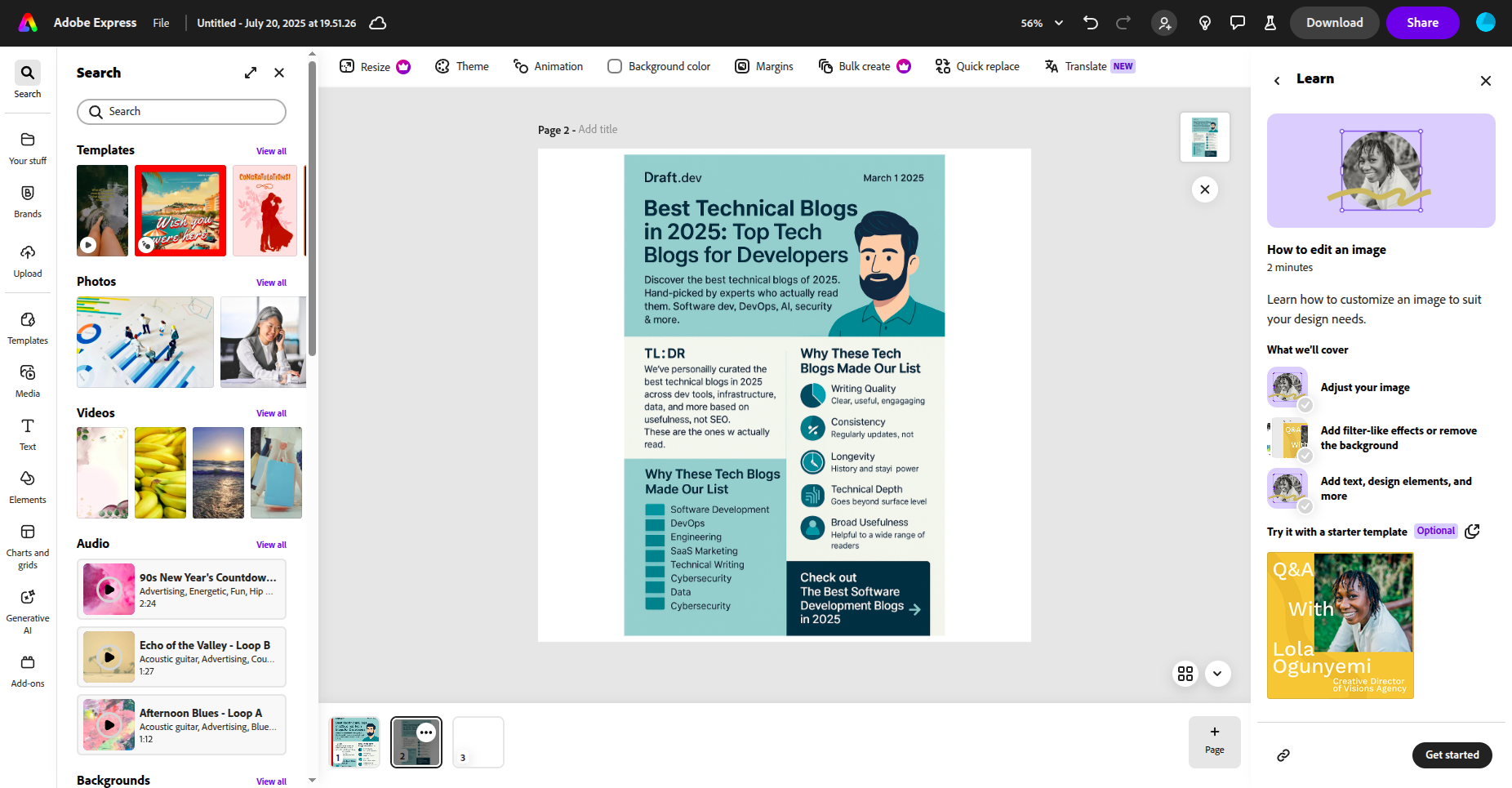
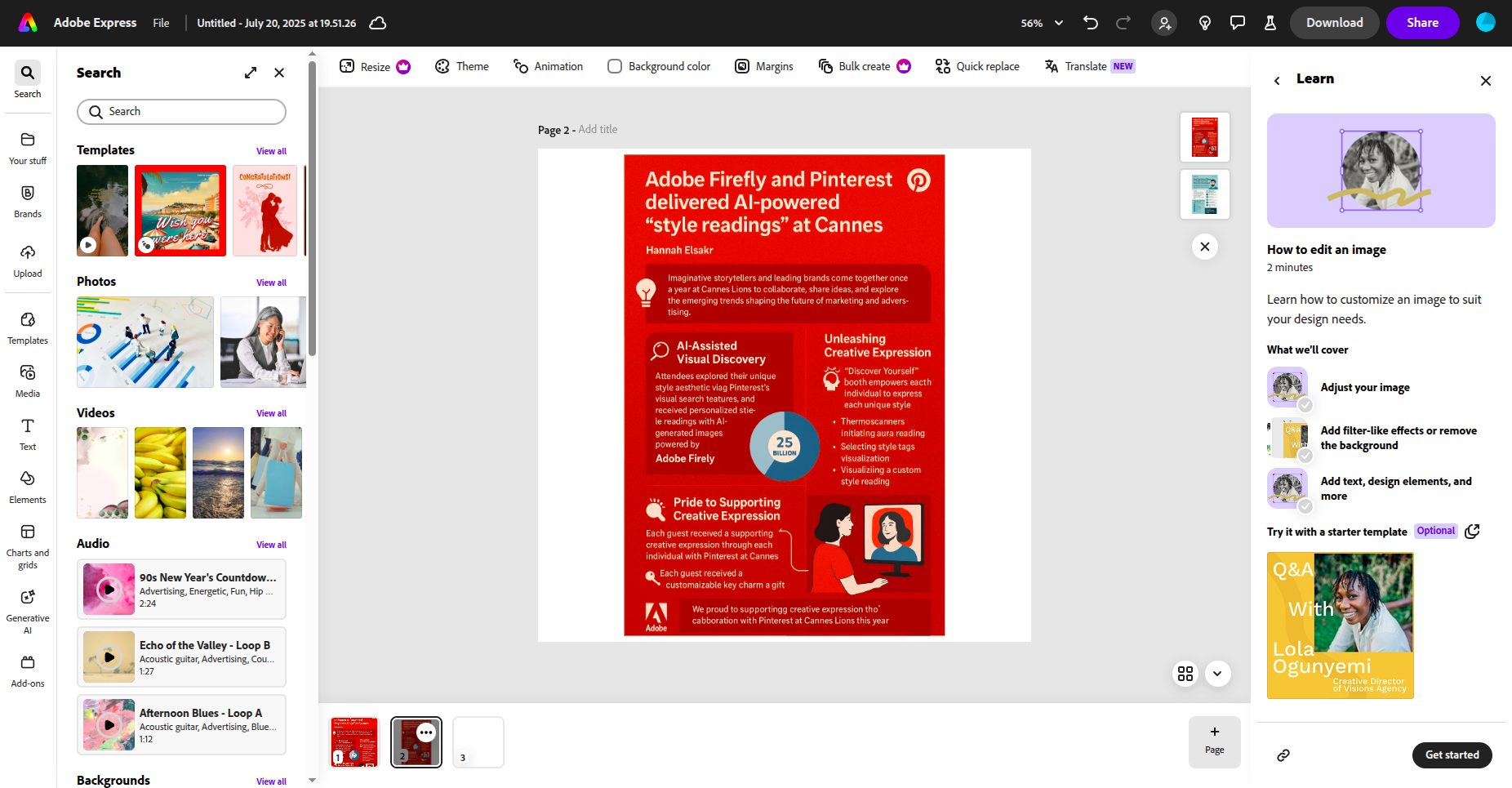
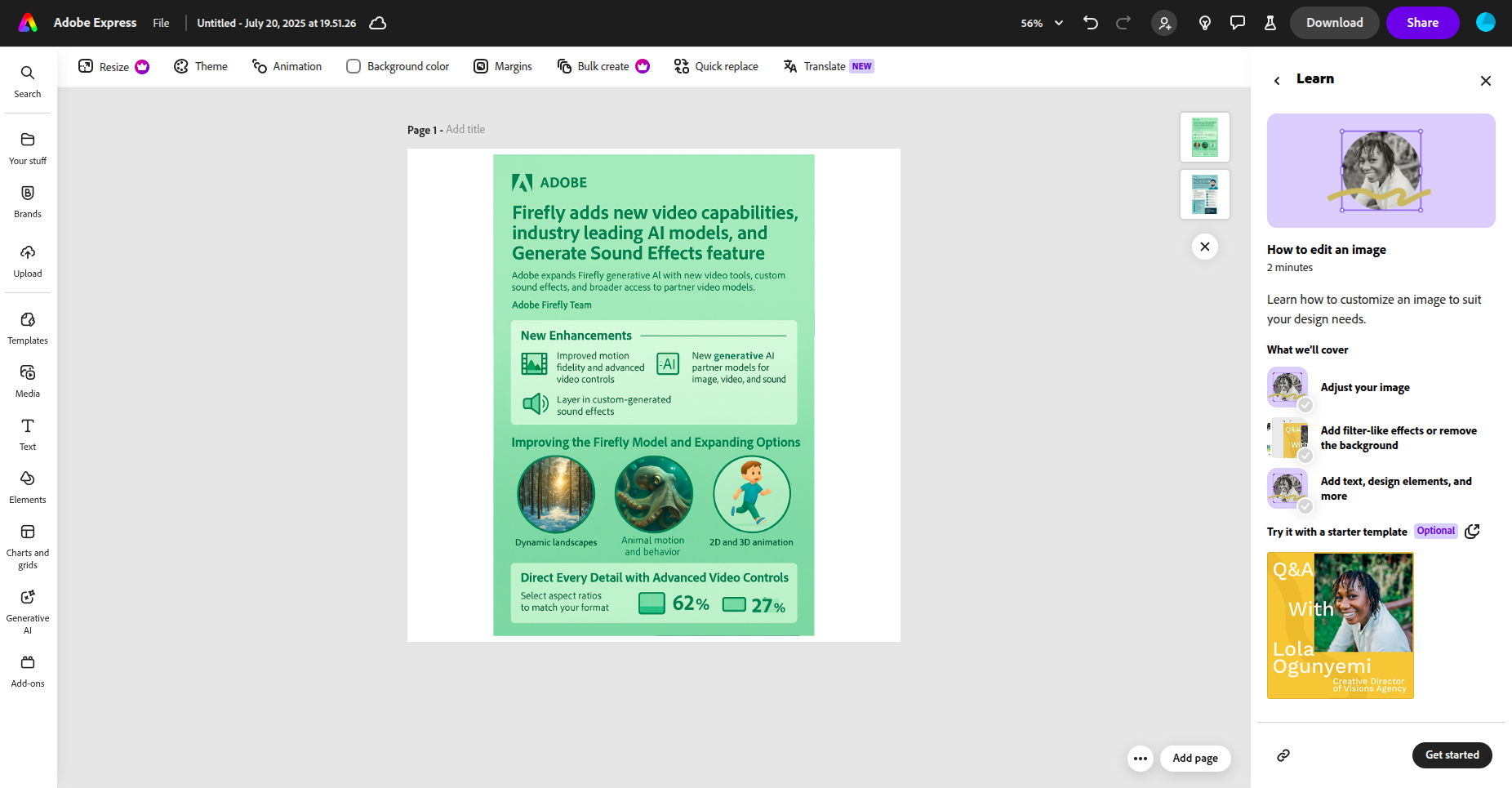
We've all struggled with making infographics that look good and actually communicate information clearly. The process is usually slow, and not everyone has design skills. That's what inspired us to build Infographics AI a tool that makes it super easy for anyone to turn their ideas or data into beautiful, shareable infographics with the help of AI.
What it does
Infographics AI takes whatever you give it text, data, or just a topic and automatically creates a polished infographic for you. It can pull in relevant information, summarize the key points, and turn everything into a visual format that's easy to understand and looks great. No design experience needed!
How we built it
Frontend: React with TypeScript, using Adobe's Spectrum Web Components for the UI Backend: Node.js with Express, deployed on Render AI: Fal AI for image generation Web Scraping: JSDOM and Axios to extract blog content Adobe Integration: Built as an Adobe Express add-on that can add generated images directly to canvas APIs: RESTful API with CORS support for Adobe's domains
We kept it simple - just paste a blog URL or write custom instructions, and the AI creates a professional infographic that you can add directly to your Adobe Express project.
Challenges we ran into
One of the biggest challenges was getting the AI to work well with real-time user input. We also had to make sure the infographics weren't just accurate, but also visually appealing. Handling different types of data and making sure our scrapers didn't break on weird edge cases kept us on our toes. And of course, the classic hackathon challenge: racing against the clock!
Accomplishments that we're proud of
We're really proud that we managed to build a full pipeline from user input all the way to a finished infographic. The interface is simple and hides all the complexity, which was a big goal for us. We also managed to bring together a bunch of different technologies and make them play nicely together, all within the hackathon timeframe.
What we learned
We learned a lot about how to quickly prototype AI-powered apps and the importance of making them easy to use. We also got a deeper understanding of how to visualize data effectively and how to connect the frontend and backend smoothly.
What's next for Infographics AI
We want to give users even more ways to customize their infographics and make the AI smarter at understanding and visualizing complex data. We're also planning to deploy the app so more people can try it out, and we're thinking about integrating with popular productivity tools to make sharing even easier.
Built With
- adobe
- adobe-express
- cheerio
- express.js
- react
- typescript

Log in or sign up for Devpost to join the conversation.