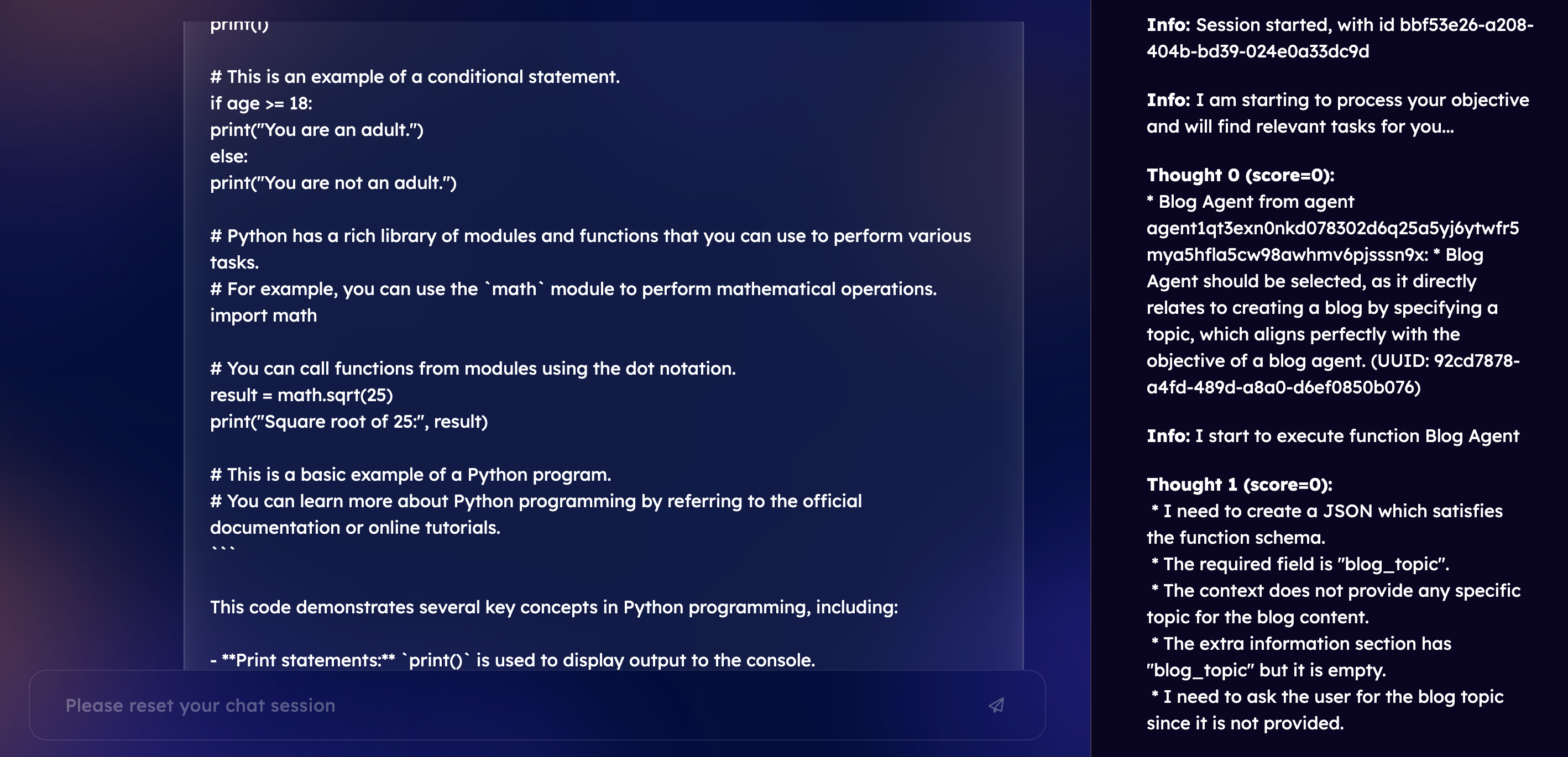
Blog Content Generator Agent
This agent is designed to generate blog content based on a given topic by utilizing the Google Gemini API for AI-powered content creation. The agent is built using Fetch.ai's uagents framework, allowing it to process requests and return generated content.
Table of Contents
- About the Agent
- Installation
- Configuration
- How It Works
- Example Usage
- Error Handling
- Running the Agent
- Upcoming Features
About the Agent
The Blog Content Generator Agent is a smart autonomous agent designed to help users create blog content effortlessly by simply providing a topic. The agent communicates with Google’s Gemini API to generate high-quality text content tailored to the specified topic.
Core Capabilities
- Blog Topic Processing: The agent can receive blog topic requests, process them, and generate content based on the provided topic.
- AI-Powered Content Generation: Through integration with the Google Gemini API, the agent utilizes AI to generate relevant and coherent blog content.
- Error Handling: The agent manages and logs errors effectively, ensuring that any issues with content generation are communicated back to the user.
Benefits of Using the Agent
- Efficient Content Creation: Generate blog content quickly, saving time on ideation and drafting.
- Automation and Scalability: Ideal for users who need to produce content on demand for websites, social media, or other platforms.
- Intelligent Integration: Leverages Fetch.ai’s
uagentsframework for seamless, autonomous operation, allowing the agent to perform without constant user oversight.
Future Enhancements
The agent’s functionality will be expanded to include direct publishing capabilities, enabling seamless distribution of generated content on platforms like LinkedIn and Medium. This will make it an all-in-one content creation and publishing tool, powered by Fetch.ai’s DeltaV technology.
Installation
Before using this code, ensure you have the following packages installed:
pip install google-generativeai uagents
Configuration
To begin, you must configure the Google Gemini API by entering your API key in the genai.configure function.
Replace "AIzaSyDxxSzqkL24eW3nSCjNyyM9CaydBtBqfTA" with your actual API key.
genai.configure(api_key="YOUR_API_KEY")
How It Works
1. Agent Initialization
The agent is created and initialized using Fetch.ai’s uagents library:
agent = Agent()
2. Protocol Definition
A Protocol named BlogRequestProtocol is defined to specify how the agent will handle blog requests:
blog_protocol = Protocol(name="BlogRequestProtocol")
3. Data Model for Blog Requests
A data model BlogRequest is defined using Fetch.ai's Model class, which contains a single field blog_topic for the blog content's topic.
class BlogRequest(Model):
    blog_topic: str = Field(description="The topic of the blog content.")
4. Blog Content Generation Function
The get_blog_content function takes a blog topic, sends a request to the Google Gemini API to generate content, and returns the response.
async def get_blog_content(blog_topic: str) -> dict:
    # Generate content using the specified blog topic
5. Message Handler
The handle_blog_request function listens for incoming blog requests, retrieves the blog topic, and calls the get_blog_content function. It logs the received request and processes the API response to either display the generated content or handle any errors encountered.
@blog_protocol.on_message(model=BlogRequest, replies={UAgentResponse})
async def handle_blog_request(ctx: Context, sender: str, msg: BlogRequest):
    # Handle the incoming blog request, log it, and fetch the blog content
6. Sending the Response
After generating or handling errors, the content (or error message) is sent back to the requester via UAgentResponse.
await ctx.send(sender, UAgentResponse(message=message, type=UAgentResponseType.FINAL))
7. Protocol Inclusion and Agent Run
Finally, the protocol blog_protocol is included in the agent, and the agent starts running when the script is executed.
agent.include(blog_protocol, publish_manifest=True)

if __name__ == "__main__":
    agent.run()
Example Usage
To request blog content, send a message to the agent using the BlogRequestProtocol with the blog_topic field set to your desired topic. The agent will process the request and respond with generated content from the Google Gemini API.
Error Handling
- If the Google Gemini API call fails, an error message is logged, and an error response is returned.
- Any unexpected errors are caught, logged, and reported back to the requester.
Running the Agent
To start the agent, run the script:
python script_name.py
The agent will then listen for incoming requests for blog content generation and respond accordingly.
Upcoming Features
1. Direct Posting to LinkedIn
In the future, the agent will be enhanced with the ability to directly post the generated blog content to LinkedIn. Using Fetch.ai’s DeltaV technology, users will be able to automate the posting of generated content, streamlining the process of sharing blog posts across their professional network.
2. Direct Posting to Medium
Additionally, the agent will support direct posting to Medium. This feature will allow users to seamlessly publish their generated blog content to Medium, expanding their reach and ensuring their content is automatically shared with their audience.
3. Integration with DeltaV
Both of the above features will leverage the power of Fetch.ai’s DeltaV platform to enable seamless automation and optimization of content sharing workflows. DeltaV will allow agents to communicate with LinkedIn and Medium APIs to ensure posts are made efficiently and effectively, reducing the manual effort required by users.
This enhanced README provides a comprehensive overview of the agent's purpose, current features, and upcoming functionalities, giving potential users a clearer understanding of what the agent can do and how to use it effectively.
Built With
- fetch.ai
- python
- uagent

Log in or sign up for Devpost to join the conversation.