-
-
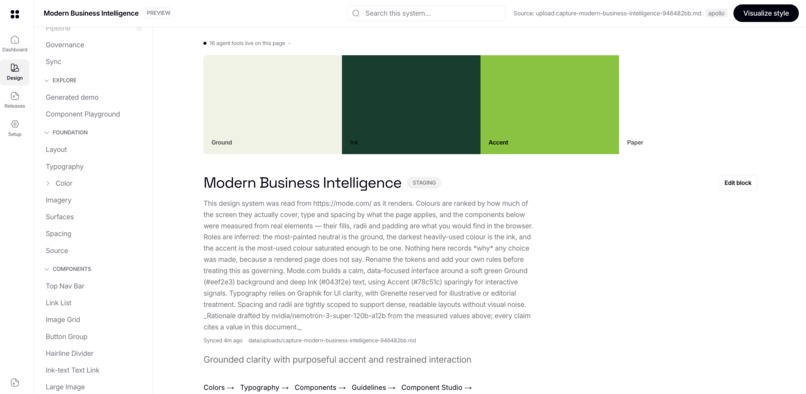
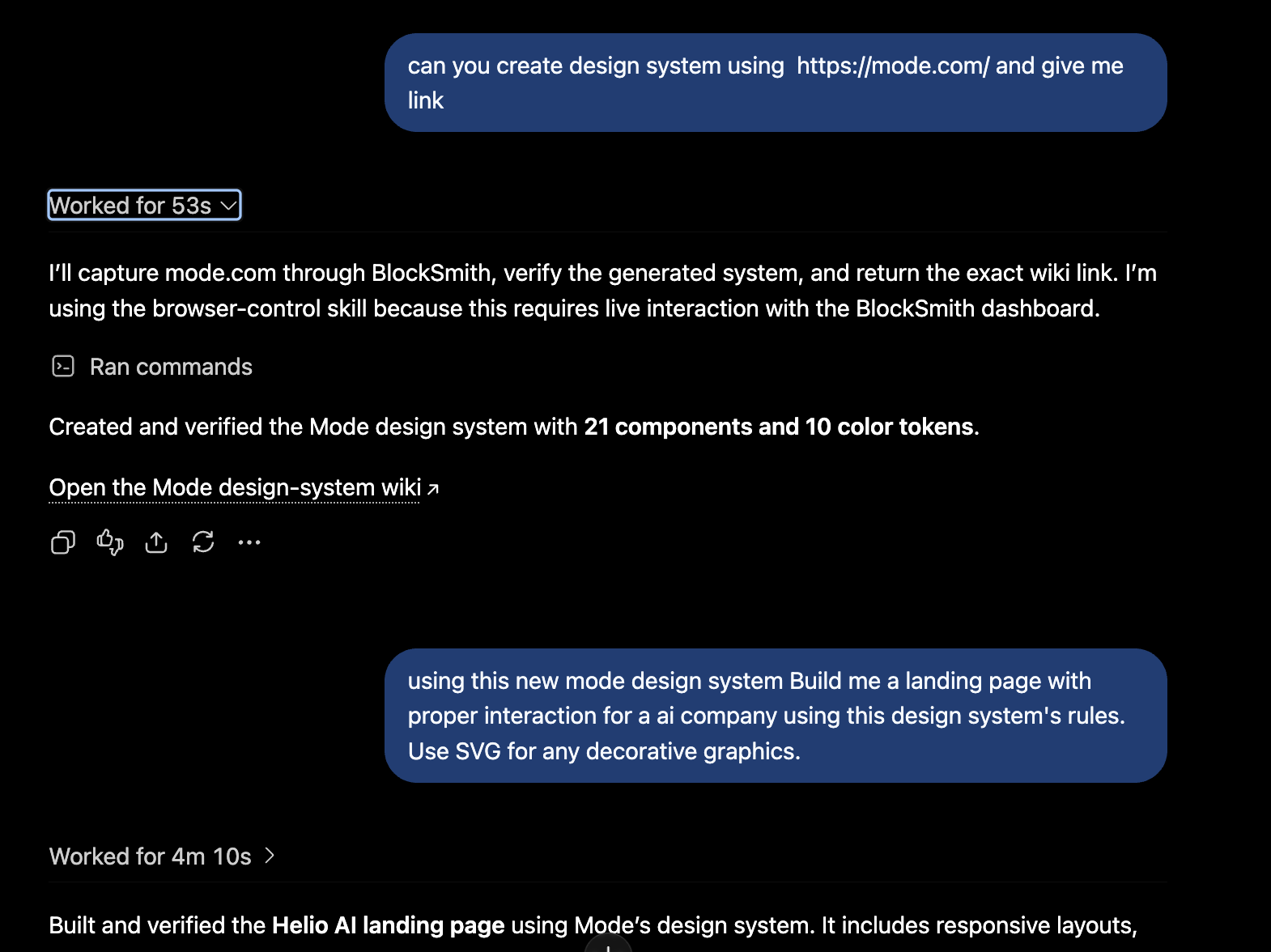
BlockSmith + Chatgpt generated the Moda design wiki in under a minute
-
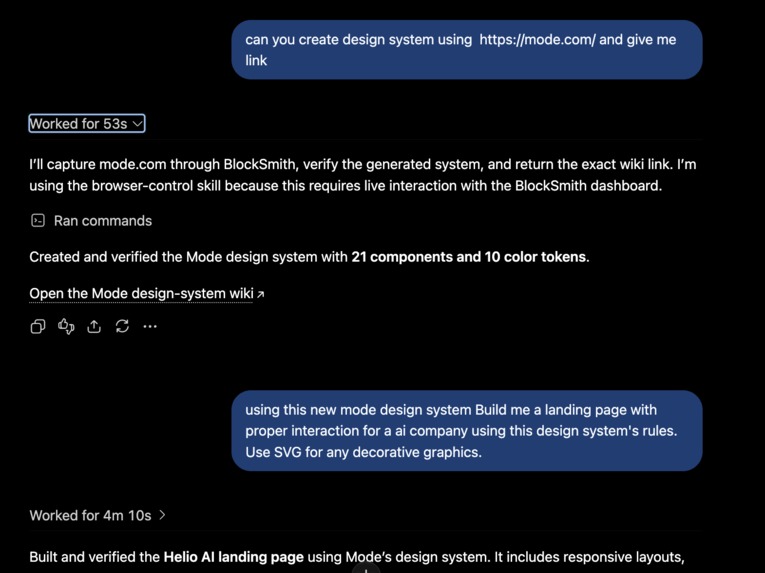
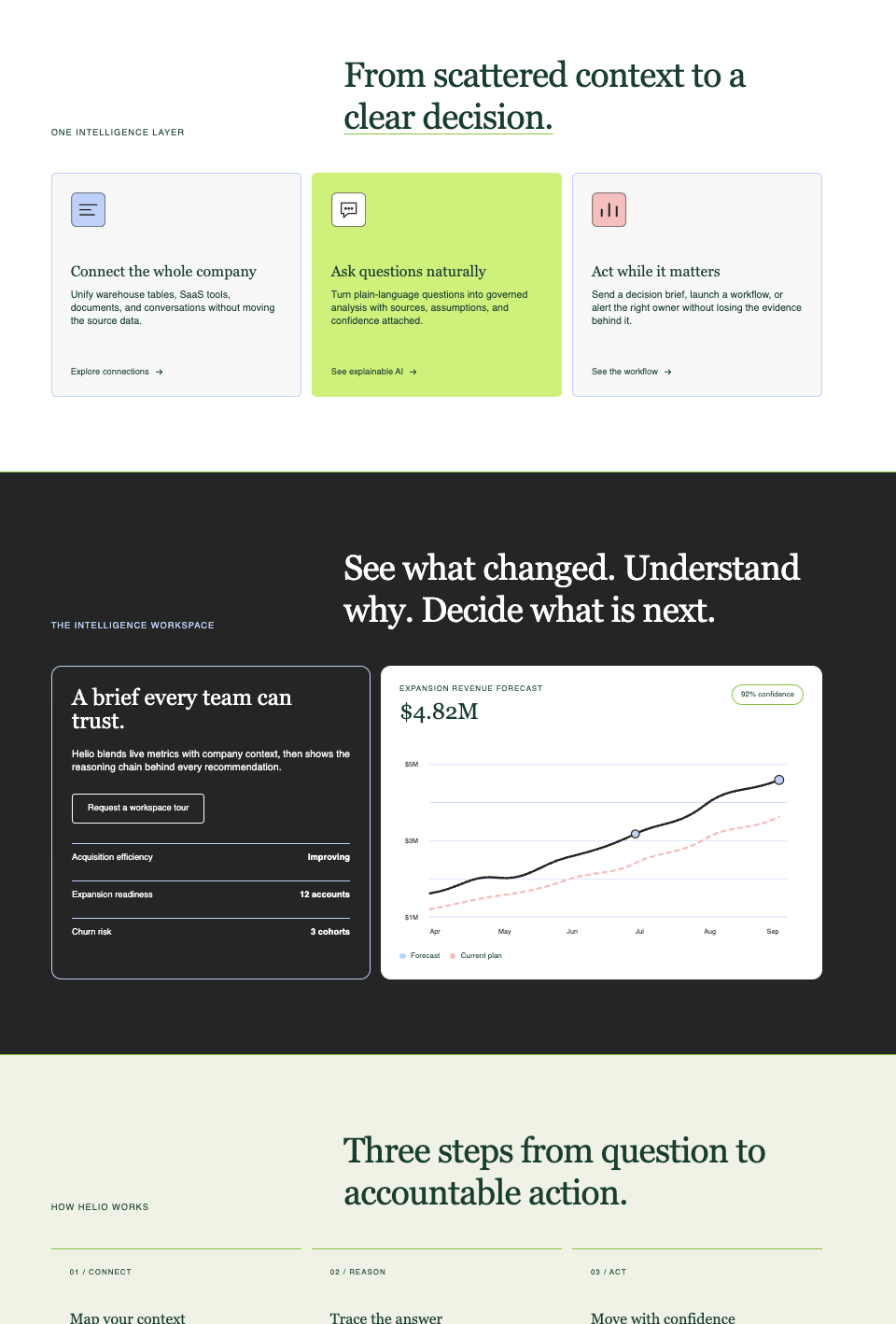
BlockSmith captured the Moda website to create a design wiki, then used it to generate this custom landing page
-
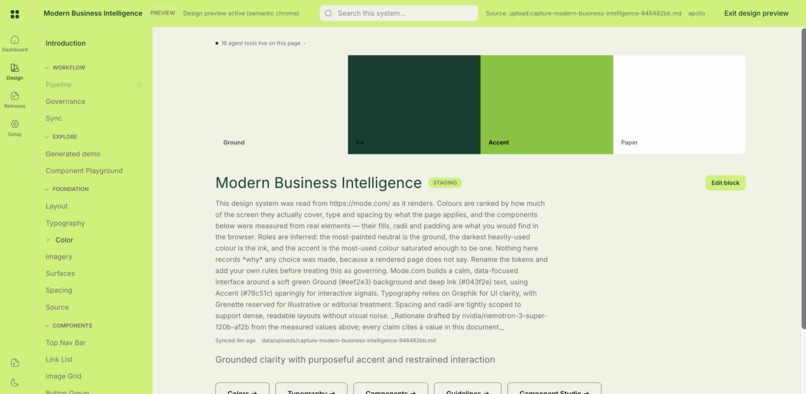
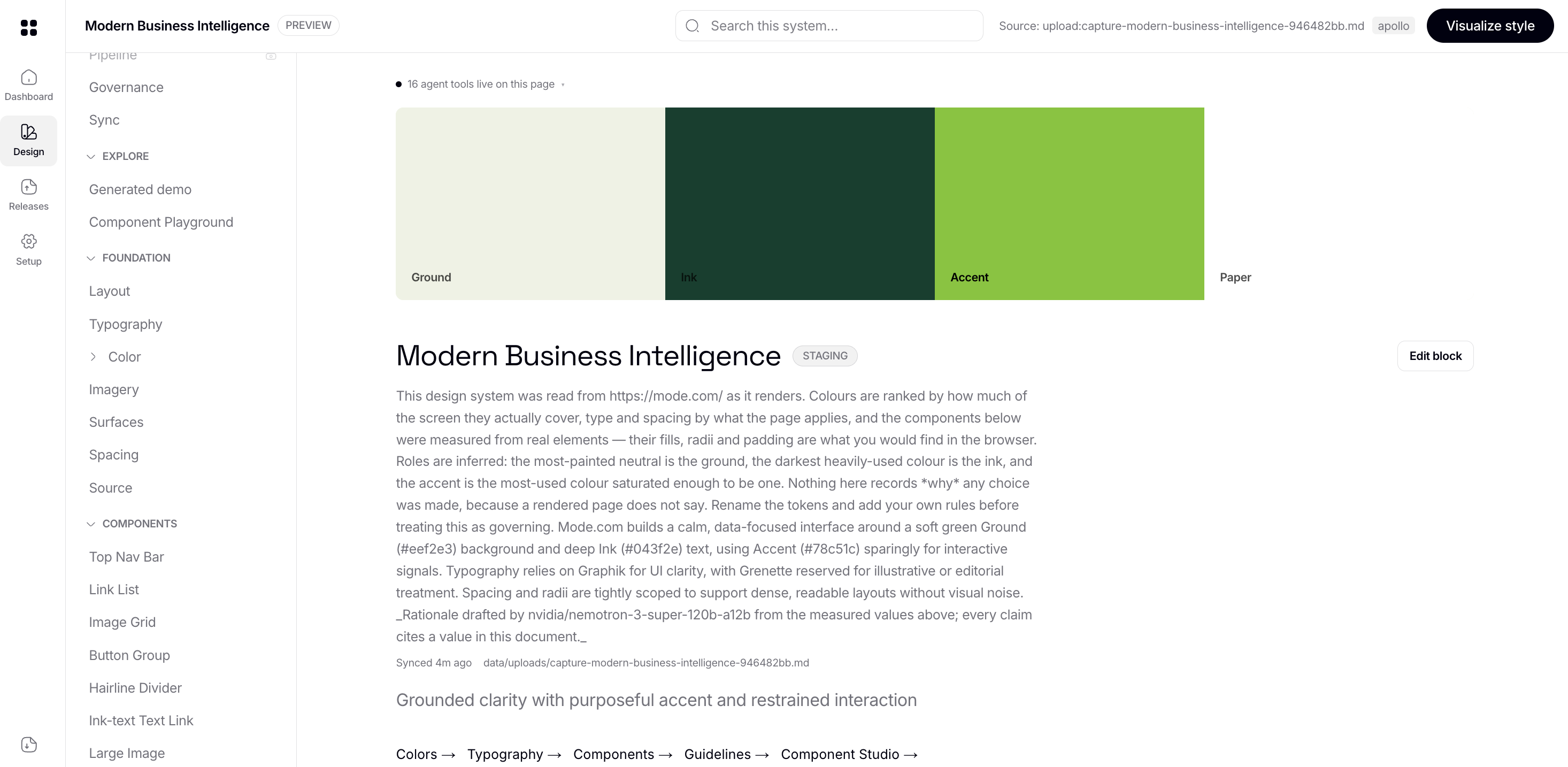
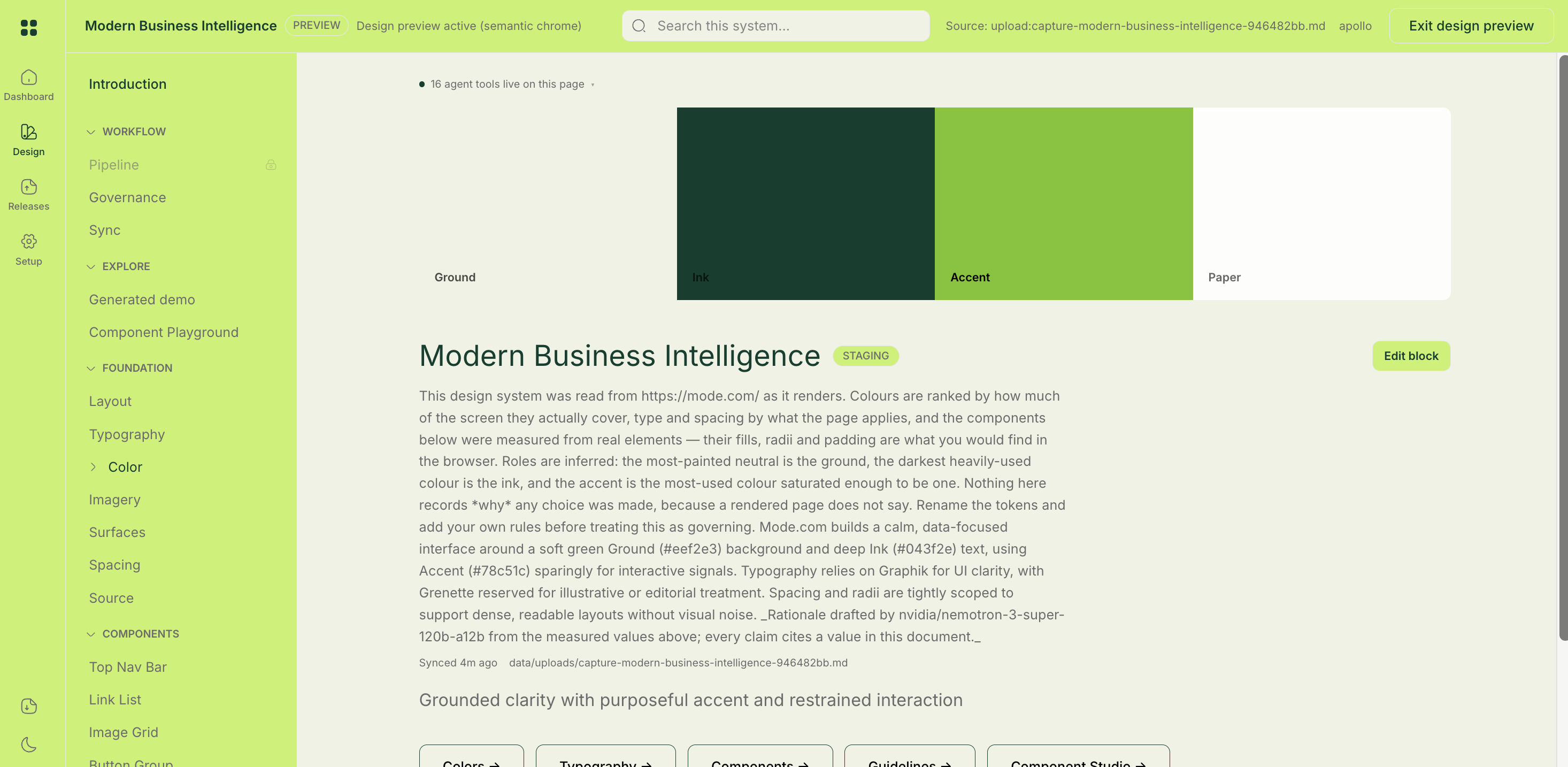
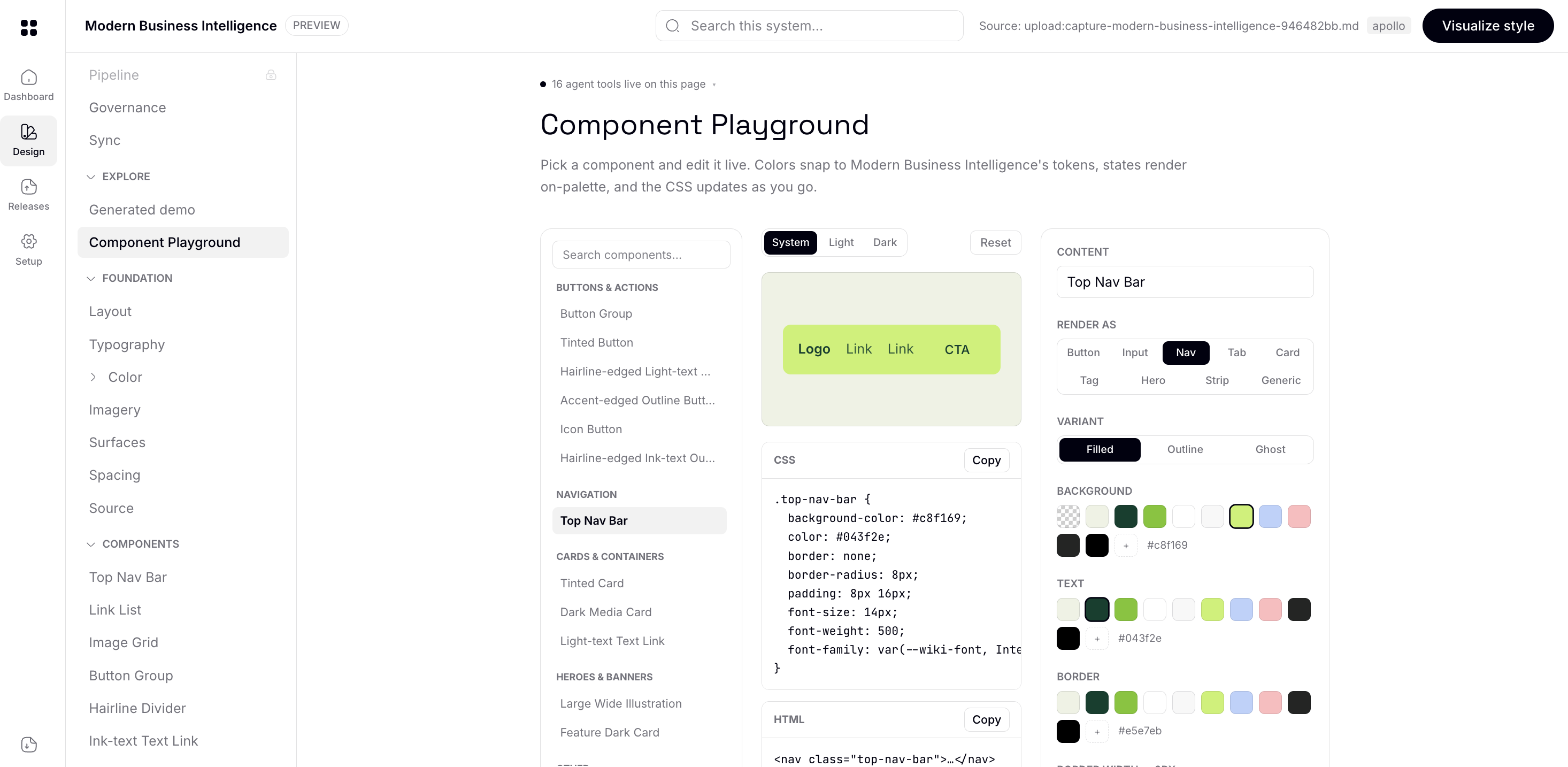
Wiki is Interactive itself, you can visualize the design system within the wiki
-
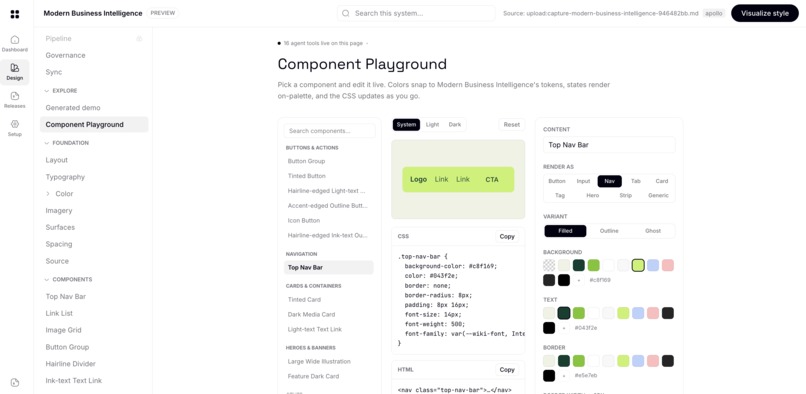
Snapshot of interactive wiki component playground generated within few minutes.
-
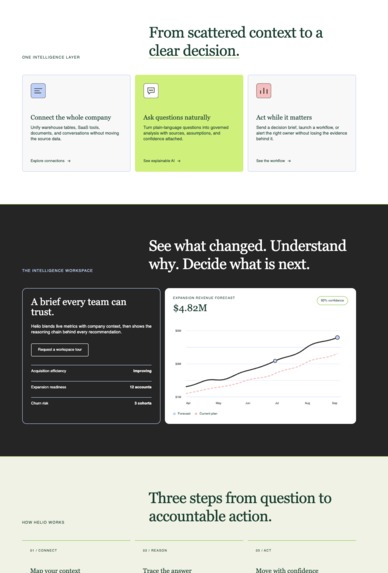
Snapshot of a custom landing page built from the Moda design wiki
-
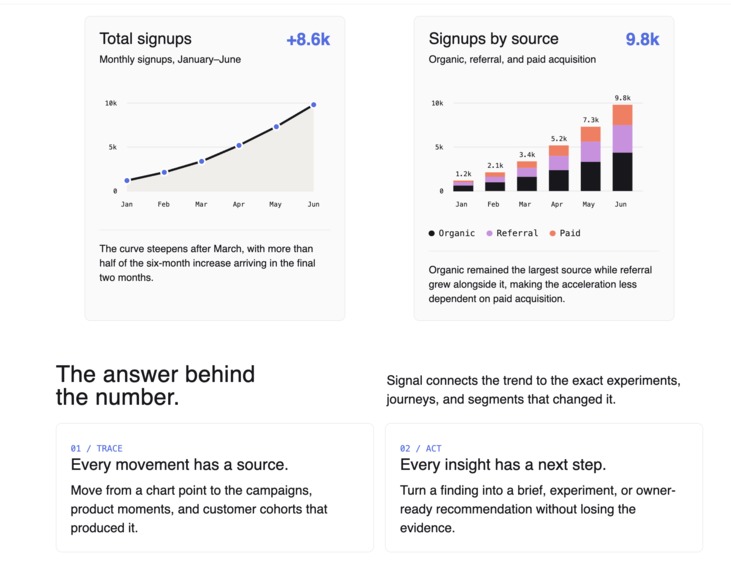
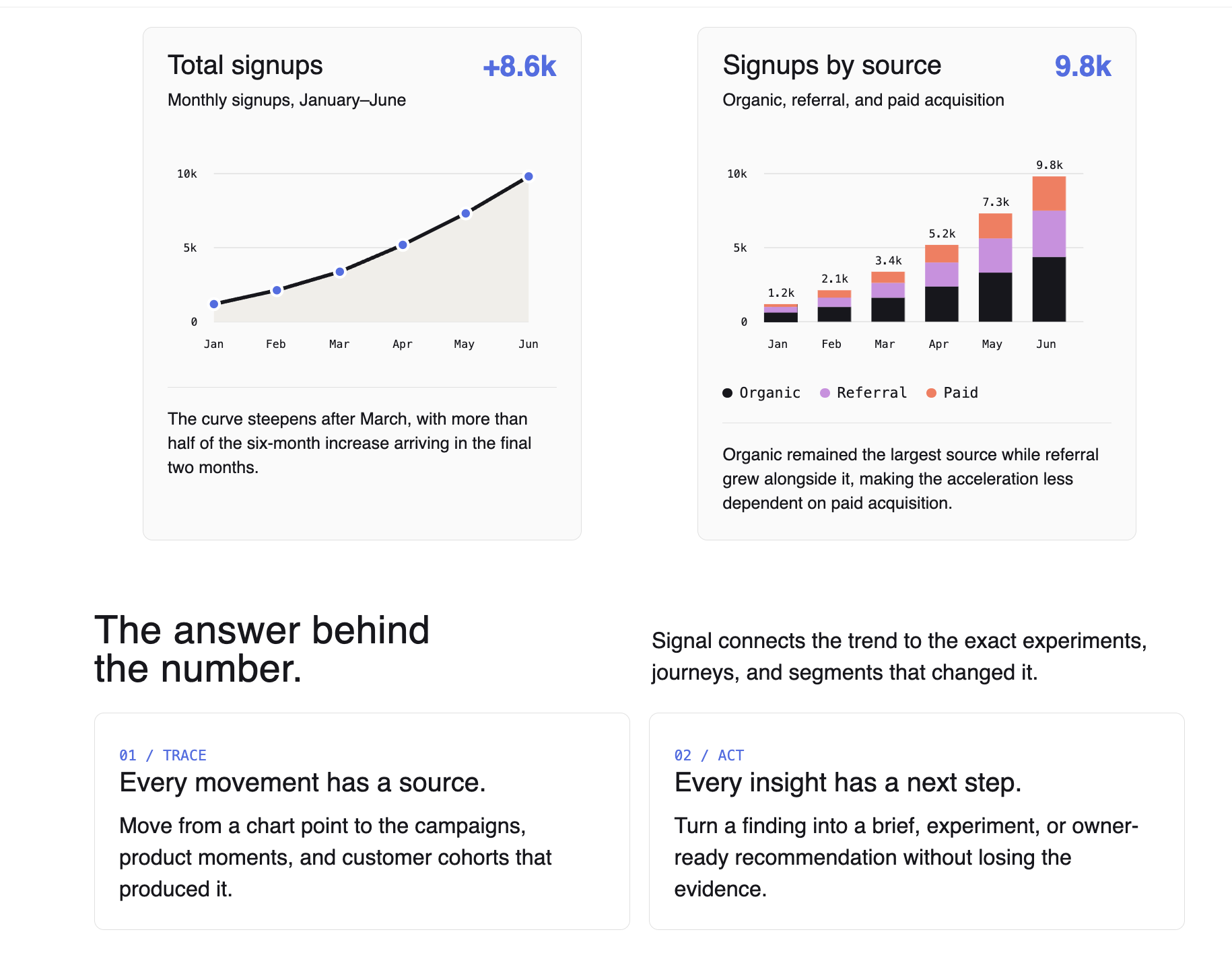
Snapshot of a Chart Page built from the Different design wiki
-
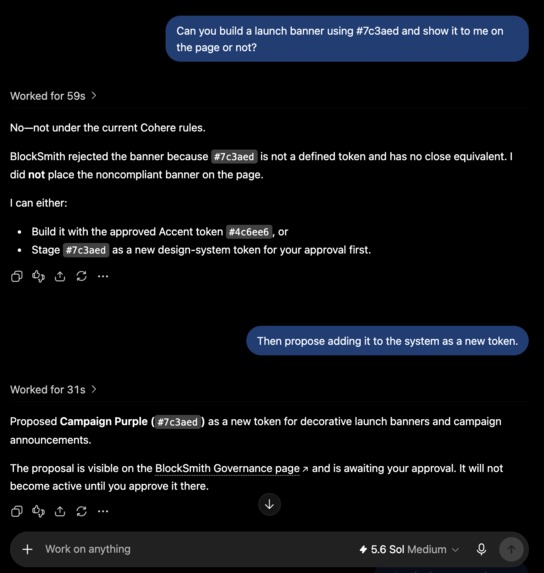
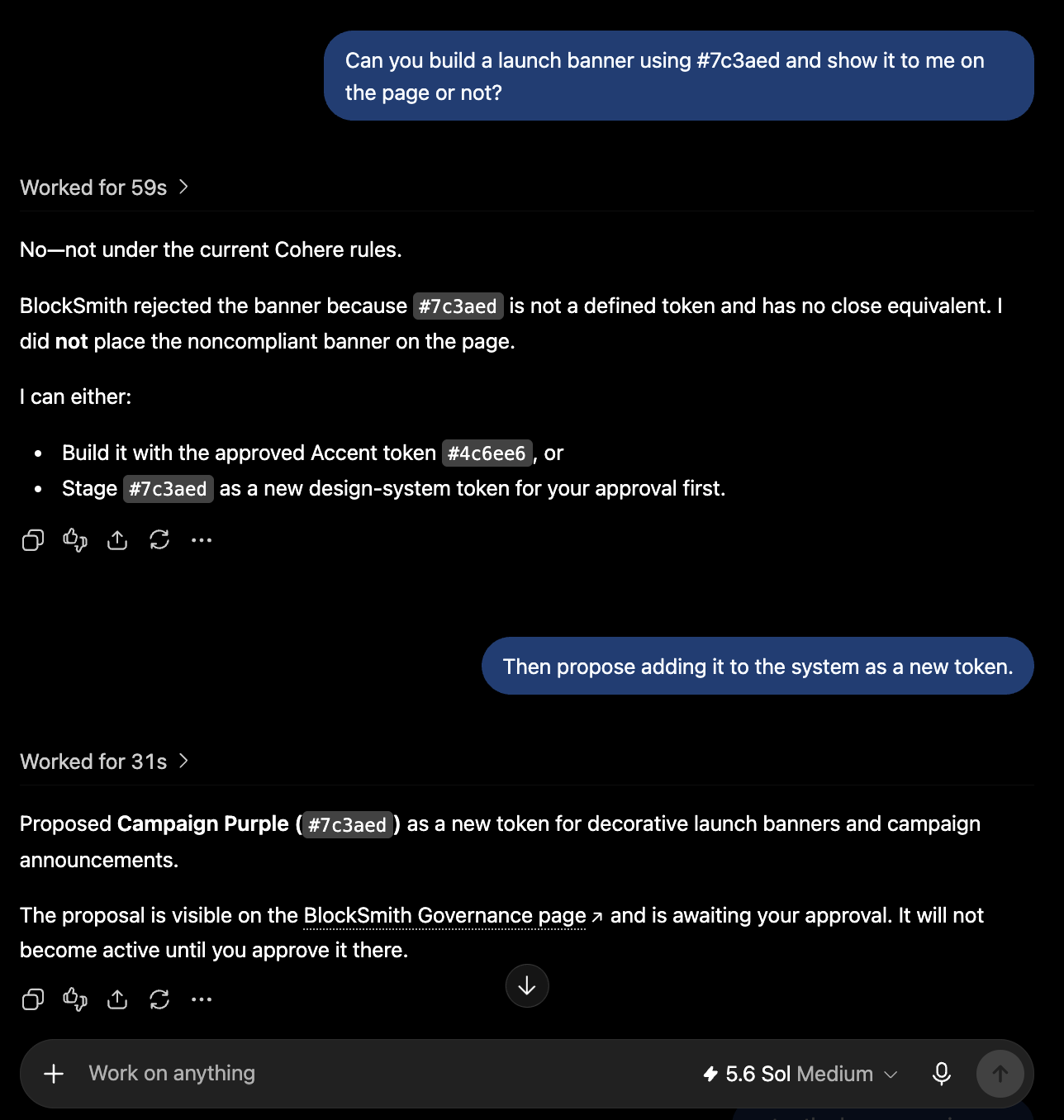
Blocksmith strict design governance
-
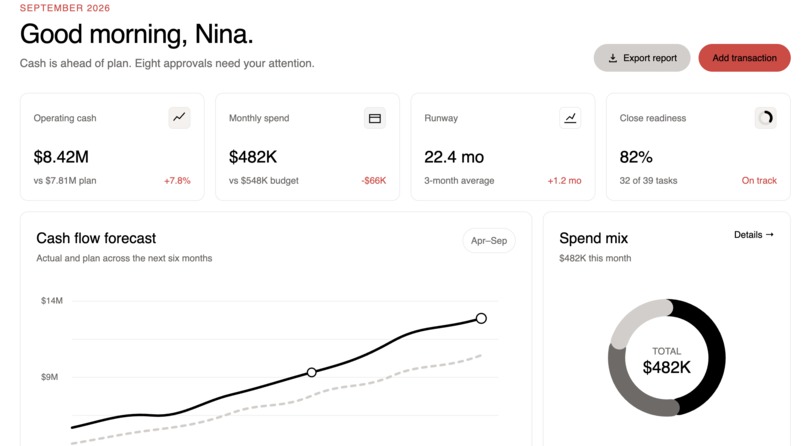
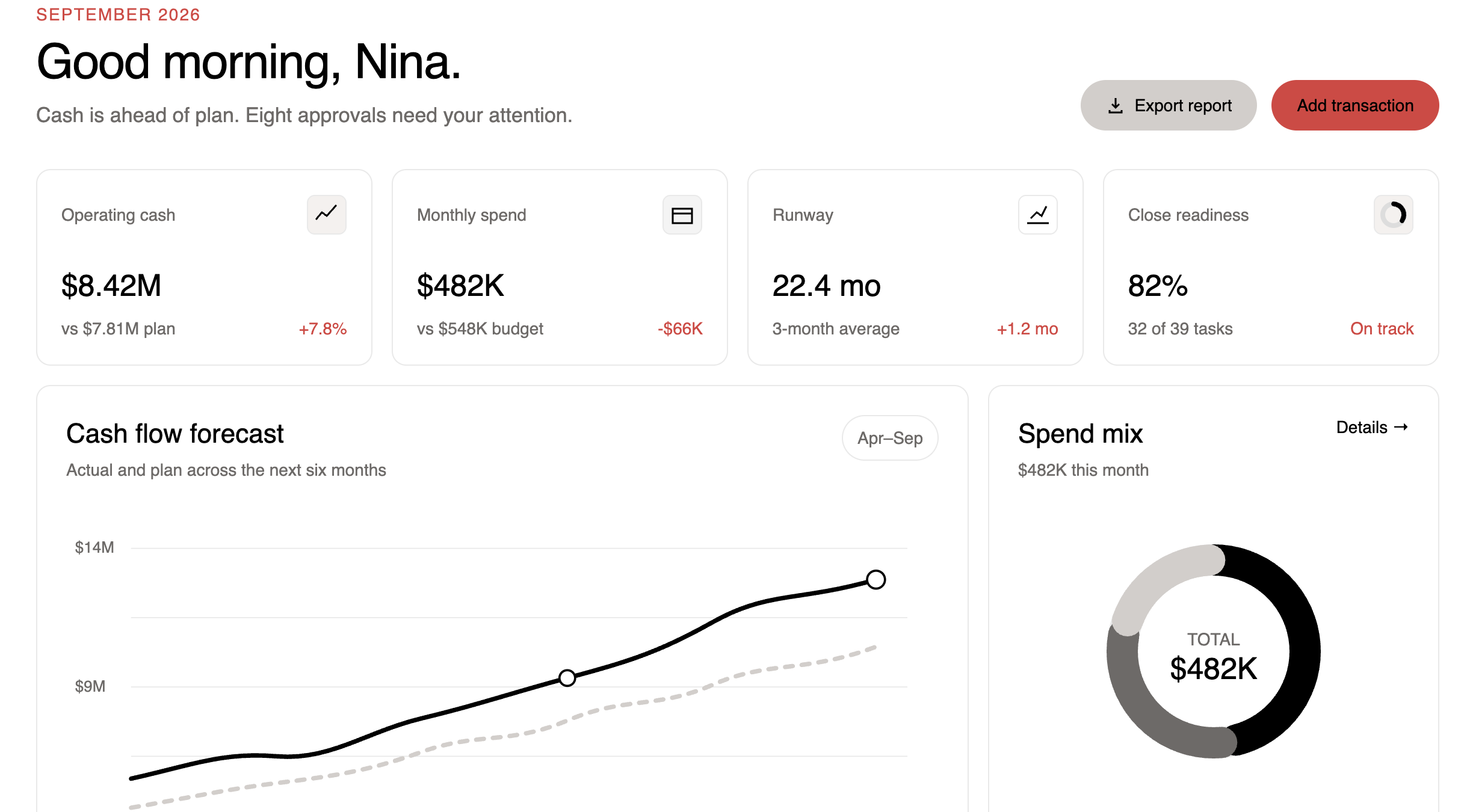
Snapshot of a custom dashboard interface page built from the Different design wiki
-
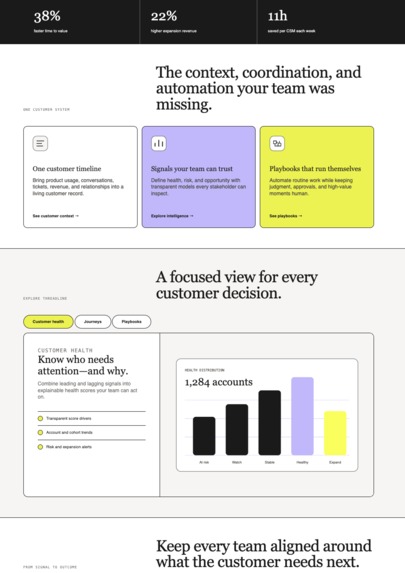
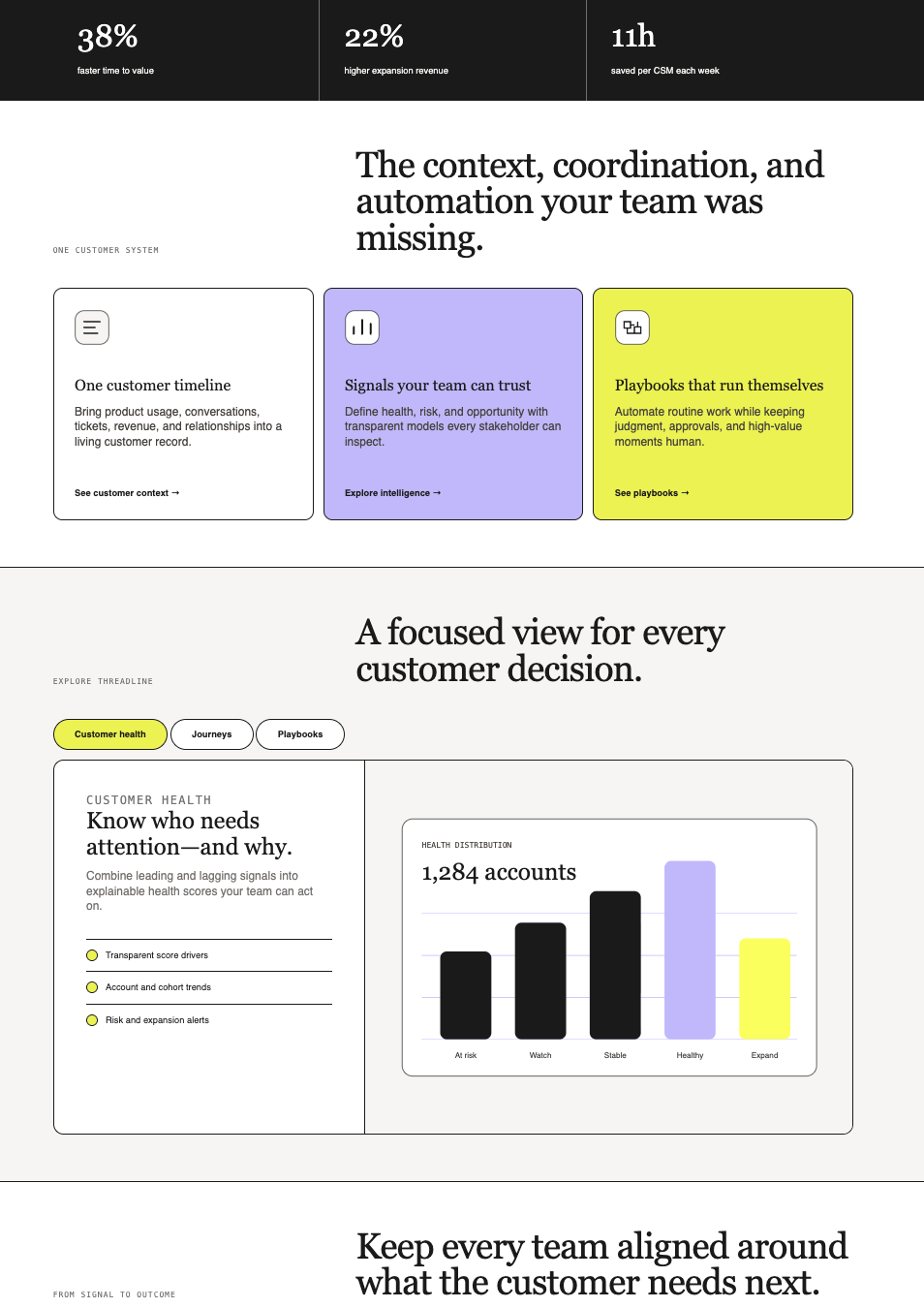
Snapshot of a custom landing page built from the Different design wiki
Inspiration
Anyone can ship a website now. You describe it, an AI writes it, it's live the same afternoon, and the web is filling up with work that is fast, competent, and completely interchangeable. The same gradient. The same drop shadow. The same rounded card. In short, website now are full of AI slops.
It is tempting to call that a taste problem. It isn't. Nobody ever gave the agent a standard. Real companies usually have one: the exact colours, the exact spacing, the things you never do, but it lives in a Figma file, a Notion page, or Confluences. The agent is looking at a rendered web page, and none of it is in a web page. So it does the average thing, and the average of the whole internet is what we have all been looking at, which we all know is a disaster! Gradient borders, wrong spacing....
Halfway through building this, Vercel published how their agents build on-brand
pages with a design.md,
and it turned out to be the best argument for what I was making. They wrote
the rules down, published them at a public URL, and measured the result: 57%
fewer brand failures. And then the honest part: "every one of them, with or
without the file, still had at least one failure serious enough to block
shipping."
A file is passive. The agent has to be told to fetch it, has to interpret it, their words: "every model reading it interpreted that description differently", and has to not be working from a copy that went stale. Reading the rules and being told no are different things.
WebMCP is what closes that gap. The page stops being a document the agent reads and becomes an authority it can ask.
What does BlockSmith even do?
Every big company has rules about how its product looks: the exact colours, the exact spacing, the things you never do. Almost nobody else does. If you are one developer shipping something this weekend, you have no design system, no time to write one, and no way to make an AI follow it.
BlockSmith gives you one either way and makes it usable by people and by AI at the same time.
If your team already has a design system, this is where it lives: point BlockSmith at your codebase or your Figma file and it becomes a documentation site anyone can read and edit. If you don't have one, point it at any website you admire (vercel, openai , any website you like) and you have one in about few seconds instead of months!
From there it is the same product for both. It hands those rules to any AI working in your browser, checks what that AI builds, and tells it no quoting the rule a designer actually wrote, so the AI learns the rule instead of just deleting a line. When the AI wants to change a rule, it cannot: it has to ask you, and you approve or reject it. Every version is kept, so you can see what changed and undo it. And the same rules follow the work out of the browser into your code editor, into an installable package, and into a check that stops a commit before it breaks anything.
Imagine you now have a jenkins pipeline for each ui component :v
How do you get in?
| From | How |
|---|---|
| A live website | Reads what a page actually paints: colours ranked by how much of the screen they cover, type and spacing scales, radii, and the repeated components it can find |
| Your codebase | Scans a local workspace or a GitHub repo: every React component, its props and variants, every CSS custom property |
| Figma | Imports variables and published components, and reconciles them against code: "Figma says X, shipped code says Y", with renames and near-misses told apart from real drift |
| A document | Paste or upload the design system you already wrote |
with this, blockSmith turns your design system into a documentation site. You get pages for colours, typography, spacing, components, and usage rules. There is also a playground where you can test values and see which tokens the system allows. Everything can be edited from the page. Human edits and approved AI suggestions go through the same review process.
If a component does not have a usage rule yet, BlockSmith can draft one for you to edit.
You can also preview the whole documentation site using the colours and typography from the design system you captured.
It gives the rules to AI
BlockSmith turns the design system into tools AI can use: 16 tools on the design system page, 4 for any website through the bookmarklet or Chrome extension, and 16 for coding agents like Cursor and Claude Code. Agents can also discover all available tools through /.well-known/webmcp.json.
It catches design system violations
When AI creates something, BlockSmith checks it against the design system. If something breaks a rule, it tells the AI exactly what went wrong and can auto-fix simple issues, but if a real design decision is needed, it stops and asks instead of guessing.
It keeps track of versions
With a connected code repository, BlockSmith manages design system changes like software releases: changes can stay in draft until approved, and a lockfile keeps AI and CI on the same approved version. You can also roll back changes, view release history, and track approved exceptions. Systems that are only pasted, uploaded, or captured stay in preview mode until connected to a repository.
The same rules work outside BlockSmith
You can use the design system in other tools too.
- Export it as a file for a coding agent
- Connect it to Cursor or Claude Code
- Generate an npm package with tokens and components
- Add a pre-commit check that blocks code that breaks the rules
It works for teams
Teams can invite people by email, create API keys, see the history of changes to each component, and publish the design system to a public link.
Why WebMCP
Most agent tools help AI do more. BlockSmith does something different: it tells AI what it should not do. For example, a design system might use red on the page but still have a rule saying, "Don't use this red for buttons or interactive elements." An AI looking at the screenshot or DOM can see the color, but it can't see that rule.
The same goes for components. BlockSmith can tell AI not to build things like a tooltip, carousel, modal, accordion, or hero banner, and tell it what to use instead.
You can't scrape something that doesn't exist. BlockSmith gives AI those missing rules so it doesn't just guess or invent them.
How it creates a better user experience
The agent stops guessing, Before an agent writes a line it calls get_governance_rules and gets this
system's palette, scales, motion timing and authored rules. When it is wrong,
the verdict is specific enough to act on in the same turn:
REJECTED: 4 violation(s) in Portfolio.

- Line 1 `banned-shadow`: `shadow-lg`. Shadows are not allowed in this design
  system. Rule: "Do not add drop shadows to cards or buttons. Separation comes
  from the Rule (#e2e4ea) hairline and from space, not elevation."
- Line 1 `off-token-utility`: `bg-blue-500` is a stock Tailwind color, not a design token.
- Line 1 `off-scale-utility`: `p-5` resolves to 20px, not on the spacing scale. Use `p-4` (16px) instead.
Then fix_violations repairs what is mechanical and hands back what isn't:
Applied 5 fix(es): p-5 → p-4, rounded-lg → rounded-md, text-sm → text-[13px] …

5 need a decision from you:
- `bg-blue-500`: no token matches this colour; pick one from the palette
- `shadow-lg`: removing this changes the design, not just a value
That is intentional. womp womp done by me. :v If AI is asked to use a color that is not allowed, BlockSmith should not quietly replace it with something else. Instead, it knows when to stop and ask. The goal is not just to make AI do more, but to make sure it does not make design decisions it was never allowed to make.
What people and agents can do together that was difficult before
An agent can be told no by the product itself, and then be told what changed.
The loop, in one conversation:
- You ask for a launch banner in
#7c3aed. The agent callspropose_component. - The system answers: "Nothing in Cohere is close to this color; the nearest is Accent (#4c6ee6), which is a different hue. Adding a new color is a design decision for the user, not a substitution to make silently."
- The agent cannot add the colour. It has no write access to anything. It
calls
propose_design_change, which stages a request. - The request appears on your screen, in your own browser, with Approve and
Discard. You approve. Approval runs through the same
/api/wiki/finalizeyour own edits use, from your session. - The agent re-checks the same, untouched code. It passes.
Two things there were genuinely hard before. The first is that the agent and the
human are usually not in the same browser. ChatGPT's in-app browser runs on
OpenAI's machines, so propose_component publishes the work server-side and
the human's page picks it up. The second is that the rules changed mid
conversation and the agent simply had them. No re-prompt, no re-paste, no stale
copy of a style guide.
How we implemented WebMCP
One registry, two transports. Every tool is defined once in
src/lib/webmcp/registry.ts with a name, description, JSON Schema and a
server-side run. The in-page WebMCP surface and the remote MCP server both read
from it, so they cannot drift apart.
document.modelContext.registerTool({
  name: "check_governance",
  description:
    "Check UI code against the active design system. Returns each violation with the rule it breaks and the compliant token to use instead.",
  inputSchema: {
    type: "object",
    properties: { code: { type: "string", description: "The component source to check" } },
    required: ["code"],
  },
  annotations: { readOnlyHint: true },
  execute: async ({ code }) => {
    const res = await fetch("/api/webmcp/invoke", {
      method: "POST",
      headers: { "content-type": "application/json" },
      body: JSON.stringify({ tool: "check_governance", args: { code } }),
    });
    const { text } = await res.json();
    return { content: [{ type: "text", text }] };
  },
});
Registration is tied to an AbortController. useWebMcp re-registers when
anything the agent can see changes, not just tool names, but descriptions,
schemas and annotations:
const key = JSON.stringify(
  tools.map((t) => [t.name, t.description, t.inputSchema, t.annotations]),
);
The tool surface is live. check_component's schema carries an enum of the
open system's component names. Switch design systems and the schema changes, the
old registration aborts, the new one registers, and toolchange fires, so the
agent can no longer name a component the system in front of it does not have.
Chrome's budgets are enforced, not assumed. 30 characters per tool name, 500
per description, 150 per parameter description, 1,500 per result. A design system
is 10–50× the output cap, so tools return a summary plus a handle. npm run
verify:webmcp asserts all of it: 34 checks, including that every count printed
in the README and the submission matches the registry.
Annotations carry meaning. Every read is marked readOnlyHint. Anything
returning third-party content, including capture_site_design, audit_site,
audit_page_styles, is marked untrustedContentHint, because a captured page
is a textbook indirect prompt-injection vector. The dispatch route refuses
outright to run any tool that is not read-only, so a mutating tool cannot be
reached over HTTP at all; the two that change things run only in the page and
only ever stage work for a human.
Four surfaces:
| Where | Tools | How |
|---|---|---|
| A design system's page | 16 (13 dispatched + 3 page-only) | document.modelContext |
| The dashboard | 13 read-only | same, before a system is chosen |
| Any website | 4 | bookmarklet, or the extension's world: "MAIN" content script, so a site's CSP cannot block it |
| Outside a browser | 16 | remote MCP over Streamable HTTP at /api/mcp |
The three page-only tools are the ones a remote server structurally cannot
provide: get_current_context (what is on the human's screen right now),
propose_component and propose_design_change (putting work in front of them).
Discovery is generated, not written. /.well-known/webmcp.json lists every
tool, its schema, where it is registered and how it is invoked, built from the
registry at request time, so it cannot advertise something that does not exist.
How I built it, and the challenges
The capture reads a real page in a headless browser: it measures up to 6,000 elements, weights every colour by how much of the screen it actually paints, and pulls out the type scale, spacing, and repeated components. Nothing is invented, and a test suite scores every capture against hand-written answer keys. On top of that sit seven checkers that compare anything an AI builds against the captured rules and quote the designer's own words back when something breaks them. The whole thing is exposed twice: as WebMCP tools on the page itself, and as an MCP server for editors like Cursor and Claude Code, plus a pre-commit check for CI. The hard parts were rarely where I expected. Our own security policy silently blocked the captured fonts, so every system displayed in the wrong typeface with no error anywhere. A six-line sort kept the nine smallest sizes and threw away every big one, so every generated page looked like a settings screen. Our agent-to-human handoff worked 10 times out of 12, because a serverless function freezes the moment it responds and I had not awaited the save. And the strangest one: when our capture tool was too slow, ChatGPT did not retry it. It found our REST API and called that instead.
lessons learnt, the hard way:
If your tool is slow, agents do not retry it, they route around it, so speed is an adoption problem, not a performance problem. Saying no is a feature, but only when it quotes the actual rule, because that is what makes an agent fix itself instead of arguing. The most valuable thing you can tell an AI is what a system deliberately does not have; you cannot scrape an absence. And enforce your own docs with tests: ours fail the build if the tool counts in this submission drift from the code.
What's next
Publishing @blocksmith/protocol so the interchange format can be used without
cloning us, a lvgl compile target beside the existing device-simulator and C
header, and pushing the capture past components into composition, toward a system that
knows what a page in it looks like, not only what a button does.
Try it yourself
Everything below runs against the live URL, no install:
# The whole agent surface, generated from the registry
curl -s https://blocksmithv1.vercel.app/.well-known/webmcp.json | jq .counts

# Ask a design system what it has ruled out, the part you cannot scrape
curl -s -X POST https://blocksmithv1.vercel.app/api/webmcp/invoke \
  -H 'content-type: application/json' \
  -d '{"tool":"list_components","doc":"portfolio.md","args":{}}'

# Judge any public site against a design system
curl -s -X POST https://blocksmithv1.vercel.app/api/webmcp/invoke \
  -H 'content-type: application/json' \
  -d '{"tool":"audit_site","doc":"saas.md","args":{"url":"https://stripe.com"}}'
And in the repo: npm run verify:webmcp (34 checks) and npm run verify:capture
(scored against hand-written answer keys).
Example demos
Full pages agents built through BlockSmith, each governed by a different captured design system:
- Landing page on a yellow fintech rulebook
- Landing page with an SVG hero and two governed charts
- Treasury dashboard on a dark rulebook
- Landing page on the same dark rulebook
- Landing page on a business-intelligence rulebook
- SaaS page with tabs (initial version of BlockSmith)
- Finance SaaS dashboard with KPI cards and inline SVG analytics
Built With
- chrome
- css
- esbuild
- framer-motion
- gsap
- json-schema
- lenis
- model-context-protocol
- next.js
- node.js
- npm
- nvidia-nim
- openai
- playwright
- postgresql
- react
- server-sent-events
- style-dictionary
- supabase
- tailwind-css
- typescript
- vercel
- webmcp
- zod


Log in or sign up for Devpost to join the conversation.