Inspiration
Blocking Lab grew from a simple question. Could one filmmaker perform every character in VR, direct the cameras, and export a reference video for an AI video model?
What it does
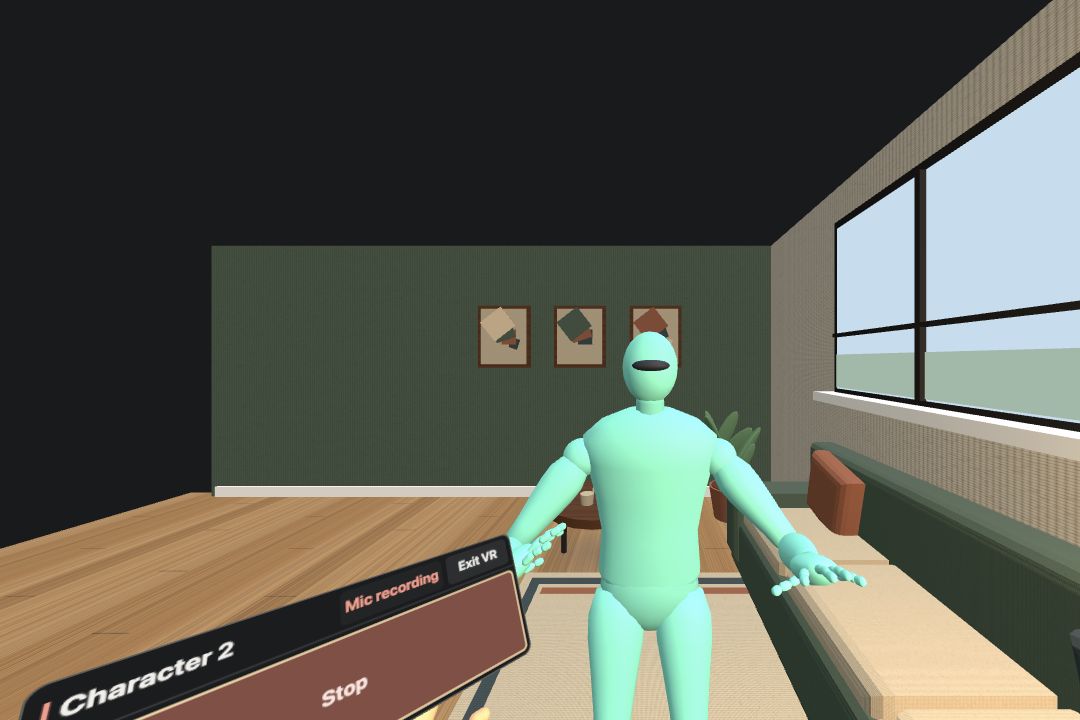
Blocking Lab is a virtual production workspace that runs in Quest Browser. Filmmakers can import a scene or use the furnished starter room, add humanoid characters, and possess each character to perform their role.
Head and hand tracking capture movement and gestures alongside microphone audio. When you perform another character, earlier takes play back in the room so you can react to their actions and dialogue.
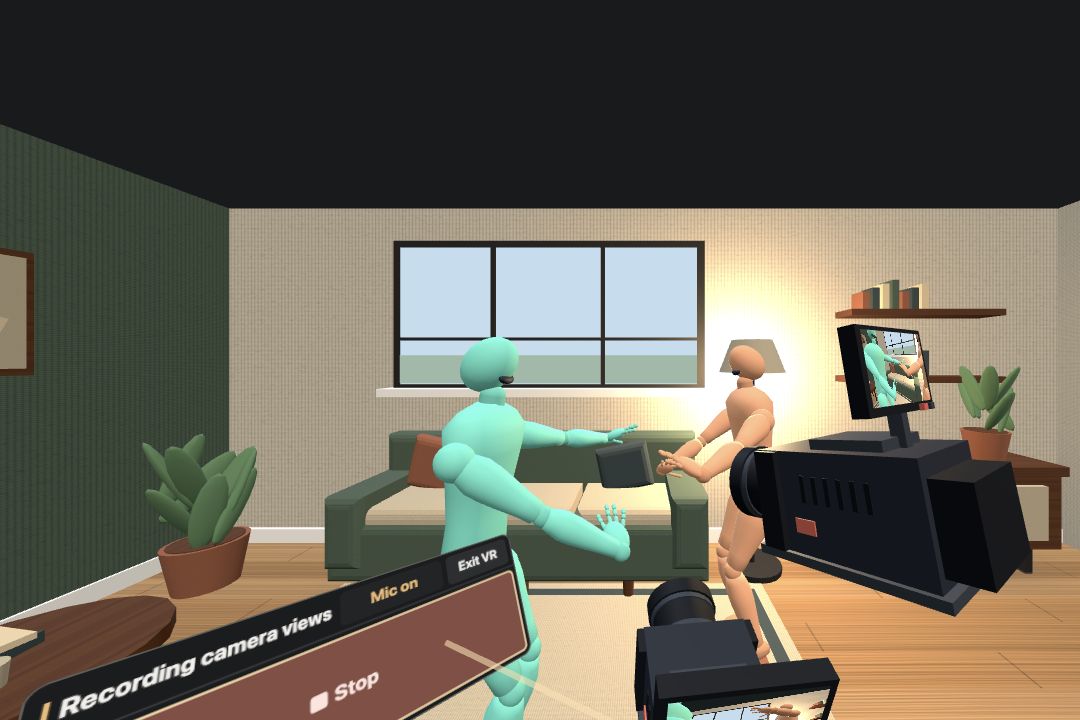
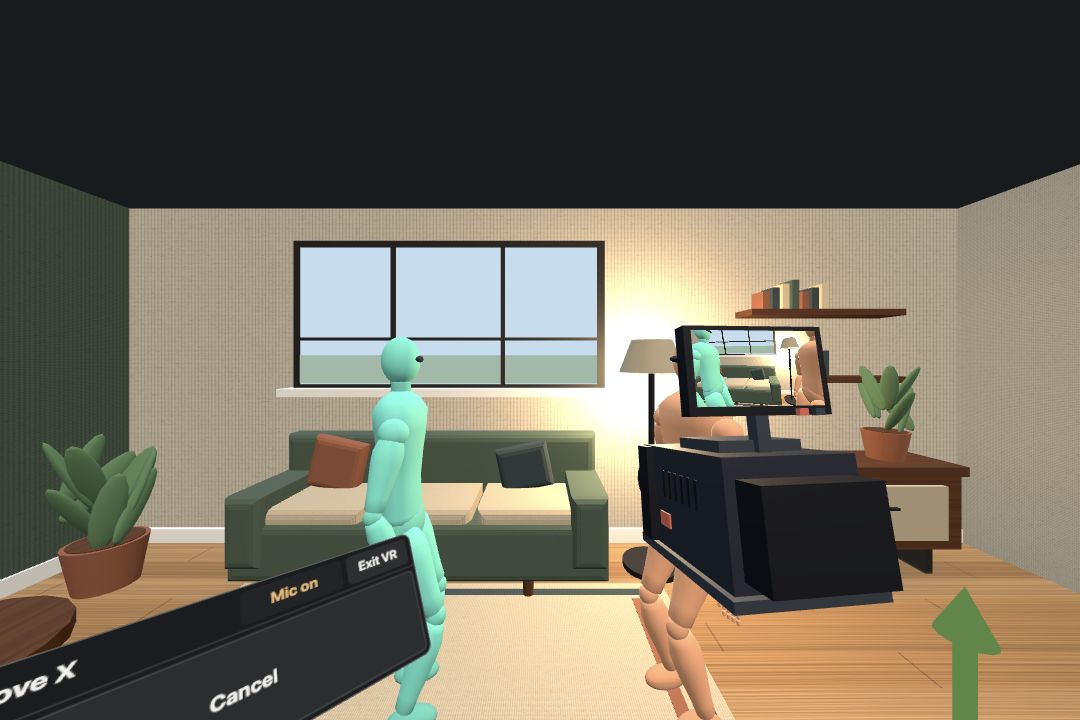
Place virtual cinema cameras, compose shots through their attached live monitors, and adjust their position and rotation using ray-controlled gizmos. Global playback brings the performances together and records the scene from every placed camera. Each recording can be reviewed and exported as a reference video.
Those videos help filmmakers communicate staging, timing, gestures, dialogue, and composition to an AI video workflow. Final AI video generation happens in the filmmaker’s chosen tool.
How we built it
We built Blocking Lab with JavaScript, Three.js, WebXR, and Vite. It runs in the browser and is hosted on GitHub Pages.
WebXR supplies headset and individual hand-joint poses. Our character system combines those inputs with inverse kinematics, motion smoothing, and inferred walking when leg tracking is unavailable. Recorded poses are replayed on a shared scene timeline.
Browser audio capture records dialogue. Each virtual camera renders its own view, which is combined with the performance audio for video recording and export.
Challenges we ran into
Tracking can disappear when hands leave the headset’s view. Abruptly switching to a default pose made performances look unnatural, so we added gradual transitions toward a resting pose and smooth recovery when tracking returns.
Making the characters move convincingly also required work on shoulder spacing, limb bending, finger poses, and foot movement. We iterated on the rig and inverse kinematics as those issues became visible.
The interaction design needed repeated refinement. Wrist controls had to remain readable without crowding the scene, while camera gizmos needed to be easy to select without covering the live monitor.
Recording multiple camera views with synchronized dialogue added another challenge. The cameras needed to capture the same performance timeline while keeping interface elements out of the exported footage.
Accomplishments that we're proud of
We brought the full workflow into a browser-based VR workspace. One person can perform a conversation, react to their previous take, frame it from several cameras, and export the resulting footage.
We are particularly proud of the moment when an earlier character comes to life beside you. It turns recording the next role into a performance with something to respond to.
The exported videos preserve the filmmaker’s choices about action, timing, and framing, giving them a practical reference to carry into the next stage of production.
What we learned
Building Blocking Lab taught us how much performance depends on small details. Shoulder movement, finger alignment, pauses, and a character’s glance can change how a scene reads.
We also learned that tracking quality depends on how an application handles missing data. Smoothing and recovery are essential parts of the experience.
Most of all, we learned that VR gives filmmakers a direct way to work through spatial decisions. Standing in a set, looking toward another character, and checking a camera monitor makes those choices tangible.
What's next for Blocking Lab
We want to make longer productions easier through saved projects, multiple takes per character, and a timeline for adjusting performance timing.
Future camera tools could include focal-length controls, saved shots, and camera movement paths. We also want to improve character calibration and performance playback through more testing on Quest.
Our next focus is testing exported references in AI video workflows and learning which visual cues help filmmakers carry their intended staging and performance into the final result.


