-
-
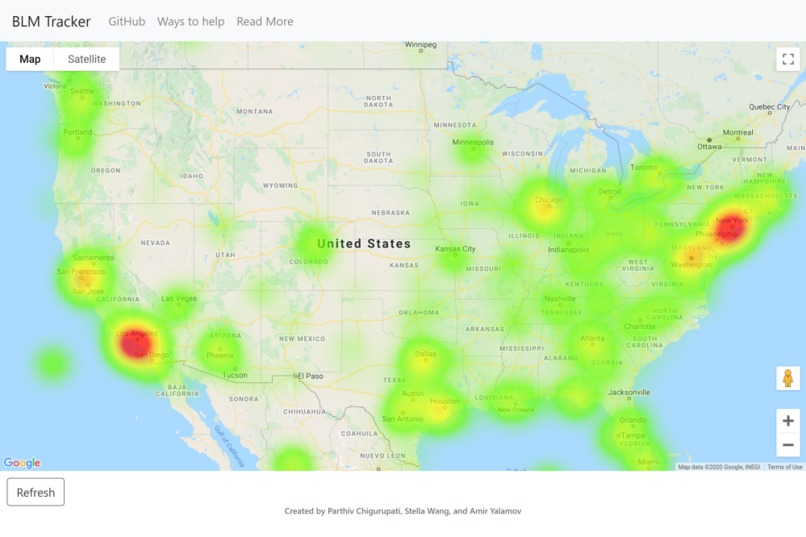
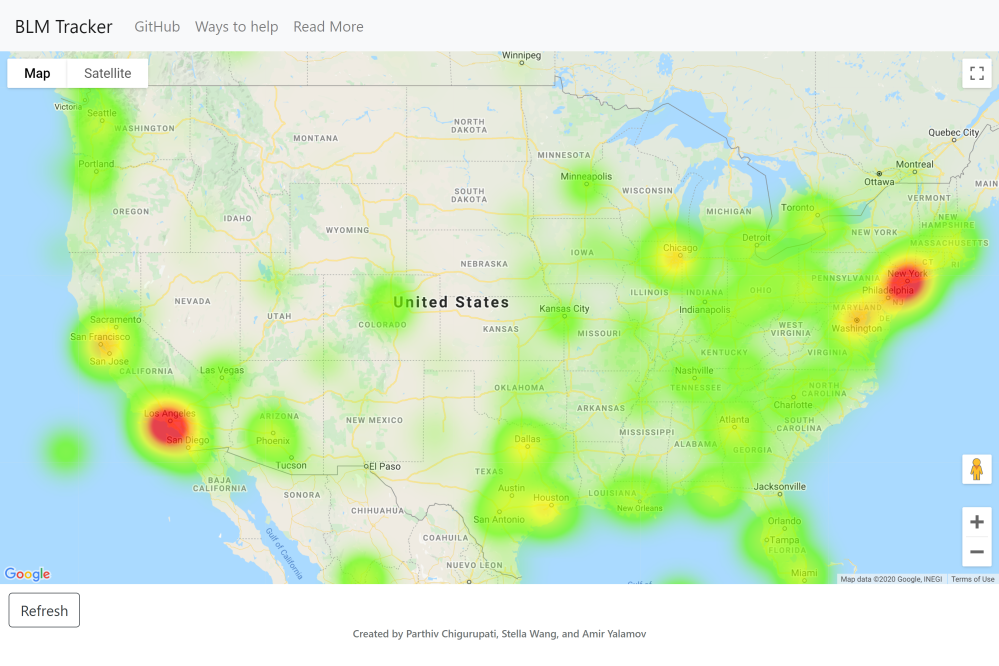
Generated heat map of US
BLM Tracker
Python project that streams Twitter data through a classifier to determine the amount of social activity surrounding a social movement and visualizing it
Installation
You can download the code for this project by executing the following:
git clone [email protected]:MLH-Fellowship/0.1.1-BLM-Tracker.git
Next, you need to acquire Twitter API and Google Maps API keys, and populate them into userAPIKeys.py
After you have acquired the necessary API keys, download the following GloVe dataset (NOTE: this will start an 822MB download)
If you wish to train your own model, you can download a dataset of 1.6 million tweets here (This will start a 78MB download)
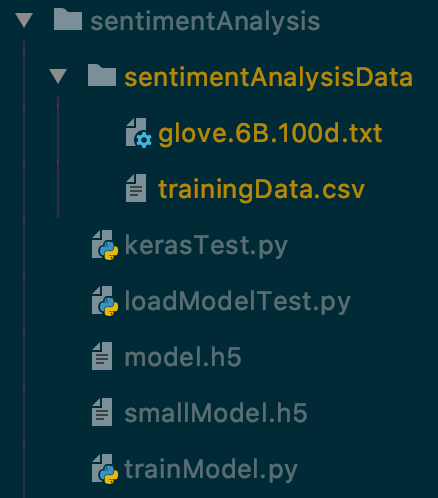
Organize and name your files as per the file structure below
Rendering the Page
Run the following python commands in the root of the repository to render BLM Tracker:
pip install -r requirements.txt
python3 fetchDbTweets.py
Inspiration
With all the Black Lives Matter protests going on in the United States and around the world, social media plays a central role in making people's voices on the matter heard. We thought it would be a great step up if we could visualize the world's social media activity regarding the movement and see which cities are the most active.
What It Does
BLM Tracker uses relevant tweets from twitter to create a heat map of which cities are the most active about the movement on social media.
How It Works
The program first starts by starting a MongoDB instance to store tweet objects from twitter and using Flask to render the website locally. Concurrently, we use Tweepy to stream tweets live from Twitter, langdetect to verify that they are English, and the Google Maps API to verify that the user's location is valid. Once the tweet is validated, we removed extraneos characters and tokenized it using nltk. This tokenized tweet is then prepared using Pandas and NumPy and passed into a Keras sentiment analysis model. There weren't any high quality sentiment analysis models readily available, so we implemented our own. It was trained on 1.6 million tweets, and acheived 92% accuracy on a test set after 15 epochs and 14 hours of training. The output from the sentiment analysis model is then scaled by how much activity the tweet received (likes, comments, retweets, and quotes), and added to the tweet object as a gradient. After the tweet is analyzed, it is inserted into the MongoDB database and extracted by the front end driver, where the gradient is applied to the heat map point and increases the intensity of the location. The page updates every 10 minutes and constantly streams in validated tweets into the database.
This project was built in Python, HTML, and JavaScript.
What We Learned
We learned a lot about Keras, how sentiment analysis worked, how to construct the best layer structure for our specific application, and how to train and validate a model. We also learned a lot about several other open source projects such as langdetect, nltk, Pandas, NumPy, and Blackbox.
Further, we learned a ton about Flask and how to integrate MongoDB, parse entries for necessary info, format JSON objects, and integrate all that with the Google Maps API.
And in order to make development easier and more secure, we used Blackbox to encrypt our API keys using GPG keys and prevent them from being publically accessible without having our local copies of the development API keys out of sync.
What's next for BLM Tracker
There are definitely a lot of features that can be further implemented to enhance the experience of the heat map. A desirable one would be to have a sidebar showing the most recent tweets, or a sidebar showing trending keywords.
Technologies Used
Open Source
- Blackbox
- An open-source tool used for file encryption (specifically the API keys)
- Flask
- A Python microservice used for building and deploying web applications
- Keras
- A neural network API running on top of other neural network frameworks (in this case TensorFlow)
- langdetect
- A port to Python of Google's language-detection library
- MongoDB
- Database used to store tweets
- nltk
- Natural Language Toolkit used to tokenize tweets for word analysis
- NumPy
- Library used for array manipulation and data processing for Keras
- Pandas
- Data analysis tool used for data ingest and manipulation
- TensorFlow
- The machine learning framework behind Keras used for sentiment analysis of tweets
- tqdm
- Progress bar used for visualizing load times and model processing
- Tweepy
- An open-source python library used to access the Twitter API
Other
- Google Maps API
- Google Maps API used for address validation and geocode coordinate extraction
- Twitter API
- Used to stream tweets live into the sentiment analysis model
Built With
- blackbox
- flask
- google-maps
- html5
- javascript
- keras
- langdetect
- mongodb
- nltk
- numpy
- pandas
- python
- tensorflow
- tqdm
- tweepy


Log in or sign up for Devpost to join the conversation.