-
-
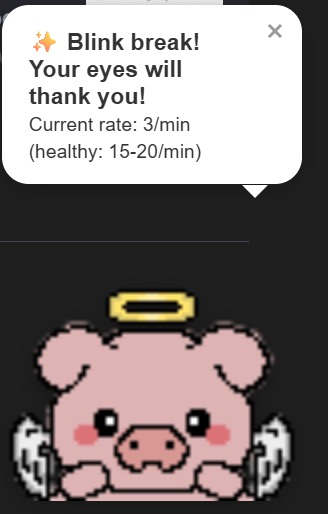
piggy widget hehe
-
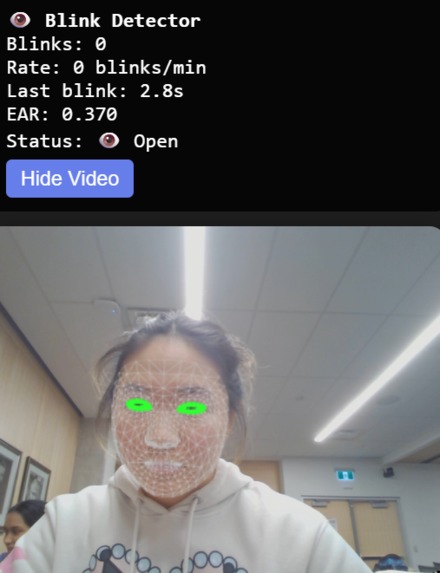
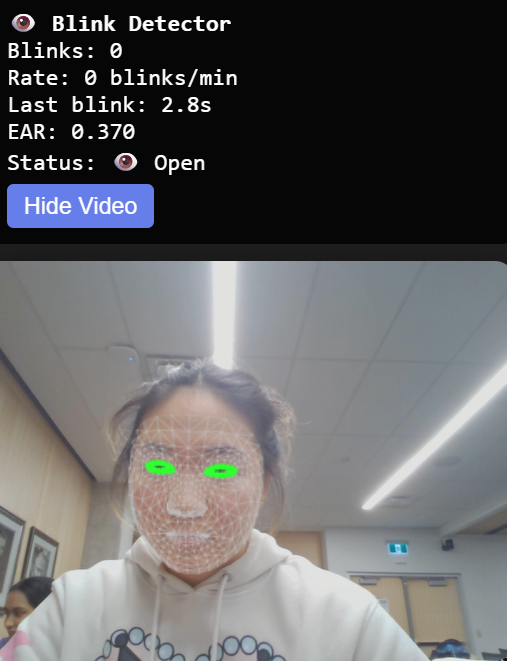
blink detection!
-
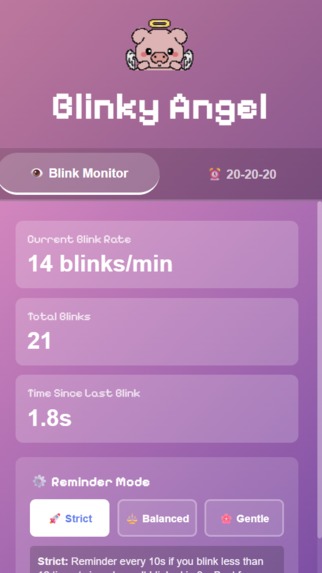
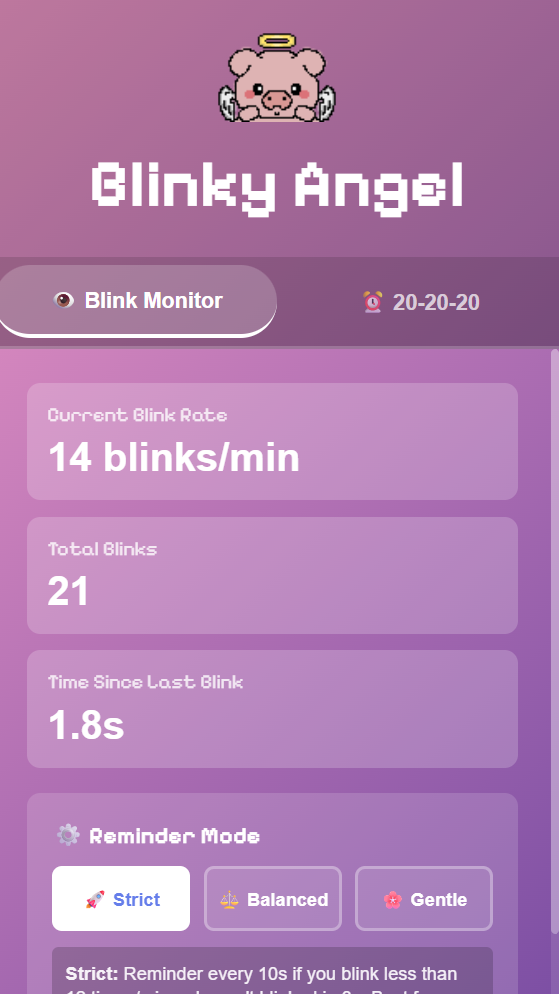
extension popup
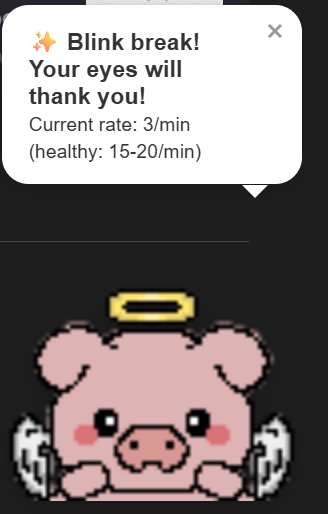
🐷✨ Blinky Angel!!!
🌟 Inspiration
Don't your eyes ever feel tired, dry, or strained after a long day of staring at a screen? We noticed that many of our peers forget to blink when they’re focused. Research shows our blink rate drops by more than half during screen use… and honestly, we felt that 😭 People usually blink 15–20 times per minute, but when focusing on a digital screen the rate can drop to around 5–7 blinks per minute. What's more, extended screen use is associated with digital eye strain symptoms such as dry eyes, blurred vision, headaches and reduced comfort, driven in part by the reduced blink rate and incomplete blinks found during near-screen tasks
So we thought: What if a tiny, adorable digital assistant could protect your eyes for you? And that’s how Blinky Angel, our playful screen-side eye-health companion, was born.
👁️💡 What it does
Blinky Angel is a vision-health Chrome extension that uses real-time blink detection to protect your eyes from digital strain.
✨ Core features:
- Tracks your blink frequency using TensorFlow.js
- Provides real-time stats on your blinking frequency and eye health status
- Gives you gentle blink reminders when your blink rate drops
- Lets you choose Strict, Balanced, or Gentle reminder modes
- Every 20 minutes, triggers the 20-20-20 rule: “Look 20 feet away for 20 seconds every 20 minutes”
🐷 Our cute Blinky pig animates, waves, and nudges you when it's time for a break It’s simple, fun, and helps build healthy eye habits in the background.
🏗️🔧 How we built it
📸 TensorFlow.js via CDN to run real-time blink detection directly in the browser
🧩 Chrome extension using HTML, CSS, and vanilla JavaScript
🪄 A floating widget injected into every webpage
⏱️ Custom timers + rolling blink-rate calculations
🎨 Pixel-art-inspired “Blinky Angel” character we designed for cute, accessible reminders
Everything runs fully on-device, meaning no data ever leaves the user’s computer. The full extension directory can be downloaded and loaded easily into your chrome extensions.
⚠️🚧 Challenges we ran into
Getting TensorFlow + webcam access to play nicely inside a Chrome extension - it was our first time working with this tool, so there were many difficulties accessing TensorFlow properly. We ended up connecting to it through a CDN.
Understanding how real-time image recognition works (first time ever!) - we used certain threshold tolerances to track the user's eyes and ears.
Dealing with MV3 restrictions around scripts, permissions, and injection
Tuning blink detection so it wasn’t too sensitive or too sluggish
Managing our time!!! Implementing image recognition + chrome extension + UI in one 6 hour hackathon is… a lot 😅
But we pushed through and made something we’re genuinely proud of.
🏆✨ Accomplishments we're proud of
👁️ Implemented working real-time blink detection (!!)
🔧 Added multiple accessibility modes so reminders adapt to different users
🌈 Designed a cute, friendly character that feels welcoming instead of annoying
📦 Successfully shipped all our core MVP features within the time limit
🧠 Learned a ton in just a few hours
Blinky actually made us blink more during the hackathon... instant product validation 😂
📚💡 What we learned
How to integrate TensorFlow.js and computer vision into a browser context
How Chrome extensions handle scripting, injection, and permission flows
How to debug real-time vision models when the webcam is also misbehaving
How to prompt AI efficiently and build fast features with it (Claude is my goat)
How much design matters! Cute + friendly = people actually use it
🚀 What's next for Blinky Angel
We’re excited to continue building it out! Here’s what’s coming: 🧩 Publishing as a real Chrome extension on the Web Store 🐛 Fixing a few quirks + making blink detection even more accurate 🧍 Adding reminders for posture, hydration, and “time to stand up” 🌙 Night mode + brightness-aware reminders 🗣️ Multi-language support for inclusivity 🎮 More Blinky animations (stretching, yawning, cheering you on!)
Blinky Angel started as a hackathon project… but we genuinely think it could help people protect their eyes every day.
Built With
- css
- html
- javascript
- ml
- tensorflow


Log in or sign up for Devpost to join the conversation.