-
-
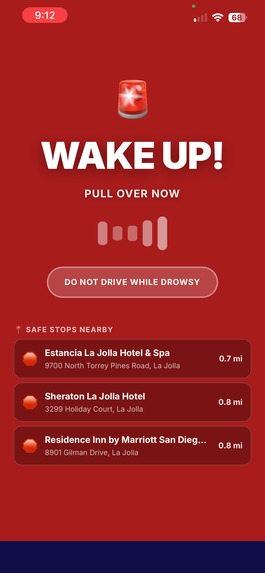
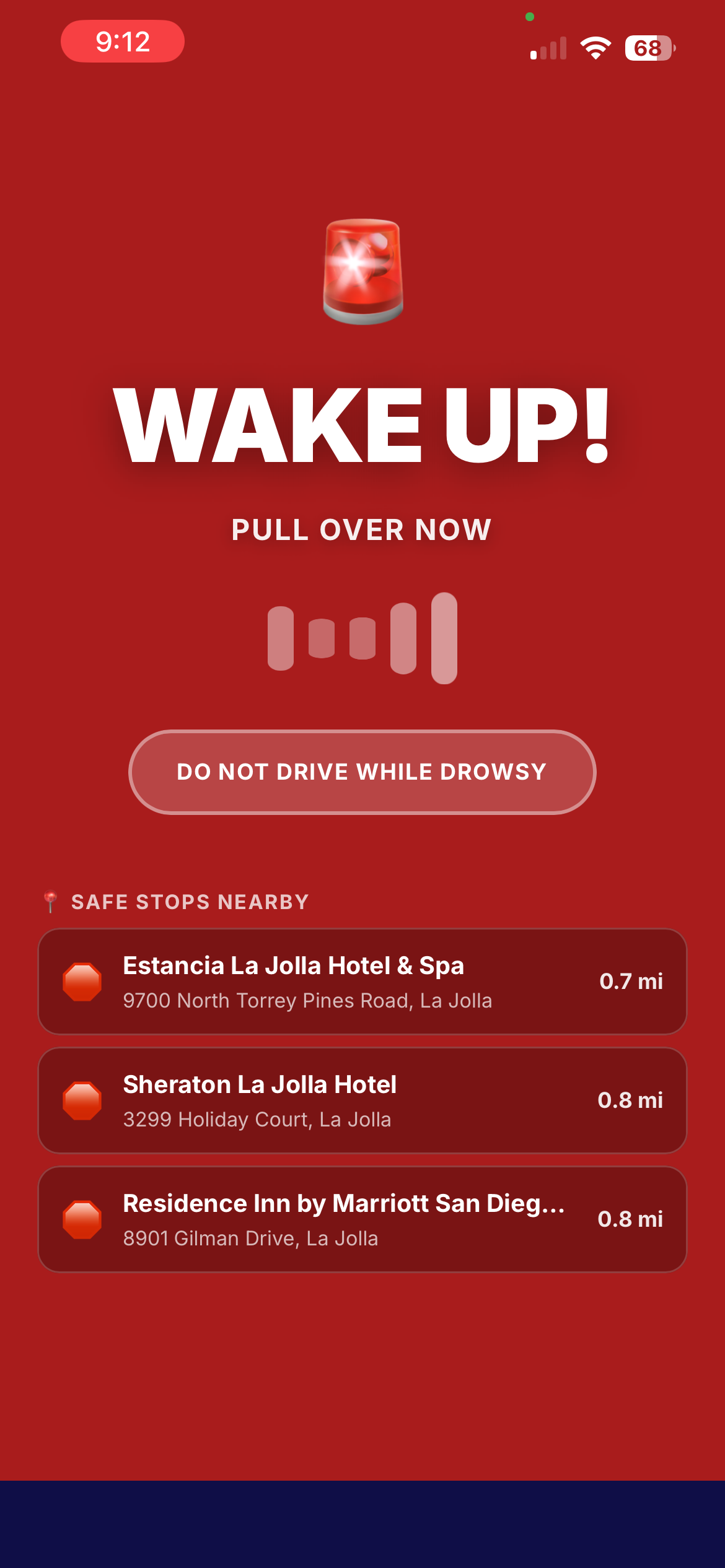
alert with nearby stops
-
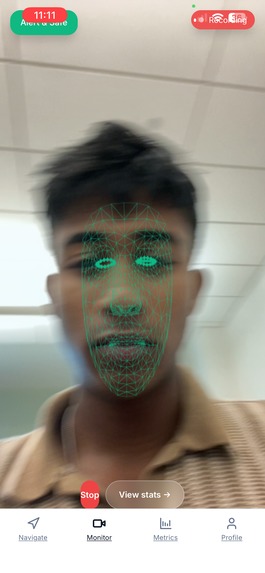
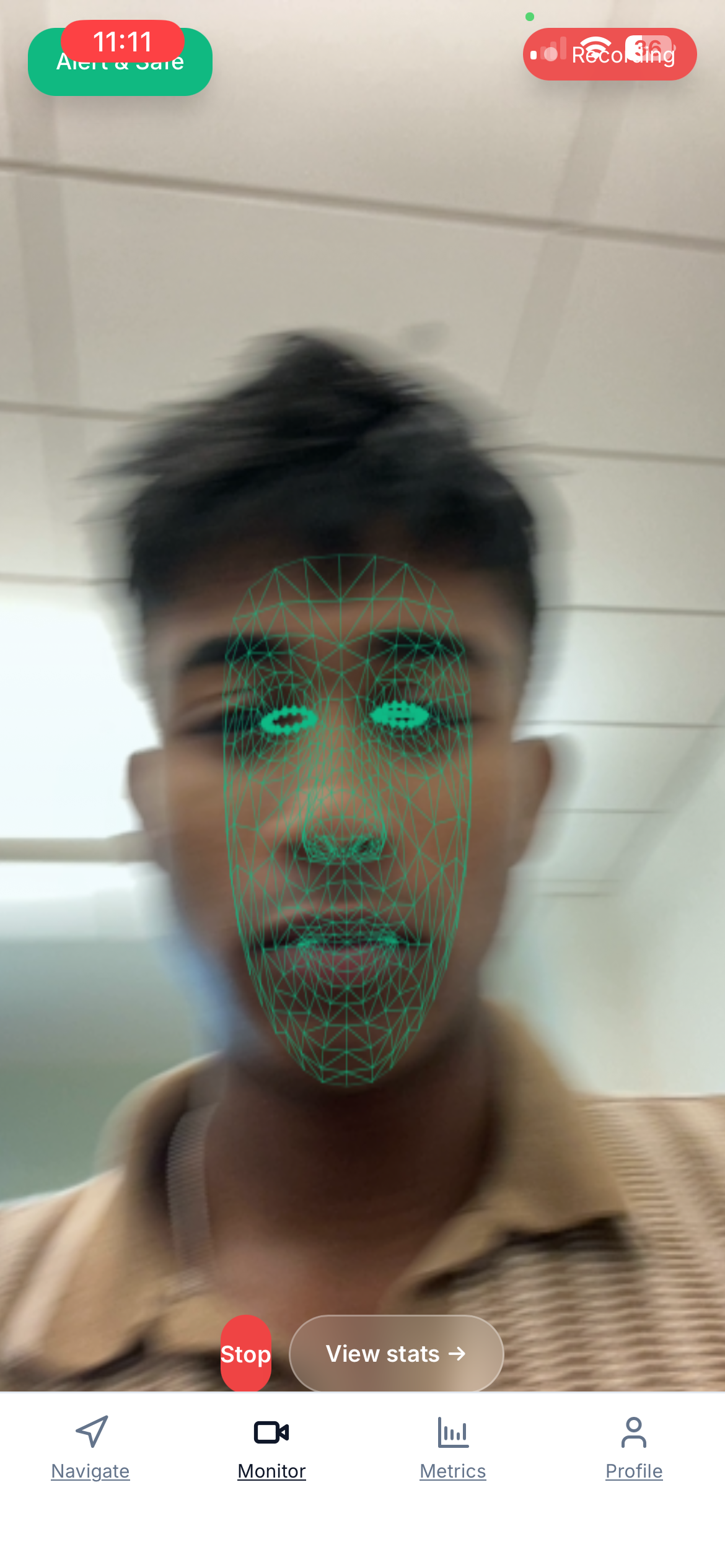
computer vision scan
-
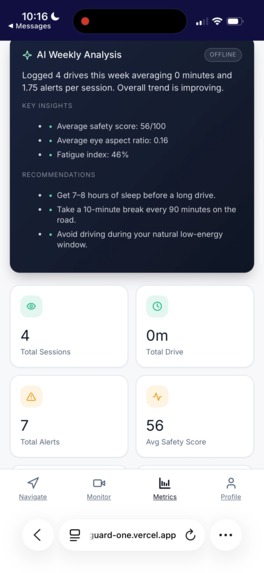
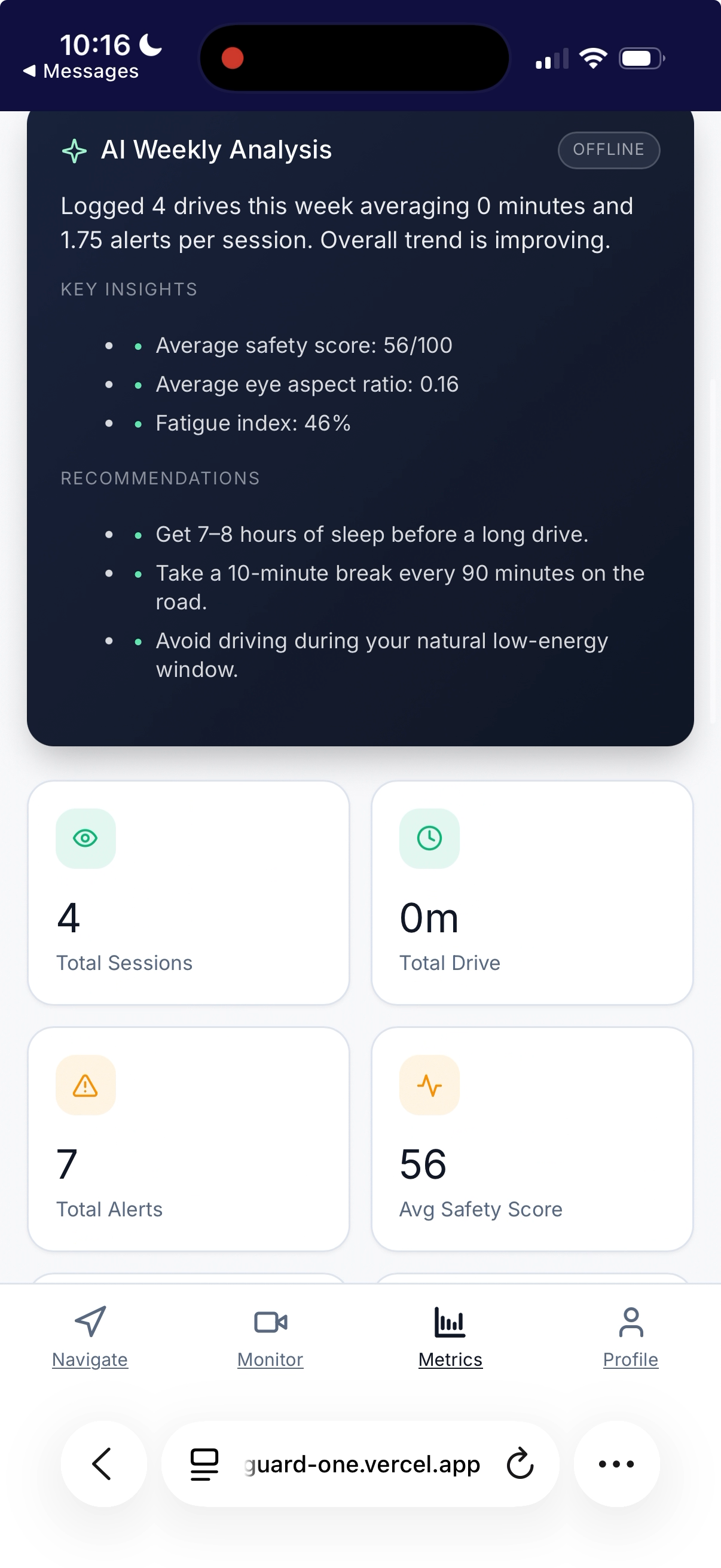
fetch ai driving alert analysis
-
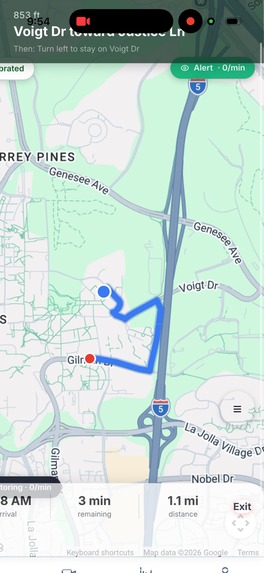
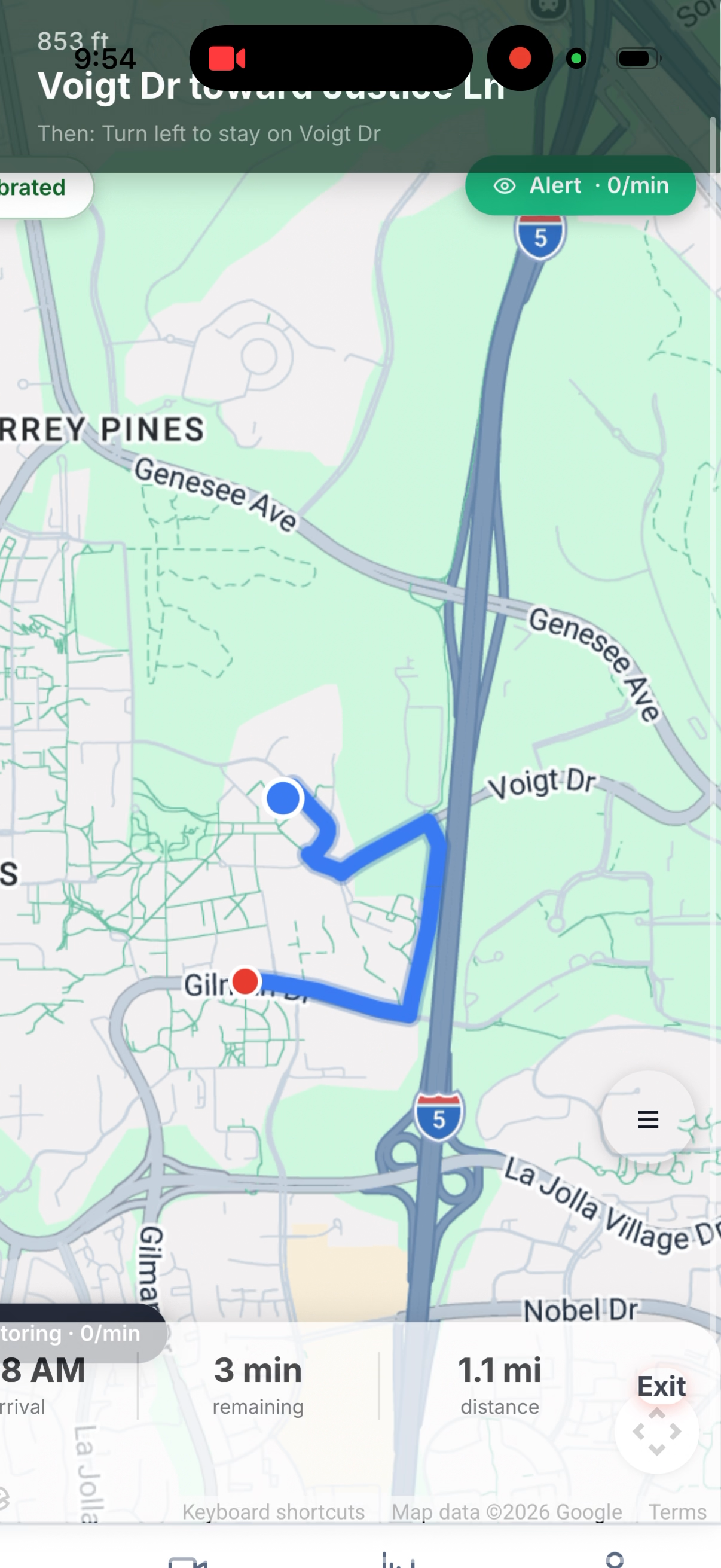
google maps api usage in the app
Inspiration
Late at night or early in the morning, we often find ourselves getting sleepy while driving home or going to work. It is something almost everyone experiences, but it is also one of the most dangerous situations on the road. The scary part is that most people do not realize how tired they are until it is too late.
We wanted to build something that we would actually use ourselves. Something simple, accessible, and effective that could actively help prevent these situations. That is where BlinkGuard came from. We wanted to create a system that watches your alertness in real time and helps you stay safe before things get dangerous.
What it does
BlinkGuard is an AI-powered driver safety assistant that uses your camera to detect signs of fatigue in real time.
The app tracks blink patterns and eye behavior to understand when a user is getting drowsy. It then provides alerts that increase in intensity based on how severe the fatigue is. Instead of using a fixed system, BlinkGuard includes a calibration step that personalizes the experience for each user. This allows the system to learn what is normal for you and detect meaningful changes more accurately.
BlinkGuard also integrates a built-in navigation system so users can follow directions while still being monitored. The camera continues running while navigation is active, ensuring continuous safety.
At the end of a session, the app provides metrics that summarize your driving performance, including fatigue levels and alert history.
We also used Fetch.ai to add an intelligent decision layer. Instead of just detecting fatigue, the system can interpret user state and decide how alerts and recommendations should be handled.
How we built it
We built BlinkGuard as a full-stack web application focused on real-time performance and usability.
- Frontend: Next.js, TypeScript, Tailwind CSS
- Computer Vision: real-time camera processing using browser APIs
- APIs: MediaDevices API for camera access, mapping APIs for navigation
- AI Layer: Fetch.ai agents for handling decisions like alert escalation and recommendations
The system works in layers:
- A computer vision layer processes the camera feed and extracts fatigue signals such as blink rate and eye closure
- A logic and AI layer interprets this data and determines alert levels and recommendations
- A UI layer presents this information clearly through dashboards, alerts, and metrics
We also implemented a calibration flow that captures baseline user behavior and adjusts thresholds dynamically. This makes the system more accurate and personalized.
Challenges we ran into
One of our biggest challenges was that we were beginners, and a lot of this was completely new to us. We were working with computer vision, real-time data, APIs, and frontend systems all at once.
We often ran into situations where fixing one part of the app would break something else. For example, getting the camera and navigation to run together without interfering with each other took a lot of trial and error.
Merging our different parts of the project was also difficult. We had to combine UI, map features, and calibration logic into one cohesive system while resolving conflicts and keeping everything functional.
We also had to deal with platform-specific issues, especially on mobile devices, where things like audio and permissions behaved differently.
Accomplishments that we're proud of
We are really proud that we were able to successfully build a working computer vision system that runs in real time in the browser.
We are also proud of how we worked together as a team. We were able to combine different parts of the project, push through technical challenges, and turn separate ideas into one cohesive product.
Two problems nobody solves: darkness and angle. When driving at night, the car may be too dark for the app to properly see the user's eyes and movements. Additionally, the phone may not always be mounted in a way where the user's face is directly in line with the front camera, so full vision and drowsy detection might be limited. We solved both.
On the vision side, we run adaptive gamma correction on every single frame, measuring average frame brightness and dynamically lifting midtones so MediaPipe can see facial landmarks even at 10% ambient light. On the geometry side, we built a pose-aware Eye Aspect Ratio algorithm. We measure the pixel width of each eye to detect foreshortening from head rotation, use the nose tip as a rotation sensor, and weight our detection toward whichever eye is more visible to the camera. The system works whether you mount the phone on your vent, your dash, or hand it to a passenger seat.
Another big accomplishment is creating something we would genuinely use. BlinkGuard feels practical, useful, and relevant to real-world problems.
What we learned
We learned a lot about building real-time applications and working with computer vision in a browser environment.
We also learned how to use different platforms and tools together, including frontend frameworks, APIs, and AI systems like Fetch.ai.
On the design side, we learned how important it is to create clear and simple user experiences, especially when dealing with something as critical as safety.
We also learned how to collaborate effectively, resolve conflicts in code, and adapt quickly when things did not go as planned.
What's next for BlinkGuard
In the future, we want to expand BlinkGuard with more advanced features.
This includes improving fatigue detection with more signals like head movement and yawning, adding predictive alerts before fatigue becomes severe, and enhancing personalization.
We also want to make the system more robust across devices and explore integrations with real-world use cases such as fleet monitoring or driver safety programs.
Our goal is to continue building BlinkGuard into a system that can make a real impact and help people stay safe on the road.
Built With
- computer-vision-(real-time-camera-processing)
- fetch.ai-(agent-based-ai-layer)
- google-maps
- javascript
- mediadevices-api
- next.js
- tailwind-css
- typescript
- vercel
- web-apis

Log in or sign up for Devpost to join the conversation.