Inspiration
We wanted to explore a communication tool for moments when speaking or typing is difficult. Many communication apps assume that a person can use a keyboard, touch screen, or voice at any time. We asked: what if someone could send a short message using only intentional eye blinks?
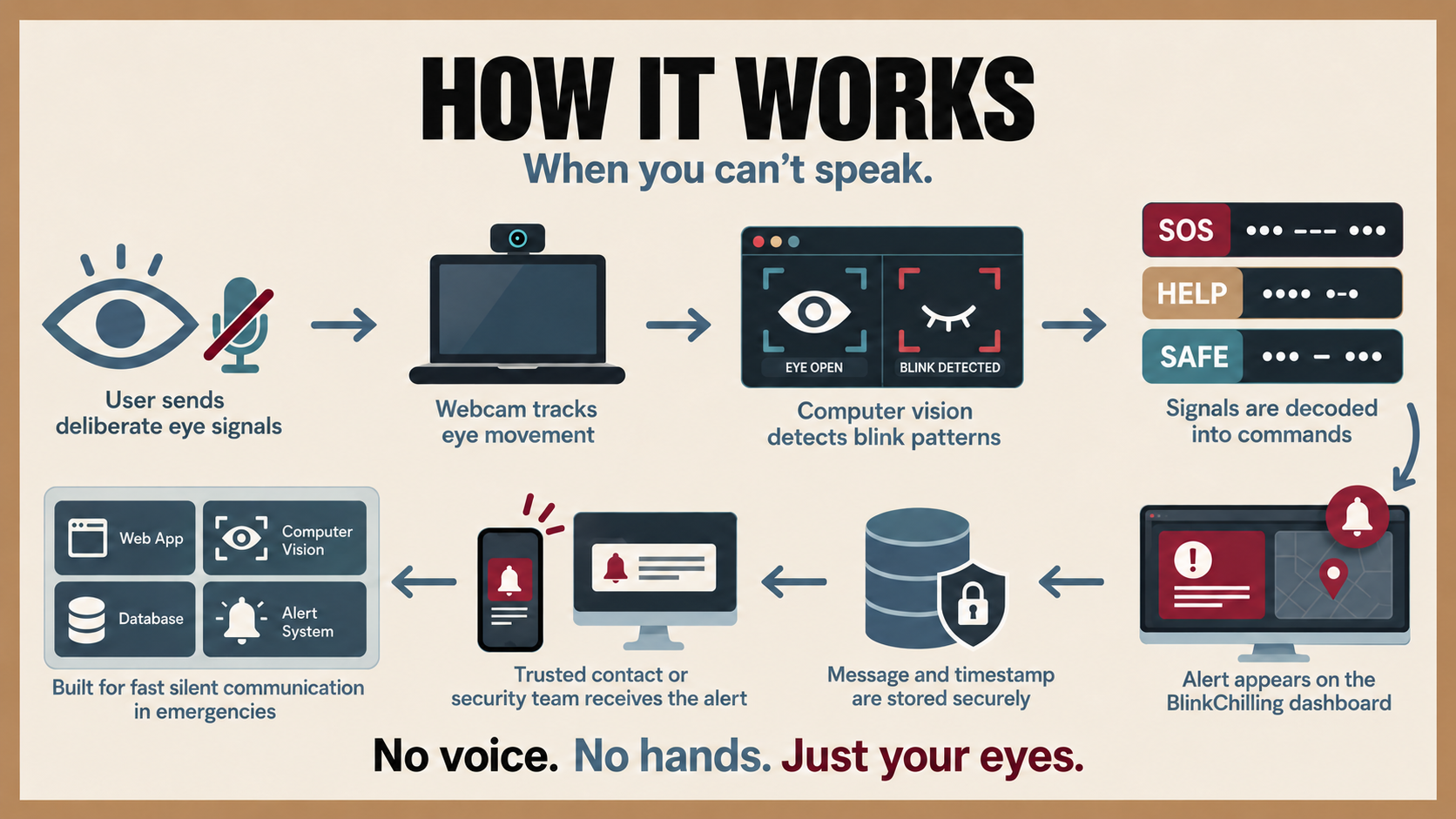
We combined two ideas: quick custom Assist shortcuts for urgent or repeated needs, and Morse code for messages that are not already saved. For example, a person can set ... as a simulated SOS shortcut or switch to Morse mode to spell a full message and send it to a trusted chat room.
What it does
RowdyHackXII turns intentional eye blinks into text.
It has two modes:
- Assist mode lets a user create custom dot-and-dash shortcuts in a local website. A shortcut can display a prepared message, such as “I need help,” “I need water,” or a simulated SOS.
- Morse mode uses short blinks as dots and long blinks as dashes. The user can spell a full message, review the raw text, optionally choose a suggested correction, and confirm before sending.
For our two-device demo, confirmed text appears in a local Trusted Text Room on another laptop. The webcam stays on the sender’s device; the room only receives confirmed final text.
How we built it
We built the core app in Python with OpenCV and MediaPipe Face Landmarker.
- MediaPipe detects face landmarks and eye-related blendshapes.
- We calculate eye openness with Eye Aspect Ratio (EAR), then use a blink/wink state machine to identify dots, dashes, pauses, and commands.
- We added calibration because one eye threshold does not work well for everyone.
- We added eye-region zoom, smoothing, timing checks, gaze filtering, and cooldown logic to reduce false inputs.
- We built Morse decoding, text cleanup, word suggestions, and a “ask before correcting” flow so the app never silently changes a message.
- We used Flask for the local shortcut editor and the Trusted Text Room.
- We used a lightweight local HTTP message flow so two laptops can exchange confirmed text over the same reachable network.
- We wrote tests for Morse decoding, shortcut matching, text cleanup, and correction choices.
Challenges we ran into
The hardest part was reliable blink detection on regular laptop webcams. Camera quality, low frame rate, lighting, face distance, eye shape, and natural blinks all affect detection.
We found that a lower-quality webcam could miss short blinks or classify resting eyes incorrectly. To improve this, we added guided calibration, per-eye thresholds, eye zoom, sensitivity controls, a visible open/closed meter, and fallback behavior when the face is not detected.
Another challenge was separating intentional input from normal movement. Looking up or down can change eye landmarks, so we added gaze filtering and blink timing checks. We also made message correction optional: a wrong autocorrection is worse than leaving the person’s intended raw text visible.
For the chat demo, we also had to handle local-network issues. 127.0.0.1 only works on the host laptop, so the receiver must connect through the host laptop’s reachable LAN IP and open room port.
Accomplishments
We are proud that the project became more than a Morse decoder. It supports:
- Custom emergency-style Assist shortcuts.
- Full hands-free Morse composition.
- Explicit correction choices instead of automatic text replacement.
- A trusted two-device text room.
- Local webcam processing and confirmed-text-only sharing.
- A working demo using ordinary laptops instead of specialized hardware.
What we learned
We learned that accessibility prototypes need careful interaction design, not just computer vision. A feature is not helpful if it creates accidental messages or silently changes what someone meant to say.
We also learned how much real hardware matters. The same blink detector behaved very differently across webcams and lighting conditions, so calibration and clear visual feedback became essential. Finally, we learned how to connect a local computer-vision app to a simple multi-device messaging demo while keeping camera data on the sender’s device.
What’s next
With more time, we would improve detection across more cameras and users, add better accessibility alternatives for people who cannot wink independently, support secure hosted rooms, add stronger room access controls, and test with accessibility users and specialists.
For now, RowdyHackXII is an honest hackathon prototype: Blink. Signal. Speak.


Log in or sign up for Devpost to join the conversation.