-
-
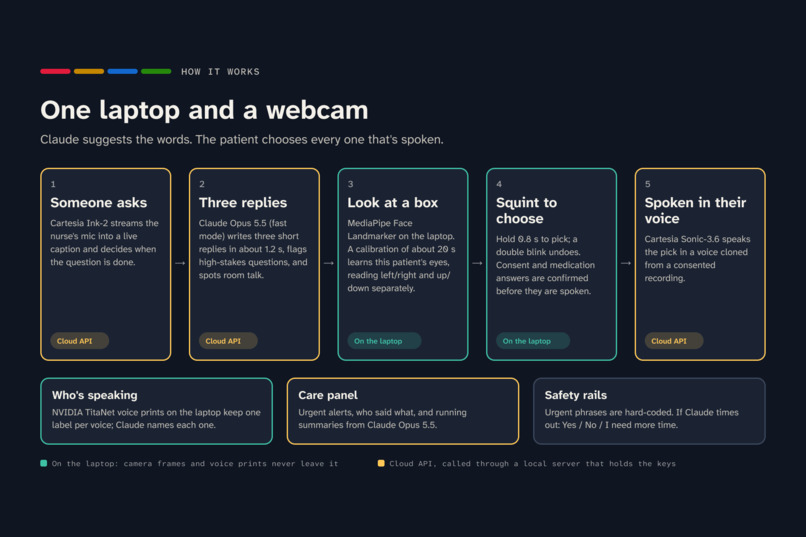
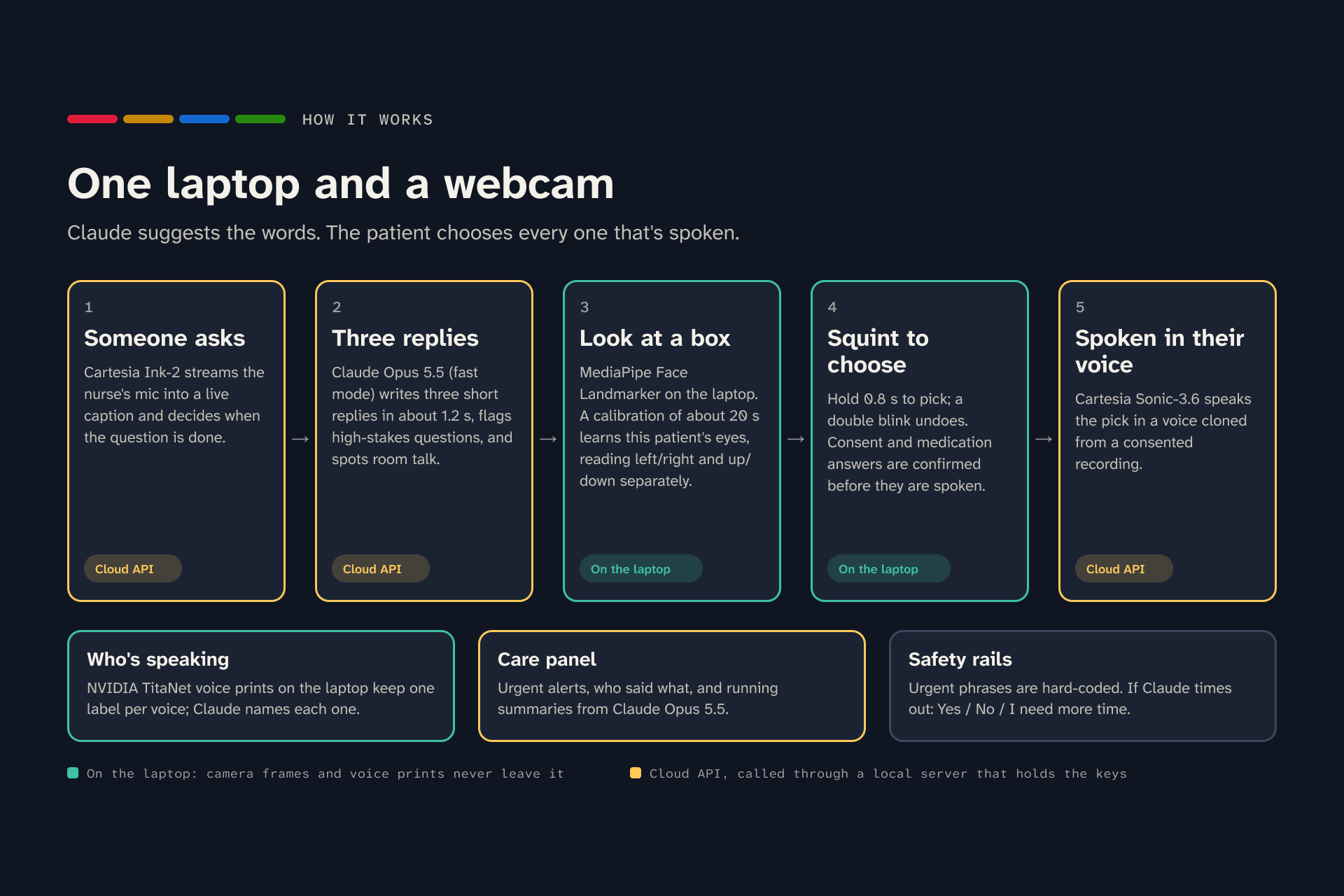
How Blink2Talk works: Claude suggests the words; the patient chooses every one that's spoken.
-
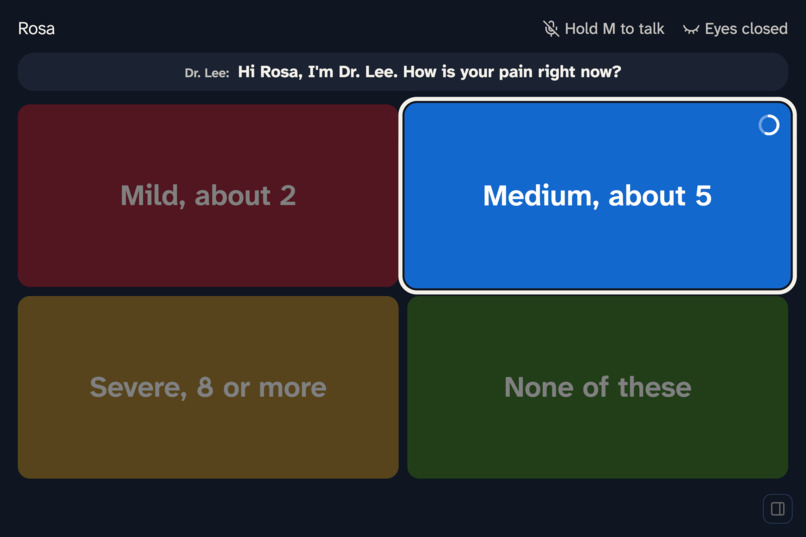
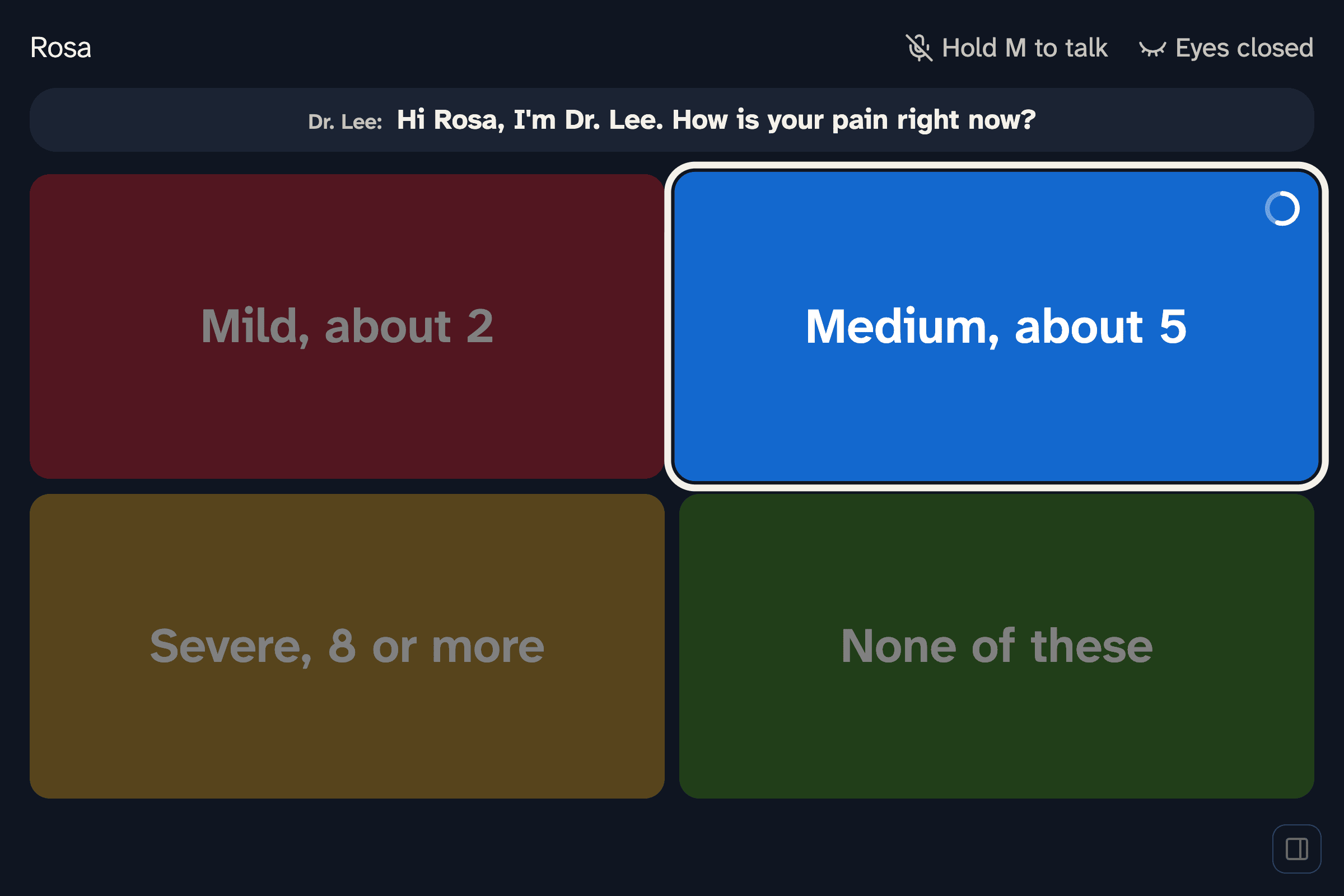
Look at a box to highlight it, then hold a squint. The ring fills as you hold.
-
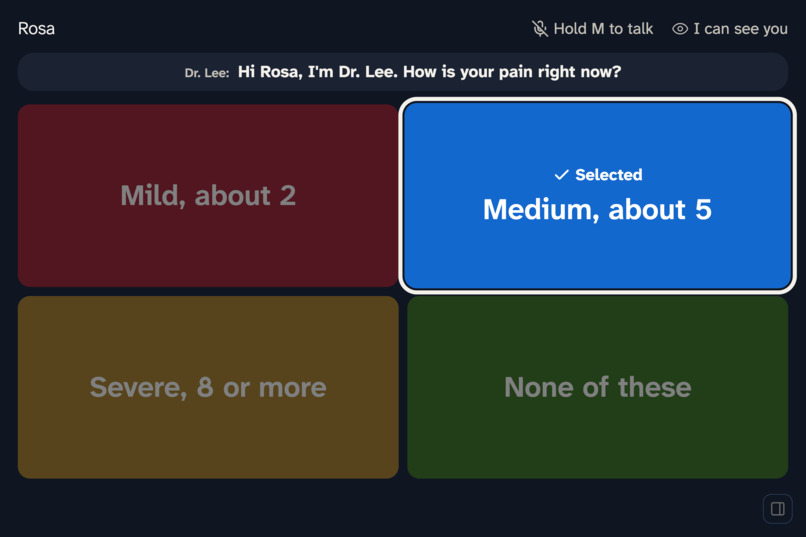
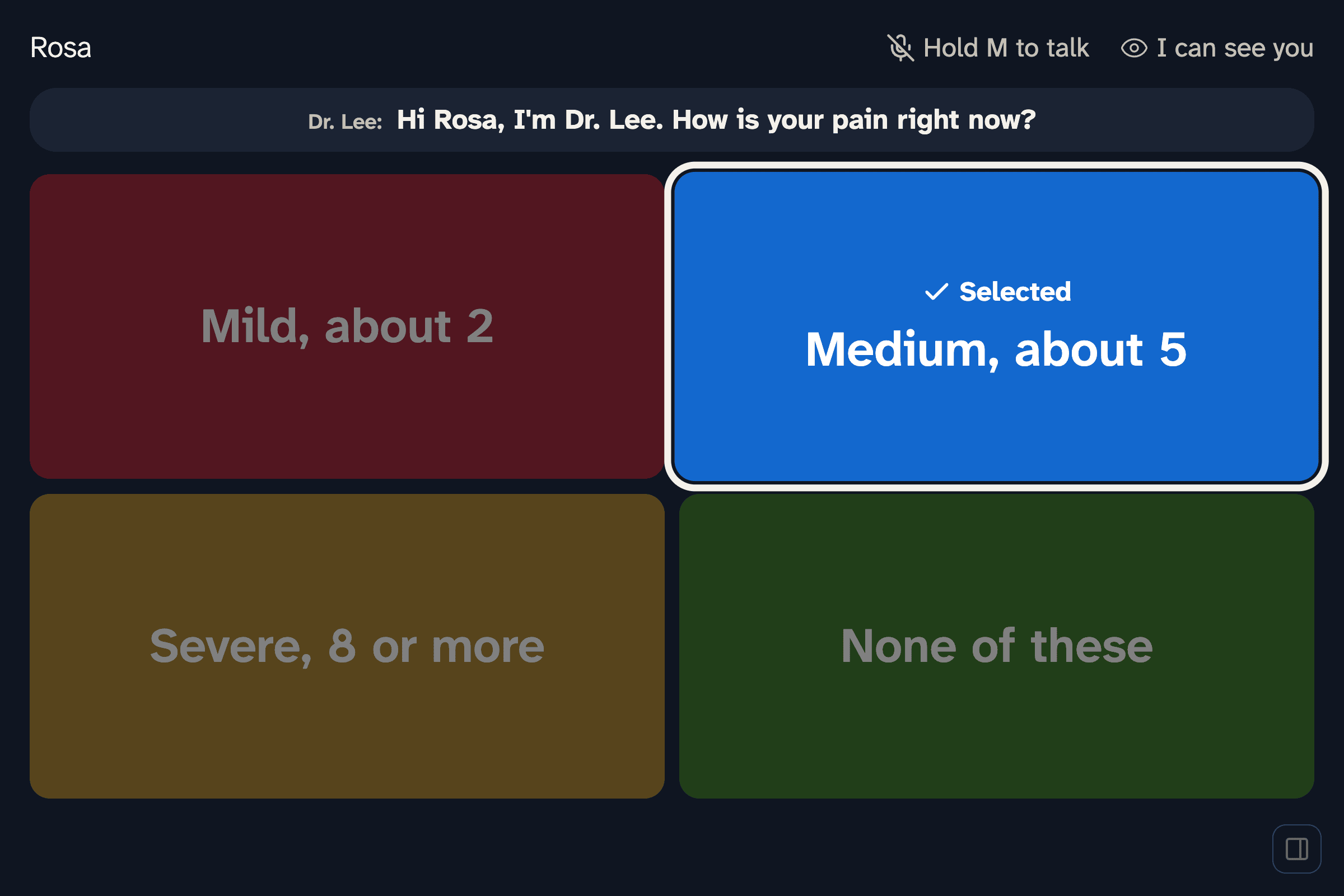
The reply is spoken in the patient's own voice. Blink twice to undo.
-
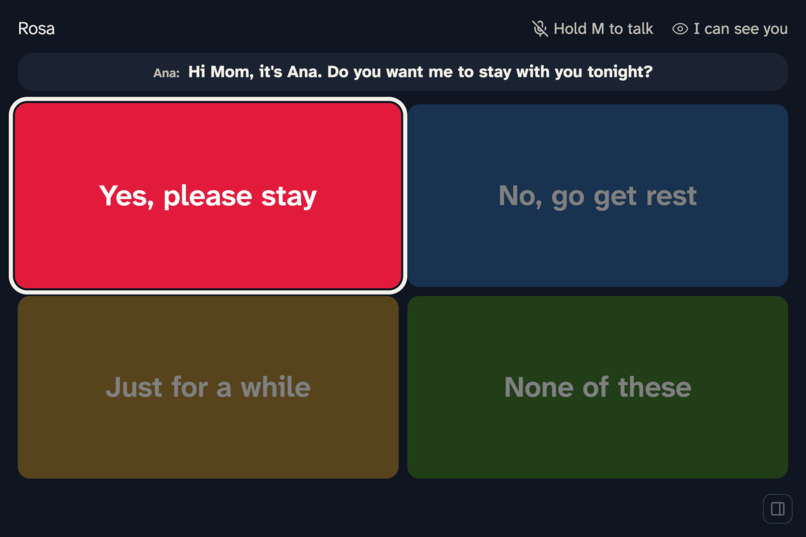
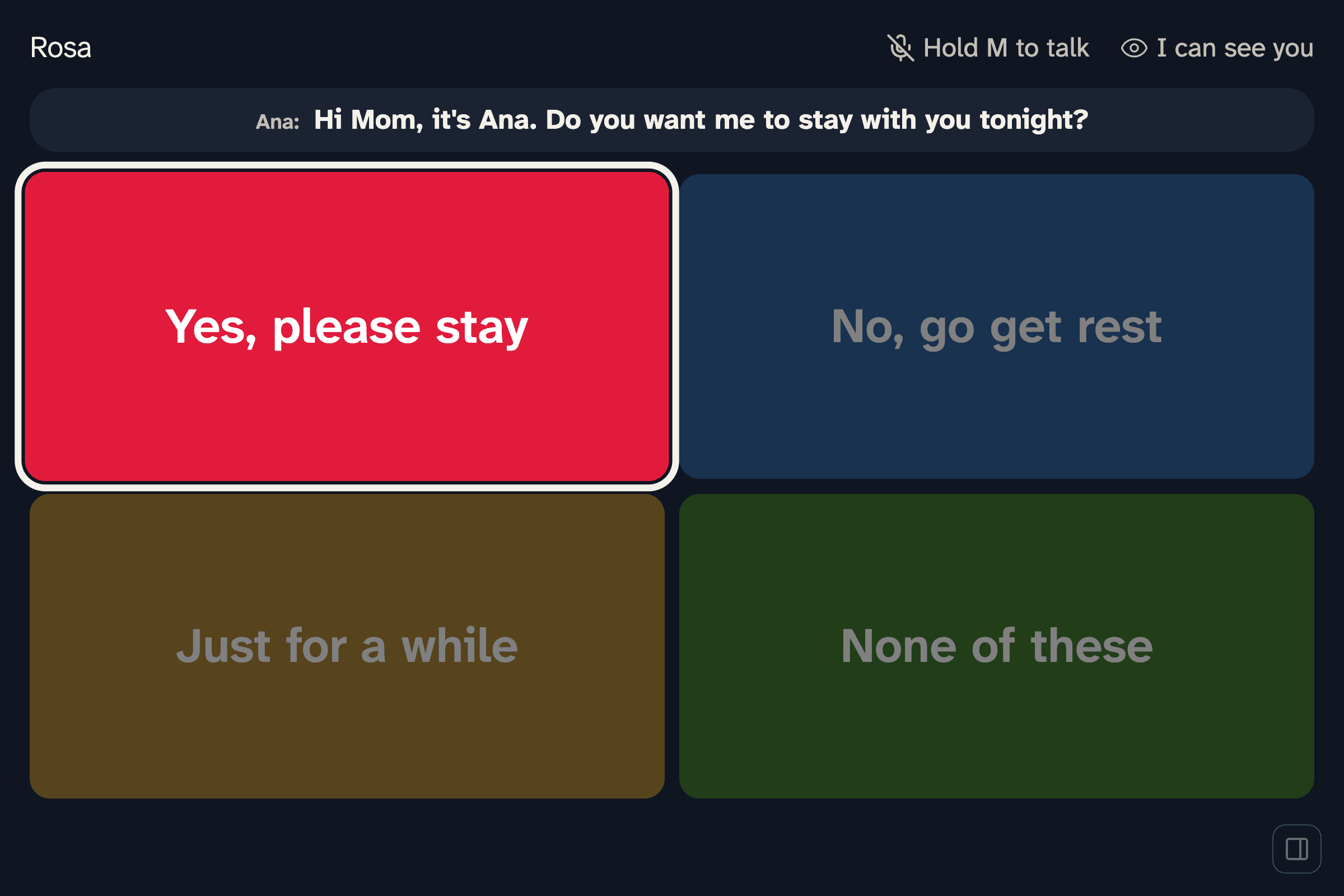
Family too. Each voice is labeled, here the patient's daughter.
-
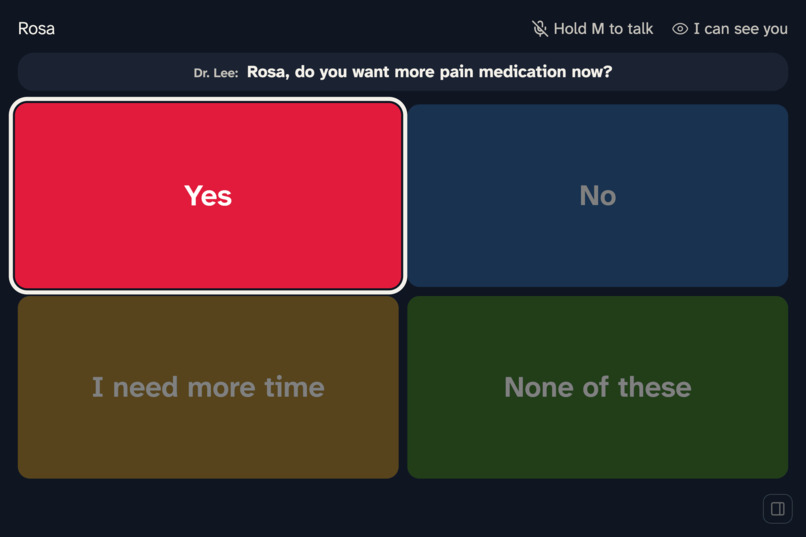
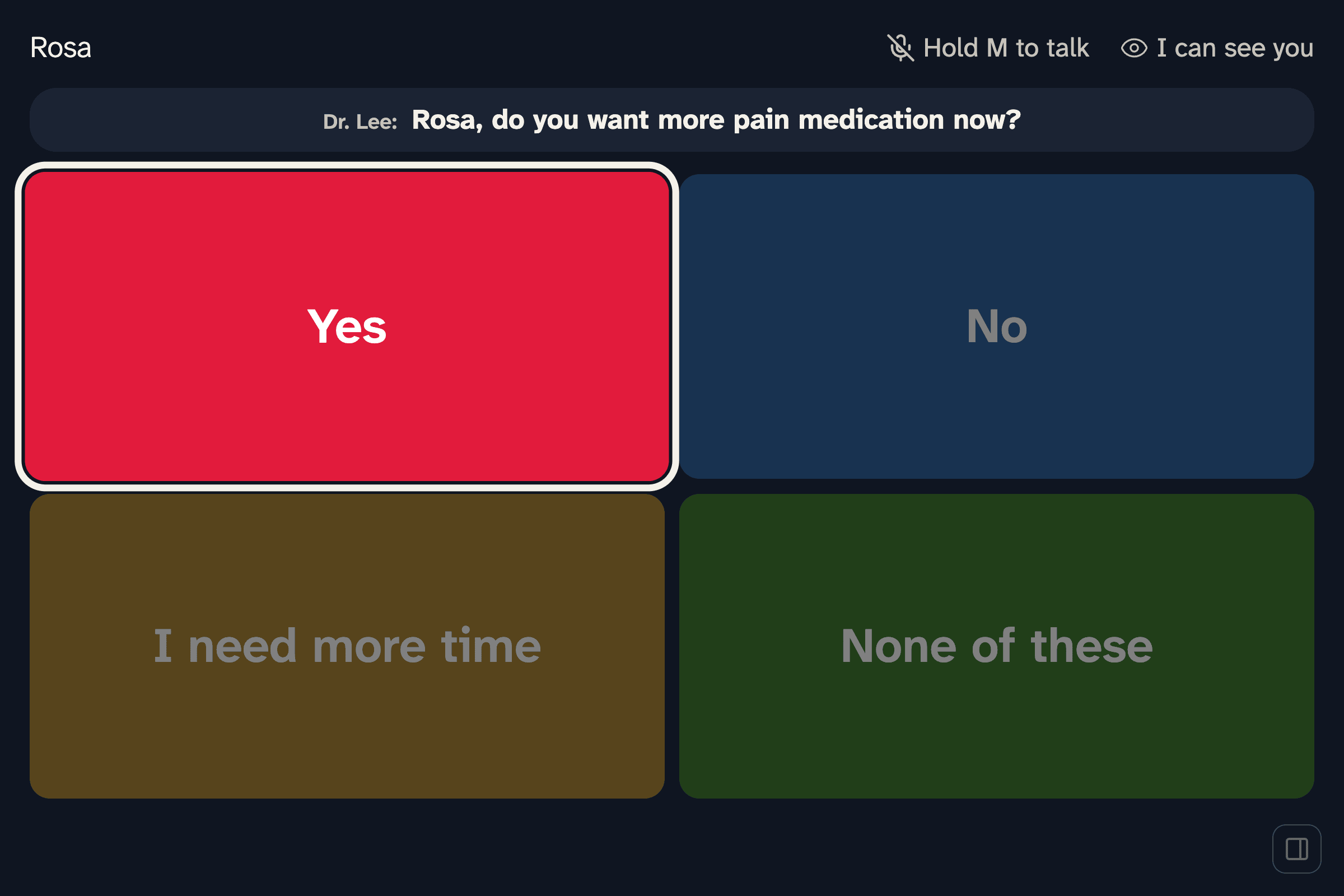
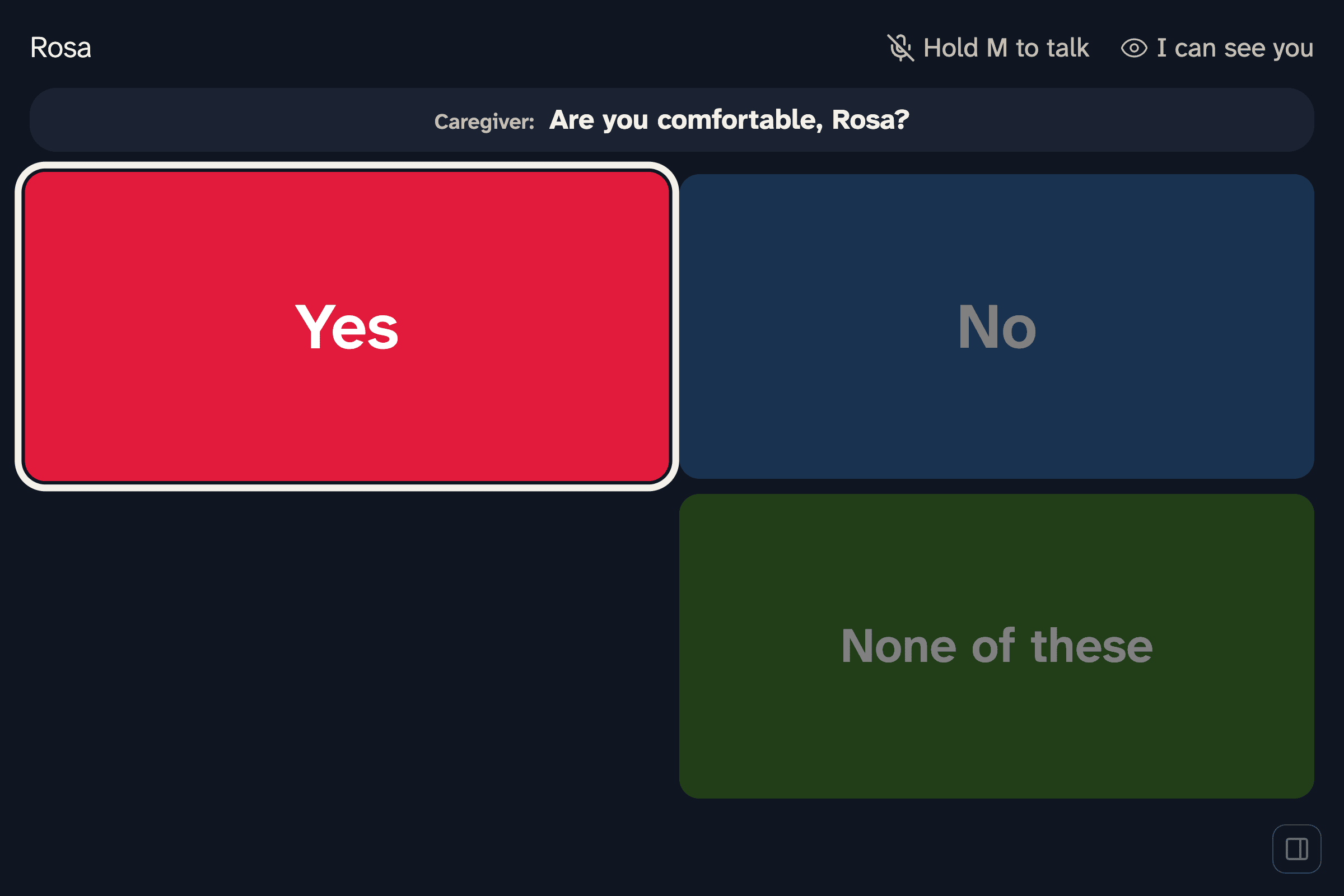
A medication question gets Yes / No / I need more time.
-
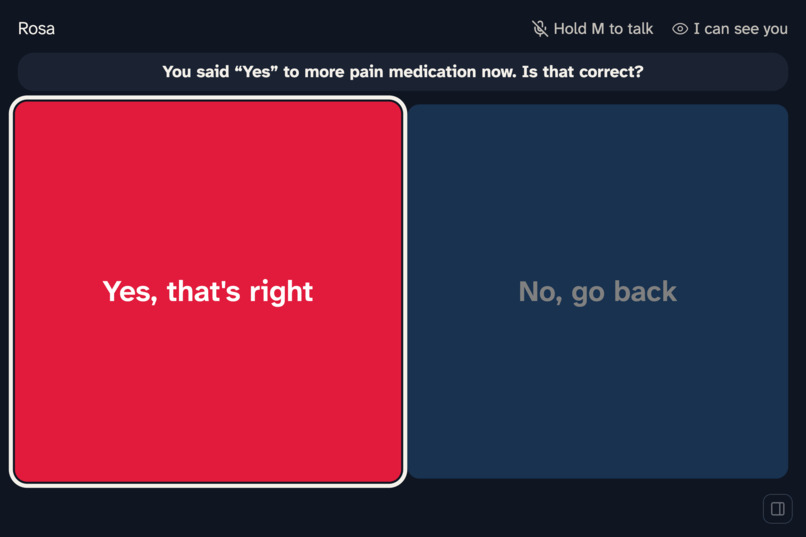
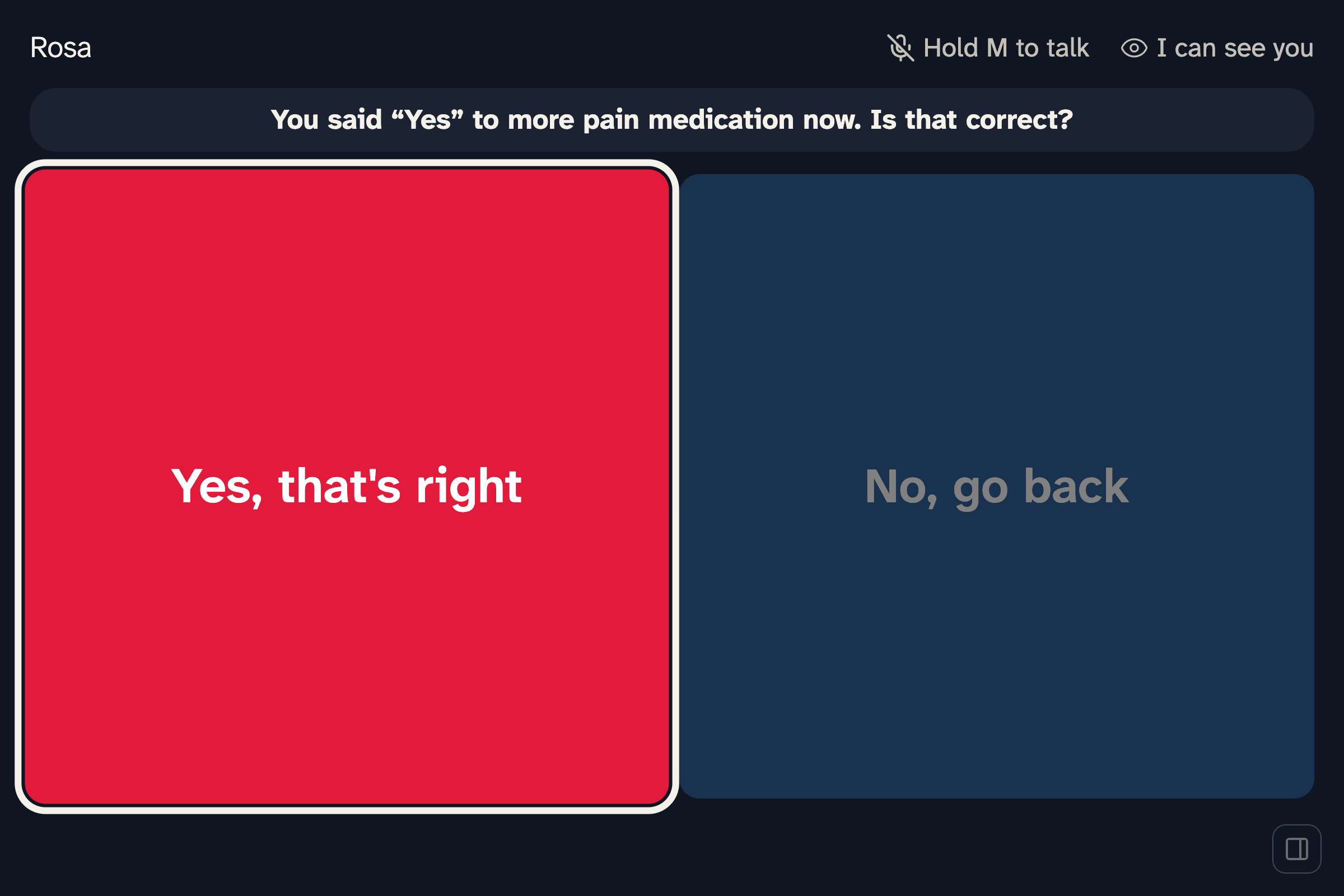
High-stakes answers are confirmed before they're spoken.
-
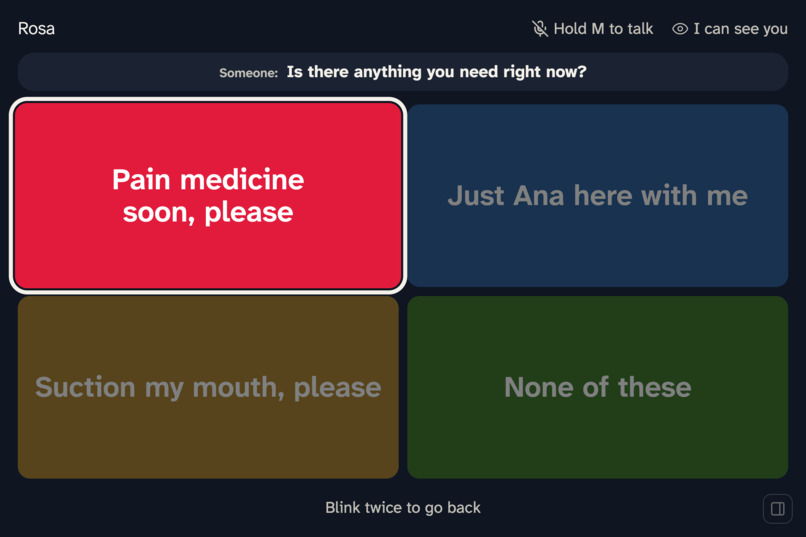
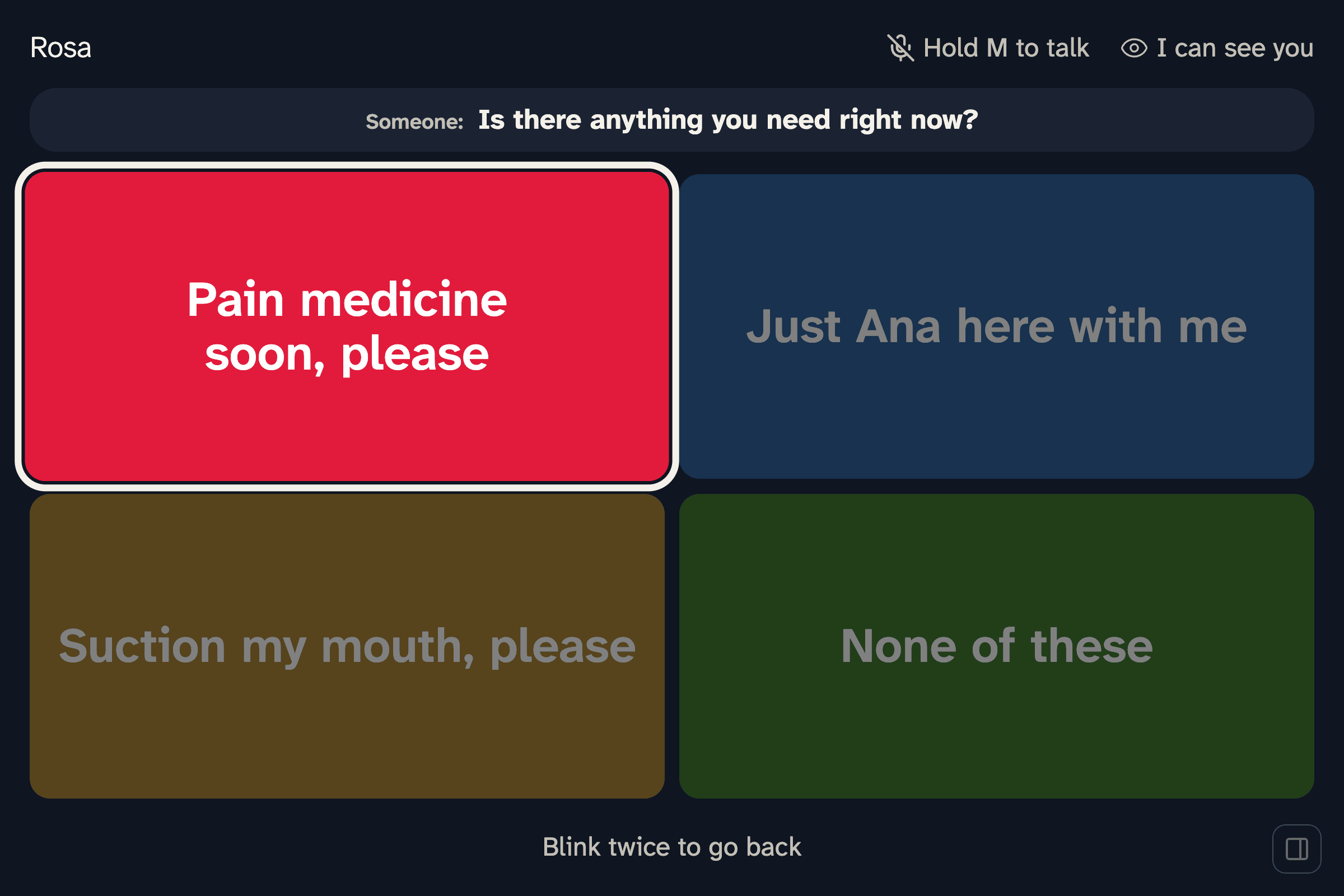
None of these asks again for different replies.
-
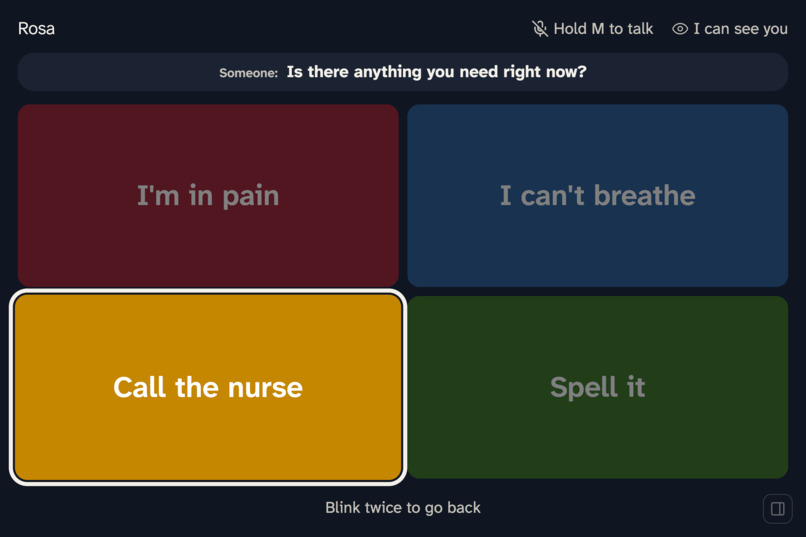
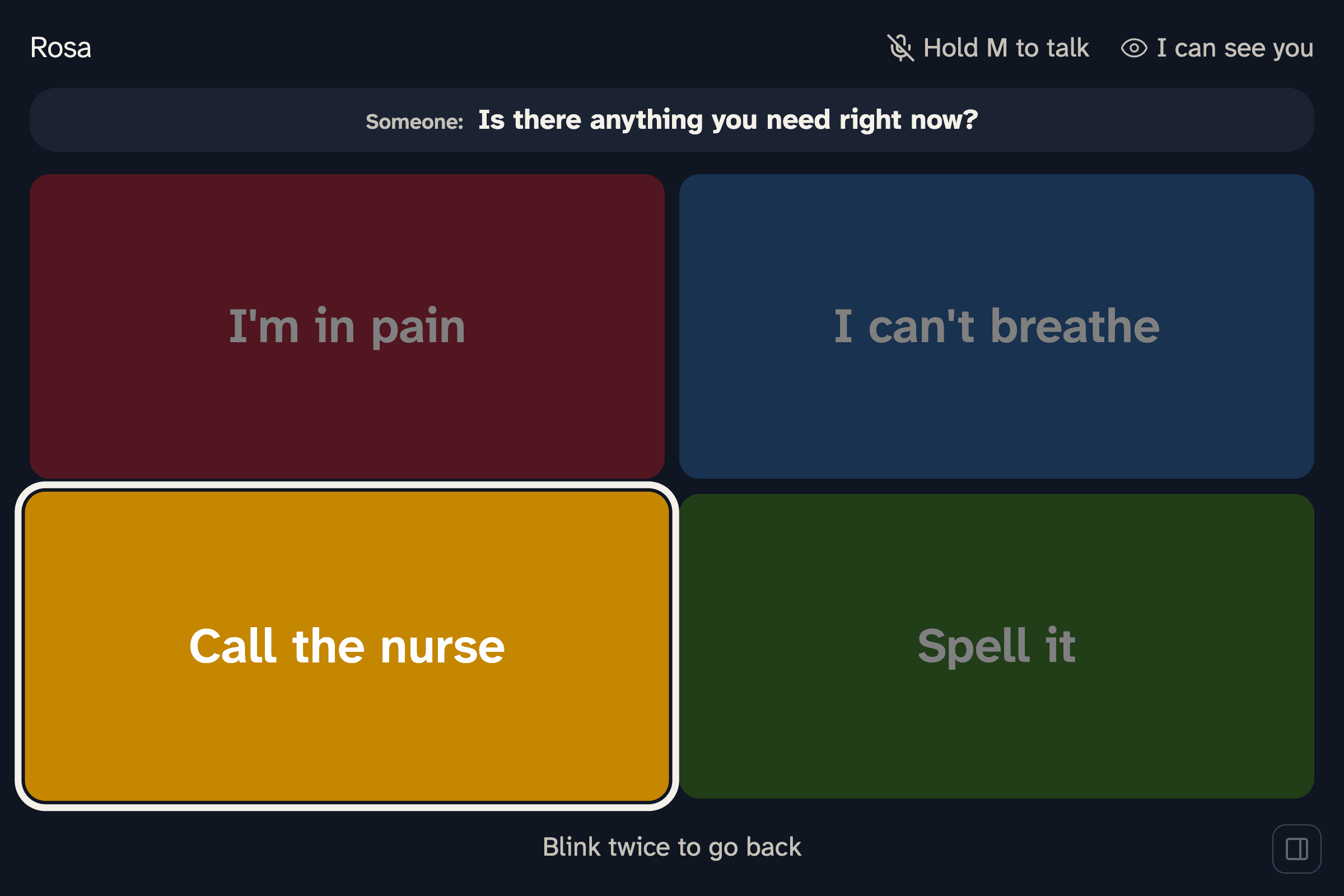
After two re-asks: the urgent phrases and Spell it.
-
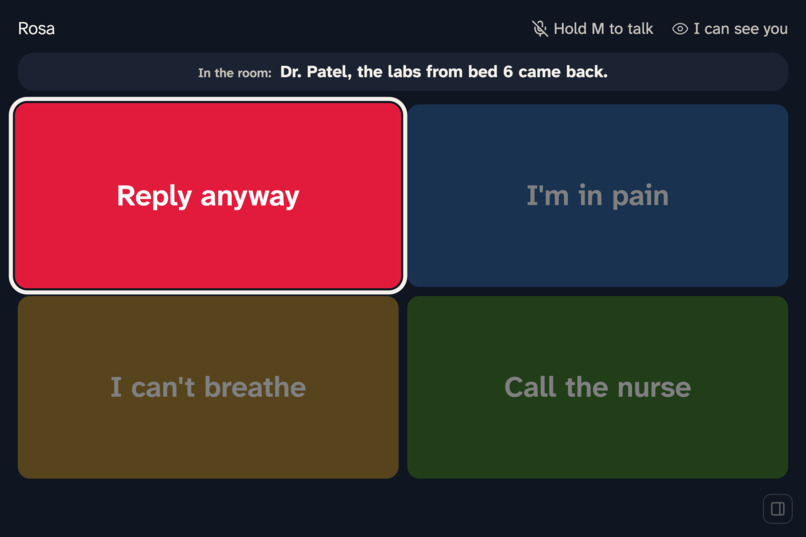
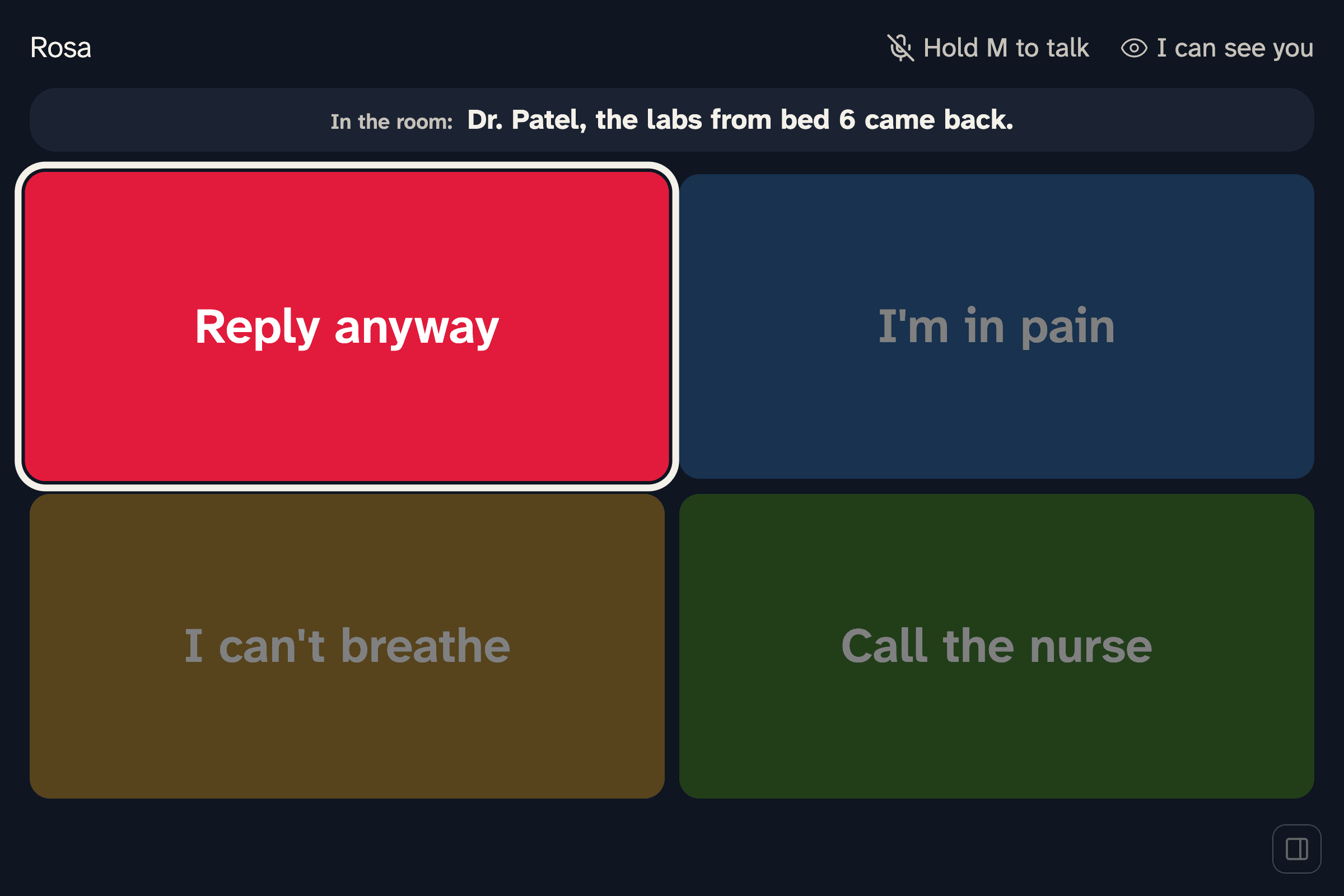
Talk that isn't meant for the patient stays quiet, with Reply anyway one pick away.
-
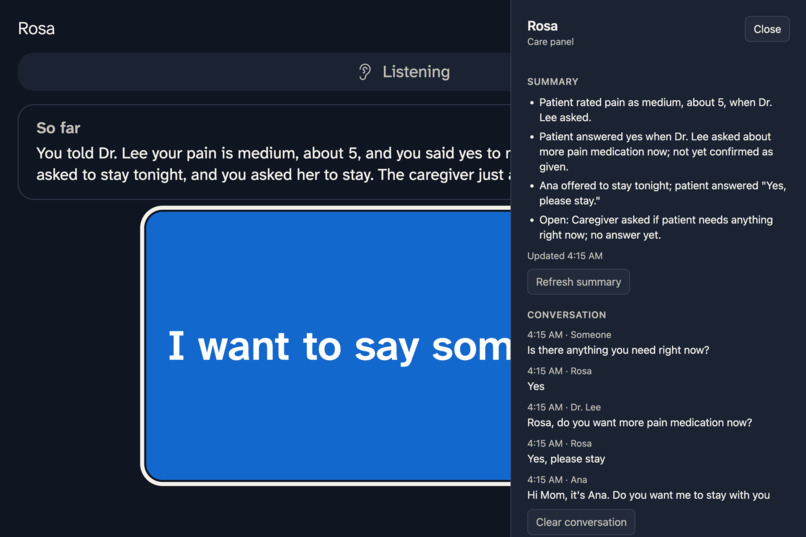
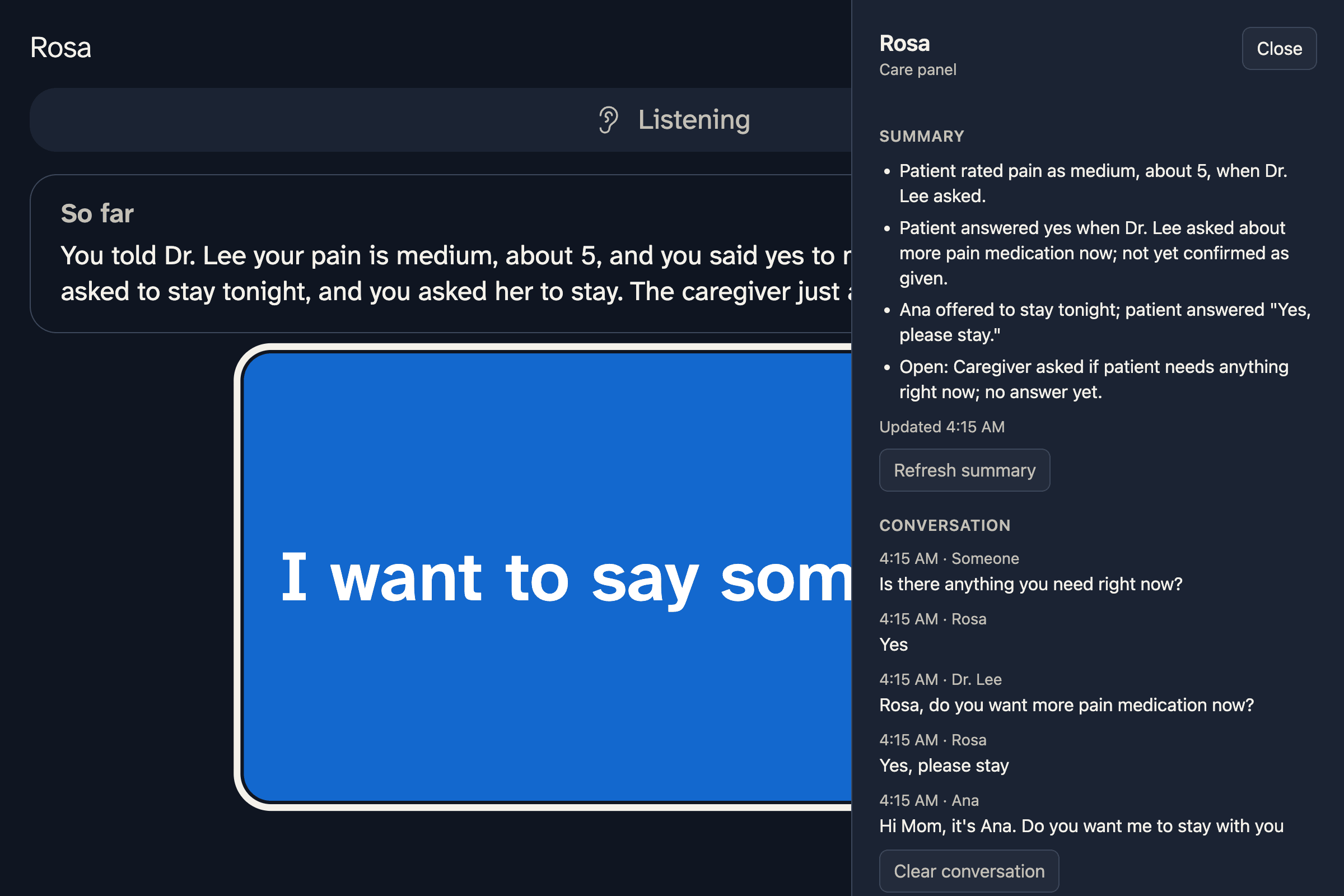
The care panel: alerts, a running summary, and who said what.
-
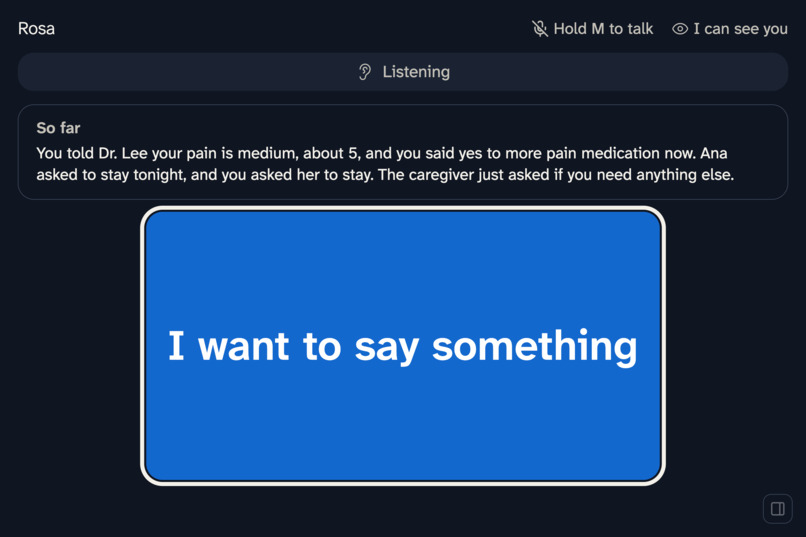
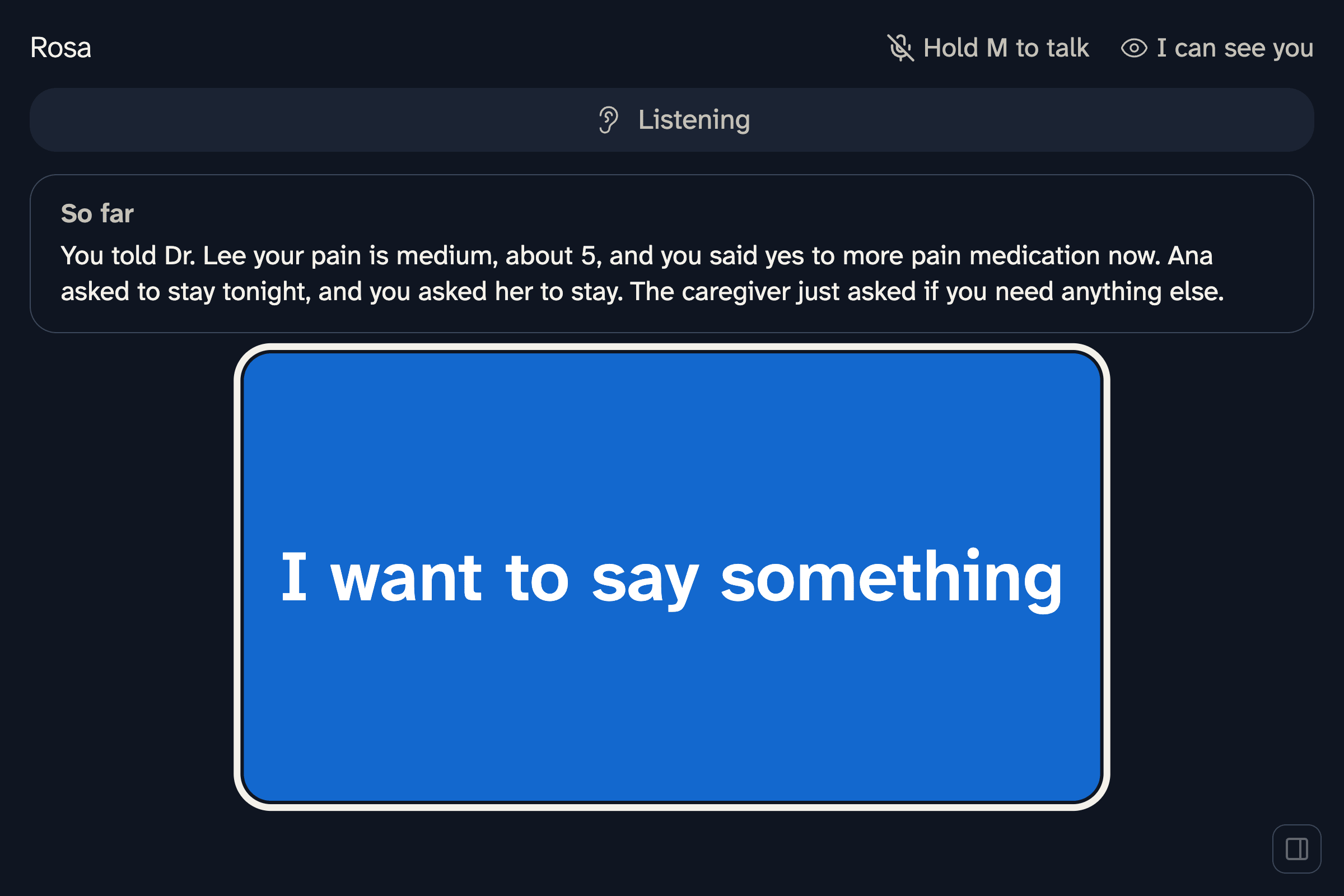
A short summary of the conversation so far, written for the patient.
-
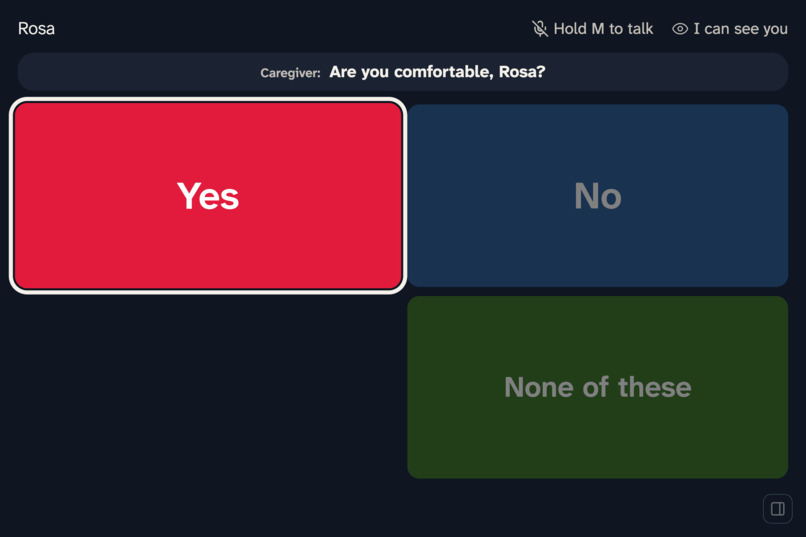
Tired mode: fewer, larger choices.
-
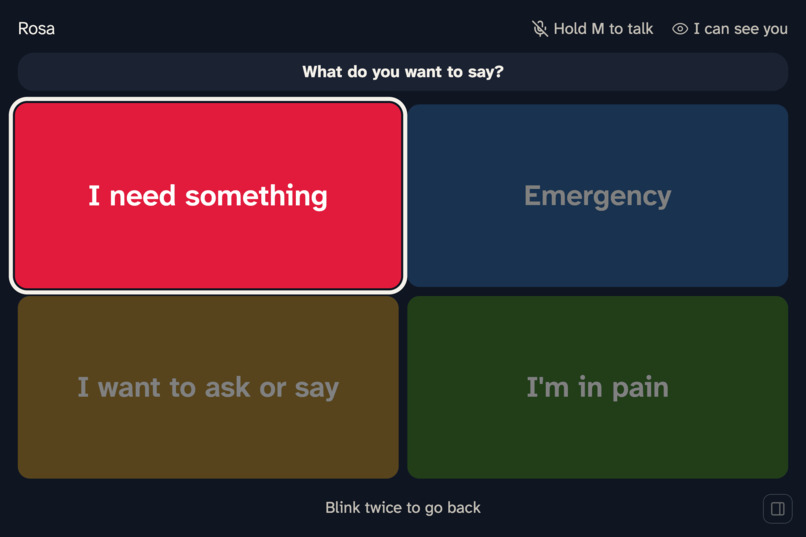
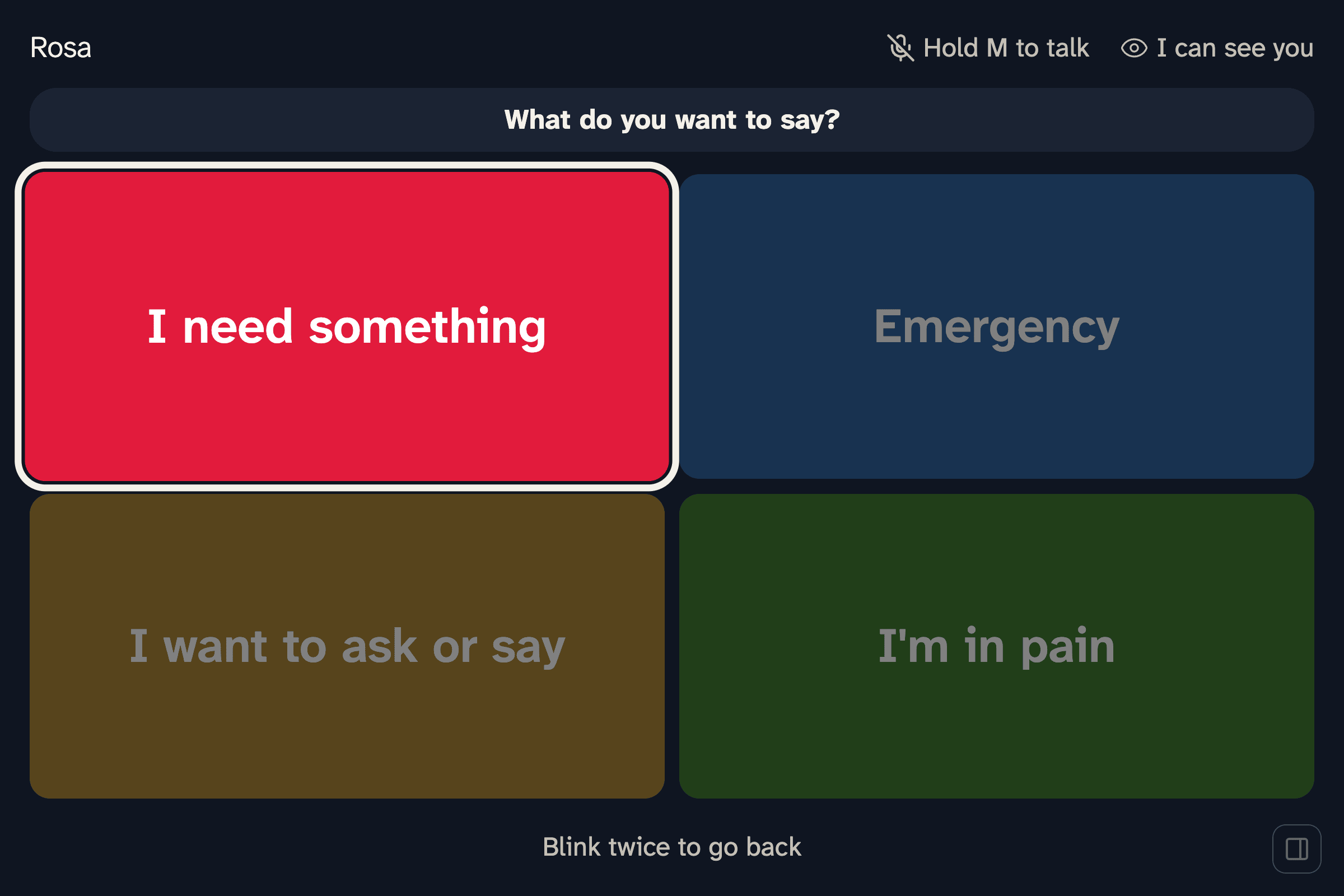
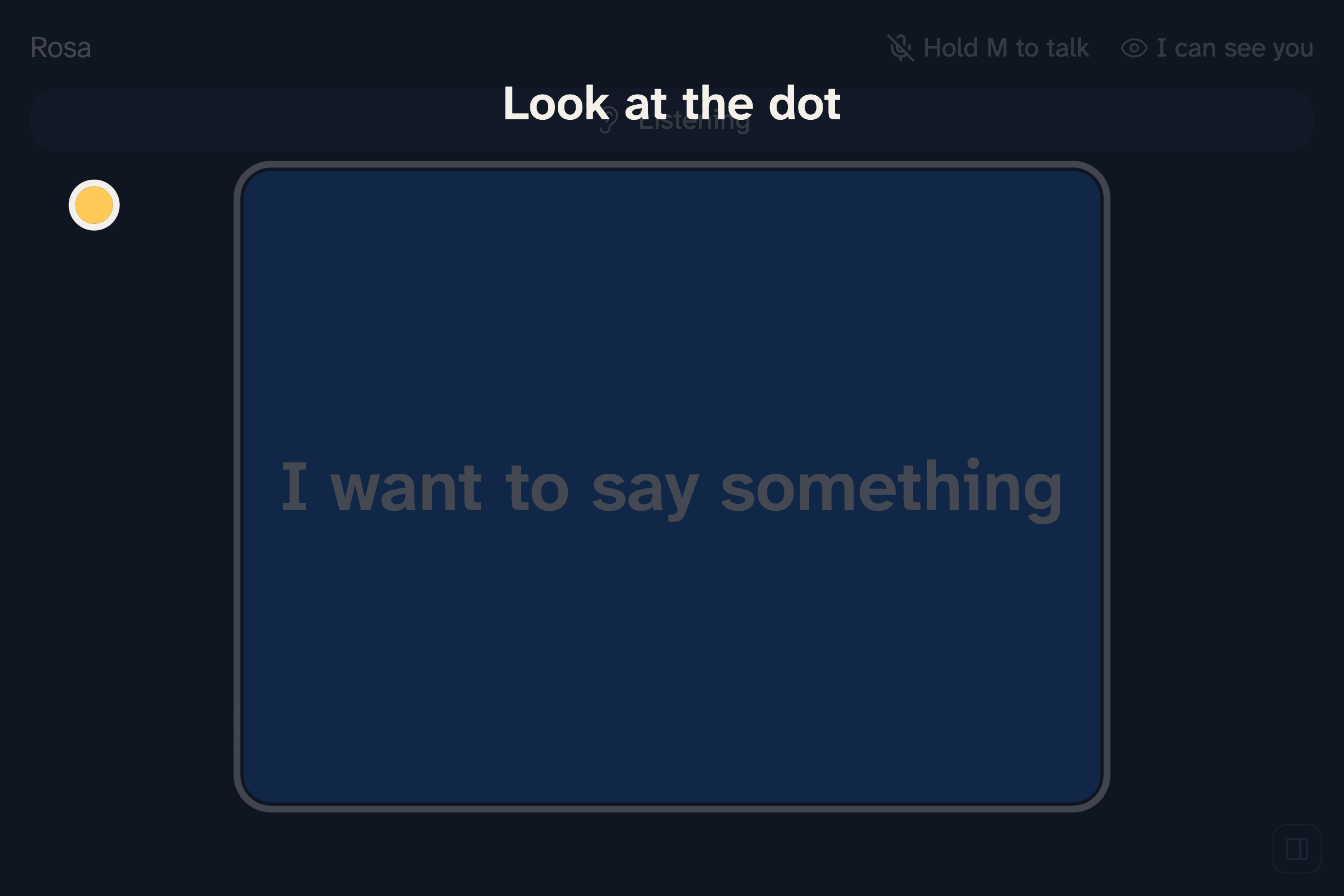
"I want to say something" opens a fixed start screen: needs, questions, Emergency, and pain.
-
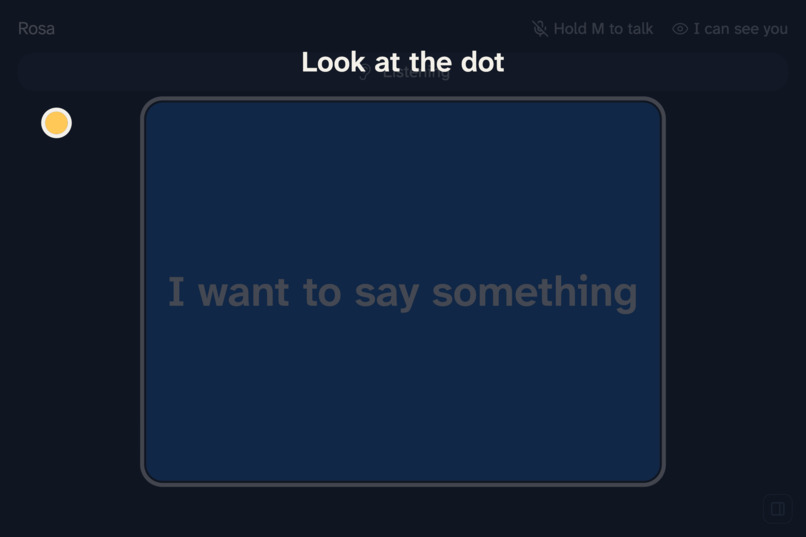
About 20 seconds of calibration: look at each dot, then squint.
-
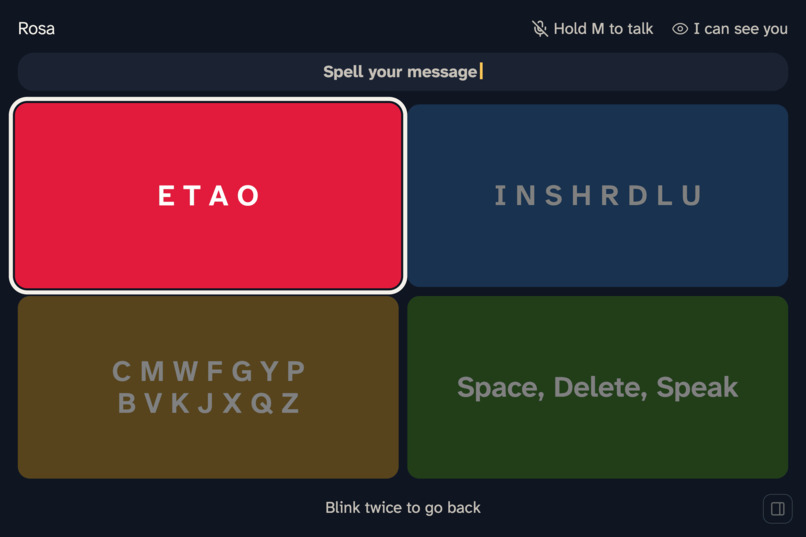
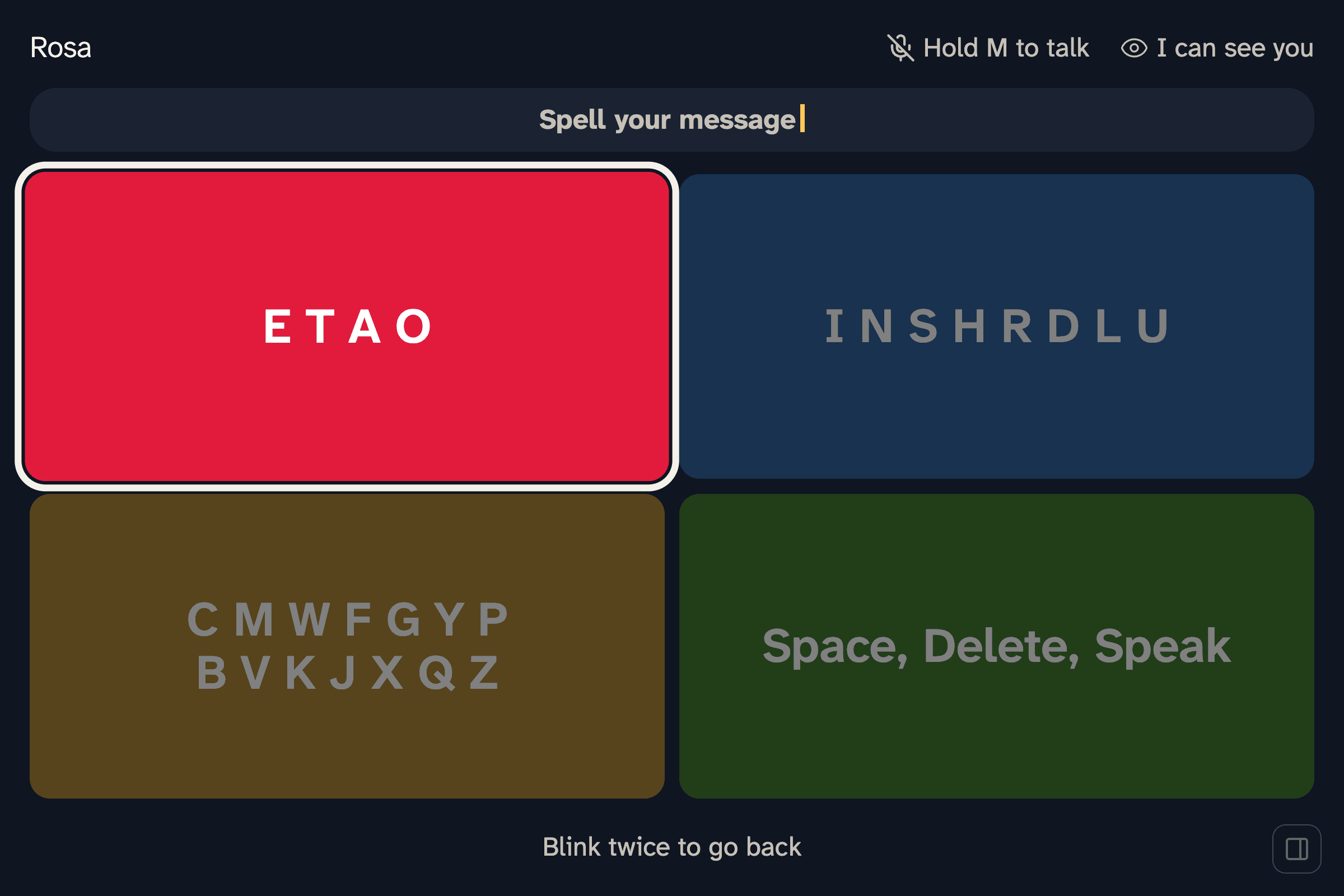
Spell it: the most common letters take two picks.
Inspiration
In the US, about 1.6 million adult hospital stays a year involve a ventilator (2018 data). In one study of 2,671 patients ventilated for two days or more, more than half were awake and responsive enough to communicate. They are often thinking clearly but can't speak, and sedation, restraints, or weakness can keep them from writing. In a study of 127 ICU patients, being intubated and unable to talk was rated more stressful than every other stressor measured.
The tools they get today don't close that gap. Most get yes-or-no blinks, or a letter board that someone has to hold and read aloud one letter at a time. A short sentence takes a long time, and anything with nuance tends to go unsaid. Eye-gaze communication devices exist, but they cost thousands of dollars, need a speech therapist to set up, and are built for people with ALS who spell at home over months. In the ICU they have only been tried in small pilot studies. A patient who wakes up on a ventilator needs to answer that day.
We wanted a patient to answer a question in a few seconds, in their own voice, with only their eyes and one webcam.
What it does
- A nurse or family member talks. The question appears as a live caption, labeled with who said it.
- Three short first-person replies appear in a 2×2 grid under the question, with None of these in the fourth box.
- The patient looks at a box to highlight it, then closes their eyes or squints for about a second to choose it. A ring fills while they hold.
- The reply plays in the patient's own cloned voice.
Around that loop:
- None of these asks again for different replies, twice, then opens fixed urgent phrases ("I'm in pain", "I can't breathe", "Call the nurse") and a speller.
- High-stakes answers get a second confirm. When a yes or no would make a medical decision (consent, a medication change, CPR), the replies become Yes / No / I need more time, and the patient confirms: "You said 'Yes' to more pain medication. Is that correct?"
- A double blink undoes a pick or goes back one page.
- Room talk stays quiet. When staff talk to each other ("grab the chart from room 4"), the screen doesn't jump to replies, and Reply anyway is one pick away.
- The care panel shows urgent alerts (with a chime and a desktop notification), a running summary, and the conversation labeled by speaker. The patient sees a short "So far" summary too.
- Tired mode shows two larger replies instead of three when blinking suggests fatigue.
How we built it
Blink2Talk is an Electron app that runs on one laptop with a webcam. It has four parts.
Eyes, on the laptop. MediaPipe Face Landmarker runs in the renderer once per camera frame. A calibration of about 23 seconds (center, the four boxes' outer corners, then a squint) learns where this patient's eyes go for each box and what their squint looks like. Left/right and top/bottom are decided separately, each from its own eye features, because a webcam reads them very differently (see Challenges). A hold of 800 ms or more selects, with a 1.2 s refractory period; 3 s closed counts as rest, not a pick. Camera frames never leave the laptop.
Replies, from Claude. A Node/Express server sends Claude Opus 5.5, in fast mode, the question, the recent conversation, the nurse's notes about the patient, and the phrases the patient picks most. A JSON schema forces exactly three first-person replies of eight words or fewer, with different intents. The same call decides whether the question is high stakes, whether it was meant for the patient at all, and what to call the speaker ("Dr. Lee", "Your daughter"). Claude Opus 5.5 writes the two summaries in the background. If Claude times out, the server falls back to Yes / No / I need more time. We tuned the prompt against an eval of labeled nurse phrases, each reply set graded 1 to 5, and checked it on 34 phrases it was never tuned on: the grade rose from 3.76 to 4.38, and median latency fell from 1.53 s to 1.16 s.
Voice, from Cartesia. The nurse's mic streams to Cartesia Ink-2 over a WebSocket, and Ink-2's turn detection decides when the question is done. Replies start on its early end-of-turn signal. The browser gets a short-lived STT-only token, never the API key. Sonic-3.6 speaks each reply in a voice cloned from about 30 seconds of a teammate's recording. Audio for every reply is fetched as soon as it appears, so a pick plays without waiting, and the urgent phrases are generated at startup.
Who's speaking, on the laptop. NVIDIA's TitaNet-Large speaker model, run through sherpa-onnx in Electron's main process, turns each mic turn into a voice print, so the same person keeps the same label. Claude names each voice from what it says.
We mapped the loop in FigJam, generated from a Mermaid diagram through the Figma MCP server, designed the patient screens in Figma, and pulled screens into code. Then testing changed the layout in code: Figma's single row became a 2×2 grid in the screen's corners, then a Kahoot-style 2×2 under the question. We also tried a row of four boxes picked by looking left or right, and went back to the Kahoot 2×2 when the row worked worse in our testing.
Testing: 54 unit tests for the eye module on synthetic signals, 16 unit tests for the app, 58 end-to-end checks that drive the real app with the camera and mic blocked, and a stress test of 3,000 random inputs plus 60 full question-to-speech cycles with flat memory.
Challenges we ran into
- Up and down is much harder than left and right. In one recorded session, left/right eye readings separated by 17 to 23 times the noise, top/bottom by less than 2 times, and the vertical readings drifted with eyelid opening within minutes. In a combined classifier, that drift flipped picks. We now decide each axis from its own features and put the calibration dots on the boxes' outer corners. We also tried four tall boxes in a row, picked by left-right alone, but it worked worse in our testing, so we kept the 2×2. An 8-second re-center check corrects drift during a session.
- The tracker learned its own mistakes. We let kept picks teach the tracker where each box is. In one session the app kept saying "I can't breathe": wrong picks that nobody undid had taught it to lean top-right. Learning from picks is now off by default.
- The face model ran too often. Our camera loop ran on every display refresh, about 110 face-model runs a second on a 120 Hz MacBook. That lagged the page and shrank the blink filter to about 28 ms. Running once per camera frame fixed both.
- Slow replies, then wasted replies. Opus took 3.4 to 5.5 s per reply, so replies moved to Haiku (about 1.3 s median), but Haiku often spent two boxes on one answer ("Yes, I am thirsty" and "Yes, I'd like some water"). A rewritten prompt plus Opus 5.5 in fast mode fixed both: on 34 held-out phrases the grade rose from 3.76 to 4.38 of 5 and rule problems fell from 4 to 0, at 1.16 s median. Venue Wi-Fi can still add seconds; starting on Ink-2's early end-of-turn signal and prefetching the voice hide much of it.
- Questions split in two. Nurses pause mid-question, and replies came back for half a question. A mic turn that starts within 6 seconds of the last one, before the patient picks, now extends the same question.
- Keyword rules misjudge stakes. Our first high-stakes rule asked the patient to confirm "okay with the lights off?" Claude now makes that call and got all 9 of our test questions right (CPR, a feeding tube versus the lights, pain level, visitors). The keyword rule is only a fallback.
Accomplishments that we're proud of
- The full loop runs live on one laptop: a spoken question, three replies, a pick with the eyes, and the answer in a cloned voice.
- Safety is designed in: urgent phrases are hard-coded, never generated; the patient picks every word that's spoken; high-stakes answers are confirmed; and a wrong "not meant for you" guess never silences the patient.
- Camera frames and voice prints stay on the laptop.
- We measured instead of guessing: a reply eval with held-out phrases, and every eye calibration published in the README, including the bad ones.
What we learned
- Every pick costs the patient about 2.3 seconds (dwell, hold, and refractory), so a reply set should maximize the chance that one box fits. "Yes", "Yes, a lot", and "Yes please" spend three boxes on one answer.
- Record before tuning. Logging eye readings each session (numbers only, no images) showed us the vertical drift and the learning loop. Guessing didn't.
- A laptop screen spans only a few degrees of eye movement, so where the targets sit matters as much as the model.
What's next
- Test with clinicians, then with patients under proper consent and oversight. So far only our team has used it.
- Correct for head turns during calibration. When a patient turns toward a box, the eye-in-head readings move the other way and can pick the wrong box.
- Check blink and squint thresholds across eye shapes, lighting, and distances.
- Finish an on-device reply engine that first classifies the nurse's turn (yes/no question, choice, news, procedure, consent) and fills fixed slots, so most replies need no network.
- Explore running on screens already at the bedside, such as patient-engagement displays.
- Connect urgent picks to the hospital's nurse-call system and the care team's phones, so "I can't breathe" reaches someone outside the room. Today the alert only sounds in the room.
- Track the eyes better with better cameras: a second camera or a depth camera to correct for head turns, and an infrared camera that works in a dark room at night.
- Let the patient do more than answer: pick a show, a movie, or music on the room TV with the same look-and-squint.
Limitations
Blink2Talk is a hackathon prototype, not a medical device, and it hasn't been tested with patients. It needs the patient to hold their gaze, so it doesn't work yet with nystagmus or a swollen eye. Replies, captions, and the voice need a network connection.
Built With
- anthropic
- cartesia
- cartesia-ink
- cartesia-sonic
- claude
- claude-code
- claude-haiku
- claude-opus
- electron
- express.js
- figjam
- figma
- figma-slides
- javascript
- mediapipe
- node-llama-cpp
- node.js
- nvidia-titanet
- onnx
- qwen
- rolldown
- sherpa-onnx
- typescript
- vitest
- websockets

Log in or sign up for Devpost to join the conversation.