Inspiration
On one side, this idea was in order to call for help discretely. This is for covert emergency calls, personal safety, undercover operations, medical emergencies, etc. We've overheard stories of our friends being in suspicious situations where calling someone on your phone would put them in more danger. I've heard stories from my university friends where the campus may seem dangerous at night, and blink twice if you need help is a tool to overcome that.
But if we went down to where this idea truly came to fruition, it stemmed from both videos online of people thinking someone is in a hostage situation and they need to blink twice if they need help. We started imagining ourselves in similar situations such as situations where I'd get sent to the principal's office or on a bad date that you need to get out of.
What it does
The phrase "blink twice if you need help" is often portrayed as a discreet signal used by someone who is in a distressing or dangerous situation but is unable to communicate openly. The idea is that blinking twice, which might go unnoticed by those around them, serves as a subtle plea for assistance. This is a wearable device that people can wear anywhere.
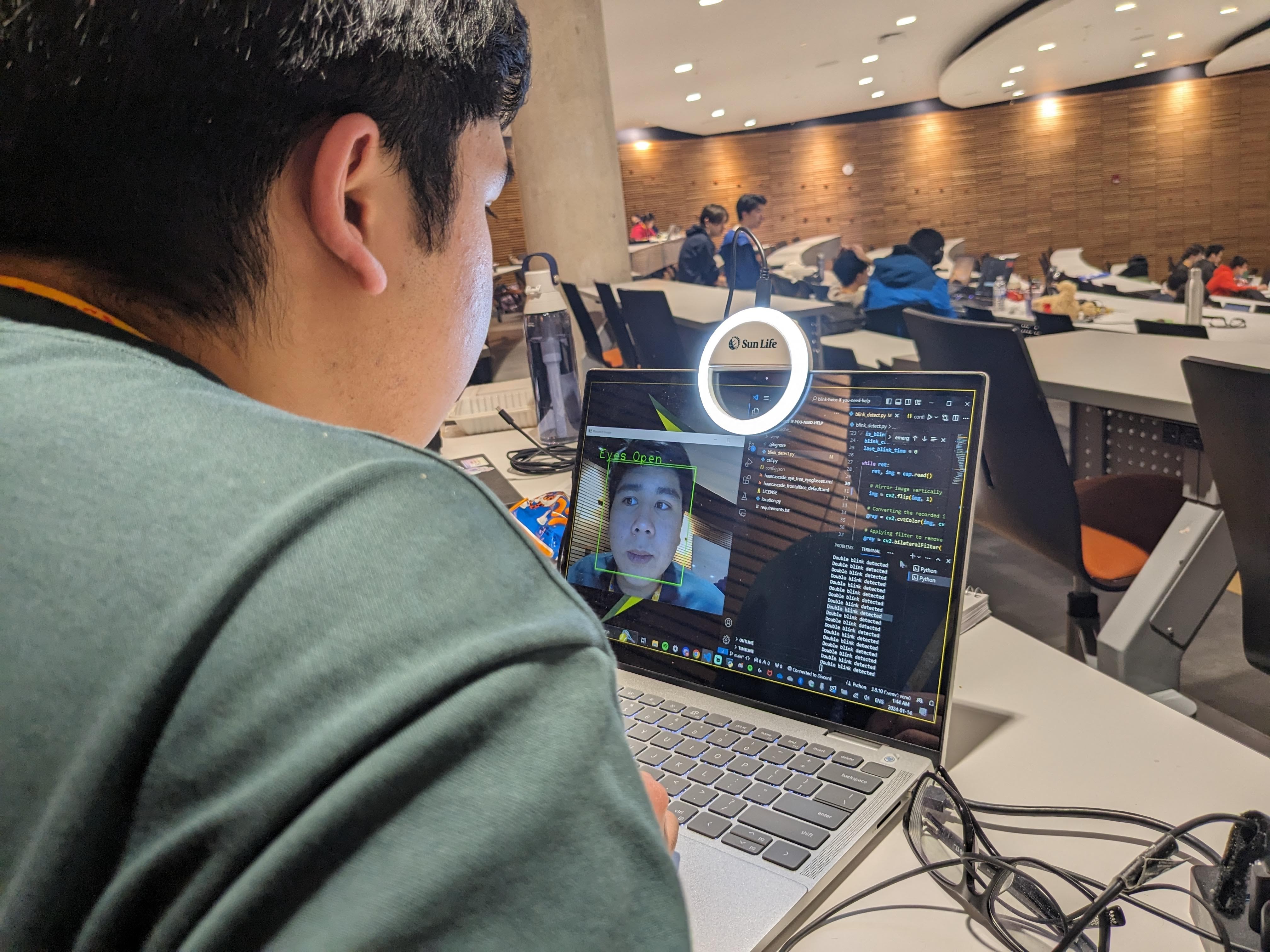
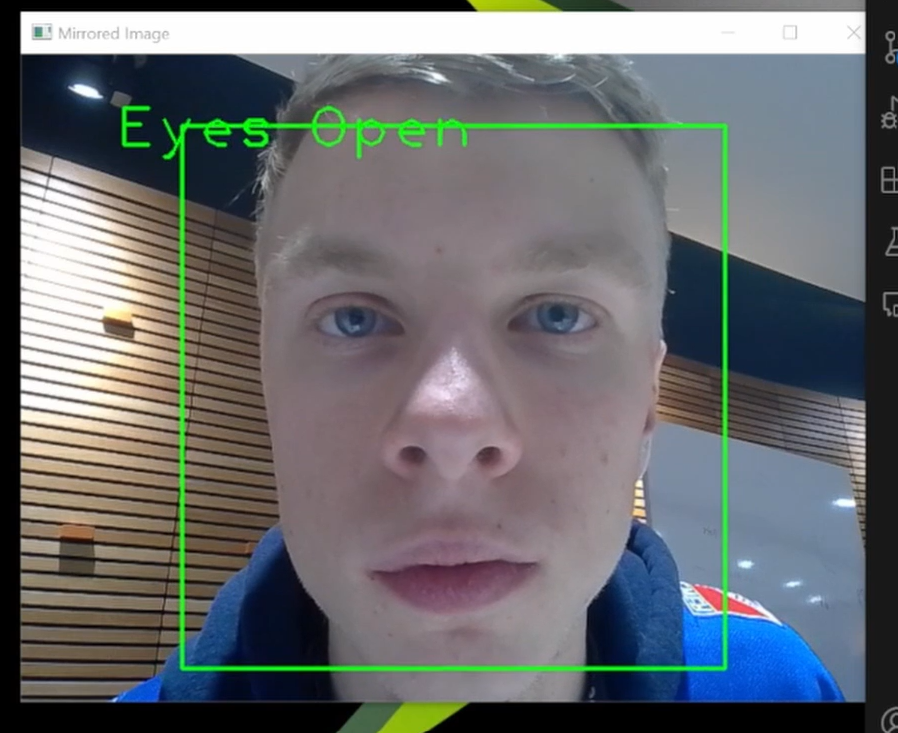
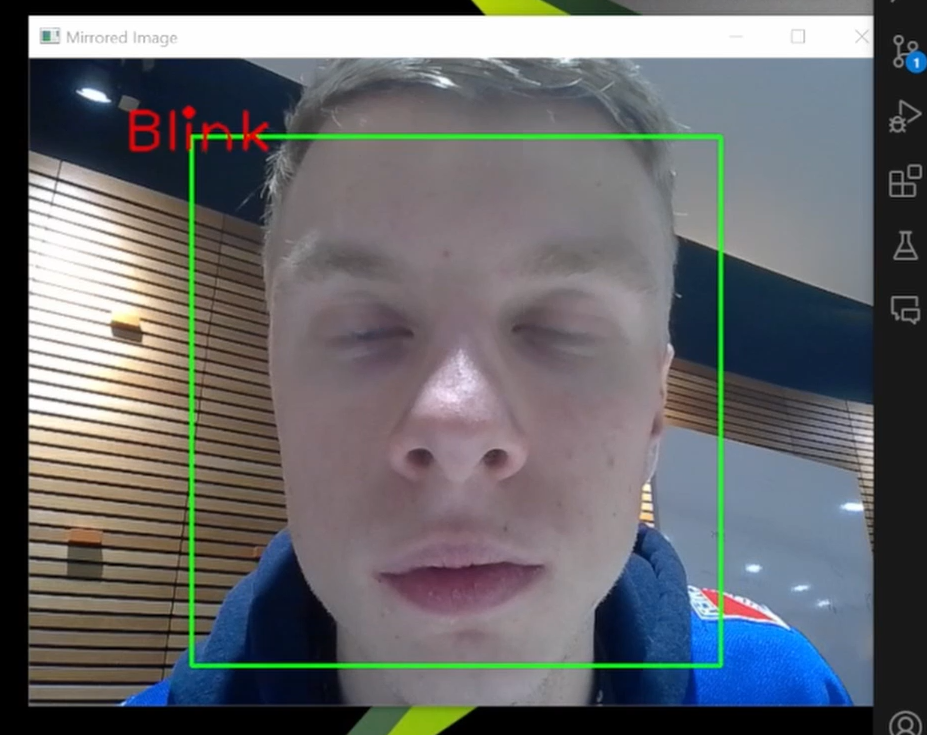
Choose an emergency contact number, and our wearable headwear will instantly call them, providing location, IP address, and vital details for swift assistance in dire situations. By processing live video of your face using Python Object Detection with OpenCV, it detects double blinks, triggering an immediate call through Twilio.
How we built it
We referenced an open sourced OpenCV model using haar cascades to feature map the user's face.
A twilio account was created to also call a selected phone number, where in real use, this can call a friend, loved one, family, or emergency services.
Challenges we ran into
We ran into issues running the model and tuning the lighting on our faces to get OpenCV to reliably detect blinks.
We also had trouble getting blinks to register 2 times in a row minimizing false positives. A flag was created for the demo just to demonstrate our idea for this.
We had trouble initializing a Twilio account and setting up the account information for our free trial to even work.
We split up the project for 2 people and integration of both sides of the blink detection and calling a number was something that took some time
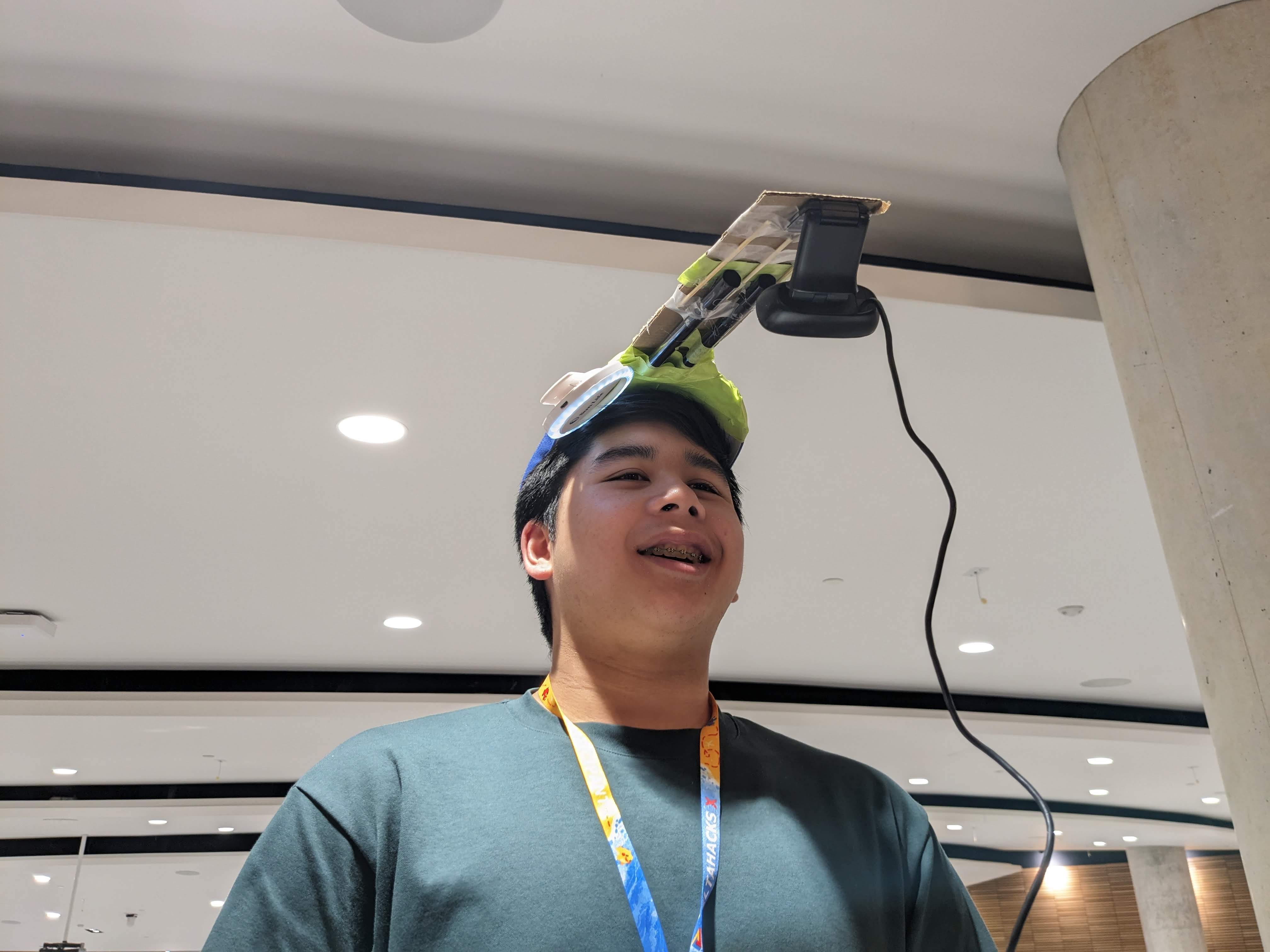
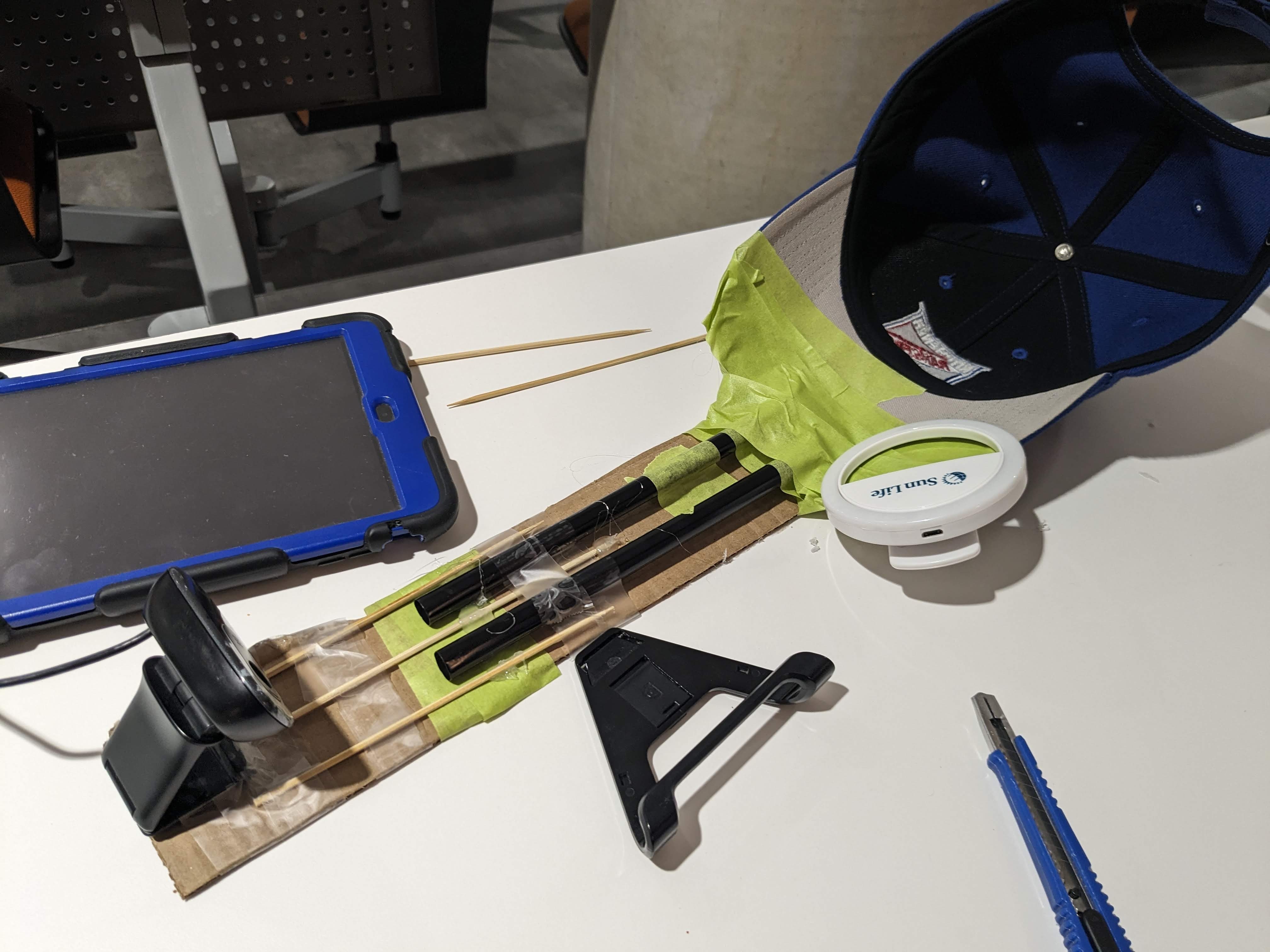
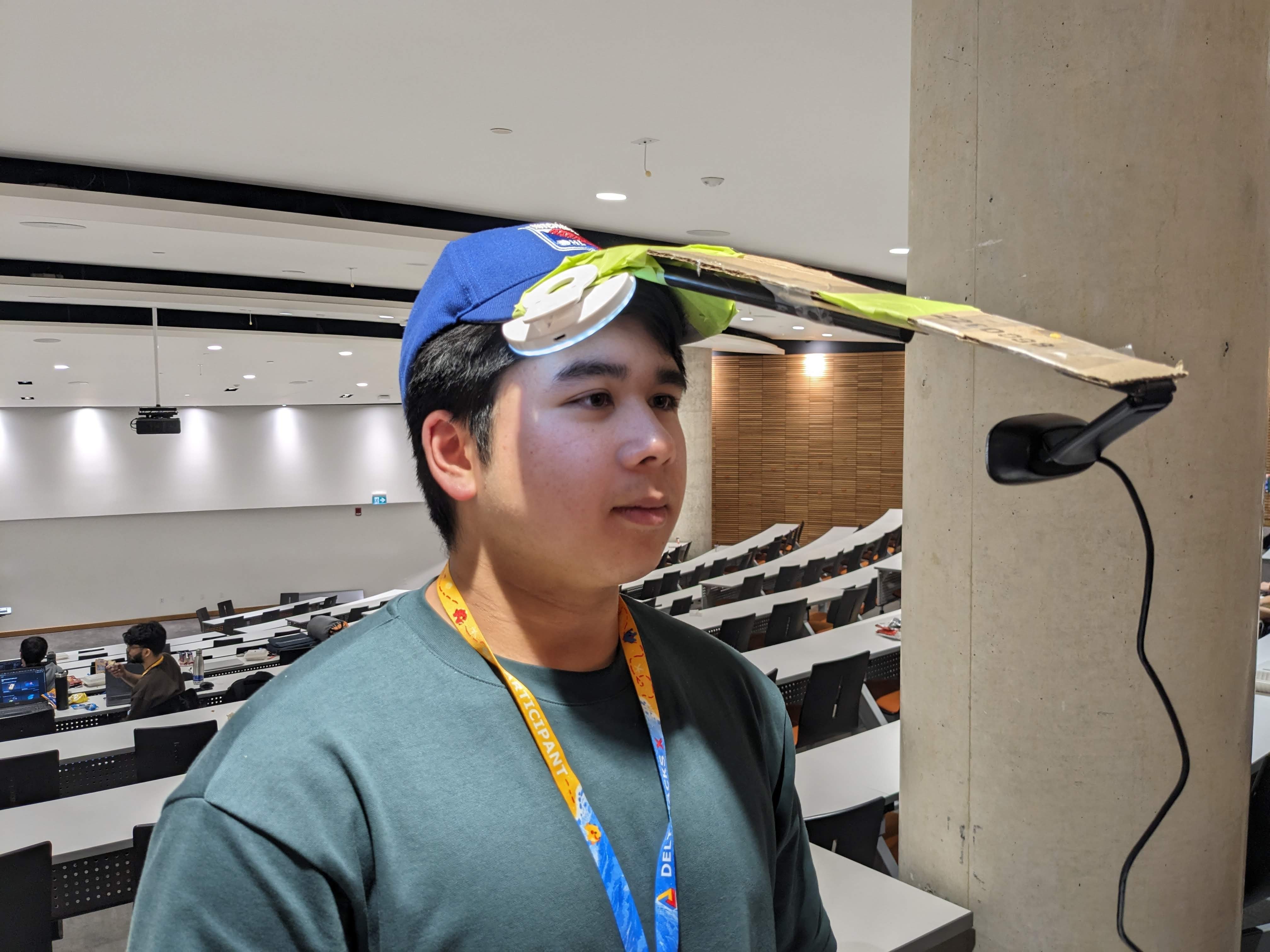
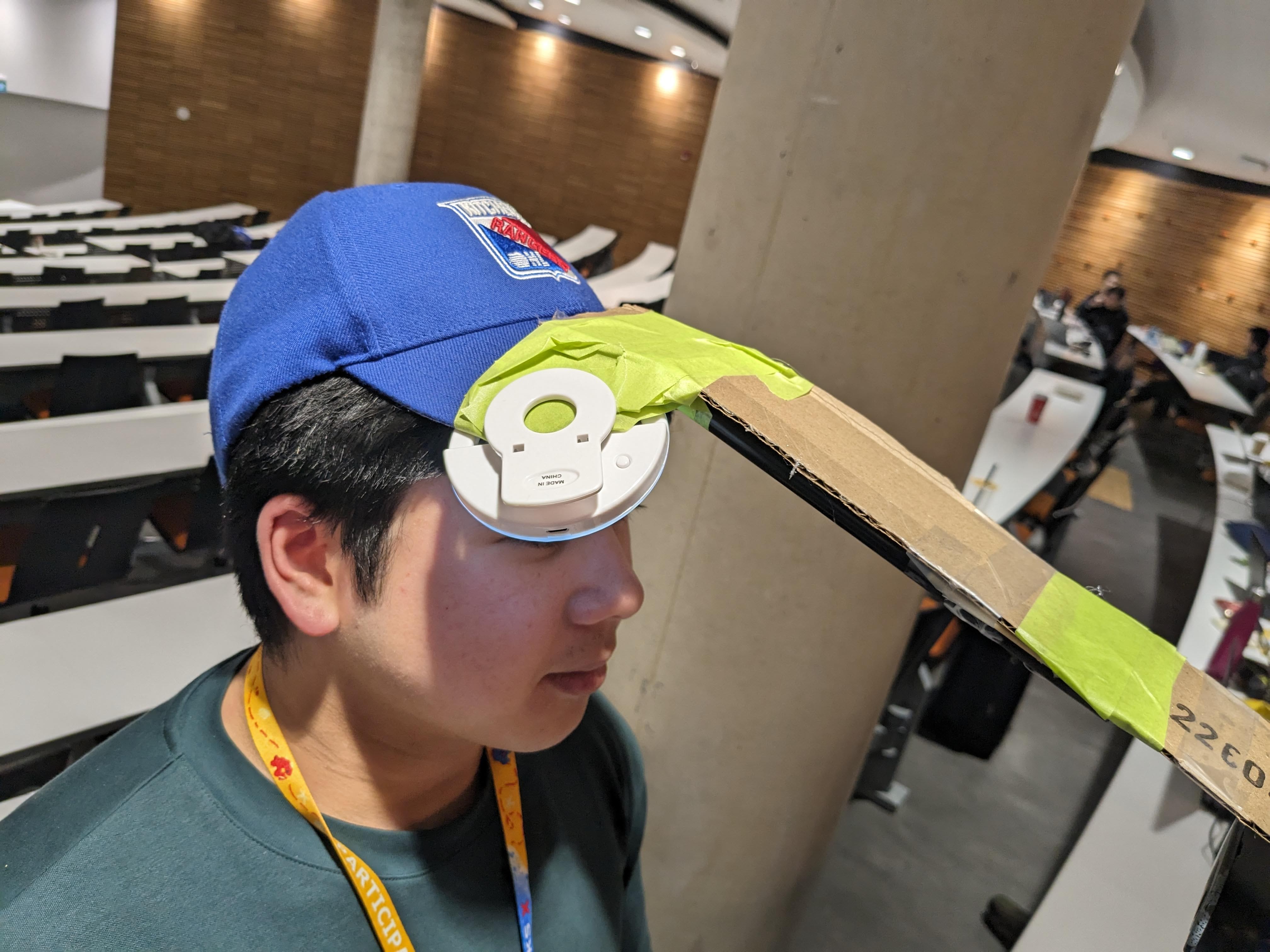
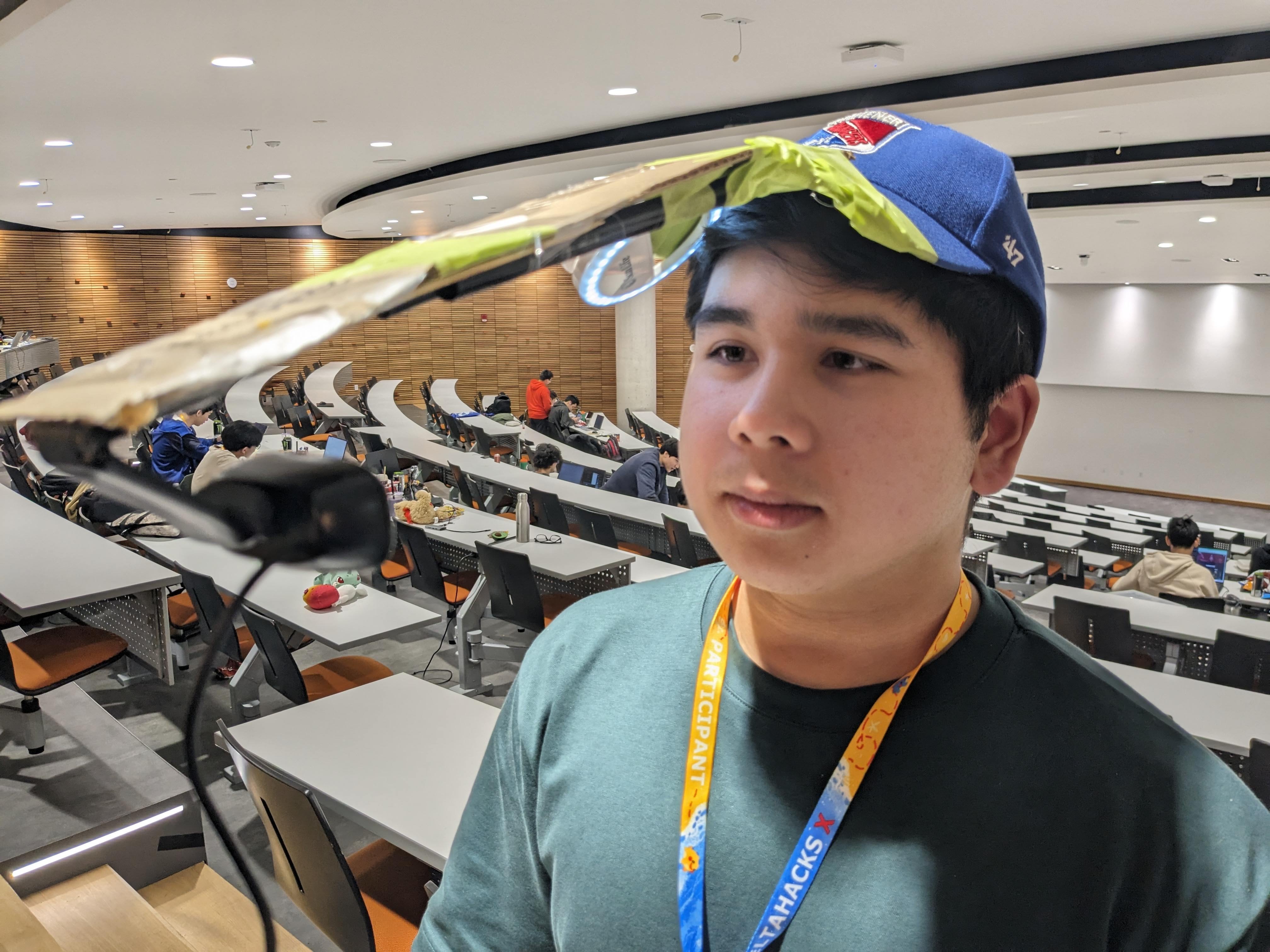
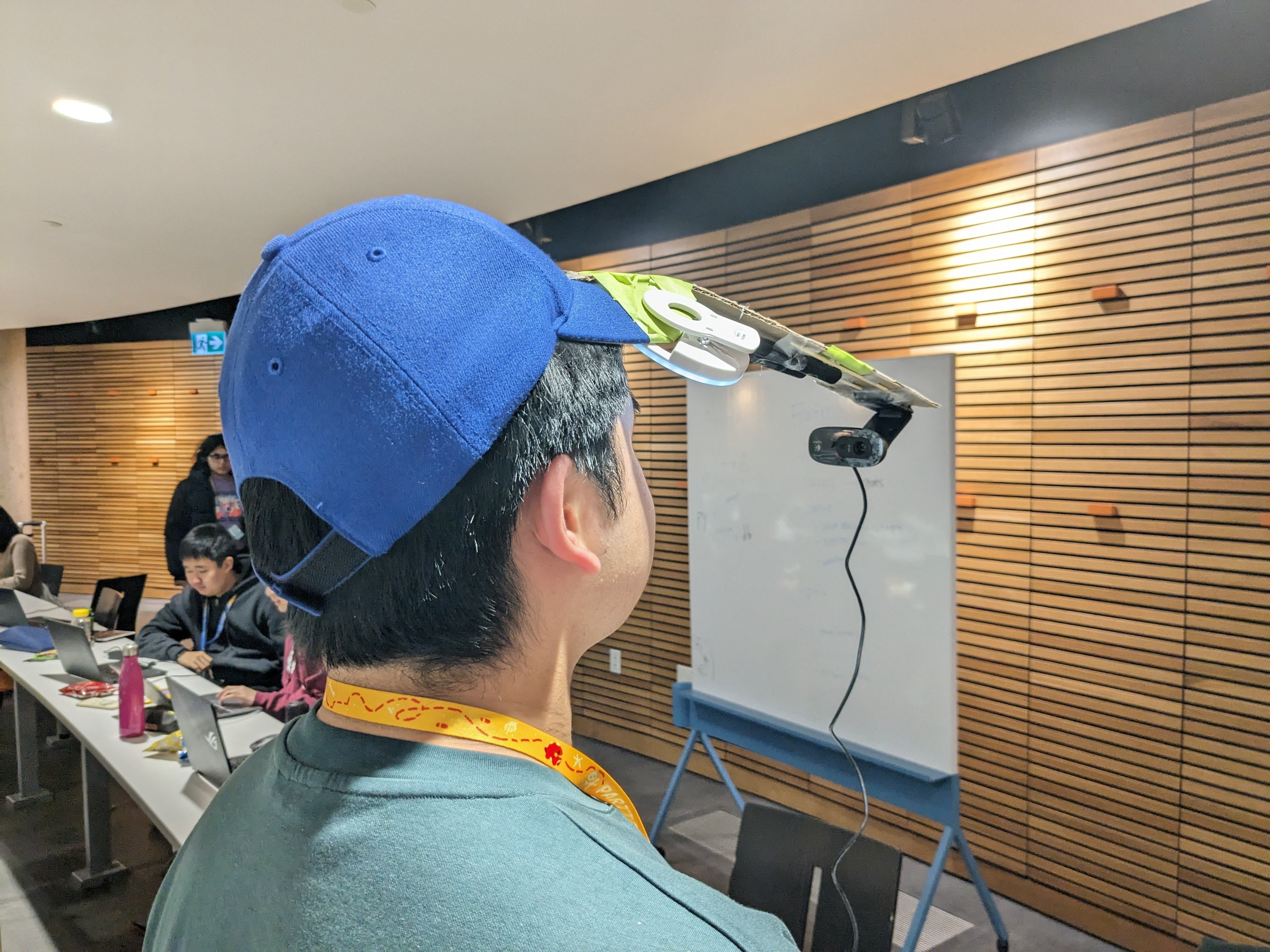
Another challenge was getting a camera mounted as a wearable device on a hat. We could not wreck the hat (it's Adam's hat) and we only had resources that we can find around PGCLL, masking and scotch tape, boba straws, and glue to mount a webcam far from the user's face.
The problem was that the blink detection works in very specific conditions and we created a wearable hat device that controls this environment using a ring light and cardboard to have the camera mounted at the user's face in correct conditions.
Accomplishments that we're proud of
We were so excited to get both sides to work. Getting a script to detect double blinks alone and print to the terminal was an achievement for us. We were so excited to play around with the camera and actually see it detect 2 blinks at a time.
We were also so excited to actually be able to output audio to Adam's phone over a call. The location information is delivered smoothly and on command.
The biggest achievement was integrating both of these together. Once we actually were able to blink twice and a call was initialized through that action, we were so happy that we had something to demo.
What we learned
24 hours is not a lot of time
We realized that getting a demonstration of our idea was most important; how clean the code or wearable looks doesn't matter so much, as long as we have a fun idea that we want to create.
Spending time planning saves so much time in the long run. We clearly defined our minimum product for demonstration and that saved us time discussing new ideas or different ways to approach the problem
We prioritized core features so that a minimal product is created for demo. There were features and frontend ideas we had for ease of use, but we realized that this was unnecessary to convey our demonstration of the solution to our problem.
We ended up sticking with this minimal product and any additional features we end up getting pushed to our project is just extra.
What's next for Blink Twice If You Need Help
Our ideas on what we couldve accomplished for this project is:
- Measure for false positives, right now it's fine tuned to blink times of Gavin
- Overtime, it should also record the successive blinks of the user, we are aware that the user might just blink twice randomly, and there should be a detection for this based on past blinking information
- Some ideas we had were to either log the user's blink patterns on a database overtime,
- Of course a better wearable hat design
- Use some LLM to feed context of the situation that the user is in based on audio it can hear but also respond to a phone call from the other end of the line given context of the situation
Funny debugging:
We used Minecraft to see if we can ping a device locally over the eduroam wifi by setting up a LAN server for minecraft for us to play on.


Log in or sign up for Devpost to join the conversation.