-
-
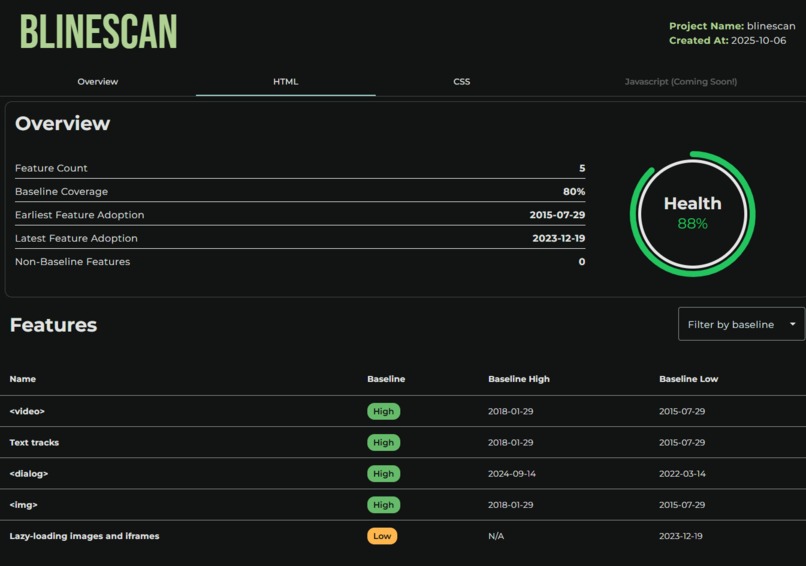
HTML Page
-
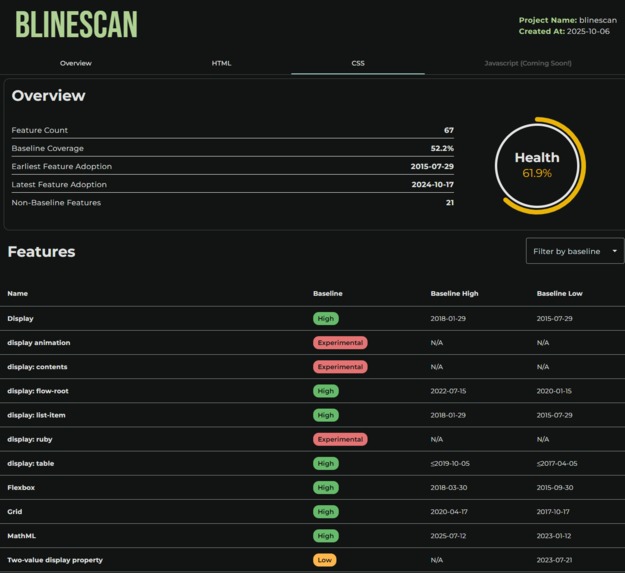
CSS Page
-
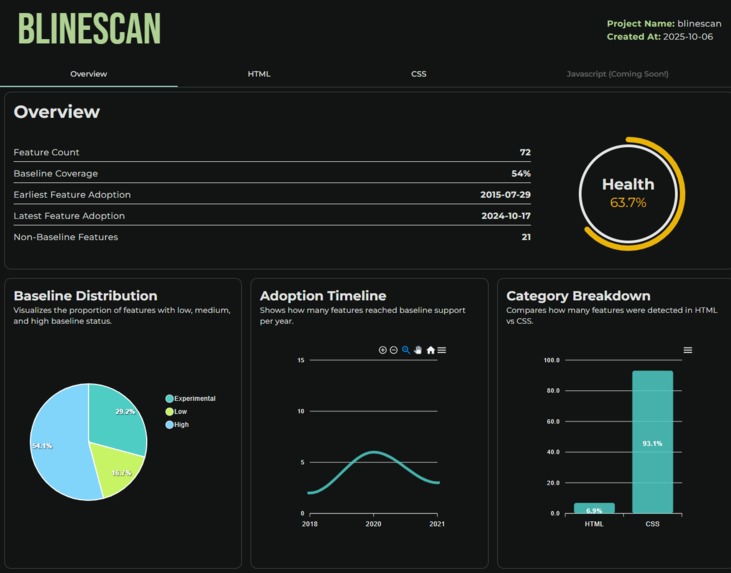
Overview Page
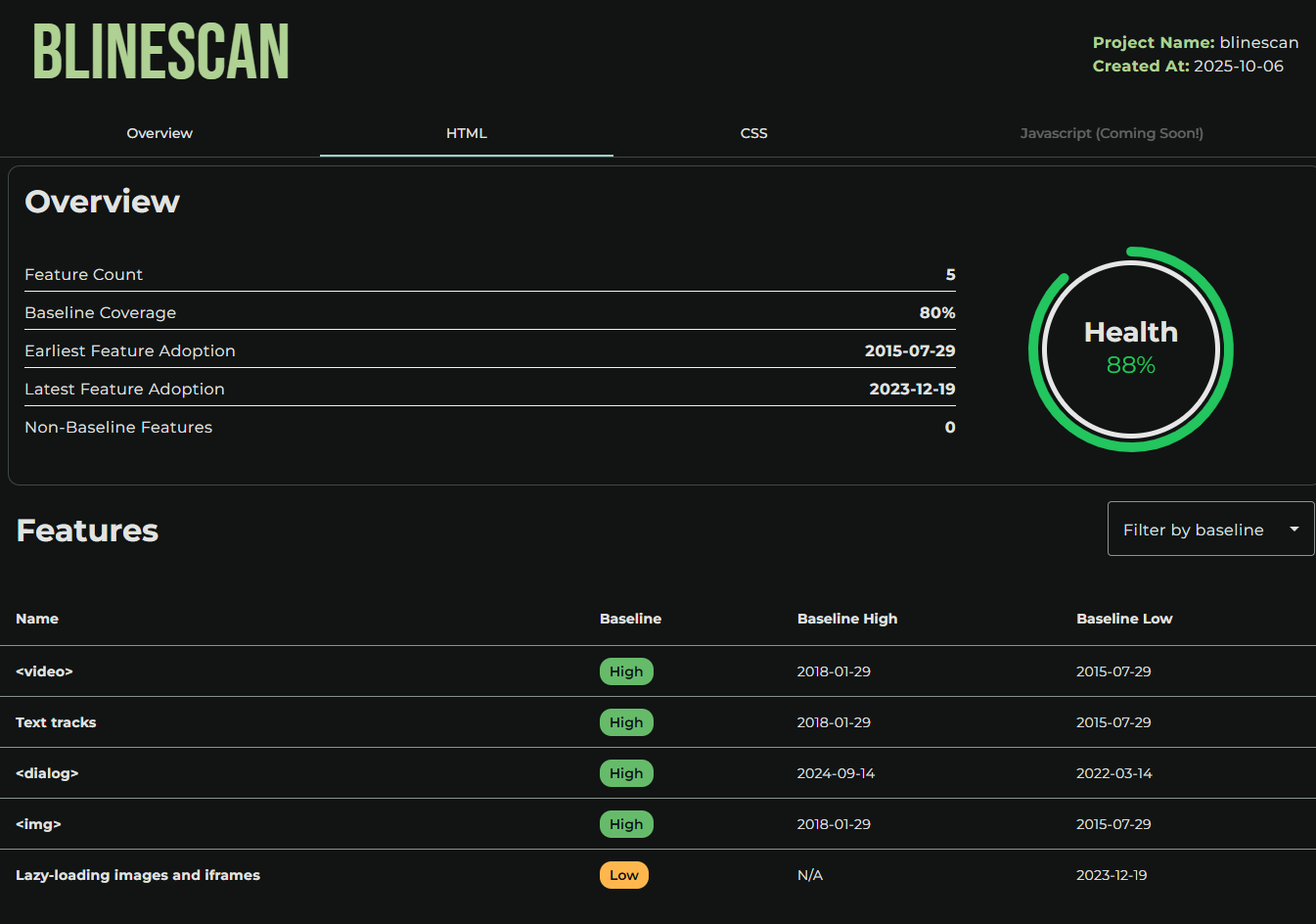
Inspiration
Modern web projects rely on cutting-edge HTML, CSS, and JavaScript features, but these innovations often come with hidden compatibility risks. Many existing tools focus on linting, performance, or developer experience, but few help teams see how “safe” their code is for the browsers their users actually use.
At the same time, modern development is deeply collaborative and teams are distributed, supervisors need visibility, and communication gaps often lead to broken user experiences when new browser features aren’t universally supported.
BLineScan combines the power of Baseline compatibility data with an accessible dashboard. It is a tool not just for coding, but for sharing understanding.
Developers get a CLI to analyze, teams get a clear report, and everyone gets the same visibility into browser readiness.
What it does
BLineScan analyzes a project’s HTML, CSS, and JavaScript source code to detect which modern web features are being used. It then cross-references those features with Baseline, a compatibility dataset that tracks browser support status across major engines.
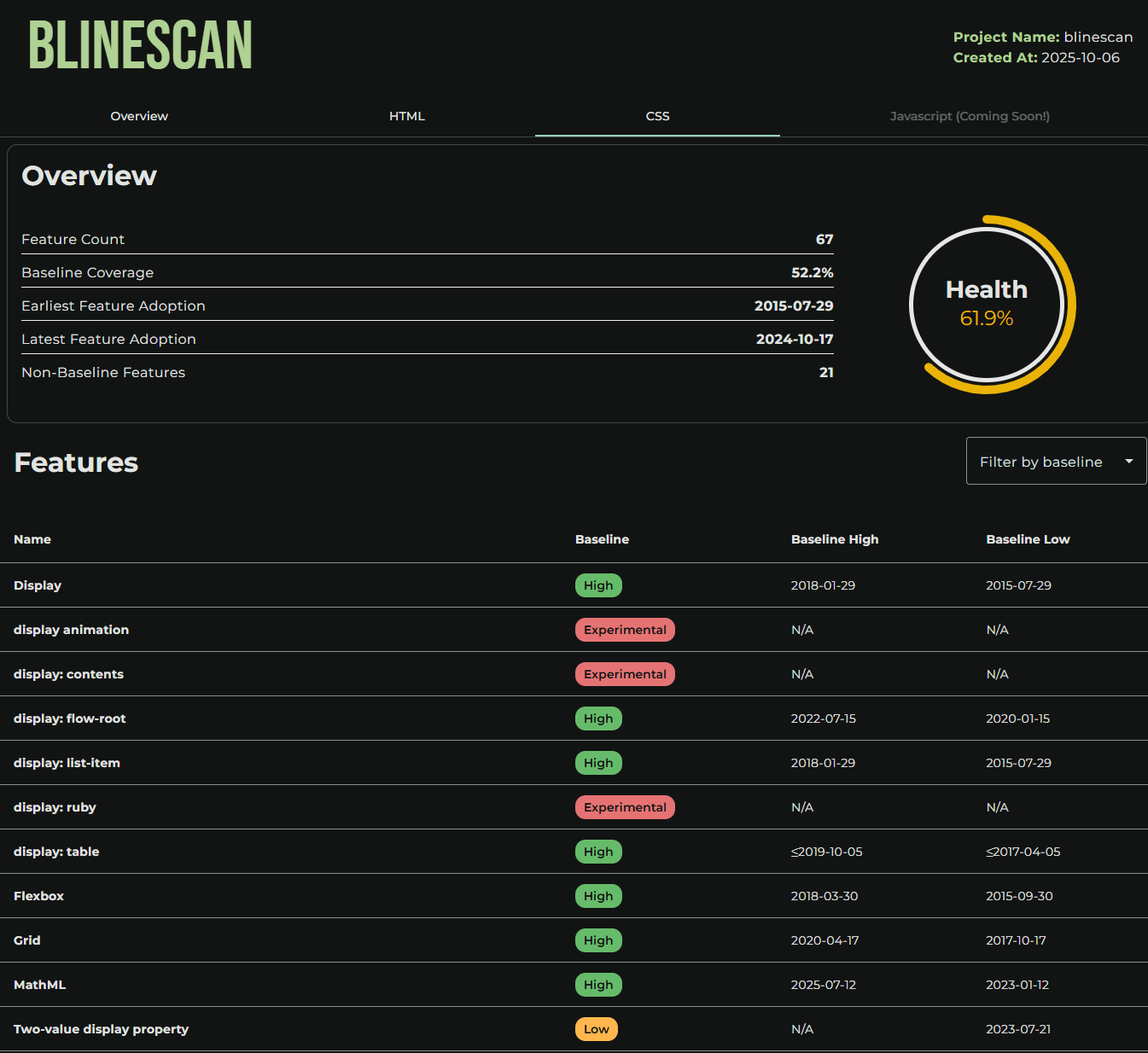
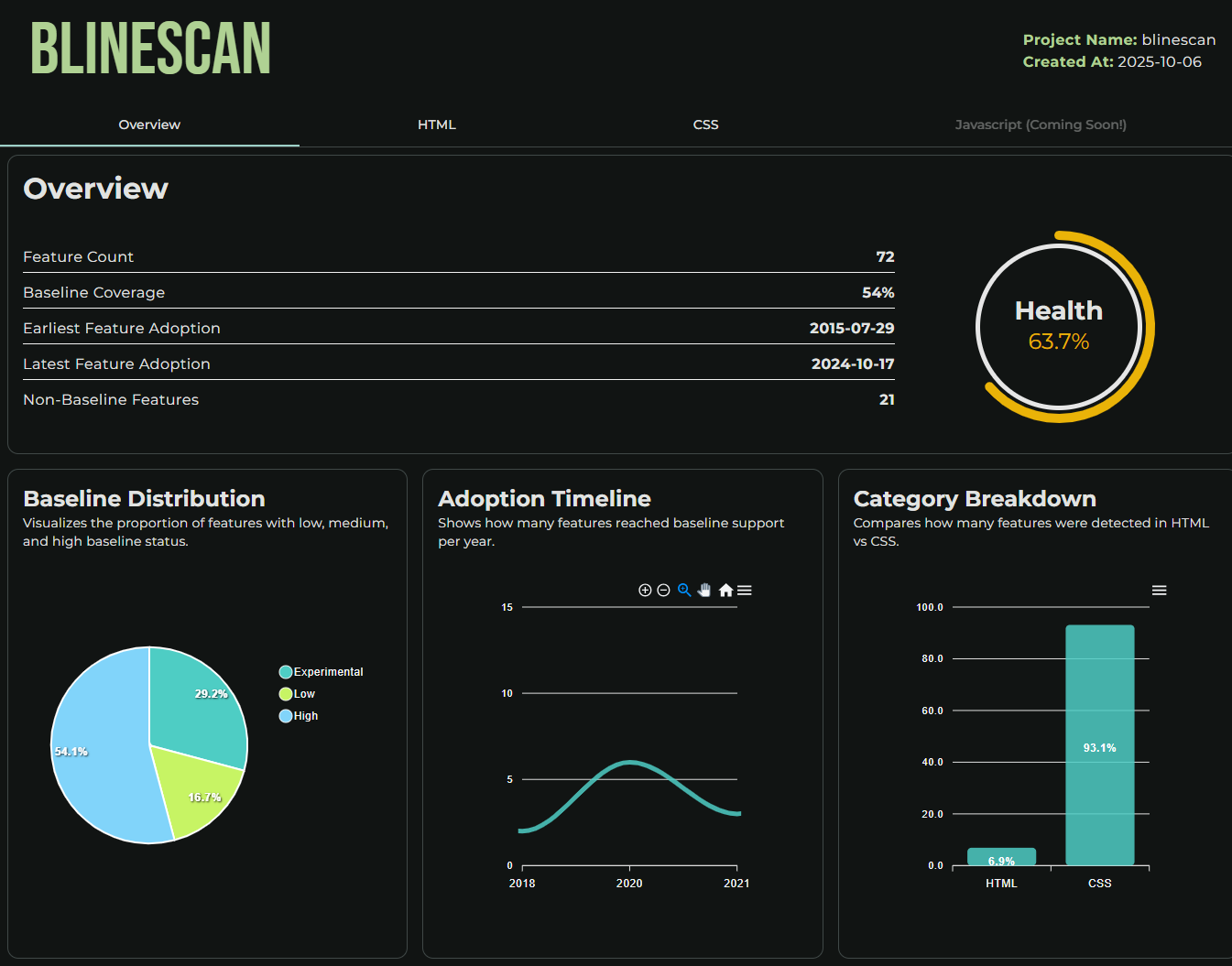
The CLI scans your codebase and generates a detailed report showing:
- Baseline coverage percentage: how much of your code is fully supported across browsers.
- Feature adoption timeline: when the features you’re using became stable.
- Non-baseline features: elements that might break on older browsers.
- Baseline Health Score: a clear percentage showing how safe your project is to deploy based on the stability and adoption level of your features.
The report is displayed in an interactive dashboard with charts and tables for deeper insight. Developers can view it locally or upload it to a remote server (with --remote) to share with teammates.
In short, BLineScan turns your code into a visual compatibility report, helping teams ensure their web apps are ready for real users before deployment.
Challenges we ran into
One of the main challenges was cross-referencing the modern features found in the source code with those listed in Baseline’s compatibility dataset.
To achieve that, the project needs to traverse the entire codebase and accurately identify every feature used which works quite well for:
- HTML, since tags and attributes are well-defined.
- CSS, which is more complex but still follows clear syntax patterns.
However, JavaScript was the biggest challenge. Its dynamic and flexible nature makes it hard to detect every modern API or feature reliably. Building a complete parser and matcher for JavaScript requires more time and detailed mapping than was possible within the competition deadline.
Despite that, the project successfully demonstrates the concept and handles HTML and CSS fully, laying the foundation for complete JavaScript support in future iterations.
What's next for BLineScan
BLineScan already proves that compatibility can be visual, shareable, and easy to understand. The next steps focus on expanding coverage, automation, and collaboration:
- Full JavaScript Parsing: Build a deeper detection engine to recognize modern APIs and syntax features with higher accuracy.
- Continuous Integration Support: Allow BLineScan to run automatically in CI/CD pipelines, generating compatibility reports on every commit or pull request.
- Team Dashboards & History Tracking: Keep report history, compare versions over time, and visualize progress toward full Baseline coverage.
- Public API & Plugins: Provide an API for other tools or IDE extensions to access BLineScan results directly.
In short, the goal is to make BLineScan not just a scanner, but a standard for compatibility awareness across web teams.
Built With
- angular.js
- baseline
- cli
- express.js
- node.js

Log in or sign up for Devpost to join the conversation.